Don’t Miss the Moment with Tracy Sweeney

Two Built-in iPhone Features That Stop Time

From Tracy Sweeney’s session “Unleash Your iPhone’s Power for Stunning Portraits!” at last year’s iPhone Photography Conference, here’s a behind-the-scenes look at how I use Burst Mode and Live Photos to capture fast-moving kids and real emotion—without missing the moment.

[embedded content]

Capturing Fast Action with Burst Mode

This can be really effective if you’re photographing something like a child’s basketball game. You’re waiting for that perfect anticipatory shot, but you don’t know exactly when the moment is going to happen. That’s where Burst mode comes in. It’s ideal for fast-moving subjects because it gives you several options to choose from. Sometimes it’s a lot of junk, honestly—but the great thing is you can go in afterward and just select the one best image.

To use burst mode, open the Camera app and make sure you’re in Photo mode—not Video or Portrait. Then you simply swipe the shutter button to the left and hold it there. That starts taking a series of photos. When you lift your finger, it stops, and you’ve captured a whole succession of images in that instant.

Selecting and Managing Burst Photos

Once you’re done, head to your photo library and you’ll see the burst. In the upper left corner, you can see how many photos you captured. In this case, I took 71 images in a very short amount of time just by swiping and holding. When I lifted my finger, the burst completed. Now I can swipe through from the bottom to view all of my options and make selections of the images I like the most.

So for the photos I love, I don’t have to keep all 71 unless I want to. I’ll be prompted to either keep everything or keep only my favorites—maybe five. If you don’t want to miss a moment, and you’ve got tons of storage on your phone, go for it. But if you want to clean things up, you can just keep your top picks.

Now, another really cool feature is Live Photos.

Capturing Fast Action with Live Photos

Live Photos capture a moment in motion. When you take one, it records about one and a half seconds of video before and after you press the shutter button. So it creates this short animation that even includes sound. For someone like me who posts on social a lot for my business, this is really cool. My goal might be to create a still image, but then I can also use that same moment as an Instagram Reel or in a post where the image comes to life.

To take a Live Photo, open your camera and make sure you’re in Photo mode. Then check that Live Photo is turned on—you’ll see the icon at the top with the three circles that ascend in size. It’s on by default, but if you’ve tapped it off, just tap it again to activate it. Some people keep it off because the file size is larger, which I totally get.

To capture one, just tap the shutter button or use the camera control on your iPhone 16 or newer. To view it, go to your camera roll. You’ll see “Live” in the top left corner. Hold down on the image and you’ll see the animation play. You get the entire clip from before the shutter to after—it all gets pieced together into this really neat little moment.

This is especially powerful when photographing people. You’re not just capturing the moment—you’re capturing the emotion behind it. That sentiment is beautiful, and it gives us more creative options.

Editing Live Photos

The image itself has the photographic style attached to it. If I don’t love the look, I can edit and apply a different style that feels better. Everything is non-destructive, so I can edit to my heart’s content. Once I click Done, it’s still a Live Photo. If I hold it down, it still animates, which is really cool.

If I want to edit the animation itself, I need to save it as a video. Click the ellipses in the top right and choose Save as Video. Now it appears in my camera roll as a video and I can edit that clip. I won’t have as many options as I do with photographic styles, but I can still use filters like vivid, vivid warm, vivid cool, dramatic—these might already feel familiar since they’ve been on iPhones for a long time. And of course, I can still make individual adjustments throughout.

So between Burst mode and Live Photos, you’ve got some really powerful tools right in your pocket. Whether you’re photographing kids on the move, a game, or just those everyday moments you don’t want to miss, this gives you options. You’re not stuck with one frame—you can choose the best one, or even bring it to life. We’re not just capturing pictures, we’re capturing feeling and story. It helps you hold onto moments that go by way too fast.


Make Every Shot Count

The iPhone Photography Conference is back March 9–11, 2026, featuring three days of hands-on tips, creative approaches, and editing techniques from top industry pros. You’ll walk away ready to capture images you’re truly proud of—anytime, anywhere.

https://layersmagazine.com/dont-miss-the-moment-with-tracy-sweeney.html


Luxury Family Escapes

Le Collectionist’s Easter Collection Redefines Spring Travel

As spring establishes itself as one of the most desirable moments to travel, Le Collectionist confirms a decisive shift in luxury tourism habits. Easter and the wider spring season are no longer a quiet interlude between winter and summer, but a prime period for families seeking privacy, space and bespoke experiences in some of Europe and North Africa’s most refined destinations.

According to the latest data from Le Collectionist, spring travel in 2025 has grown by 26% compared to 2024, now representing 11% of total annual stays. This rapid growth reflects a changing mindset among high-end travellers, who are increasingly prioritising mild weather, flexibility and crowd-free destinations. Demand is surging particularly in Ibiza(+57%), Marrakech (+143%) and Comporta (+54%), driven largely by American, French and British guests booking an average stay of seven nights.

At the heart of this growth is Le Collectionist’s Easter Collection, a curated portfolio of family-friendly luxury villas designed to elevate spring holidays into truly memorable escapes. These private homes combine architectural excellence, generous capacity and resort-level amenities, while maintaining the intimacy and exclusivity that define the brand.

Among the standout properties is Villa Clarence in Ibiza, an expansive retreat that can accommodate up to 18 guests. Designed for multigenerational stays, the villa features a private cinema room, massage and wellness areas, a paddle court and full spa facilities—making it as appealing for adults seeking relaxation as it is for children craving entertainment.

In Portugal, Harmonia da Comporta embodies understated luxury and natural elegance. Hosting up to 16 guests across nine bedrooms, the villa is immersed in Comporta’s serene landscape, offering a slower, more contemplative rhythm of travel that has become increasingly attractive to families escaping urban routines.

Further south, in Morocco, Villa A&N in Marrakech stands out for its architectural pedigree. Designed by the acclaimed Studio KO, the property accommodates up to 20 guests and sits at the foothills of the Atlas Mountains. Its minimalist lines, earthy tones and open spaces create a refined yet deeply relaxing environment, ideal for extended family gatherings during Easter and spring breaks.

Beyond the villas themselves, Le Collectionist’s defining strength lies in its highly personalised concierge service. From private chefs and trusted childcare to cultural excursions and tailor-made activities, every detail is curated to ensure comfort, entertainment and peace of mind. This holistic approach transforms a luxury villa stay into a fully orchestrated experience, perfectly adapted to the needs of families.

As spring continues to gain momentum as a luxury travel season, Le Collectionist’s Easter Collection positions itself at the intersection of exclusivity, flexibility and experiential travel—offering families not just a holiday, but a refined way of spending time together.

About villas:

Villa Clarence is a secluded sanctuary nestled in the tranquil hills of Ibiza, enveloped by acres of lush, private land. Rooted in a 300-year-old Ibicencan farmstead, it’s a hidden paradise where nature and tranquillity guide every detail—a true ode to slow living and timeless charm.

18 guests·9 bedrooms·9 bathrooms·546 sqm

Key features include: Swimming pool, sauna, movie room, massage room,

paddle court

Villa Harmonia Da Comporta 

16 guests·9 bedrooms·8 bathrooms·700 sqm

In the wild and unspoilt Comporta, Villa Harmonia da Comporta stands like a luxurious beach house on the golden sand, without any neighbors around. With thatched roofs and wooden slats, the exterior embodies a relaxed seaside vibe hyper private, while the interior blends natural materials with modern touches within white walls, creating an airy and bright atmosphere perfect for your family beach holidays.

https://www.positive-magazine.com/luxury-family-easter-villas/?utm_source=rss&utm_medium=rss&utm_campaign=luxury-family-easter-villas


An interview with.. Federico Earth

Federico Gea Portrait

Federico Earth is a Fashion & music photographer based in Milan, blending film and digital to capture intimate backstage moments, portraits, and bold editorial storytelling.

1) Origin story

How did you start your journey in photography, and what pushed you to make it a profession?

I started taking photos during my teenage years, around the middle of high school. Back then my interests were simple, but intense: visually telling the everyday life of a 16–17-year-old. That meant friends, parties, close friendships and new encounters—situations I lived every day, moving between my hometown and the city of Milan.

Beyond the personal sphere, there were two worlds that fascinated me in particular: music and fashion. In my circle there were a lot of guys starting to make rap, so naturally I began shooting them too. They were emerging artists, people I shared age and visions with, and documenting that beginning was important. Without realizing it, I was already building a visual archive of my generation.

All of this started spontaneously, without immediately thinking about a career—just with a strong urgency to tell stories and express myself through the camera. Over time, though, that passion started to absorb me completely. Photography became a constant presence, almost the only one. There was a force inside me pushing only in that direction. I didn’t see alternatives, or plan Bs.

After finishing school, I took a year to understand whether to continue with a path of studies or try to turn that passion into a real job. And thanks to connections, friends and word of mouth, I managed to make photography a full-time job right away.

I’m very grateful I understood so early what I wanted to do. It’s not something to take for granted—especially at that age, when most people are still searching for their direction. I, instead, already felt very clearly what my road was.

Read more:
Interviews with photographers


2) Milan as a visual school

Milan is a city full of visual and creative stimuli: how much has it influenced your eye?

Even though I grew up just outside Milan, the city had a huge impact on me. It’s a metropolis that offers a lot, but at the same time demands a lot: it welcomes you, but it tests you. It’s full of stimuli, of contrasting energies, and it constantly forces you to ask yourself who you are and what you really want.

Milan has given me so much: it’s the city where I built my professional and creative path, where I met people who were fundamental to my growth. It’s my everyday life, even if I don’t live completely inside it—it’s where I work, where I move, where my days happen. In a way, it’s home.

I think living nearby gave me a different perspective compared to people who moved here from other parts of Italy. Milan was never “the new city” for me, but a natural extension of my life. I know it well, I respect it, but I don’t idealize it.

It shaped me and gave me concrete opportunities, but it can also be exhausting. It gives you a lot and it takes a lot. It’s definitely a central chapter of my journey, but I don’t know if it will be the final one. Still, it remains a fixed point, and I know that a lot of what I am today is thanks to it.

Read more:
Milan features ·
Street photography


3) Creativity vs client work

You work across fashion, music and advertising: how do you balance the creative side with the client’s requests?

Moving between different worlds like music, fashion and advertising is an ongoing challenge, but also one of the most stimulating aspects of my job. Each of these fields has its own language and needs, and learning to adapt while staying coherent is something I’ve developed over time.

I think the key is to always keep a personal thread running through everything. It’s right to adapt to the context, to interpret the client’s requests, but without losing yourself. I’ve always felt the need not to lock myself into a single visual language, but at the same time I believe that any image—even the most “commercial” one—should carry something of mine.

For me it’s essential to cultivate what I call the “art of pleasing”: knowing how to put the client’s needs at the center, without becoming a mechanical executor. When you lose your personality, the work becomes cold, impersonal, and ends up being only a technical act.

The real balance is there: interpreting, not just executing. Bringing your own eye into other people’s requests. That’s what distinguishes you.

Read more:
Commercial photography ·
Fashion photography


4) Editorial vs commercial

What differences do you find between an editorial shoot and a commercial one? And which one excites you more?

The differences between an editorial shoot and a commercial one are very clear to me.

In editorial work I’m faced with the possibility of translating ideas in my head into images, without filters. It’s the most direct expression of who I am as a photographer—an opportunity to tell a personal vision and work in total freedom, often in dialogue with other creatives like stylists, directors, art directors.

In the commercial world, instead, the starting point isn’t your freedom, but the client’s needs. The main goal is to communicate a precise message, with specific visual codes, often within a well-defined strategy. That doesn’t mean giving up your identity, but rather finding a balance between what’s being asked of you and what you can bring as an author.

Both worlds play an important role in my work. Editorial excites me because it lets me experiment and grow as an author. Commercial fascinates me because of the challenge: managing to bring something of mine even within strict limits is, in itself, a creative form.

Read more:
Editorial stories ·
Advertising & campaigns


5) Dream collaborations

Are there artists or brands you dream of collaborating with one day?

Right now I feel a strong connection with the UK music scene. If I had to name some, definitely Skepta, Dave and Jim Legxcy are among the artists I’d love to collaborate with—because of vision, attitude and visual universe, I find them very close to my world.

On the brand side, there are many I find interesting, especially among independent British labels. But if I had to name just one that really feels aligned with my aesthetic and the way I work, without a doubt I’d say Stüssy.

Read more:
Music photography ·
Brand collaborations


6) Backstage, portrait, performance

When you photograph a musician, what kind of approach do you look for? Do you prefer backstage, portraits, performance…?

In the music world I feel especially comfortable in more intimate contexts like backstage or studio sessions. Those are situations where you can create a deeper connection with the artist, and where I can tell more real, more personal moments—far from the tension of the stage.

Portraiture is also a dimension that really feels like mine: it allows me to work on a more constructed image that still feels honest, where the artist’s personality comes through details and precise visual choices.

Live performance is definitely fascinating—it’s the climax of an entire journey, the moment when everything explodes—but if I had to choose where I feel most aligned, without a doubt I’d say somewhere between backstage and portraiture.

Read more:
Portrait photography ·
Backstage


7) Styling & team dynamics

How important is styling for you on a photo set? Do you have a fixed team or do you collaborate project by project?

Styling is one of the most important visual components in photography. It’s a fundamental slice of the image-building process and of the message you want to convey. As someone passionate about fashion, I’m very attentive—and also demanding—on this aspect, but at the same time I deeply recognize and respect the work of stylists: I fully trust whoever does that role with competence and vision.

I don’t have a fixed team, also because over the years I’ve been lucky to collaborate with many stylists—colleagues and friends—each with a different aesthetic.

Just like a photographer, a stylist has a strong identity, and I think it’s right to choose each time who to involve depending on the sensitivity that each project requires. Some have a vision that works better for editorial shoots, others are perfect for more street-oriented or cleaner work. Being able to read those nuances and match each project to the right person is, in my opinion, one of the keys to creating coherent, strong images.

Read more:
Styling ·
Creative direction


8) The hardest lesson

What has been the biggest challenge you’ve faced so far as a professional photographer?

The biggest challenge I’ve faced was having a reality check with myself. It happened a couple of years ago.

After graduating, in 2021, I started working immediately and never stopped. I had a lot of energy, a lot of drive, and very little experience—and that pushed me to accept everything. I didn’t ask myself questions: whether a job interested me or not, whether it was paid well or poorly, whether it reflected what I wanted. The important thing was working.

At a certain point, though, I started feeling like I didn’t recognize myself anymore. What used to be a means of expression—or even an escape—was becoming mechanical, emptied out. I had started saying lots of yeses, but very few of those yeses really spoke about me.

The real challenge was taking a step back, slowing down, putting myself at the center and asking: “What do I really want to do? Where am I taking myself?” It was a difficult moment, but necessary.

It taught me to respect rest time, to give value to pauses as much as to sets, and above all to never lose the connection with what pushed me to start. Even today I feel the need to question myself regularly, so I don’t fall back into the trap of “doing a lot, but saying nothing.”

Read more:
Creative process


9) Social media vs portfolio

Do social media like Instagram help you find clients, or do you prefer focusing on portfolio and word of mouth?

I think social media are one of the most powerful tools available to creatives today. They can turn an idea, an image, a visual content into something immediately visible on a global scale. Especially for photography, Instagram has been—and still is—a very important showcase.

In recent years, though, the language of social has changed: posting a photo isn’t enough anymore. With the arrival of TikTok, for example, the need emerged to tell stories, create context, add narrative around visual content. Personally, I’m very attached to a more classic approach—Instagram in its best years—and I don’t feel particularly close to dynamics like reels or talking videos. But that doesn’t mean I don’t recognize them as incredibly strong tools.

At the same time, I think the portfolio remains essential. It’s the space where a client can clearly see your work, without distractions, and with a different level of care compared to a social feed.

And then there’s word of mouth, which despite everything continues to be one of the most effective forms of promotion. For me it has played—and still plays—a fundamental role: real connections, collaborations, sincere recommendations often remain the true engine behind many opportunities.

Read more:
Portfolio ·
Instagram & visual culture


10) Advice to beginners

What advice would you give to someone who wants to enter fashion and music photography today?

The advice I’d give—to myself five years ago or to anyone starting today—is simple, even if it sounds obvious: do.

Shoot, experiment, try. Every experience, every job—even the one you might not consider successful today or that doesn’t feel 100% yours—is formative. Everything teaches you something. The foundation of everything is moving, building, making mistakes, doing it again.

Photography lives in action: if you think of an idea, try it. If something inspires you, shoot it. Sometimes you need more willingness than perfect technique. I truly believe that trust—in yourself and in your path—is always rewarded.

And if, like me, you choose not to follow an academic path, then you become your own teacher. Every person you work with, every situation you find yourself in, is an opportunity to learn something. You need to listen, observe, absorb.

And above all, don’t let fear block you. Often doing things—even without knowing exactly how they’ll turn out—is the only way to really understand who you are. Even the photos that today seem ugly, naive or make you laugh—they were useful. They built something.

So truly: do. Even before you know what you’re doing.

Read more:
Photography tips


11) Film vs digital

Do you use both digital and film? What pushes you to choose one over the other?

For me, film and digital are first and foremost tools. Different, but both valid.

My journey actually started with film, during high school. I fell in love with the work of Gunner Stahl, a photographer documenting the American rap world with a small point-and-shoot: he was invisible, discreet, but able to capture real, truthful moments. That approach fascinated me deeply.

Back then, film had an aesthetic I didn’t know—a look I didn’t see on social or around me. It felt rare, unique. So I began shooting only on film. At first it was almost the only way I wanted to express myself.

Over time, though, I had to confront film’s limits: costs, timing, flexibility. I understood that if I wanted to turn my passion into a real job, I had to accept digital too. It was a personal challenge, but necessary.

Today I see it like this: film is the heart, digital is the head. I always try to integrate film into my projects, even just with a little point-and-shoot in my pocket, to keep alive the process I started with. But I recognize that digital, for practical and professional reasons, is often the right choice.

Instagram, for example, I only use to post film work, because that’s where I feel I can tell myself. But in my full portfolio there are also many digital works, because it’s important to show I can operate in both worlds.

Today I’ve accepted that choosing film or digital isn’t about purity, but about context. Sometimes I can put first the approach that feels more like me; other times you just need to understand which medium is best for the project. In the end, they’re both tools to tell stories. And what really matters is how you tell them.

Read more:
Film photography ·
Digital photography


12) What changes when you shoot film

What changes for you in the relationship with the subject when you shoot on film?

Shooting on film completely changes the approach—both for me and for the person in front of me. Film imposes precise limits: you have few frames, a single ISO sensitivity, and you can’t afford to “spray and pray.” That forces you to slow down, think, and be more analytical in your choices.

When I’m in front of a subject, I know every frame carries specific weight. And that makes me more aware, more present, but also clearer with the person I’m photographing. I like to explain that I won’t take a hundred photos, but ten—maybe fifteen—and each one will be thought through.

This slowness, this more reflective process, creates a different kind of understanding. The energy on set changes: the pressure drops, you listen more, and often the subject feels like an integral part of what’s happening.

It’s a kind of photography that forces you to value the moment. And personally, that’s one of the reasons I’m so attached to film.

Read more:
Analog ·
Behind the scenes


13) Does film still matter?

Do you think film photography still has a role in the world of fashion and music?

As long as there are creatives who truly believe in this medium and carry it forward consistently, film will always have space—in any photographic field, including fashion and music.

It’s clear that over time everything has become faster: tighter deadlines, projects to close in very short timeframes, logistical conditions that often don’t support slow and thoughtful processes like film.

But if there were more attention to giving time to creative processes, more trust in the rhythms of those who create, we would probably see more openness towards film—and more freedom to use it even in complex production contexts.

It’s not only a technical or aesthetic question, but a matter of vision. And as long as there are photographers who want to insist on a certain kind of approach, film will continue to have its place—even if it will never be the easiest or most immediate one.

Read more:
Photography culture


14) Digital freedom, film intention

What are the limits and freedoms that digital gives you compared to film?

Digital gives you incredible freedoms: immediate feedback, more accessible costs, great flexibility in timing, and a much simpler logistical management. When you work on fast sets, outdoors, in difficult conditions or with tight deadlines, it’s the ideal medium.

But those freedoms also come with limits. One above all: you risk losing intention. Digital, with the ability to shoot hundreds of photos without thinking too much, often leads you to rely on chance—shooting in the hope that “among all of them, one good one will come out.”

With film, instead, you’re forced to study. To plan. To be present. Every frame has weight, and that trains you in another kind of attention—slower and more conscious.

Then there’s the physical aspect: with film you have something tangible in your hands. A negative, a real strip you can preserve for years. In digital, everything is more abstract. Files live on hard drives or in the cloud, and if you lose a backup, you lose everything.

Another important aspect is aesthetic: with digital, the photo is always a starting point. It’s up to you to build the look, give it character and meaning. With film, instead, the photo is born already with its own visual soul.

In the end, both media have pros and cons. Film forces you to focus before the shot. Digital, instead, challenges you after. It’s up to the photographer to decide where to place their attention.

Read more:
Workflow


15) A project that needed film

Is there a project that wouldn’t have been the same without film? Tell us about it.

If I think about recent work, one in particular is the project shot with some Inter players for the launch of last season’s second kit. It was a set with extremely tight timing: very little margin to photograph all three players together, zero space for tests or second thoughts.

Despite the pressure and the need to deliver everything digitally, I still wanted to carve out a moment to shoot a roll on film.

It felt like a forced choice, almost risky in that context.

And yet, in the final selection phase, it was decided to use those film images.

It was a great satisfaction—not only because of the final result, but because that small space I forced myself to take made the difference.

That project confirmed for me how sometimes insisting on carrying a certain approach forward—even when it isn’t the most comfortable route—can add a strong, extra value.

It wouldn’t have been the same without film. The feeling, the atmosphere, the materiality of the shot… it was something else.

Read more:
More film stories


Discover more:
Photography ·
Portrait ·
Fashion ·
Music

https://www.positive-magazine.com/an-interview-with-federico-earth/?utm_source=rss&utm_medium=rss&utm_campaign=an-interview-with-federico-earth


Shooting RAW on the iPhone: When and How to Do It with Scott Kelby

This tip comes straight from Scott Kelby’s “iPhone Tips & Tricks” session at last year’s iPhone Photography Conference, where he broke down exactly when it makes sense to shoot RAW on your iPhone—and when it absolutely does not. If you’ve ever wondered whether those massive file sizes are actually worth it, Scott lays it out in classic no-nonsense fashion.


[embedded content]

RAW Reality Check

First off, it’s important to note that there are two types of RAW files, right? You’ve probably heard of ProRAW. If you’ve got one of the newer cameras, like the iPhone 15 Pro or newer—basically anything from the last couple of years—you’ve got this ProRAW format. It shoots in RAW, but the file sizes are huge. Every time you press the button, it’s 75 megabytes. SEVENTY-FIVE MEGABYTES.

A JPEG is usually around one megabyte. Or Apple uses HEIF compression, which is about one megabyte. That’s nothing. A RAW file is 75 megs. So when in the world would I use that? If I press the button 14 times, that’s a gig. That’s a gig of data for only 14 photos. What if I do a burst and hold it down? Boom—gig. So what I do is I leave my camera set all the time to JPEG.

JPEG looks great. Files look fine. It’s what we’ve been using on our iPhones forever. There’s no real downside. Sure, if you want to edit in Lightroom it’s nice to have the extra data from RAW. There are advantages. But I don’t know if 75 megabytes per click is enough advantage for me.

My Rule for RAW

So I only turn on RAW when I’m somewhere, taking pictures, and I look and go, “Oh man, this looks really, really good.” I might want at least one image at that 75-megabyte, 48-megapixel level. So I switch it to RAW, take the shot, and I’m good. Then I turn it right back off. That’s it. I turn it on for one shot, then turn it off.

Now here’s the second thing you might want to consider. You don’t have to shoot 48-megapixel RAW. You can do 12-megapixel RAW. It’s a third of the size. It’s still RAW. It’s still ProRAW. But now it’s about 25 megabytes each.

12 Megapixels Is Actually Plenty

I know some people are like, “I don’t know, Scott…12 megapixels? Is that enough?”

Let me put it this way. In 2009, Nikon came out with a groundbreaking camera. I was shooting Nikon then and I went out and bought the Nikon D3. Revolutionary camera. Incredible quality. Best low noise of any camera at that point in history. Killer camera.

It was 12.1 megapixels.

What were people paying? Five thousand dollars. Body only. No lens. Five grand for a 12-megapixel camera. And today we’re like, “Is 12 megs enough?”

I took an image with that D3 that ended up being used in a campaign for Elinchrom lighting. It was also on the entire side of their booth as a giant print.

Then Nikon licensed the image from me. Here I am speaking at Nikon’s booth in New York, and right under the word “Nikon,” there’s the image as a massive framed print.

That was a 12-megapixel image. How big are you planning to print that you need more than 12? Trust me. Twelve megapixels is plenty.

Change It up on the Fly

Here’s how you set it up so you can toggle RAW on and off when you need it.

Step one: Go to Settings. Then go to Camera. Then go to Formats.

The default is ProRAW Max. Make sure ProRAW is turned on. This is where you decide—do you really need 48 megapixels, or can you get away with ProRAW 12 megapixel?

Now here’s the interesting thing. You’ve chosen 12 RAW, right? But you’re not actually shooting RAW yet. You’ve just told your camera, “I might shoot RAW in the future. Be ready.”

So when you’re ready to shoot RAW, look at the top right corner of your camera screen. You’ll see it says RAW and it says 12. But there’s a line through it. That means you’re still shooting JPEG.

Tap it. Line goes away. Now you’re shooting RAW.

When you’re done? Tap it again. Back to JPEG.

If you tap and hold, you can change it. Like if you suddenly decide, “This image is about to change people’s lives. I need 48 megapixels.” Tap and hold. The pop-up menu appears. You’re good.

There’s also JPEG Max. That’s a 48-megapixel JPEG. Much smaller than RAW, but still high resolution.

No RAW on Your iPhone? Here’s the Workaround

Most iPhones today shoot in RAW. But if you’ve got a model that doesn’t, download Lightroom Mobile. Lightroom Mobile lets you shoot RAW. Just tap up top where it says JPEG. A little file format window pops up. Choose DNG, which is Adobe’s open-source RAW format. Now you’re shooting RAW.


Make Every Shot Count

The iPhone Photography Conference is back March 9–11, 2026, featuring three days of hands-on tips, creative approaches, and editing techniques from top industry pros. You’ll walk away ready to capture images you’re truly proud of—anytime, anywhere.

https://layersmagazine.com/shooting-raw-on-the-iphone-when-and-how-to-do-it-with-scott-kelby.html


Learn How the Pros Make Masterpieces With Ultralight Gear

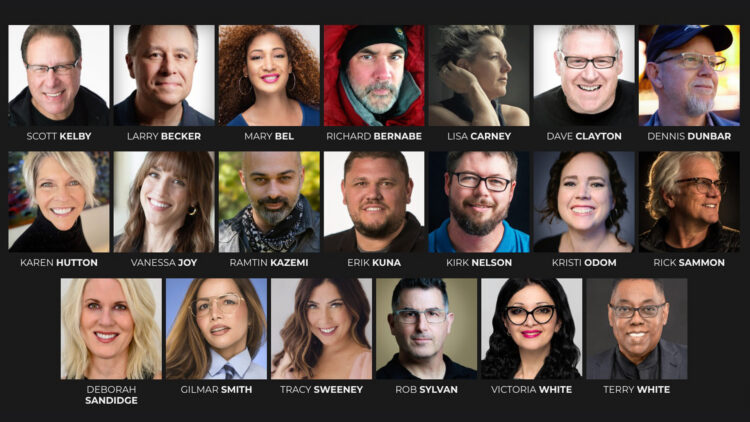
It’s time to rethink what “going pro” really looks like. Hauling a giant camera bag stuffed with bodies and lenses isn’t the only path to professional results anymore. Today’s iPhone cameras are so powerful that photographers are traveling lighter, moving faster, and still creating jaw-dropping images. That’s exactly what the iPhone Photography Conference is about — helping you sharpen your creative eye, elevate your craft, and capture stunning images with intention instead of weight. Join us from anywhere March 9–11, 2026 for three live online days of learning, inspiration, and serious creative momentum.

Your Dream Team Is Assembled

We’ve lined up a dream team of instructors — working pros across travel, street, portrait, landscape, commercial, and even astro photography — ready to show you how they make magic with the camera they carry everywhere. These creatives don’t just talk theory; they walk you through the real workflows they use every day to capture, edit, and deliver images that stop people in their tracks.

Learn to Make Images That Connect

Two high-energy days of live sessions, plus a bonus pre-conference day, will take you from “I want to try this” to “I just nailed it.” You’ll learn how to create expressive portraits with natural or studio light, shoot after dark (yes—even spectacular Milky Way and aurora shots), and capture magazine-quality travel images without lugging a bag full of heavy, expensive gear. We’ll cover composition, storytelling, and the latest editing workflows so your photos don’t just look great—they connect. From sweeping landscapes to macro details to documentary-style stories, our instructors will show you how to see differently, shoot smarter, and finish strong — starting with your iPhone and extending through mobile or desktop post-processing in Lightroom and Photoshop, and their favorite apps.

More Than a Conference — A Creative Leap

Whether you already shoot regularly on your iPhone or are ready to start treating it like a pro-level camera, this conference will push your mobile photography further than you thought possible. You’ll walk away with a skillset that works anywhere — giving you the confidence to capture sharp, striking, and fully realized images every time you pick up your iPhone.

Ready to make every shot count? Click the button below to grab your ticket, see full event details, and join photographers from around the world for three days of inspiration, insight, and serious creative growth.

https://layersmagazine.com/learn-how-the-pros-make-masterpieces-with-ultralight-gear.html


This Masking Tool in Lightroom is a Game Changer

Masking used to be one of the most frustrating parts of working in Lightroom Classic. Too many tools, too many decisions, and too much time spent trying to get a clean selection.

That’s changed in a big way—but a lot of photographers haven’t noticed yet.

One masking tool that changes everything

There’s one masking tool that fundamentally changes how you target and adjust specific parts of your photo. It’s faster, more intuitive, and eliminates much of the guesswork that used to slow edits down.

Click below to watch a free tip from Unlocking the Power of Lightroom’s Masking and see why you should not sleep on this tool!

Unlocking the Power of Lightroom’s Masking is just one part of The Complete Lightroom Learning System, a brand-new learning track included in a KelbyOne Membership. It’s designed to bring you up to speed quickly and help you take control of your Lightroom life.

https://layersmagazine.com/this-masking-tool-in-lightroom-is-a-game-changer.html


Editing Color in Lightroom Doesn’t Need to Be Complicated

Color is one of the most powerful parts of Lightroom Classic—but for many photographers, it’s also where edits start to feel overwhelming. With newer tools and more options than ever, it’s easy to second-guess yourself or feel unsure where to begin.

What’s the better launching point for your edit—Auto or Adaptive Color?

Click below for a free tip from Scott Kelby’s course How to Edit Like a Pro with Scott’s Seven Point System, inside The Complete Lightroom Learning System, our brand-new learning track.

Take the guesswork out of your editing workflow by applying Scott’s 7 Point System to your photography! This is the exact system Scott uses on his own photos, and he’s completely updated it to leverage the latest features in Lightroom Classic. It’s just one part of The Complete Lightroom Learning System—included in a KelbyOne membership. A system designed to make Lightroom feel clear, logical, and predictable again.

https://layersmagazine.com/editing-color-in-lightroom-doesnt-need-to-be-complicated.html


Photoshop Color Adjustments with the New Adjust Colors Tool with Kirk Nelson

Photoshop is full of long-time habits—and sometimes those habits keep us from noticing when a newer tool can make life a lot easier. In this excerpt from Kirk Nelson’s Photoshop World session, “Photoshop Has Changed, So Should You!, Kirk walks through the new Adjust Colors feature and shows how combining it with Photoshop’s smarter selections can dramatically speed up the color-change workflow. It’s a quick, practical update that fits right into the way photographers already work.

A Faster Way to Change Colors

Color adjustments have always been a big part of working in Photoshop—but Adobe has finally given us a way to handle them that doesn’t involve a dozen steps and a lot of cleanup.

This example starts with a shot I took while working with one of the teams. Let’s say we want to change the color of her jersey.

Now, there are a lot of ways to do this in Photoshop. Too many, honestly. And if you’ve taken my classes before, you know I’ve always gravitated toward Hue/Saturation. From the Contextual Task Bar, that’s accessed by the… what are they calling it now, the New York cookie? Black-and-white cookie? It’s the Create New Adjustment Layer icon.

All this does is click us over to the Adjustments panel. We were on Properties so we were over there anyway. In this instance the Contextual Task Bar doesn’t save us any time, really.

Hue/Sat absolutely works, but it takes a lot of fussing. As soon as you start dragging that hue slider or the Targeted Adjustment Tool (which I used), you’re not just shifting the jersey—you’re also adjusting the ball and anything else Photoshop thinks is in that color family. Then you’re messing with those little color-range brackets, trying to widen or narrow them. Before you know it, you’re cleaning up masks and doing way more work than you meant to.

Let’s delete all that and create our Hue/Saturation adjustment the new way.

Meet the Adjust Colors Tool

With the new Adjust Colors option in the Contextual Task Bar, Photoshop identifies the prominent colors in the image. Click the blue swatch and it targets the blues instantly.

At first, it still changes everything blue—you start moving sliders around, trying to pull the hue one way or the other, and Photoshop just grabs every blue pixel it can find. And I know what you’re thinking. You’re like, “Ha! Ha! That’s the same issue you had doing it the old way.” As my kids would say… “don’t @ me. I get it. But this is where the combination of new tools really clicks.

Use Object Selection to Get Specific

Instead of relying only on color, let Photoshop help. Grab the Object Selection Tool. Let it think for a moment. Then go to Select > Select People—Photoshop recognizes her right away. From there, choose Upper Clothes.

With a few clicks, Photoshop isolates just the jersey.

Could we have done that before? Not in the three clicks that that just took, that’s for sure. So now, the issue would be, now we don’t have that little adjust color thing over here. Where did that go? Why don’t we have that? Where is it? Honestly guys, I expect that in future generations of the program, we’re going to be able to put custom features in that Contextual Task Bar. It’s not there yet.

Here’s a little hack for what I’m going to do here. We’ve already got this selection. I’m going to go ahead and make that a mask. So it’s just there. Okay. Click back on the image. Now look, my Adjust Colors button is back. And when I click it, it just gives me the colors in the area that’s been masked out. So it’s just in this. Now, it’s still going to be applied to the entire image, but we just made a mask telling it where we want it to be, but the mask is just on the wrong layer. It’s on our base layer and not on the adjustment. Simply drag that mask up onto the adjustment layer. Yes, Photoshop warns you it’s replacing the mask. Yes, that’s what we want. Photoshop… relax.

Pick the blue again, shift the hue, and now only the jersey changes. No more collateral damage.

Why This Workflow Works So Well

When you combine Object Selection with Adjust Colors, this becomes one of the fastest ways to target and shift a color in an image. The prominent colors update, the mask keeps things contained, and the whole process feels natural and intuitive.

You can refresh the colors, switch to presets, or even adjust everything at once with the Master option. When I had to mock up different jersey colors for a coach, this literally saved me hours. No more old-school fiddling with hue brackets or cleaning up messy masks. It’s just… easy.

Adobe has changed Photoshop a lot in the last few years, and this is one tool that really shows how those changes can work in your favor.

Unlock the Best of KelbyOne Live 2025

Not a member yet? Join KelbyOne and, along with full membership benefits, you’ll unlock immediate access to The Best of KelbyOne Live 2025. This curated assortment of conference sessions from top photographers and educators is packed with Lightroom, Photoshop, iPhone, and creative workflow tips—everything you need to expand your skills and create your best images in 2026.

https://layersmagazine.com/photoshop-color-adjustments-with-the-new-adjust-colors-tool-with-kirk-nelson.html


Join Scott & Erik LIVE This Cyber Monday

Cyber Monday is going to be BIG this year — and we’re kicking it off with a special live webcast hosted by Scott Kelby and Erik Kuna!

 Monday, December 1, 2025
 11:00 AM ET
 Streaming on Facebook, YouTube, and the KelbyOne Members Site

Scott and Erik will be walking through everything happening right now at KelbyOne — including an inside look at our brand-new track, The Complete Lightroom Learning System (which is quickly becoming a member favorite).

If you want the full scoop on all things Cyber Monday, make sure you join us live!

https://layersmagazine.com/join-scott-erik-live-this-cyber-monday.html


Your Journey to Landscape Mastery Starts Here

Announcing the Landscape Photography Conference 2025! Produced by KelbyOne Live, this online event takes place December 9–10, 2025. Join photographers from around the world for two immersive days designed to help you sharpen your eye, refine your composition, strengthen your portfolio, and push your creative vision. From capturing breathtaking scenes in the field to elevating your work with post-processing, this is your chance to learn from the best and transform the way you shoot.

Learn from Legends Behind the Lens

We’ve gathered an extraordinary lineup of landscape photography experts—artists and educators who know what it takes to bring a scene to life. These are photographers who have braved the elements, chased the light, and crafted award-winning portfolios. Now they’re ready to share their stories, techniques, and field-tested tips with you.

Sessions That Inspire & Challenge

Sessions cover every stage of the process, including:

  • How to see like a landscape pro and compose more impactful images
  • In-the-field shooting techniques to make the most of light and weather
  • Post-processing techniques that help take your shots from “meh” to “masterpiece”
  • Strategies for building a portfolio that reflects your unique vision
  • Lightroom and Photoshop workflows for creative finishing, blending exposures, printing, and more

Whether you’re aiming to refine your technical skills, streamline your editing, or find fresh creative inspiration, you’ll find sessions tailored to your journey.

Prepare for Your Journey

This is your chance to join a live-online gathering of landscape lovers, photo storytellers, and people hungry to elevate their craft. Tickets are now available. Claim yours now to guarantee access, get in on all the inspiration, and start forming the vision that’ll define your next great images.

P.S. Why wait? Register now to save big with our Early Bird Special pricing. Get your 2-day conference pass for just $149 (regularly $299). This discounted price is only available until December 9, 2025, at 11:00 a.m. EDT. See you at the conference!

https://layersmagazine.com/your-journey-to-landscape-mastery-starts-here.html