LinkedIn has become a mainstay platform for our content team. That’s probably inevitable when: A, you work at Buffer; B, you’re trying to post consistently; and C, the obvious place to start practicing is something you’re already doing every day: work. And along the way, several of us have built up sizable audiences.
Kirsti Lang has 16K followers, Sabreen Haziq has just over 36K, and I have just over 25K. And that doesn’t count Instagram, YouTube, or TikTok. We’ve all been taking brand deals since 2025 across platforms, and so whenever teammates reach out for advice, as Hailley Griffis, Director of Communications and Content at Buffer, did, those of us who have been at it for a while have a ton to share.
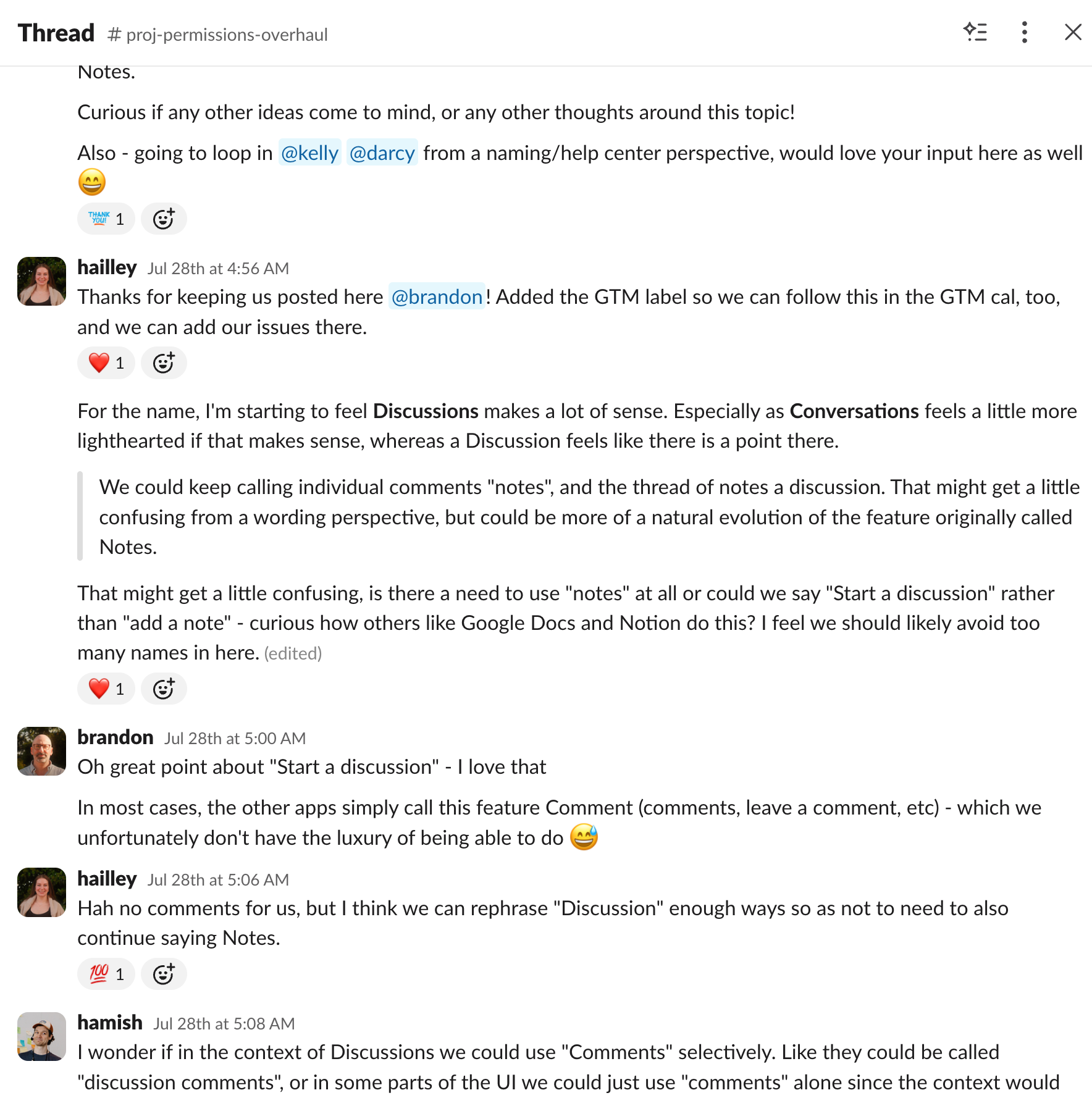
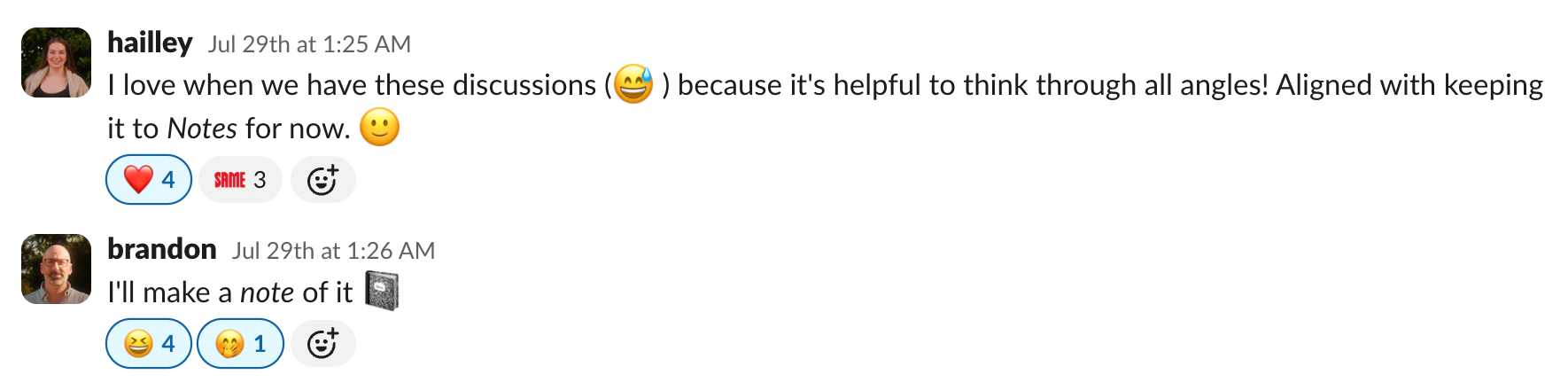
Hailley got her first inbound request and asked in Slack what to charge, and while troubleshooting, we all thought, “This would make a great blog post.”
Because, really, how do you charge as a creator? None of us would call ourselves influencers, but between us, we’ve worked with more than 50 brands, and each of us determines our rates in vastly different ways. And we all did a lot of trial and error on our own to reach this point, benefiting from the generosity of other creators’ transparency. To pay it forward, we put together this article.
I’ll caveat that we’re all mid-size creators in pretty SaaS and tech that historically pay well, with experience, time, and research behind us. But I still think the knowledge shared in this article can work for any type of creator.
So, without further ado, let’s get into it.
Key takeaways
- As of October 2026, the three of us charge $500–$1,000 for a sponsored LinkedIn text or single-image post. A short video costs $900–$4,000, depending on how much production goes into it.
- Follower count doesn’t work well as a pricing formula. At $10 per 1,000 followers, my 25K LinkedIn following would put a post at $250. I start at $650.
- Format determines the price more than anything else. Brands mostly ask for video, and video takes longer to make. Kirsti’s short videos take about 11 hours each, which works out to roughly $80–$110 an hour.
- Charge separately for usage rights, exclusivity and extra revisions. Between the four of us, letting a brand run your post as an ad adds about 30% to 60% to the base rate.
- Keep discounts for long-term partnerships, where they save you admin and negotiation time. Don’t discount a one-off deal in the hope of more work.
- Raise your rates when you have proof: a brand’s own performance data, strong engagement on your first posts, or brands coming back to book you again.
- Before you quote, ask which platforms the brand wants, whether they’ll run the post as an ad, what exclusivity they need, and the timeline, deliverables and budget flexibility.
Jump to a section
Here are our rates as of October 2026, in US dollars.
|
Kirsti |
Sabreen |
Tami |
| Following |
16K LinkedIn, 13K Instagram; 5.6K TikTok |
36K LinkedIn, 15.6K Instagram, 1.2K YouTube |
25K LinkedIn, 3K Instagram |
| Text or single image |
$500–$700 |
$600–$1,000 |
$650–$750 |
| Carousel |
$700–$900 |
From $1,300 |
$1,000 |
| Short video |
$900–$1,200 |
$1,500–$4,000 |
$1,250–$1,500 |
| Long-form video |
$1,500 |
$4,500 (branded YouTube video) |
Not offered |
| Story or repost |
$200 |
$300–$700 |
$200–$300 |
| Multi-platform |
$1,200–$1,600 |
+$500 to add Instagram |
$1,500–$2,000 per video (LinkedIn and Instagram) |
| Biggest single deal |
About $2,400 |
About $7,000 |
$2,000 |
Of course, these rates are not set in stone (I’m personally looking for bigger and bigger deals every time), but they should give a good baseline for how you can think about your own pricing.
Kirsti prices for her time
Kirsti makes content about home office setups and productivity tools. She got her first LinkedIn brand partnership in 2025 and has worked with around 10 brands since. Most of her requests come through Passionfroot, a creator storefront, but her best-fit partnerships are usually direct. Lately she's been reaching out to brands she loves herself, and she's been surprised by how well that works.
“I’m becoming more selective about who I work with now,” she says.
She's clear about what she's pricing: “My time, for sure. I’m a mom, and I only have 4-5 hours a week to spend on content creation. Most of that has to go to my organic content. So that doesn’t leave time for more than a single sponsored post a month, really.”
“Now, I charge what the time is worth to me, rather than what is the ‘going rate.’ … I’m fortunate enough to have a full-time gig at Buffer that I have no interest in leaving! I have no doubt that would be different if creator work was my primary income source.”
When I asked how long one short-form video takes, she broke it down: about two hours of admin, two hours of scripting, an hour of setup plus hair and makeup, two hours of filming, three hours of editing, and an hour of revisions. Then she adds: “Wait, that is crazy!”
And it is. Because that's 11 hours and at $900 to $1,200 per video, it works out to roughly $80 to $110 an hour.
The most she's been paid is about $2,400 for a high-production YouTube video plus a Short with perpetual usage rights. She went in higher than she felt comfortable and was glad she did, because it was a lot of work. And her reason for pricing at the higher end for her audience size hasn't changed since our Slack thread: it “weeds out the poor-fit brands.”
Sabreen prices the production behind each post
Sabreen writes about the creator economy, marketing, and the AI tools changing how marketers work. Since May 2025, she's worked with close to 40 brands on roughly 100 sponsored pieces, and several of those brands have booked her six to 10 times.
Almost all of that happens on LinkedIn. Her Instagram and YouTube are for a different kind of content (self-improvement and cultural unlearning), and while brands do push for Instagram, it's never part of her standard bundle.
“The audiences follow me for different reasons on different channels, and I protect that,” she says.
Her short video range is wide on purpose. A straightforward talking-head video sits at the $1,500 to $2500 range. One where she builds animations separately, hand-draws elements, or films from a point of view that complicates the edit sits closer to $4,000. Her biggest deal, around $7,000, was an in-person event: a pre-event post, a recap video, an interview video, and ad boost rights, priced for her days on site as well as the deliverables.
Her lowest was about a year ago: “I accepted $500 for a video post. I was new to the space and hadn’t yet understood what my production was worth.”
She prices production first and audience second, with one caveat about LinkedIn: “I've had strong posts sit flat for days and then pick up, so I try not to over-index on reach and impressions in a quote. I price the work based on production value, and I report on performance honestly afterward, with added context.”
And she’s careful about what she puts her name behind: “I push back on product teams quite a bit. If a demo isn’t producing the outcome I’m supposed to show on camera, I’ve ask teams to rework things before I film, because I’d rather do more work on both sides than put my name behind a claim the product can’t support.”
Tami (that’s me!) started at $150, and now I mostly take agency rates
I started out posting about my career on LinkedIn: looking for remote work, landing my first remote content marketing job, and eventually joining Buffer. I have just over 25K followers there and a little over 3K on Instagram, which is where most of my energy has gone this year.
My first deal was $150. I'd pitched an AI writing tool, so I priced it low to make it worth their while, even though I had nearly 20K followers at the time. They said yes without hesitating, and that gave me the confidence to quote $350 to a video call app I was talking to at the same time. Within four months, I was at $500, which felt like the sweet spot.
Since then, most of my deals have come in through agencies and the occasional DM. And because running a deal myself is a lot of extra work, I tend to take whatever rate the agency shares.
That's how I ended up with $1,000 for a single-image post with a workspace app and $2,000 for two videos with a video production tool. Side by side, those are a bit unbalanced. By the rates I'd quote today, the image post came in above what I'd charge and the videos came in under, especially since one of them took a full day of vlog footage plus a voiceover.
So that's what I want to change in 2027: getting the most value out of each deal, for me and for the brand.
| Creator |
Creator storefront (Passionfroot) |
Agencies |
Brands reaching out directly |
Pitching brands ourselves |
| Kirsti |
Most requests |
Some deals |
Her best-fit deals |
Lately, and it's worked well |
| Sabreen |
Listed |
Some deals |
Most deals |
— |
| Tami |
Listed |
Most deals |
The occasional DM |
My first two deals |
6 guidelines for setting your rates as a creator
None of the three of us uses any specific formula, but I found that similar patterns, which I’ve categorized into rules, come up in how we each set our rates.
Follower count is no longer used to gauge what a sponsored post is worth. By that metric, if you priced a partnership at, say, $10 per 1,000 LinkedIn followers, that would put my paid content at $250. I start at $650 for one text post.
Nowadays, though, brands want to know how far your posts travel compared with your follower count. “Your rate is relative to meaningful engagement,” says Sabreen. Favikon's 2026 B2B pricing guide puts it the same way: “Follower count sets a floor, not a price.”
Sabreen’s test comes from the brand’s side: “Your success as a creator comes down to whether they get better value from you than from putting the same money into an awareness marketing ads.”
Format, on the other hand, changed our numbers a lot. Kirsti goes from $500–$700 for text to $900–$1,200 for a short video. Sabreen goes from $600–$1,000 to $1,500–$4,000, and I go from $650–$750 to $1,250–$1,500. Brands mostly ask all three of us for video, and video takes longer to make, so it costs more.
“Being a video creator on LinkedIn is a real advantage right now, because the supply of creators who can produce it well is still thin,” Sabreen says.
⚡ Pro tip: Time one deal from the first email to the final revision, then divide your rate by the hours.
2. Charge separately for usage rights and exclusivity
If a brand wants to run your sponsored post as an ad, charge for that separately. Kirsti adds about 50% for usage rights, depending on how long the brand wants them. Sabreen adds about 35% for 90 days and 50% for six months, or a flat rate of around $400 a month on long retainers.
Exclusivity is the one I'm firmest on. I always charge for it, or I won't sign. Most of my deals are with software companies, and so many tools overlap that a competitor clause can block a lot more than you'd expect.
Sabreen learned that the hard way. A 30-day competitor blackout on either side of a monthly post turns into a year of exclusivity if the deal runs for a year. She now prices exclusivity on what it blocks her from taking, and asks for the narrowest window the brand can live with.
Revisions are worth a line in the agreement too. Kirsti and Sabreen both cap revisions at the script stage and won't reshoot, because changing one moment usually means refilming the whole video to match the lighting and outfit and on and on. Sabreen shares, “Brands get two rounds on the script, and script sign-off is the point of no return.” I just add a line item for any extras, but that hasn’t come up yet.
| Add-on |
Kirsti |
Sabreen |
Tami |
Hailley |
| Usage rights or paid ads |
About +50%, depending on how long |
+35% for 90 days, +50% for six months, or about $400 a month on long retainers |
Charges extra, or bakes it into the rate |
+30% for six months of brand-owned use, +60% for 30 days of whitelisting or Thought Leader Ads |
| Category exclusivity |
About +20%, depending on the time frame |
Priced on what it blocks her from taking |
Always charges for it, or won't sign |
+50% for three months |
| Extra platforms |
Built into her rates |
+$500 to add Instagram |
$1,500–$2,000 per video for LinkedIn and Instagram |
+$200 for a newsletter mention |
| Revisions |
Two rounds, no reshoots |
Two rounds on the script, nothing after sign-off |
Charges for extra rounds |
Brand approves the post before it goes live |
| Perpetual rights |
Has sold them (her $2,400 deal) |
Perpetual is my exception. Default is time-boxed usage, priced separately. |
Haven’t been offered, but I could for the right price/type of content |
Not offered |
3. Decide whether your rate card shows your top price or your starting price
Kirsti and Sabreen publish their rates in opposite ways. Kirsti's rate card shows the top of her range, because “folks will always want to negotiate down, no matter where you are priced.” Sabreen's Passionfroot storefront prices sit at the low end as an entry point, and she quotes each deal once she knows the deliverables, timeline, usage, and how much production it needs.
“My actual quotes change constantly, since I don’t believe pricing is one-size-fits-all,” Sabreen says.
Sabreen also doesn't believe in the “it never hurts to ask for more” mentality, and her first deals with a new brand run slightly lower before she moves them up. I don't think either approach is wrong. I think they suit different volumes: Kirsti has room for about one sponsored post a month, and Sabreen has brands rebooking her six to 10 times, so that’s an incentive to keep them coming back.
I keep a rate card in Notion (it does need updating), but I treat each deal as its own thing.
4. Save discounts for long-term deals
Kirsti and Sabreen both discount retainers, because a long-term deal saves them hours of negotiation and admin. A one-off discount in the hope of more work is a different story.
Kirsti took $700 for a cross-platform video she'd usually price around $1,200, because it was a big brand she really wanted to work with long term. In her words from the Slack thread: “Alas, it was not to be!” She currently has a retainer with another tech brand she loves, which is the kind of long-term partnership she prefers: $600 a carousel and $900 a video, about one post every two months.
Sabreen has been there too: “Earlier on, I was a bit of a pushover when a brand came in under my number. Now I turn those deals down, because a budget that far below market rates won’t materialize into a healthy, meaningful long-term partnership. If a brand is out of touch with market rates, it’s usually also out of touch with the brand equity a creator brings by putting their name behind a campaign.”
Sabreen describes what she gets for the retainer discount as “a booked calendar, a brand team that already trusts my judgment, one round of negotiation instead of twelve.” She thinks of it as hours back rather than money off, and Kirsti used almost the same phrase. Sabreen keeps that discount small, though, because the production time doesn't shrink.
In Kirsti’s words: “All of the admin and negotiation that comes with kicking off a deal is time consuming. With a long-term partnership, you usually only have to do that once. So I see this as getting hours ‘back,’ if that makes sense?”
My first deal was a discount too: $150, because I was the one pitching. It worked out in a roundabout way, since the quick yes gave me the confidence to quote $350 to the next brand. But on discounting to win more work, Kirsti's take is the one I'd pass on: “This is a recipe for burnout. Quality will always bet better than quantity, for you and your audience!”
5. Raise your rates when the results back you up
Sabreen raised her rates the same day she learned that a brand's own data showed she'd delivered the best cost per acquisition on its campaign.
Two things happened around the same time. She was on a call with a creator who had fewer followers and was charging close to double her rate for the same deliverable. Then she found out a brand she'd worked with had shown that creator which creators performed best, and it was her, with a note that she should be charging more.
She shares, “Hearing it from the buyer's own numbers, rather than from another creator's encouragement, is what moved me. I reset my rate card the same day.”
“I took the slower route, built long-term relationships, and proved to brands over time that I’m worth investing more in. The rate followed the proof,” she adds.
My version of this experience was smaller, but it followed the same logic. I went from $150 to $350 to $500 in under four months, and each jump came after some proof: a brand saying yes without hesitating, then how those first posts performed. My first brand report showed 4.5K+ reach and 3.72% engagement. Looking back, I wish I'd factored my engagement rate into my pricing a lot sooner.
6. Ask these questions before you send a number
Before quoting, the three of us ask some version of the same questions:
- Which platforms do you want this on?
- Do you want to run it as an ad, and for how long?
- Do you need exclusivity, and how wide?
- What's the timeline, and how many deliverables?
- What do you want to see in the post, and do you have examples of what good looks like?
- Is the rate flexible?
Then there's the question we ask ourselves: does this fit my niche? None of us takes work outside it, because the post would underperform. As Kirsti put it, “There's nothing worse than sharing a sponsored post's performance when it has tanked.”
Kirsti learned that one early: “In my second or third brand deal, they requested that I change the sequence of the shots so that the product was in the very first frame. I knew that would be a terrible hook and for some reason I felt weird about pushing back? I wish I had because the post performed terribly.”
I turn deals down all the time when they don't fit my values or my audience. Sometimes I suggest a different angle on the brief, and sometimes it's just a no.
So, what did Hailley put on her rate card?
Hailley built a sponsored post page on her site, listed her rates, and sent it to the interested company. They ended up coming back with a much smaller budget, which she chose not to move forward with.
Hailley ended up going with slightly higher rates than she initially researched, because she knew any post would be a big time investment for her and she wanted to get the production of it right. At the time of writing this post, her rates are:
- $700 for a LinkedIn text or single-image post
- $900 for a carousel
- $1,800 for three posts over four to six weeks
- $200 to add a mention in her newsletter
On top of that, she charges 30% more for six months of brand-owned use, 60% more for 30 days of whitelisting or Thought Leader Ads, and 50% more for three months of category exclusivity. She doesn't offer perpetual rights at all. Her audience stats come into the page through Buffer's API, so a brand always sees current numbers.
I have a feeling the next deal will be a firm YES.
Once the deal is signed, the posts still have to get made, scheduled, and reported back to the brand. We can help with that: **Get started for free.**
https://buffer.com/resources/sponsored-post-rates/