Why Is SureRank WordPress SEO Plugin So Popular? via @sejournal, @martinibuster

A new SEO plugin called SureRank, by Brainstorm Force, makers of the popular Astra theme, is rapidly growing in popularity. In beta for a few months, it was announced in July and has amassed over twenty thousand installations. That’s a pretty good start for an SEO plugin that has only been out of beta for a few weeks.

One possible reason that SureRank is quickly becoming popular is that it’s created by a trusted brand, much loved for its Astra WordPress theme.

SureRank By Brainstorm Force

SureRank is the creation of the publishers of many highly popular plugins and themes installed in many millions of websites, such as Astra theme, Ultimate Addons for Elementor, Spectra Gutenberg Blocks – Website Builder for the Block Editor, and Starter Templates – AI-Powered Templates for Elementor & Gutenberg, to name a few.

Why Another SEO Plugin?

The goal of SureRank is to provide an easy-to-use SEO solution that includes only the necessary features every site needs in order to avoid feature bloat. It positions itself as an SEO assistant that guides the user with an intuitive user interface.

What Does SureRank Do?

SureRank has an onboarding process that walks a user through the initial optimizations and setup. It then performs an analysis and offers suggestions for site-level improvements.

It currently enables users to handle the basics like:

  • Edit titles and meta descriptions
  • Custom write social media titles, descriptions, and featured images,
  • Tweak home page and, archive page meta data
  • Meta robot directives, canonicals, and sitemaps
  • Schema structured data
  • Site and page level SEO analysis
  • Automatic image alt text generation
  • Google Search Console integration
  • WooCommerce integration

SureRank also provides a built-in tool for migrating settings from other popular SEO plugins like Rank Math, Yoast, and AIOSEO.

Check out the SureRank SEO plugin at the official WordPress.org repository:

SureRank – SEO Assistant with Meta Tags, Social Preview, XML Sitemap, and Schema

Featured Image by Shutterstock/Roman Samborskyi

https://www.searchenginejournal.com/surerank-seo-plugin/552172/


Google Confirms CSS Class Names Don’t Influence SEO via @sejournal, @MattGSouthern

In a recent episode of Google’s Search Off the Record podcast, Martin Splitt and John Mueller clarified how CSS affects SEO.

While some aspects of CSS have no bearing on SEO, others can directly influence how search engines interpret and rank content.

Here’s what matters and what doesn’t.

Class Names Don’t Matter For Rankings

One of the clearest takeaways from the episode is that CSS class names have no impact on Google Search.

Splitt stated:

“I don’t think it does. I don’t think we care because the CSS class names are just that. They’re just assigning a specific somewhat identifiable bit of stylesheet rules to elements and that’s it. That’s all. You could name them all “blurb.” It would not make a difference from an SEO perspective.”

Class names, they explained, are used only for applying visual styling. They’re not considered part of the page’s content. So they’re ignored by Googlebot and other HTML parsers when extracting meaningful information.

Even if you’re feeding HTML into a language model or a basic crawler, class names won’t factor in unless your system is explicitly designed to read those attributes.

Why Content In Pseudo Elements Is A Problem

While class names are harmless, the team warned about placing meaningful content in CSS pseudo elements like :before and :after.

Splitt stated:

“The idea again—the original idea—is to separate presentation from content. So content is in the HTML, and how it is presented is in the CSS. So with before and after, if you add decorative elements like a little triangle or a little dot or a little light bulb or like a little unicorn—whatever—I think that is fine because it’s decorative. It doesn’t have meaning in the sense of the content. Without it, it would still be fine.”

Adding visual flourishes is acceptable, but inserting headlines, paragraphs, or any user-facing content into pseudo elements breaks the core principle of web development.

That content becomes invisible to search engines, screen readers, and any other tools that rely on parsing the HTML directly.

Mueller shared a real-world example of how this can go wrong:

“There was once an escalation from the indexing team that said we should contact the site and tell them to stop using before and after… They were using the before pseudo class to add a number sign to everything that they considered hashtags. And our indexing system was like, it would be so nice if we could recognize these hashtags on the page because maybe they’re useful for something.”

Because the hashtag symbols were added via CSS, they were never seen by Google’s systems.

Splitt tested it live during the recording and confirmed:

“It’s not in the DOM… so it doesn’t get picked up by rendering.”

Oversized CSS Can Hurt Performance

The episode also touched on performance issues related to bloated stylesheets.

According to data from the HTTP Archive’s 2022 Web Almanac, the median size of a CSS file had grown to around 68 KB for mobile and 72 KB for desktop.

Mueller stated:

“The Web Almanac says every year we see CSS grow in size, and in 2022 the median stylesheet size was 68 kilobytes or 72 kilobytes. … They also mentioned the largest one that they found was 78 megabytes. … These are text files.”

That kind of bloat can negatively impact Core Web Vitals and overall user experience, which are two areas that do influence rankings. Frameworks and prebuilt libraries are often the cause.

While developers can mitigate this with minification and unused rule pruning, not everyone does. This makes CSS optimization a worthwhile item on your technical SEO checklist.

Keep CSS Crawlable

Despite CSS’s limited role in ranking, Google still recommends making CSS files crawlable.

Mueller joked:

“Google’s guidelines say you should make your CSS files crawlable. So there must be some kind of magic in there, right?”

The real reason is more technical than magical. Googlebot uses CSS files to render pages the way users would see them.

Blocking CSS can affect how your pages are interpreted, especially for layout, mobile-friendliness, or elements like hidden content.

Practical Tips For SEO Pros

Here’s what this episode means for your SEO practices:

  • Stop optimizing class names: Keywords in CSS classes won’t help your rankings.
  • Check pseudo elements: Any real content, like text meant to be read, should live in HTML, not in :before or :after.
  • Audit stylesheet size: Large CSS files can hurt page speed and Core Web Vitals. Trim what you can.
  • Ensure CSS is crawlable: Blocking stylesheets may disrupt rendering and impact how Google understands your page.

The team also emphasized the importance of using proper HTML tags for meaningful images:

“If the image is part of the content and you’re like, ‘Look at this house that I just bought,’ then you want an img, an image tag or a picture tag that actually has the actual image as part of the DOM because you want us to see like, ah, so this page has this image that is not just decoration.”

Use CSS for styling and HTML for meaning. This separation helps both users and search engines.

Listen to the full podcast episode below:

[embedded content]

https://www.searchenginejournal.com/google-confirms-css-class-names-dont-influence-seo/552152/


5 Ways To Prove The Real Value Of SEO In The AI Era via @sejournal, @wburton27

As SEO evolves with AI optimization, generative engine optimization, and answer engine optimization, brands and marketers must rethink their SEO strategies to stay competitive.

Instead of focusing solely on traditional SEO strategies and tactics, you need to be visible in AI-powered search and answer engines.

Showing the value of SEO in this new world means showcasing how optimized, structured, and intent-driven content can maximize visibility across generative platforms.

It can also enhance user trust and drive qualified engagement in a world where AI chatbots and platforms interpret a user’s intent, retrieve relevant information, and generate clear and concise answers.

In today’s competitive AI-powered results, it can be difficult to maximize your visibility.

With SEO becoming more challenging and the search engine results constantly changing to incorporate AI results, what metrics do you need to track, and how can you show the value of SEO in today’s AI-powered search results?

Let’s explore.

Proving The Value Of SEO

Proving SEO value depends on your client or prospective client’s goals and what will move the needle for them to get visibility in the search engine results pages (SERPs) and in AI chatbots and platforms.

This could include local search, app store optimization, content marketing, technical optimization, AI Overviews, etc.

That said, you must show performance improvements and drive revenue to secure more funding and make your client successful.

In my experience, here are some of the best metrics to track and measure to prove the SEO value in an AI world:

1. Monitor AI Results

With AI Overviews and generative AI changing SEO, it is important to track visibility as we move from ranking to relevance.

AI Overviews are not expected to go anywhere. During I/O 2025, Google announced that AI Overviews were expanding to over 200 countries and more than 40 languages.

AI Mode is now available to all users in the United States without the need to opt in via Search Labs.

To track AI Overviews:

Identify Which Queries Trigger AI Overviews

You can use tools like ZipTie.dev or Semrush to track which of your top-performing queries show AI Overviews and whether your site is included in those summaries.

Track which of your top-performing queries show AI Overviews Screenshot from Semrush, June 2025

Track AI Overview Queries

Once you have a list of queries that your site does or doesn’t appear in for an AI Overview,  you should track those queries using keyword tracking tools and compare your traffic pre- and post-AI rollouts.

Strategize To Optimize Your Content For AI Overviews

Segment your traffic based on content type, as many informational queries are experiencing a decline in traffic due to users obtaining answers directly from AI Overviews.

This will help you identify which areas are most impacted and plan your strategy to optimize queries that have the potential to show AI Overviews.

Consider server-side analytics solutions (e.g., Writesonic’s AI Traffic Analytics) to track AI crawler visits, see which pages are accessed, and monitor trends over time.

2. Track AI Brand Mentions

Since AI platforms process information differently than traditional search engines, getting mentioned in ChatGPT, Perplexity, Claude, or Google’s AI Mode for relevant queries is a must.

AI platforms like ChatGPT and Google’s AI Overview generate answers from a mix of training data and some real-time retrieval, depending on the platform and setup.

In my experience, brands that are frequently mentioned across various platforms, including PR, blogs, social media, news coverage, YouTube forums (such as Reddit and Quora), and authoritative sites, tend to be mentioned by AI.

To track AI mentions, several tools like Brand24, Brand Radar from Ahrefs, and Mention.com use AI to monitor online conversations across various platforms, leveraging large datasets to provide insights into your brand’s perception and those of your competitors.

It’s imperative that you find out if your brand is mentioned, what people are saying about your brand (both positive and negative), what queries are used to describe it, and which websites mention your brand.

Brand Radar: AhrefsScreenshot from Brand Radar, Ahrefs, June 2025

3. Track AI Citations/References

Checking to see if your website is cited by large language models (LLMs) can help brands and marketers understand how their content is being used by AI and assess their brand’s authority and visibility.

Ahrefs now offers a free tool that tracks when your website is cited in the answers generated by AI-powered search tools like Google AIO, ChatGPT, and Perplexity. AI citations count how often a domain was linked in AI results.

Pages show how many unique URLs from this domain were linked.

AI CitationsScreenshot from Ahrefs, June 2025

This is one of my favorite audit tools to look to see if there are any citations in any brand that we’re reviewing.

If Ahrefs adds trend analysis to track whether you’re gaining more citations in Google AIO, ChatGPT, and other platforms over time, it would be a valuable way to assess whether your strategies are working.

4. Tracking Branded Searches

It’s extremely important to track your branded searches in this new SEO AI era. AI-powered search results are personalized, and LLMs like Gemini and ChatGPT, to name a few, heavily consider user intent and context.

Having strong brand signals could improve entity recognition, which can improve your visibility for related queries.

Tracking how AI-generated answers (e.g., featured snippets or AI Overviews) treat your brand helps you optimize for entity-driven SEO.

In the AI SEO era, where search engines prioritize context, trust, and relevance, tracking branded searches could inform you to refine strategies that help defend your SERP presence and maximize conversions.

Here are some tips to help enhance branded visibility:

  • Create unique, authoritative, and factual, conversational content because AI models prioritize reliable and accurate information. Focus on content that demonstrates expertise and includes verifiable data.
  • Structure content for AI readability by using clear headings (H1, H2, H3), bullet lists, numbered lists, and data tables. Also, create concise paragraphs that directly answer questions.
  • Leverage schema markup like Organization, Product, Service, FAQPage, and Review to provide structured data that AI models can easily understand and reference.
  • Build brand authority and expertise by getting consistent citations, mentions on authoritative third-party sites, and positive reviews, to contribute to AI’s perception of your brand’s credibility.
  • Optimize conversational queries by creating content that directly answers “who, what, why, and how” in your niche.
  • Be active on platforms like Reddit and Quora, where AI models often pull information. SEO becomes “Search Engine Everywhere.”
  • Regularly review your AI visibility data, identify gaps, and adjust your content and SEO strategies based on insights.

5. Tracking AI Mode Metrics

AI Traffic In GSC

Google has recently provided some data in GSC for tracking AI Mode and marketers can track clicks, impressions, and positions.

According to Google:

AI Mode groups the user’s question into subtopics and searches for each one simultaneously, and users can go deeper.

If a user asks a follow-up question within AI Mode, they are essentially performing a new query. All impression, position, and click data in the new response are counted as coming from this new user query.

AI Traffic In GA4

While Google Analytics 4 doesn’t explicitly label AI traffic, you can look for patterns. Create custom reports with “Session source/medium” and apply regex filters for known AI domains (e.g., .*ChatGPT.*|.*perplexity.*|.*openai.*|.*bard.*).

For specific content you hope AI will cite, create unique URLs with UTM parameters (e.g., utm_source=chatgpt, utm_medium=ai). This can help attribute some traffic directly.

If you can get more conversions from AI Overviews, like Ahrefs did, when it found that AI search visitors converted at a rate 23 times higher than traditional organic search traffic, despite representing only 0.5% of total website visits, then you will have discovered a conversion goldmine that makes AI optimization not just worthwhile, but essential for staying competitive.

Final Thoughts

The SEO landscape has shifted from optimizing search engines and traditional search to optimizing for AI-powered chatbots and solutions, such as ChatGPT, Perplexity, Claude, Google’s AI Overviews, and potentially OpenAI’s web browser “in the coming weeks,” according to Reuters.

Google may face increased pressure and potentially lose market share if OpenAI launches an AI-powered web browser that challenges Google Chrome, changing how users access web content.

OpenAI has 500 million weekly active users of ChatGPT and could disrupt a key component of rival Google’s ad-money source.

SEO is no longer about ranking on the first page of Google.

It’s about being relevant and visible across multiple AI platforms, getting mentioned in generative responses, and demonstrating value through AI-focused metrics outside of the traditional metrics like rankings and traffic.

Brands and marketers that prove the SEO value in this new era can deliver immediate, measurable value while building momentum for larger investments in the future.

More Resources:


Featured Image: Roman Samborskyi/Shutterstock

https://www.searchenginejournal.com/ways-to-prove-seo-value/548389/


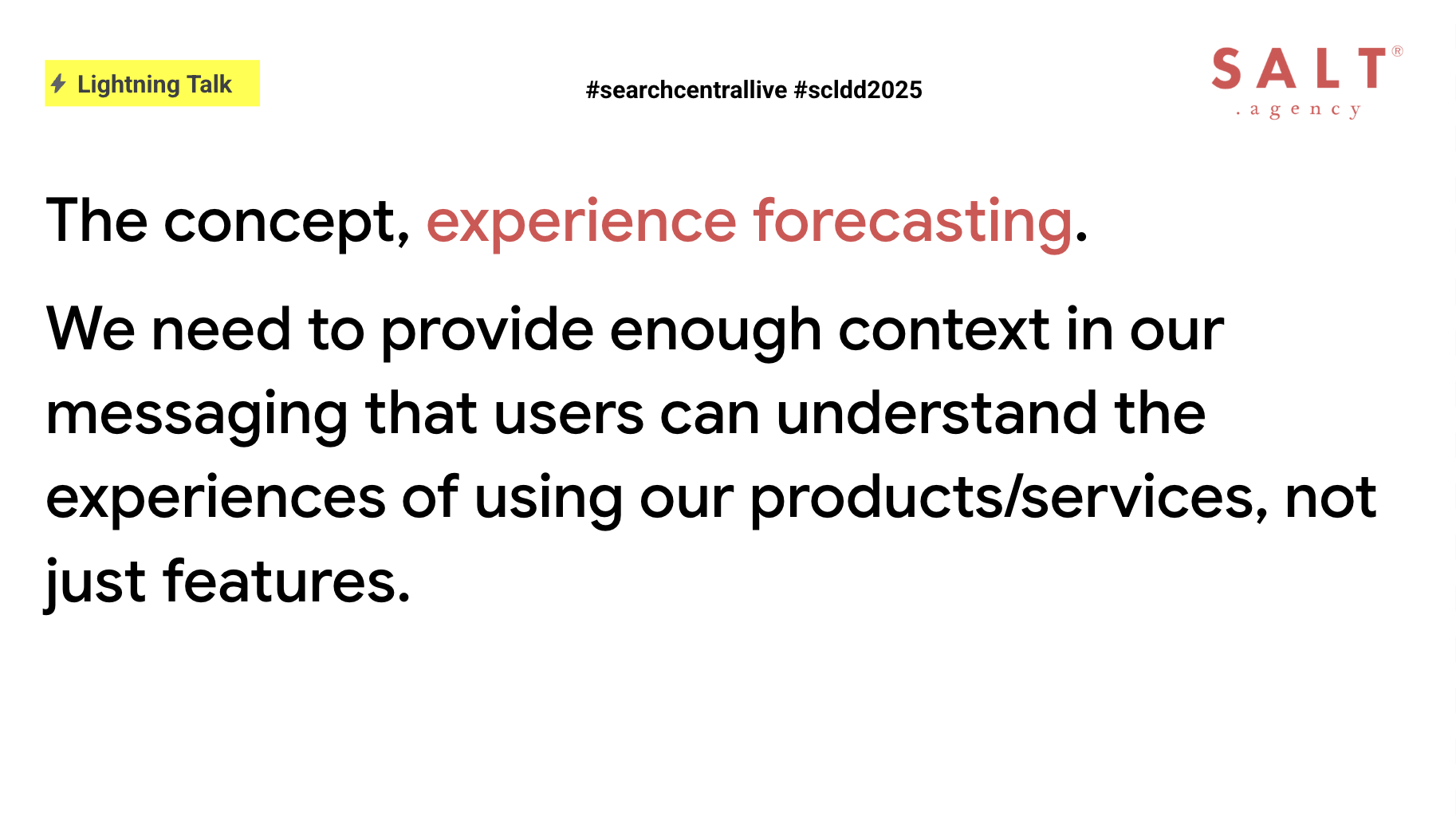
Experience Forecasting: Content That Enables & Adds Value In The Modern Search World via @sejournal, @TaylorDanRW

Too often in our content and messaging, we default to listing features in a succession of brief, disconnected claims rather than showing readers how those features will make a genuine difference in their lives.

As a result, they are left to fill in the gaps themselves, often choosing to skim and move on rather than engage with that cold list of facts.

It’s common for us to focus heavily on features, then expect our audience to understand how those features directly impact them.

Instead, by describing a scenario in which users experience the benefits of the features, you invite the user to picture themselves using the features as part of their day-to-day life. That mental rehearsal is what sparks genuine interest.

In this article, we examine how to transition from “we have X” to “you will Y” and why this shift is more crucial than ever in today’s AI-driven search landscape.

This article serves as a summary of my talk at Google Search Central Live: Deep Dive Asia Pacific, delivered July 25, 2025.

The Rise Of AI Overviews And The Need For Context

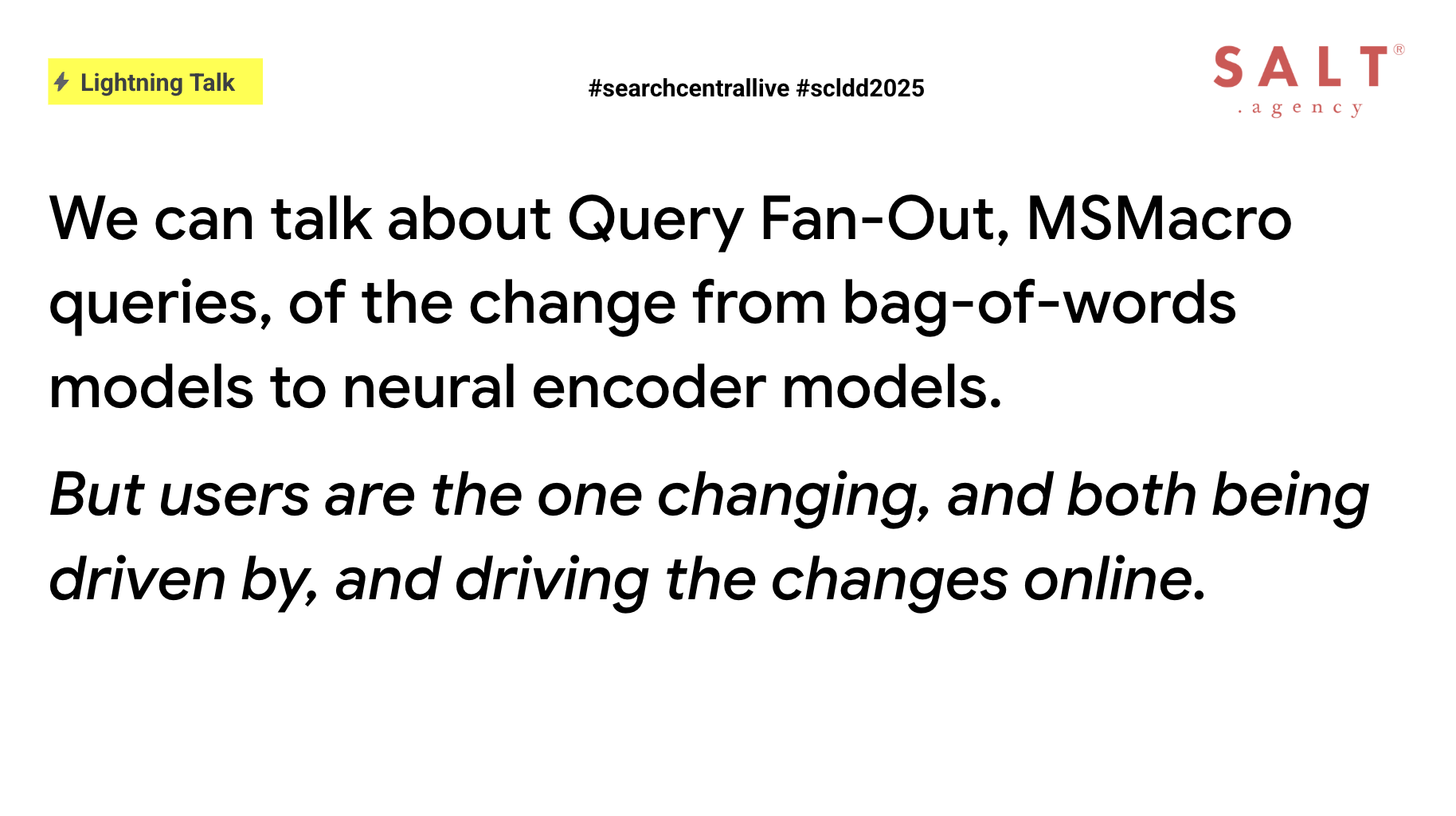
As search engines now showcase AI Overviews or AI Mode snippets that extract passages of our copy into results pages and dashboard panels, those bite-sized answers may earn clicks.

However, every sentence must stand alone, or risk having nuance stripped out.

Headlines should hint at benefits, subheads need to frame outcomes, and meta descriptions become miniature forecasts rather than mere summaries.

Because Overviews appear outside the full context of the page it’s taken from, every word must carry weight and meaning on its own.

By weaving context and emotional hooks directly into key sentences, we can direct AI tools to lift passages that still resonate and invite deeper exploration.

Image from author, July 2025

Defining Experience Forecasting

Experience forecasting is the practice of writing so vividly that readers can mentally rehearse using your product or service.

For a city break tours website, you might describe stepping off the train into Barcelona’s Gothic Quarter, following a curated walking tour that reveals hidden plazas, tantalizes with local tapas bars, and culminates in sunset views over the Mediterranean.

At the same time, for invoicing software, you could paint a picture of logging in to discover that overdue invoices have been sent automatically, payments are tracked in real time, and tax reports appear at the click of a button, allowing finance teams to close their books in minutes rather than hours.

In both cases, readers will imagine themselves in those moments of discovery and relief.

This technique relies on three complementary elements: scene setting through sensory details, emotional framing to highlight feelings such as relief and confidence, and a tangible payoff that demonstrates results like time saved or stress reduced.

Guiding Users Through Ambiguous Journeys

Because many search queries begin in a zone of uncertainty, questions such as how to plan a trip to Italy, what constitutes a healthy breakfast, or which tools best serve remote teams indicate that readers are exploring.

If your page opens with a laundry list of features, this will risk causing them to bounce.

Instead, guiding users with a vivid scenario immediately captures their attention by giving them a vision of success, such as picturing themselves strolling cobblestone streets in Rome on a custom itinerary that balances must‑see landmarks with hidden cafés.

By meeting readers at this exploratory stage, we can transform passive browsers into engaged readers who refine their own goals as they proceed.

Demonstrating that we understand their uncertainty builds trust, and previewing what success looks like shapes intent.

Forecastable Messaging In Action

We can tap into sensory memory and create an experience that sticks in the mind by describing the balcony, the sea, and the espresso.

By transforming before:

“A luxury hotel on the Amalfi Coast, with complimentary breakfast.”

To after:

“Wake up on your private balcony as the sun glints off the Tyrrhenian Sea, sip fresh Italian espresso while planning your morning adventure, and join us for a complimentary breakfast of flaky pastries and locally sourced cheeses, providing fuel for a day of discovery.”

If an AI tool then lifts a fragment of our description, such as “sipping fresh Italian espresso, while planning your morning adventure,” that phrasing still has the power to entice because it hints at both flavor and purpose.

Vivid details, such as “a private balcony overlooking the Tyrrhenian Sea” and “locally sourced cheeses,” can broaden our semantic footprint.

This helps to capture long-tail queries around experiences rather than generic hotel terms, which could ultimately increase the likelihood that readers move from casual browsing to booking.

Image from author, July 2025

Forecasting Against The Funnel

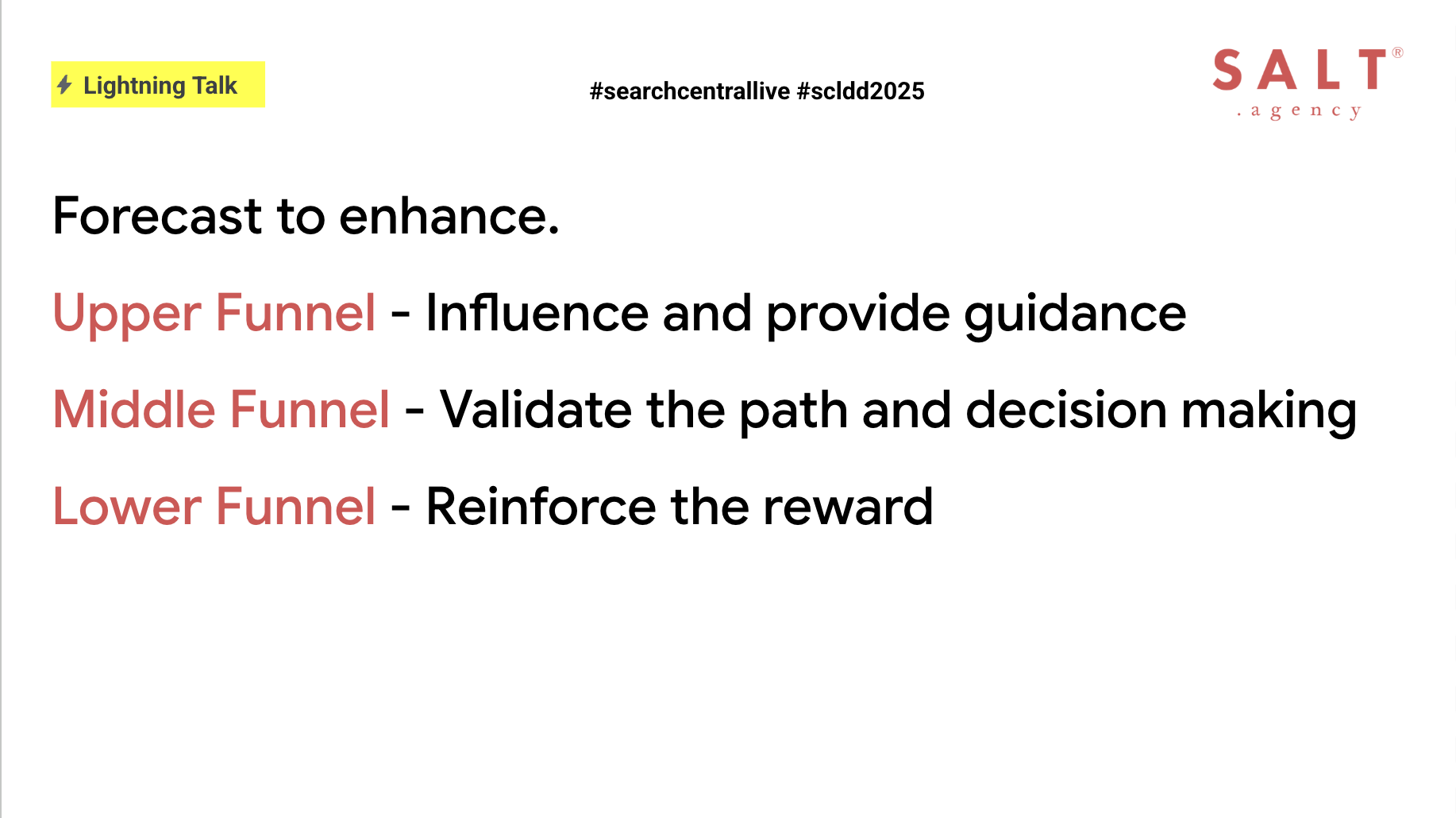
Experience forecasting can enhance every stage of the funnel by sparking curiosity and building emotional hooks at the awareness stage.

Creating broad scenarios with narrative case studies, such as “imagine your team collaborating seamlessly from anywhere,” can help to validate decisions at the consideration stage, which can improve click-through rates and time on page.

Introducing reminders of the end reward at the conversion stage can help close a deal, such as offering free cancellation up to 24 hours before arrival, alongside a claim that customers save an average of $5,000 in their first year, to increase completion rates and purchase conversions.

For example, validations, such as “When Acme Corp adopted our platform, they cut project delays by 30%,” encourage readers to imagine comparable gains.

→ Read more: How To Write Content For Each Stage Of Your Sales Funnel

Ensuring Purpose, Expertise, And Originality

Strong forecasting rests on three pillars:

  1. Purpose, which means that every piece must address a clear user need, whether helping readers choose, compare, or commit, and stating that objective up front.
  2. Showcasing expertise, by linking claims to real-world proof, such as data points, practitioner quotes, or firsthand anecdotes, and providing sources for assertions like “instant setup in five minutes.”
  3. Originality, which involves avoiding clichés by grounding imagery in authentic capabilities and experiences that only you can deliver.

Key Questions For Content Creators

Before publishing, use a comprehensive checklist that confirms:

  • The problem being addressed is stated in relatable terms.
  • Each paragraph includes sensory or emotional details to help readers imagine the outcome.
  • Claims are supported by data, case studies, or user quotes.
  • The angle differs from competitors through fresh insights.
  • Section openers carry meaning when read in isolation.
  • Forecast tactics align with key metrics such as click-through rate, time on page, or form completions.
  • The narrative guides readers naturally from uncertainty to clarity and action.
Image from author, July 2025

Final Thoughts

As search engines and AI continue to evolve, our copy must do more.

Transport readers into scenarios where they feel the benefit by weaving sensory details into every line.

This helps us stand out from the homogeneous, safe content that a lot of the internet has been built on.

Back up claims with evidence and constantly ask how effectively each sentence enables readers to imagine their success.

This helps to align with neural search models, feeding inclusion in AI Overviews, which then drives meaningful business results such as clicks and conversions.

Ultimately, words become experiences; experiences become results.

More Resources:


Featured Image: Dan Taylor/SALT.agency

https://www.searchenginejournal.com/experience-forecasting-content-that-enables-adds-value-modern-search-world/551615/


Google Search Central APAC 2025: Everything From Day 3 via @sejournal, @TaylorDanRW

Google Search Central Asia Pacific 2025 focused on three pillars over the three days.

The theme for day one was crawling, and day two of the event focused on indexing, with a big announcement about the new Google Trends API entering alpha.

Day three picked up from there, diving into how Google actually returns search results.

The serving infrastructure encompasses query understanding, result retrieval, index selection, ranking, and feature application, including rich results, before presenting them to the user.

Google Search Central APAC 2025Image from author, July 2025

Making Sense Of User Queries

Cherry Prommawin provided a detailed explanation of how Google interprets users’ queries.

Not all queries are straightforward.

In languages like Chinese or Japanese, there are no spaces between words, so Google has to learn where words start and end by looking at past queries and documents. This is known as segmenting, and not all languages require this.

After that, it removes stopwords unless they’re part of a meaningful phrase or entity, like “The Lord of the Rings.”

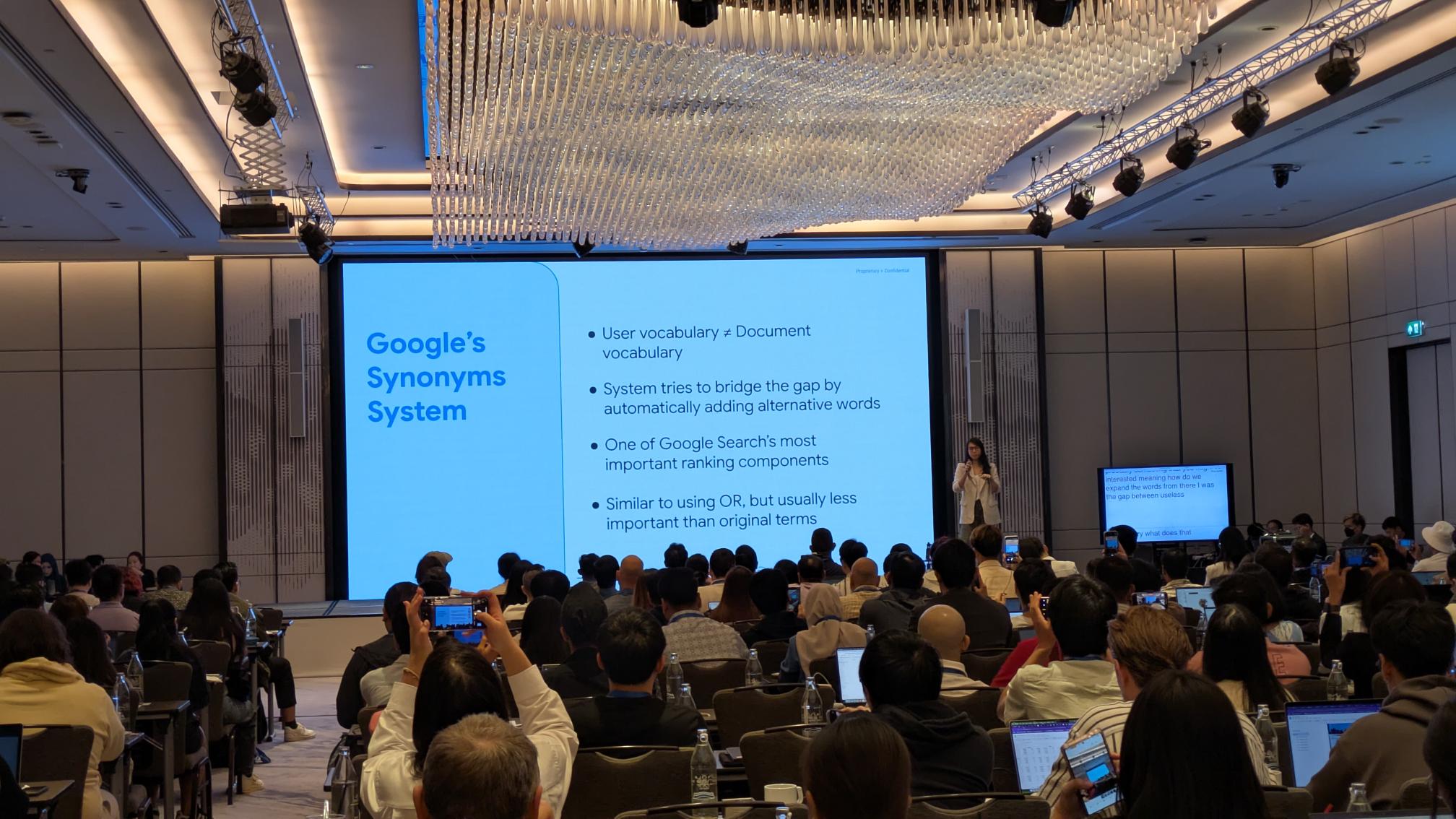
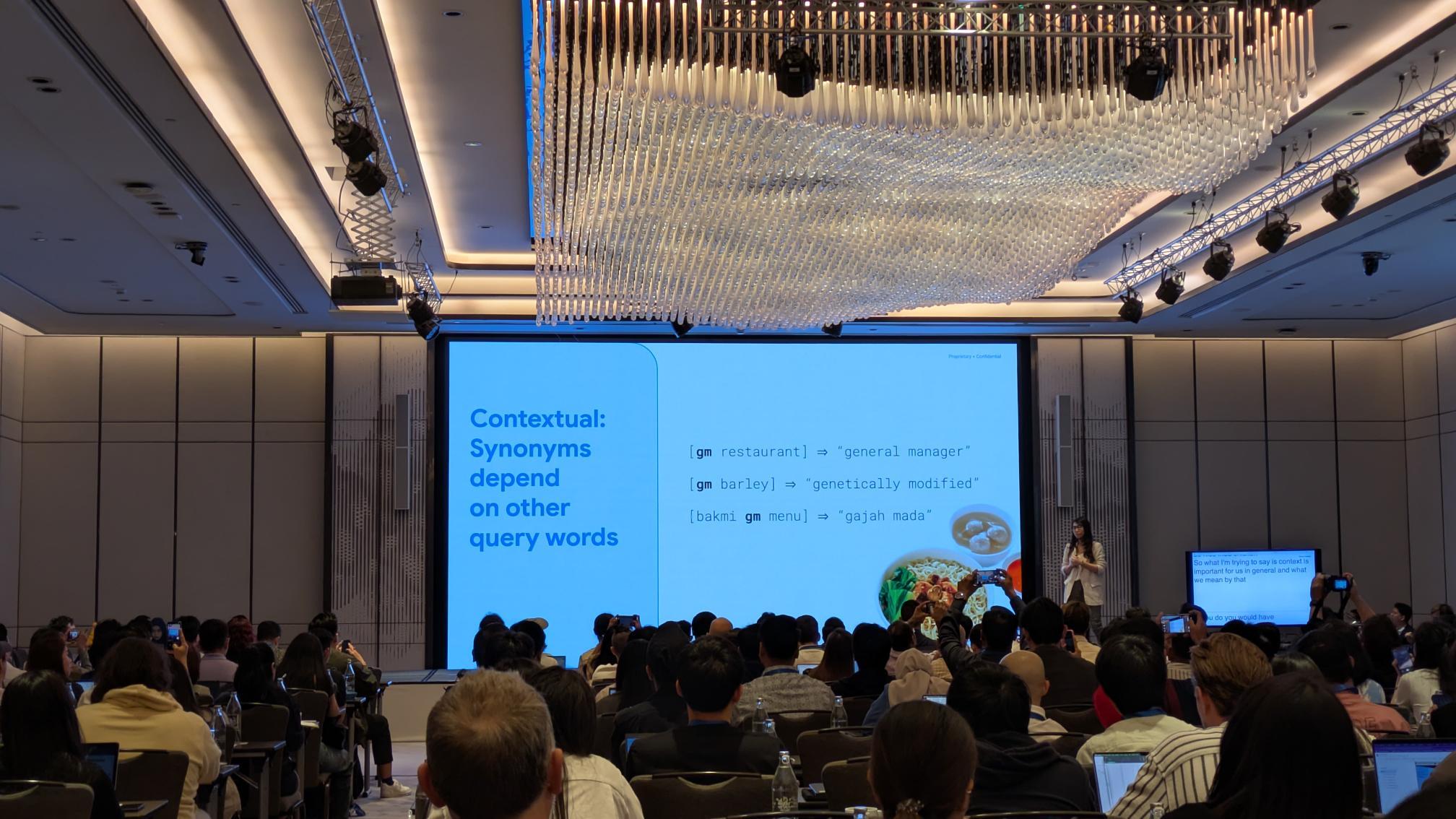
Then, it expands the query to include synonyms across all languages to better match what the user is actually looking for (see image above).

Context plays a significant role in how Google understands and responds to queries. A crucial aspect of this is the utilization of contextual synonyms.

Google Search Central APAC 2025Image from author, July 2025

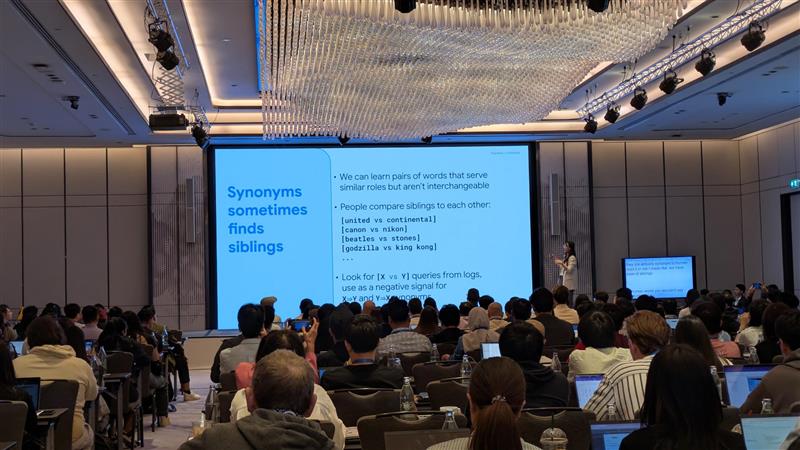
These aren’t like the typical synonyms you’d find in an English dictionary. Instead, they’re created to help return better search results, based on how words are used in real-world searches and content.

Google might learn that people searching for “car hire” often click on pages that say “rental car,” so it treats the two terms as similar in the right context. This is what Google refers to as “siblings.”

These relationships are mostly invisible to users, but they help connect queries to the most relevant information, even when the exact words don’t match.

Google Search Central APAC 2025Image from author, July 2025

How Google Understands Quality

Alfin Hotario Ho provided a clear explanation of how Google evaluates quality in search results.

Quality is just one of many signals Google uses when ranking pages, but it’s an important one.

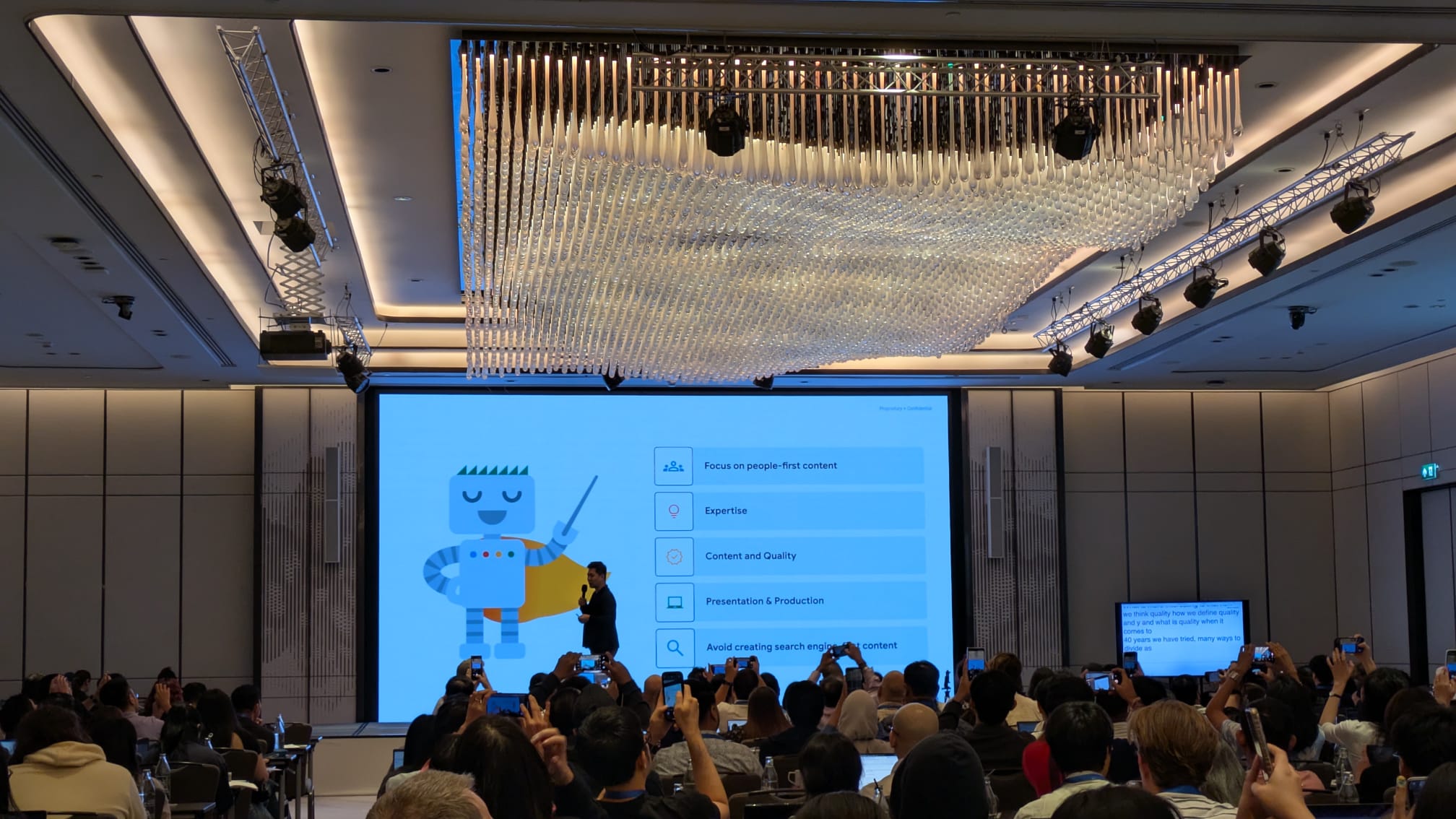
Over the years, Google has attempted to define what “quality” means, and it consistently returns to five key points:

  1. Focus on people-first content.
  2. Expertise.
  3. Content and quality.
  4. Presentation and production.
  5. Avoid creating search engine-first content.
Google Search Central APAC 2025Image from author, July 2025

Ho highlighted the Quality Rater Guidelines as a useful resource. These guidelines don’t directly influence ranking, but they help explain how Google measures whether its systems are performing well.

When the guidelines change, they reflect updates in Google’s thinking about what constitutes good content.

There are four main pillars of quality in the guidelines:

  1. Effort: Content should be made for people, not search engines. It should clearly show time, skill, and first-hand knowledge.
  2. Originality: The content should offer something new – original research, fresh analysis, or reporting that goes beyond what’s already out there.
  3. Talent or Skill: It should be well-written or produced free from obvious errors, and show a strong level of craft. You also don’t need to be an expert in something, as long as you can demonstrate verifiable first-hand experience.
  4. Accuracy: It must be factually correct, supported by evidence, and consistent with expert or public consensus when possible.

Other key takeaways from Ho’s session include:

  • From E-E-A-T (Experience, Expertise, Authoritativeness, and Trustworthiness), it is clear that trust matters most.
  • Even if a topic isn’t about health, money, or safety (Your Money or Your Life), Google still prioritizes trustworthy content.
  • If a page strongly disagrees with general expert opinion, it may be seen as less reliable overall.
  • Lots of 404 or noindex pages on a website are not a quality issue. 404 is a technical issue, as is the “noindex” tag.
Google Search Central APAC 2025Image from author, July 2025

What Are Quality Updates?

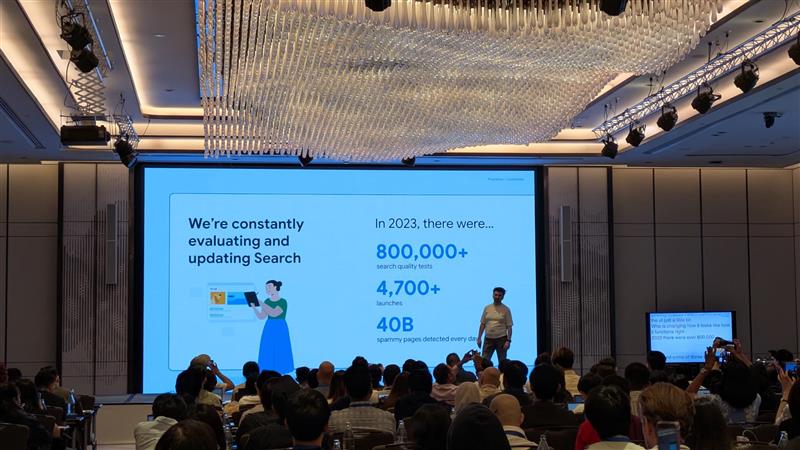
Google updates its search systems for three primary reasons: to support new content formats, to enhance content quality, or to combat spam.

These updates help ensure that people receive useful and relevant results when they search.Supporting New Content Formats

As new content types become more popular, such as short videos or interactive visuals, users start to expect to find them in search results.

If enough people show interest, Google may launch new features to match that demand.

This could include new filters or information views in the results. These updates help keep Search useful and aligned with how people want to explore information.

Improving Content Breadth And Relevance

The internet is constantly growing, and many topics become saturated. That makes it harder to find the best content.

To improve this, Google rolls out core updates. These updates don’t target specific websites or pages.

Instead, they improve how Google ranks content across the web with the overarching goal of surfacing higher-quality results overall.

Combating Low-Quality And Spam Content

Some people try to game the system with low-effort content. Google isn’t perfect, and spammers look for gaps to exploit.

In response, Google launches targeted updates that adjust how its systems detect spam or low-quality signals. These changes aim to remove poor content from search results.

Recovering From Google Updates

Core Updates

You’re technically not penalized, so technically there’s no recovery like with spam updates.

Google recommends that you should:

Continue doing a great job, look at what your competitors are doing better, and learn from sites that are doing better than you.

Spam Updates

Remove the type of spam that Google has mentioned in its blog communications.

Caveats On Structured Data Usage

Google addressed some common myths surrounding structured data, particularly its connection to serving and ranking.

None of these are new, but the reiteration has been based on continued questions around the impact and value of adding structured data.

Not A Direct Ranking Factor

Adding structured data to your site won’t directly improve your rankings. But, it can make your listings more attractive in search results, which might lead to more clicks.

That added engagement could help your site over time.

No Guarantees

Just because you’ve added structured data doesn’t mean Google will show rich results. The algorithms decide when and where it makes sense to display them.

Google Can Add Rich Results On Its Own

Even without structured data, Google may still display enhanced results, such as your site name or breadcrumbs, if it can infer that information from your page content.

It Needs Ongoing Maintenance

Structured data isn’t a one-time task. You should check it regularly to ensure it remains accurate and error-free.

Keeping it up to date helps you stay eligible for enhanced search features.

That’s all from Google Search Central Live in Thailand. There have been a lot of insights and a big announcement over the last three days.

I recommend that SEOs review the last three articles and digest what Google has said. Then, consider how they can apply that to their strategies for 2025.

More Resources:


Featured Image: Dan Taylor/SALT.agency

https://www.searchenginejournal.com/google-search-central-apac-2025-everything-from-day-three/552074/


ChatGPT Appears To Use Google Search As A Fallback via @sejournal, @martinibuster

Aleyda Solís conducted an experiment to test how fast ChatGPT indexes a web page and unexpectedly discovered that ChatGPT appears to use Google’s search results as a fallback for web pages that it cannot access or that are not yet indexed on Bing.

According to Aleyda:

I’ve run a simple but straightforward to follow test that confirms the reliance of ChatGPT on Google SERPs snippets for its answers.

Created A New Web Page, Not Yet Indexed

Aleyda created a brand new page (titled “LLMs.txt Generators”) on her website, LearningAISearch.com. She immediately tested ChatGPT (with web search enabled) to see if it could access or locate the page but ChatGPT failed to find it. ChatGPT responded with the suggestion that the URL was not publicly indexed or possibly outdated.

She then asked Google Gemini about the web page, which successfully fetched and summarized the live page content.

Submitted Web Page For Indexing

She next submitted the web page for indexing via Google Search Console and Bing Webmaster Tools. Google successfully indexed the web page but Bing had problems with it.

After several hours elapsed Google started showing results for the page with the site: operator and with a direct search for the URL. But Bing continued to have trouble indexing the web page.

Checked ChatGPT Until It Used Google Search Snippet

Aleyda went back to ChatGPT and after several tries it gave her an incomplete summary of the page content, mentioning just one tool that was listed on it. When she asked ChatGPT for the origin of that incomplete snippet it responded that it was using a “cached snippet via web search””, likely from “search engine indexing.”

She confirmed that the snippet shown by ChatGPT matched Google’s search result snippet, not Bing’s (which still hadn’t indexed it).

Aleyda explained:

“A snippet from where?

When I followed up asking where was that snippet they grabbed the information being shown, the answer was that it had “located a cached snippet via web search that previews the page content – likely from search engine indexing.”

But I knew the page wasn’t indexed yet in Bing, so it had to be … Google search results? I went to check.

When I compared the text snippet provided by ChatGPT vs the one shown in Google Search Results for the specific Learning AI Search LLMs.txt Generators page, I could confirm it was the same information…”

Not An Isolated Incident

Aleyda’s article on her finding (Confirmed: ChatGPT uses Google SERP Snippets for its Answers [A Test with Proof]) links to someone else’s web page that summarizes a similar experience where ChatGPT used a Google snippet. So she’s not the only one to experience this.

Proof That Traditional SEO Remains Relevant For AI Search

Aleyda also documented what happened on a LinkedIn post where Kyle Atwater Morley shared his observation:

“So ChatGPT is basically piggybacking off Google snippets to generate answers?

What a wake-up call for anyone thinking traditional SEO is dead.”

Stéphane Bureau shared his opinion on what’s going on:

“If Bing’s results are insufficient, it appears to fall back to scraping Google SERP snippets.”

He elaborated on his post with more details later on in the discussion:

“Based on current evidence, here’s my refined theory:

When browsing is enabled, ChatGPT sends search requests via Bing first (as seen in DevTools logs).

However, if Bing’s results are insufficient or outdated, it appears to fall back to scraping Google SERP snippets—likely via an undocumented proxy or secondary API.

This explains why some replies contain verbatim Google snippets that never appear in Bing API responses.

I’ve seen multiple instances that align with this dual-source behavior.”

Takeaway

ChatGPT was initially unable to access the page directly, and it was only after the page began to appear in Google’s search results that it was able to respond to questions about the page. Once the snippet appeared in Google’s search results, ChatGPT began referencing it, revealing a reliance on publicly visible Google Search snippets as a fallback when the same data is unavailable in Bing.

What would be interesting to see is whether the server logs held a clue as to whether ChatGPT attempted to crawl the page and, if so, what error code was returned in response to the failure to retrieve the data. It’s curious that ChatGPT was unable to retrieve the page, and though it probably doesn’t have any bearing on the conclusions, it would still contribute to making the conclusions feel more complete to have that last bit of information crossed off.

Nevertheless, it appears that this is yet more proof that standard SEO is still applicable for AI-powered search, including for ChatGPT Search. This adds to recent comments by Gary Illyes that confirms that there is no need for specialized GEO or AEO in order to rank well in Google AI Overviews and AI Mode.

Featured Image by Shutterstock/Krakenimages.com

https://www.searchenginejournal.com/chatgpt-appears-to-use-google-search-as-a-fallback/552089/


Validity Of Pew Research On Google AI Search Results Challenged via @sejournal, @martinibuster

Questions about the methodology used by the Pew Research Center suggest that its conclusions about Google’s AI summaries may be flawed. Facts about how AI summaries are created, the sample size, and statistical reliability challenge the validity of the results.

Google’s Official Statement

A spokesperson for Google reached out with an official statement and a discussion about why the Pew research findings do not reflect actual user interaction patterns related to AI summaries and standard search.

The main points of Google’s rebuttal are:

  • Users are increasingly seeking out AI features
  • They’re asking more questions
  • AI usage trends are increasing visibility for content creators.
  • The Pew research used flawed methodology.

Google shared:

“People are gravitating to AI-powered experiences, and AI features in Search enable people to ask even more questions, creating new opportunities for people to connect with websites.

This study uses a flawed methodology and skewed queryset that is not representative of Search traffic. We consistently direct billions of clicks to websites daily and have not observed significant drops in aggregate web traffic as is being suggested.”

Sample Size Is Too Low

I discussed the Pew Research with Duane Forrester (formerly of Bing, LinkedIn profile) and he suggested that the sampling size of the research was too low to be meaningful (900+ adults and 66,000 search queries). Duane shared the following opinion:

“Out of almost 500 billion queries per month on Google and they’re extracting insights based on 0.0000134% sample size (66,000+ queries), that’s a very small sample.

Not suggesting that 66,000 of something is inconsequential, but taken in the context of the volume of queries happening on any given month, day, hour or minute, it’s very technically not a rounding error and were it my study, I’d have to call out how exceedingly low the sample size is and that it may not realistically represent the real world.”

How Reliable Are Pew Center Statistics?

The Methodology page for the statistics used list how reliable the statistics are for the following age groups:

  • Ages 18-29 were ranked at plus/minus 13.7 percentage points. That ranks as a low level of reliability.
  • Ages 30–49 were ranked at plus/minus 7.9 percentage points. That ranks in the moderate, somewhat reliable, but still a fairly wide range.
  • Ages 50–64 were ranked at plus/minus 8.9 percentage points. That ranks as a moderate to low level of reliability.
  • Age 65+ were ranked at at plus/minus 10.2 percentage points, which is firmly in the low range of reliability.

The above reliability scores are from Pew Research’s Methodology page. Overall, all of these results have a high margin of error, making them statistically unreliable. At best, they should be seen as rough estimates, although as Duane says, the sample size is so low that it’s hard to justify it as reflecting real-world results.

Pew Research Results Compare Results In Different Months

After thinking about it overnight and reviewing the methodology, an aspect of the Pew Research methodology that stood out is that they compared the actual search queries from users during the month of March with the same queries the researchers conducted in one week in April.

That’s problematic because Google’s AI summaries change from month to month. For example, the kinds of queries that trigger an AI Overview changes, with AIOs becoming more prominent for certain niches and less so for other topics. Additionally user trends may impact what gets searched on which itself could trigger a temporary freshness update to the search algorithms that prioritize videos and news.

The takeaway is that comparing search results from different months is problematic for both standard search and AI summaries.

Pew Research Ignores That AI Search Results Are Dynamic

With respect to AI overviews and summaries, these are even more dynamic, subject to change not just for every user but to the same user.

Searching for a query in AI Overviews then repeating the query in an entirely different browser will result in a different AI summary and completely different set of links.

The point is that the Pew Research Center’s methodology where they compare user queries with scraped queries a month later are flawed because the two sets of queries and results cannot be compared, they are each inherently different because of time, updates, and the dynamic nature of AI summaries.

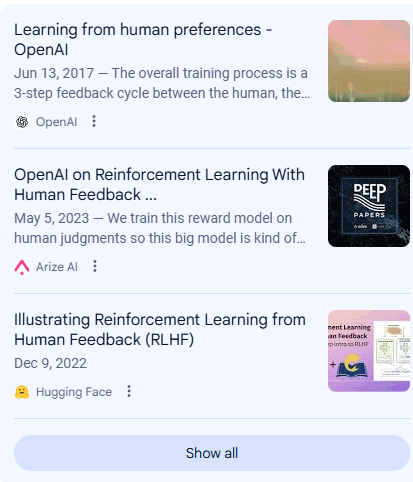
The following screenshots are the links shown for the query, What is the RLHF training in OpenAI?

Google AIO Via Vivaldi Browser

Screenshot shows links to Amazon Web Services, Medium, and Kili Technology

Google AIO Via Chrome Canary Browser

Screenshot shows links to OpenAI, Arize AI, and Hugging Face

Not only are the links on the right hand side different, AI summary content and the links embedded within that content are also different.

Could This Be Why Publishers See Inconsistent Traffic?

Publishers and SEOs are used to static ranking positions in search results for a given search query. But Google’s AI Overviews and AI Mode show dynamic search results. The content in the search results and the links that are shown are dynamic, showing a wide range of sites in the top three positions for the exact same queries. SEOs and publishers have asked Google to show a broader range of websites and that, apparently, is what Google’s AI features are doing. Is this a case of be careful of what you wish for?

Featured Image by Shutterstock/Stokkete

https://www.searchenginejournal.com/validity-of-pew-research-on-google-ai-search-results-challenged/552055/


Web Guide: Google’s New AI Search Experiment via @sejournal, @MattGSouthern

Google has launched Web Guide, an experimental feature in Search Labs that uses AI to reorganize search results pages.

The goal is to help you find information by grouping related links together based on the intent behind your query.

What Is Web Guide?

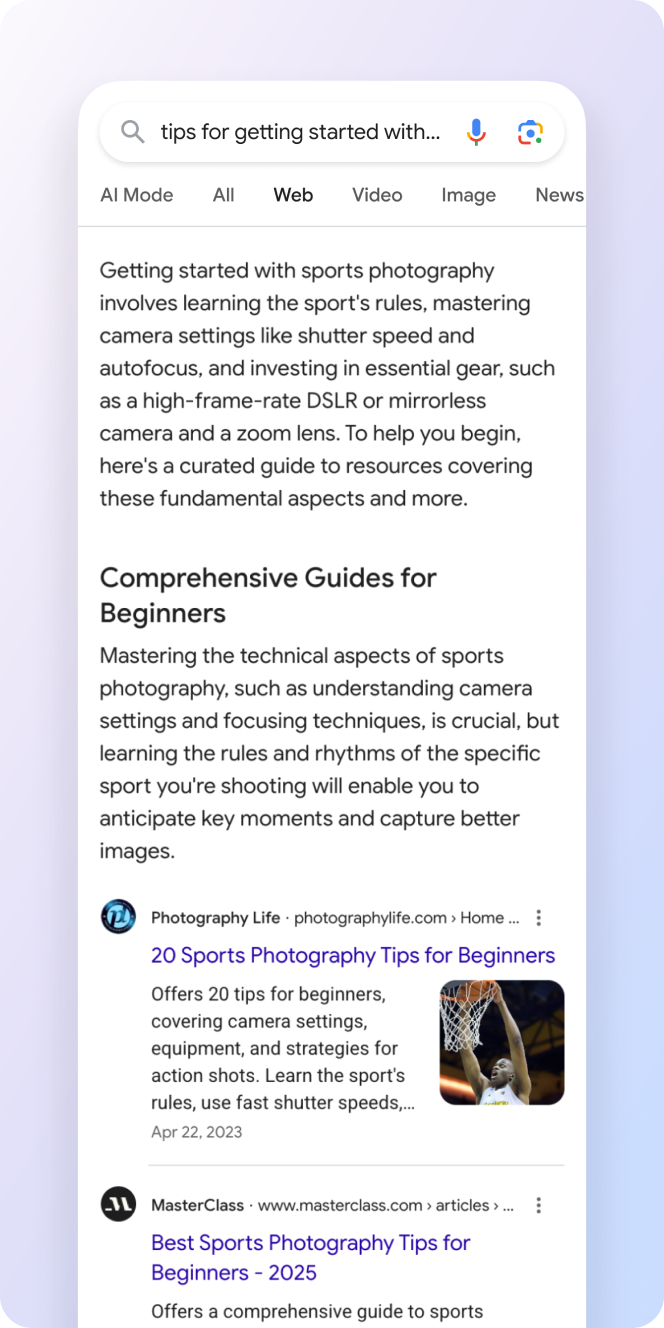
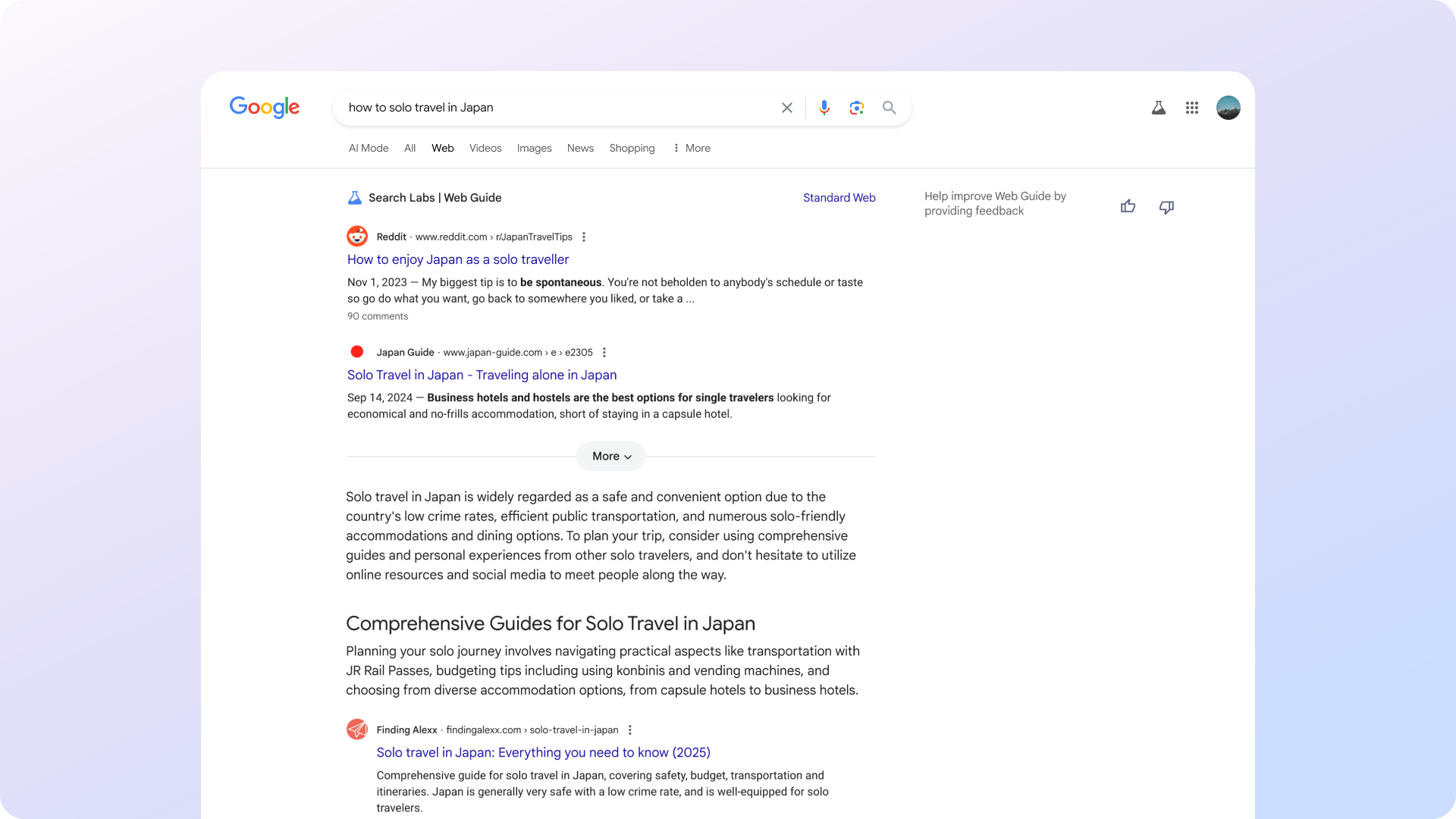
Web Guide replaces the traditional list of search results with AI-generated clusters. Each group focuses on a different aspect of your query, making it easier to dive deeper into specific areas.

According to Austin Wu, Group Product Manager for Search at Google, Web Guide uses a custom version of Gemini to understand both your query and relevant web content. This allows it to surface pages you might not find through standard search.

Here are some examples provided by Google:

Screenshot from labs.google.com/search/experiment/34, July 2025.

How It Works

Behind the scenes, Web Guide uses the familiar “query fan-out” technique.

Instead of running one search, it issues multiple related queries in parallel. It then analyzes and organizes the results into categories tailored to your search intent.

This approach gives you a broader overview of a topic, helping you learn more without needing to refine your query manually.

When Web Guide Helps

Google says Web Guide is most useful in two situations:

  • Exploratory searches: For example, “how to solo travel in Japan” might return clusters for transportation, accommodations, etiquette, and must-see places.
  • Multi-part questions: A query like “How to stay close with family across time zones?” could bring up tools for scheduling, video calls, and relationship tips.

In both cases, Web Guide aims to support deeper research, not just quick answers.

How To Try It

Web Guide is available through Search Labs for users who’ve opted in. You can access it by selecting the Web tab in Search and switching back to standard results anytime.

Over time, Google plans to test AI-organized results in the All tab and other parts of Search based on user feedback.

How Web Guide Differs From AI Mode

While Web Guide and AI Mode both use Google’s Gemini model and similar technologies like query fan-out, they serve different functions within Search.

  • Web Guide is designed to reorganize traditional search results. It clusters existing web pages into groups based on different aspects of your query, helping you explore a topic from multiple angles without generating new content.
  • AI Mode provides a conversational, AI-generated response to your query. It can break down complex questions into subtopics, synthesize information across sources, and present a summary or interactive answer box. It also supports follow-up questions and features like Deep Search for more in-depth exploration.

In short, Web Guide focuses on how results are presented, while AI Mode changes how answers are generated and delivered.

Looking Ahead

Web Guide reflects Google’s continued shift away from the “10 blue links” model. It follows features like AI Overviews and the AI Mode, which aim to make search more dynamic.

Because Web Guide is still a Labs feature, its future depends on how people respond to it. Google is taking a gradual rollout approach, watching how it affects the user experience.

If adopted more broadly, this kind of AI-driven organization could reshape how people find your content, and how you need to optimize for it.


Featured Image: Screenshot from labs.google.com/search/experiment/34, July 2025. 

https://www.searchenginejournal.com/web-guide-googles-new-ai-search-experiment/552047/


Google Launches AI-Powered Virtual Try-On & Shopping Tools via @sejournal, @MattGSouthern

Google unveiled three new shopping features today that use AI to enhance the way people discover and buy products.

The updates include a virtual try-on tool for clothing, more flexible price tracking alerts, and an upcoming visual style inspiration feature powered by AI.

Virtual Try-On Now Available Nationwide

Following a limited launch in Search Labs, Google’s virtual try-on tool is now available to all U.S. searchers.

The feature lets you upload a full-length photo and use AI to see how clothing items might look on your body. It works across Google Search, Shopping, and even product results in Google Images.

Tap the “try it on” icon on an apparel listing, upload a photo, and you’ll receive a visualization of yourself wearing the item. You can also save favorite looks, revisit past try-ons, and share results with others.

Screenshot from: blog.google/products/shopping/back-to-school-ai-updates-try-on-price-alerts, July 2025.

The tool draws from billions of apparel items in its Shopping Graph, giving shoppers a wide range of options to explore.

Smarter Price Alerts

Google is also rolling out an enhanced price tracking feature for U.S. shoppers.

You can now set alerts based on specific criteria like size, color, and target price. This update makes it easier to track deals that match your exact preferences.

Screenshot from: blog.google/products/shopping/back-to-school-ai-updates-try-on-price-alerts, July 2025.

AI-Powered Style Inspiration Arrives This Fall

Later in 2025, Google plans to launch a new shopping experience within AI Mode, offering outfit and room design inspiration based on your query.

This feature uses Google’s vision match technology and taps into 50 billion products indexed in the Shopping Graph.

Screenshot from: blog.google/products/shopping/back-to-school-ai-updates-try-on-price-alerts, July 2025.

What This Means for E-Commerce Marketers

These updates carry a few implications for marketers and online retailers:

  • Improve Product Images: With virtual try-on now live, high-quality and standardized apparel images are more likely to be included in AI-driven displays.
  • Competitive Pricing Matters: The refined price alert system could influence purchase behavior, especially as consumers gain more control over how they track product deals.
  • Optimize for Visual Search: The upcoming inspiration features suggest a growing role for visual-first shopping. Retailers should ensure their product feeds contain rich attribute data that helps Google’s systems surface relevant items.

Looking Ahead

Google’s suite of AI-powered shopping features can help create more personalized and interactive retail experiences.

For search marketers, these tools offer new ways to engage, but also raise the bar in terms of presentation and data quality.

For e-commerce teams, staying competitive may require rethinking how products are priced, presented, and positioned within Google’s growing suite of AI-enhanced tools.


Featured Image: Roman Samborskyi/Shutterstock

https://www.searchenginejournal.com/google-launches-ai-powered-virtual-try-on-shopping-tools/552022/


Google’s Advice On Hiring An SEO And Red Flags To Watch For via @sejournal, @martinibuster

Google’s Search Off The Record podcast discussed when a business should hire an SEO consultant and what metrics of success should look like. They also talked about a red flag to watch for when considering a search marketer.

Hire An SEO When It Becomes Time Consuming

Martin Splitt started the conversation off by asking at what point a business should hire an SEO:

“…I know people are hiring agencies and SEO experts. When is the point where you think an expert or an agency should come in? What’s the bits and pieces that are not as easy to do while I do my business that I should have an expert for?”

John replied that there is no one criteria or line to cross at which point a business should hire a consultant. He did however point out that there comes a certain point where doing SEO is time consuming and takes a business person away from the tasks that are directly related to running their business. That’s a point at which hiring an SEO consultant makes sense.

He said:

“Yeah, I don’t know if there’s a one-size-fits-all answer there because it’s a bit like asking, when should I get help for marketing, especially for a small business.

You do everything yourself. At some point, you’re like, ‘Oh, I really hate bookkeeping. I’m going to hire a bookkeeper.’ At that point where you’re like, ‘Well, I don’t appreciate doing all of this work or I don’t have time for it, but I know it has to be done.’ That’s probably the point where you say, ‘Well, okay, I will hire someone for this.’ “

SEO Should Have Measurable Results?

The next factor they discussed is the measurability of results. Over more than twenty-five years of working in SEO, one of the ways that low-quality SEOs have consistently measured their results is by the number of queries a client site is ranking for. Low-quality SEOs charge a monthly retainer and generate a report of all queries the site has ranked for in the previous months, including garbage nonsense queries.

A common metric SEOs use to gauge success is ranking positions and traffic. Those metrics are a little better, and most SEOs agree that they make sense as solid metrics.

But those metrics don’t capture the true success of SEO because those ranking positions could be for low-quality search queries that don’t result in the kind of traffic that converts to leads, sales, affiliate earnings or ad clicks.

Arguably, the most important metric any business should use to gauge the effect of what was done for SEO is how much more revenue is being generated. Keyword rankings and traffic are important metrics to measure, but the most important metric is ultimately the business goal.

Google’s John Mueller appears to agree, as he cites revenue and the business result as key measures of whether the SEO is working.

He explained:

“I think, for in SEO, it kind of makes sense when you realize there’s concrete value in working on SEO for your website, where there’s some business result that comes out of it where you can actually measurably say, ‘When I started doing SEO for my website, I made so much more money’ or whatever it is that goal is that you care about, and ‘I’m happy to invest a portion of that into hiring someone to do SEO.’

That’s one way I would look at it, where if you can measure in one way or another the effects of the SEO work, then it’s easier to say, ‘Well, I will invest this much into having someone else do that for me.’”

There is a bit of a problem with measuring the effects of SEO. The effects on sales or leads from organic SEO cannot always be directly attributed. People who are obsessed with data-driven decisions will be disappointed because it’s not always possible to directly attribute a lead from an organic search. For one thing, Google hides referral data from the search results. Unlike PPC, where you can track a lead from an ad click to the sale, you can’t do that with organic search.

So if you’re using increased sales or leads as a metric, you’ll have to be able to at least separate attributable paid search from earnings, then guesstimate the rest. Not everything can be data-driven.

See also: How To Justify And Make A Business Case For SEO Budgets

Hire Someone With Experience

Another thing Mueller and Splitt recommended was to hire someone who has actual experience with SEO. There are many qualifying factors that can be added, including experience monetizing their own websites, ability to interpret HTML code (which is helpful for identifying technical reasons for ranking problems), endorsements and testimonials. A red flag, in my opinion, is hiring someone from a cold call.

John Mueller observed:

“Someone else, ideally, would be someone who has more experience doing SEO. Because, as a small business owner, you have like 500 hats to wear, and you probably can figure out a little bit about each of these things, but understanding all of the details, that’s sometimes challenging.”

Martin agreed:

“Okay. So there’s no one-size-fits-all answer for this one, but you have to find that spot for yourself whenever it makes sense. All right okay. Fair.”

Red Flag About Some SEOs

Up to this point, both Mueller and Splitt avoided cautioning about red flags to watch for when hiring an SEO. Here, they segued into the topic of what to avoid, advising caution about search marketers who guarantee results.

The reason to avoid these kinds of search marketers is that search rankings depend on a wide range of factors that are not under an SEO’s control. The most an SEO can do is align a site to best practices and promote the site. After that, there are external factors, such as competitors, that cannot be influenced. Most importantly, Google is a black box system: you can see what goes in, you can observe what comes out (the search results), but what happens in between is hidden. All search ranking factors, like external signals of trustworthiness, have an unclear influence on the search results.

Here’s what Mueller said:

“One of the things I would watch out for is, if an SEO makes any promises with regards to ranking or traffic from Search, that’s usually a red flag, because a lot of things around SEO you can’t promise ahead of time. And, if someone says, “I’m an expert. I promise you will rank first for these five words.” They can’t do that. They can’t manually go into Google’s systems and tweak the dials and change the rankings.”

Listen to Google’s Search Off The Record podcast here:

[embedded content]

Featured Image by Shutterstock/Peshkova

https://www.searchenginejournal.com/googles-advice-on-hiring-an-seo/550955/