Google Retires 7 Structured Data Features To Streamline Search Results via @sejournal, @MattGSouthern

Google retires seven structured data features including Book Actions, Course Info, and Claim Review to streamline search results. Rankings unaffected.

  • Google is removing seven structured data features from search results.
  • This change will not affecting rankings.
  • There’s no immediate action needed.

https://www.searchenginejournal.com/google-retires-7-structured-data-features-to-streamline-search-results/548952/


Google CEO Sundar Pichai Discusses Fate Of The Human-Created Web via @sejournal, @martinibuster

Google’s CEO, Sundar Pichai, responded to concerns about the impact of recent changes in Search and was repeatedly asked to clarify his position on the web ecosystem and how it fits into what he calls the next chapter of search. Pichai’s responses were given in the context of a recent interview on the Lex Fridman podcast.

Google CEO’s Commitment To Web Ecosystem Challenged

Lex Fridman challenged Pichai on whether Google will continue sending users to the human-created web. Pichai responded that supporting the web ecosystem is something he feels deeply about.

Fridman said:

“And the idea that AI mode will still take you to the web, to the human-created web?”

Pichai responded:

“Yes, that’s going to be a core design principle for us.”

Fridman followed up by noting that he’s been asking more questions from Google’s AI Overviews and AI Mode and exploring but he still wants to end up on the “human-created web.”

Pichai responded:

“It helps us deliver higher quality referrals, right? You know where people are like they have a much higher likelihood of finding what they’re looking for. They’re exploring. They’re curious. Their intent is getting satisfied more… That’s what all our metrics show.”

The interviewer added:

“It makes the humans that create the web nervous. The journalists are getting they’ve already been nervous.”

Sundar Pichai answered:

“Look, I think news and journalism will play an important role, you know, in the future we’re pretty committed to it, right? And so I think making sure that ecosystem… In fact, I think we’ll be able to differentiate ourselves as a company over time because of our commitment there. So it’s something I think you know I definitely value a lot and as we are designing we’ll continue prioritizing approaches.”

AI Is The Next Chapter Of Search?

Pichai mentioned that user metrics of AI search are “encouraging” and referred to it as the “next chapter of search,” underlining that AI Search is an inevitability and is not going away.

Search technologies have consistently been in a steady state of change. The strongest effects were visible in the 2004 Florida update, the 2012 Penguin links update, the 2018 Medic update, and the more recent series of helpful content updates, all of which brought massive changes to search rankings. None of those changes are as ambitious and consequential as what the human-created web is facing with Google’s AI Overviews and AI Mode.

Speaking as someone who has been a part of search marketing for over 25 years, I believe Pichai may be understating the situation by calling it the next chapter in search. It may well be that Google AI Search is an entirely new book.

Search Is Evolving To More Context

Lex Fridman remarked on how Google was legendary for its simple layout and the ten blue links, saying that Google is starting to “mess with that” and that surely there must have been battles within Google about that.

Pichai subtly corrected Fridman’s suggestion that Google was moving away from the ten blue links, which hasn’t been a thing for nearly 15 years by stating that the shift to mobile is the reason why Google shifted away from ten blue links, evolving along with the pace of technological advancements and user’s expectations for answers, not links.

Pichai emphasized that Google remains the “front page of the Internet” as Fridman put it, because of their commitment to making it easier for users to explore the web, only with more context.

Pichai answered:

“Look… in some ways when mobile came… people wanted answers to more questions, so we’re …constantly evolving it. But you’re right, this moment, …that evolution, because underlying technology is becoming much more capable. You can have AI give a lot of context.

But one of our important design goals though, is when you come to Google search. You’re going to get a lot of context. But you’re going to go and find a lot of things out on the web. So that will be true in AI mode. In AI overviews and so on.

But I think to our earlier conversation, we are still giving you access to links, but think of the AI as a layer which is giving you context summary. Maybe in AI mode you can have a dialogue with it back and forth on your journey.

But through it all, you’re kind of learning what’s out there in the world. So those core principles don’t change, but I think AI mode allows us to push… we have our best models there, models which are using search as a deep tool.

Really, for every query you’re asking, fanning out doing multiple searches, assembling that knowledge in a way so you can go and consume what you want to and that’s how we think about it.”

Advertising In AI Mode

Something that isn’t immediately apparent is that Google treats advertising as a form of content that is relevant to users. Advertising is not seen as an intrusion but as something relevant to users within a context of their interests.

Fridman next asked him about advertising in AI Mode. Pichai responded that they are currently focusing on getting the “organic experience” right but he also turned to the concept of context.

Pichai’s response:

“Two things.

Early part of AI mode will obviously focus more on the organic experience to make sure we are getting it right. I think the fundamental value of ads are it enables access to deploy the services to billions of people.

Second is, the reason we’ve always taken ads seriously is we view ads as commercial information, but it’s still information. And so we bring the same quality metrics to it.

I think with AI mode, to our earlier conversation, I think AI itself will help us over time, figure out the best way to do it.

Given we are giving context around everything, I think it will give us more opportunities to also explain, okay, here’s some commercial information. Like today, as a podcaster, you do it at certain spots and you probably figure out what’s best in your podcast.

There are aspects of that, but I think the underlying need of people value commercial information. Businesses are trying to connect to users. All that doesn’t change in an AI moment. But look, we will rethink it.”

Will AI Mode Replace Everything?

Lex Fridman asked if Pichai sees a time where AI Mode will become the interface through which the Internet is filtered, asking if there’s a future where it completely replaces the current combination of AI Overviews and ten blue links.

Pichai answered:

“Our current plan is AI Mode is going to be there as a separate tab for people who really want to experience that, but it’s not yet at the level where our main search pages, but as features work, we’ll keep migrating it to the main page. And so you can view it as a continuum. AI model offer you the bleeding edge experience. But things that work will keep overflowing to AI Overviews in the main experience.”

Takeaways

The questions posed by Lex Fridman echo the fears and negative sentiment felt by many publishers about Google’s evolution to providing answers to queries instead of links to the open web.

Sundar Pichai repeatedly stated that Google intends to keep sending users to the human-created web, explaining that AI provides more context that encourages users to explore topics on the web in greater depth.

Those statements, however, are undermined by Google’s delay in enabling web publishers to accurately track referrals from AI Overviews and AI Mode. This creates the impression that publishers are an afterthought and feeds web publisher skepticism about Google’s commitment to the human-created web. While it’s refreshing to hear Google’s CEO emphatically declare his concern for the web ecosystem, I believe it will take more positive actions from Google to overcome web publishers’ negative outlook on the current state of AI search.

Watch the interview here:

[embedded content]

Featured Image is a screenshot by author

https://www.searchenginejournal.com/google-ceo-sundar-pichai-discusses-fate-of-the-human-created-web/548936/


Google Outage Disrupts Lens, Discover, & Voice Search Results via @sejournal, @MattGSouthern

Google has confirmed an ongoing disruption that is preventing some results from appearing in Google Lens, Discover, and Voice Search.

According to the company’s Search Status Dashboard, the incident began on June 12 at 1:00 p.m. Pacific Time. A follow-up entry posted at 1:16 p.m. states:

“There’s an ongoing issue with serving Google Lens, Discover, and Voice Search results that’s affecting some users. We’re working on identifying the root cause. The next update will be within 12 hours.”

At press time, the disruption is still marked as “Incident affecting Serving,” meaning the underlying services remain online but are not consistently delivering results.

Why This Matters

Google Lens, the Discover feed, and Voice Search collectively drive significant traffic to publishers, ecommerce catalogs, and local businesses.

When any of these surfaces go dark or return incomplete results, sites that rely on them can experience abrupt drops in impressions and clicks.

What To Do Next

Check for sudden drops in Discover, image, or voice traffic starting around 1:00 p.m. PT. If you see a temporary decline that matches the time on Google’s dashboard, this is likely due to the outage, not a ranking change.

Share Google’s official dashboard notice with website stakeholders. Mention that there will be another update from Google in 12 hours and explain that performance should return to normal once the service is back up.

When Will Service Be Restored?

Google hasn’t offered an estimated time of full resolution, committing only to provide another status update within 12 hours of the 1:16 p.m. post.

Historically, incidents affecting a limited number of users have been fixed within hours, although larger issues can take longer to resolve.

Until Google publishes its next update, the safest assumption is that Lens, Discover, and Voice Search services will remain unpredictable.

The core web search experience is currently listed as “Available,” so blue-link ranking checks and traditional query troubleshooting can proceed as usual.


Featured Image: Roman Samborskyi/Shutterstock

https://www.searchenginejournal.com/google-outage-disrupts-lens-discover-voice-search-results/548939/


Google Search Team Explains The “It Depends” Response via @sejournal, @MattGSouthern

Google’s Search Relations team has explained why their SEO advice often sounds vague or comes with conditions, such as “it depends.”

In a recent Search Off the Record podcast, team members Martin Splitt and Gary Illyes shared the challenges that prevent them from providing clear-cut answers.

The discussion was part of what the team referred to as a “more human episode.”

The Googlers acknowledged they sometimes come across as robotic and used this episode to show a more human side.

The Context Problem

Splitt works as Google’s bridge between developers and SEO professionals. He provided an example of how good advice can be distorted when people overlook the broader context.

At a Tech SEO Summit, he presented a slide with a bold statement about JavaScript performance. To prevent confusion, he added a note stating that the slide lacked context and provided a full explanation during the talk.

But even with that, he said the statement still got pulled out and repeated on its own.

“I had a remark on that slide saying there’s context missing here, and then I gave all that context… The problem with me saying that in general is that people will just take that one sentence and ignore everything else I said before or after.”

He clarified that JavaScript plays an important role in many web experiences, like enabling offline support. But that nuance often gets lost when single lines are quoted in isolation.

Why Google Doesn’t Share Slides

This loss of context is one reason why Google teams don’t typically share their presentation slides.

Illyes confirmed that slides on their own can be misleading:

He stated:

“Our slides without context, they are useless.”

The team sees what happens when advice meant for one specific situation gets used everywhere. This can hurt websites that have different needs.

For example, advice that works for a small local business might be wrong for a global company with websites in multiple languages.

The “It Depends” Situation

Both Google reps know the SEO community gets frustrated with “it depends” answers.

Splitt even called it his “pet peeve.” But they explained why they can’t give simple yes-or-no answers.

Splitt noted:

“Someone who is serving a very specific niche with highly regulated content in a single country in a single language might have very different requirements than a multilanguage multinational brand that sells everything to everyone.”

They try to give more complete answers by explaining what factors matter. But this makes their advice longer and more complex.

The Google team also worries about how people use their quotes. Splitt said people often pick one statement while ignoring other important information.

Splitt explained:

“It often makes things tricky because people might cherry pick and might pick one thing you said, take that out of context and use it as an example why people should follow their agenda rather than ours.”

While they know public statements can be quoted freely, both reps feel bad when selective quoting gets out of control.

What This Means

The Google team’s openness about their struggles affirms the experience of many SEO professionals.

Google’s guidance often feels cautious because it needs to account for a wide range of use cases.

Instead of seeking simple answers, focus on the factors that influence Google’s recommendations.

Understanding the “why” behind Google’s advice is more useful than chasing one-size-fits-all solutions.

Listen to the full podcast episode below:

[embedded content]


Featured Image: Roman Samborskyi/Shutterstock

https://www.searchenginejournal.com/google-search-team-explains-the-it-depends-response/548929/


Ask A PPC: What’s The Value Of Regular PPC Audits & How To Do Them Well via @sejournal, @navahf

Regular audits are one of the foundational workflows in any paid media strategy.

Whether you’re investigating account anomalies, evaluating growth opportunities, or preparing to transition strategies or vendors, audits are an essential pillar of PPC success.

Here’s the thing: Not every audit strategy fits every account. A one-size-fits-all checklist won’t account for platform quirks, business goals, or campaign maturity.

That’s why in this month’s Ask the PPC, we’re taking a closer look at the value of doing regular audits – and how to do them in a way that actually drives meaningful insights and actions.

We’ll focus on cross-platform audits, with takeaways that apply whether you’re managing paid search or paid social campaigns.

Why Regular Audits Matter

At its core, the biggest benefit of auditing is clarity. If you’ve ever been surprised by an ad invoice and found yourself wondering, “What exactly did I pay for?” – you’re not alone.

Regular audits demystify performance. They help you understand why certain trends are happening and whether your structure is actually supporting your goals.

Beyond performance monitoring, audits unlock three critical value areas:

1. Budget Access For Net-New Entities

Ad platforms generally prefer putting spend behind “known” quantities – ads, keywords, and audiences with conversion data.

While that makes sense from a machine learning standpoint, it can sideline your new campaigns, ads, or targeting experiments unless you’re intentional about how you test.

Auditing helps ensure that newer entities aren’t starved for budget simply because older ones exist in competing campaigns/portfolios.

You can spot opportunities to move testing into separate campaigns or determine whether an older asset already covers the newer idea.

Go Do: When reviewing entity-level spend, ask: Are my new tests getting a fair shot? If not, consider spinning them out into their own campaigns with protected budgets. You’ll be able to tell if they’re being stifled by checking for impressions and budget access.

2. Active Vs. Passive Management Ratios

One of the biggest indicators of an account’s strategic health is the ratio of active to passive management.

  • Active management includes strategic actions like testing new creatives, adding keyword themes, or refining audiences.
  • Passive management is more operational: pausing campaigns, adjusting bids, or relying on automated IP exclusions and pacing scripts.

If your audit reveals a lopsided emphasis on passive tasks, it may mean strategic opportunities are being missed.

While there’s value in letting campaigns run and gather data, relying too much on autopilot can result in performance stagnation.

Note: Passive tasks are important and shouldn’t be discontinued, but they shouldn’t be the only ones completed in an account.

Go Do: Review the change history. Are most changes bid-based or budget-related? If so, build a cadence to test new creative or targeting ideas each month.

3. Testing Your Own Strategic Biases

We’re all susceptible to sticking with what’s worked in the past. That’s human nature. Yet, strategies that delivered last year might not be relevant today.

A solid audit can uncover blind spots, such as missing impression share, rising cost per click, or declining lead quality, and challenge assumptions you’ve made about your best performers.

Go Do: Build a comparison view of top-performing assets this quarter vs. last. Are your “winning” campaigns still winning? Or are they riding on past success?

How To Perform Audits That Actually Drive Value

Now that we’ve explored the why, let’s get into the how.

1. Put Audits On The Calendar

Block off time every quarter for structured audits. One to two hours per quarter per account is a good benchmark – not because the audit takes that long, but because carving out dedicated time ensures it actually gets done.

Pro Tip: Treat it like a client meeting, even if it’s internal. If it’s on your calendar, it’s happening.

2. Audit Against The Right Benchmarks

A good audit doesn’t just ask, “Is my CPA low?” It asks, “Is this CPA real, and does it reflect meaningful conversions?”

If you’re seeing great-looking cost-per-acquisition numbers, dig deeper:

  • Are micro-conversions inflating results?
  • Are conversion actions properly weighted?
  • Are your ads reaching qualified users?

Make sure you differentiate between reported cost per acquisition (in your CRM or Google Analytics 4) and platform CPA (Google, Meta, Microsoft, etc.). If there’s a mismatch, it might be time to clean up your conversion tracking setup.

Go Do: Pull a side-by-side view of your platform-reported CPA vs. your actual revenue-driving conversions. Audit the quality and intent behind each tracked action.

3. Audit Creatives For Performance And Compliance

Creative audits aren’t just about freshness or click-through rate. They’re also about compliance, especially in regulated industries. Messaging that skirts policy lines (even unintentionally) can tank account performance.

This is where industry-specific knowledge becomes non-negotiable. Your creative might be attention-grabbing, but is it allowed in your vertical?

Go Do: Cross-reference your current ad copy and creative with the platform’s most recent ad policy update. Bonus: Loop in your legal or compliance team before launching new assets.

Final Thoughts: Audits As Strategy Enablers

Audits are more than housekeeping; they’re strategic resets. They help you validate your current direction, challenge stale assumptions, and carve out space to innovate.

Too often, accounts get stuck in maintenance mode. Auditing breaks that cycle.

By incorporating regular, structured audits into your workflow, you create a feedback loop that protects budget, sharpens strategy, and ultimately drives better results.

Have a question you want addressed? Ask here!

More Resources:


Featured Image: Paulo Bobita/Search Engine Journal

https://www.searchenginejournal.com/ask-a-ppc-whats-the-value-of-regular-ppc-audits-how-to-do-well/547078/


The Truth About LLM Hallucinations With Barry Adams via @sejournal, @theshelleywalsh

The launch of ChatGPT blew apart the search industry, and the last few years have seen more and more AI integration into search engine results pages.

In an attempt to keep up with the LLMs, Google launched AI Overviews and just announced AI Mode tabs.

The expectation is that SERPs will become blended with a Large Language Model (LLM) interface, and the nature of how users search will adapt to conversations and journeys.

However, there is an issue surrounding AI hallucinations and misinformation within LLM and Google AI Overview generated results, and it seems to be largely ignored, not just by Google but also by the news publishers it affects.

More worrying is that users are either unaware or prepared to accept the cost of misinformation for the sake of convenience.

Barry Adams is the authority on editorial SEO and works with the leading news publisher titles worldwide via Polemic Digital. Barry also founded the News & Editorial SEO Summit along with John Shehata.

I read a LinkedIn post from Barry where he said:

“LLMs are incredibly dumb. There is nothing intelligent about LLMs. They’re advanced word predictors, and using them for any purpose that requires a basis in verifiable facts – like search queries – is fundamentally wrong.

But people don’t seem to care. Google doesn’t seem to care. And the tech industry sure as hell doesn’t care, they’re wilfully blinded by dollar signs.

I don’t feel the wider media are sufficiently reporting on the inherent inaccuracies of LLMs. Publishers are keen to say that generative AI could be an existential threat to publishing on the web, yet they fail to consistently point out GenAI’s biggest weakness.”

The post prompted me to speak to him in more detail about LLM hallucinations, their impact on publishing, and what the industry needs to understand about AI’s limitations.

You can watch the full interview with Barry on IMHO below, or continue reading the article summary.

[embedded content]

Why Are LLMs So Bad At Citing Sources?

I asked Barry to explain why LLMs struggle with accurate source attribution and factual reliability.

Barry responded, “It’s because they don’t know anything. There’s no intelligence. I think calling them AIs is the wrong label. They’re not intelligent in any way. They’re probability machines. They don’t have any reasoning faculties as we understand it.”

He explained that LLMs operate by regurgitating answers based on training data, then attempting to rationalize their responses through grounding efforts and link citations.

Even with careful prompting to use only verified sources, these systems maintain a high probability of hallucinating references.

“They are just predictive text from your phone, on steroids, and they will just make stuff up and very confidently present it to you because that’s just what they do. That’s the entire nature of the technology,” Barry emphasized.

This confident presentation of potentially false information represents a fundamental problem with how these systems are being deployed in scenarios they’re not suited for.

Are We Creating An AI Spiral Of Misinformation?

I shared with Barry my concerns about an AI misinformation spiral where AI content increasingly references other AI content, potentially losing the source of facts and truth entirely.

Barry’s outlook was pessimistic, “I don’t think people care as much about truth as maybe we believe they should. I think people will accept information presented to them if it’s useful and if it conforms with their pre-existing beliefs.”

“People don’t really care about truth. They care about convenience.”

He argued that the last 15 years of social media have proven that people prioritize confirmation of their beliefs over factual accuracy.

LLMs facilitate this process even more than social media by providing convenient answers without requiring critical thinking or verification.

“The real threat is how AI is replacing truth with convenience,” Barry observed, noting that Google’s embrace of AI represents a clear step away from surfacing factual information toward providing what users want to hear.

Barry warned we’re entering a spiral where “entire societies will live in parallel realities and we’ll deride the other side as being fake news and just not real.”

Why Isn’t Mainstream Media Calling Out AI’s Limitations?

I asked Barry why mainstream media isn’t more vocal about AI’s weaknesses, especially given that publishers could save themselves by influencing public perception of Gen AI limitations.

Barry identified several factors: “Google is such a powerful force in driving traffic and revenue to publishers that a lot of publishers are afraid to write too critically about Google because they feel there might be repercussions.”

He also noted that many journalists don’t genuinely understand how AI systems work. Technology journalists who understand the issues sometimes raise questions, but general reporters for major newspapers often lack the knowledge to scrutinize AI claims properly.

Barry pointed to Google’s promise that AI Overviews would send more traffic to publishers as an example: “It turns out, no, that’s the exact opposite of what’s happening, which everybody with two brain cells saw coming a mile away.”

How Do We Explain The Traffic Reduction To News Publishers?

I noted research that shows users do click on sources to verify AI outputs, and that Google doesn’t show AI Overviews on top news stories. Yet, traffic to news publishers continues to decline overall.

Barry explained this involves multiple factors:

“People do click on sources. People do double-check the citations, but not to the same extent as before. ChatGPT and Gemini will give you an answer. People will click two or three links to verify.

Previously, users conducting their own research would click 30 to 40 links and read them in detail. Now they might verify AI responses with just a few clicks.

Additionally, while news publishers are less affected by AI Overviews, they’ve lost traffic on explainer content, background stories, and analysis pieces that AI now handles directly with minimal click-through to sources.”

Barry emphasized that Google has been diminishing publisher traffic for years through algorithm updates and efforts to keep users within Google’s ecosystem longer.

“Google is the monopoly informational gateway on the web. So you can say, ‘Oh, don’t be dependent on Google,’ but you have to be where your users are and you cannot have a viable publishing business without heavily relying on Google traffic.”

What Should Publishers Do To Survive?

I asked Barry for his recommendations on optimizing for LLM inclusion and how to survive the introduction of AI-generated search results.

Barry advised publishers to accept that search traffic will diminish while focusing on building a stronger brand identity.

“I think publishers need to be more confident about what they are and specifically what they’re not.”

He highlighted the Financial Times as an exemplary model because “nobody has any doubt about what the Financial Times is and what kind of reporting they’re signing up for.”

This clarity enables strong subscription conversion because readers understand the specific value they’re receiving.

Barry emphasized the importance of developing brand power that makes users specifically seek out particular publications, “I think too many publishers try to be everything to everybody and therefore are nothing to nobody. You need to have a strong brand voice.”

He used the example of the Daily Mail that succeeds through consistent brand identity, with users specifically searching for the brand name with topical searches such as “Meghan Markle Daily Mail” or “Prince Harry Daily Mail.”

The goal is to build direct relationships that bypass intermediaries through apps, newsletters, and direct website visits.

The Brand Identity Imperative

Barry stressed that publishers covering similar topics with interchangeable content face existential threats.

He works with publishers where “they’re all reporting the same stuff with the same screenshots and the same set photos and pretty much the same content.”

Such publications become vulnerable because readers lose nothing by substituting one source for another. Success requires developing unique value propositions that make audiences specifically seek out particular publications.

“You need to have a very strong brand identity as a publisher. And if you don’t have it, you probably won’t exist in the next five to ten years,” Barry concluded.

Barry advised news publishers to focus on brand development, subscription models, and building content ecosystems that don’t rely entirely on Google. That may mean fewer clicks, but more meaningful, higher-quality engagement.

Moving Forward

Barry’s opinion and the reality of the changes AI is forcing are hard truths.

The industry requires honest acknowledgment of AI limitations, strategic brand building, and acceptance that easy search traffic won’t return.

Publishers have two options: To continue chasing diminishing search traffic with the same content that everyone else is producing, or they invest in direct audience relationships that provide sustainable foundations for quality journalism.

Thank you to Barry Adams for offering his insights and being my guest on IMHO.

More Resources: 


Featured Image: Shelley Walsh/Search Engine Journal 

https://www.searchenginejournal.com/the-truth-about-llm-hallucinations-with-barry-adams/548644/


Your Next Time Saver: How To Use AI To Save Time On Hosting Maintenance, Agency Edition via @sejournal, @Hanrahan7

This post was sponsored by Cloudways. The opinions expressed in this article are the sponsor’s own.

Have you ever woken up to a 3 AM client website panic?

Did your client’s ecommerce site crash during a flash sale?

Has another client asked why their site is slow, “even though we’re paying for premium hosting.”

This isn’t just an occasional nuisance.

If you’re managing multiple client sites, hosting maintenance becomes a full-on job in itself. The worst part? None of this time is billable, and every minute spent troubleshooting is a minute you’re not spending on business growth.

Here’s the truth: The way you handle hosting maintenance may be broken. And it’s costing you far more than you realize, in time, money, and missed opportunities.

In this article, we’ll explore:

Ways You’re Accidentally Draining Agency Revenue

You and your agency may lose countless hours to hosting maintenance without realizing the true cost.

Behind every “quick fix” lies a hidden drain on productivity and profits.

Are You Doing This?

A frantic client message or monitoring alert, often hours after the problem started. Then:

  • Developers scramble to check logs and test configurations.
  • The team disables plugins one by one as a diagnostic method.
  • Someone finally contacts hosting support after internal efforts fail.
  • The issue gets resolved (often) after hours of back-and-forth.

The financial impact is staggering when you do the math.

Consider an agency managing just 30 websites.

If each site experiences only 2 hosting incidents per month requiring 3 hours to resolve, that’s 180 hours annually.

This is nearly an entire month’s worth of lost productivity.

  • Average resolution time: 3.5 hours per incident.
  • For an agency with 50 client sites, 4,200 hours/year lost.
  • At a $150/hour billable rate → $630,000 potential revenue wasted.

Beyond direct costs, this broken system creates three major problems:

  1. Team burnout – Constant firefighting demoralizes developers
  2. Client distrust – Repeated issues make your agency look incompetent
  3. Growth stagnation – Leadership spends time troubleshooting instead of scaling

Each downtime incident plants seeds of doubt about your agency’s technical competence. After just a few occurrences, clients start questioning why they’re paying premium rates for what feels like unreliable service. This erosion of confidence makes contract renewals harder and opens the door for competitors.

How To Solve Client Website Hosting Issues

Most agencies cycle through the same ineffective solutions, each with significant drawbacks:

Don’t: Only Take The Staffing Approach

The most common solution is hiring dedicated infrastructure staff. Many agencies believe bringing a systems admin or DevOps engineer on board will solve their hosting woes. While this provides more control, it creates new problems. You’re now responsible for recruiting, managing, and covering the cost of specialized technical talent.

  • $85k+ annual salary for each infrastructure specialist.
  • Ongoing management overhead for technical staff.
  • Limited availability for after-hours emergencies.
  • Still requires hosting provider support for complex issues.

Don’t: Just Take The Managed Hosting Solution

Many agencies turn to managed hosting providers to alleviate their maintenance burden.

Technically adept teams can absolutely handle straightforward server-level maintenance, security patches, and core updates; however, most still require some additional support when faced with:

  • Application-specific troubleshooting (plugin conflicts, theme issues).
  • Custom performance optimization.
  • Specialized configurations.

The key difference lies in how managed hosting providers address these residual needs. Traditional hosting providers might still leave you waiting in support queues, while next-gen platforms automatically begin repairs.

Don’t: Simply Use Website Uptime Monitoring Tools

You may think about attempting to solve the problem through monitoring tools.

Website monitoring tools layer on services like New Relic, Datadog, and UptimeRobot, hoping the better visibility will reduce firefighting.

While these tools provide valuable data, they primarily generate more alerts for your team to interpret and take action on. You’ve essentially traded one problem for another – instead of lacking information, you’re now drowning in it.

  • Alert overload from multiple systems.
  • False positives that waste investigation time.
  • No actionable insights – just more data to interpret.
  • Still requires manual diagnosis and resolution.

Do: Incorporate AI-Powered Hosting Maintenance

Imagine, instead of the chaotic process, you:

  1. Know about issues before clients did.
  2. Understand exactly what went wrong, in plain English.
  3. Get step-by-step instructions to fix it immediately.

Copilots that can do these tasks are your first step towards using and creating a self-learning, auto-healing hosting platform.

They can use intelligent monitoring to detect and help resolve the most common and critical server issues.

Hosting Maintenance: Before & After AI Integration

The Old Way:

  • Client reports site is down (30+ minutes after it actually went down).
  • You spend an hour checking logs and plugins.
  • You contact support and wait 2 hours for a response.
  • Support suggests a fix that may or may not work.
  • Total downtime: 4+ hours.

With Cloudways Copilot:

  • Copilot detects the issue immediately (often before users notice).
  • You receive an alert with exact cause and fix.
  • You implement the solution in minutes.
  • Total downtime: Dramatically reduced resolution time compared to traditional troubleshooting.

How To Get Automatic Hosting & Site Alerts, Repairs & Updates

You can configure Cloudways Copilot to manage many facets of web hosting.

Host Health

Triggers when your entire server goes down, typically from:

Webstack Health

  • Alerts when core services fail (Apache, Nginx, MySQL, PHP-FPM).
  • Catches crashes before they take sites offline.
  • Identifies resource exhaustion issues.

Disk & Inode Health

Warns before you hit critical limits:

  • Disk space (95%+ utilization).
  • Inode usage (separate from storage space).

Result: Instant problem detection!

Copilot continuously monitors your servers and applications for:

  • Performance bottlenecks.
  • Security threats.
  • Resource constraints.
  • Configuration errors.

Unlike traditional monitoring tools that just tell you “something’s wrong,” Copilot identifies the specific issue.

What AI Reports Look Like For Website Maintenance

For each problem detected, Copilot provides:

  1. What happened: The specific error or issue
  2. Where it occurred: Which site, which server
  3. Why it happened: The root cause analysis
  4. How to fix it: Step-by-step resolution instructions

Real-World Example

Instead of just “High CPU Usage” alert, Copilot tells you:

“Your WordPress site on Server X is experiencing high CPU due to a poorly optimized WooCommerce query in Plugin Y. Disable the plugin or contact the developer for an update.”

To be more specific, the example below shows Copilot detecting a DDOS attack, listing malicious IPs, and identifying the file that is being attacked. It then provides remediation steps to prevent the DDOS attack.

Investigation Summary

The investigation shows that much of the server load is driven by multiple concurrent Magento cron tasks and frequent POST requests to the xmlrpc.php endpoint. These factors have caused high CPU usage and intermittent HTTP 500 errors. It appears that the repeated bot visits to xmlrpc.php and resource-intensive Magento cron jobs are the likely cause of the problem.

Remediation Steps

To mitigate the issues related to the potential DDoS attack and improve server performance, please follow these steps:

  1. Block Offending IPs: Use the `.htaccess` file to block the specific IP addresses that are contributing to the abuse. Add the following lines to your .htaccess file:
    1. deny from 66.249.75.34
    2. deny from 114.119.136.249
    3. deny from 182.43.65.168
  2. Implement Cloudflare: If you haven’t already, consider setting up Cloudflare for your application. This will enhance your website’s security and help mitigate DDoS attacks by filtering malicious traffic before it reaches your server. Follow the integration steps provided by Cloudways to set up CNAME records.
  3. Enable Under Attack Mode: Once Cloudflare is set up, enable Under Attack Mode, which performs an extra security check for every visitor and helps protect your site from ongoing DDoS attacks, especially targeting specific URLs like /xmlrpc.php.

By taking these actions, you can significantly reduce the strain on your server and improve its performance.”,

Support links:

https://support.cloudways.com/en/articles/6009152-how-to-integrate-cloudflare-with-your-application

https://support.cloudways.com/en/articles/5120765-how-to-monitor-system-processes-using-htop-command

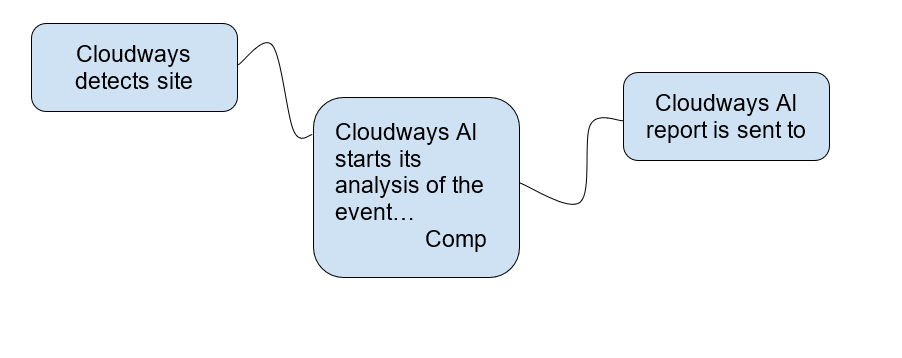
This is how Cloudways Copilot uses AI to identify hosting and server issues by comparing them to similar cases across the fleet, quickly suggesting the most effective remediation solutions with step-by-step instructions. This saves you time by providing immediate solutions without the need for manual detection, troubleshooting, or back-and-forth support tickets, preventing disappointment for your clients.

Image create by Cloudways, April 2025

At the end of the day, hosting headaches shouldn’t waste your agency’s most valuable resource: time. Every minute spent troubleshooting is a minute taken away from client work, business growth, or simply having a life outside of server emergencies.

Cloudways Copilot tackles this problem at its root by:

  • Detecting issues before clients notice.
  • Pinpointing exactly what broke and why.
  • Showing where problems occurred (specific apps/servers).
  • Providing step-by-step fixes in plain language.
  • Cutting resolution time from hours to minutes.

What’s coming next makes Cloudways Copilot even better:

  • One-click fixes – Resolve common errors automatically with a single click
  • Automated resolutions – Let Copilot handle routine tasks like server-wide cache purges and backup management
  • Developer workflows – Automate performance monitoring and testing to free up your team

Best of all? During our early access period, Cloudways Copilot is completely free. We’re currently onboarding users through our limited-access program – visit the Cloudways Copilot page and submit your details to secure your spot.


Image Credits

Featured Image: Image by Cloudways. Used with permission.

In-Post Image: Images by Cloudways. Used with permission.

https://www.searchenginejournal.com/stop-client-site-crashing-cloudways-spa/545639/


Google Removes Robots.txt Guidance For Blocking Auto-Translated Pages via @sejournal, @MattGSouthern

Google removes robots.txt guidance for blocking auto-translated pages. This change aligns Google’s technical documents with its spam policies.

  • Google removed guidance advising websites to block auto-translated pages via robots.txt.
  • This aligns with Google’s policies that judge content by user value, not creation method.
  • Use meta tags like “noindex” for low-quality translations instead of sitewide exclusions.

https://www.searchenginejournal.com/google-removes-robots-txt-guidance-for-blocking-auto-translated-pages/548870/


Is Google About To Bury Your Website? [Webinar] via @sejournal, @lorenbaker

The new AI Mode is rewriting the rules of search. Are you ready?

Google’s AI-generated answers are starting to dominate the SERPs, pushing traditional results further down the page. If your business relies on organic traffic, you can’t afford to ignore this shift.

Join us on June 25, 2025, for an expert-led webinar sponsored by Conductor. Get actionable strategies from Nick Gallagher, SEO Lead at Conductor, to help you adapt fast and stay ahead of the curve.

What you’ll learn:

  • Spot the queries most likely to trigger AI Overviews.
  • Identify industries seeing the biggest changes in traffic.
  • Audit which brands are being highlighted in AI answers.
  • Update your SEO game plan to stay visible.
  • Track and interpret shifts in traffic and performance metrics.

Why this matters now:

Traditional SEO tactics are no longer enough. Understanding how AI Mode works and knowing how to respond could be the difference between steady growth and a sharp drop in traffic.

Don’t let AI Mode catch you off guard.

Register today to secure your spot. Can’t make it live? Sign up anyway, and we’ll send you the full recording.

https://www.searchenginejournal.com/is-google-about-to-bury-your-website/548146/


Paid Media Reporting For Ecommerce: Navigating Attribution Across Paid

Global advertising expenditure has surpassed the $1 trillion mark for the first time.

Digital advertising continues to dominate this growth, with digital channels encompassing search and social media forecast to account for 72.9% of total ad revenue by the end of the year.

From a platform perspective, Google, Meta, Amazon, and Alibaba are expected to capture more than half of global ad revenues this year.

In-house and agency-side paid media teams are working harder than ever to grow ecommerce businesses efficiently, and the amount of data being used day-to-day (even hour-to-hour) is enormous.

With this growth and investment, something is clearly working, and given that brands can map new/returning audiences to their advertising funnel and serve ads across billions of auctions, it’s a lever that millions of businesses pull.

However, with budgets being split across channels (search, social, out-of-home, etc) and brands using CRM data, analytics platforms, third-party attribution tools, and more to define their “source of truth,” fragmentation begins to appear with reporting. Only 32% of executives feel they fully capitalize on their performance marketing data for this reason.

With data being spread across several sources, ad platforms having different attribution models, and the C-suite likely asking, “Which source of truth is correct?”, reporting paid media performance for ecommerce isn’t the most straightforward task.

This post digs into key performance indicators, platform attribution & modeling, business goals, and how to bring it all together for a holistic view of your advertising efficacy.

Key Performance Indicators (KPIs)

To begin navigating paid media reporting, it starts with the KPIs that each account optimizes towards and how this feeds into channel performance.

Each of these has purpose, benefits, limitations, and practical use cases that should be viewed through a lens of attribution unique to each platform.

Short-Term Performance

Return On Ad Spend (ROAS)

  • Definition: revenue/cost.

This metric measures the revenue generated for every dollar spent on advertising.

If your total ad cost was $1,000 and you drove $18,500 revenue, your ROAS would be 18.5.

  • Benefits: Direct measure of advertising efficiency and helps provide a snapshot of campaign profitability.
  • Limitations: Does not account for customer acquisition costs (CACs), margin, LTV, returns, shipping, etc.

Cost Per Acquisition (CPA)

  • Definition: cost/sales or leads.

This metric shows the average cost to generate a sale (or lead, depending on the goal, e.g., an ecommerce brand could be measuring using CPA to sign up new customers for an event).

For example, if your total ad cost was $5,000 and you drove 180 sales, your CPA would be $ 27.77.

  • Benefits: Easy to monitor over time and helps assess efficiency.
  • Limitations: Neglects revenue, customer acquisition cost, margin, LTV, etc., and treats all sales equally regardless of value.

Cost Of Sale (CoS)

  • Definition: total ad spend/revenue.

This metric measures what % of revenue is spent on advertising.

Say a brand spends $20,000 on Meta Ads and generates £100,000 in revenue, their resulting CoS would be 20%.

  • Benefits: Useful for margin-sensitive businesses and marketplaces where prices and/or Average Order Value (AOV) are volatile.
  • Limitations: Can mask unprofitable sales (in some scenarios) if margin, returns, shipping, etc., are not considered.

Mid-Term Efficiency

Customer Acquisition Cost (CAC)

  • Definition: total marketing costs spent on acquiring new customers/total number of new customers.
  • Detailed definition: total marketing costs spent on acquiring new customers + wages + software costs + agency/consultancy fees + overheads/total number of new customers.

This metric may reflect either marketing costs associated with driving new customer acquisition or a holistic view of all costs associated with acquiring new customers.

Let’s say a business has a CAC of $175 and an AOV of $58, they will need each new customer to repeat purchase ~3x to make acquisition profitable.

  • Benefits: Holistic view of acquisition cost, ideal for longer-term profitability analysis for paid media investment.
  • Limitations: Not always the most suitable for channel-specific reporting (think account structuring, audiences, etc.), and can be a lagging metric as it doesn’t reflect short-term changes in performance like ROAS or CPA would.

Marketing Efficiency Ratio (MER)

  • Definition: Sometimes referred to as blended ROAS, MER is calculated by dividing total revenue/total ad spend across all channels.

This metric shows how efficiently your total ad spend is converting into revenue, regardless of the channel.

Where MER is especially useful is when brands are active on multiple ad networks, all of which contribute in some way to the final sale, and where siloed platform attribution is inconsistent.

  • Benefits: Captures topline performance from a transactional perspective and simplifies multi-channel reporting.
  • Limitations: Neglects exactly where the sales and revenue came from and obscures channel efficiency, especially important for search, social, etc.

Long-Term Strategic

Customer Lifetime Value (CLV Or CLTV)

  • Definition: This metric estimates the total net revenue a customer brings over their relationship with a brand.

Used alongside CAC, this metric is essential for understanding the true value of both acquisition and retention, which is important for almost all ecommerce models, and especially important for brands looking to capitalize on repeat purchases and subscription-based models.

  • Benefits: Builds a foundation for tying performance marketing to long-term outcomes while helping give room to CAC targets across valuable customer segments.
  • Limitations: Takes a fair amount of work to get set up and maintain, in addition to requiring a clean cohort and repeat purchase data. Additionally, when brands introduce new products/services, it can be hard to forecast accurate CLV numbers, and it will take time.

So, which one should you be reporting on for your ecommerce brand?

Speaking from experience, there isn’t a right or wrong answer, nor is there a blueprint for which KPIs you should be reporting on.

Having a multifaceted approach will enable more informed decision making, combining short-, medium-, and long-term KPIs to form a holistic model for measuring performance that feeds into your reports.

However, even after choosing your KPIs, different attribution models across advertising platforms add another layer of complexity, as does the ever-evolving customer journey involving multiple touchpoints across devices, channels, etc.

The Ad Platforms

Each ad platform handles attribution and tracking differently.

Take Google Ads, for example, the default model is Data-Driven Attribution (DDA), and when using the Google Ads pixel, only paid channels receive credit.

Then, with a GA4 integration to Google Ads, both paid and organic are eligible to receive credit for sales.

Click-through windows, value, count, etc, can all be customised to provide a view of performance that feeds into your Google Ads campaigns.

Using the Google Ads pixel, say a user clicks a shopping ad, then a search ad, and then returns via organic to make the purchase, 40% of the credit could go to shopping, and 60% to the search ad.

With the GA4 integrated conversion, shopping could receive 30%, search 40%, and organic visit 30%, resulting in 70% of the value being attributed back to the campaigns in-platform.

Now, comparing this to Meta Ads, which uses a seven-day click and one-day view attribution window by default, when a user converts within this time frame, 100% of the credit will be attributed to Meta.

This is why the narrative for conversion tracking on Meta is one of overrepresentation, with brands seeing inflated revenue numbers vs. other channels, even more so with loose audience targeting, where campaign types such as ASC can serve assets to audiences who have already interacted with your brand.

Then, when you dig into third-party analytics, the comparisons between Google Ads, Meta Ads, Pinterest Ads, etc., are almost the complete opposite.

So, what should this data be used for, and how does it factor into the bigger picture?

In-platform metrics are best viewed as directional.

They help optimize within the walls of that specific platform to identify high-performing audiences, auctions, creatives, and placements, but they rarely reflect the true incremental value of paid media to your business.

The data in Google, Meta, Pinterest, etc. is a platform-specific lens on performance, and the goal shouldn’t be to pick one or ignore these metrics.

It should be to interpret these for what they are and how they play into the overarching strategy.

The Bigger Picture

KPIs such as ROAS and CPA offer immediate insights but provide a fragmented view of paid media performance.

To gain a comprehensive understanding, brands must combine medium- to long-term KPIs with broader modeling and tests that account for the multifaceted nature of performance marketing, while considering how complex customer journeys are in this day and age.

Marketing Mix Modeling (MMM)

Introduced in the 1950s, MMM is a statistical analysis that evaluates the effectiveness of marketing channels over time.

By analyzing historical data, MMM helps advertisers understand how different marketing activities contribute to sales and can guide budget allocation.

A 2024 Nielsen study found that 30% of global marketers cite MMM as their preferred method of measuring holistic ROI.

The very short version of how to get started with MMM includes:

  1. Collecting aggregated data (roughly speaking, at least two years of weekly data across all channels, mapped out with every possible variable (e.g., pricing, promotions, weather, social trends, etc.)
  2. Defining the dependent variable, which for ecommerce will be sales or revenue.
  3. Run regression modeling to isolate the contribution of each variable to sales (adjusting for overlaps, lags, etc.)
  4. Analyze, optimize, and report on the coefficients to understand the relative impact and ROI of your paid media activity as whole.

Unlike platform attribution, this doesn’t rely on user-level tracking, which is especially useful with privacy restrictions now and in the future.

From a tactical standpoint, your chosen KPIs will still lead campaign optimizations for your day-to-day management, but at a macro level, MMM will determine where to invest your budget and why.

Incrementality Testing

Instead of relying on attribution models, this uses controlled experiments to isolate the impact of your paid media campaigns on actual business outcomes.

This kind of testing aims to answer the question, “Would these sales have happened without the paid media investment?”.

This involves:

  1. Defining an objective or independent variable (e.g., sales, revenue, etc.)
  2. Creating test and control groups. This could be by audience or geography – one will be exposed to the campaigns and the other will not.
  3. Run the experiment while keeping all conditions equal across both groups.
  4. Compare the outcomes, analyze performance, and calculate the impact.

This isn’t one that’s run every week, but from a strategic point of view, these tests help to validate the actual performance of paid media and direct where and what spend should be allocated across ad platforms.

Operational Factors

These are equally as important (if not more) for ecommerce reporting and absolutely need to be considered when setting KPIs and beginning to think about modeling, testing, etc.

  • Product margin.
  • AOV variability.
  • Shipping costs.
  • Returns rates.
  • Repeat rates.
  • Discounting and promotions.
  • Cancelled and/or failed payments.
  • Stock availability.
  • Attribute availability (e.g., size, color, model).
  • Pixels and tracking.

Without considering these factors, brands will use inaccurate data from the get-go.

Think about the impact of buy now, pay later. Providers such as Klarna or Clearpay can lead to higher return rates, as bundle buying and impulsive purchases become more accessible.

Without considering operational factors, using this example and a basic in-platform ROAS, brands would be optimizing toward incorrect checkout data with higher AOV’s and no consideration of returns, restocking, etc.

Ultimately, building a true picture of paid media performance means stepping beyond the platform KPIs and metrics to consider all factors involved and how best to model the data to uncover not just “what” is happening, but “why” it is and how this impacts the wider business.

Bringing It All Together

No single tool or model tells the full story.

You’ll need to compare platform data, internal analytics, and external modeling to build a more reliable view of performance.

The first step is getting watertight KPIs nailed down that consider every possible operational factor so you know the platforms are being fed the correct data, and if you need to modify these based on platform nuances due to differing attribution models, do it.

Once these are nailed down, find a model that you trust and that will show you the holistic impact of your paid media spend on overall business performance.

You could explore the use of third-party attribution tools that aim to blend data together, but even with these, you’ll still require clear and accurate KPIs and reliable tracking.

Then, when it comes to the visual side of reporting, the world is your oyster.

Looker Studio, Tableau, and Datorama are among the long list of well-known platforms, and with most brands using three to four business intelligence tools and 67% of analysts relying on multiple dashboards, don’t stress if you can’t get everything under one lens.

When all of this is executed and made into a priority over the short-term ebbs and flows of paid media performance, this is the point where connecting media spend to profit begins.

More Resources:


Featured Image: Surasak_Ch/Shutterstock

https://www.searchenginejournal.com/paid-media-reporting-for-ecommerce-navigating-attribution/546943/