LinkedIn: How to Delete a Stories Post
LinkedIn recently rolled out its Stories feature, which allows users to share short videos or photos that appear at the top of other users’ feeds.
If you share a LinkedIn Stories post that you later want to delete, our guide will show you how to do just that.
Note: These screenshots were captured in the LinkedIn application on iOS.
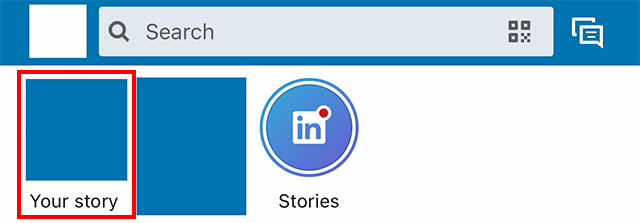
Step 1: On the LinkedIn Home screen, tap “Your story” in the Stories bar near the top of the screen.
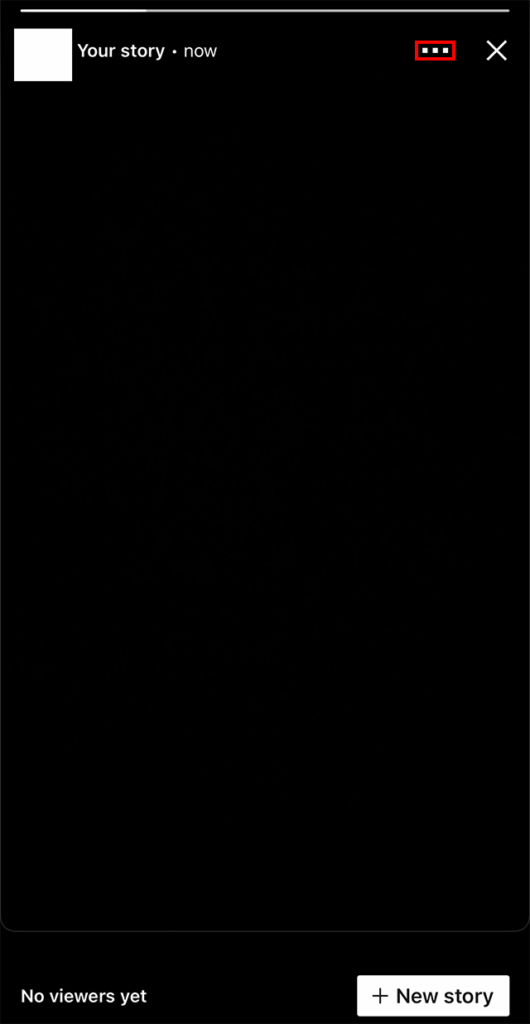
Step 2: Tap the three dots in the top-right corner of the Stories post you want to delete.
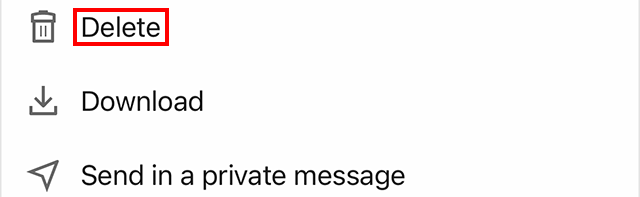
Step 3: Tap “Delete.”
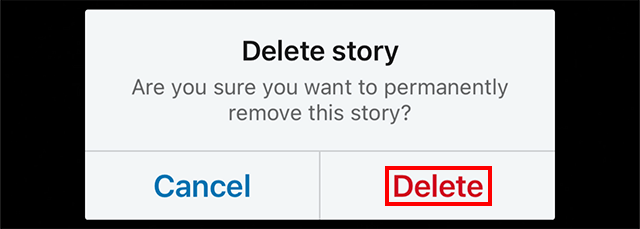
Step 4: Tap “Delete” on the confirmation window that appears to finish deleting your post.
https://www.adweek.com/digital/linkedin-how-to-delete-a-stories-post/