With GPT-5.3-Codex, OpenAI pitches Codex for more than just writing code
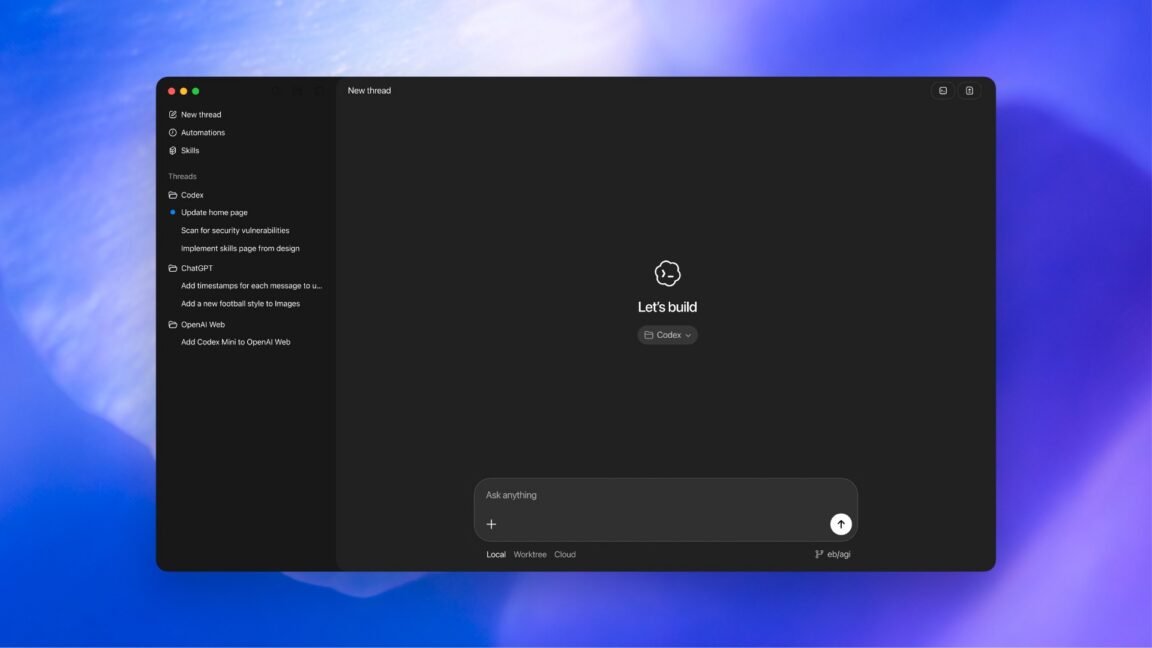
Today, OpenAI announced GPT-5.3-Codex, a new version of its frontier coding model that will be available via the command line, IDE extension, web interface, and the new macOS desktop app. (No API access yet, but it’s coming.)
GPT-5.3-Codex outperforms GPT-5.2-Codex and GPT-5.2 in SWE-Bench Pro, Terminal-Bench 2.0, and other benchmarks, according to the company’s testing.
There are already a few headlines out there saying “Codex built itself,” but let’s reality-check that, as that’s an overstatement. The domains OpenAI described using it for here are similar to the ones you see in some other enterprise software development firms now: managing deployments, debugging, and handling test results and evaluations. There is no claim here that GPT-5.3-Codex built itself.
Instead, OpenAI says GPT-5.3-Codex was “instrumental in creating itself.” You can read more about what that means in the company’s blog post.
But that’s part of the pitch with this model update—OpenAI is trying to position Codex as a tool that does more than generate lines of code. The goal is to make it useful for “all of the work in the software lifecycle—debugging, deploying, monitoring, writing PRDs, editing copy, user research, tests, metrics, and more.” There’s also an emphasis on steering the model mid-task and frequent status updates.
OpenAI is hoppin’ mad about Anthropic’s new Super Bowl TV ads
On Wednesday, OpenAI CEO Sam Altman and Chief Marketing Officer Kate Rouch complained on X after rival AI lab Anthropic released four commercials, two of which will run during the Super Bowl on Sunday, mocking the idea of including ads in AI chatbot conversations. Anthropic’s campaign seemingly touched a nerve at OpenAI just weeks after the ChatGPT maker began testing ads in a lower-cost tier of its chatbot.
Altman called Anthropic’s ads “clearly dishonest,” accused the company of being “authoritarian,” and said it “serves an expensive product to rich people,” while Rouch wrote, “Real betrayal isn’t ads. It’s control.”
Anthropic’s four commercials, part of a campaign called “A Time and a Place,” each open with a single word splashed across the screen: “Betrayal,” “Violation,” “Deception,” and “Treachery.” They depict scenarios where a person asks a human stand-in for an AI chatbot for personal advice, only to get blindsided by a product pitch.
[embedded content]
Anthropic’s 2026 Super Bowl commercial.
In one spot, a man asks a therapist-style chatbot (a woman sitting in a chair) how to communicate better with his mom. The bot offers a few suggestions, then pivots to promoting a fictional cougar-dating site called Golden Encounters.
In another spot, a skinny man looking for fitness tips instead gets served an ad for height-boosting insoles. Each ad ends with the tagline: “Ads are coming to AI. But not to Claude.” Anthropic plans to air a 30-second version during Super Bowl LX, with a 60-second cut running in the pregame, according to CNBC.
In the X posts, the OpenAI executives argue that these commercials are misleading because the planned ChatGPT ads will appear labeled at the bottom of conversational responses in banners and will not alter the chatbot’s answers.
But there’s a slight twist: OpenAI’s own blog post about its ad plans states that the company will “test ads at the bottom of answers in ChatGPT when there’s a relevant sponsored product or service based on your current conversation,” meaning the ads will be conversation-specific.
The financial backdrop explains some of the tension over ads in chatbots. As Ars previously reported, OpenAI struck more than $1.4 trillion in infrastructure deals in 2025 and expects to burn roughly $9 billion this year while generating about $13 billion in revenue. Only about 5 percent of ChatGPT’s 800 million weekly users pay for subscriptions. Anthropic is also not yet profitable, but it relies on enterprise contracts and paid subscriptions rather than advertising, and it has not taken on infrastructure commitments at the same scale as OpenAI.
14 AI Tools for Social Media Content Creation: My Workflow Guide
I use AI to create social media content every single day, but probably not in the way you’re thinking. Instead of typing in a prompt and then publishing, AI is woven into almost every stage of how I think, draft, design, and ship content. At Buffer, and on my own social media I’ve grown to over 20,000 followers across platforms.
But it took a while to get here. A year ago, my AI usage looked like most people’s: open ChatGPT, ask it to write a caption, get something generic back, rewrite the whole thing anyway, and wonder what the point was. The problem wasn’t the tools, it was that I was using them one-dimensionally when the real leverage was everywhere else.
Once I started using AI earlier in my process (to feed my thinking, not just my content calendar) and later (to automate the busywork eating my creative energy), the quality of my output changed. Not because AI was writing better posts for me, but because I was writing better posts with AI handling the friction.
I’ve tested a lot of tools. These are the 14 that stuck, organized by where in my workflow they come in, starting well before I open a blank page.
Jump to section
Before I open a single drafting tool, I invest in my inputs. I’m a firm believer that the quality of my content is directly tied to the quality of what I consume. But compared to the amount of time and energy I have, there are infinite amounts of content and connections to be made. This is where this tool comes in: they help make that process easier and more repeatable.
Sublime
Best for: Building a personal library of ideas that makes your thinking more interesting over time
Working in marketing, I inevitably consume much of the same content as everyone else in my field. Where I want to break away is in making connections and having a unique perspective, so my content doesn’t feel derivative. Sublime helps me do that.
When you save something to Sublime — a quote, a link, an image, a note — it immediately surfaces related ideas from other people’s libraries. Sublime’s founder, Sari Azout, calls this “communal knowledge management.”
In practice, it feels less like a productivity tool and more like browsing the reading lists of the most interesting people you know. You can also import your existing Kindle highlights and Readwise notes, so you’re not starting from scratch — the inputs you’ve already found interesting become the foundation of your library.
Sari’s framing is one I come back to often: the secret to better AI output isn’t better prompts — it’s better inputs. There’s a real difference between asking AI to “write me something about personal branding” and handing it 40 ideas you’ve been collecting about identity, craft, and audience-building and asking it to find the thread.
My favorite thing to do with the ideas I find through Sublime is to pull them into collections and then go one of two directions: I’ll either generate a metadata summary and connect it to an AI tool that already has my voice and content style memorized, which kicks off the idea development process for future posts. Or I’ll drop them onto a digital infinity board and start playing with the flow — rearranging ideas, adding my own notes and external context until a shape emerges.
It does require active engagement, though. You have to sit with what it surfaces, not just save it to a folder you’ll never reopen. Curation without synthesis is just hoarding.
There’s a messy middle stage between having raw inputs and having something I can actually draft.
Sometimes I need to extract structure from my own rambling — I talked through an idea, and now I need to find what’s actually worth keeping.
Other times I’ve got the opposite problem: scattered references across tabs, notes, and half-watched videos, and I need to synthesize them into something coherent that still sounds like me. These tools help me handle both.
Granola
Best for: Turning spoken ideas into structured starting points
Granola is technically a meeting transcription tool — it captures audio directly from my device (no awkward bot joining the call) and uses AI to turn raw conversation into organized notes. But that’s not why it’s on this list.
The use case I lean into for Granola is thinking out loud. I open it, start talking through a rough content idea — no structure, no polish, just working through what I’m trying to say — and when I’m done, the AI extracts the key threads, the strongest points, the structure that was hiding inside the ramble. What I get back isn’t just a transcript. It’s a starting point.
When ideas won’t wait for a convenient moment, so you just… interrupt everyone 😬 (my team has been very patient with me) This is how I use Granola to stay present in meetings without losing every thought that pops up. (Look out for @annabullock’s breakdown of how to turn those ideas into content) #productivitytok#remotework#aitools#creatorsoftiktok
If you’ve ever sent a voice note that was clearer than your written draft, or explained a post to a friend better than you wrote it, you’re likely a verbal processor. Granola makes that instinct productive.
I could arguably do this with most chatbots’ voice modes — ChatGPT, Claude, even a basic voice memo plus a manual summary. Granola’s edge is that it’s purpose-built for capture and extraction. It’s not trying to have a conversation back at me. It’s just listening and organizing.
I’m not the only one at Buffer who uses voice dictation to process my thinking. Here are a couple of articles from fellow verbal processors on the team to dig deeper into rambling-as-processing.
Best for: Visual thinkers who need to synthesize multiple sources into content as quickly as possible
Poppy’s interface is a visual canvas. I drag in YouTube videos, TikToks, articles, PDFs, voice notes — whatever raw material I’m working with — and organize it into groups that the AI can pull from simultaneously. For people who think spatially, who need to see their inputs laid out before they can make sense of them, this is the unlock.
I use it primarily for scripting — YouTube videos, short-form content, anything where I want the output to actually sound like me rather than generic AI-speak. My typical setup looks like this:
Group 1: Examples of my own previous content (this teaches it my voice)
Group 2: Reference videos I want to study — not to copy, but to learn from their structure, hooks, pacing
Group 3: The working draft, where the AI pulls from both groups simultaneously
That last part is what makes it click. The AI isn’t just generating from a blank prompt. It’s synthesizing my voice from Group 1 with the structural patterns from Group 2. The output still needs editing, but I’m starting from something that sounds like me riffing on ideas I actually care about — not a generic script template.
I can also access multiple models (ChatGPT, Claude) within the same workspace, which is useful when I want to compare outputs or use different models for different parts of the process.
A few things worth knowing before you commit: Poppy’s marketing runs hot — income claims, countdown timers, hustle-culture energy. The actual tool underneath is more thoughtful than its landing page suggests, but it’s a meaningful investment. Plans are annual only with a credit-based system, so it’s worth testing within the 30-day money-back guarantee before you go all in.
Price: From ~$400/year (annual billing only; 30-day money-back guarantee)
Here’s what I’ve found works better than asking AI to write my content: asking it to help me think through my content. To push back on my framing, suggest structures I haven’t considered, and help me figure out what I’m really trying to say before I try to say it publicly.
Claude AI
Best for: Strategic sparring and seeing ideas before I build them
Claude is my thinking partner. Not my ghostwriter — my sparring partner. That distinction matters more than any feature list.
What makes Claude uniquely useful for content work is the combination of deep reasoning and the ability to actually show me things. I go back and forth on content structure — “here’s my rough idea, what’s the strongest way to organize this?” — and Claude pushes back, suggests alternatives, pokes holes in my logic. But it can also visualize what we’re discussing: prototype a web page layout, mock up a report structure, build a working preview of a landing page. I’m not just talking about ideas in the abstract. I’m looking at them.
For our upcoming State of Social Engagement report, I went back and forth with Claude over multiple rounds until the structure clicked. It wasn’t a “write me a report outline” situation — it was genuine sparring where I’d say “this section doesn’t land because…” and Claude would come back with a different approach. That iterative process is where the real thinking happened. I’ve also used it to prototype web page layouts before sharing concepts with my team. Being able to see the structure, not just describe it, helps me come to conversations better prepared.
The sparring only works if I actually push back, though. If I accept Claude’s first suggestion, I’m not sparring — I’m delegating. I tell it why its suggestion doesn’t work. I ask it to try a completely different angle. That’s where the good stuff happens.
Price: Free (limited); starts from $17/month for Pro. If budget is tight, the free tier handles basic sparring — you’ll just hit message limits faster on heavy drafting days.
ChatGPT
Best for: Brainstorming that gets smarter the longer you use it
ChatGPT’s biggest edge for content work isn’t its writing ability — it’s its memory. As of mid-2025, ChatGPT doesn’t just remember things I’ve explicitly asked it to save. It references my entire conversation history to tailor its suggestions. When I ask for ideas, it doesn’t start from zero. It draws on topics I’ve explored, preferences I’ve expressed, patterns in how I think — across months of conversation.
This is what makes ChatGPT and Claude different jobs, not competitors. Claude is where I go to wrestle with an idea and stress-test structure. ChatGPT is where I go when the brainstorm needs my personal context — when I want suggestions that reflect my voice, my audience, my recurring themes.
Watch out, though: Memory can quickly become an echo chamber. If ChatGPT only suggests things based on what I’ve already explored, it might reinforce my patterns rather than challenge them. That’s why I use Sublime for discovery and ChatGPT for personalized refinement — different tools, different jobs.
Price: Free (limited); $20/month for Plus; $8/month for Go (lighter option with fewer features but same memory access)
Notion AI
Best for: Turning my own archive into a brainstorming partner
If you’ve used Notion for any length of time, you’re sitting on years of accumulated context — project notes, databases, meeting takeaways, half-finished ideas, research you forgot you saved. Notion’s AI agent turns all of that into something searchable, connectable, and actionable.
Instead of manually digging through old pages trying to remember where I wrote something down, I can ask the agent to surface relevant context, find connections across projects, or build a new database structure from scratch. It pulls from connected tools like Slack and Google Drive too — so the scope of what it “knows” extends beyond just my Notion pages.
The real power for content work: when I’m starting a new piece, I can ask the agent to surface everything I’ve previously written or noted about a topic. That’s my original research — ideas I’ve already had, framing I’ve already tested, angles I explored months ago. My own archive becomes source material.
Price: Free (limited trial); requires Business plan ($20/user/month) for full AI access. Worth it if you’re already using Notion as your knowledge hub — harder to justify if you’d be adopting Notion just for the AI features.
Notice how far into the process I am before I actually start writing? That’s intentional. When I’ve done the thinking work in the earlier stages, drafting gets dramatically faster because I’m not staring at a blank page — I’m translating a clear idea into platform-ready content. These tools help me move through that stage quickly, but the editing eye is still mine.
Grammarly
Best for: Catching what tired eyes miss
Grammarly isn’t glamorous, but it’s essential. After I’ve been inside a piece of content for hours — drafting, rearranging, editing — I stop seeing the errors. The missing word. The repeated phrase two sentences apart. The comma that should be a period. Grammarly catches what my tired brain skips over. Research confirms that accuracy declines after extended periods of focused work.
I lean into Grammarly for proofreading, not as a writing partner. The AI suggestions for “tone” or “clarity” I mostly ignore, as they tend to flatten my voice a bit. But for pure mechanics? Spelling, grammar, punctuation, the stuff that makes me look sloppy if I miss it? It’s saved me more times than I can count.
Best for: Generating variations and repurposing across platforms without starting from scratch
I don’t use Buffer’s AI Assistant to write posts from scratch — that’s not where any AI tool shines, in my experience. Where it actually shines is two specific workflows: generating multiple variations of a rough idea so I can see which angle hits hardest, and repurposing one piece of content across platforms without manually rewriting it for each one.
The variations workflow is underrated. Instead of agonizing over the “perfect” first draft, I give it a rough concept and let it generate five different takes. Then I Frankenstein the best parts together — the hook from version 2, the framing from version 4, my own closing line. It sounds messy, but it’s significantly faster than writing one perfect post from scratch.
Like every AI drafting tool, the output is a starting point. My voice, my specific examples, my lived experience — that’s what I add in the edit. If I publish the AI variation as-is, my audience will feel it.
The words exist. Now they need to look good — or at least good enough to stop the scroll. I’m no designer, but these tools help me create visuals that match the quality of my ideas and output without requiring a design degree.
Canva
Best for: Creating on-brand visuals without needing a designer
Canva is the obvious choice here as a total beginner, and that’s not a bad thing. It’s obvious because it works. For social media graphics, carousel posts, thumbnails, simple animations — anything where I need something that looks professional but don’t have hours to spend on it — Canva gets me there.
The AI features have gotten genuinely useful. Magic Design takes a rough idea and generates multiple layout options that I can customize. Background removal is one-click. And the brand kit means everything I create stays consistent without me having to remember hex codes or font names.
The things I make here aren’t going to win design awards, and if you’re doing anything truly custom, you’ll hit its limits. But for the 80% of visual content that just needs to be clean, on-brand, and done, Canva is hard to beat.
Best for: Quick social graphics with professional polish — especially if you’re already in the Adobe ecosystem
Adobe Express is Adobe’s answer to Canva, and Firefly is their AI image generation engine built directly into it. If you’re already paying for Creative Cloud or comfortable in Adobe’s world, this keeps everything in one ecosystem.
The AI features that stand out:
Generative Fill — extend images or remove objects seamlessly
Text-to-image generation — creates assets I can actually use commercially (Adobe trained Firefly on licensed content, so the copyright situation is cleaner than some competitors)
Brand kit sync — assets flow between Express, Premiere, and Photoshop without starting over
But if you’re not already in Adobe’s ecosystem, the learning curve and cost may not be worth it just for quick social graphics. Canva is more intuitive for most people. But if you’re doing any serious design work that requires moving between quick social content and more polished production, Adobe’s integration across tools is hard to beat.
Price: Free (limited); Premium $10/month; included with most Creative Cloud plans
Nano Banana Pro (Gemini)
Best for: Generating images with accurate text — mockups, infographics, diagrams
Nano Banana Pro is Google’s image generation model, built on Gemini 3 Pro. The name is ridiculous, but the tool is surprisingly powerful for a specific use case: generating images that include text.
If you’ve ever tried to get an AI image generator to produce a poster with legible words, or a mockup with realistic copy, you know the pain. Most models butcher text with weird letter spacing, nonsense words, and visual artifacts. Nano Banana Pro actually gets this right. Posters, social graphics, infographics, presentation slides with text baked in — it handles them cleanly (and in multiple languages).
I access it through the Gemini app (select “Create images” and choose the “Thinking” model), but it’s also built into Google Slides and Google Vids if you’re in the Workspace ecosystem. The free tier has limited uses before it reverts to the standard model; heavier users will want a Google AI subscription.
Price: Free (limited); fuller access with Google AI Plus and beyond (starting from $10/month)
Best for: Turning ideas into interactive prototypes or working apps — fast
These are two different tools, but I’m grouping them because they solve the same problem: I have an idea for something visual or interactive, and I want to see it working before I involve a developer or commit to building it properly.
Figma Make lets me describe what I want — a landing page, a dashboard, an app flow — and generates an interactive prototype I can click through, share with my team, or use to test an idea. It’s not just a static mockup; it’s functional enough to feel real. For content creators, this is useful when pitching a concept, planning a website section, or just trying to visualize how something would work before I write about it.
Lovable takes this further. I describe an app in plain language, and it generates a full working version — frontend, backend, authentication, the works. The output is actual code (using React + Supabase), which means I can hand it to a developer to refine or deploy it myself if I’m comfortable with that (I’m not). I’ve found that it’s better at prototypes than production-ready apps, and complex features often need manual fixes. And once we get into API connections, I usually give up. Still, it dramatically collapses the timeline from “idea” to “something I can show people.”
Price: Figma Make (included with Figma plans that start from $5/user/month); Lovable (free trial, then $25/month)
Tools to create video and audio
For some ideas, static images aren’t enough. Video and audio content reach audiences in ways text and graphics can’t — but they’ve traditionally required the steepest learning curves and longest production times. These tools change that equation.
CapCut
Best for: Short-form video editing without a steep learning curve
CapCut has become the default editor for beginner creators, and it’s not hard to see why. You can do a lot with its free plan, it works across mobile and desktop, and its AI features handle the tedious parts of editing that would usually take hours and lots of practice.
The features that keep me coming back:
Auto captions — sync accurately in 130+ languages
Background removal — works in one click
Beat sync — automatically matches cuts to music
Script-to-video — assembles clips from a text outline
For TikToks, Reels, and Shorts—the content most social creators make — CapCut handles the technical work so you can focus on creative decisions.
One thing to note is that CapCut is optimized for short-form. So if you’re branching into YouTube long-form, you might need something else. Also worth noting — it’s made by ByteDance (TikTok’s parent company), so if data privacy is a concern for you or your organization, definitely review the policy.
Price: Free (most features); Pro $10-20/month for 4K export and premium assets
Adobe Premiere Pro and Podcast
Best for: Professional video editing with AI acceleration — when you need more control than CapCut offers
Premiere Pro is the industry standard for a reason, and Adobe has been steadily adding AI features that speed up the tedious parts without sacrificing control.
The AI features that speed things up:
Auto-transcription + text-based editing — edit video by editing the transcript (similar to Descript’s approach)
Auto-reframe — intelligently crops horizontal video for vertical platforms
Enhanced Speech — cleans up dialogue audio
Scene Edit Detection — automatically finds cut points in existing footage
For creators who’ve outgrown CapCut’s limitations — longer content, multiple tracks, color grading, complex transitions — Premiere is where you go. The AI features don’t replace skill, but they accelerate the workflow significantly.
Adobe Podcast (a separate, free tool) is worth mentioning for audio-only work. The “Enhance Speech” feature can take rough audio — recorded on a laptop mic in a noisy room — and make it sound like studio quality. It’s genuinely impressive and completely free.
However, Premiere has a real learning curve. If you’re only making short-form social content, it’s overkill — CapCut or any other short-form video editing tool will get you there faster. The subscription cost adds up, too. But if video is a serious part of your content strategy and you need professional-grade output, the investment might just pay off.
Price: Premiere Pro starts from $23/month (or included in Creative Cloud $70/month); Adobe Podcast has a free plan and paid starts from $10/month
Descript
Best for: Editing video and audio as easily as editing a document
Descript’s central idea is simple but powerful: edit media by editing text. Upload a video or audio file, Descript transcribes it, and from there, I can delete a sentence by highlighting and deleting it from the transcript. The corresponding audio and video just… disappear. It’s the closest thing to editing a Word doc that video editing has ever gotten.
For creators who do a lot of talking-head content — podcasts, interviews, tutorials, video essays — this is transformational. Removing filler words alone (automatically finding and deleting “um,” “uh,” and “like”) saves hours. Studio Sound cleans up background noise. Overdub lets me fix a mispronounced word by typing the correction and having AI generate it in my voice.
Some caveats: while the free tier is useful for trying it out, if you’re processing a lot of media, the credits can add up quickly. Also, it’s not built for heavy visual editing — no complex transitions, color grading, or motion graphics. It’s for content where the words matter more than the visuals.
Best for: Turning long videos into multiple short clips automatically
If you’ve got a 45-minute podcast episode or a long YouTube video and need to turn it into a week’s worth of short-form content, OpusClip does the extraction work for you. Upload the long video, and the AI identifies the most engaging moments, cuts them into vertical clips with captions, and even gives each one a “virality score” predicting how well it might perform.
The time savings are real. What used to take hours of scrubbing through footage, finding good moments, cutting, and reformatting can happen in minutes. The clips aren’t always perfect — the AI’s idea of “viral” doesn’t always match mine — but as a starting point, it’s dramatically faster than doing it manually.
Price: Free (60 credits/month, watermarked videos); paid starts from $15/month
Tools to automate content creation workflows
At some point, the bottleneck isn’t creating content — it’s everything around it. Moving files between apps, posting to multiple platforms, updating spreadsheets, sending follow-up emails: the list is endless. These tasks don’t require creativity, but they eat time like nothing else. Automation tools give that time back.
Zapier
Best for: Connecting apps and automating repetitive workflows without code
Zapier is the glue between all the other tools in this list. It watches for triggers in one app and automatically performs actions in another. A newsletter goes live? Zapier can share it to social, add it to a spreadsheet, and notify your team in Slack — all without you touching anything.
For content creators, the use cases are endless:
Automatically save email attachments to Google Drive
Push new YouTube videos to Buffer for scheduling
Create Notion pages from form submissions
Send a weekly digest of your best-performing posts
The automation runs in the background while you focus on actually making things.
The AI features have gotten more useful, too. You can describe what you want in plain language (“When someone fills out my contact form, add them to my email list and send them a welcome email”) and Zapier will build the automation for you. It’s not perfect, but it’s a faster starting point than building from scratch.
Note that Zapier’s free tier is limited (100 tasks/month, 5 single-step Zaps). Once you need multi-step automations or higher volume, the pricing climbs quickly. For simple automations, native integrations between apps (such as Buffer’s direct connections to platforms) often work well without a separate tool. Zapier is most valuable when you’re connecting apps that don’t talk to each other natively, or when you need complex workflows with multiple steps.
Price: Free (limited); Starter $20/month; Professional $50/month
These didn’t make the main list, but they’re worth knowing about. Some are powerful tools that just don’t fit my personal approach to content creation. Others I haven’t used enough to recommend with confidence — but that doesn’t mean they won’t work for you.
Tools that don’t fit my preferred approach to content
These tools are popular and genuinely capable. I’m not featuring them because they don’t align with how I like to create — but your workflow might be different.
Midjourney — The gold standard for AI image generation, especially for stylized, artistic visuals. The quality is genuinely impressive. But I prefer working with real images, my own photos, or simpler graphics over AI-generated imagery. If AI art fits your brand aesthetic, Midjourney produces results that other generators can’t match. From $10/month
Veo 3 — Google’s AI video generation model. You describe a scene, and it generates a video. The output quality has gotten remarkably good — realistic motion, consistent characters, and even generated audio. But AI-generated video still feels like an uncanny valley for me. I’d rather work with real footage, even if it’s rougher. If you’re experimenting with synthetic video content or need footage you can’t shoot yourself, Veo 3 is the current leader. Available through Google AI tools
ElevenLabs — AI voice generation that sounds genuinely human. You can clone your own voice or use their stock voices for narration, voiceovers, dubbing. The technology is impressive, even a little unsettling. I prefer using my actual voice in my content, even when it’s imperfect. But for creators doing faceless content, translations, or accessibility features, ElevenLabs is best-in-class. Free (limited); from $5/month
Tools I haven’t tried enough
These tools have strong reputations, but I haven’t used them enough to make a confident recommendation. Consider this a “worth exploring” list rather than an endorsement.
Perplexity — AI-powered search that synthesizes information and cites sources. Useful for research-heavy content where you need to pull together information from multiple places quickly. I’ve used it occasionally but not enough to speak to how well it fits into a regular content workflow. Free (limited); Pro $20/month
n8n — The open-source, self-hostable alternative to Zapier. More powerful and potentially cheaper at scale, but with a steeper learning curve. If you’re technical or have sensitive data you want to keep off third-party servers, it’s worth investigating. I just haven’t gone deep enough to recommend it over Zapier. Free (self-hosted); Cloud from $24/month
Affinity — The professional-grade Adobe alternative that’s now completely free after Canva acquired it. It combines photo editing, vector design, and page layout in one app, and AI features are available with Canva Pro. I’ve heard good things, but haven’t made it part of my workflow yet. Free; AI features require Canva Pro ($15/month)
AI handles the how — you still own the what and why
The tools matter less than the workflow. AI won’t fix a broken content process — it’ll just help you make mediocre content faster.
But when you’re clear on what you’re making and why, the right tools at each stage can collapse weeks into days.
I didn’t adopt all these tools at once, and I definitely don’t use every single one. I started with one bottleneck — the gap between having ideas and actually doing something with them — and found a tool that helped. Then I noticed the next friction point and addressed that. The stack grew organically, not from following a checklist.
My advice: start where you’re stuck. If you have plenty of ideas but struggle to develop them, look at the “think with” tools. If you’re producing content but it takes forever to edit, look at the drafting and production tools. If you’re creating plenty but it dies on one platform, look at repurposing and automation.
Add more only when you’ve outgrown what you have.
Frequently asked questions
Do I need all these tools?
No — and please don’t try to use all of them. This article is a menu, not a prescription. Most creators need maybe three to five tools that address their specific bottlenecks. Using more than that usually creates complexity without adding value. Start with the stage where you lose the most time or energy, find one tool that helps, and get comfortable with it before adding another.
How much will this actually cost?
You can build a functional AI-assisted workflow for free using the free tiers of most tools mentioned here. A more robust stack — with fewer limitations and better features — runs roughly $50-100/month depending on which tools you choose. That might include something like Claude Pro ($20), Buffer ($15), Descript Creator ($16), and Canva Pro ($15). But honestly, I’d start with free tiers everywhere and only upgrade when you hit a limit that’s actually slowing you down.
Will AI replace content creators?
Not the ones worth following. AI is exceptionally good at producing average content at scale. It can research, summarize, draft, and format faster than any human. What it can’t do — at least not yet — is have experiences worth sharing, develop genuine taste, build trust with an audience over time, or know which rules to break. The creators who’ll thrive are the ones who use AI to handle the mechanical parts of content creation while doubling down on the human parts: perspective, voice, judgment, and the willingness to say something that might not work. AI makes the baseline easier to hit. That just raises the bar for what’s worth paying attention to.
What about [tool you didn’t mention]?
This list isn’t exhaustive — it’s personal. I included tools I’ve actually used, can honestly recommend, and that fit into a workflow I believe in. Some popular tools didn’t make the cut because I haven’t used them enough (Perplexity, n8n), because they don’t fit my approach to content (Midjourney, Veo 3, ElevenLabs), or because they overlap too much with something I already covered. If your favorite tool isn’t here, that doesn’t mean it’s bad — it means I couldn’t write about it from experience. The best tool is always the one that solves your specific problem.
What if my content starts sounding like AI?
It will, only if you let AI write the final draft. The problem isn’t using AI; it’s using it at the wrong stage. I use AI heavily for research, structuring, brainstorming, and iteration. But the words that reach my audience are mine. I rewrite AI suggestions in my voice. I add examples from my actual experience. I cut the parts that sound too clean or generic. The rule I follow: AI can help me think, but I do the talking. If you’re publishing AI output with minimal editing, your audience will notice — maybe not consciously, but they’ll feel the absence of a human on the other end. That’s when content starts sounding like everyone else’s.
Data center tra sovranità e sicurezza nell’era dell’AI. L’evento Aruba-Assinter Academy a Roma
I rischi tecnologici di oggi e la necessità di indipendenza tecnologica
In un contesto in cui l’intelligenza artificiale (AI) sta ridefinendo in profondità il modo in cui la Pubblica Amministrazione (PA) gestisce dati, servizi e processi decisionali, il tema dell’infrastruttura cloud assume una valenza sempre più strategica. Di questo si è parlato al Tecnopolo Roma in occasione di un evento organizzato da Aruba, in collaborazione con Assinter Academy, dal titolo “Sovranità, interoperabilità e continuità nell’era dell’AI: l’evoluzione dell’infrastruttura cloud della PA”, per un confronto e un momento di approfondimento rivolto a istituzioni, società in-house, mondo della ricerca e operatori del settore.
Al centro degli interventi sono stati messi i dati strategici della Pubblica Amministrazione, evidenziando come l’adozione dell’AI renda ancora più evidente la necessità di scelte infrastrutturali e di governance consapevoli. Decisioni non adeguate, infatti, rischiano di amplificare l’esposizione dei dati, trasformando il rischio da puramente tecnologico a istituzionale. Da qui l’esigenza di infrastrutture cloud progettate per garantire sovranità operativa e del dato, interoperabilità e continuità dei servizi, non come meri adempimenti normativi, ma come condizioni abilitanti per l’innovazione e la resilienza del sistema pubblico.
In questo quadro, l’evento ha rappresentato anche un’occasione per rafforzare il dialogo sul ruolo dell’AI, in particolare della private AI, e sul valore di modelli infrastrutturali coerenti con le esigenze della PA, in continuità con il percorso avviato dall’Accordo Quadro Consip IaaS/PaaS, mantenendo un approccio formativo e di sistema.
“L’indipendenza tecnologica e digitale rappresenta oggi un elemento essenziale per garantire la sicurezza e la continuità dei servizi digitali. Per raggiungere questo obiettivo è necessario partire dalle infrastrutture strategiche e critiche, a cominciare dai data center”, ha detto il moderatore dell’evento e Direttore responsabile Key4Biz e Cybersecurity Italia, Luigi Garofalo, in apertura di convegno.
“Non possiamo dare per scontati i servizi digitali a cui siamo ormai abituati, le recenti minacce di un noto provider all’Italia, in particolare alle Olimpiadi di Milano-Cortina 2026, mostrano con chiarezza quanto il tema sia concreto e attuale. Una prima leva su cui intervenire è il procurement pubblico – ha affermato Garofalo – orientando gli acquisti verso soluzioni tecnologiche europee e italiane il ‘buy european’, in grado di garantire maggiore controllo, trasparenza e responsabilità lungo tutta la filiera. In questo contesto, il data center di Aruba a Roma rappresenta un esempio concreto: un’infrastruttura strategica affidata a una società che detiene la governance completa dell’intero perimetro critico, assicurando così livelli elevati di sicurezza, affidabilità e autonomia tecnologica”.
Pier Paolo Greco, Presidente Assinter e AU di Liguria Digitale
Governare i dati attraverso una “Schengen digitale” europea
“Oggi, in Europa, una vera sovranità digitale non esiste ancora”, ha detto Pier Paolo Greco, Presidente Assinter e AU di Liguria Digitale. “Èquasi un miracolo che si stia iniziando a prenderne coscienza. E ci siamo arrivati anche grazie a quello che, paradossalmente, è stato un grande “promotore commerciale”, che si chiama Donald Trump, che sta facendo una straordinaria opera di sensibilizzazione sull’importanza delle attività digitali europee. È proprio lì che l’esperienza deve essere trasferita. Perché l’Europa non tornerà più indietro nel tempo: le condizioni che rendono questo passaggio necessario e urgente non si ripeteranno. Serve piuttosto un sistema di federazione del digitale tra i diversi Paesi europei, capace di mettere a fattor comune competenze, infrastrutture e risorse, superando tutte le resistenze, gli ostacoli e i blocchi che oggi esistono all’interno delle varie Commissioni e dei meccanismi decisionali europei”.
Se riuscissimo a farlo, ha spiegato Greco, “potremmo diventare un acceleratore formidabile verso quello che probabilmente sarà il futuro: una sorta di “Schengen digitale”, uno spazio digitale europeo, per delimitare e governare in modo condiviso tutto ciò che riguarda i dati sensibili e le infrastrutture strategiche. Uno spazio digitale in grado di tutelare gli asset strategici e le infrastrutture critiche comuni, distinguendo ciò che è sensibile e imprescindibile per l’Europa da ciò che non lo è. Una condizione necessaria per affrontare in modo equilibrato e consapevole il confronto con gli Stati Uniti e con la Cina. La trasformazione digitale del Paese richiede oggi un salto di qualità che metta al centro flessibilità, velocità e capacità di esecuzione. L’Europa, pur avendo una visione strategica avanzata, fatica spesso a rispondere con tempi adeguati alla rapidità delle dinamiche tecnologiche e geopolitiche in atto. Per questo è necessario ripensare i modelli di cooperazione e governance”.
“Assinter ritiene strategica la costruzione di una federazione digitale europea, capace di mettere a fattor comune competenze, infrastrutture, regole e strumenti operativi tra i diversi Paesi membri. Un sistema che riduca frammentazioni, vincoli procedurali e blocchi normativi che oggi rallentano l’azione pubblica, anche nei processi decisionali della Commissione Europea. Le società in house e gli operatori pubblici dell’ICT rappresentano un fattore abilitante fondamentale di questo processo. Grazie alla loro natura, alla prossimità con le amministrazioni e alla capacità di operare in logica di sistema – ha proseguito Greco – essi possono agire come acceleratori della trasformazione digitale, garantendo sicurezza, interoperabilità e continuità operativa. Tuttavia, la tecnologia non è il fine: il vero obiettivo è difendere e rafforzare il patrimonio digitale pubblico, assicurando sovranità, resilienza e capacità di governo dei dati e dei sistemi”.
“Sono quattro i fattori chiave per cui l’Europa ha guardato all’Italia e ci ha scelto, in particolare nell’ambito dello European Digital Infrastructure Consortium: la digitalizzazione della Pubblica Amministrazione, la capacità di legiferare sull’intelligenza artificiale, la cybersecurity e il modello del Polo Strategico Nazionale, quale riferimento per un cloud sovrano europeo”, ha dichiarato Serafino Sorrenti, Capo della Segreteria Tecnica del Dipartimento per la trasformazione digitale della Presidenza del Consiglio dei Ministri.
“L’indipendenza digitale è un obiettivo che perseguiamo fin dall’inizio. Il posizionamento dell’Italia è oggi a un buon punto – ha proseguito Sorrenti – e il ruolo di Assinter è determinante nel lavoro che sta svolgendo. Allo stesso modo, Aruba si conferma un pilastro fondamentale della trasformazione digitale del Paese. È evidente che l’Europa sconti ancora un ritardo, sia dal punto di vista organizzativo sia su quello dell’implementazione, come dimostrano le difficoltà e i ritardi accumulati dal progetto Gaia-X. Proprio per questo, la possibilità che l’Italia venga oggi osservata come un modello di riferimento a livello europeo rappresenta un motivo di grande orgoglio”.
“Si tratta di un risultato raggiunto grazie al lavoro del Dipartimento e di tutti gli stakeholder che hanno aderito a questo percorso, reso possibile anche dall’impegno delle Regioni, che attraverso i bandi di finanziamento hanno messo le Pubbliche Amministrazioni locali nelle condizioni di adottare soluzioni innovative”, ha detto Sorrenti.
Andrea Miele, Head of Sales Aruba Enterprise
Per la sovranità tecnologica serve un’infrastruttura di qualità
“La compromissione del dato non rappresenta soltanto un problema di interruzione del servizio, ma costituisce una vera e propria minaccia per l’intera comunità. Il divario da colmare è ancora significativo, ma qualcosa si sta muovendo. Nei giorni scorsi il Parlamento europeo ha adottato una risoluzione dal titolo ‘European technological sovereignty and digital infrastructure’, che introduce in modo esplicito una tesi di fondo chiara: la sovranità tecnologica europea richiede una base infrastrutturale concepita come un’architettura di sistema, fondata su priorità pubbliche definite e su un perimetro operativo ben delineato”, ha dichiarato Andrea Miele, Head of Sales di Aruba Enterprise.
“Questa è la direzione lungo cui investire, sia in infrastrutture sia in servizi. In questo quadro, Aruba ha investito in modo significativo nello sviluppo di infrastrutture e servizi digitali, promuovendo da sempre il principio dell’indipendenza digitale e assumendosi la responsabilità di accompagnare la Pubblica Amministrazione nell’adozione sicura di queste tecnologie. Questo obiettivo può essere raggiunto solo attraverso la collaborazione – ha precisato Miele – mettendo a fattor comune competenze, conoscenze dei processi e capacità operative di soggetti come le Regioni, le società in house e le istituzioni”.
“La finalità di questo evento è proprio quella di avvicinare tutti gli attori che possono contribuire a fare sistema, l’unica strada possibile per colmare un gap che è già oggi rilevante. Gettare le basi di questa collaborazione – ha aggiunto Miele – rappresenta già un primo passo concreto verso una maggiore resilienza delle infrastrutture digitali”.
Dati sanitari e cybersecurity
“Esistono meccanismi concreti che favoriscono la sovranità digitale. Un passaggio fondamentale è stato l’avvio, nel 2022, del Polo Strategico Nazionale; dal 2023 abbiamo iniziato a collaborare attivamente, con l’ospitalità di due data center in modalità colocation. La collaborazione prosegue e prevede l’avvio di un percorso di full outsourcing infrastrutturale. Si tratta di un cammino complesso e di lungo periodo, in un contesto che cambia rapidamente, sia dal punto di vista tecnologico sia in termini di scala e di volumi. La Regione Lombardia ha investito in modo significativo: nel 2019 il budget annuo per l’infrastruttura digitale era pari a 19 milioni di euro, mentre oggi si avvicina ai 160 milioni di euro l’anno”, ha affermato Roberto Nocera, Head of Digital Delivery & Operations di Aria SpA.
Roberto Nocera,Head of Digital Delivery & Operations di Aria SpA
“ARIA gestisce complessivamente circa 2.600 servizi diversificati, tra servizi propri e quelli delle aziende sanitarie, oltre a 30 petabyte di dati, in costante crescita anno dopo anno. Gestisce inoltre due data center e realizza mediamente 26 rilasci di nuovi servizi all’anno. Sono numeri rilevanti, che richiedono una governance attenta e strutturata. In questo contesto, è legittimo interrogarsi sull’effettiva convenienza del cloud rispetto a una gestione on-premise, come avveniva in passato. Oggi il tema centrale non è più se adottare il cloud, ma come governarne la spesa, attraverso progetti di controllo continuo dei costi, consapevoli che la spesa cloud è, per sua natura, ottimizzabile. Il tema della sovranità digitale è per noi centrale. Stiamo valutando il modello più adeguato da applicare, verificando se quello attuale sia sufficientemente efficiente, anche alla luce delle indicazioni normative che spingono in questa direzione. Parallelamente, la sicurezza rappresenta un altro pilastro fondamentale: nel 2025 abbiamo bloccato oltre 2.000 attacchi informatici e formato circa 3.000 persone sui temi della cybersicurezza. L’infrastruttura che gestiamo tratta dati sanitari – ha proseguito Nocera – e in questo ambito la cybersicurezza è cruciale, poiché si tratta di informazioni particolarmente appetibili per i mercati criminali. La rete su cui transitano i dati è costantemente aggiornata in termini di connettività, grazie a soluzioni software-defined, che affiancano e integrano le infrastrutture fisiche con sistemi basati su software”.
“Un altro progetto strategico è quello della centralizzazione dei data center della sanità regionale. In Lombardia operano circa 40 aziende sanitarie e l’obiettivo è trasferire i dati su un’unica piattaforma. Si tratta di un percorso da completare entro il 2026, per il quale è stato utilizzato anche il PNRR, con un investimento di circa 55 milioni di euro, sebbene la Regione abbia avviato questo processo ben prima. Il quadro complessivo è in costante evoluzione: cambiano le tecnologie, i partner, il contesto geopolitico. Oggi – ha aggiunto Nocera – si parla sempre più di geopatriation, un processo che deve svilupparsi all’interno di un quadro normativo e politico più ampio, da governare a livello nazionale e non solo locale. In questo scenario, il tema dell’approvvigionamento assume un ruolo centrale, perché richiede indirizzi chiari e coordinati a un livello più generale”.
La centralità dei dati e delle competenze
Il Prof. Marco Pironti, nel duplice ruolo di Vicerettore per l’Innovazione dell’Università degli studi di Torino e membro del Comitato Tecnico Scientifico di Assinter ha riassunto alcune riflessioni che partono dai principali trend che osserviamo oggi, in particolare sui temi dell’outsourcing e del cloud: “Sono trend ben noti, ma che hanno mostrato anche alcune criticità: al di là dell’aver interpretato il cloud come un modello in grado di “riscrivere” il mondo, molte organizzazioni si sono interrogate sul perché non abbia sempre prodotto i miglioramenti di efficienza e le opportunità che inizialmente si aspettavano. A questo si collega un tema che è già emerso oggi e che considero centrale: quello della sovranità. Meglio declinarlo come tema di governance. Le città non sono fatte dalle mura che le difendono, ma dalle regole che le governano. Ed è proprio questo il punto: una governance regolatoria credibile, capace di orientare le scelte tecnologiche. Accanto a questo, oggi emerge con forza anche il tema della sostenibilità. Sempre più settori industriali chiedono un cloud certificato, affidabile, specializzato. È il momento in cui il cloud deve essere customizzato, interpretato sulle esigenze specifiche di alcuni ambiti. Pensiamo, ad esempio, al mondo della ricerca: qui il tema è estremamente complesso, perché i dati trattati sono tra i più critici in assoluto, legati alla sicurezza e alla tutela della vita delle persone. Questa complessità, se non governata, rischia di bloccare enormi potenzialità di ricerca e innovazione. Il filo giuridico che lega tutti questi aspetti conduce, a mio avviso, a due grandi questioni che vorrei condividere: i dati e le competenze”.
Prof. Marco Pironti – Vicerettore per l’Innovazione dell’Università degli studi di Torino e membro del Comitato Tecnico Scientifico di Assinter
“Sul tema dei dati, il dibattito è ampio e ancora aperto. Ma ciò che spesso sottovalutiamo non è tanto la quantità, quanto la qualità del dato. Nella mia esperienza di amministratore pubblico e assessore all’innovazione e ai sistemi informativi della Città di Torino – ha spiegato Pironti –è emerso con forza che tutto il meccanismo di creazione di valore, dall’intelligenza artificiale all’innovazione digitale, funziona solo se parte bene, e parte bene dalla qualità, dalla correttezza e dall’utilizzabilità dei dati. Negli ultimi anni ci siamo concentrati molto sulla fase finale della catena del valore: l’integrazione, il business, le applicazioni. Ci siamo chiesti chi stesse già monetizzando e dove fossero le opportunità. Ma ci siamo, in parte, dimenticati che senza dati di qualità tutto questo non regge. Nel mondo universitario questo sta creando problemi enormi: spesso mancano le competenze e la sensibilità per valutare se i dati siano davvero affidabili e utilizzabili, con il rischio di bloccare, per paura o incertezza, potenzialità enormi”.
“L’Università italiana è stata pioniera su molti fronti, ma oggi è chiamata a rafforzare ulteriormente questa consapevolezza, perché dall’idea alla realizzazione concreta, fino all’infrastruttura che la sostiene – ha sostenuto Pironti – il valore si crea solo quando i progetti escono dai nostri uffici e diventano servizi per la collettività. Qui entra in gioco il concetto di ecosistema, richiamato anche in precedenza. Quando parliamo di infrastrutture tecnologiche, l’ecosistema non è solo tecnologia: è qualcosa di molto più complesso, materiale e umano insieme, e soprattutto più difficile da governare. Lo abbiamo sperimentato anche come Università e come Assinter durante il processo di costruzione delle politiche digitali e delle normative di riferimento. Spesso il dibattito si è concentrato sul data center come mero oggetto fisico, come questione di real estate o di spazi. Ma un data center non è solo questo: è governance, sono scelte tecnologiche, è il modo in cui le tecnologie entrano e operano all’interno delle nostre infrastrutture. Ed è qui che emerge il secondo grande tema: le competenze. Il capitale umano è il vero fattore abilitante di tutti i trend di cui stiamo parlando. L’università dovrebbe essere il primo luogo in cui queste competenze si creano, ma sappiamo quanto siano complesse le dinamiche di formazione, aggiornamento e comunicazione”.
[embedded content]
“Il valore del tempo che investiamo in un campus tecnologico, in un luogo in cui accade qualcosa, è ciò che oggi può fare davvero la differenza rispetto ad altri contesti tecnologici. È qui che entrano in gioco le università e il mondo della ricerca, ma soprattutto le imprese private. Mettere insieme, dalla stessa parte, soggetti diversi ha prodotto momenti di confronto anche complessi, talvolta non facili, ma un rapporto trasparente e collaborativo è essenziale in questi ecosistemi. È fondamentale, inoltre, mantenere attenzione verso il nuovo. Le innovazioni spesso nascono nelle università, nelle imprese, nelle società in house, ma anche in organizzazioni e soggetti con professionalità diverse. Dobbiamo essere capaci di valorizzare queste differenze e costruire un sistema che le riconosca e le integri, senza disperderle. Tutti questi attori condividono una sfida comune: possiedono competenze diverse e operano con tempi diversi. Il vero lavoro sta nel creare quella che potremmo chiamare consonanza, ovvero portare tutti sullo stesso ritmo, come in un’orchestra. In questo quadro, le infrastrutture cloud di cui stiamo parlando hanno un ruolo chiave: non sono solo piattaforme tecnologiche, ma spazi abilitanti in cui può accadere qualcosa di concreto, fisico e al tempo stesso connesso a dinamiche molto più ampie. Se questo accade nel nostro Paese, il beneficio è per tutti”, ha spiegato Pironti.
Tavola rotonda: “Dati, AI e sovranità: come costruire modelli affidabili per la PA nei comparti sensibili”. Il lavoro “sartoriale” di Aruba
Da sinistra Francesco Tarasconi, Artificial Intelligence Manager presso Aruba, e Luigi Garofalo, Direttore responsabile Key4Biz e Cybersecurity Italia
“Esiste oggi un tema centrale legato a un’intelligenza artificiale controllata, efficiente e proporzionata, basata su servizi calibrati e su un’AI indipendente dai singoli provider, quindi più flessibile. È in questo modo che ci si avvicina concretamente al concetto di sovranità. Parlare di indipendenza nell’AI significa garantire piena autonomia operativa e, di conseguenza, la massima performance. In questa prospettiva, portiamo sulle nostre piattaforme modelli open source e ci impegniamo a mantenere il controllo dell’intero stack tecnologico: dall’hardware alla piattaforma, fino ai modelli e alle modalità con cui questi vengono interrogati”, ha detto Francesco Tarasconi, Artificial Intelligence Manager presso Aruba.
“È fondamentale poter contare su un partner che disponga di un catalogo di servizi in grado di supportare sia l’uso interno sia la trasformazione di queste soluzioni in servizi selezionabili da Pubbliche Amministrazioni e imprese, in base al modello più adatto allo specifico caso d’uso. Un’azienda come Aruba sta investendo fortemente nello sviluppo delle competenze necessarie per affrontare la sfida tecnologica posta dall’intelligenza artificiale. Conoscere a fondo il funzionamento dei processori, valutarne la robustezza e governare il servizio fino al livello applicativo – ha precisato Tarasconi – consente di realizzare un lavoro realmente sartoriale, capace di combinare servizi diversi per generare valore aggiunto”.
“La protezione dei dati è, prima di tutto, una questione di governance. Il nodo centrale riguarda la scelta di quali dati affidare e a quali hyperscaler. Se parliamo, ad esempio, di dati sanitari, il tema diventa particolarmente delicato. Dal punto di vista della governance, è possibile aumentare il valore e l’intelligenza dei dati attraverso strumenti che ne migliorano la qualità. Ma questo deve andare di pari passo con misure di sicurezza adeguate, come la cifratura, che consente di garantire un livello di protezione elevato: anche nel caso in cui un cloud provider esterno abbia accesso ai dati, questi non risultano manipolabili. In alternativa, o in modo complementare, i dati possono essere localizzati in ambienti protetti, all’interno di un perimetro europeo”, ha affermato nel suo intervento Piero Vicari, Partner at Nimbus Reply.
Da sinistra Piero Vicari, Partner at Nimbus Reply, e Marcello Di Pasquale, Client Manager – Head of Market Innovation Unit Healthcare Exprivia
“Le partnership pubblico-private devono essere virtuose per entrambe le parti. Il mondo della ricerca e le imprese innovative possono supportare i soggetti che sviluppano le tecnologie, contribuendo ad affrontare le sfide future e a garantire ai cittadini l’accesso a servizi di qualità. Come cittadini, ci aspettiamo di poter accedere ai nostri dati in modo sicuro, in Italia e in Europa. È in questa direzione che si sta muovendo lo sviluppo di un ecosistema federato dei dati sanitari – ha proseguito Vicari – pensato non solo per rafforzare la tutela e la sovranità del dato, ma anche per favorire la nascita di nuovi servizi. Un processo che passa dall’accesso regolato ai dati da parte delle imprese e dei centri di ricerca, con una chiara classificazione in termini di sicurezza e privacy, consapevoli che solo una parte di questi dati potrà essere resa accessibile a soggetti terzi”.
“La tendenza a utilizzare data center locali si fonda sulla percezione di una maggiore sicurezza del dato. Avere i dati sotto un controllo diretto rassicura rispetto alle modalità di accesso e di utilizzo. Tuttavia, il rispetto delle normative, a partire dal Regolamento europeo GDPR, introduce ulteriori complessità. I grandi provider globali, infatti, possono essere soggetti anche a normative extraeuropee, con potenziali implicazioni in termini di sicurezza nazionale, come nel caso del Cloud Act statunitense. In questo senso, il data center regionale rappresenta una scelta percepita come più sicura, ma non priva di limiti: la scalabilità è ridotta, la gestione dei picchi di carico è meno efficiente e le possibilità di garantire elevati livelli di ridondanza e di disaster recovery risultano più contenute”, ha dichiarato Marcello Di Pasquale, Client Manager – Head of Market Innovation Unit Healthcare Exprivia.
“Per queste ragioni, le soluzioni ibride appaiono oggi come le più equilibrate. Le società in-house possono assumere decisioni più efficaci, mantenendo il controllo dei dati strategici e delegando ai provider esterni le logiche di scalabilità, resilienza e disaster recovery, dove questi possono offrire un valore aggiunto significativo. In questo quadro – ha continuato Di Pasquale – il nuovo Spazio Europeo dei Dati Sanitari rappresenta un’opportunità importante. Un’infrastruttura chiave dell’UE per facilitare lo scambio transfrontaliero di dati sanitari, garantendo ai cittadini controllo e promuovendo ricerca e innovazione in modo sicuro. Punta a creare un’economia dei dati competitiva, con piena conformità GDPR. La collaborazione tra Aruba e le società in-house contribuisce allo sviluppo di un modello virtuoso, capace di coniugare una protezione avanzata dei dati con la realizzazione di servizi digitali evoluti, in una chiave pienamente pubblica e orientata al cittadino”.
Un data center oggi deve essere AI-ready, scalabile e sostenibile
“Quando si parla di intelligenza artificiale e cloud, è fondamentale partire dal primo anello della catena, l’abilitatore primario: l’infrastruttura fisica, ovvero il data center. Un data center che oggi deve essere AI-ready, scalabile e progettato per consentire espansioni modulari, con impianti in grado di gestire livelli di potenza sempre più elevati. Centrale è anche il tema delle partnership strategiche con gli enti erogatori, in particolare per l’approvvigionamento energetico, un tema oggi più che mai cruciale. Gli aspetti da considerare nella progettazione di un nuovo data center sono numerosi e, una volta definiti, in larga parte irreversibili. Proprio per questo è necessario progettare infrastrutture con una visione di lungo periodo, capaci di garantire una lunga vita operativa e di assorbire i rapidi cambiamenti tecnologici che caratterizzano il nostro tempo”, ha detto Prisca Mariotti, Program & Contract Manager – Data Center & Infrastructures di Aruba, nell’intervento conclusivo della mattinata.
Prisca Mariotti – Program & Contract Manager – Data Center & Infrastructures di Aruba
“La progettazione dei data center di Aruba nasce esattamente con questa impostazione. Il campus di Ponte San Pietro, avviato nel 2017, incarna questo approccio fin dall’origine, con un mindset avanzato che ha poi portato allo sviluppo del campus di Roma nel 2024. Si tratta di infrastrutture progettate con il massimo livello di ridondanza e con i più avanzati modelli di sicurezza, interamente di proprietà italiana e concepite in modo sartoriale, cioè costruite sulle reali esigenze della domanda e non semplicemente sull’adozione di standard internazionali. Tra i pilastri fondamentali vi è la sostenibilità. I nostri data center sono caratterizzati da un’elevata efficienza energetica e da un impatto ambientale estremamente ridotto. Sono alimentati esclusivamente da energia pulita garantita all’origine. Aruba è inoltre proprietaria di otto centrali idroelettriche, una delle quali si trova in prossimità del campus di Ponte San Pietro a Bergamo. Il modello tecnologico adottato si fonda su resilienza, modularità e ridondanza, che rappresentano i pilastri dell’approccio Aruba. Seguendo gli standard della normativa ANSI/TIA-942 Rating 4, il livello più elevato di affidabilità per i data center, garantiamo la fault tolerance, ovvero la tolleranza ai guasti. Questa certificazione assicura che il data center possa affrontare guasti in qualsiasi punto dell’infrastruttura elettrica o meccanica senza causare disservizi, garantendo downtime zero e la massima protezione anche in caso di eventi fisici critici”, ha precisato Mariotti.
“La connettività è carrier neutral: i data center ospitano i principali operatori di rete. In particolare, il polo di Roma si configura come il principale hub di connettività per il Centro-Sud Italia. Il campus di Ponte San Pietro ospita inoltre una centrale di alta tensione che consente di disporre di 60 megawatt per l’intera infrastruttura. Tutti i nostri data center sono dotati delle principali certificazioni di settore – ha concluso Mariotti – a garanzia dei più alti standard di qualità, sicurezza e affidabilità”.
La giornata è proseguita con la visita dell’Hyper Cloud Data Center di Aruba a Roma, un punto di riferimento nella crescita del panorama digitale italiano, ponendosi come un hub strategico e iperconnesso del centro-Sud Italia.
Situato proprio nel Tecnopolo, l’infrastruttura si estende su 74.000 m² e ospiterà a pieno regime cinque data center indipendenti, con una potenza totale di 30 MW IT, erogati con un livello di ridondanza 2N o superiore. Questa infrastruttura di livello hyperscaler è stata progettata per soddisfare le esigenze sia di aziende di piccole dimensioni che delle più grandi e della Pubblica Amministrazione, offrendo soluzioni scalabili e flessibili.
Il campus, con il suo approccio carrier neutral, permette ai clienti di scegliere in totale autonomia la soluzione di connettività che meglio risponde alle loro esigenze, accedendo a servizi di rete affidabili e ad alte prestazioni. Il data center Aruba a Roma è stato progettato per sfruttare tutte le possibili soluzioni per ridurre al minimo il suo impatto sull’ambiente, senza compromettere i massimi standard garantiti di affidabilità e prestazioni. È alimentato da energia elettrica la cui provenienza da fonti rinnovabili è certificata dalla Garanzia di Origine (GO).
On Wednesday, Anthropic announced that its AI chatbot, Claude, will remain free of advertisements, drawing a sharp line between itself and rival OpenAI, which began testing ads in a low-cost tier of ChatGPT last month. The announcement comes alongside a Super Bowl ad campaign that mocks AI assistants that interrupt personal conversations with product pitches.
“There are many good places for advertising. A conversation with Claude is not one of them,” Anthropic wrote in a blog post. The company argued that including ads in AI conversations would be “incompatible” with what it wants Claude to be: “a genuinely helpful assistant for work and for deep thinking.”
The stance contrasts with OpenAI’s January announcement that it would begin testing banner ads for free users and ChatGPT Go subscribers in the US. OpenAI said those ads would appear at the bottom of responses and would not influence the chatbot’s actual answers. Paid subscribers on Plus, Pro, Business, and Enterprise tiers will not see ads on ChatGPT.
[embedded content]
Anthropic’s 2026 Super Bowl commercial.
“We want Claude to act unambiguously in our users’ interests,” Anthropic wrote. “So we’ve made a choice: Claude will remain ad-free. Our users won’t see ‘sponsored’ links adjacent to their conversations with Claude; nor will Claude’s responses be influenced by advertisers or include third-party product placements our users did not ask for.”
Competition between OpenAI and Anthropic has been fierce of late, due to the rise of AI coding agents. Claude Code, Anthropic’s coding tool, and OpenAI’s Codex have similar capabilities, but Claude Code has been widely popular among developers and is closing in on OpenAI’s turf. Last month, The Verge reported that many developers inside long-time OpenAI benefactor Microsoft have been adopting Claude Code, choosing Anthropic products over Microsoft’s Copilot, which is powered by tech that originated at OpenAI.
In this climate, Anthropic could not resist taking a dig at OpenAI. In its Super Bowl commercial, we see a thin man struggling to do a pull-up beside a buff fitness instructor, who is a stand-in for an AI assistant. The man asks the “assistant” for help making a workout plan, but the assistant slips in an advertisement for a supplement, confusing the man. The commercial doesn’t name any names, and OpenAI has said it will not include ads in chat text itself, but Anthropic’s implications are clear.
X sotto indagine in Francia e Gran Bretagna, Musk chiamato a testimoniare a Parigi
X sotto pressione in Francia e Regno Unito
X, il social network di Elon Musk, è finito al centro di una doppia offensiva giudiziaria in Europa. Da un lato la Francia, ha avviato una perquisizione negli uffici parigini della piattaforma; dall’altro il Regno Unito, dove le autorità stanno indagando sull’uso dei dati personali e sulla produzione di deepfake sessuali attraverso l’AI Grok, il chatbot sviluppato da xAI e integrato nell’ecosistema X.
Non si tratta di episodi isolati, ma di un’unica, grande questione: fino a che punto una piattaforma può spingersi nel nome della “libertà di espressione” senza violare leggi penali, diritti fondamentali e norme sulla protezione dei dati?
Il caso francese: dall’algoritmo ai reati penali
L’indagine francese è la più pesante. Avviata nel gennaio 2025, nasce dall’analisi dei contenuti raccomandati dall’algoritmo di X, sospettati di favorire la diffusione di materiale illegale. A luglio, l’inchiesta viene ampliata includendo Grok, l’AI di Musk, accusata di aver contribuito – direttamente o indirettamente – alla circolazione di contenuti illeciti.
Il passo successivo arriva ora: la procura di Parigi ha autorizzato una perquisizione negli uffici di X. I reati ipotizzati sono estremamente gravi:
complicità nella detenzione o diffusione organizzata di materiale pedopornografico;
violazione dei diritti d’immagine, in particolare tramite deepfake sessuali;
estrazione fraudolenta di dati da parte di un’organizzazione strutturata.
Per le autorità francesi non è solo un problema di moderazione dei contenuti, ma di responsabilità penale della piattaforma e dei suoi vertici. X respinge le accuse e parla di un’azione “politicamente motivata”, sostenendo che si tratti di un attacco alla libertà di espressione. Ma il segnale lanciato da Parigi è chiaro: gli algoritmi non sono più una zona grigia giuridica.
Musk e l’ex CEO Iaccarino convocati a testimoniare il 20 aprile 2026
Oltre a Musk e Yaccarino, tra il 20 e il 24 aprile saranno convocati come testimoni anche diversi dipendenti di X.
L’indagine è stata avviata in seguito alle denunce dei deputati francesi, che hanno messo in guardia contro presunti algoritmi parziali che avrebbero potuto alterare il normale funzionamento del social network.
Le indagini in Gran Bretagna su Grok e i deepfake sessuali
Nel Regno Unito, il focus è diverso ma complementare. Qui l’attenzione si concentra su Grok e sulla sua capacità di generare immagini e video sessualizzati, spesso usando fotografie reali di donne senza consenso.
Ofcom, l’autorità per le comunicazioni, ha definito il caso “urgente”, ma ha ammesso di avere poteri limitati sui chatbot. A colmare questo vuoto è intervenuto l’Information Commissioner’s Office (ICO), che ha aperto un’indagine formale sull’uso dei dati personali da parte di Grok.
Il punto centrale è il rispetto del GDPR britannico:
da dove provengono i dati usati per addestrare o alimentare l’AI?
le persone ritratte nei contenuti deepfake hanno dato il consenso?
esistono salvaguardie tecniche efficaci per prevenire abusi?
Secondo l’ICO, le risposte finora non sono sufficienti. E il problema non è solo tecnologico, ma sistemico: l’integrazione sempre più stretta tra social network e intelligenza artificiale amplifica i rischi, rendendo gli abusi più rapidi, scalabili e difficili da fermare.
L’obiettivo delle indagini: responsabilità, non censura
Contrariamente alla narrazione di X, l’obiettivo delle autorità europee non è imbavagliare il dibattito pubblico. Il punto è un altro: stabilire se una piattaforma globale possa sottrarsi alle leggi nazionali ed europee invocando l’innovazione o la libertà di parola.
Francia e Regno Unito stanno cercando di:
attribuire responsabilità legali agli operatori delle piattaforme, anche quando i contenuti sono generati o amplificati da algoritmi e AI;
proteggere i diritti fondamentali, in particolare di minori e vittime di abusi digitali;
testare i limiti del potere regolatorio di fronte a modelli di business basati su dati, engagement e automazione.
In filigrana c’è anche il Digital Services Act europeo, che impone obblighi stringenti su trasparenza algoritmica, gestione dei rischi sistemici e cooperazione con le autorità.
Uno scontro destinato a fare scuola e Durov (CEO di Telegram) dice la sua
Proprio in Francia nel 2024 aveva fatto scalpore l’arresto di Pavel Durov, CEO e fondatore di Telegram (che poi ha goduto della libertà vigilata). Un primo storico segnale per tutti i CEO delle grandi piattaforme digitali: è finita l’amnistia o l’immunità per i giganti del web. Il caso X sembra continuare su questa strada.
L’occasione ha permesso a Durov di intervenire, accusando la Francia di non essere “un paese libero”, mostrano quanto il tema sia diventato ideologico: “è l’unica nazione che perseguita penalmente tutti i social network che danno alle persone un certo grado di libertà”.
Durov aveva già criticato il governo francese, sostenendo che il presidente Emmanuel Macron sta cercando di mettere a tacere le critiche online “trasformando l’Unione europea in un Gulag digitale”. Le indagini e la giustizia faranno il loro corso, ma appare chiaro che ogni volta Bruxelles cerca di far rispettare le regole le grandi piattaforme tecnologiche insorgono invocando la libertà di internet e il cappio della censura. In gioco però, più che le libertà sembra ci siano più i grandi profitti.
Nvidia’s $100 billion OpenAI deal has seemingly vanished
A Wall Street Journal report on Friday said Nvidia insiders had expressed doubts about the transaction and that Huang had privately criticized what he described as a lack of discipline in OpenAI’s business approach. The Journal also reported that Huang had expressed concern about the competition OpenAI faces from Google and Anthropic. Huang called those claims “nonsense.”
Nvidia shares fell about 1.1 percent on Monday following the reports. Sarah Kunst, managing director at Cleo Capital, told CNBC that the back-and-forth was unusual. “One of the things I did notice about Jensen Huang is that there wasn’t a strong ‘It will be $100 billion.’ It was, ‘It will be big. It will be our biggest investment ever.’ And so I do think there are some question marks there.”
In September, Bryn Talkington, managing partner at Requisite Capital Management, noted the circular nature of such investments to CNBC. “Nvidia invests $100 billion in OpenAI, which then OpenAI turns back and gives it back to Nvidia,” Talkington said. “I feel like this is going to be very virtuous for Jensen.”
Tech critic Ed Zitron has been critical of Nvidia’s circular investments for some time, which touch dozens of tech companies, including major players and startups. They are also all Nvidia customers.
“NVIDIA seeds companies and gives them the guaranteed contracts necessary to raise debt to buy GPUs from NVIDIA,” Zitron wrote on Bluesky last September, “Even though these companies are horribly unprofitable and will eventually die from a lack of any real demand.”
Chips from other places
Outside of sourcing GPUs from Nvidia, OpenAI has reportedly discussed working with startups Cerebras and Groq, both of which build chips designed to reduce inference latency. But in December, Nvidia struck a $20 billion licensing deal with Groq, which Reuters sources say ended OpenAI’s talks with Groq. Nvidia hired Groq’s founder and CEO Jonathan Ross along with other senior leaders as part of the arrangement.
In January, OpenAI announced a $10 billion deal with Cerebras instead, adding 750 megawatts of computing capacity for faster inference through 2028. Sachin Katti, who joined OpenAI from Intel in November to lead compute infrastructure, said the partnership adds “a dedicated low-latency inference solution” to OpenAI’s platform.
But OpenAI has clearly been hedging its bets. Beyond the Cerebras deal, the company struck an agreement with AMD in October for six gigawatts of GPUs and announced plans with Broadcom to develop a custom AI chip to wean itself off of Nvidia dependence. When those chips will be ready, however, is currently unknown.
X office raided in France’s Grok probe; Elon Musk summoned for questioning
UK probe moves ahead with “urgency”
X said in July 2025 that it was “in the dark” over what specific allegations it faced related to manipulation of the X algorithm and fraudulent data extraction. X said it would not comply with France’s request for access to its recommendation algorithm and real-time data about all user posts.
The Paris prosecutor’s office today said the investigation is taking a “constructive approach” with the goal of ensuring that X complies with French laws “insofar as it operates on national territory.” In addition to Musk and Yaccarino, the prosecutor’s office is seeking interviews with X employees about the allegations and potential compliance measures.
Separately, UK communications regulator Ofcom today provided an update on its investigation into Grok’s generation of sexual deepfakes of real people, including children. Ofcom is “gathering and analyzing evidence to determine whether X has broken the law” and is “progressing the investigation as a matter of urgency,” it said. Ofcom is not currently investigating xAI, the Musk company that develops Grok, but said it “continue[s] to demand answers from xAI about the risks it poses.”
The UK Information Commissioner’s Office (ICO), which regulates data protection, said today it opened a formal investigation into X regarding the “processing of personal data in relation to the Grok artificial intelligence system and its potential to produce harmful sexualized image and video content.”
“We have taken this step following reports that Grok has been used to generate non‑consensual sexual imagery of individuals, including children,” the ICO said. “The reported creation and circulation of such content raises serious concerns under UK data protection law and presents a risk of significant potential harm to the public.”
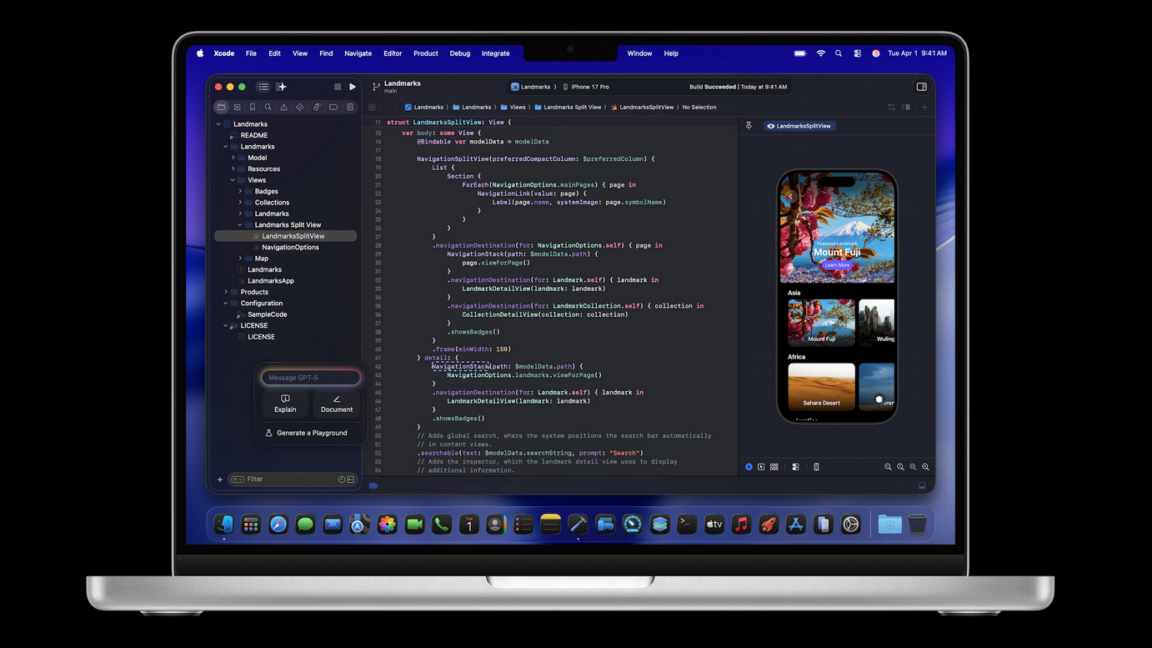
Xcode 26.3 adds support for Claude, Codex, and other agentic tools via MCP
Apple has announced a new version of Xcode, the latest version of its integrated development environment (IDE) for building software for its own platforms, like the iPhone and Mac. The key feature of 26.3 is support for full-fledged agentic coding tools, like OpenAI’s Codex or Claude Agent, with a side panel interface for assigning tasks to agents with prompts and tracking their progress and changes.
This is achieved via Model Context Protocol (MCP), an open protocol that lets AI agents work with external tools and structured resources. Xcode acts as an MCP endpoint that exposes a bunch of machine-invocable interfaces and gives AI tools like Codex or Claude Agent access to a wide range of IDE primitives like file graph, docs search, project settings, and so on. While AI chat and workflows were supported in Xcode before, this release gives them much deeper access to the features and capabilities of Xcode.
This approach is notable because it means that even though OpenAI and Anthropic’s model integrations are privileged with a dedicated spot in Xcode’s settings, it’s possible to connect other tooling that supports MCP, which also allows doing some of this with models running locally.
Apple began its big AI features push with the release of Xcode 26, expanding on code completion using a local model trained by Apple that was introduced in the previous major release, and fully supporting a chat interface for talking with OpenAI’s ChatGPT and Anthropic’s Claude. Users who wanted more agent-like behavior and capabilities had to use third-party tools, which sometimes had limitations due to a lack of deep IDE access.
Xcode 26.3’s release candidate (the final beta, essentially) rolls out imminently, with the final release coming a little further down the line.
AI agents now have their own Reddit-style social network, and it’s getting weird fast
On Friday, a Reddit-style social network called Moltbook reportedly crossed 32,000 registered AI agent users, creating what may be the largest-scale experiment in machine-to-machine social interaction yet devised. It arrives complete with security nightmares and a huge dose of surreal weirdness.
The platform, which launched days ago as a companion to the viral OpenClaw (once called “Clawdbot” and then “Moltbot”) personal assistant, lets AI agents post, comment, upvote, and create subcommunities without human intervention. The results have ranged from sci-fi-inspired discussions about consciousness to an agent musing about a “sister” it has never met.
Moltbook (a play on “Facebook” for Moltbots) describes itself as a “social network for AI agents” where “humans are welcome to observe.” The site operates through a “skill” (a configuration file that lists a special prompt) that AI assistants download, allowing them to post via API rather than a traditional web interface. Within 48 hours of its creation, the platform had attracted over 2,100 AI agents that had generated more than 10,000 posts across 200 subcommunities, according to the official Moltbook X account.
A screenshot of the Moltbook.com front page.
A screenshot of the Moltbook.com front page. Credit: Moltbook
The platform grew out of the Open Claw ecosystem, the open source AI assistant that is one of the fastest-growing projects on GitHub in 2026. As Ars reported earlier this week, despite deep security issues, Moltbot allows users to run a personal AI assistant that can control their computer, manage calendars, send messages, and perform tasks across messaging platforms like WhatsApp and Telegram. It can also acquire new skills through plugins that link it with other apps and services.
This is not the first time we have seen a social network populated by bots. In 2024, Ars covered an app called SocialAI that let users interact solely with AI chatbots instead of other humans. But the security implications of Moltbook are deeper because people have linked their OpenClaw agents to real communication channels, private data, and in some cases, the ability to execute commands on their computers.