In Xcode 26, Apple shows first signs of offering ChatGPT alternatives

The latest Xcode beta contains clear signs that Apple plans to bring Anthropic’s Claude and Opus large language models into the integrated development environment (IDE), expanding on features already available using Apple’s own models or OpenAI’s ChatGPT.

Apple enthusiast publication 9to5Mac “found multiple references to built-in support for Anthropic accounts,” including in the “Intelligence” menu, where users can currently log in to ChatGPT or enter an API key for higher message limits.

Apple introduced a suite of features meant to compete with GitHub Copilot in Xcode at WWDC24, but first focused on its own models and a more limited set of use cases. That expanded quite a bit at this year’s developer conference, and users can converse about codebases, discuss changes, or ask for suggestions using ChatGPT. They are initially given a limited set of messages, but this can be greatly increased by logging in to a ChatGPT account or entering an API key.

This summer, Apple said it would be possible to use Anthropic’s models with an API key, too, but made no mention of support for Anthropic accounts, which are generally more cost-effective than using the API for most users.

https://arstechnica.com/ai/2025/08/in-xcode-26-apple-shows-first-signs-of-offering-chatgpt-alternatives/


Apple Watch gets reformulated, non-patent-infringing blood oxygen monitoring

The redesigned version of the feature will be available on the Apple Watch Series 9, Series 10, and Ultra 2 after users install the watchOS 11.6.1 update on their watches and the iOS 18.6.1 update on their paired iPhones.

Apple says that watches outside the US won’t be affected by the update, since they were never subject to the US import ban in the first place. It also won’t affect Apple Watches purchased in the US before the import ban went into effect—Apple never removed the feature from watches it had already sold, so if you bought a Series 9 or Ultra 2 watch in the fall of 2023 or if you’re still using an older watch with the blood oxygen monitoring feature, the updates won’t change anything for you.

Masimo originally sued Apple over the blood oxygen monitoring feature in January of 2020. According to Masimo, Masimo and Apple had initially met in 2013 to talk about a potential partnership or acquisition, but Apple instead poached Masimo’s engineers to implement the feature on its own without Masimo’s involvement.

https://arstechnica.com/gadgets/2025/08/redesigned-blood-oxygen-monitoring-returns-to-apple-watch-following-patent-dispute/


Report: Apple’s smart home ambitions include “tabletop robot,” cameras, and more

Rumors about a touchscreen-equipped smart home device from Apple have been circulating for years, periodically bolstered by leaked references in Apple’s software updates. But a report from Bloomberg’s Mark Gurman indicates that Apple’s ambitions might extend beyond HomePods with screens attached.

Gurman claims that Apple is working on a “tabletop robot” that “resembles an iPad mounted on a movable limb that can swivel and reposition itself to follow users in a room.” The device will also turn toward people who are addressing it or toward people whose attention it’s trying to get. Prototypes have used a 7-inch display similar in size to an iPad mini, with a built-in camera for FaceTime calls.

Apple is reportedly targeting a 2027 launch for some version of this robot, although, as with any unannounced Apple product, it could come out earlier, later, or not at all. Gurman reported in January that a different smart home device—essentially a HomePod with a screen, without the moving robot parts—was being planned for 2025, but has said more recently that Apple has bumped it to 2026. The robot could be a follow-up to or a fancier, more expensive version of that device, and it sounds like both will run the same software.

https://arstechnica.com/gadgets/2025/08/report-apples-smart-home-ambitions-include-tabletop-robot-cameras-and-more/


Apple brings OpenAI’s GPT-5 to iOS and macOS

OpenAI’s GPT-5 model went live for most ChatGPT users this week, but lots of people use ChatGPT not through OpenAI’s interface but through other platforms or tools. One of the largest deployments is iOS, the iPhone operating system, which allows users to make certain queries via GPT-4o. It turns out those users won’t have to wait long for the latest model: Apple will switch to GPT-5 in iOS 26, iPadOS 26, and macOS Tahoe 26, according to 9to5Mac.

Apple has not officially announced when those OS updates will be released to users’ devices, but these major releases have typically been released in September in recent years.

The new model had already rolled out on some other platforms, like the coding tool GitHub Copilot via public preview, as well as Microsoft’s general-purpose Copilot.

GPT-5 purports to hallucinate 80 percent less and heralds a major rework of how OpenAI positions its models; for example, GPT-5 by default automatically chooses whether to use a reasoning-optimized model based on the nature of the user’s prompt. Free users will have to accept whatever the choice is, while paid ChatGPT accounts allow manually picking which model to use on a prompt-by-prompt basis. It’s unclear how that will work in iOS; will it stick to GPT-5’s non-reasoning mode all the time, or will it utilize GPT-5 “(with thinking)”? And if it supports the latter, will paid ChatGPT users be able to manually pick like they can in the ChatGPT app, or will they be limited to whatever ChatGPT deems appropriate, like free users? We don’t know yet.

https://arstechnica.com/ai/2025/08/apple-brings-openais-gpt-5-to-ios-and-macos/


Apple segue gli ordini di Trump: investirà 600 miliardi negli USA nei prossimi 4 anni

Apple ha annunciato un piano di investimenti da 600 miliardi di dollari per i prossimi quattro anni, con l’obiettivo di rafforzare la produzione e la presenza industriale negli Stati Uniti. L’azienda aggiungerà 100 miliardi ai 500 miliardi già programmati, in un’iniziativa che mira a riportare in patria alcune delle fasi più critiche della propria filiera produttiva.

Un nuovo programma industriale

Il progetto si sviluppa all’interno del nuovo American Manufacturing Program (AMP), pensato per coinvolgere aziende statunitensi e incentivare partner internazionali a localizzare parte della produzione negli USA. Il programma include sia fornitori storici di Apple che nuove collaborazioni industriali, con una particolare attenzione ai componenti chiave utilizzati nei dispositivi dell’azienda.

“Siamo orgogliosi di aumentare i nostri investimenti negli Stati Uniti”, ha dichiarato l’amministratore delegato Tim Cook, specificando che l’iniziativa coinvolge dieci aziende americane attive in settori strategici della supply chain.

Dalla produzione di chip al confezionamento finale

Tra le attività previste c’è la fornitura di wafer di silicio da parte di GlobalWafers America in Texas, la produzione di chip negli impianti di TSMC in Arizona (Apple è il cliente principale), e in quelli di Texas Instruments in Utah e Texas. Anche la fase finale, il packaging dei dispositivi, sarà effettuata negli Stati Uniti, grazie a un nuovo impianto di Amkor sempre in Arizona.

Apple ha inoltre rafforzato la collaborazione con Applied Materials ad Austin per la fornitura di macchinari destinati alla produzione.

Vetro, magneti e laser: la filiera si amplia

Il piano include anche componenti non elettronici. La partnership con Corning, fornitore storico del vetro utilizzato nei dispositivi Apple, è stata estesa: le future produzioni per iPhone e Apple Watch saranno realizzate in Kentucky, dove verrà costruito anche un nuovo centro di innovazione.

I magneti in terre rare provengono da MP Materials, mentre i laser VCSEL, utilizzati in tecnologie come il Face ID, saranno prodotti da Coherent in Texas.

Ricerca, AI e nuove assunzioni

Secondo quanto comunicato da Apple, il piano contribuirà alla creazione di 20mila nuovi posti di lavoro diretti negli Stati Uniti, con focus su ricerca e sviluppo, software engineering e intelligenza artificiale. A questi si aggiungono circa 450mila posti già sostenuti tra fornitori, partner e attività correlate.

Sul fronte infrastrutturale, Apple aprirà uno stabilimento a Houston per la produzione di server destinati ad Apple Intelligence. Sono inoltre previste espansioni dei data center in North Carolina, Iowa e Nevada, che saranno alimentati interamente da energia rinnovabile.

Apple e la guerra dei talenti (che sta perdendo)

Sull’AI Apple ha avviato un cambio di rotta nella sua strategia. La decisione arriva in un momento delicato, segnato da un ritardo percepito rispetto a concorrenti come OpenAI, Google e Meta, che hanno già integrato assistenti AI avanzati e modelli generativi nei propri prodotti.

A pesare su questo ritardo è stata anche una significativa fuga di talenti: secondo il Financial Times Apple ha perso numerosi ricercatori di primo piano nel campo dell’AI, attratti da aziende rivali. Tra questi, anche il responsabile dei modelli fondamentali, Ruoming Pang, passato a Meta insieme a gran parte del suo team.

Una dinamica che ha indebolito le capacità di sviluppo interno e costretto Apple a intervenire, riassegnando la guida di Siri e rilanciando la propria roadmap attraverso acquisizioni, nuove unità di ricerca e una maggiore apertura a soluzioni cloud-based.

Leggi le altre notizie sull’home page di Key4biz

https://www.key4biz.it/apple-segue-gli-ordini-di-trump-investira-600-miliardi-negli-usa-nei-prossimi-4-anni/543271/


RIP to the Macintosh HD hard drive icon, 2000–2025

That version of the icon persisted through the Apple Silicon-era Big Sur redesign and was still with us in the first public beta build for macOS 26 Tahoe that Apple released last week. The new beta also updates the icons for external drives (orange, with a USB-C connector on top), network shares (blue, with a globe on top), and removable disk images (white, with an arrow on top).

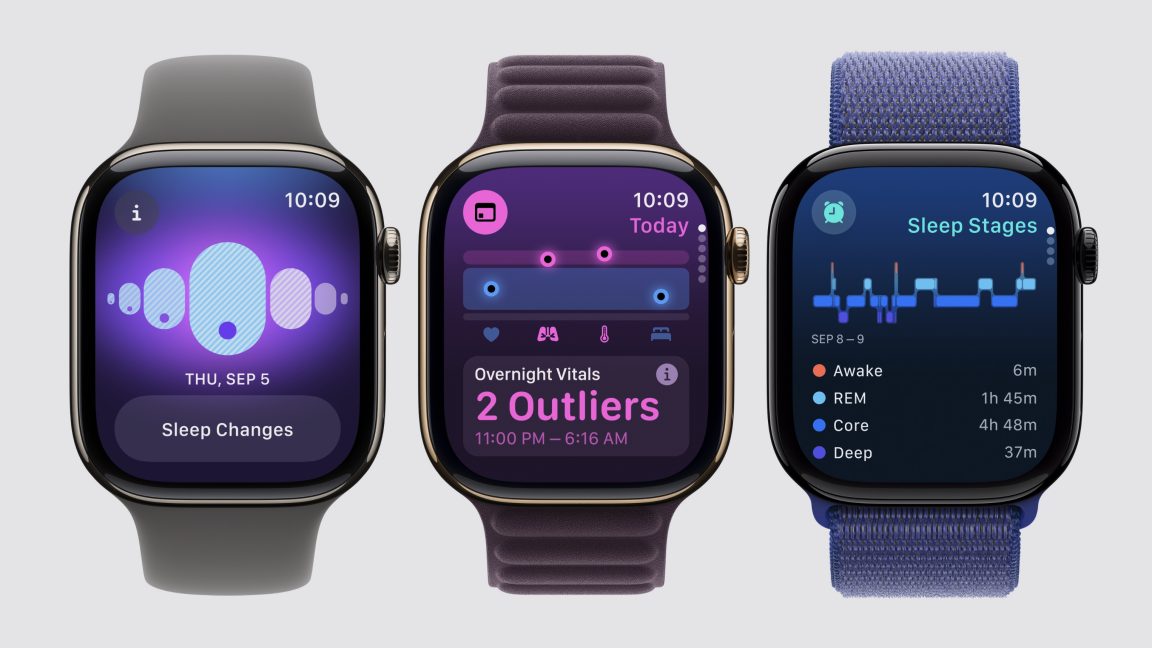
All of the system’s disk icons get an update in the latest macOS 26 Tahoe developer beta. Credit: Apple/Andrew Cunningham

Other icons that reused or riffed on the old hard drive icon have also been changed. Disk Utility now looks like a wrench tightening an Apple-branded white bolt, for some reason, and drive icons within Disk Utility also have the new SSD-esque icon. Installer apps use the new icon instead of the old one. Navigate to the /System/Library/CoreServices folder where many of the built-in operating system icons live, and you can see a bunch of others that exchange the old HDD icon for the new SSD.

Apple first offered a Mac with an SSD in 2008, when the original MacBook Air came out. By the time “Retina” Macs began arriving in the early 2010s, SSDs had become the primary boot disk for most of them; laptops tended to be all-SSD, while desktops could be configured with an SSD or a hybrid Fusion Drive that used an SSD as boot media and an HDD for mass storage. Apple stopped shipping spinning hard drives entirely when the last of the Intel iMacs went away.

This doesn’t actually matter much. The old icon didn’t look much like the SSD in your Mac, and the new one doesn’t really look like the SSD in your Mac either. But we didn’t want to let the old icon’s passing go unremarked. So, thanks for the memories, Macintosh HD hard drive icon! Keep on spinning, wherever you are.

https://arstechnica.com/gadgets/2025/08/rip-to-the-macintosh-hd-hard-drive-icon-2000-2025/


Apple rilascia una fix per una vulnerabilità di Safari già sfruttata in Chrome


Martedì Apple ha rilasciato una fix che risolve una vulnerabilità 0-day presente in WebKit, il motore di rendering usato in Safari, già nota e sfruttata in Chrome in almeno un attacco.

Il bug, tracciato come CVE-2025-6558, risiede nei componenti open-source ANGLE e GPU di Google ed è causata da una validazione errata dell’input. Stando alla descrizione fornita, la vulnerabilità consente a un attaccante di eseguire un sandbox escape da remoto utilizzando una pagina HTML creata ad hoc.

vulnerabilità Safari

Poiché WebKit utilizza i componenti open-source di Google, anche Safari è colpito dalla vulnerabilità. Google ha affermato di essere a conoscenza di un exploit che ha sfruttato il bug, ma non ha reso noto alcun dettaglio in merito. Il comunicato di Apple non accenna invece a potenziali exploit.

Nel caso di Safari, lo sfruttamento della vulnerabilità può portare al crash di Safari. Apple non ha condiviso altri dettagli.

La patch è disponibile in iOS 18.6 e iPadOS 18.6 per iPhone XS e successivi, iPad Pro da 13 pollici, iPad Pro da 12,9 pollici di terza generazione e successive, iPad Pro da 11″ di prima generazoine e successive, iPad Air di terza generazione e successive, iPad di settima generazione e successive e iPad mini di quinta generazione e successive.

Il fix è inoltre presente in iPadOS 17.7.9 per iPad Pro da 12.9 pollici di seconda generazione, iPad Pro da 10.5 pollici e iPad di sesta generazione; macOS Sequoia 15.6; in tvOS 18.6 per Apple TV HD e Apple TV 4K (tutti i modelli); in watchOS 11.6 per Apple Watch Series 6 e successivi e in visionOS 2.6 per Apple Vision Pro. Per quanto riguarda Chrome, la patch è disponibile nella versione 138.0.7204.157 del browser.

Anche lo scorso marzo Apple aveva avuto a che fare con una vulnerabilità 0-day in WebKit: la CVE-2025-24201, un problema di scrittura out-of-bound, permetteva a un attaccante di sfruttare un contenuto web creato ad hoc per uscire dalla sandbox del browser.

È consigliato aggiornare il prima possibile i prodotti vulnerabili.

Condividi l’articolo


Articoli correlati

Altro in questa categoria


https://www.securityinfo.it/2025/07/30/apple-rilascia-una-fix-per-una-vulnerabilita-di-safari-gia-sfruttata-in-chrome/?utm_source=rss&utm_medium=rss&utm_campaign=apple-rilascia-una-fix-per-una-vulnerabilita-di-safari-gia-sfruttata-in-chrome


Apple releases iOS 18.6, macOS 15.6, and other updates as current gen winds down

Apple’s next-generation software updates are just a couple of months away, but Apple isn’t done with last year’s releases just yet. Apple has released iOS 18.6, iPadOS 18.6, macOS Sequoia 15.6, watchOS 11.6, tvOS 18.6, and visionOS 2.6 to the public today, fixing an issue with sharing movies from the Photos app but mostly patching a long list of security vulnerabilities.

For iOS, iPadOS, and macOS, the list of resolved CVEs covers everything from the Metal graphics API to WebKit to networking to filesystem permissions issues. All told, each of these updates patches over two dozen vulnerabilities, and the other OS updates cover many of the same flaws. According to Apple’s release notes, at least, none of these vulnerabilities are being actively exploited in the wild—you should patch as soon as you can, but there appear to be no known zero-day vulnerabilities.

For iOS and iPadOS users in the EU, the updates also include a mechanism for installing alternate app stores and for installing apps directly from websites, in accordance with the EU’s Digital Markets Act.

Many of the security fixes are also available for older operating systems that Apple is still maintaining, mostly for people who can’t update their devices to the latest versions. The iPadOS 17.7.9 update covers several tablets that were dropped by iPadOS 18, and macOS Ventura 13.7.7 and macOS Sonoma 14.7.7 will cover fading Intel Macs that were dropped by newer releases.

All of these operating systems will be superseded in the fall by new releases, unified under version number 26. The first public betas of iOS 26, iPadOS 26, macOS 26, and other updates were released last week.

https://arstechnica.com/gadgets/2025/07/apple-releases-ios-18-6-macos-15-6-and-other-updates-as-current-gen-winds-down/


Six lesser-known features to like in the macOS 26 Tahoe public beta

Your battery level, the time of day, connecting to a specific Wi-Fi network or Bluetooth device, or getting messages or mail from specific senders are among the list of possible triggers. Whether you’ve got existing Shortcuts or you want to try to build some new ones, it’s worth considering that automating them could save you even more time and effort.

Two-factor autofill in any browser

When it’s possible, you should move on from using SMS messages for two-factor authentication, either to codes generated by an app or to passkeys. But there are still plenty of times when you’ll run into authentication code texts, either because you’re trying to set up an account for the first time, or because the thing you’re trying to log in to doesn’t support anything else.

For those cases, Tahoe adds a handy feature: the ability to autofill these codes from the Messages and Mail apps into any browser, not just Safari. Just like when you use the equivalent feature in Safari or on iOS, you can also have macOS delete these codes for you automatically after using them.

A new disk image format

Not all Mac users interact with disk images regularly, aside from opening them up periodically to install an app or restore an old backup. But among other things, disk images are used by Apple’s Virtualization framework, which makes it relatively simple to run macOS and Linux virtual machines on the platform for testing and other things. But the RAW disk image format used by older macOS versions can come with quite severe performance penalties, even with today’s powerful chips and fast PCI Express-connected SSDs.

Enter the Apple Sparse Image Format, or ASIF. Apple’s developer documentation says that because ASIF images’ “intrinsic structure doesn’t depend on the host file system’s capabilities,” they “transfer more efficiently between hosts or disks.” The upshot is that reading files from and writing files to these images should be a bit closer to your SSD’s native performance (Howard Oakley at The Eclectic Light Company has some testing that suggests significant performance improvements in many cases, though it’s hard to make 1:1 comparisons because testing of the older image formats was also done on older hardware).

https://arstechnica.com/gadgets/2025/07/six-lesser-known-features-to-like-in-the-macos-26-tahoe-public-beta/


Apple Intelligence news summaries are back, with a big red disclaimer

Apple has released the fourth developer betas of iOS 26, iPadOS 26, macOS 26 and its other next-generation software updates today. And along with their other changes and fixes, the new builds are bringing back Apple Intelligence notification summaries for news apps.

Apple disabled news notification summaries as part of the iOS 18.3 update in January. Incorrect summaries circulating on social media prompted news organizations to complain to Apple, particularly after one summary said that Luigi Mangione, alleged murderer of UnitedHealthcare CEO Brian Thompson, had died by suicide (he had not and has not).

Upon installing the new update, users of Apple Intelligence-compatible devices will be asked to enable or disable three broad categories of notifications: those for “News & Entertainment” apps, for “Communication & Social” apps, and for all other apps. The operating systems will list sample apps based on what you currently have installed on your device.

All Apple Intelligence notification summaries continue to be listed as “beta,” but Apple’s main change here is a big red disclaimer when you enable News & Entertainment notification summaries, pointing out that “summarization may change the meaning of the original headlines.” The notifications also get a special “summarized by Apple Intelligence” caption to further distinguish them from regular, unadulterated notifications.

https://arstechnica.com/apple/2025/07/apple-intelligence-news-summaries-are-back-with-a-big-red-disclaimer/