Apple e Google hanno annunciato la disponibilità di Detecting Unwanted Location Trackers (DULT), una funzionalità che permette ai possessori di dispositivi bluetooth per il tracking di controllare se questi device vengono usati per tracciare i loro movimenti.
Anticipata già un anno fa, la soluzione cross-platform mira a tenere al sicuro gli utenti che utilizzano i dispositivi per il tracking dei loro oggetti personali, come gli AirTag, dai malintenzionati. Se il servizio individua un device di tracking sconosciuto che si muove con l’utente per un certo periodo di tempo, lo segnala con un alert, avvertendo la potenziale vittima.
Il dispositivo potrebbe essere stato inserito in una borsa della vittima o attaccato a qualche altro oggetto di sua proprietà; non appena viene individuato, l’iPhone può accedere all’identificatore del tracker, farlo suonare per aiutare l’utente a trovarlo e fornire istruzioni su come disabilitarlo.
Anche gli utenti Android riceveranno un alert analogo (“Tracker traveling with you”) se un dispositivo bluetooth di tracking sta viaggiando con loro, indipendentemente dalla piattaforma con la quale il device è collegato.
La nuova feature arriva dopo le numerose segnalazioni degli utenti sull’uso malevolo degli AirTag: tantissimi hanno lamentato il fatto di essere stati seguiti da stalker grazie a questo dispositivi. Apple, a tal proposito, ha dovuto affrontare anche una class action lo scorso ottobre condotta da decine di utenti rimaste vittime di stalking.
“Questa collaborazione multipiattaforma – anch’essa una novità per il settore, che coinvolge i contributi della comunità e dell’industria – offre istruzioni e best practice per i produttori, nel caso in cui decidano di integrare nei loro prodotti funzionalità di avviso di tracciamento indesiderato” si legge nel comunicato congiunto di Apple e Google.
La feature è già disponibile per i dispositivi con versioni Android 6.0 e superiori e in iOS 17.5. In futuro la soluzione sarà compatibile con i dispositivi di tracciamento di Chipolo, eufy, Jio, Motorale e Pebbleblee.
Apple releases iOS 17.5, macOS 14.5, and other updates as new iPads launch
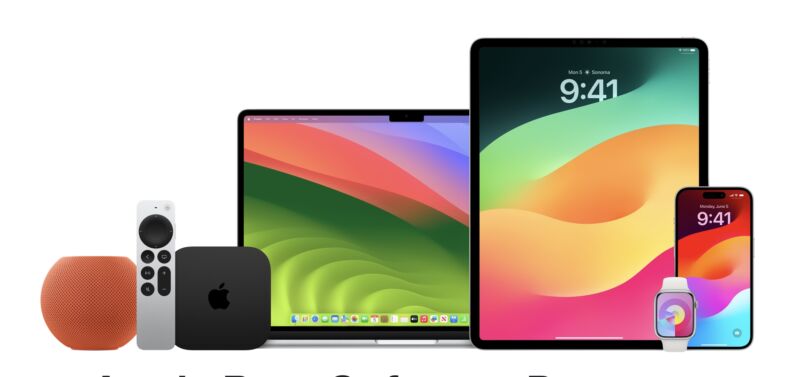
Apple has released the latest updates for virtually all of its actively supported devices today. Most include a couple handfuls of security updates, some new features for Apple News+ subscribers, and something called Cross-Platform Tracking Protection for Bluetooth devices.
The iOS 17.5, iPadOS 17.5, macOS 4.5, watchOS 10.5, tvOS 17.5, and HomePod Software 17.5 updates are all available to download now.
Cross-Platform Tracking Protection notifications alert users “if a compatible Bluetooth tracker they do not own is moving with them, regardless of what operating system the device is paired with.” Apple has already implemented protections to prevent AirTag stalking, and Cross-Platform Tracking Protection implements some of those same safeguards for devices paired to non-Apple phones.
Apple News+ picks up a new word game called Quartiles, part of the wider trend of news organizations embracing games as growth drivers. Quartiles, Crossword, and Mini Crossword also track player stats and win streams, and the Today+ and News+ tabs will also load without an Internet connection.
Some of Apple’s older operating systems also received security-only updates to keep them current. The iOS 16.7.8 and iPadOS 16.7.8 updates are available for older iDevices that can’t update to iOS 17, and macOS Venture 13.6.7 and Monterey 12.7.5 support all Macs still running those OS versions regardless of whether they can install macOS Sonoma. There’s no update available for iOS or iPadOS 15.
These are likely to be the last major updates that Apple’s current operating systems receive before this year’s Worldwide Developers Conference on June 10, where Apple usually unveils its next major operating systems for the fall. Once those updates—iOS 18, macOS 15, and others—are announced, updates for current versions usually shift focus to security updates and bugs rather than adding major new features. Apple’s updates this year are widely expected to focus on generative AI features, including some ChatGPT-powered features and a more capable Siri assistant.
https://arstechnica.com/?p=2024075
M4 iPad Pro review: Well, now you’re just showing off
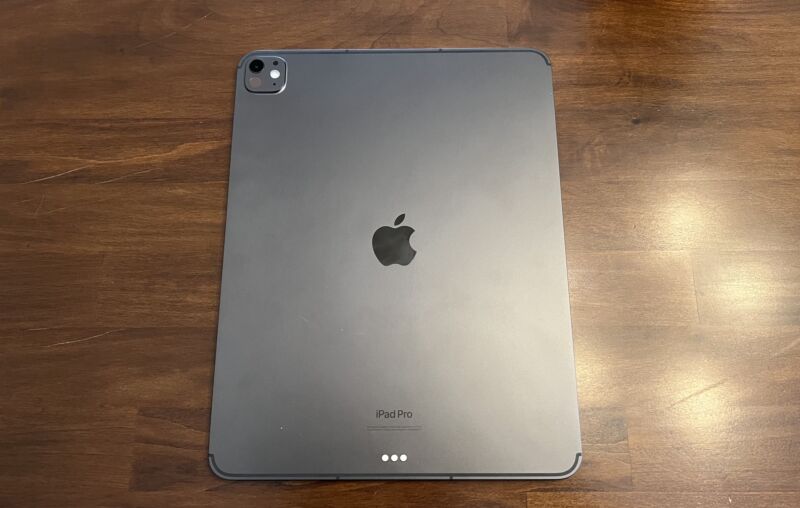
The new iPad Pro is a technical marvel, with one of the best screens I’ve ever seen, performance that few other machines can touch, and a new, thinner design that no one expected.
It’s a prime example of Apple flexing its engineering and design muscles for all to see. Since it marks the company’s first foray into OLED beyond the iPhone or Watch, and the first time a new M-series chip has debuted on something other than a Mac, it comes across as a tech demo for where the company is headed beyond just tablets.
Still, it remains unclear why most people would spend one, two, or even three thousand dollars on a tablet that, despite its amazing hardware, does less than a comparably priced laptop—or at least does it a little more awkwardly, even if it’s impressively quick and has a gorgeous screen.
Specifications
There are some notable design changes in the 2024 iPad Pro, but really, it’s all about the specs—and it’s a more notable specs jump than usual in a couple of areas.
M4
First up, there’s the M4 chip. The previous iPad Pro had an M2 chip, and the latest Mac chip is the M3, so not only did the iPad Pro jump two whole generations, but this is the first time it has debuted the newest iteration of Apple Silicon. (Previously, new M-series chips launched on the Mac first and came to the iPad Pro a few months later.)
Using second-generation 3 nm tech, the M4’s top configuration has a 10-core CPU, a 10-core GPU, and a 16-core NPU. In that configuration, the 10-core CPU has four performance cores and six efficiency cores.
A lower configuration of the M4 has just nine CPU cores—three performance and six efficiency. Which one you get is tied to how much storage you buy. 256GB and 512GB models get nine CPU cores, while 1TB and 2TB get 10. Additionally, the two smaller storage sizes have 8GB of RAM to the larger ones’ 16GB.
This isn’t the first time Apple has tied RAM to storage configurations, but doing that with CPU cores is new for the iPad. Fortunately, the company is upfront about all this in its specs sheet, whereas the RAM differentiation wasn’t always clear to buyers in the past. (Both configurations claim 120GB/s memory bandwidth, though.)
Enlarge/ Can the M4 help the iPad Pro bridge the gap between laptop and tablet? Mostly, it made me excited to see the M4 in a laptop.
Samuel Axon
Regardless of the specific configuration, the M4 promises substantially better CPU and GPU performance than the M2, and it supports hardware-accelerated ray-tracing via Metal, which some games and applications can take advantage of if developers put in the work to make it happen. (It looked great in a demo of Diablo Immortal I saw, but it’s unclear how often we’ll actually see it in the wild.)
Apple claims 1.5x faster CPU performance than the M2 and up to 4x faster graphics performance specifically on applications that involve new features like ray-tracing or hardware-accelerated mesh shading. It hasn’t made any specific GPU performance claims beyond those narrow cases.
A lot of both Apple’s attention and that of the media is focused on the Neural Engine, which is what Apple calls the NPU in the M-series chips. That’s because the company is expected to announce several large language model-based AI features in iOS, macOS, and iPadOS at its developer conference next month, and this is the chip that will power some of that on the iPad and Mac.
Some neat machine-learning features are already possible on the M4—you can generate audio tracks using certain instruments in your Logic Pro projects, apply tons of image optimizations to photos with just a click or two, and so on.
https://arstechnica.com/?p=2023366
M2 iPad Air review: The everything iPad
The new 13-inch iPad Air with the Apple M2 processor inside.
Andrew Cunningham
In portrait mode. The 13-inch model is a little large for dedicated tablet use, but if you do want a gigantic tablet, the $799 price is appealing.
Andrew Cunningham
The Apple Pencil Pro attaches, pairs, and charges via a magnetic connection on the edge of the iPad.
Andrew Cunningham
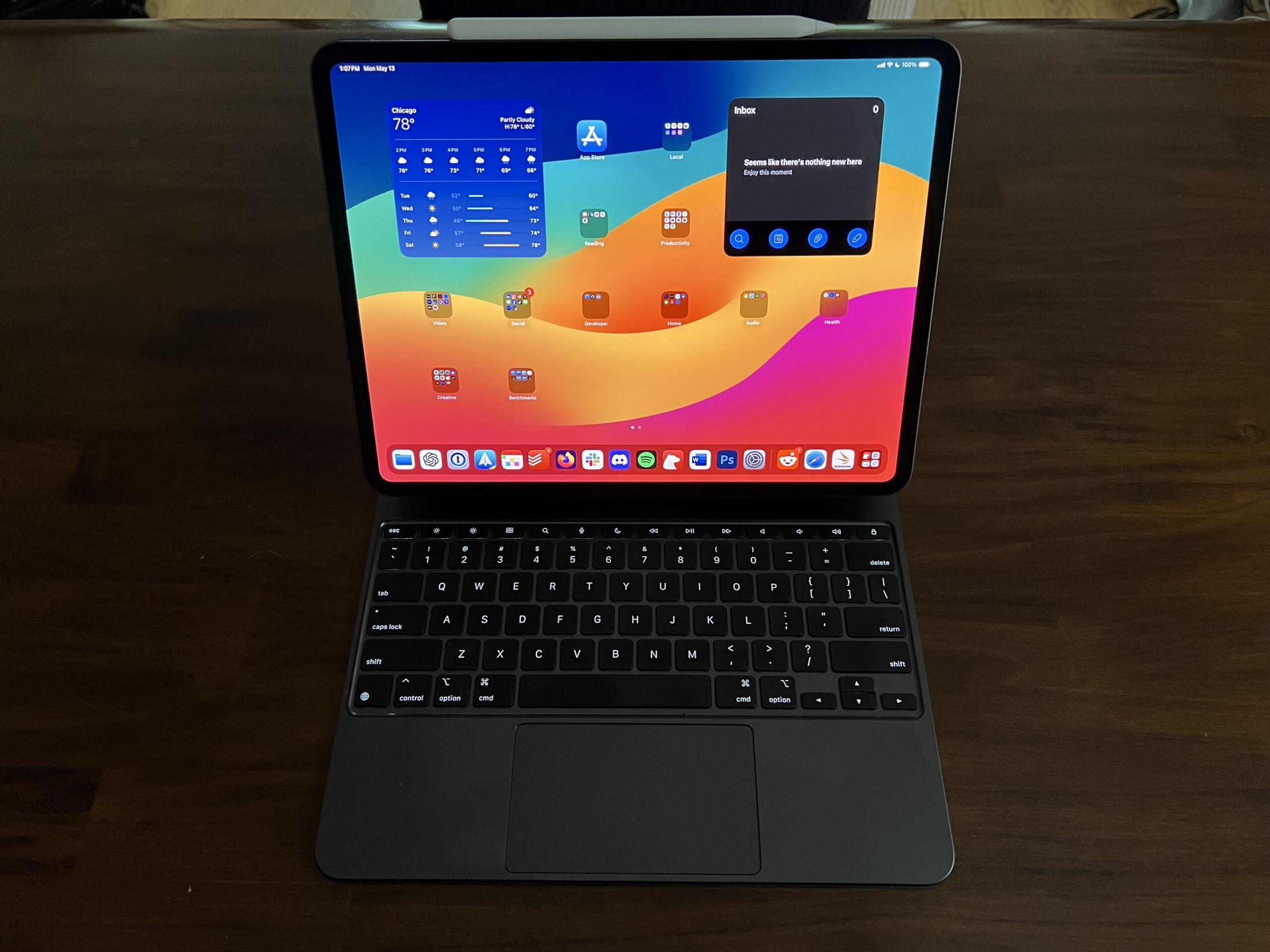
In the Magic Keyboard. This kickstand-less case is still probably the best way to make the iPad into a true laptop replacement, though it’s expensive and iPadOS is still a problem.
Andrew Cunningham
The tablet’s USB-C port, used for charging and connecting to external accessories.
Andrew Cunningham
Apple’s Smart Folio case. The magnets on the cover will scoot up and down the back of the iPad, allowing you a bit of flexibility when angling the screen.
Andrew Cunningham
The Air’s single-lens, flash-free camera, seen here peeking through the Smart Folio case.
Andrew Cunningham
The iPad Air has been a lot of things in the last decade-plus. In 2013 and 2014, the first iPad Airs were just The iPad, and the “Air” label simply denoted how much lighter and more streamlined they were than the initial 2010 iPad and 2011’s long-lived iPad 2. After that, the iPad Air 2 survived for years as an entry-level model, as Apple focused on introducing and building out the iPad Pro.
The Air disappeared for a while after that, but it returned in 2019 as an in-betweener model to bridge the gap between the $329 iPad (no longer called “Air,” despite reusing the first-gen Air design) and more-expensive and increasingly powerful iPad Pros. It definitely made sense to have a hardware offering to span the gap between the basic no-frills iPad and the iPad Pro, but pricing and specs could make things complicated. The main issue for the last couple of years has been the base Air’s 64GB of storage—scanty enough that memory swapping doesn’t even work on it— and the fact that stepping up to 256GB brought the Air too close to the price of the 11-inch iPad Pro.
Which brings us to the 2024 M2 iPad Air, now available in 11-inch and 13-inch models for $599 and $799, respectively. Apple solved the overlap problem this year partly by bumping the Air’s base storage to a more usable 128GB and partly by making the 11-inch iPad Pro so much more expensive that it almost entirely eliminates any pricing overlap (only the 1TB 11-inch Air, at $1,099, is more expensive than the cheapest 11-inch iPad Pro).
I’m not sure I’d go so far as to call the new Airs the “default” iPad for most buyers—the now-$349 10th-gen iPad still does everything the iPad is best at for less money, and it’s still all you really need if you just want a casual gaming, video streaming, and browsing tablet (or a tablet for a kid). But the M2 Air is the iPad that best covers the totality of everything the iPad can do from its awkward perch, stuck halfway between the form and function of the iPhone and the Mac.
Not quite a last-gen iPad Pro
The new iPad Airs have a lot in common with the M2 iPad Pro from 2022. They have the same screen sizes and resolutions, the same basic design, they work with the same older Magic Keyboard accessories (not the new ones with the function rows, metal palm rests, and larger trackpads, which are reserved for the iPad Pro), and they obviously have the same Apple M2 chip.
Performance-wise, nothing we saw in the benchmarks we ran was surprising; the M2’s CPU and (especially) its GPU are a solid generational jump up from the M1, and the M1 is already generally overkill for the vast majority of iPad apps. The M3 and M4 are both significantly faster than the M2, but the M2 is still unquestionably powerful enough to do everything people currently use iPads to do.
That said, Apple’s decision to use an older chip rather than the M3 or M4 does mean the new Airs come into the world missing some capabilities that have come to other Apple products announced in the last six months or so. That list includes hardware-accelerated ray-tracing on the GPU, hardware-accelerated AV1 video codec decoding, and, most importantly, a faster Neural Engine to help power whatever AI stuff Apple’s products pick up in this fall’s big software updates.
The 13-inch Air’s screen has the same resolution and pixel density (2732×2048, 264 PPI) as the last-generation 12.9-inch iPad Pro. And unlike the 13-inch Pro, which truly is a 13-inch screen, Apple’s tech specs page says the 13-inch Air is still using a 12.9-inch screen, and Apple is just rounding up to get to 13.
The 13-inch Air display does share some other things with the last-generation iPad Pro screen, including P3 color, a 600-nit peak brightness. Its display panel has been laminated to the front glass, and it has an anti-reflective coating (two of the subtle but important quality improvements the Air has that the $349 10th-gen iPad doesn’t). But otherwise it’s not the same panel as the M2 Pro; there’s no mini LED, no HDR support, and no 120 Hz ProMotion support.
https://arstechnica.com/?p=2023520
Siri di Apple rincorre sull’ l’AI. Sarà sufficiente per raggiungere ChatGpt?
Apple si è resa conto di essere in ritardo con l’adozione dell’intelligenza artificiale e per recuperare terreno sta progettando il lancio di una versione migliorata del suo assistente virtuale Siri, basata sull’intelligenza artificiale generativa.
Il New York Times riferisce che il nuovo Siri sarà “più colloquiale e versatile” e presenterà un sistema generativo basato sull’intelligenza artificiale che lo renderà capace di chattare invece di rispondere semplicemente alle domande una alla volta. Si prevede che Siri e gli altri prodotti AI dell’azienda facciano la loro comparsa alla conferenza annuale degli sviluppatori di Apple il 10 giugno.
ChatGPT in vantaggio nella corsa all’AI
All’inizio dello scorso anno, i massimi dirigenti Apple hanno deciso che Siri aveva bisogno di un aggiornamento dopo aver visto i progressi di ChatGPT di OpenAI, che ha di fatto evidenziato i ritardi di Siri.
Questa presa di coscienza ha dato il via alla più importante riorganizzazione di Apple in oltre un decennio, per chiudere il gap con la concorrenza sul terreno dell’AI.
Ma invece di rilasciare un concorrente diretto di ChatGPT, Apple ha deciso di migliorare la capacità di Siri di gestire attività che può già svolgere come assistente virtuale.
La risposta di Apple con l’upgrade di Siri
Apple pubblicizzerà il nuovo Siri enfatizzando la maggio attenzione alla privacy dell’utente rispetto ad altri strumenti di intelligenza artificiale. Le richieste verranno elaborate direttamente sugli iPhone, non nei data center. Quindi i dati resteranno più vicino all’utente stesso.
Ma la scommessa potrebbe avere i suoi lati negativi, poiché i sistemi di intelligenza artificiale più piccoli hanno maggiori probabilità di avere allucinazioni rispetto a quelli più grandi.
AI minaccia per l’iPhone?
Apple sta inoltre pianificando di aumentare la memoria nei suoi nuovi iPhone per supportare le funzionalità basate sull’intelligenza artificiale di Siri, ed è in trattative per concedere in licenza modelli di intelligenza artificiale complementari dietro i migliori chatbot di concorrenti tra cui Google e OpenAI, riporta il New York Times. Secondo quanto riferito, i leader dell’azienda sono anche preoccupati per le minacce dell’intelligenza artificiale al suo dominio sul mercato degli smartphone, perché i prodotti concorrenti potrebbero sostituire il software iOS di Apple ed essere utilizzati per creare altre app basate sull’intelligenza artificiale che renderebbero l’App Store, che genera miliardi di vendite ogni anno, meno utile.
Secondo quanto riferito, Apple ha sottratto dipendenti AI a Google e ha costruito un “Vision Lab” in Svizzera per ospitare alcuni dei suoi sforzi nel campo dell’intelligenza artificiale. Secondo quanto riferito, la società ha inoltre collaborato con il principale produttore di chip Taiwan Semiconductor Manufacturing Company per sviluppare i propri chip AI.
Asahi Linux, the project that aims to bring desktop Linux to Apple hardware with Apple silicon—the M series of chips—is out with Fedora Asahi Remix 40. More hardware features of Apple devices are supported, the Fedora Linux 40-based distro ships with KDE’s new Plasma 6 desktop, and untold numbers of bugs are squashed, to be replaced with reams more.
Fedora Asahi Remix is a “fully integrated distro,” according to the Asahi team, and you can “expect a solid and high-quality experience without any unwanted surprises.” It supports all the M1 and M2 devices in the MacBook, Mac Mini, Mac Studio, and iMac lines. It’s OpenGL 4.6 and OpenGL ES 3.2 certified, and comes with “the best Linux laptop audio you’ve ever heard.”
So, should you install it on your Mac? Keep scrolling down Asahi’s release page and check the “Device support” section. Still missing from most M-series Apple devices are support for Thunderbolt and USB4, built-in microphones, and Touch ID, as well as USB-C display support. Speakers are not supported on the iMac. And HDMI audio is in rough shape, being able to “break audio on the system completely.”
Still, for someone using an Apple laptop primarily as a portable device, or simply connecting to a monitor with less modern all-in-one cables, there is a desktop awaiting. Installing it is a single cURL command. Let’s give it a shot.
Pretty easy install, given the target
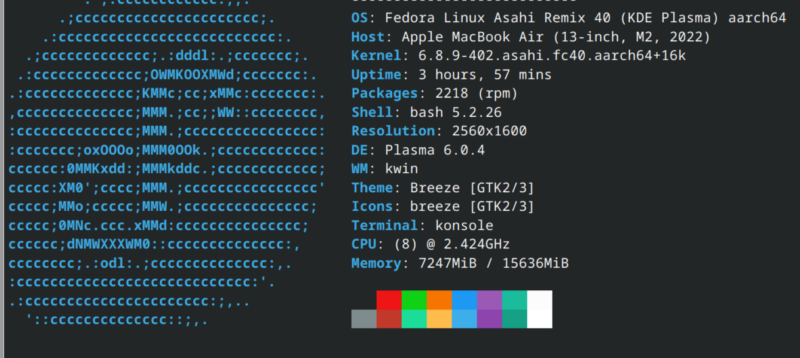
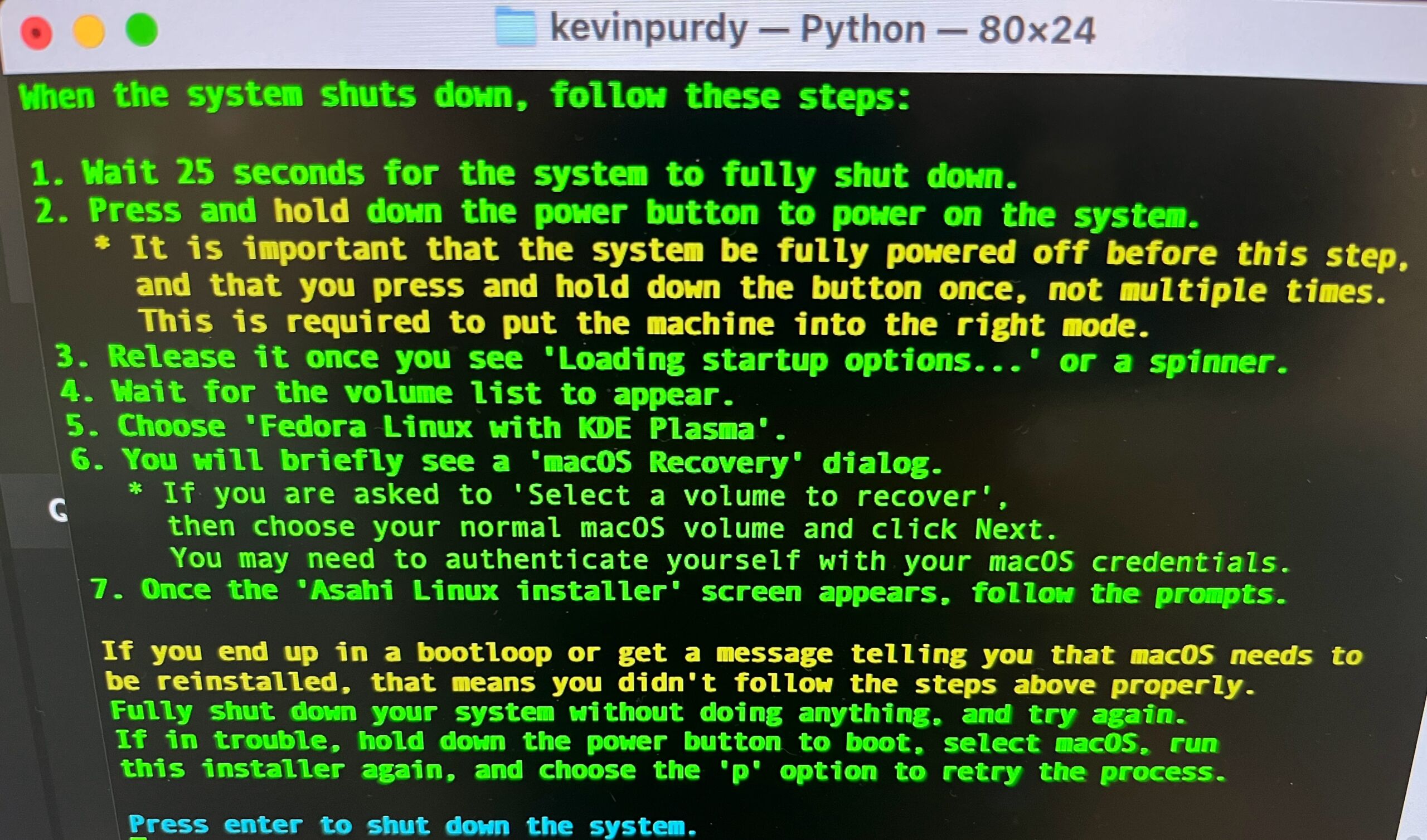
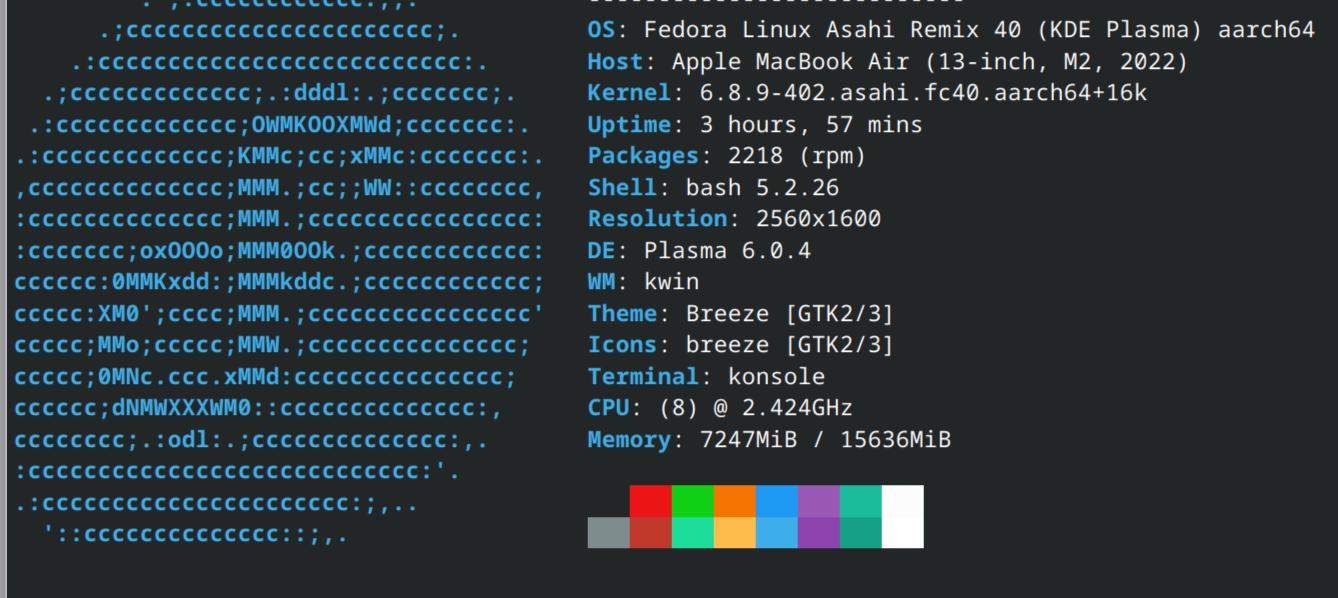
The rest of this post was written inside Fedora Asahi Remix 40, newly installed on an M2 MacBook Air. The script to install Asahi was as helpful and straightforward as a terminal script that resizes your hard drive can be. After choosing a size, choosing which version of Fedora Asahi to install (KDE by default, but GNOME or server options are available), and reading an extended warning about how to properly restart the machine in Fedora, I was almost in, but not quite.
It’s a lot of green text, but really it’s just telling you to wait, then hold down a button.
Kevin Purdy
You have to first stop by the Mac’s barren recovery environment, giving your new Linux partition permission to have an alternate security scheme. I was fine with this until the command prompt asked me to type out which user was approving this change, with no options to select. The macOS interface does a pretty thorough job of abstracting away your actual Unix username to the point where I had to guess a few times until I got it right. Make sure you’ve got your own written down before you jump in.
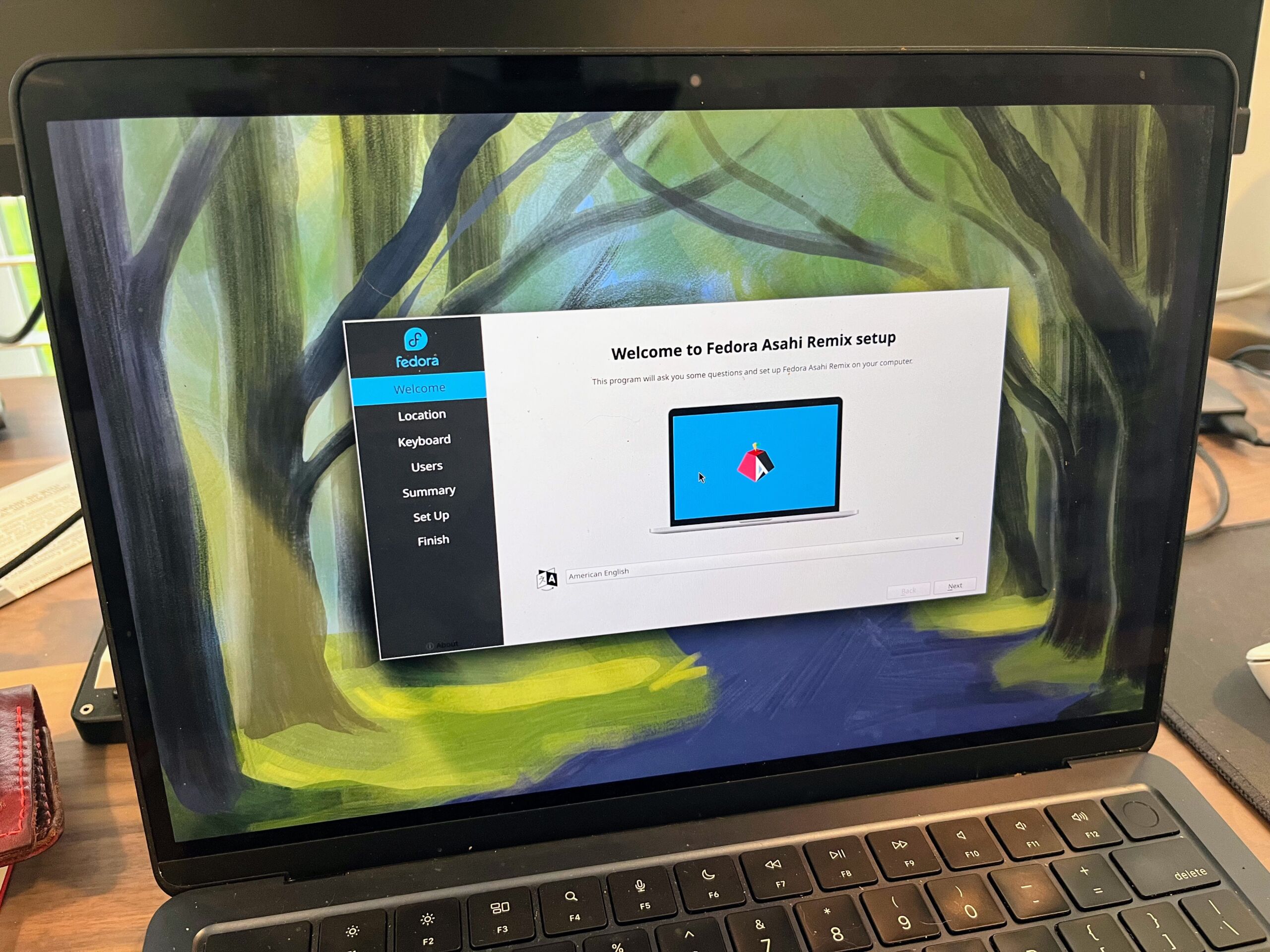
The welcome center in Fedora Asahi Remix is quite nice.
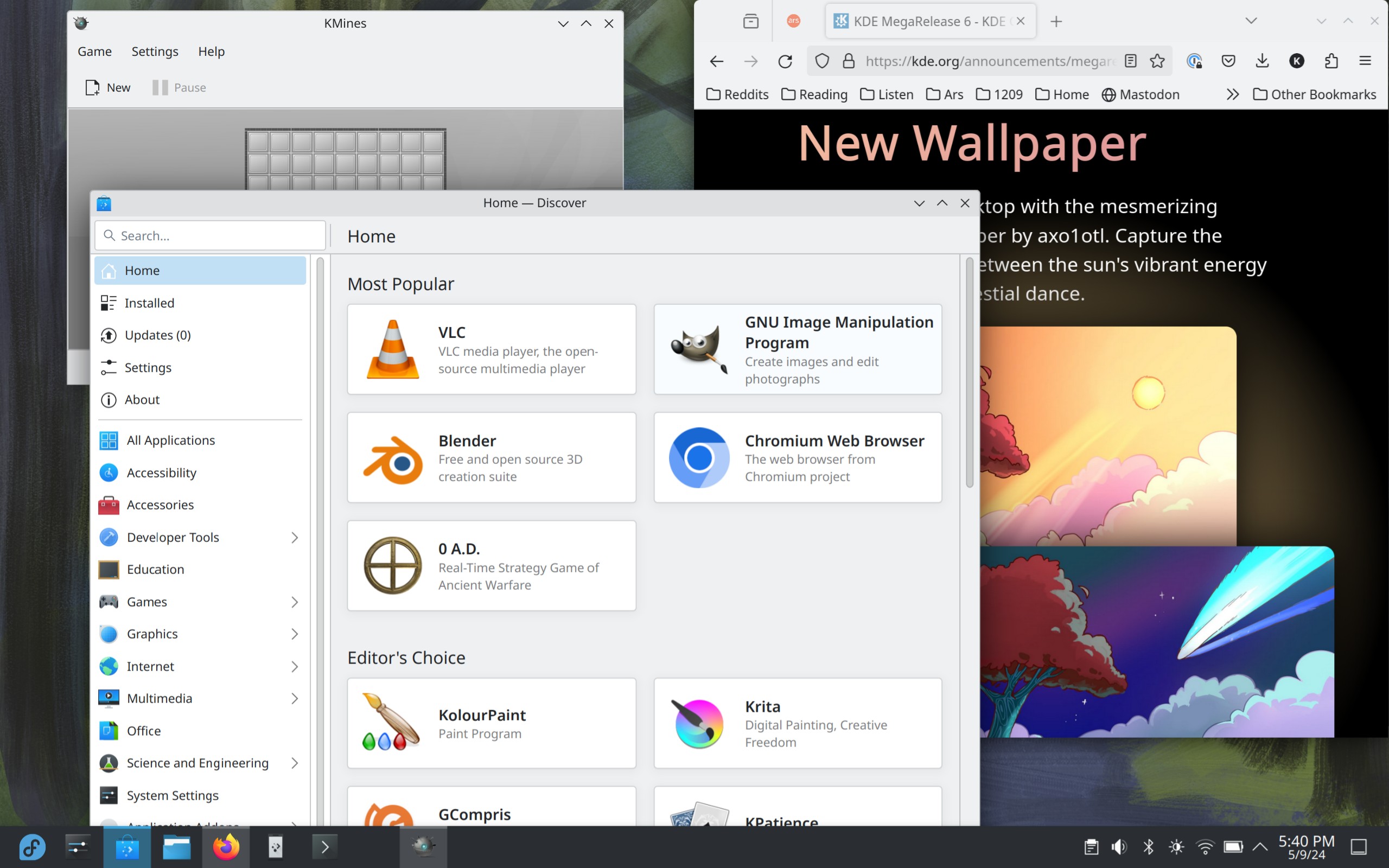
Finally, I arrived at the Fedora Asahi Remix desktop. I am very unfamiliar with KDE generally, but it’s not hard to get around. In a few hours of use, I encountered no crashes, no visual oddities, and only a bit of harsh speaker clipping when adjusting the volume. I got the keyboard set up to a reasonable facsimile for my Mac-familiar hands (left command as control, change alt+tab to control+tab). The touchpad settings lacked for palm sensitivity options, so after a few accidental scrolls and selects, I switched off tap-to-click.
Fedora Asahi Remix 40.
Kevin Purdy
The chicken-egg-chicken scenario
The biggest barrier to getting your ideal setup in Asahi Linux remains the architecture. Most software outside Fedora’s own repositories isn’t available in 64-bit ARM (or “AArch64“), at least not without some deeper compilation and configuration work. That means no Slack or Steam for the time being. I know there are ways to get there, but with everything working so well in this Fedora-sanctioned desktop, I’m not ready to scatter the parts across the lawn just yet. As my colleague Andrew Cunningham noted in his Raspberry Pi 5 desktop experiment, using and engaging with Asahi Linux, Raspberry Pis, and other ARM variants of Linux can only help, though it will take time.
It’s easy to forget what a remarkable thing Asahi Linux is on a broad level. That there’s a common Linux distribution available for this very new and purpose-built hardware is impressive in any regard. With this, the second release of a Fedora Remix, Asahi is becoming an almost normal distribution to install, a reasonable place to compute. Where it leads from here should be exciting.
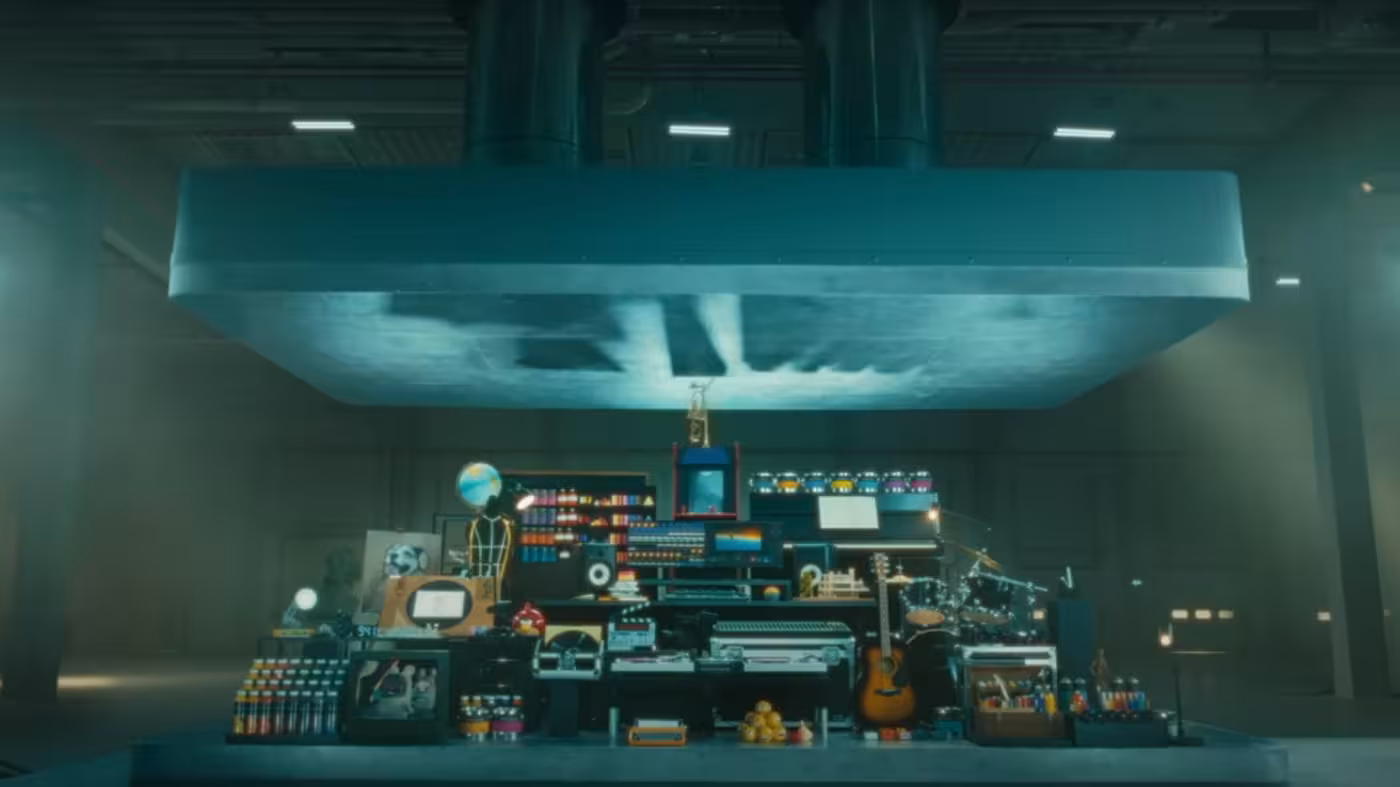
An advert by Apple for its new iPad tablet showing musical instruments, artistic tools, and games being crushed by a giant hydraulic press has been attacked for cultural insensitivity in an online backlash.
The one-minute video was launched by Apple chief executive Tim Cook to support its new range of iPads, the first time that the US tech giant has overhauled the range for two years as it seeks to reverse faltering sales.
The campaign—soundtracked by Sonny and Cher’s 1971 hit All I Ever Need Is You—is designed to show how much Apple has been able to squeeze into the thinner tablet. The ad was produced in-house by Apple’s creative team, according to trade press reports.
[embedded content]
The campaign has been hit by a wave of outrage, with responses on social media reacting to Cook’s X post accusing Apple of crushing “beautiful creative tools” and the “symbols of human creativity and cultural achievements.”
Advertising industry executives argued the ad represented a mis-step for the Silicon Valley giant, which under late co-founder Steve Jobs was lauded for its ability to capture consumer attention through past campaigns.
Christopher Slevin, creative director for marketing agency Inkling Culture, compared the iPad ad unfavorably to a famous Apple campaign directed by Ridley Scott called “1984” for the original Macintosh computer, which positioned Apple as liberating a dystopian, monochrome world.
“Apple’s new iPad spot is essentially them turning into the thing they said they were out to destroy in the 1984 ad,” said Slevin.
[embedded content]
Actor Hugh Grant accused Apple of “the destruction of the human experience courtesy of Silicon Valley” on X.
However, Richard Exon, founder of marketing agency Joint, said: “A more important question is: does the ad do its job? It’s memorable, distinctive, and I now know the new iPad has even more in it yet is thinner than ever.”
Consumer insights platform Zappi conducted consumer research on the ad that suggested that the idea of the hydraulic press crushing art was divisive.
It said that the ad underperformed benchmarks in typically sought-after emotions such as happiness and laughter and overperformed in traditionally negative emotions like shock and confusion, with older people more likely to have a negative response than younger consumers.
Nataly Kelly, chief marketing officer at Zappi, said: “Is the Apple iPad ad a work of genius or the sign of the dystopian times? It really depends on how old you are. The shock value is the power of this advert, which is controversial by design, so the fact that people are talking about it at all is a win.”
Apple did not immediately respond to a request for comment.
Apple lancia i nuovi iPad Air e iPad Pro con un segnale al mondo dell’IA
Il 7 maggio, Apple ha tenuto il suo primo evento dell’anno, svelando una nuova gamma di iPad, nonché importanti aggiornamenti alla sua Pencil e Magic Keyboard. Dopo più di un anno di silenzio, la società ha tenuto un lancio in live streaming, intitolato “Let Loose”, soddisfando anche la curiosità di chi è interessato ai progetti di IA dell’azienda. I nuovi iPad Air e iPad Pro sono infatti capaci di gestire applicazioni di intelligenza artificiale, in principal modo quelle relative all’editing forografico, anche se la Mela non si è lasciata sfuggire nulla a riguardo di un suo modello o di come Siri potrà assumere i contorni di una concorrente di ChatGpt, Copilot o Gemini. Ad ogni modo, sia l’ iPad Air che l’iPad Pro hanno ricevuto importanti riprogettazioni, con fotocamere riposizionate e chip più potenti. Il passo più significativo riguarda l’aggiornamento dello schermo per l’iPad Pro con un nuovo display Ultra Retina XDR che secondo Apple è “come tenere un cinema tra le mani”. La Apple Penci Pro e la Magic Keyboard presentano un nuovo hardware, inclusi tasti extra sulla fila superiore della tastiera e sensori sensibili alla pressione per lo stilo. Nessuna novità invece per i Vision Pro, con Apple ancora da rivelare quando il visore per realtà mista sarà disponibile al di fuori degli Stati Uniti.
Sia l’ iPad Air che l’iPad Pro hanno ricevuto importanti riprogettazioni, con fotocamere riposizionate e chip molto più potenti. C’è stato anche un significativo aggiornamento dello schermo per l’iPad Pro con un nuovo display Ultra Retina XDR che secondo Apple è “come tenere un cinema tra le mani”. La nuova Apple Penci Pro e la Magic Keyboard presentano un nuovo hardware, inclusi tasti extra sulla fila superiore della tastiera e sensori sensibili alla pressione per lo stilo. Non ci sono stati grandi aggiornamenti per Vision Pro, con Apple ancora da rivelare quando il visore per realtà mista sarà disponibile al di fuori degli Stati Uniti.
Cosa cambia sugli iPad Air e Pro
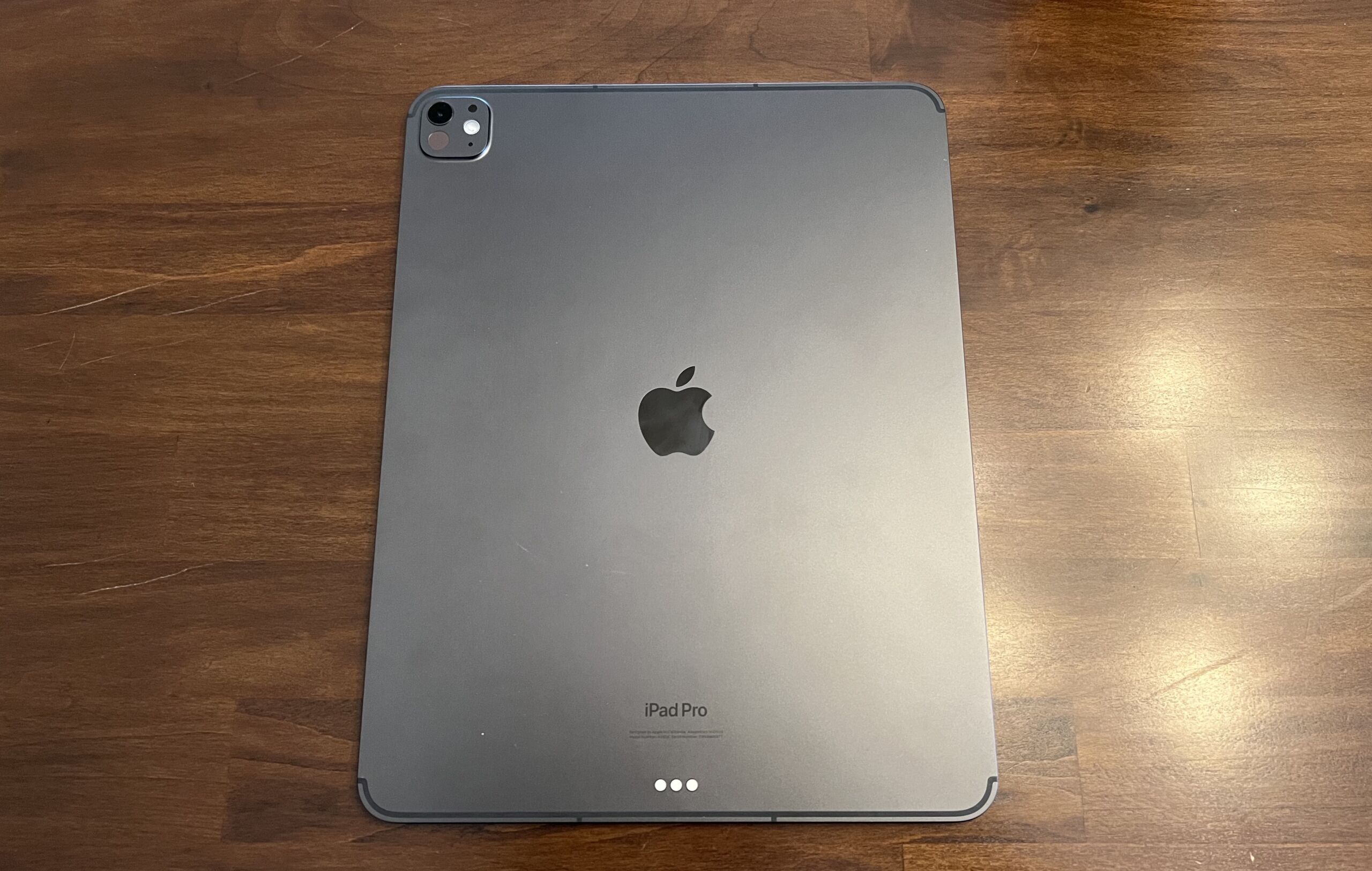
I nuovi modelli di iPad Pro di Apple sono ancora i tablet più simili a un laptop. Si tratta dei primi dispositivi alimentati dal chip M4, che offrirà prestazioni più veloci e maggiori capacità di intelligenza artificiale. E, per la prima volta al di fuori di iPhone e Apple Watch, sia il nuovo iPad Pro da 11 pollici che (leggermente più grande) da 13 pollici vantano schermi OLED. Si tratta di un passo avanti rispetto ai display LCD e Mini-LED dei modelli precedenti e dovrebbe portare a colori più audaci, livelli di nero scuro come l’inchiostro e un contrasto migliore. Apple afferma che i nuovi iPad Pro sono dotati di display Tandem OLED (marchiati come Ultra Display XDR) per 1.000 nit di luminosità SDR e HDR, oltre a 1.500 nit di luminosità di picco. Grazie a questi pannelli, Apple è riuscita a rendere i nuovi iPad Pro molto più sottili e leggeri di prima. Il modello da 11 pollici ha uno spessore di 5,3 mm e “pesa meno di mezzo chilo”, secondo l’azienda, mentre il modello da 13 pollici ha uno spessore di 5,1 mm ed è “quasi un quarto più leggero del suo predecessore”. In particolare, Apple afferma che l’iPad Pro è il suo prodotto più sottile mai realizzato.
Un nuovo motore neurale
Il chip M4 sfoggia una CPU a 10 core e una GPU a 10 core. Apple afferma che la CPU dell’M4 è fino al 50% più veloce dell’M2 e la sua GPU è quattro volte più veloce. Dispone inoltre di un motore neurale che può raggiungere 38 TOPS (tera operazioni al secondo) di prestazioni IA. Il risultato è uno strumento più veloce di qualsiasi processore disponibile oggi ed è leggermente inferiore ai prossimi chip Snapdragon X Elite, che dispongono di una NPU 45 TOPS. Come per gli altri nuovi hardware, gli iPad Pro sono dotati di una fotocamera posteriore da 12 megapixel in grado di catturare immagini Smart HDR. Il tablet può identificare i documenti e scansionarli più facilmente grazie al flash True Tone e usa l’intelligenza artificiale per acquisire più immagini e unirle in una più chiara. Proprio come il recente iPad di decima generazione, Apple ha spostato la webcam dell’iPad Pro nella parte superiore dell’orientamento orizzontale, utile per chat video e riunioni in remoto.
Apple sottolinea che il motore neurale dell’M4 supporterà e accelererà attività come i sottotitoli in tempo reale, l’isolamento del soggetto durante i video in Final Cut Pro e la nazione musicale automatica in StaffPad. Alcune altre funzionalità del chip M4 includono l’accelerazione hardware AV1 – che è un’altra novità assoluta per la linea iPad – e requisiti di memoria ridotti durante l’esecuzione di carichi di lavoro basati su inferenze.
L’iPad Air
Durante l’evento “Let Loose“, Apple ha annunciato gli iPad Air con chip M2, non il più recente ma un modo per contenere il prezzo finale. Questo M2 è circa il 50% più veloce dell’M1, con il tablet che vanta il triplo di performance dell’iPad Air A14 Bionic del 2020. Forse ancora più significativo, l’azienda ha introdotto per la prima volta un iPad Air con uno schermo da 13 pollici. Pertanto, l’iPad Air e l’iPad Pro hanno le stesse dimensioni anche se la versione da 13 pollici vanta il 30% in più di spazio sullo schermo rispetto a quello da 11 pollici. La Mela ha deciso di raddoppiare lo spazio di archiviazione di base dell’Air portandolo a 128 GB fino al limite massimo di 1 TB. Sono disponibili due nuove finiture, blu e viola, da abbinare alle opzioni Starlight e Space Grey. Il nuovo iPad Air è dotato di doppi microfoni in grado di ridurre al minimo l’audio di sottofondo, mentre gli altoparlanti stereo orizzontali supportano l’audio spaziale. Sul fronte della connettività, è presente il supporto al Wi-Fi 6E e al 5G. Secondo Apple, il primo dovrebbe fornire fino al doppio delle prestazioni Internet del precedente Air. Per quanto riguarda la connettività 5G, l’iPad Air M2 utilizza le eSIM anziché una SIM fisica.
Come un MacBook
Apple ha aggiornato anche le Magic Keyboard, un accessorio che avvicina sempre di più l’iPad ad un MacBook. La nuova tastiera è progettata per funzionare specificamente con la linea M4 di iPad Pro: quando collegata, l’esperienza d’uso è proprio quella di un MacBook, con un trackpad più grande e feedback tattile. Presente anche una nuova riga di funzioni per un rapido accesso a controlli, come luminosità e volume e non manca un poggiapolsi in alluminio.
Quando arrivano e a quale prezzo
Il nuovo iPad Pro con M4 può essere già ordinato e sarà disponibile nei negozi da mercoledì 15 maggio. Il modello da 11″ e 13″ è disponibile nei colori argento e nero siderale, con configurazioni da 256 GB, 512 GB, 1 TB e 2 TB. iPad Pro 11″ parte da 1.219 euro per il modello Wi-Fi e da 1.469 euro per quello Wi-Fi + Cellular. iPad Pro 13″ parte da 1.569 euro per il modello Wi-Fi e da 1.819 euro con la connessione cellulare.
Il nuovo iPad Air è disponibile in pre ordine, con vendita dal 15 maggio. Viene proposto in quattro diverse colorazioni in tagli di memoria da 128 GB a 1 TB e prezzi da 889 euro a 1.769 euro per il 13 pollici con Wi-Fi e Cellular.
Apple ha aggiornato anche la Pencil Pro, compatibile con i nuovi iPad Pro, in vendita a 149 euro mentre la Magic Keyboard è disponibile in nero e bianco a 349 euro.
Hands-on with the new iPad Pros and Airs: A surprisingly refreshing refresh
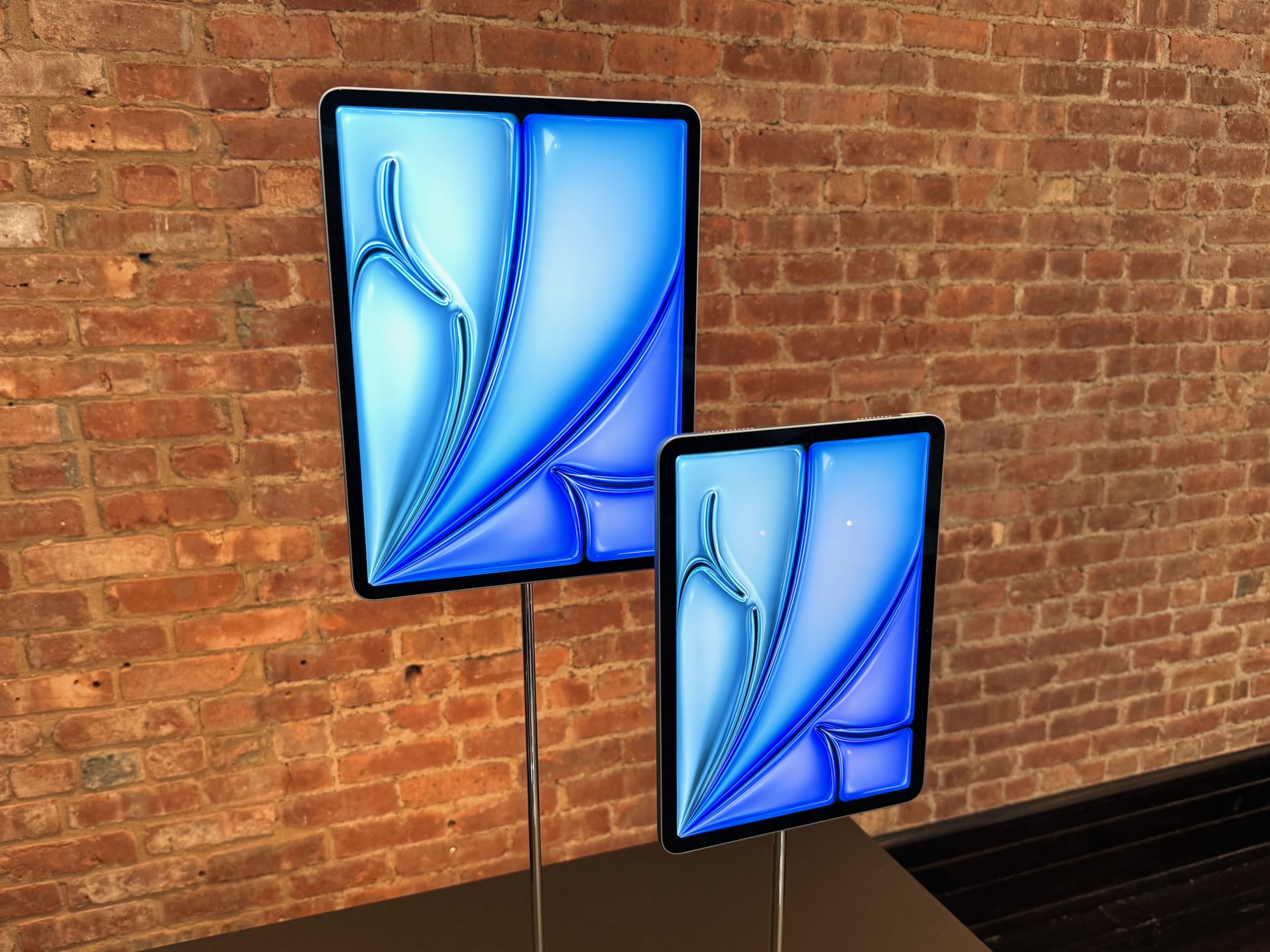
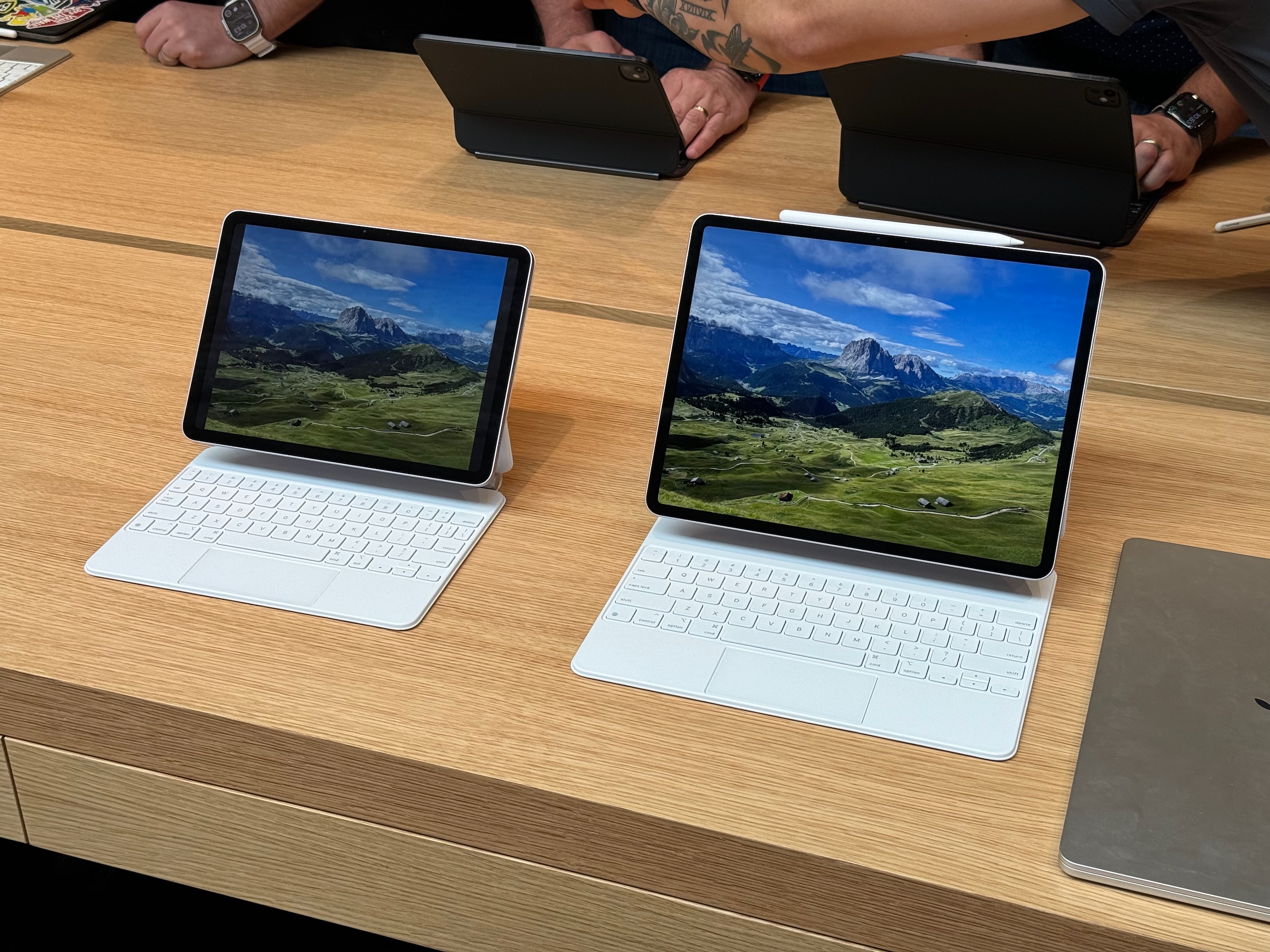
Enlarge/ Apple’s latest iPad Air, now in two sizes. The Magic Keyboard accessory is the same one that you use with older iPad Airs and Pros, though they can use the new Apple Pencil Pro.
Andrew Cunningham
Apple has a new lineup of iPad Pro and Air models for the first time in well over a year. Most people would probably be hard-pressed to tell the new ones from the old ones just by looking at them, but after hands-on sessions with both sizes of both tablets, the small details (especially for the Pros) all add up to a noticeably refined iPad experience.
iPad Airs: Bigger is better
But let’s begin with the new Airs since there’s a bit less to talk about. The 11-inch iPad Air (technically the sixth-generation model) is mostly the same as the previous-generation A14 and M1 models, design-wise, with identical physical dimensions and weight. It’s still the same slim-bezel design Apple introduced with the 2018 iPad Pro, just with a 60 Hz LCD display panel and Touch ID on the power button rather than Face ID.
So when Apple says the device has been “redesigned,” the company is mainly referring to the fact that the webcam is now mounted on the long edge of the tablet rather than the short edge. This makes its positioning more laptop-y when it’s docked to the Magic Keyboard or some other keyboard.
The most welcome change to the Air is the introduction of a 13-inch model (blessedly, no longer “12.9 inches”). It looks like the old 12.9-inch iPad Pro design from circa 2018 but with the simpler single-lens 12 MP camera and the Touch ID button rather than the Face ID sensor.
With the iPad Pro and the Air next to each other, it’s clear which has the superior screen—the 120 Hz refresh rate of ProMotion and the infinite contrast of OLED are definitely major points in the Pro’s favor. But if you’re just looking for a big screen for watching videos, reading books, or playing games, or if you’re just looking for a general-use laptop replacement tablet, Apple is still using a great 60 Hz LCD panel here. And the $799 price tag is considerably lower than any of Apple’s past 12.9-inch iPad Pros.
Like the 15-inch MacBook Air, it’s a way for people to get a bigger screen without paying for advanced screen technologies or faster processors if they don’t want or need them. It’s hard to find a downside to that, as long as you’re OK with iPadOS’ differences and restrictions relative to macOS.
https://arstechnica.com/?p=2022530
Apple drops price of 10th Gen iPad from $399 to $349
Apple lowered the price of its 10th Generation iPad from $399 to $349, it announced at its Let Loose event today.
The 10th-generation iPad did away with the top and bottom bezels that previous iPads carried. The 10.9-inch tablet also doesn’t have a home button, and shows Apple, under pressure from European Union regulations, moving from a Lightning port to USB-C.
However, Apple’s also doing away with the $329, 9th Generation iPad, effectively increasing the price of entry for an iPad.
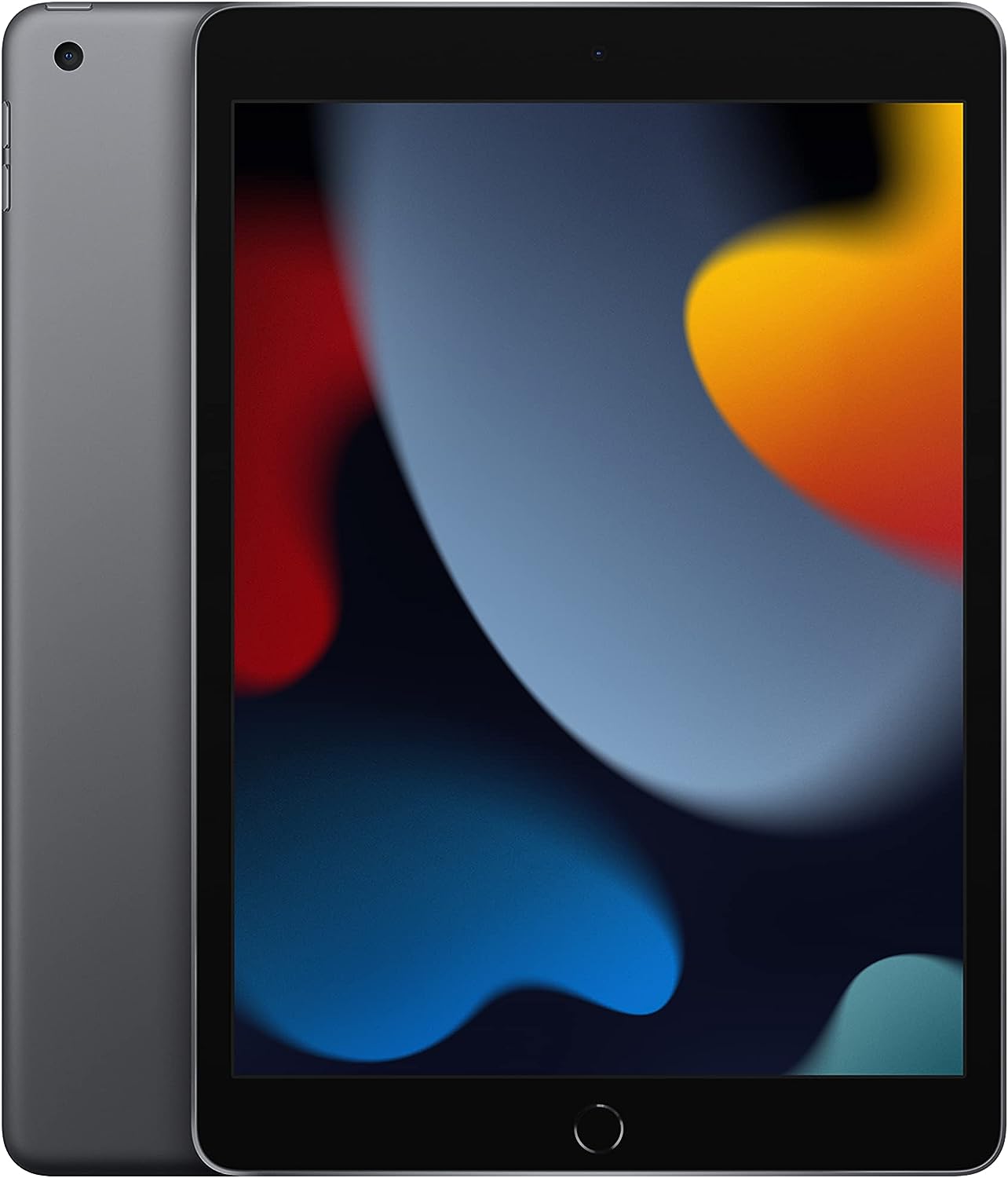
Enlarge/ You won’t be able to buy this 9th-generation iPad from Apple anymore.
The $329 iPad had an old school home button, as well as a Lightning port. The cheaper iPad also supported the 1st-generation Apple Pencil that had a round barrel shape, glossy finish, and also used a Lightning port. Meanwhile, Apple’s Pencil lineup has moved toward magnetic charging and other new features.