Meta removing Facebook login requirement for Quest headsets by next year

By next year, you won't need a Facebook account to log in to your Quest headset.
Enlarge / By next year, you won’t need a Facebook account to log in to your Quest headset.


Last year, Facebook started requiring that new Oculus Quest users log in with their personal Facebook accounts rather than a separate Oculus account. Now, in the face of customer backlash and amid Facebook’s metaverse-focused rebranding as Meta, the company says it is “working on” options for Quest users to avoid that login requirement starting next year.

“As we’ve focused more on work, and as we’ve heard feedback from the VR community more broadly, we’re working on new ways to log in to Quest that won’t require a Facebook account, landing sometime next year,” Andrew Bosworth wrote in a Facebook post following yesterday’s Connect keynote. “This is one of our highest priority areas of work internally.”

“I know this is a big deal for a lot of people,” CEO Mark Zuckerberg said during yesterday’s Connect keynote when talking about the coming login change. “Not everyone wants their social media profile linked to all these other experiences. I get that, especially as the metaverse expands. I’ll share more about that later.”

Before those planned changes roll out next year, Meta announced that enterprise users of the Oculus for Business program will be able to log in to Quest using their Work accounts rather than their personal Facebook accounts. Users who had an Oculus account before last September had previously been grandfathered in and could avoid using a Facebook login until 2023.

The whys and hows

In an interview with Stratchery’s Ben Thompson, Zuckerberg added that the backlash to Facebook Login on Quest actually played a big role in Facebook’s overall rebranding decision:

The feedback that we got on that was one of the things that made me actually feel a sense of urgency that we did need to make it so that people had a different brand relationship with the overall company than the Facebook app. Right now, I think that there’s just some confusion where when you sign into Quest with Facebook, are you signing in with the social media app, or are you signing in with your relationship to our company overall?

It was not as clear as it should have been before, and I think because of that, people had some concerns of, “Hey, if I’m signing in with a social media app, does that mean that my data from what I’m doing in VR is somehow going to be connected or is going to show up on Facebook?” or like, “If my Facebook account gets deactivated or I want to stop using that, does that mean my device is going to stop working?” I think that from a brand architecture for the company—that perspective—I think it is just very valuable and useful for people to have a different relationship with the company than with each of the specific apps. It’s sort of why in the same way that you have a Microsoft account or an Apple account that’s different from any of the specific products that you have there. I think that that’s a useful thing in terms of the universe of products that we’re trying to build out.”
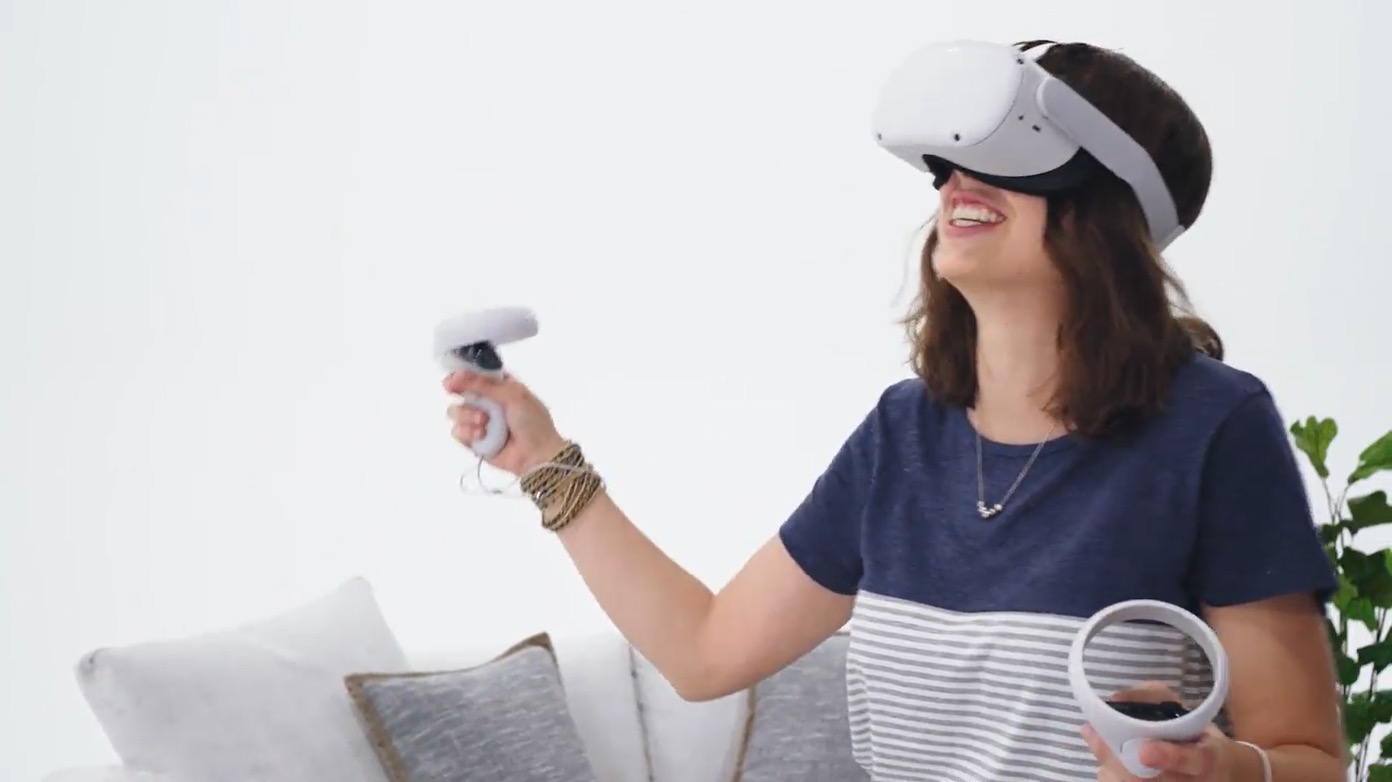
You could be this gleeful, too, if you were in the Oculus Quest 2!
Enlarge / You could be this gleeful, too, if you were in the Oculus Quest 2!

It’s worth noting that worries about losing Quest content over wider Facebook account issues were not a theoretical concern; the company confirmed such a thing was possible for egregious policy violations. And it’s not just user backlash Facebook was facing; the company had to pause Oculus headset sales in Germany over regulator concerns that “the obligation to create a Facebook account [to access an Oculus headset] is legally extremely questionable” under the European GDPR’s “coupling ban.”

Regardless of the underlying reasons, a lot will depend on the specific shape of the new “Facebook-free” login requirements that the company comes up with. Is the removal of a Facebook account requirement just a prelude to the rollout of a separate Meta account, for instance? That would align broadly with the company’s planned “shifting away from the Oculus brand” and toward a rebranded “Meta Quest” in early 2022. If that’s the case, how much data (if any) would be shared between a Facebook account and a Meta account linked under the same umbrella?

We also wonder if users will be able to use external accounts (i.e., a Google or OAuth account) to identify themselves on the headset. Can Quest users stay anonymous or use pseudonyms when interacting with Meta’s planned metaverse? And how much access will be available to users who want to skip the login and simply sideload their own content without any connection to the online ecosystem?

The answers to these and other logistical questions will be crucial to the wider reception for the upcoming login change. So while it’s nice to see Meta belatedly responding to the backlash over this issue, we’ll reserve final judgment until more details are released in the coming months.

Listing image by Sam Machkovech

https://arstechnica.com/?p=1808810


Facebook who? Zuckerberg announces rebranding as Meta

Mark Zuckerberg speaks in front of a monitor that says Meta.
Enlarge / Facebook? Who is Facebook? My name is Meta!

During his Connect 2021 keynote presentation today, Facebook CEO Mark Zuckerberg rolled out the name “Meta” as a new corporate identity reflecting the company’s “new north star—to help bring the metaverse to life.”

The name, which Zuckerberg noted comes from the Greek word for “beyond,” is “a new company brand to encompass everything that we do.” That means the company will be “looking at and reporting on our business as two different segments, one for a family of apps and one for work on future platforms,” he said.

The name “Facebook,” Zuckerberg said, “just doesn’t encompass everything we do” anymore. While social media apps will “always” be a focus for Meta, it has been limiting to have a “brand that is so tightly linked to one product that it can’t possibly represent everything we’re doing today, let alone in the future,” he said.

Naming for individual apps and brands within Facebook won’t be changing, Zuckerberg said, though the Oculus branding is apparently being phased out for the company’s VR headsets. “We want to make it clear that Quest is a Meta product,” Meta VP of AR/VR Andrew Bosworth wrote in a Facebook post. “For this reason, we’re simplifying our brand architecture and shifting away from the Oculus brand. Starting in early 2022, you’ll start to see the shift from Oculus Quest from Facebook to Meta Quest and Oculus App to Meta Quest App over time.”

The shift to “metaverse first” represents “a fundamental change to our company,” Zuckerberg continued, saying that “over time, I hope we are seen as a metaverse company.” That also means that “over time, you’re not going to need to use Facebook to use our other services,” Zuckerberg said, referring to the controversial policy of requiring a Facebook login to use Quest headsets.

A reimagined future

The move is somewhat reminiscent of Google’s 2015 corporate transition to the name Alphabet. As our own Ron Amadeo wrote back then:

Google declares that “Search, ads, Maps, apps, YouTube, Android, and infrastructure” are part of the new, slimmed-down “Google,” and “Calico, Nest, Google Fiber, Google Ventures, Google Capital, and Google X” are independent units under “Alphabet.” Alphabet isn’t a big change in the way Google works, just a formalization of the structure that seems to have been there for years.

Facebook’s rebranding, though, suggests it sees itself as a company with a very different future focus than the one it currently has. The wider Connect keynote presentation focused heavily on the idea of the metaverse, a vision of a social media universe that can seamlessly move between smartphones, VR goggles, and augmented reality glasses. That idea appears to rely on each of Meta’s services working in concert, and Zuckerberg’s Thursday announcement included teases of exactly that, with Instagram, Facebook, WhatsApp, and Oculus systems working in tandem in a demonstration of future social, work, and gaming possibilities.

https://arstechnica.com/?p=1808540


Like pixels to my ears: Asus headset uses mini LEDs to animate earcups

Like pixels to my ears: Asus headset uses mini LEDs to animate earcups

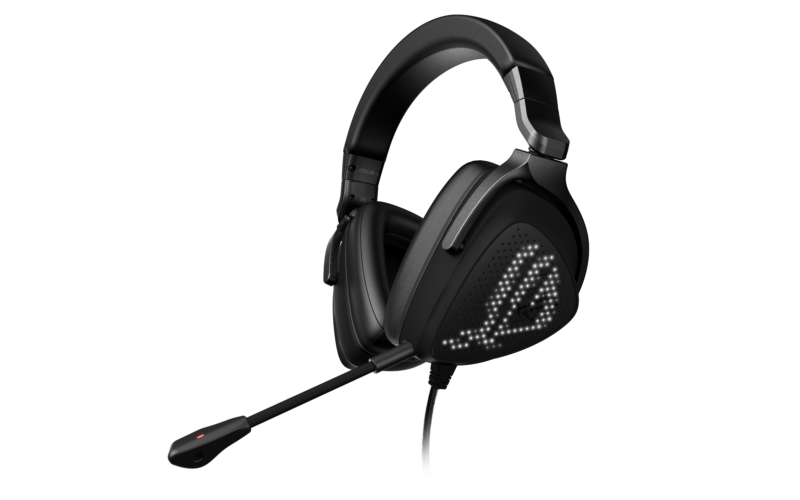
Because a gaming headset sits on your head (where you can’t see it), its looks aren’t all that important. But that hasn’t stopped headset makers from blinging out their products. Besides, if you’re on camera livestreaming or talking to your teammates, you might be looking to spice things up with pink cat ears or RGB-infused earcups. The Asus ROG Delta S Animate offers a new, pixel-powered twist to gamers who want to put on a show.

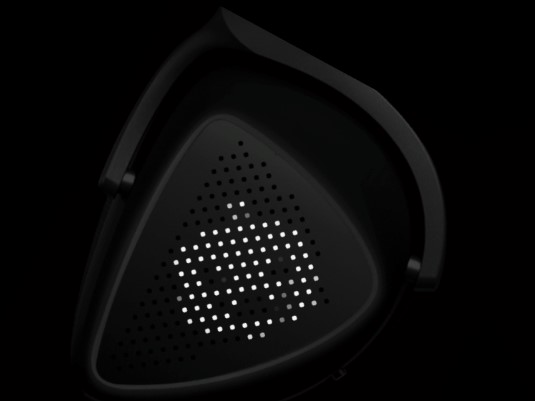
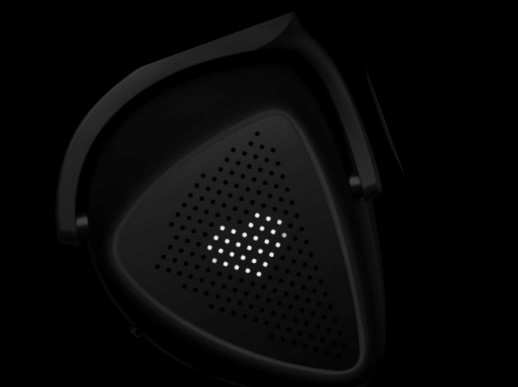
Asus has put its AniMe Matrix custom lighting design system on both of the Delta S Animate’s earcups. Mini LEDs fill the space and light up to depict preset or customized effects selected via Asus’ free Armoury Crate software. An Asus spokesperson told Ars Technica that the ROG Delta S Animate has over 100 mini LEDs per earcup. Until this week, the AniMe Matrix was only available on select Asus Zephyrus gaming laptops. Asus’ decision to continue offering the feature in new PCs—and now in a new category—shows the company is seeing some interest in the concept.

Want ghosts flying across the earcup pixel by pixel before turning into a pumpkin? Why not?

From the patch to your headset.

Feeling flirty? A dot matrix heart will convey your feelings to anyone in sight of your side profile.

How romantic.
How romantic.

You can also program the mini LEDs to react to your voice, with the effect becoming more intense the louder you speak.

The mini LEDs can react to how loud you're speaking.
Enlarge / The mini LEDs can react to how loud you’re speaking.

This Soundwave feature is one I’ve tried on the Asus ROG Delta S headset, which has RGB LEDs around the earcups’ perimeters. It worked seemlessly there, even if the colors looked a bit faded on my webcam. Hopefully, the tiny LEDs in the Asus’ new headset are bright enough to be visible in various lighting environments (Asus didn’t share a brightness spec).

You can even make your own animation by uploading an image to the software (Asus recommends a white one) and then playing with specifics, like brightness, contrast, and delay times. You can also program the mini LEDs to scroll through words.

Get your message across.
Enlarge / Get your message across.

A dedicated knob on one of the earcups lets you turn the animations on and off, and you can also control volume and toggle the microphone with on-ear controls.

Asus ROG Zephyrus G14.
Enlarge / Asus ROG Zephyrus G14.

The headset weighs 0.68 lbs, and the D-shaped earcups are lined with your choice: leather or a combination of leather and mesh fabric.

Asus seems to have paid attention to audio quality as well, carrying over the specs of its impressive Delta S headphones. The new headset’s 50 mm neodymium drivers are standard among modern gaming headsets, but the cans’ frequency response is higher than the typical 20 – 20,000 Hz, peaking at 40,000 Hz. An impedance of 32 ohms is also a smidgen higher than the 30 ohms we often see in gaming headsets.

The upcoming peripheral embraces USB-C for future-proofing and USB-A for versatility. It also supports Hi-Res music with a Hi-Fi ESS 9821 Quad-DAC and integrated Master Quality Authenticated (MQA) renderer.

If you want to add some flair to your cranium, this headset could be a unique way to do it. Asus said the ROG Delta S Animate will be available in mid-to-late December for $250.

Ars Technica may earn compensation for sales from links on this post through affiliate programs.

https://arstechnica.com/?p=1808399


Mario Party Superstars is the “Greatest Hits album” the series deserves

"Yeah, Waliuigi time!"
Enlarge / “Yeah, Waliuigi time!”


Since the Mario Party series launched in 1998 on the N64, it has played host to over 1,000 mini-games spread across 15 titles (depending on how you count). The question behind Mario Party Superstars on the Switch is whether you can find 100 of those mini-games that are actually good.

The answer is a resounding yes. By focusing on the best and most enduring mini-game design from over two decades, Superstars is probably the most consistently enjoyable game in the series’ long run. But if you’re not already on board with Mario Party‘s slow pace and heavy reliance on luck, there’s nothing here that will change your mind.

Better to be lucky than to be good

Mario Party Superstars is a game dripping with nostalgia, from the music and sound effects to the menu screen drawn straight from the first game. The structure of the main game is completely unchanged as well. Four human or computer-controlled players take turns rolling a 10-sided die to move around a board, trying to pass spots where they can buy the stars needed to win the game. After everyone has rolled, all four players face off in a mini-game where they can earn coins that can be used to buy stars or items that can help them or hinder others.

The Switch's graphical power means this level looks more scrumptious than ever.
Enlarge / The Switch’s graphical power means this level looks more scrumptious than ever.

Mario Party Superstars [Switch]

(Ars Technica may earn compensation for sales from links on this post through affiliate programs.)

Nintendo has made some strong choices for the five available classic boards, which come from the N64 editions of the game. The options offer a full range of complexity, from the basic “walk in a circle” of Yoshi’s Tropical Island to the constantly branching paths of Woody Woods to the complicated day-night cycle of Horror Land. Series fans will get a kick out of seeing these classic boards fully upgraded for the HD era, too—Peach’s birthday cake, in particular, is a mouth-watering visual splendor compared to the unappetizing low-res polygons of the N64 original.

Nintendo has thrown in some small quality-of-life improvements to help the slow pace of moving around these boards, too. You can now fast-forward through cut-scene animations, for instance, and you don’t have to watch as computer players compete in mini-games and item games without any human intervention. “Fast” options for movement speed and text mean you can also blow through a lot of the tedious waiting for your turn to come around, especially when playing against multiple computer opponents (you can also throw some emoji-style Mario-themed stickers on the screen to pass the time in between turns).

But none of these improvements changes the core gameplay of Mario Party, which, for good or ill, is still heavily dependent on luck. Sure, there is some basic strategy involved in navigating the boards skillfully, especially when it comes to deciding when to buy and use items to their best effect. And yes, winning more coins from mini-games still has a decent correlation with doing well in the overall match.

Still, a huge portion of the outcome of a Mario Party Superstars match depends on nothing more than rolls of the dice and the huge swings that can come from landing on certain spaces. No matter how skillfully you play, there’s often nothing you can do to prevent a lucky player from reaching a star before you. You can’t always avoid landing on a coin-sapping Bowser space or encountering a Chance Time space that transfers your hard-earned stars to another player in one fell swoop.

Horror Land is one of the more skill-based boards in the game, but in the end, it still comes down to luck.
Enlarge / Horror Land is one of the more skill-based boards in the game, but in the end, it still comes down to luck.

With the right group of friends (and possibly the right beverages), it’s possible to let go and accept this chaos, laughing and cringing along with your playmates as the whims of chance affect your fates. If you want a game that directly rewards skillful play relative to your opponents, though, Mario Party is still the last place you should look.

Maximum mini-games

In most Mario Party titles, every random mini-game selection meant waiting to see if you would end up with a fun, well-designed option or a tedious time-waster. Mario Party Superstars largely avoids this problem, removing most of the tedium by picking the cream of the crop for a veritable Greatest Hits album of previous games’ mini-game selections.

There are still a small handful of mini-games that are completely dependent on luck, amounting to a coin flip drawn out over a couple of minutes. And there are a few more that measure nothing but how fast you can mash a button or two, a tedious exercise in the best of circumstances.

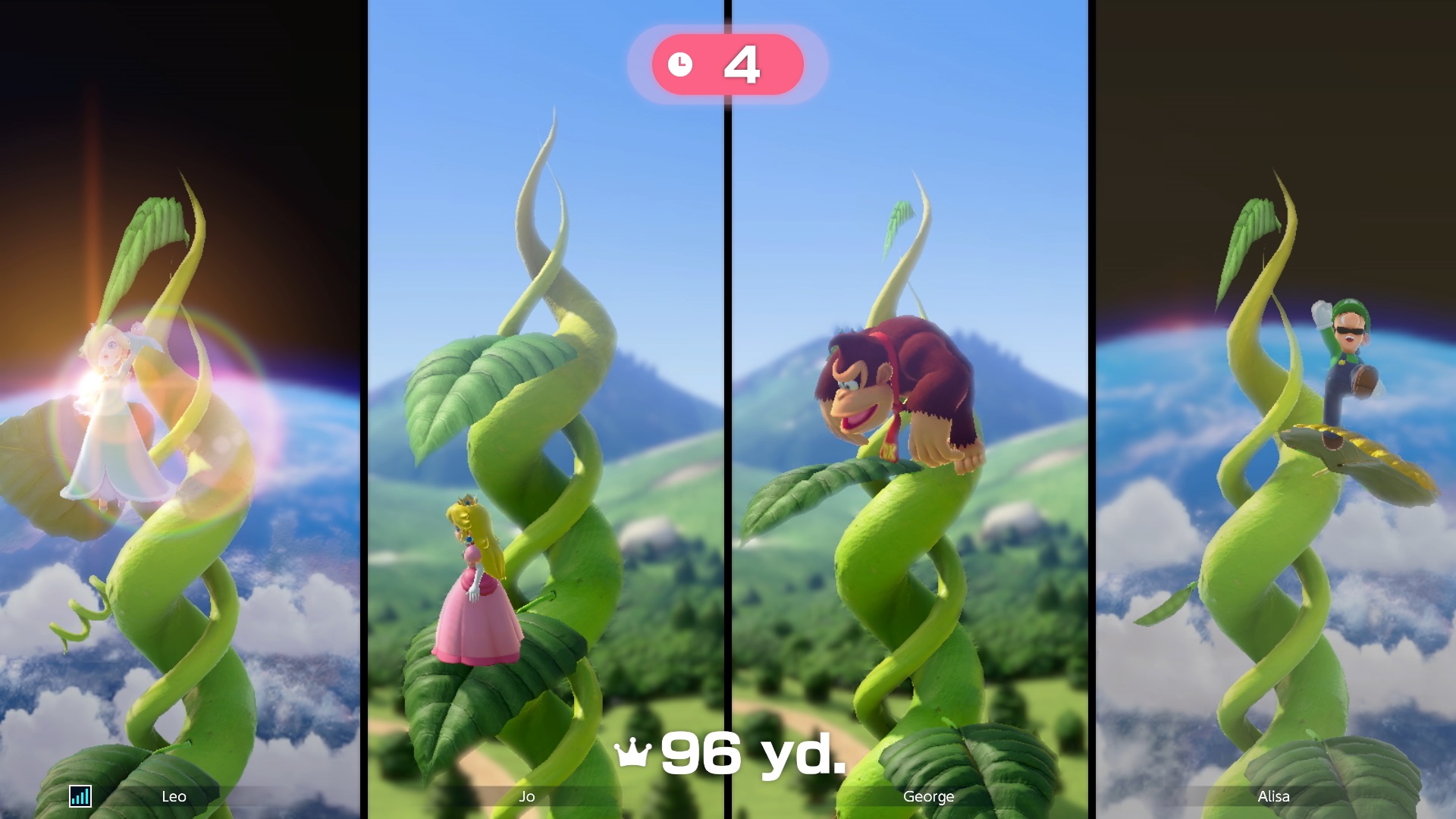
Jumping up this vine might be simple, but it still rewards skill and focus.
Enlarge / Jumping up this vine might be simple, but it still rewards skill and focus.

https://arstechnica.com/?p=1808438


Can Pikmin Bloom recapture the magic of Pokémon Go?

...and you'll neeeeeveeeeerrrr waaaaaaalk allooooooooooone.
Enlarge / …and you’ll neeeeeveeeeerrrr waaaaaaalk allooooooooooone.

The first and last time Nintendo collaborated with location-based AR company Niantic, the result was the worldwide mega-phenomenon Pokémon Go. Five years later, the companies are working together once again to see if they can recapture the magic with a new augmented reality game based on the much more niche Pikmin franchise.

After testing an early version of the Pikmin Bloom app over the last week, I can say that the game serves as an effective, super-cute pedometer, providing some nice, gentle motivation for reluctant walkers to get up and get their daily steps in. But while this gamified Fitbit requires less fuss and direct hassle than Pokémon Go, the game’s basic “watch the numbers go up” loops also don’t have the same compulsive collect-them-all appeal as Niantic’s previous hit.

Watching numbers go up

For the uninitiated, Pikmin are tiny, colorful, slightly humanoid creatures with blooming flowers on their heads. In the original console games, your character grows and manages an expanding team of Pikmin with varying abilities to help a marooned spaceman escape a planet. In Bloom, the Pikmin who follow you on your daily walks are more concerned with planting petals and growing normal flowers, which show up permanently on the game’s map.

What starts as a small stroll with a single Pikmin quickly grows into an ever-expanding loop of resource extraction and consumption. First, you throw colorful nectar to your Pikmin, causing it to bloom with color-coded petals that you can pluck with a satisfying tap. But each Pikmin can only grow a set number of petals each day, and those petals are actively consumed as you grow flowers during walks.

Thus, you need to grow more mouths to feed (and petals to pluck) by finding seedlings, which only grow into full Pikmin after a set number of steps (usually in the thousands). More Pikmin also means more pairs of arms and legs to send on timed expeditions for more fruit, which turns into nectar, which is fed through Pikmin for more petals to fuel more flowers along your walking path. Meanwhile, you stumble across more seedlings, which turn into more Pikmin, which fuel more frequent expeditions for more seedlings and fruit. And on and on and on…

The basic loop continues as you build up a squad of dozens of Pikmin and multicolored nectar. Along the way, you slowly see your regular walking paths fill up with a vibrant garden of AR flowers on your on-screen map (you also get to see flowers grown by other players in your area, but that hasn’t been a big draw during the limited pre-release period in my area).

<a href="https://rassegna.lbit-solution.it/wp-content/uploads/2021/10/can-pikmin-bloom-recapture-the-magic-of-pokemon-go-1.gif" class="enlarge" data-height="1297" data-width="600" alt="Why just walk when you can walk and plant AR flowers?”><img alt="Why just walk when you can walk and plant AR flowers?” src=”https://rassegna.lbit-solution.it/wp-content/uploads/2021/10/can-pikmin-bloom-recapture-the-magic-of-pokemon-go.gif” width=”300″ height=”649″ srcset=”https://rassegna.lbit-solution.it/wp-content/uploads/2021/10/can-pikmin-bloom-recapture-the-magic-of-pokemon-go-1.gif 2x”>
Enlarge / Why just walk when you can walk and plant AR flowers?

Any gamer who has ever played Diablo knows the simple joy of seeing numbers go up as you play, and Pikmin Bloom provides this motivation in spades. Seeing steps turn directly into a growing squad of cute critters under your indirect control is a joy, and strong sound design and animation work on the Pikmin do wonders to sell the package.

Crucially, besides the walking itself, Pikmin Bloom demands very little attention to power this process. In a game like Pokémon Go, you constantly have to pay attention to the app as you walk, tapping to collect new monsters, spinning Pokéstops, or participating in multiplayer raids. Pikmin Bloom, on the other hand, passively registers your steps and applies them to your goals without requiring much babysitting. A quick five-minute check-in when you have a moment is enough to pluck new Pikmin, collect fruit and seedlings from your expeditions, and make some new petals to power your next walk.

“We tried to make the game fit into your life,” Niantic CEO John Hanke said in a recent Q&A attended by Ars. “[Pikmin Bloom] doesn’t demand your attention, but it’s there when you want to give it your attention.”

The game encourages these check-ins with regular notifications, of course. But it also encourages reflection with a special check-in at the end of the day, reviewing your daily steps and the key locations you visited with virtual postcards. The game even asks how you’re doing each day and can incorporate photos you took on your trips for a kind of digital “lifelog” scrapbook that builds over time, even incorporating any pictures you took that day. In this way, Pikmin Bloom could be seen less as a game and more as an excuse to keep a simple, semi-automated diary of your travels.

https://arstechnica.com/?p=1808045


Ancient DNA from Sitting Bull’s scalp lock confirms living great-grandson

Hair from Lakota Sioux leader Sitting Bull’s scalp lock, from which DNA was extracted for analysis.
Enlarge / Hair from Lakota Sioux leader Sitting Bull’s scalp lock, from which DNA was extracted for analysis.
Eske Willerslev

An international team of scientists has confirmed the lineage of a living descendent of the famous Lakota Chief Sitting Bull via a new method of DNA analysis designed to track familial lineage using ancient DNA fragments. According to the authors of a new paper published in the journal Science Advances, this is the first time that such an analysis has been used to confirm a link between deceased and living people—in this case, Sitting Bull and his great-grandson, Ernie LaPointe.

The team’s method should be broadly applicable to any historical question involving even the limited genetic data gleaned from ancient DNA. “In principle, you could investigate whoever you want—from outlaws like Jesse James to the Russian tsar’s family, the Romanovs,” said co-author Eske Willerslev of the University of Cambridge. “If there is access to old DNA, typically extracted from bones, hair or teeth, they can be examined in the same way.”

Sitting Bull (Tȟatȟáŋka Íyotake) was a Lakota leader who is best known for his defeat of Lt. Col. George Armstrong Custer‘s 7th Cavalry at the Battle of the Little Big Horn (aka, the Battle of the Greasy Grass) on June 25-26, 1876. Various tribes had been joining Sitting Bull’s camp over the preceding months, drawn by his spiritual leadership and seeking safety in numbers against US troops. Their number soon grew to more than 10,000. Custer’s men were badly outnumbered when they attacked the camp and were forced to retreat. The Sioux warriors ultimately killed Custer and most of his men in what was later dubbed Custer’s Last Stand.

October 1876: General Nelson Miles talking with Chief Sitting Bull after the army's defeat at Little Big Horn. Original Artist: Frederic Remington (1861-1909).
Enlarge / October 1876: General Nelson Miles talking with Chief Sitting Bull after the army’s defeat at Little Big Horn. Original Artist: Frederic Remington (1861-1909).
MPI/Getty Images

That victory proved to be short-lived. The US dispatched thousands more soldiers to the region, and over the next year, many tribes chose to surrender. Sitting Bull was not among them, preferring to lead his tribe to Canada’s Northwest Territories instead (what is now Saskatchewan).

He stayed there for four years, despite offers of a pardon, until it became clear that his people couldn’t survive, because the buffalo herds were too small to support their food needs. Sitting Bull and his people returned to the US and surrendered on July 19, 1881, to Major David H. Brotherton at Fort Buford. (The chief purportedly told Brotherton, “I wish it to be remembered that I was the last man of my tribe to surrender my rifle.”)

The group (some 186 people in all) was kept at Fort Yates, adjacent to the Standing Rock Agency, apart from a 20-month stint at Fort Randall. Sitting Bull gained a certain amount of celebrity in 1884 when he was allowed to tour the US and Canada with a show called the Sitting Bull Connection. He met Annie Oakley on that tour, in Minnesota, and was so impressed with her firearms skills that he symbolically “adopted” her as his daughter and dubbed her “Little Sure Shot.” Oakley used the moniker for most of her career. In 1885, Sitting Bull toured with Buffalo Bill Cody’s Wild West show for four months, where his “performance” consisted of riding once around the arena each night as the audience gawked.

Meanwhile, tensions continued to increase between Sitting Bull and US Indian Agent James McLaughlin as the US government divided up and sold parts of the Great Sioux Reservation. By 1889, a religious “Ghost Dance” movement—which involved dancing and chanting for the resurrection of deceased relatives and the return of the buffalo herds—was gaining strength, alarming nearby white settlers. Sitting Bull wasn’t a participant, but he did allow the dancers on his camping grounds, so McLaughlin ordered the chief’s arrest.

Sitting Bull and Buffalo Bill Cody, photographed ca. 1880 in Montreal, Canada.
Enlarge / Sitting Bull and Buffalo Bill Cody, photographed ca. 1880 in Montreal, Canada.
Bettmann/Getty Images

https://arstechnica.com/?p=1807978


Razer releases cheaper wireless version of one of its best gaming mice

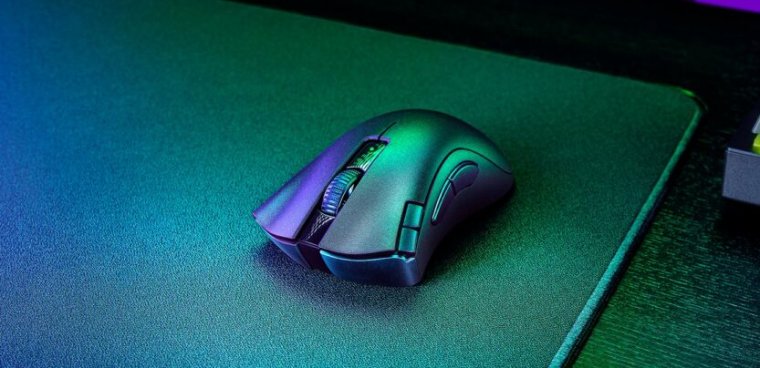
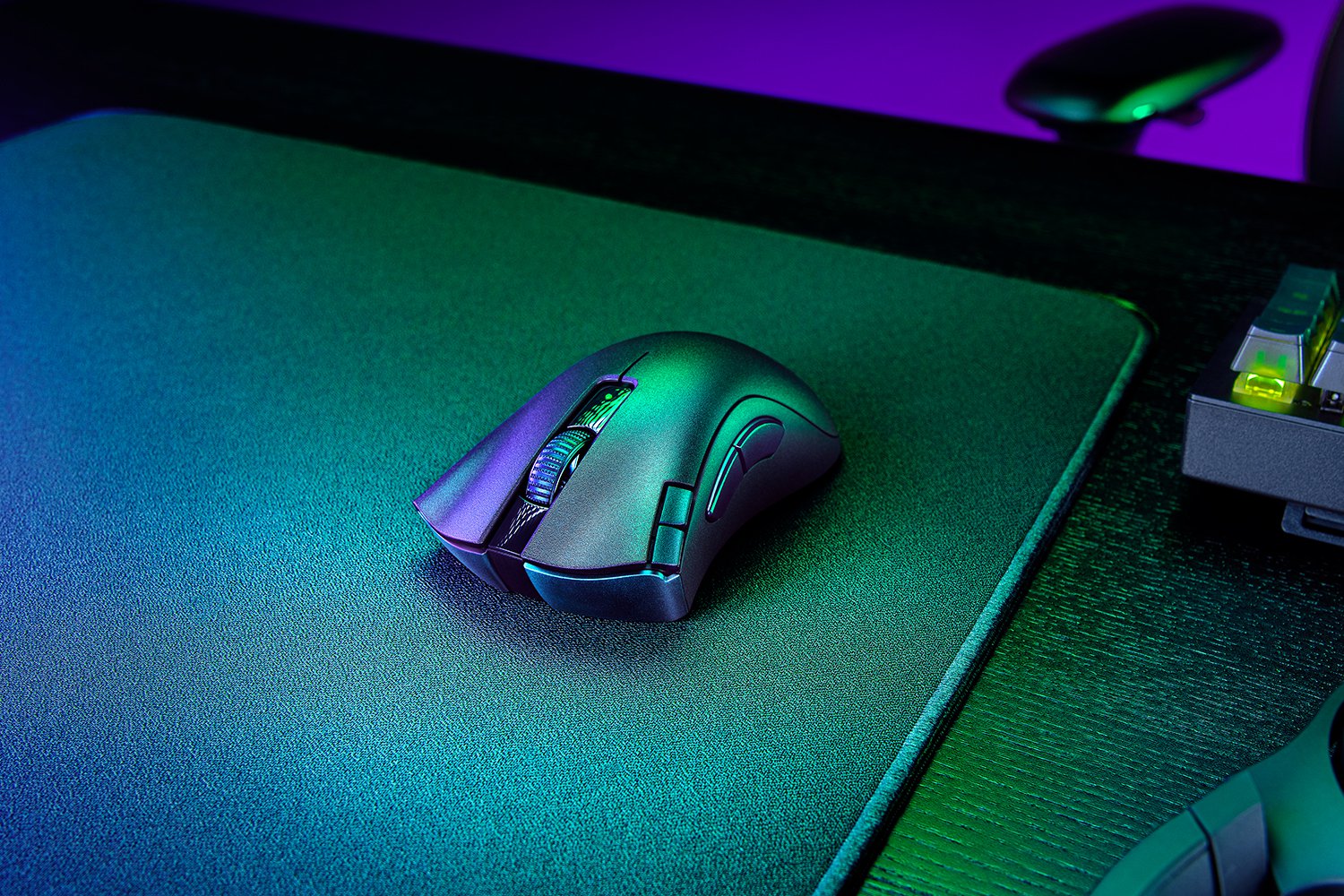
Razer DeathAdder V2 X HyperSpeed on mouse pad
Enlarge / Razer DeathAdder V2 X HyperSpeed.

At its RazerCon show last week, PC hardware company Razer announced its new Kraken gaming headsets, finally put a price tag on its RGB face mask, and released other products, like new gaming chairs. Just five days later, Razer has quietly launched another product, the Razer DeathAdder V2 X HyperSpeed. It’s a wireless version of one of the most well-known gaming mice, and it comes with a lower price tag.

The DeathAdder mice have earned a positive reputation for their simple, comfortable design. With an MSRP starting at $30, the lineup is more accessible than a lot of Razer’s other offerings. The company says it has sold over 10 million DeathAdders, making the model the company’s “best-selling mouse.”

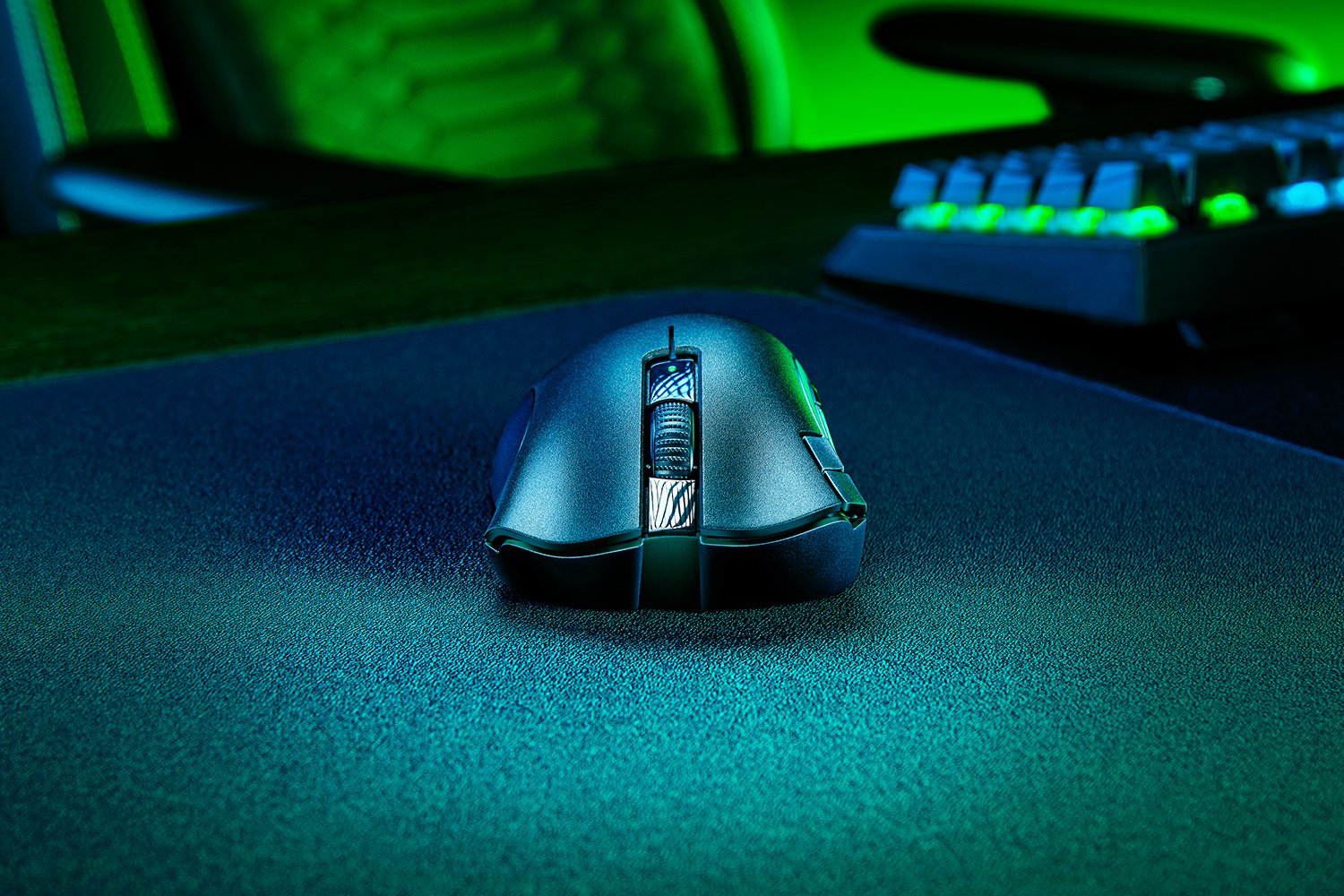
 The new mouse differs from the wired version by putting two buttons on the left side rather than south of the scroll wheel.
Enlarge / The new mouse differs from the wired version by putting two buttons on the left side rather than south of the scroll wheel.

Razer started selling the DeathAdder V2 X HyperSpeed on Tuesday for $60. It’s basically a wireless version (2.4 GHz dongle or Bluetooth) of the DeathAdder V2 ($70 MSRP) but with two buttons near the left-click button instead of south of the scroll wheel. The new mouse also has a less impressive sensor.

That’s right—the sensor powering the V2 X HyperSpeed isn’t as good as the one in the wired version. Sensitivity sits at a lower 14,000 counts per inch (CPI) instead of 20,000 CPI, max velocity is 300 inches per second (IPS) compared to 650 IPS, and the mouse can only handle up to 35 g rather than 50 g.

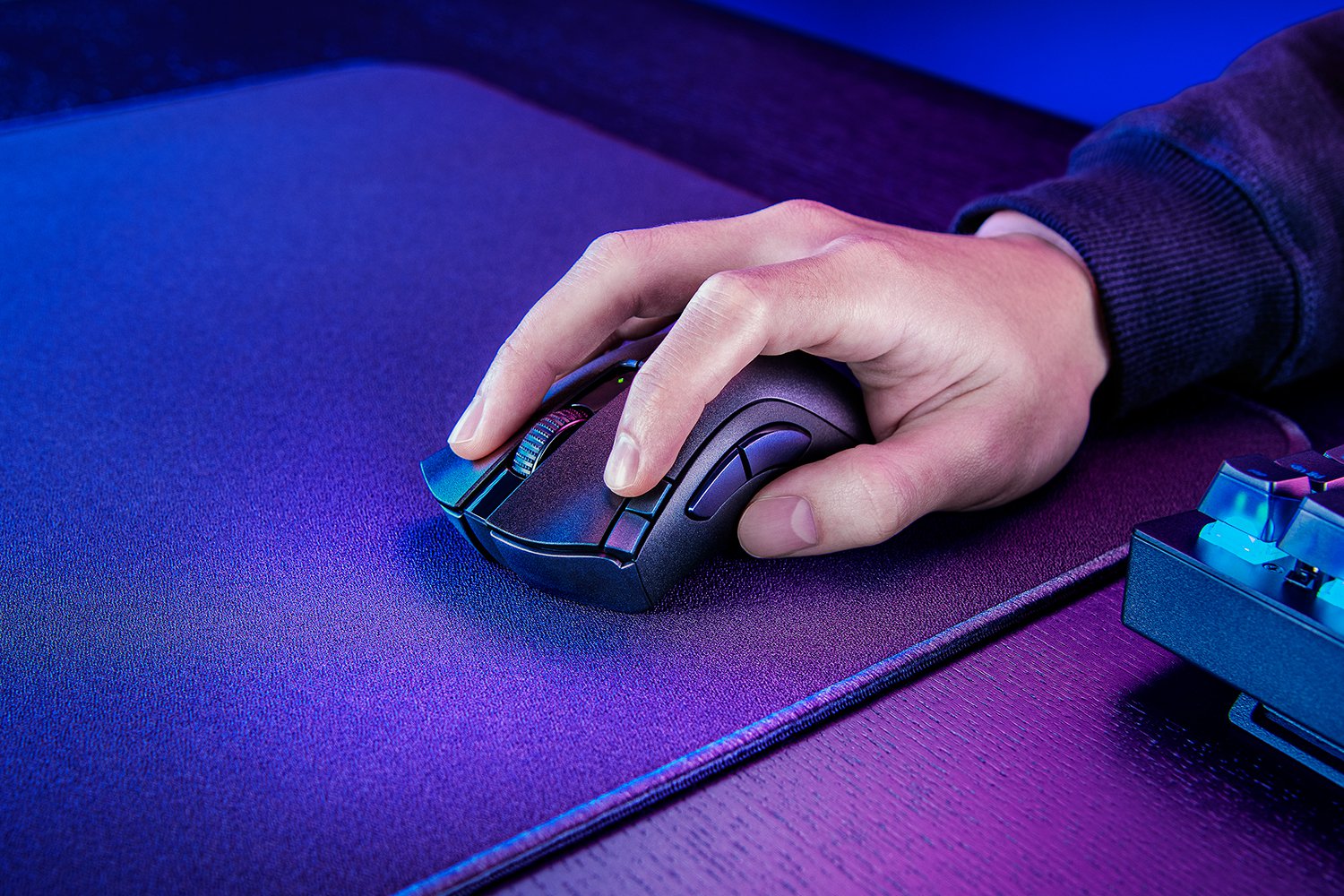
There was already a wireless DeathAdder V2, but this one is cheaper.
Enlarge / There was already a wireless DeathAdder V2, but this one is cheaper.

However, CPI counts have gotten out of control lately, and most gamers will be fine with the specs in the V2 X HyperSpeed, even if the max velocity and acceleration are a bit low compared to modern high-end gaming mice. The wireless version of the DeathAdder V2 Pro is still available, but its $130 MSRP is more than twice that of the new wireless option (though you can find it for $97 as of this writing).

The DeathAdder V2 Pro is rechargeable, too, which keeps its weight (2.88 ounces) a little lower than the new wireless DeathAdder (3.03 – 3.63 ounces), as it relies on batteries.

Unlike the pricier wireless DeathAdder V2, this one isn't rechargeable.
Enlarge / Unlike the pricier wireless DeathAdder V2, this one isn’t rechargeable.

There are some other minor differences between the DeathAdder V2 X HyperSpeed and DeathAdder V2 / V2 Pro. For instance, the wireless version opts for standard mechanical switches over optical mechanical switches for the left- and right-click buttons. However, I prefer Razer’s mechanical switches over its optical mechanical ones, especially for first-person shooters, because they require less effort to press. You also miss out on five onboard profiles in the cheaper wireless option. Oh, and there’s no RGB.

But in a world where gaming specs and prices are constantly rising, it’s nice to see Razer offer a more restrained option.

Ars Technica may earn compensation for sales from links on this post through affiliate programs.

https://arstechnica.com/?p=1808015


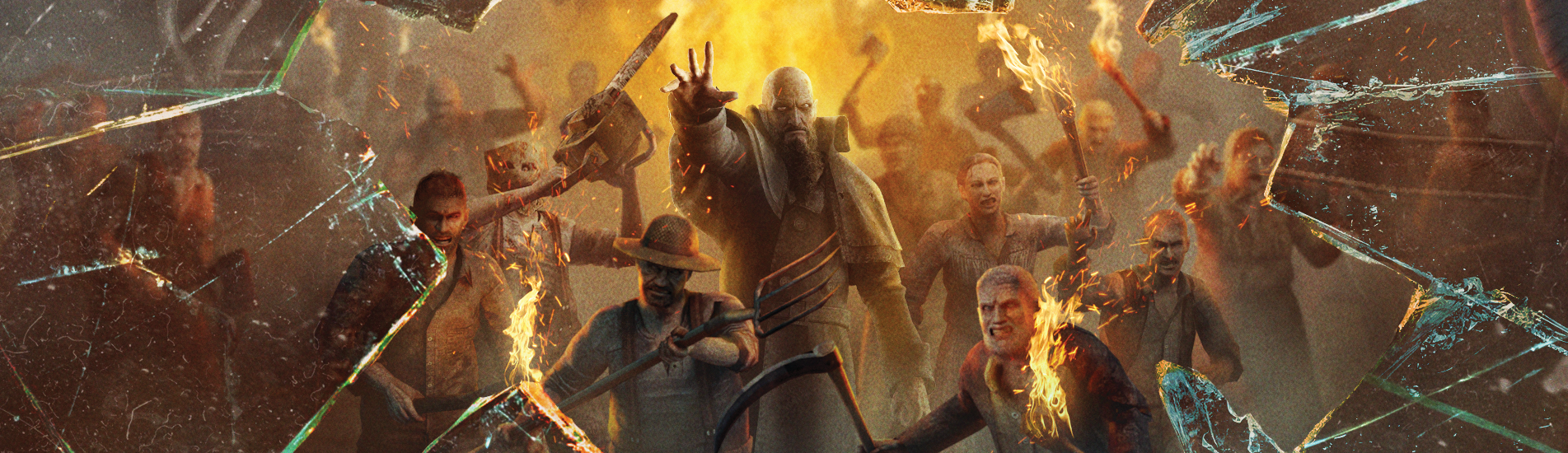
Resident Evil 4 VR analysis: Use Sidequest to access what Facebook denies you

<img src="https://rassegna.lbit-solution.it/wp-content/uploads/2021/10/resident-evil-4-vr-analysis-use-sidequest-to-access-what-facebook-denies-you.png" alt="This faked perspective of Resident Evil 4‘s monsters coming at you implies that playing the new VR version will make your VR lenses crack. Ars Technica can verify that this is not actually the case—and even better, after applying some manual, "developer mode" toggles, the game is quite good.”>
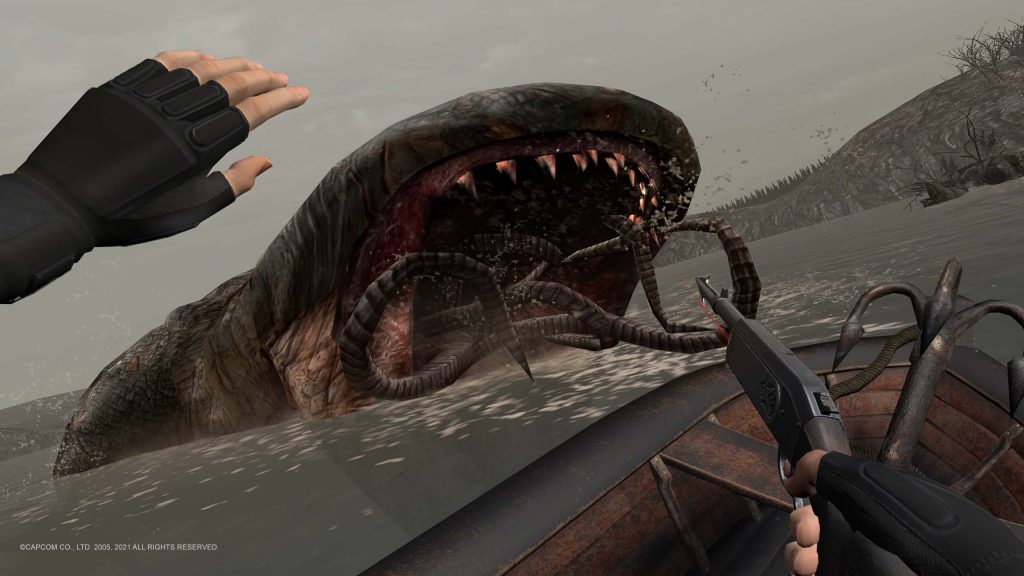
Enlarge / This faked perspective of Resident Evil 4‘s monsters coming at you implies that playing the new VR version will make your VR lenses crack. Ars Technica can verify that this is not actually the case—and even better, after applying some manual, “developer mode” toggles, the game is quite good.
Capcom / Facebook

After testing Thursday’s virtual reality launch of Resident Evil 4 (RE4VR), currently an Oculus Quest exclusive, I found myself equally impressed and puzzled. As the roughly 4,000th port of RE4 since the game’s original 2005 launch, this new version manages to establish itself as the action-horror classic’s best version. New and old players should give this one a try—even if it’s missing a few crucial elements.

But as of press time, our recommendation comes with some asterisks, so this is both a review and a technical guide. Facebook may sell the Oculus Quest as a simple “set-and-forget” path to VR, but in the case of RE4VR, I recommend going through some complicated steps to make the game far more playable on its target platform of the Quest 2—and I’ll explain the iffy method to unlock the game’s compatibility with the Quest 1. It’s unfortunate that Facebook, Capcom, and porting studio Armature didn’t straighten all this out for average customers in the first place.

Investigating the Quest 1 restriction

Armature and Capcom's official screens from the game are cropped to look better on a desktop monitor and are slightly sweetened visually. This one is the most authentic representation of how the game looks on the Quest 2. You can clearly see the original polygonal makeup here.
Enlarge / Armature and Capcom’s official screens from the game are cropped to look better on a desktop monitor and are slightly sweetened visually. This one is the most authentic representation of how the game looks on the Quest 2. You can clearly see the original polygonal makeup here.
Capcom / Facebook

For now, this version of Resident Evil 4 only works on Oculus Quest hardware, not on Windows PCs or PlayStation 4’s VR mode. Capcom seems to love locking VR versions of its horror games to specific platforms, as the groundbreaking VR mode in 2017’s Resident Evil 7 remains exclusive to PlayStation VR. (Seriously, Capcom? Five years later, and you still haven’t ported that wonderful game to a more powerful VR system?)

Officially, Facebook limits this week’s port even further, as the company only sells the game for its newer Quest 2 platform. If you own only the original 2019 Oculus Quest, you won’t find RE4 in any of its native store menus. After I began testing the game’s Quest 2 version, I immediately wondered: This restriction can’t be technical, can it? The answer came from the game’s Quest 1-level specs, particularly its 72 fps frame rate cap and lower-resolution textures. Was this a case of the more powerful Quest 2 requiring some visual downgrades to smoothly run a port of a 2005 GameCube game?

Apparently, I wasn’t the only person wondering about this, and sadly, I got my answer from pirates, not legitimate game owners. Yep, the game runs just fine on the Oculus Quest 1.

My hopes for law-abiding Quest 1 owners to get access to the game began with a guide from the Oculus Quest Reddit community promising “RE4 on your Quest 1 without piracy.” The process required a few funky steps. First, by using a Chrome extension, I could log in to my Oculus account to download each of the required files I would need to boot RE4VR on the Quest, all digitally signed with my own account details. Then I enabled “developer mode” on my Quest headset. This allowed me to upload those files via a Windows PC to either a Quest 1 or Quest 2 headset. The community-developed Sidequest app remains the easiest way to do so, though I still had to manually place “APK” and “OBB” files in proper directories.

What’re you (not) buyin’?

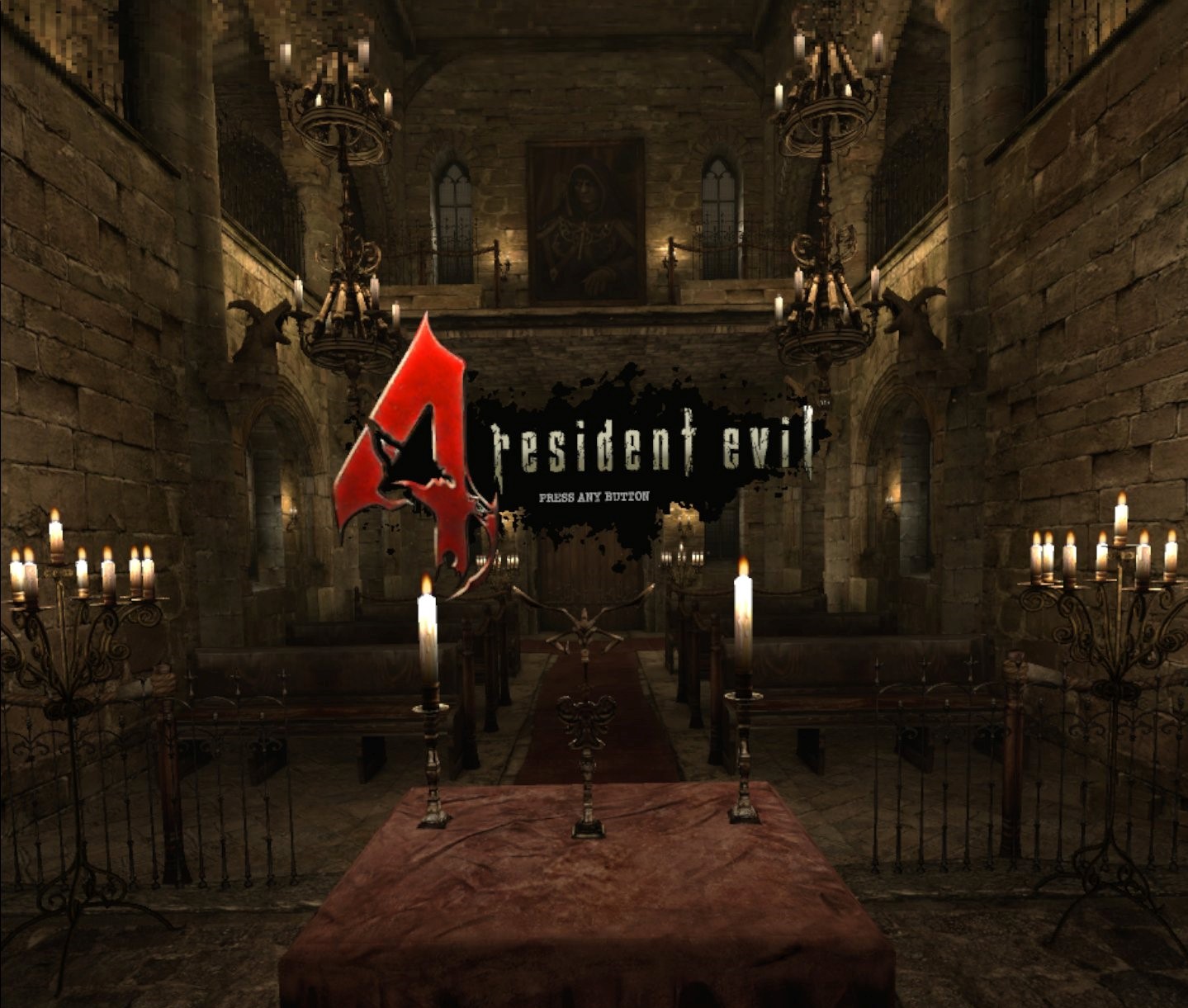
Upon the game's first boot, you're greeted with this handsome "press a button to start" 3D zone.
Enlarge / Upon the game’s first boot, you’re greeted with this handsome “press a button to start” 3D zone.
Capcom / Facebook

Unfortunately, after following all those steps, my digitally signed version of RE4VR wasn’t digitally signed enough for Quest 1 hardware. The game began to boot just as it does on Quest 2, only to quit itself after displaying a stern warning: “Failed to confirm entitlement, game will now exit.”

After asking around, I got a chance to personally test and verify that this week’s port of RE4VR indeed boots on Quest 1 systems. What’s more, the game runs at an apparently locked 72 fps, albeit with a slightly downgraded image resolution. I couldn’t budge the frame rate in my tests while jumping between various save files, whether in the game’s first busy, villager-filled shootout or later battles like the harrowing showdown against a lake monster. When asked how they got this version running on Quest 1, my source pointed to a Sidequest upload of “certain” files to their Quest 1, then winked.

My source had an easier time getting their copy of the game to run on Quest 1 than I did. My own copy should have been “entitled” enough, but Facebook didn’t agree.

Having seen the game run fluidly on the Quest 1, I then wondered how much peppier the identical-looking game might run on the Quest 2. Its apparent pixel resolution was higher on the Quest 2, but was there more oomph under that heartier hardware’s hood—especially since its screens can technically run as high as 120 Hz?

Quest 2 gets Sidequest love, too

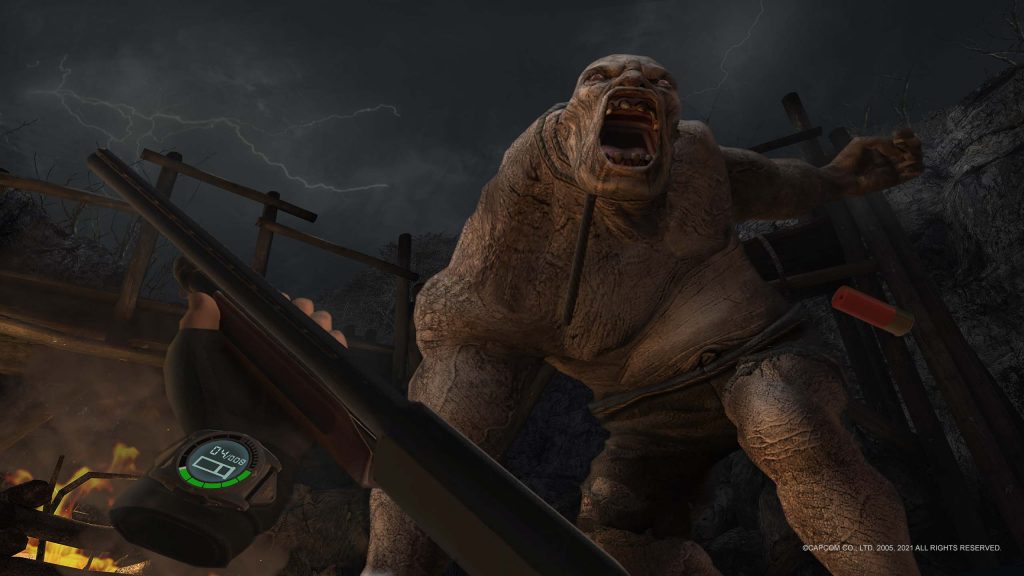
Glance at your left-hand wristwatch to check your current weapon's ammo while mid-combat.
Enlarge / Glance at your left-hand wristwatch to check your current weapon’s ammo while mid-combat.
Capcom / Facebook

I checked RE4VR‘s default menus in search of toggles to frame rates, texture resolutions, or other settings, but there are mostly just control and “comfort” options. The same Reddit community pointed to Sidequest as a simple way to force Quest 2 to try a few more tricks.

This process also requires toggling developer mode on your Oculus account and connecting Quest hardware to a Windows PC. Sidequest streamlines a few “ADB” console commands that you can send to either Quest system, and the Quest 2 can be forced to render games at preferred frame rates and texture resolutions, which can sometimes result in laggy performance, bugs, or outright crashes. In RE4VR‘s case, jumping up from 72 Hz to 90 Hz and slightly higher texture resolutions works without a hitch.

If the game is exhibiting any animation hitches or bugs with these ADB console commands sent to my Quest 2, I certainly can’t perceive them, and I’m particularly sensitive to VR queasiness—so much so, in fact, that RE4VR is an entirely different experience for me with these boosts enabled. Conversely, attempts to run the game at even higher texture resolutions or higher frame rates resulted in more noticeable hitches, suggesting that the Quest 2 has a performance ceiling with this game. (In particular, 120 Hz is a no-go at any setting, based on my uncomfortable tests.) I suggest using Sidequest’s “90 Hz” and “1536 texture size” settings or bumping the texture size even higher to “2048” while leaving the refresh rate at the 72 Hz default to gain fidelity at the cost of frame rate.

https://arstechnica.com/?p=1807066


Apple TV+ releases trailer for South Korean sci-fi thriller Dr. Brain

[embedded content]
Parasite star Lee Sun-kyun plays a brilliant brain surgeon who tries to sync his brain with the dead in Dr. Brain.

Fans of the Oscar-winning film Parasite will recognize the star of Dr. Brain, a new sci-fi thriller from Apple TV+. Lee Sun-kyun, who played Park Dong-Ik in Bong Joon-ho’s film, plays a brilliant brain surgeon who seeks to find out the truth about the tragic accident that befell his wife and son.

This is the first Apple TV+ series filmed completely in Korean, and its release coincides with the official launch of the streaming service in South Korea. Written and directed by Kim Jee-woon (A Tale of Two Sisters, I Saw the Devil), the new six-episode live-action series is based on the popular Korean webtoon of the same name by Hongjacga. Most Americans are probably unfamiliar with the source material, but South Korean programming has proved to be quite popular in the US, as evidenced by Netflix series like zombie period drama Kingdom and this year’s Squid Game. The latter is currently Netflix’s most-watched series to date, reaching over 142 million households during its first month.

So it’s no wonder that Apple TV wants to emulate that success with Dr. Brain. Per the official premise: “The series follows a brilliant brain scientist Sewon (Lee Sun-kyun) who suffers a horrific personal tragedy when his family falls victim to a mysterious accident. Desperate to uncover what happened, he goes to extraordinary lengths to solve the tragic mystery by conducting ‘brain syncs’ with the dead to access their memories for clues.” The series also stars Lee You-young, Park Hee-soon, Seo Ji-hye, and Lee Jae-won.

The trailer opens with the image of a young boy with sensors attached to his head, presumably to detect brain signals. “That child has a very unique brain—a new type of genius,” a voiceover says, and the image then cuts to the adult Sewon wearing the same setup.  We see him hard at work on his research, which is focused on accessing the thoughts and memories of other people. Then we flash back to a brief, happy memory of Sewon with his wife and son, and we get a glimpse of the tragedy that befell them.

It’s not long before Sewon is conducting experiments with corpses in his laboratory, attempting to hack their memories. We only see fragments: a house fire (that may have been deliberately set); a barking dog; a distraught young woman, hands clasped as if in prayer; and a recurring admonition to “find our son.” All those memory fragments are impossibly tangled in Sewon’s head, and he must figure out how to make sense of them.

“The memories feel like hallucinations,” Sewon says. “My mind is in chaos.” It looks like Sewon is also a suspect in a murder, since we see two homicide detectives pay him a visit, assuring him that they will be watching. All in all, it looks like a spookily surreal series.

Dr. Brain debuts on Apple TV+ on November 3, 2021, in the US and globally on November 4, 2021.

Listing image by Apple TV+

https://arstechnica.com/?p=1807216


Grand Theft Auto: The Trilogy on Nov. 11: Cartoonier, flashier, and Game Pass-ier

Aw, blank, here we go again.
Enlarge / Aw, blank, here we go again.
Rockstar Games

Grand Theft Auto: The Trilogy: The Definitive Experience may go down as 2021’s worst-kept secret, but how it would actually look remained surprisingly well-protected until the game’s Friday reveal went live. The new look is visible in a one-minute trailer, which comes with a release date: November 11 for the Xbox console family, PS4/PS5, Nintendo Switch, and PC (via the Rockstar Games Launcher).

Today’s reveal video primarily shows the visual top-to-bottom touch-up applied to all three games in the collection (Grand Theft Auto III, GTA Vice City, and GTA San Andreas), with a few “wipe” transitions comparing a vanilla version of each game to its remastered equivalent. The footage largely consists of cut scenes, as opposed to the behind-the-back view of average gameplay, but we still see enough to get a look at Rockstar Games’ bold artistic changes.

Thanks to the trailer’s focus on cinematic scenes, we get a clear view of how Rockstar updated the characters’ bulky, Mickey Mouse-like blob hands to ones with details like individual fingers. In order to include the new additions while remaining true to the games’ original code and animations, Rockstar has opted for a bulbous, cartoony aesthetic, perhaps most visible in the above after-and-before gallery where a mob boss gestures with his hands while sporting a higher-res, cartoonier face. Each shot also makes clear that Rockstar is employing many higher-res textures, higher shadow resolutions, improved ambient occlusion, increased model geometry, and an entirely new staging of both pre-baked and dynamic lighting. What might look off-putting in screenshots comes together much nicer in the trilogy’s full video trailer (embedded at the end of this article).

Additionally, and arguably more crucially, each game’s control suite has been updated to better resemble GTA V, complete with lock-on weapon aiming and custom waypoint mapping. The Nintendo Switch version brings toggleable motion controls and touchscreen support—though we don’t yet know whether that version will favor higher fidelity and resolution or higher frame rates.

PlayStation 5 and Xbox Series X/S owners can expect “up to 60 fps” performance. Sadly, Rockstar has yet to clarify what kind of performance to expect on Xbox One and PlayStation 4 consoles. PC owners with Nvidia RTX graphics cards can toggle on DLSS to squeeze more performance out of the trilogy. While today’s footage clearly teases some enhanced and more accurate reflections than the original trilogy, they appear to lean on simpler processing techniques as opposed to current-gen ray tracing systems.

More visible detail across this cityscape will make the trilogy's flying sequences that much prettier (and hopefully suffer from far less object pop-in).
Enlarge / More visible detail across this cityscape will make the trilogy’s flying sequences that much prettier (and hopefully suffer from far less object pop-in).

The trilogy has been ported in full to Unreal Engine 4 by Grove Street Games, a longtime Rockstar support studio with experience porting the game maker’s classics to various console and smartphone platforms.

The package costs $60, and there doesn’t appear to be an option to purchase each game separately. However, on the same day that the full trilogy releases, GTA San Andreas: The Definitive Edition will launch as a standalone freebie for paying Xbox Game Pass customers on Xbox consoles. Roughly one month later, on December 7, GTA III: The Definitive Edition will land on Sony’s PlayStation Now service. Physical versions of the trilogy will launch in December, as well, though we’ll be curious to see how much of the Switch version ships on its cartridge and how much will require a follow-up download.

Without a clear look at updates to the UI and general gameplay mechanics, we’re left wondering exactly how much better this $60 package will be than applying many of the available mods to the game’s original PC version. If you have missed our advice earlier this month, your modding dreams may be toast, though—as Rockstar has formally delisted all older versions of the games from storefronts like Steam. (If you had previously bought those games, at least, you can still download, access, and mod the heck out of them.)

[embedded content]
GTA Trilogy: The Definitive Edition trailer.

Ars Technica may earn compensation for sales from links on this post through affiliate programs.

https://arstechnica.com/?p=1806828