Learn how the creator economy is transforming the marketing landscape, and how to cultivate partnerships to grow engaged communities at Social Media Week: The Creatorverse, May 16–18 in NY. Register now to secure your early bird pass.
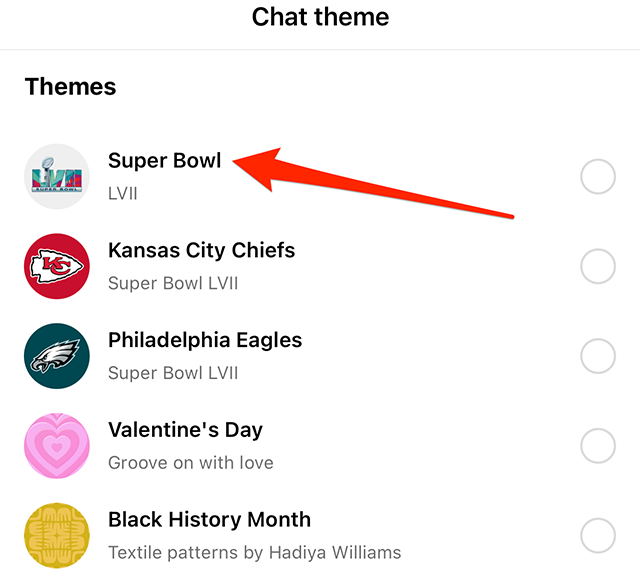
Ahead of Super Bowl LVII, Meta released new chat themes in the Instagram mobile application that add NFL-themed backgrounds and colors to conversations. There are three chat themes to choose from: “Super Bowl,” “Kansas City Chiefs” and “Philadelphia Eagles.”
Our guide will show you how to use the Super Bowl LVII chat themes in the Instagram mobile app.
Note: These screenshots were captured in the Instagram app on iOS. Also note, these themes are also available in the Messenger app.
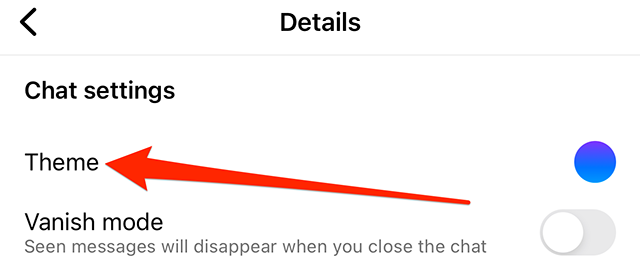
Step 1: Open the Messenger conversation you want to customize and tap the conversation name at the top of the screen.
Step 2: Tap “Theme.”
Step 3: Tap one of the Super Bowl LVII chat themes. Note: Instagram doesn’t have preview screens or confirmation windows for themes. Once you tap a Super Bowl LVII chat theme, the conversation will be updated.
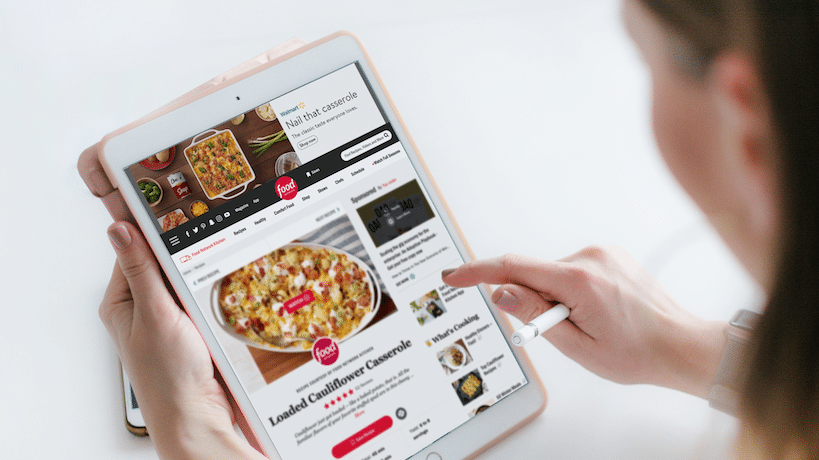
Walmart’s retail media network: What advertisers need to know
Retail media may be a new buzzword, but it’s an old concept. It’s media provided by the retailers, with a new name and digital makeover.
Think back to that old cutout of Hulk Hogan standing at the edge of your childhood supermarket aisle hawking chips. Retail media is like that but on the web.
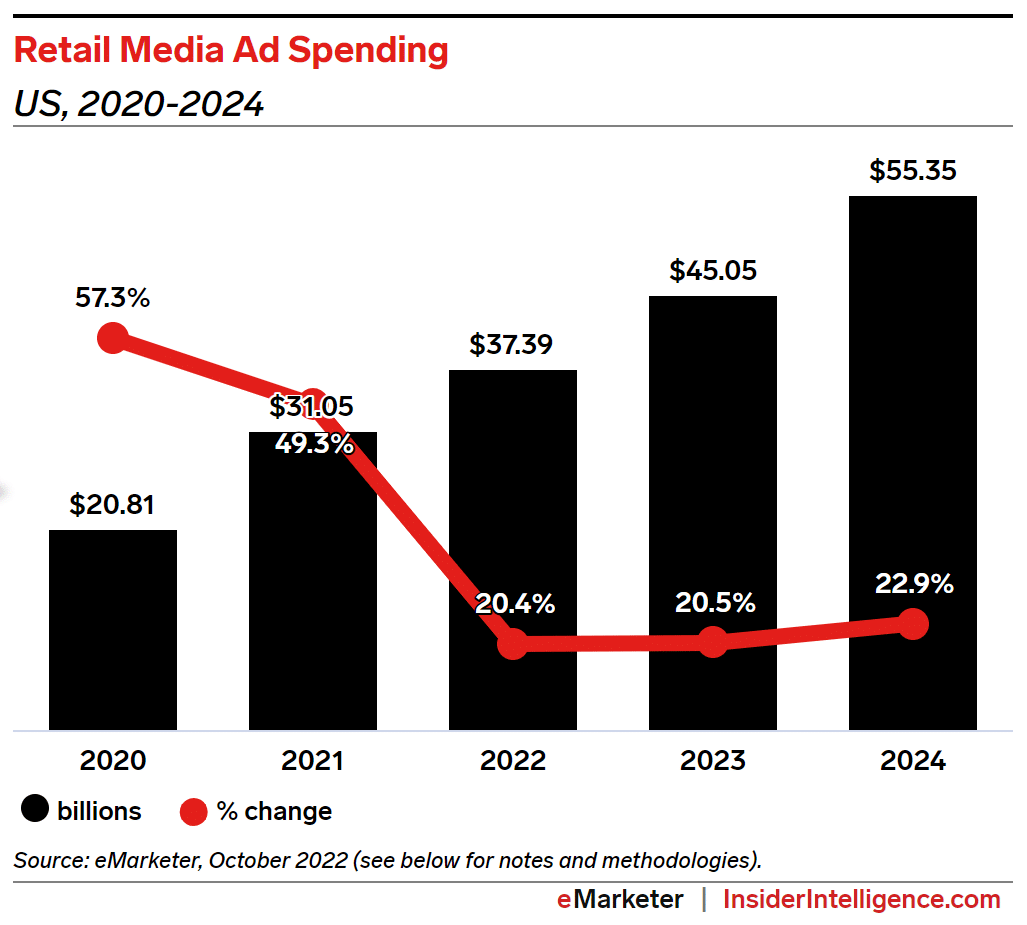
With retail media ad spending on pace to grow over 20% in 2023 to upwards of $45 billion, it’s no surprise that retailers of all shapes and sizes are running for a piece of the pie.
That pie is growing bigger by the minute given the industries’ growing need for first-party data and corresponding retail-specific ad opportunities, which are constantly evolving. Let’s not forget, COVID happened and completely upended consumers’ approach to retail.
Ecommerce demand has continued to grow, albeit at a slower pace post-pandemic. But what’s also growing is consumers’ need for a more flexible and personal shopping experience beyond digital.
Consumers’ growing need for flexible fulfillment solutions
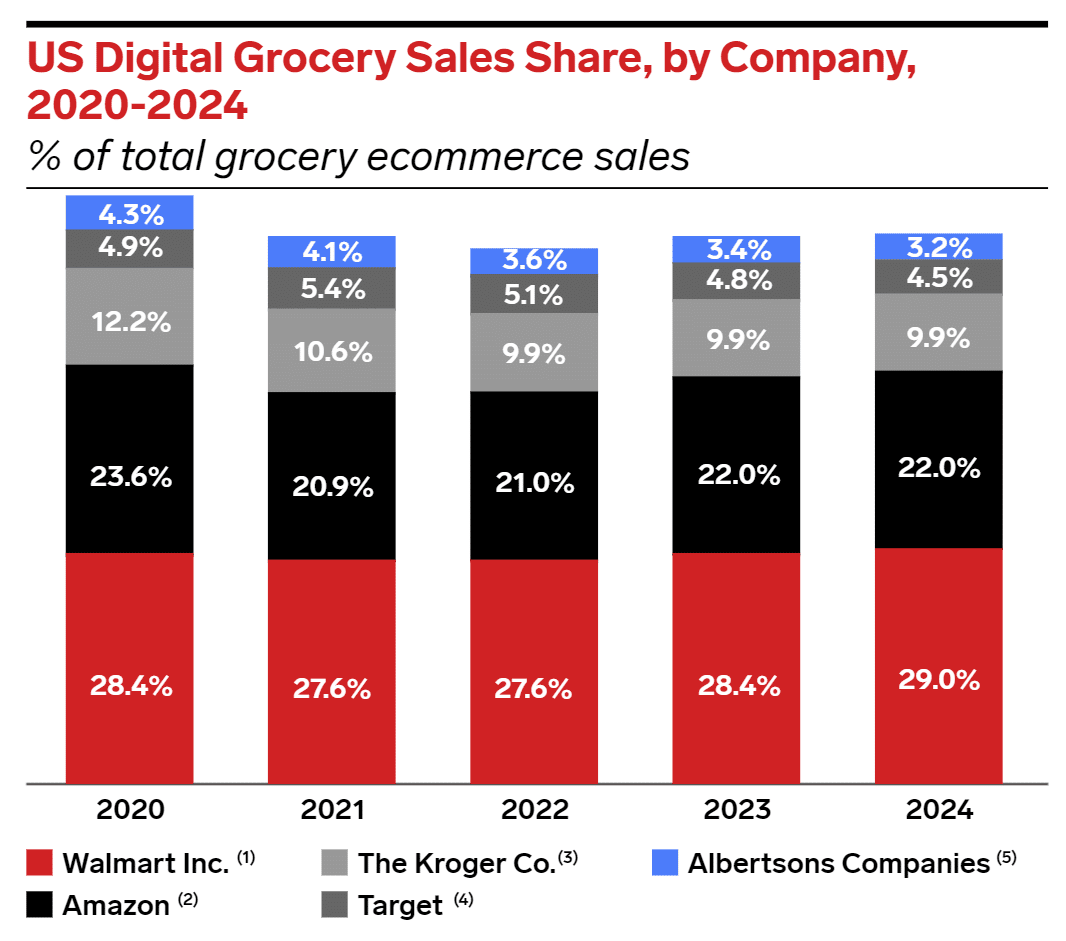
With Amazon being in the number one spot of top U.S. companies by ecommerce share (~38%), suffice it to say they have got digital down and cornered.
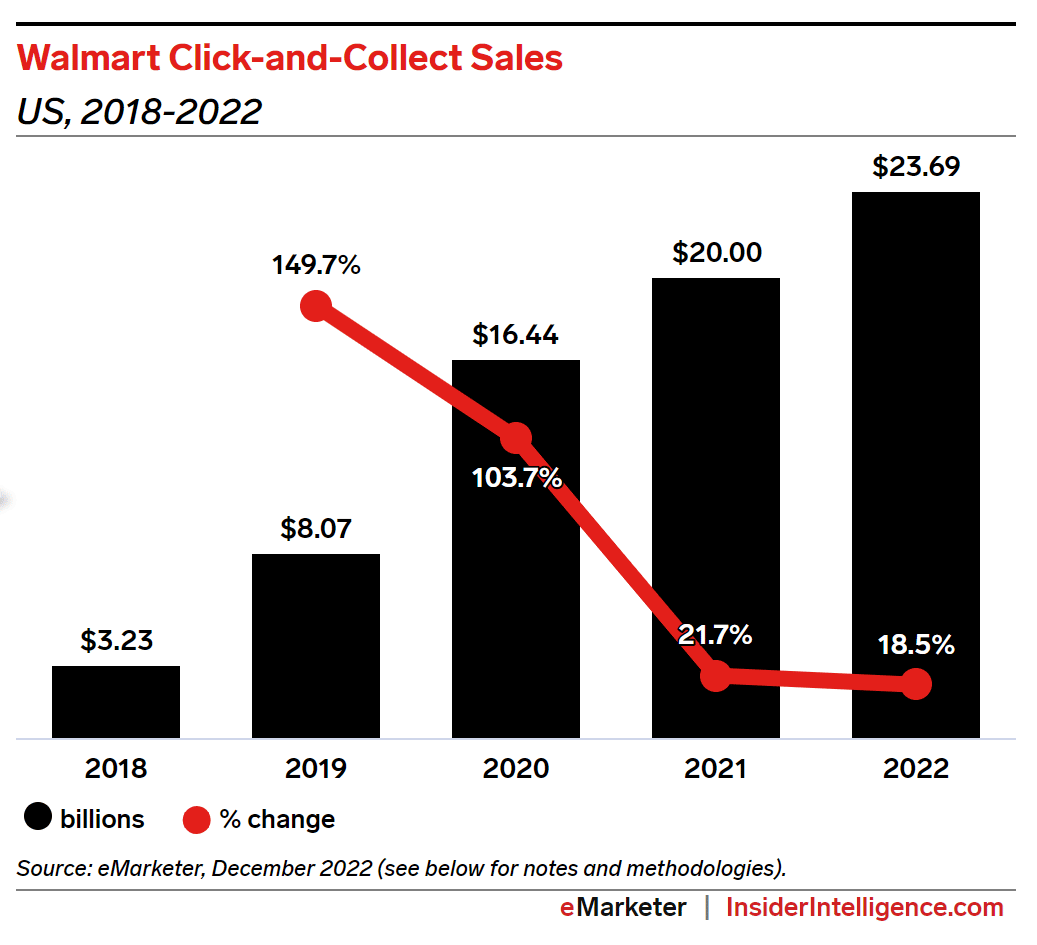
But Amazon lacks physical retail locations – which just so happen to be essential for the growing popularity of flexible fulfillment solutions, such as buy online, pick up in-store (BOPIS), click and collect (C&C), curbside pickup, and more.
What Amazon lacks, Walmart – its closest competitor in the digital space – has in droves. The retail giant’s 4,700+ physical retail locations helped cement them as the largest U.S. retailer.
Physical locations aside, Walmart has a strong and growing digital offering. It is ranked second in the U.S. for ecommerce share, heavily driven by its dominant digital grocery performance.
Interestingly, grocery is a category rarely seen in digital pre-2019 but is quickly expanding in connection with solution advancements and consumer needs.
This combination of dominant physical reach with a growing digital powerhouse truly positions Walmart as a differentiated solution with rapidly expanding opportunities.
Get the daily newsletter search marketers rely on.
Walmart’s current ad offerings
Although Walmart is playing a bit of catch-up on platform sophistication and ad opportunities compared to industry peers like Amazon and Google, they are doing it at an incredible pace.
Before 2021, nearly all advertising efforts were managed by Walmart, except for their stand-alone self-serve search ad unit, sponsored products.
Jump a couple of short years ahead and they have expanded their search and display efforts aggressively, resulting in three new self-serve service lines with:
Sponsored brands.
Display self-serve (DSS).
Walmart DSP.
Walmart still offers a managed service for first-party sellers with spend commitments and deep pocketbooks, but it’s clear to see their priority in opening advanced ad opportunities to a wider seller base.
Before we get ahead of ourselves and jump to what’s next, let’s look at Walmart’s current ad opportunities that sellers of all sizes can leverage to drive brand performance and relevancy on and off the platform.
Sponsored products
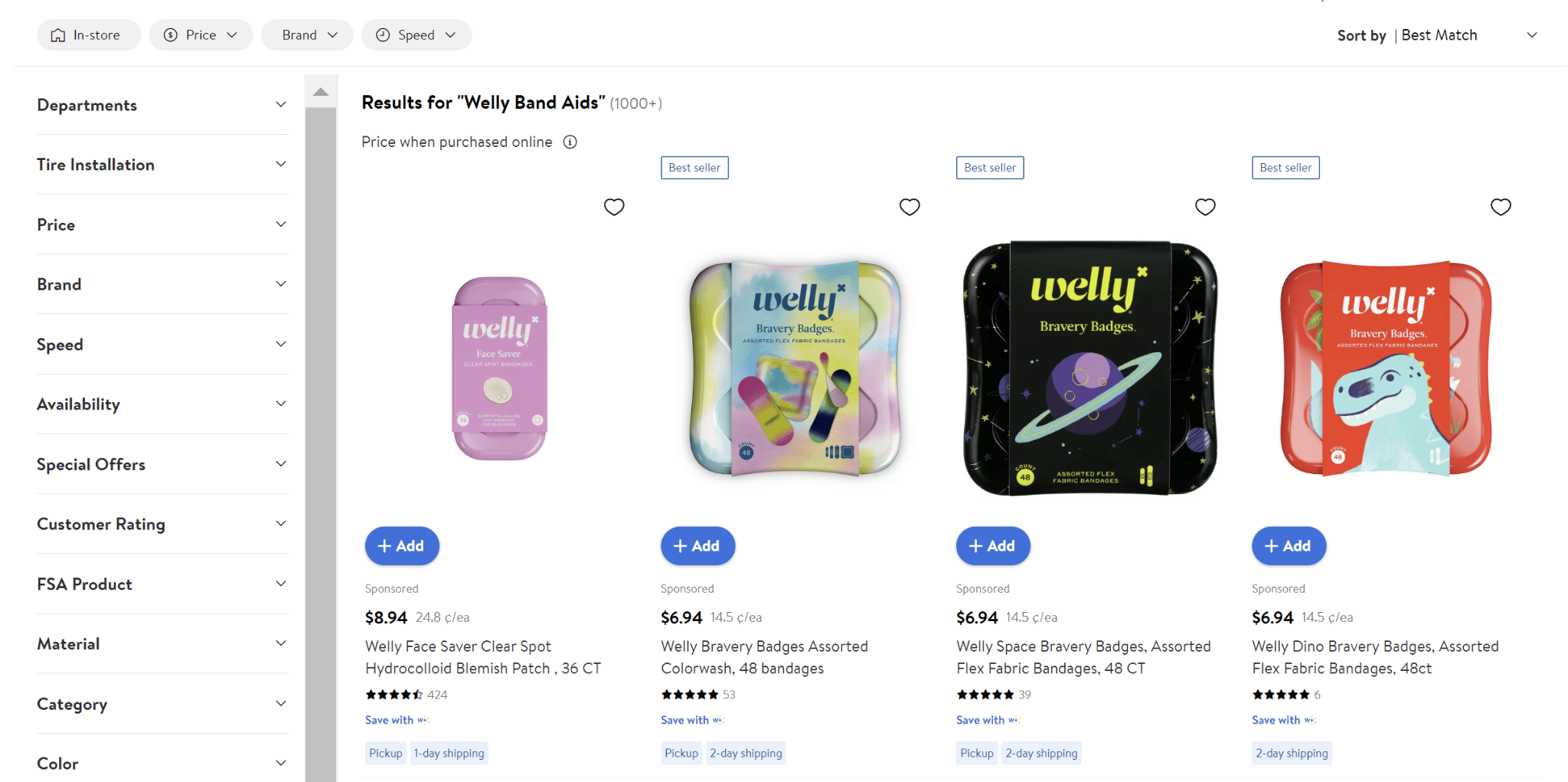
Walmart’s core search offering, sponsored products let you leverage search terms and product data to serve ads against consumers’ search intent.
This ad unit generally captures consumers within the intent phase of the customer journey, given that the ads are served alongside organic placements within the search engine results page (SERP).
They commonly have digital-focused, return-based goals since this ad unit is closest to the point of purchase.
Availability: First party and third party
Funnel position: Intent
Sponsored brands
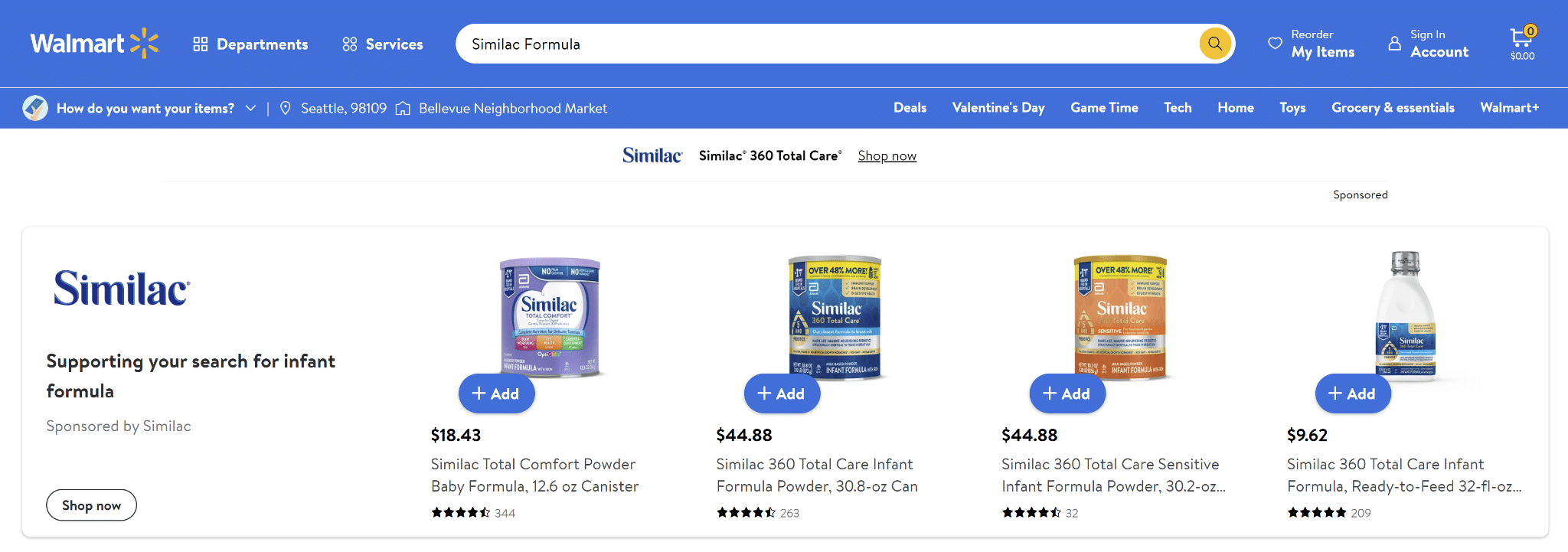
Sponsored brand ads are top-of-page search banner ads served against consumers’ search intent.
They are great for:
Moving slightly up the funnel into brand-building tactics.
Leveraging competitive tactics and category share improvements given the keyword targeting structure and top-of-page placement.
These PPC ad units contain a brand logo, which will lead to a shelf (sub-category) or search page, and up to three products, which will redirect to a product page.
Availability: First party and third party
Funnel position: Consideration, intent
Self-serve display
Walmart DSS (Onsite)
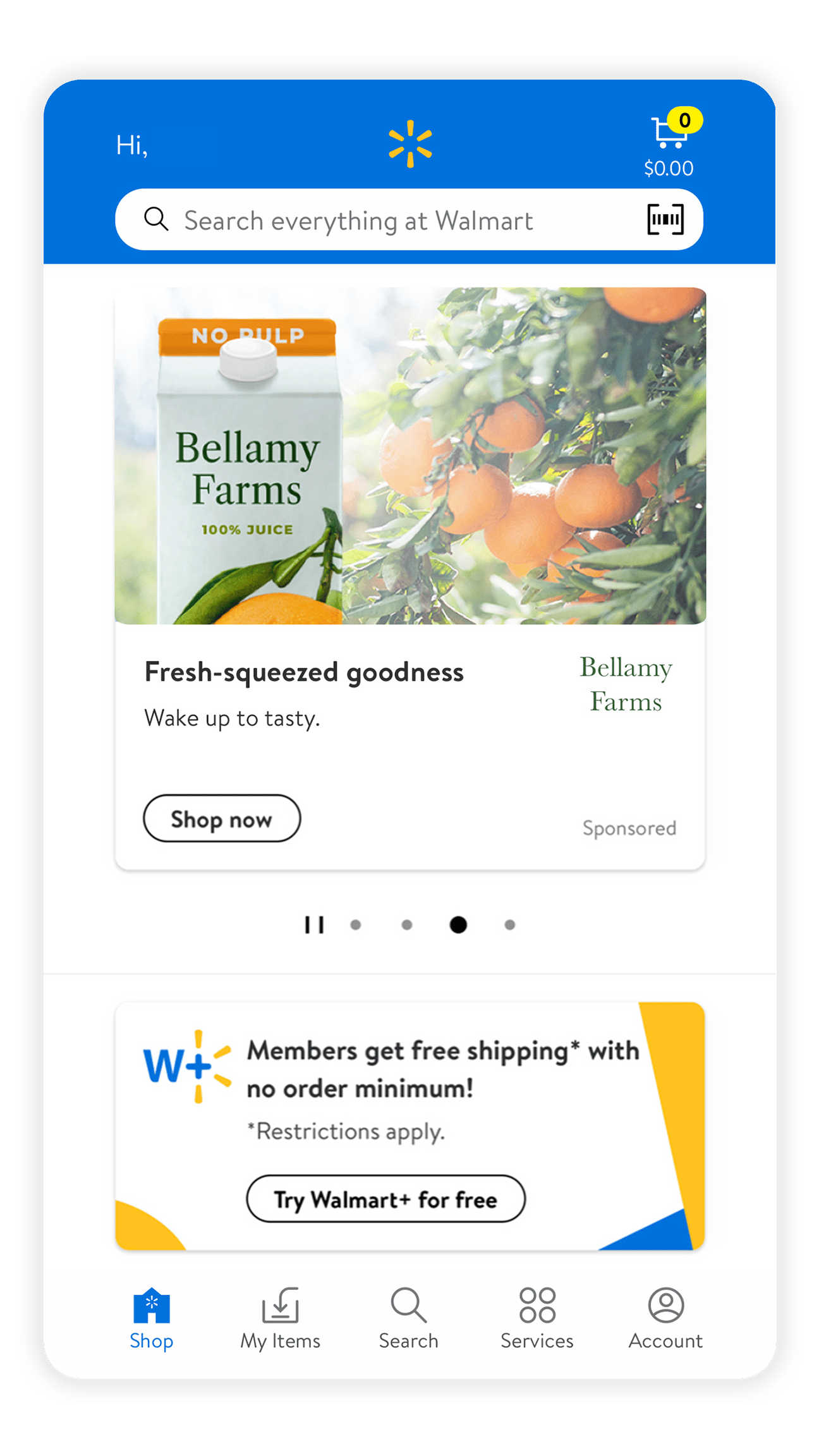
Walmart display self-serve (DSS) is a nimble, self-serve platform that gives advertisers control over their onsite Walmart display advertising efforts.
Within DSS, advertisers can leverage Walmart audiences to serve display assets to consumers across Walmart.com via numerous targeting tactics.
This platform comes with an automated creative builder and efficient campaign setup for agility at scale.
Additionally, the DSS platform includes digital and in-store performance reporting to better understand total impact.
Availability: First party
Funnel position: Awareness, consideration
Source: Walmart Connect
Walmart DSP (Offsite)
Walmart DSP is a demand-side platform that marries the power of The Trade Desk’s industry-leading technology with Walmart’s expansive omnichannel first-party data.
This leads to a differentiated offer that allows advertisers to leverage Walmart audiences to serve ads across The Trade Desk’s inventory across the open web.
With the added benefit of Walmart’s closed-loop reporting, sellers will have a clear view of the impact that their omnichannel ad efforts are having throughout all points of the customer journey, both on and offline.
Availability: First party
Funnel position: Awareness, consideration
Source: Walmart Connect
What’s in store for Walmart advertisers and how to get ahead
As you can see from the above advancements, Walmart understands advertisers’ need for accessing and acting on first-party data at scale.
Recent social, live stream and video partnerships point to the retailer’s bid to serve consumers looking for more interactive and personal shopping experiences.
Ultimately, Walmart is laying the groundwork for advertisers to leverage their data within these new and engaging ad formats.
Given that the last update we received in this area was in mid-September of last year, I would anticipate further advancements in the coming months.
Don’t get me wrong – ad expansion is great but it’s only half the battle. Understanding the impact of those ads is just as important, if not more, both online and in-store.
Walmart has an uphill battle in this department given their high in-store and cash transaction rates. They are taking steps to close that gap, which includes the expansion of Walmart+.
Walmart+ has seen consistent growth and now accounts for up to 25% of total ecommerce sales, according to a recent study by Consumer Intelligence Research Partners (CIRP).
In addition, Walmart is also working to close the loop through programs like cashback rewards, in partnerships with solution providers like Ibotta. This is a major priority for brands across the board so I would expect this to be a focus within the coming year.
If you take anything from this piece remember this…
Walmart has the physical infrastructure to meet consumers’ evolving shopping needs and the pocketbook and roadmap to claw away at digital market share.
Their data is growing and so are the ways in which they are allowing advertisers to leverage it. Sure, they still have solution gaps, but they are not scared to try things and are aggressively working to close them.
Needless to say, I expect 2023 to be a year of evolution. Buckle in because the retail media race is on, and Walmart has a pole position.
Opinions expressed in this article are those of the guest author and not necessarily Search Engine Land. Staff authors are listed here.
@media screen and (min-width: 800px) { #div-gpt-ad-3191538-7 { display: flex !important; justify-content: center !important; align-items: center !important; min-width:770px; min-height:260px; }
}
@media screen and (min-width: 1279px) { #div-gpt-ad-3191538-7 { display: flex !important; justify-content: center !important; align-items: center !important; min-width:800px!important; min-height:440px!important; }
}
About the author
With over twelve years in the eCommerce industry, Stuart has worn a number of different hats including Account/Program Management (paid search, shopping, display, etc…), Product Management, Business/Partnership Development, and more. He has now found a home at Tinuiti as Director of Commerce Strategic Services, focusing on identifying and establishing new and emerging Retail Media opportunities. Although his role interacts with many different Retail Media selling channels including Target, Instacart and Kroger (just to name a few), his main focus is set on strengthening Tinuiti’s holistic relationship with Walmart and ensuring advancement within Product, Partnership & Performance.
The new Bing: Microsoft unveils its ChatGPT-like, AI-powered search engine
Microsoft will launch a new, AI-powered search engine that people can chat with, ask questions, or even use to create content.
We learned this today from Yusuf Mehdi, Corporate Vice President & Consumer Chief Marketing Officer, Microsoft today at a special Microsoft press event in Redmond, Wash. I’m live in attendance, along with Search Engine Land editor Nicole Farley to get our first look at the new Bing.
ChatGPT coming to search. A month ago, we reported that Microsoft was planning to add ChatGPT to search. But now it’s been confirmed by Microsoft. Bing will be using a new ChatGPT designed for search.
Microsoft said this version of OpenAI’s ChatGPT is faster, more accurate and customized specifically for search, using GPT-3.5.
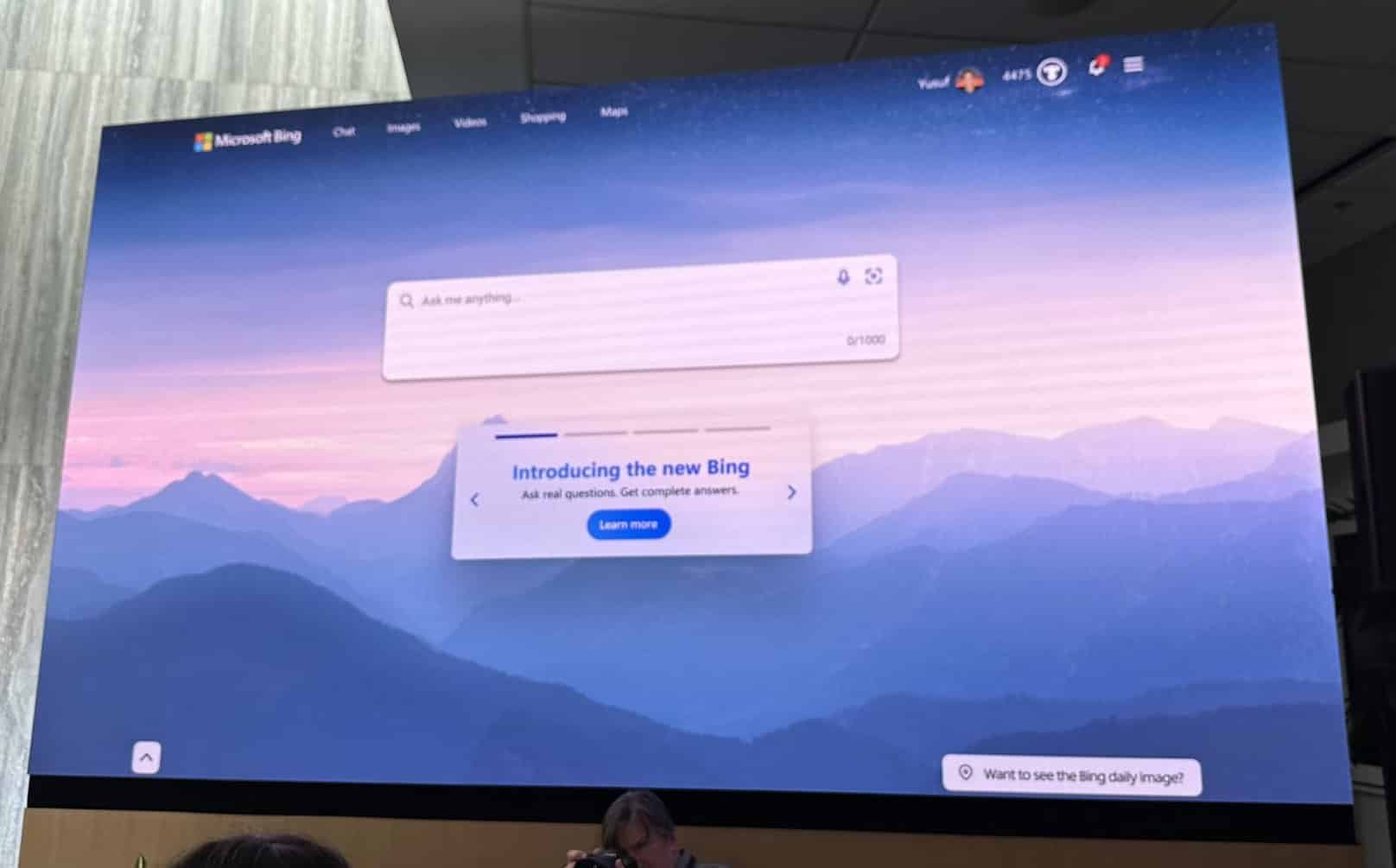
With the new homepage, Bing greets searchers with the message “Ask me anything.” Bing tells searchers they can ask questions and get complete answers.
Core search changes. Microsoft also announced new core search index improvements. The company said it applied AI to Bing’s core search ranking engine and the result was a huge improvement in relevancy.
What Bing’s search results look like. Here’s our first look at what the new Bing search results incorporating ChatGPT will look like:
The results appear on the right side of the search results page and include annotations that cite sources.
It can provide more “real-time” answers, using the Bing index:
Microsoft admitted that these results won’t always be perfect, which is why there will be feedback links.
You can also switch between search and chat:
Bing can also create content and inspiration. Here’s what that looks like:
Bing can rewrite code from one language to another. Here’s what that looks like:
Prometheus model. Microsoft said it is using its Prometheus model to power these AI integrations. Microsoft said the model helps:
Improve relevancy.
Annotate answers.
Provide up-to-date results.
Understand geolocation.
Increase safety.
Why we care. Microsoft CEO Satya Nadella opened the event by calling these incredibly exciting times. And he’s right. They are. We are watching AI technology reshape, perhaps even “revolutionize” search. The addition of AI chat to search by Google and Microsoft Bing will have major implications for everyone in search marketing.
Half of people’s searches go unanswered. According to Microsoft:
“There are 10 billion search queries a day, but we estimate half of them go unanswered. That’s because people are using search to do things it wasn’t originally designed to do. It’s great for finding a website, but for more complex questions or tasks too often it falls short.”
Some other interesting stats from Microsoft and context on why it’s time for a “new approach” with search:
40% of queries result in someone clicking back.
Most searches are three keywords or less.
50,000 people’s searches go unanswered.
Preview. Microsoft said it will be previewing the new Bing today on desktop, where you can do some sample queries and sign-up to get on the waitlist. More people will get the preview in the coming weeks. You can try to gain access yourself at bing.com/new.
@media screen and (min-width: 800px) { #div-gpt-ad-3191538-7 { display: flex !important; justify-content: center !important; align-items: center !important; min-width:770px; min-height:260px; }
}
@media screen and (min-width: 1279px) { #div-gpt-ad-3191538-7 { display: flex !important; justify-content: center !important; align-items: center !important; min-width:800px!important; min-height:440px!important; }
}
About the author
Barry Schwartz a Contributing Editor to Search Engine Land and a member of the programming team for SMX events. He owns RustyBrick, a NY based web consulting firm. He also runs Search Engine Roundtable, a popular search blog on very advanced SEM topics. Barry can be followed on Twitter here.
Learn how the creator economy is transforming the marketing landscape, and how to cultivate partnerships to grow engaged communities at Social Media Week: The Creatorverse, May 16–18 in NY. Register now to secure your early bird pass.
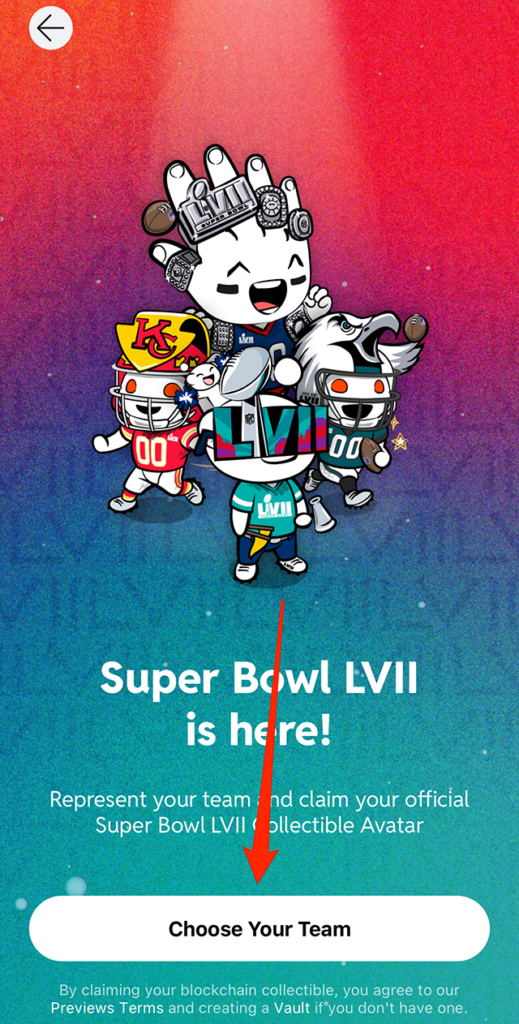
Ahead of Super Bowl LVII Feb. 12, Reddit released a series of free, limited-edition Super Bowl LVII Collectible Avatars for users to collect. Four avatars are available to choose from, but each user can only claim one.
Our guide will show you how to get a collectible NFL avatar in the Reddit mobile application.
Note: These screenshots were captured in the Reddit app on iOS.
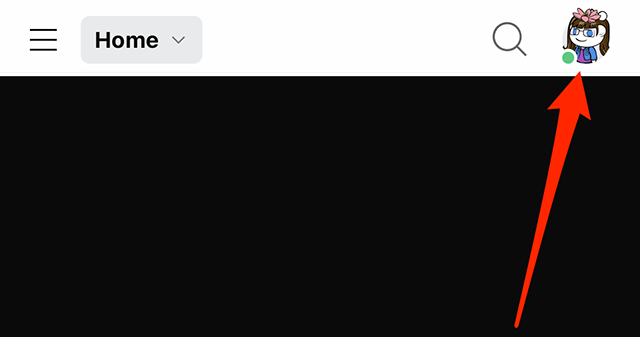
Step 1: Tap your current avatar or profile picture in the top-right corner of the screen.
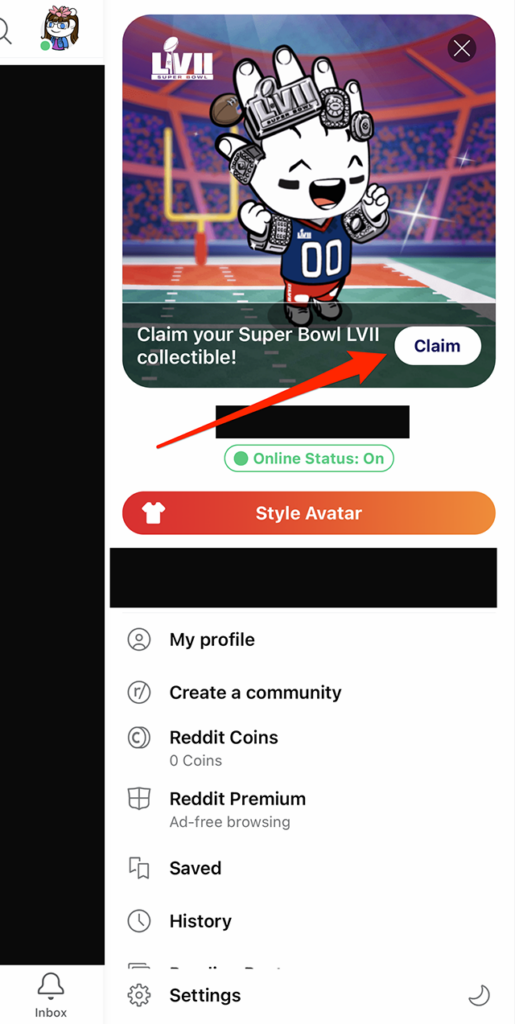
Step 2: You should see an animated NFL avatar at the top of the screen. Tap the “Claim” button to the right of the text that reads “Claim your Super Bowl LVII collectible!”
Step 3: Tap the “Choose Your Team” button at the bottom of the screen.
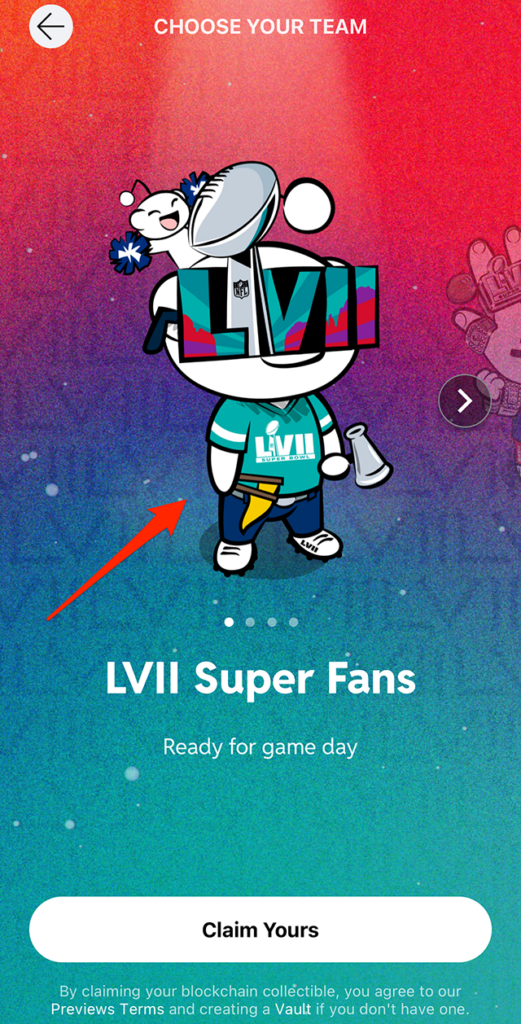
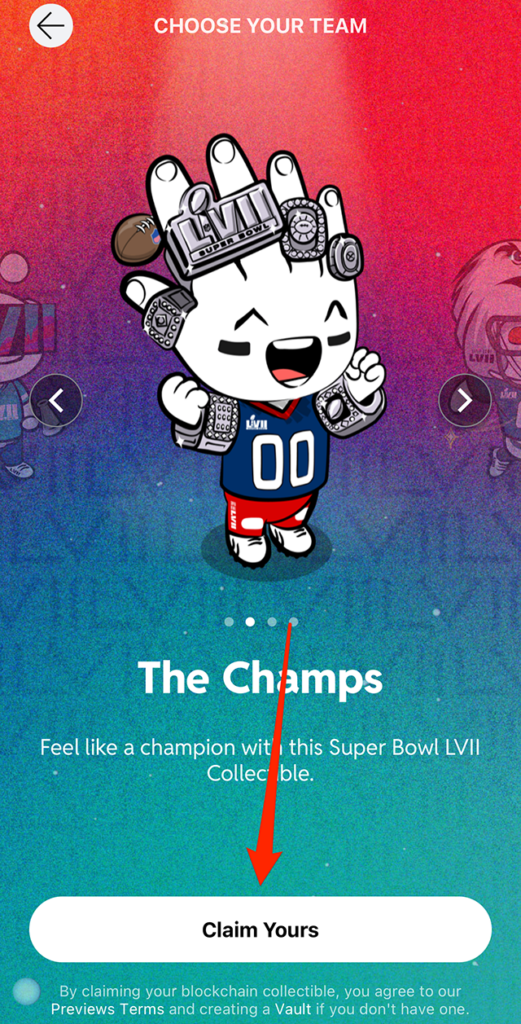
Step 4: Swipe from right to left to view the four available avatars.
Step 5: Once you’ve selected the avatar you want to claim (make sure it’s the one displayed on the screen), tap the “Claim Yours” button at the bottom of the screen.
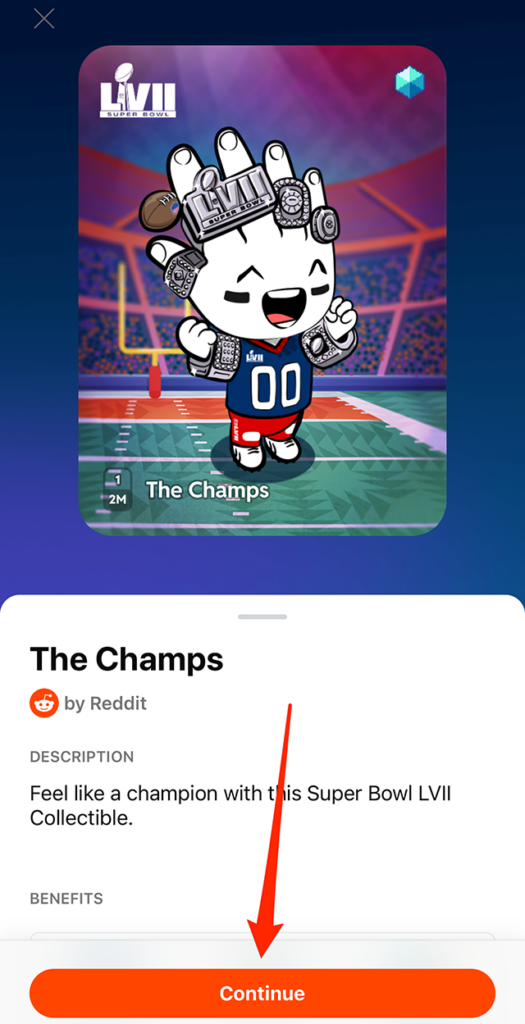
Step 6: You’ll see a screen that will give you more information about the avatar you’ve selected. Tap the “Continue” button to continue claiming your avatar.
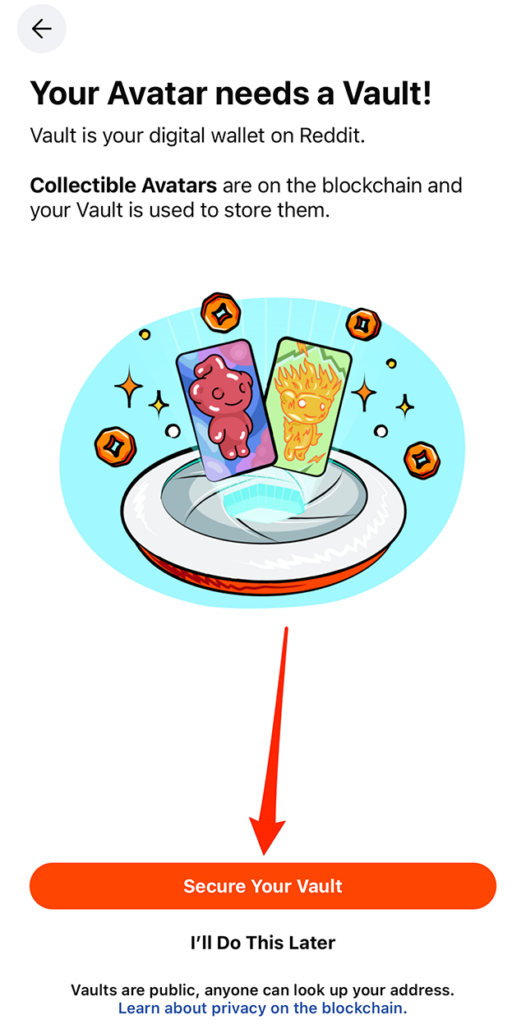
If you’ve never created a Vault on Reddit, you’ll need to do so (your “Vault” is your digital wallet on the platform). Tap the “Secure Your Vault” button at the bottom of the screen to create your Vault. This process will require you to create a password for your Vault.
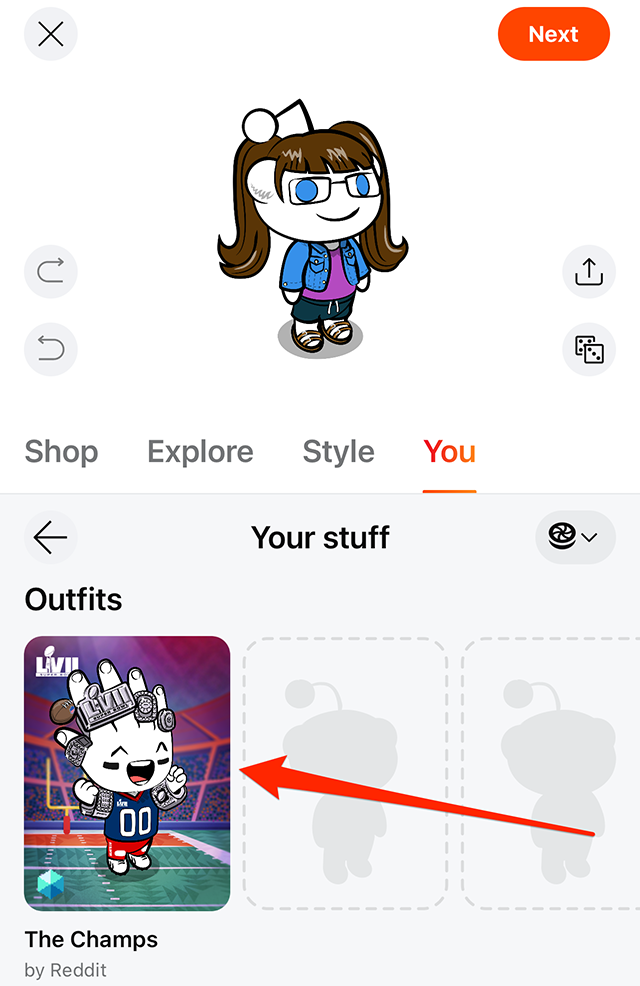
Once you’ve claimed your NFL avatar, you can select it in Reddit’s avatar editor to change your avatar’s appearance. You can dress your avatar in the entire NFL-themed outfit, and you can also mix and match pieces from the NFL-themed outfit with other clothing and accessory items that are available.
Mastodon shows declined growth, despite concerns with Twitter
Mastodon was all the craze when Elon Musk took over Twitter, but its growth has not just slowed in the past several weeks but has actually declined. The monthly active users are now at about 1.4 million after reaching 2.5 million users in November 2022.
The growth and decline. Wired published a great chart showing the growth and decline of Mastodon over the past several months.
Why the decline. That is a good question, and many suspect that Mastodon, being a decentralized platform, is just too hard for the normal user to set up and use. Sure, there is a pretty active SEO community on Mastodon, but even that community seems to be less active today than it was a month or two ago.
The truth is, once you set it up and start using it, it is not hard to use. You just need to know how to find people on the platform, and the best way might be hashtags.
However, most users want to lurk and follow their favorite personalities on a platform. Finding people on Mastodon is hard, very hard, and you first need to find out what server that user is on and then search for that person’s username and server name. It is confusing and frustrating for the average user.
Why we care. Participating in social networks is time-consuming, and if you are active on those networks, you want to see a return on your investment. Maybe that return is friendship, and maybe it is engagement, maybe it is views on your content, maybe revenue or maybe something else.
If the people have a hard time finding you on a network and your reach is limited, is it worth investing your time on that platform? Seems like recent data says no.
@media screen and (min-width: 800px) { #div-gpt-ad-3191538-7 { display: flex !important; justify-content: center !important; align-items: center !important; min-width:770px; min-height:260px; }
}
@media screen and (min-width: 1279px) { #div-gpt-ad-3191538-7 { display: flex !important; justify-content: center !important; align-items: center !important; min-width:800px!important; min-height:440px!important; }
}
About the author
Barry Schwartz a Contributing Editor to Search Engine Land and a member of the programming team for SMX events. He owns RustyBrick, a NY based web consulting firm. He also runs Search Engine Roundtable, a popular search blog on very advanced SEM topics. Barry can be followed on Twitter here.
Join TV, media, marketing and tech leaders for Adweek Convergent TV, Mar. 21–22. Virtual and in-person passes available. 50% off through Feb. 6.
TikTok allows users to view all of the videos they’ve commented on in their “Comment History.”
Our guide will show you how to view your Comment History within the TikTok mobile application.
Note: These screenshots were captured in the TikTok app on iOS.
Step 1: On your TikTok profile, tap the three horizontal lines in the top-right corner of the screen.
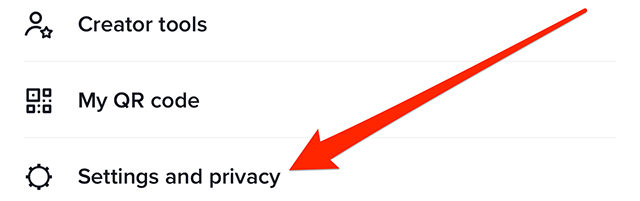
Step 2: Tap “Settings and privacy.”
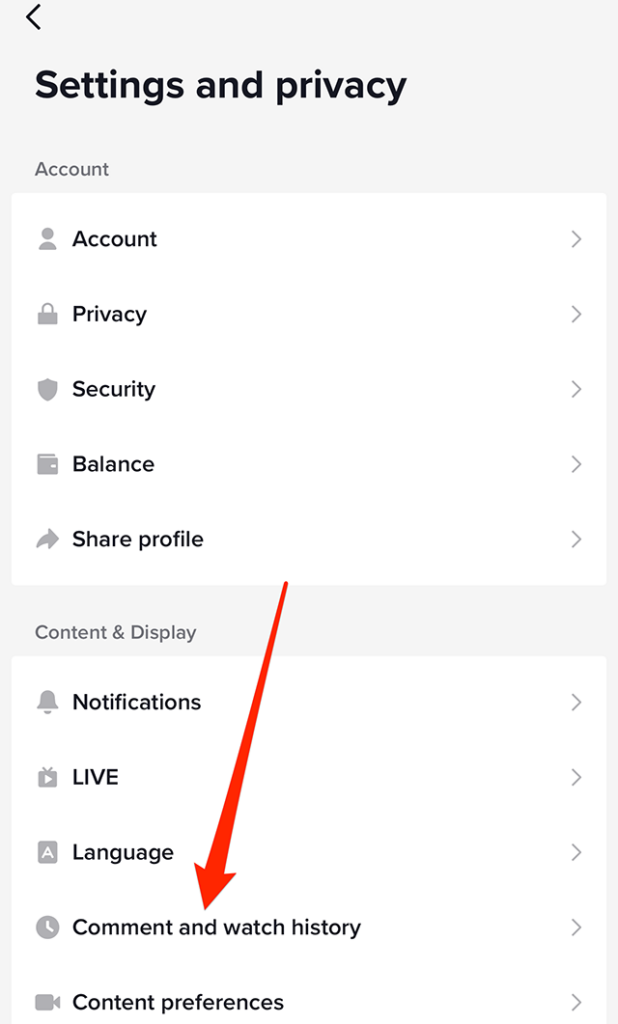
Step 3: Under the “Content & Display” section, tap “Comment and watch history.”
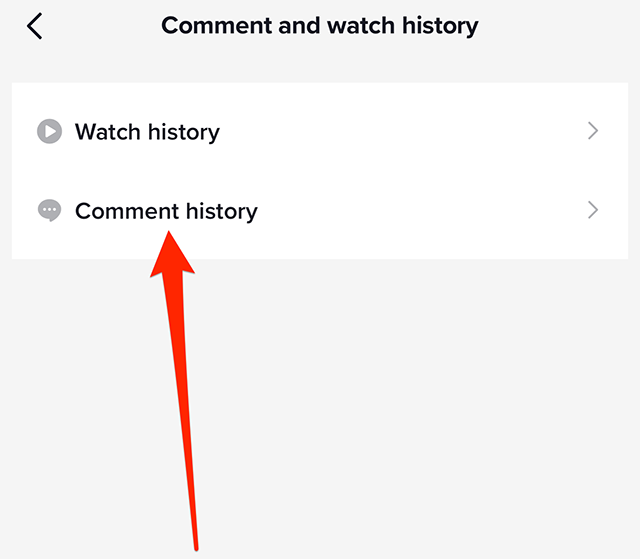
Step 4: Tap “Comment history.”
From there, you’ll see a list of the videos you’ve commented on. If you tap a comment, the app will take you to the video and show you your comment in the video’s comments section.
Join TV, media, marketing and tech leaders for Adweek Convergent TV, Mar. 21–22. Virtual and in-person passes available. 50% off through Feb. 6.
Messenger users can pin messages in conversations so they can quickly reference them again in the future. Users can also unpin messages in conversations if they no longer need quick access to this content.
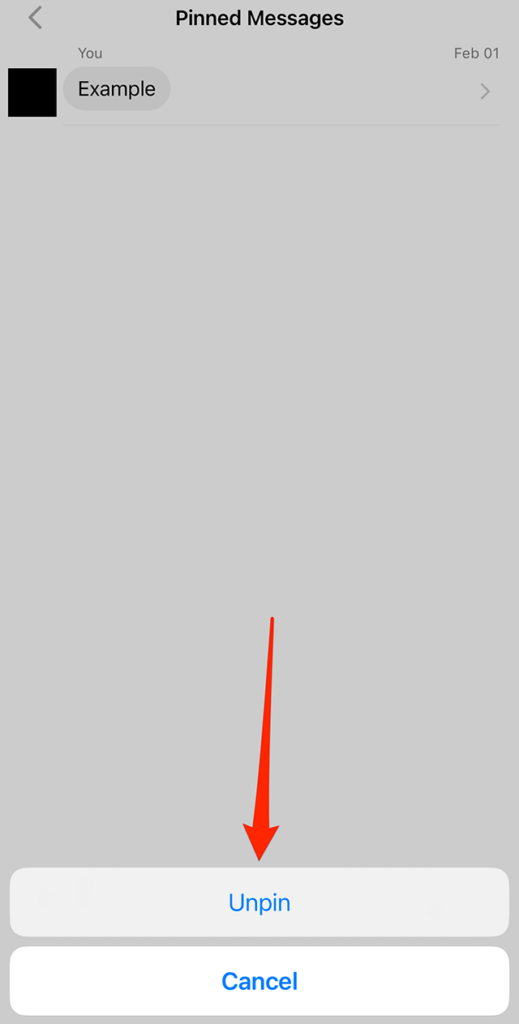
Our guide will show you how to unpin messages in a conversation in the Messenger mobile application.
Note: These screenshots were captured in the Messenger app on iOS.
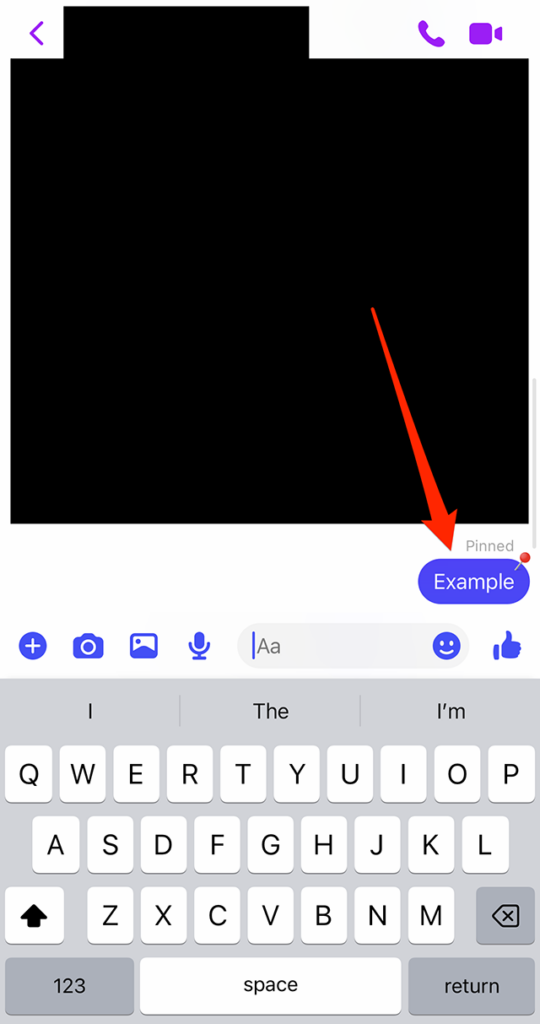
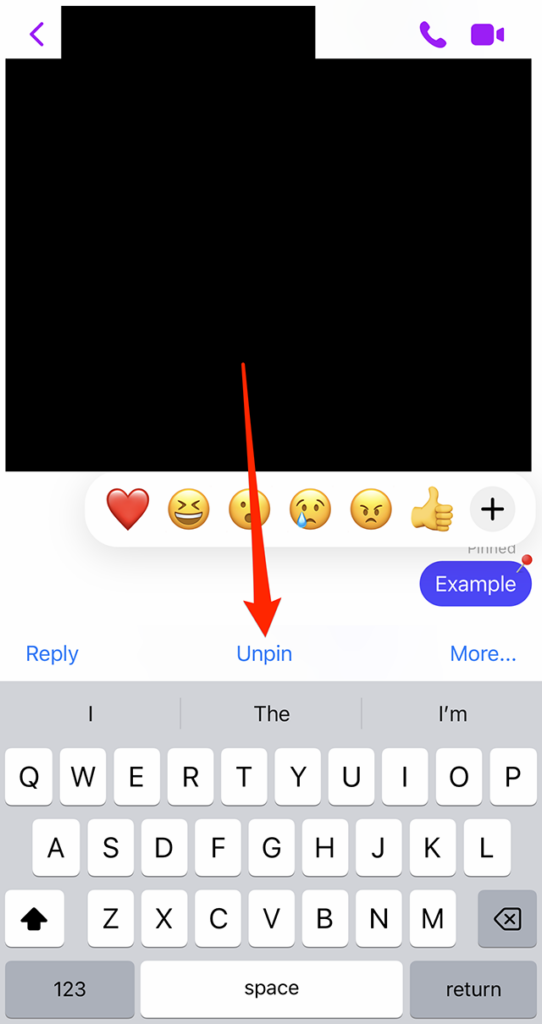
Step 1: Tap and hold on the pinned message you want to unpin.
Join TV, media, marketing and tech leaders for Adweek Convergent TV, Mar. 21–22. Virtual and in-person passes available. 50% off through Feb. 6.
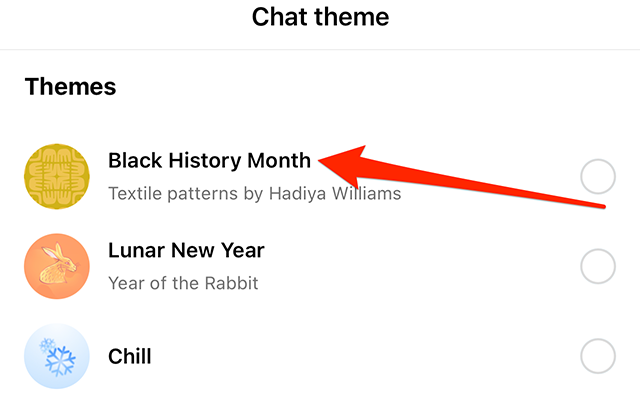
To celebrate Black History Month, Instagram released a Black History Month chat theme that adds textile patterns created by Hadiya Williams to conversations.
Our guide will show you how to use the Black History Month chat theme in the Instagram mobile application.
Note: These screenshots were captured in the Instagram app on iOS. Also note, this theme is also available in the Messenger app.
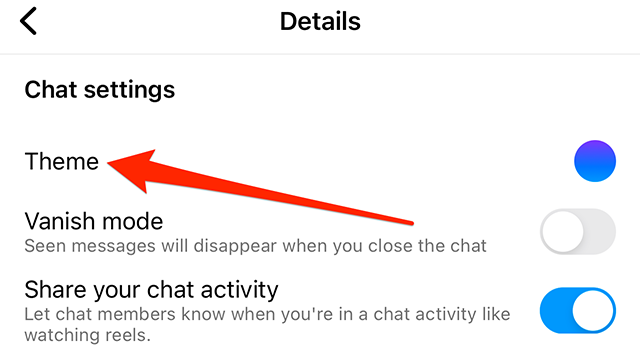
Step 1: Open the Instagram conversation you want to customize and tap the conversation name at the top of the screen.
Step 2: Tap “Theme.”
Step 3: Tap the “Black History Month” chat theme. Note: There is no preview screen or confirmation window. When you tap the “Black History Month” chat theme, the conversation will be updated.
Join TV, media, marketing and tech leaders for Adweek Convergent TV, Mar. 21–22. Virtual and in-person passes available. 50% off through Feb. 6.
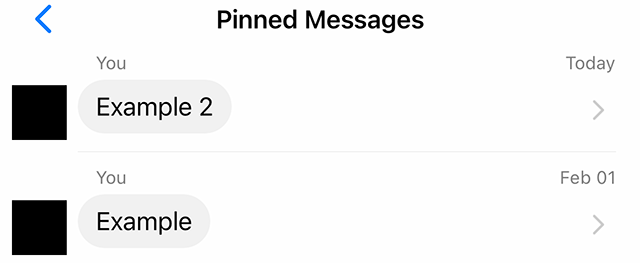
Messenger allows users to pin messages in conversations so they can easily reference them again in the future. As multiple messages are pinned in a conversation over time, users can view all of the pinned messages in the chat in a single place.
Our guide will show you how to view all of the pinned messages in a chat in the Messenger mobile application.
Note: These screenshots were captured in the Messenger app on iOS.
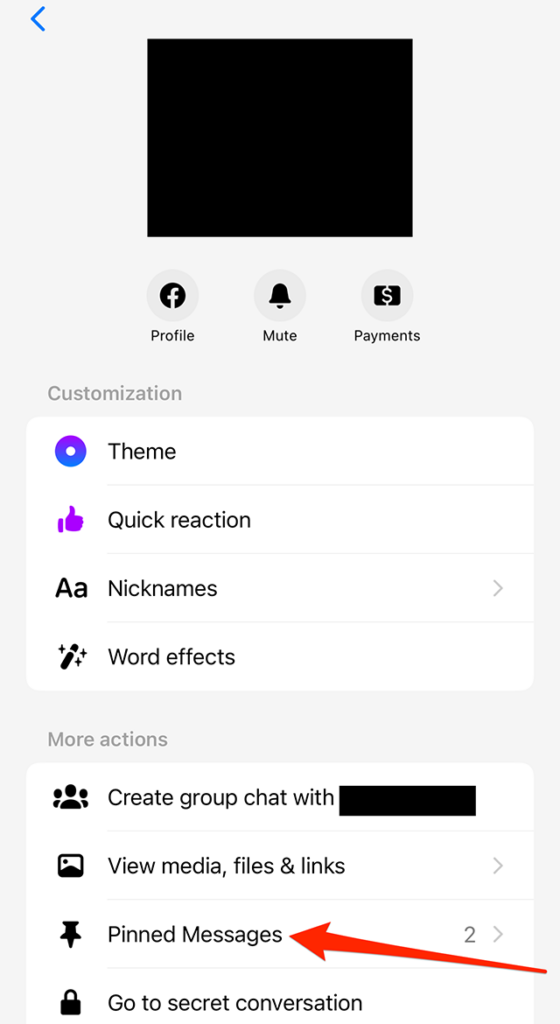
Step 1: Open the Messenger conversation with the pinned messages you want to view and tap the conversation name at the top of the screen.
Step 2: Under the “More actions” section, tap “Pinned Messages.”
From there, you’ll see a list of the messages that have been pinned in the conversation. If you tap a message, the app will take you back to the conversation where you can view the message in its original context.
OpenAI announced that its highly-anticipated paid version of ChatGPT has launched. Called ChatGPT Plus, it will only be available for people who live in the U.S.
Despite earlier pricing rumors reported in the media, ChatGPT Plus won’t cost $42 a month. It will cost $20 per month.
People who have been on the waitlist for the paid version should expect an invite “over the coming weeks.” The company also said it plans to “soon” offer the service in additional countries.
What you get for $20 a month. OpenAI said the paid version will offer three benefits over the free version:
General access to ChatGPT, even during peak times
Faster response times
Priority access to new features and improvements
Why we care. ChatGPT is a technology that has several use cases in search marketing, whether it’s for SEO or PPC. So if you’ve found yourself unable to use ChatGPT because the service was at capacity, now you have the cure – and it will cost you $20 a month.
@media screen and (min-width: 800px) { #div-gpt-ad-3191538-7 { display: flex !important; justify-content: center !important; align-items: center !important; min-width:770px; min-height:260px; }
}
@media screen and (min-width: 1279px) { #div-gpt-ad-3191538-7 { display: flex !important; justify-content: center !important; align-items: center !important; min-width:800px!important; min-height:440px!important; }
}
About the author
Danny Goodwin is Managing Editor of Search Engine Land & SMX. In addition to writing daily about SEO, PPC, and more for Search Engine Land, Goodwin also manages Search Engine Land’s roster of subject-matter experts. He also helps program our conference series, SMX – Search Marketing Expo. Prior to joining Search Engine Land, Goodwin was Executive Editor at Search Engine Journal, where he led editorial initiatives for the brand. He also was an editor at Search Engine Watch. He has spoken at many major search conferences and virtual events, and has been sourced for his expertise by a wide range of publications and podcasts.