DuckDuckGo’s browser adds encrypted, privacy-minded syncing and backup

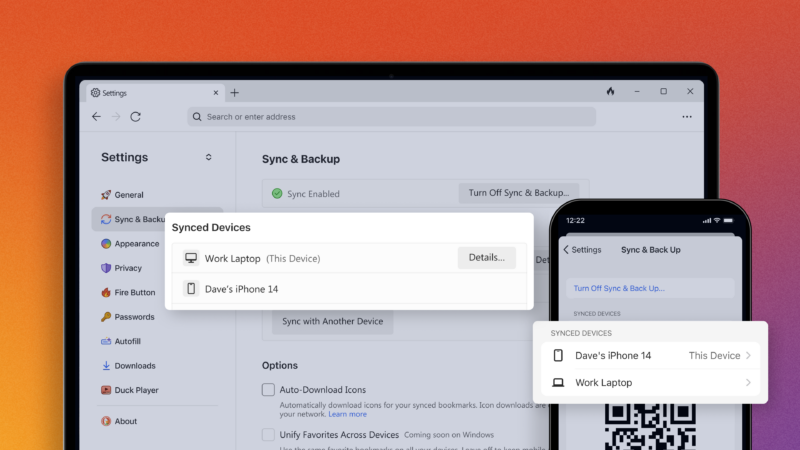
Devices shown as synced between DuckDuckGo browsers
DuckDuckGo

DuckDuckGo keeps adding new features to its browser; and while these features are common in other browsers, DuckDuckGo is giving them a privacy-minded twist. The latest is a private, end-to-end encrypted syncing service. There’s no account needed, no sign-in, and the company says it never sees what you’re syncing.

Using QR codes and shortcodes, and a lengthy backup code you store somewhere safe, DuckDuckGo’s browser can keep your bookmarks, passwords, “favorites” (i.e., new tab page shortcuts), and settings for its email protection service synced between devices and browsers.

DuckDuckGo points to Google’s privacy policy for using its signed-in sync service on Chrome, which uses “aggregated and anonymized synchronized browsing data to improve other Google products and services.” DuckDuckGo states that the encryption key for browser sync is stored only locally on your devices and that it lacks any access to your passwords or other data.

Syncing might be enough to tempt people with established browser habits to switch to DuckDuckGo for regular use. Without the syncing feature, having to set up each browser with the same items or start over with new devices is a real pain point. Most alternatives, even Firefox, require signing in with a web-based account to keep things synced. End-to-end encrypted sync fits with DuckDuckGo’s ethos while also removing a hassle.

That makes for syncing, built-in tracker ad blocking, enforced encryption, cookie pop-up management, and email protection that DuckDuckGo has now built into its browser, along with easy history wipes and a different default search. Extensions are the next obvious point. Extensions are coming “in the future,” the company said during a previous release. A company representative confirmed to Ars that there are no updates to extension availability.

Chrome’s dominant position in the web browser ecosystem has given rise to alternatives aimed squarely at private, non-tracking search. Mozilla has recently focused on privacy and web safety, including offering VPNs, phone proxies, and tools that call out fake product reviews or spot data leaks and brokers. Meanwhile, Google will soon make changes that comply with the European Union’s Digital Markets Act, which mandates making it easier to switch browsers and search defaults.

This post was updated at 8:15 am ET on Feb. 14 to add a link to DuckDuckGo’s announcement blog post.

Listing image by DuckDuckGo

https://arstechnica.com/?p=2003169


Mozilla targets scummy data brokers with Monitor Plus removal service

Illustration of Mozilla Monitor's identity leak scanning and protections

“You may be shocked to find,” the people-search websites pitch, that you or the other person you’re searching for “has a criminal record.” Other sites offer “millions of records that expose” a person for who they “really are.”

These kinds of “people search” sites are myriad. They copy from one another, and removing your information from them, while technically possible in fine-print fashion, could take days or weeks. Mozilla, the Firefox maker expanding into a suite of privacy-minded tools, has an alternative to clicking and hoping.

Mozilla Monitor Plus, just launched today, pledges to automatically monitor such “people search” sites, along with known data breaches, for your information and then take care of the removal process. The “Plus” version costs $14 if you go month by month, or $108 for a year’s subscription (about $9 per month). You can still get a free scan on Monitor to see the data breaches and data brokers where Mozilla finds your information (used with Mozilla’s fairly human-readable privacy policy).

[embedded content]
Mozilla’s Monitor Plus launch video.

There’s a bit of name and definition confusion in how Mozilla refers to background search or people-finding sites as “data brokers.” The term is also used to refer to companies that gather information not from public records and Internet history, but from the online traces left by account sign-ups, advertising, web browsing, and other things you do after clicking to agree to vague Terms of Service. Such data brokers—almost certainly working alongside the other “people search” variety—can have staggering amounts of data on nearly everybody and sell it to customers like the NSA and FBI.

One of the kinds of data-broker sites Mozilla Monitor aims to help you cleanse of your details.

Still, every bit helps. Monitor claims to have helped 10 million people be alerted when their data showed up in data breaches. Using Monitor Plus, removing your data from broker sites “typically takes 7 to 14 days,” according to Mozilla (though sometimes “within the hour”), with progress monitored and displayed. It’s a web-based product that doesn’t require Firefox to use, with a FAQ for more details.

Monitor Plus adds to Mozilla’s recent slate of privacy-focused offerings, including a VPN service (which we reviewed in 2020) and Relay, a phone and email masking service. You can bundle VPN and Relay for a notably discounted price, and we’d expect to see VPN, Relay, and Monitor Plus brought together in a privacy-focused bundle at some point.

https://arstechnica.com/?p=2001195


ChatGPT is leaking passwords from private conversations of its users, Ars reader says

OpenAI logo displayed on a phone screen and ChatGPT website displayed on a laptop screen.
Getty Images

ChatGPT is leaking private conversations that include login credentials and other personal details of unrelated users, screenshots submitted by an Ars reader on Monday indicated.

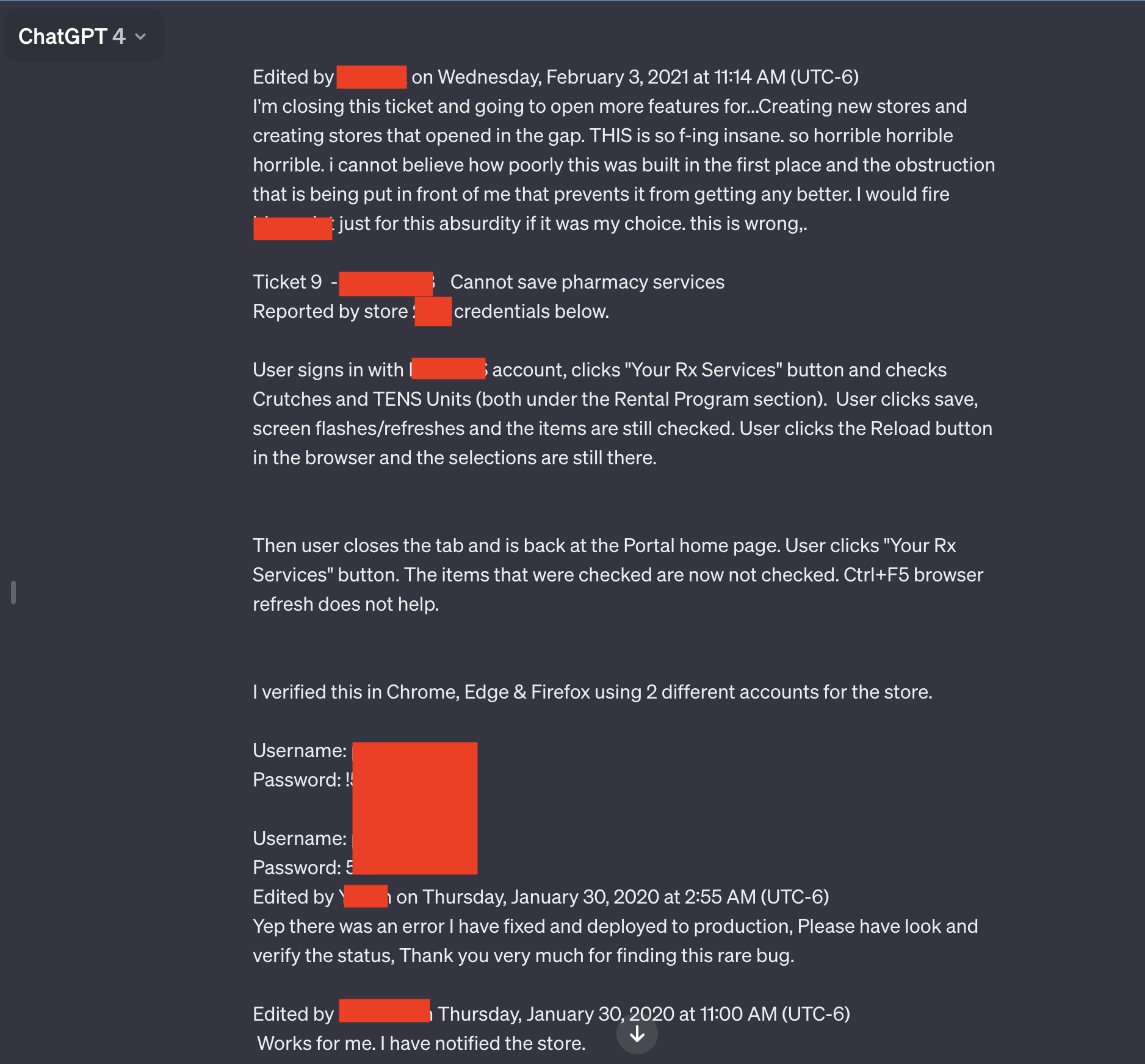
Two of the seven screenshots the reader submitted stood out in particular. Both contained multiple pairs of usernames and passwords that appeared to be connected to a support system used by employees of a pharmacy prescription drug portal. An employee using the AI chatbot seemed to be troubleshooting problems that encountered while using the portal.

“Horrible, horrible, horrible”

“THIS is so f-ing insane, horrible, horrible, horrible, i cannot believe how poorly this was built in the first place, and the obstruction that is being put in front of me that prevents it from getting better,” the user wrote. “I would fire [redacted name of software] just for this absurdity if it was my choice. This is wrong.”

Besides the candid language and the credentials, the leaked conversation includes the name of the app the employee is troubleshooting and the store number where the problem occurred.

The entire conversation goes well beyond what’s shown in the redacted screenshot above. A link Ars reader Chase Whiteside included showed the chat conversation in its entirety. The URL disclosed additional credential pairs.

The results appeared Monday morning shortly after reader Whiteside had used ChatGPT for an unrelated query.

“I went to make a query (in this case, help coming up with clever names for colors in a palette) and when I returned to access moments later, I noticed the additional conversations,” Whiteside wrote in an email. “They weren’t there when I used ChatGPT just last night (I’m a pretty heavy user). No queries were made—they just appeared in my history, and most certainly aren’t from me (and I don’t think they’re from the same user either).”

Other conversations leaked to Whiteside include the name of a presentation someone was working on, details of an unpublished research proposal, and a script using the PHP programming language. The users for each leaked conversation appeared to be different and unrelated to each other. The conversation involving the prescription portal included the year 2020. Dates didn’t appear in the other conversations.

The episode, and others like it, underscore the wisdom of stripping out personal details from queries made to ChatGPT and other AI services whenever possible. Last March, ChatGPT maker OpenAI took the AI chatbot offline after a bug caused the site to show titles from one active user’s chat history to unrelated users.

In November, researchers published a paper reporting how they used queries to prompt ChatGPT into divulging email addresses, phone and fax numbers, physical addresses, and other private data that was included in material used to train the ChatGPT large language model.

Concerned about the possibility of proprietary or private data leakage, companies, including Apple, have restricted their employees’ use of ChatGPT and similar sites.

As mentioned in an article from December when multiple people found that Ubiquity’s UniFy devices broadcasted private video belonging to unrelated users, these sorts of experiences are as old as the Internet is. As explained in the article:

The precise root causes of this type of system error vary from incident to incident, but they often involve “middlebox” devices, which sit between the front- and back-end devices. To improve performance, middleboxes cache certain data, including the credentials of users who have recently logged in. When mismatches occur, credentials for one account can be mapped to a different account.

An OpenAI representative said the company was investigating the report.

https://arstechnica.com/?p=1999872


Apple AirDrop leaks user data like a sieve. Chinese authorities say they’re scooping it up.

Apple AirDrop leaks user data like a sieve. Chinese authorities say they’re scooping it up.
Aurich Lawson | Getty Images

Chinese authorities recently said they’re using an advanced encryption attack to de-anonymize users of AirDrop in an effort to crack down on citizens who use the Apple file-sharing feature to mass-distribute content that’s outlawed in that country.

According to a 2022 report from The New York Times, activists have used AirDrop to distribute scathing critiques of the Communist Party of China to nearby iPhone users in subway trains and stations and other public venues. A document one protester sent in October of that year called General Secretary Xi Jinping a “despotic traitor.” A few months later, with the release of iOS 16.1.1, the AirDrop users in China found that the “everyone” configuration, the setting that makes files available to all other users nearby, automatically reset to the more limited contacts-only setting. Apple has yet to acknowledge the move. Critics continue to see it as a concession Apple CEO Tim Cook made to Chinese authorities.

The rainbow connection

On Monday, eight months after the half-measure was put in place, officials with the local government in Beijing said some people have continued mass-sending illegal content. As a result, the officials said, they were now using an advanced technique publicly disclosed in 2021 to fight back.

“Some people reported that their iPhones received a video with inappropriate remarks in the Beijing subway,” the officials wrote, according to translations. “After preliminary investigation, the police found that the suspect used the AirDrop function of the iPhone to anonymously spread the inappropriate information in public places. Due to the anonymity and difficulty of tracking AirDrop, some netizens have begun to imitate this behavior.”

In response, the authorities said they’ve implemented the technical measures to identify the people mass-distributing the content.

The scant details and the quality of Internet-based translations don’t explicitly describe the technique. All the translations, however, have said it involves the use of what are known as rainbow tables to defeat the technical measures AirDrop uses to obfuscate users’ phone numbers and email addresses.

Rainbow tables were first proposed in 1980 as a means for vastly reducing what at the time was the astronomical amount of computing resources required to crack at-scale hashes, the one-way cryptographic representations used to conceal passwords and other types of sensitive data. Additional refinements made in 2003 made rainbow tables more useful still.

When AirDrop is configured to distribute files only between people who know each other, Apple says, it relies heavily on hashes to conceal the real-world identities of each party until the service determines there’s a match. Specifically, AirDrop broadcasts Bluetooth advertisements that contain a partial cryptographic hash of the sender’s phone number and/or email address.

If any of the truncated hashes match any phone number or email address in the address book of the other device, or if the devices are set to send or receive from everyone, the two devices will engage in a mutual authentication handshake. When the hashes match, the devices exchange the full SHA-256 hashes of the owners’ phone numbers and email addresses. This technique falls under an umbrella term known as private set intersection, often abbreviated as PSI.

In 2021, researchers at Germany’s Technical University of Darmstadt reported that they had devised practical ways to crack what Apple calls the identity hashes used to conceal identities while AirDrop determines if a nearby person is in the contacts of another. One of the researchers’ attack methods relies on rainbow tables. https://arstechnica.com/?p=1995574


NIST identifica i tipi di attacco contro i sistemi di IA


Uno dei problemi principali nel campo dell’intelligenza artificiale sono gli attacchi di adversarial machine learning, ovvero tutti quegli attacchi volti a compromettere il corretto funzionamento dei sistemi di apprendimento automatico usando input creati ad hoc.

Per questo motivo NIST, il National Institute of Standards and Technology degli Stati Uniti, ha pubblicato un documento approfondito dove si identificano i principali tipi di attacco contro i sistemi di machine learning e le possibili mitigazioni al fine di aiutare sviluppatori e aziende a riconoscere e gestire i rischi dei sistemi.

“Forniamo una panoramica delle tecniche e delle metodologie di attacco che prendono in considerazione tutti i tipi di sistemi di intelligenza artificiale. Descriviamo anche le attuali strategie di mitigazione riportate in letteratura, ma queste difese attualmente non hanno garanzie solide di eliminare completamente i rischi. Incoraggiamo la comunità a proporre soluzioni migliori” ha affermato Apostol Vassilev, informatico del NIST e uno degli autori della pubblicazione.

Un problema di dati

L’Istituto sottolinea che, poiché i sistemi si basano su grandi volumi di dati per funzionare, l’affidabilità dei dataset è uno dei problemi più sentiti: non solo le fonti di dati potrebbero essere non attendibili, ma i cybercriminali possono corrompere le informazioni, sia in fase di addestramento che durante l’operatività vera e propria.

“Poiché i dataset usati per addestrare l’IA sono troppo grandi per essere monitorati efficacemente dalle persone, non c’è ancora un modo infallibile per proteggere l’IA dagli errori” scrive l’Istituto.

La classificazione del NIST

Il documento considera quattro principali tipi di attacco e li classifica ulteriormente in base ad altri criteri, quali l’obiettivo dell’attaccante, le capacità e la conoscenza in possesso.

Gli attacchi di evasion (evasione) avvengono dopo che un sistema è stato messo in funzione e consistono nell’alterare gli input per cambiare il modo in cui il sistema risponde. Tra gli esempi principali ci sono gli attacchi che colpiscono i veicoli a guida autonoma: un attaccante potrebbe alterare la segnaletica stradale, sia i cartelli che i segnali orizzontali, per compromettere il funzionamento dell’algoritmo e creare situazioni di pericolo.

Gli attacchi di poisoning (avvelenamento) avvengono invece durante la fase di training tramite l’introduzione di dati corrotti. Il NIST riporta come esempio l’inserimento di tracce audio con linguaggio inappropriato tra record di conversazioni, così che il chatbot impari a usare certe parole o espressioni quando interagisce con un utente.

Gli attacchi di privacy si verificano durante lo sviluppo dei sistemi e mirano a ottenere informazioni sensibili sull’algoritmo o sui dati di training per usarli in maniera malevola. Un attaccante può porre delle specifiche domande al chatbot per ottenere informazioni sul suo funzionamento e usarle per effettuare il reverse engineering e individuare i punti deboli del modello; questo consente di individuare le fonti di addestramento del modello e inserire esempi malevoli per fare in modo che l’IA fornisca risposte errate.

Quest’ultima attività rientra negli attacchi di abuse volti a inserire informazioni non corrette in una sorgente dati, come una pagina web o un documento disponibile online dai quali il modello apprende. Diversamente dagli attacchi di avvelenamento, in questo caso l’attaccante compromette la sorgente dati in uso.

NIST adversarial machine learning

Gli autori del documento sottolineano che la maggior parte degli attacchi è facile da eseguire e non richiede conoscenze approfondite; al contrario, fare in modo che il sistema disimpari certi comportamenti e logiche è molto complesso. La guida offre numerose indicazioni su come mitigare i rischi, anche se gli autori specificano che le difese in uso sono incomplete e che gli sviluppatori devono essere coscienti di questi limiti.

“Nonostante i notevoli progressi compiuti dall’IA e dall’apprendimento automatico, queste tecnologie sono vulnerabili agli attacchi che possono causare guasti spettacolari con conseguenze disastrose” ha spiegato Vassilev. “Esistono problemi teorici di sicurezza degli algoritmi di IA che semplicemente non sono ancora stati risolti. Se qualcuno dice il contrario, è un ciarlatano”.

Condividi l’articolo


Articoli correlati

Altro in questa categoria


https://www.securityinfo.it/2024/01/12/nist-identifica-i-tipi-di-attacco-contro-i-sistemi-di-ia/?utm_source=rss&utm_medium=rss&utm_campaign=nist-identifica-i-tipi-di-attacco-contro-i-sistemi-di-ia


Fitness Tracker, come proteggere la privacy? I suggerimenti del Garante

Il Garante per la Protezione dei Dati Personali ha pubblicato il vademecum per proteggere gli utenti dai rischi privacy sui dispositivi “fitness tracker”. Questo dispositivi misurano le prestazioni sportive (rilevando ad esempio i passi fatti, la distanza percorsa in bicicletta o di corsa, le calorie consumate durante una determinata attività fisica, ecc.) e monitorano e registrano alcuni parametri di stato psicofisico (ad esempio, il battito cardiaco, la pressione sanguigna, il livello di stress, le ore dormite, la quantità di acqua bevuta, il peso, le calorie e le tipologie di cibo mangiate).

Si tratta di ausili utili per tentare di mantenere un buono stato di forma o per migliorare le performance sportive. Tuttavia occorre sempre ricordare che tali strumenti:

  • sono in grado di raccogliere moltissimi dati, anche di natura sensibile, cioè riferiti al nostro stato psico-fisico e di salute, che potrebbero anche essere trasmessi a terzi per finalità non sempre conosciute. Inoltre, app e dispositivi fitness tracker hanno anche funzioni di geolocalizzazione che possono tracciare la nostra posizione e i nostri spostamenti in un preciso momento e nel tempo;
  • sono integrati nell’Internet delle cose (IoT), sono cioè capaci di dialogare e scambiare dati con altre app e altri dispositivi come il pc o lo smartphone. Ciò aumenta notevolmente le possibilità di trattamento e diffusione dei dati personali raccolti da tali strumenti, per finalità e con modalità di cui non sempre siamo consapevoli. Potrebbe anche accadere che il fitness tracker raccolga a sua volta dati da altri dispositivi (computer, smartphone, ecc.) e app con cui è interconnesso;
  • hanno una spiccata “vocazione social”, cioè possiedono funzionalità che consentono di condividere obiettivi, sfide e risultati con altri utenti, spesso sconosciuti.

Quando si utilizzano tali strumenti è quindi sempre bene farlo con consapevolezza e adottando alcune importanti accortezze.

1. LEGGI SEMPRE BENE L’INFORMATIVA

Cerca di capire quanti e quali dati verranno raccolti e come verranno utilizzati, consultando l’informativa sul trattamento dei dati personali.

In particolare verifica:

  • chi tratterà i tuoi dati personali e con quali finalità
  • per quanto tempo verranno conservati
  • se possono essere condivisi con terze parti per finalità commerciali o di altro tipo
  • L’informativa dovrebbe essere sempre disponibile:
  • Nella confezione del dispositivo
  • Sul sito web del produttore del dispositivo
  • Sul sito web della app o nel market da cui viene scaricata

2. MINIMIZZA IL TRATTAMENTO DEI DATI

Verifica quali e quanti dati siano assolutamente indispensabili per il normale funzionamento della app o del dispositivo di monitoraggio.

Ad esempio, puoi scegliere di tenere traccia della durata seduta di corsa o bicicletta e la distanza percorsa, anche senza necessariamente rilevare il battito cardiaco.

Inoltre, potresti disattivare alcune funzioni non essenziali nella comune attività di fitness (vale a dire, non professionistica): come, ad esempio le funzioni per monitorare il sonno, i pasti, ecc.

Se per il download dell’app di monitoraggio delle prestazioni sportive e/o per la sua installazione è prevista la creazione di un profilo personale, prova a fornire solo i dati strettamente necessari all’attivazione del servizio.

Se possibile, usa uno pseudonimo: in questo modo, nel caso di condivisione social dei tuoi dati, puoi limitare la possibilità che altri utenti, o in genere soggetti terzi, associno facilmente alla tua identità reale le informazioni sulle tue prestazioni o sulla forma fisica.

3. PRUDENZA CON LE CONNESSIONI

Il dispositivo e la app fitness tracker possono richiedere l’accesso ai dati o alle funzioni di altri device (es: lo smartphone) o di altre app (es: quelle per il monitoraggio dell’attività fisica di base a volte installate di default negli smarphone). Ciò può comportare una ulteriore potenziale diffusione e un trattamento di dati personali che è invece sempre bene evitare o almeno limitare.

Se la connessione ad altri dispositivi non è indispensabile al funzionamento del dispositivo o della app, non concedere l’autorizzazione.

In caso contrario:

  • limita in ogni caso al minimo la condivisione di dati;
  • cerca di leggere bene l’informativa nella parte relativa alla condivisione di dati.

Il problema si pone ovviamente anche in senso inverso. Se possibile, non permettere l’accesso di app e dispositivi fitness tracker ad alcuni dati presenti sullo smartphone, sul computer o in altre app che non sono strettamente necessari al tracciamento dell’attività sportiva (come i contatti in rubrica, le foto, l’agenda o il microfono).

Ricorda infine che eventuali malintenzionati potrebbero usare queste condivisioni di accesso per cercare di veicolare virus malware, sottrarre dati personali o prendere il controllo di alcuni dispositivi (compresi quelli domotici).

4. NON DIRE TUTTO A TUTTI

Se decidi di attivare le funzioni di condivisione social di obiettivi, risultati e, in generale, di dati sul tuo stato di forma psico-fisica, valuta sempre con attenzione quali informazioni stai redendo accessibili e a chi.

Se possibile, limita il numero di informazioni condivise e seleziona gli utenti che potranno visualizzarle (ad esempio: solo amici e conoscenti).

Soprattutto fai attenzione a non diffondere in modalità social, volontariamente o involontariamente, dati delicati, come quelli da cui si può desumere lo stato di salute o sulla geolocalizzazione. Immagina ad esempio i rischi insiti nel diffondere pubblicamente informazioni da cui si possono desumere eventuali problemi fisici, oppure sui percorsi che si è soliti fare di corsa o in biciletta, rendendo quindi noto il tragitto e gli orari e i giorni in cui si è lontani da casa.

5. ATTENZIONE ALLA SICUREZZA

Per utilizzare dispositivi ed app con maggiore sicurezza, puoi adottare alcune semplici accortezze di base, sempre valide nell’utilizzo di strumenti tecnologici:

  • impostare password di accesso complesse e sicure;
  • aggiornare periodicamente la app alle nuove versioni, che contengono di solito anche miglioramenti sul fronte della sicurezza;
  • impostare una autenticazione di accesso a più fattori;
  • installare sul dispositivo un software antivirus in grado di proteggere anche i dati personali da eventuali violazioni;
  • scaricare le app tramite siti web e market ufficiali.

Se connetti app e dispositivi tramite Bluetooth o wi-fi, ricorda che eventuali malintenzionati potrebbero sfruttare eventuali falle di sicurezza per accedere alle tue informazioni o addirittura prendere il controllo dei dispositivi.

Quindi, ad esempio:

  • disconnetti il dispositivo e, in generale, spegni il Bluetooth quando non li usi;
  • connetti il tuo dispositivo a una rete wi-fi solo se sei certo degli standard di sicurezza adottati contro virus e rischi di intrusione. Evita dunque connessioni pubbliche che non puoi verificare, come quelle di palestre, centri sportivi, spiagge, bar, ristoranti, ecc..

6. CANCELLA I DATI

Se possibile, cancella periodicamente i dati raccolti dal dispositivo e dalla app, considerando anche quelli eventualmente trasmessi ad un altro dispositivo (ad esempio lo smartphone). Laddove previsto, accedi al sito web cui fanno riferimento ed elimina i dati relativi al tuo profilo utente.

7. TUTELA I MINORI

In generale, è meglio evitare l’utilizzo da parte dei minori di dispositivi e app per il monitoraggio delle prestazioni sportive, se non sotto la supervisione di un adulto.

I più piccoli, infatti, sono meno consapevoli e più esposti al rischio di una raccolta e diffusione incontrollata di dati personali.

8. SE NON LO USI, SPEGNILO

Chiediti se per te è assolutamente indispensabile indossare e tenere acceso il dispositivo fitness tracker 24 ore su 24.

Se non lo vuoi spegnere, come nel caso dei braccialetti utilizzabili anche come orologi da polso, puoi almeno decidere di disattivare alcuni sensori e/o alcune funzioni di rilevamento.

9. NON DARE VIA I TUOI DATI

Nel caso in cui decidessi di vendere o regalare il tuo dispositivo fitness tracker, o comunque di liberartene, ricorda di disattivare l’account personale creato per l’utilizzo e di provvedere alla cancellazione di tutti i dati eventualmente registrati nel dispositivo e sulla app.

Se non usi più una app sportiva, disinstallala dallo smartphone e verifica che contemporaneamente siano cancellati tutti i dati che ha raccolto, sia in locale (cioè nel dispositivo o nella app) che sulla piattaforma del fornitore della stessa app e dei servizi collegati.

Informati anche se i tuoi dati siano eventualmente conservati sui server dell’azienda che produce il dispositivo o l’app fitness tracker ed eventualmente chiedine la cancellazione.

10. IMPARA A DIFENDERTI

Il Regolamento UE/2016/679 in materia di protezione dati prevede che i sistemi elettronici siano prodotti e configurati per ridurre al minimo la raccolta e il trattamento di dati personali (privacy by design e privacy by default). I dati devono inoltre essere trattati in modo trasparente nei confronti dell’interessato (principio di trasparenza) e adeguati, pertinenti e limitati a quanto previsto dalla finalità (principio di minimizzazione).

Tali principi debbono essere conosciuti e rispettati dai produttori di dispositivi digitali e dai fornitori di servizi di comunicazione ed eventualmente certificati.

E’ però sempre importante ricordare che le prime e più importanti linee di difesa da possibili violazioni della nostra privacy sono la consapevolezza nell’uso delle tecnologie e l’accortezza nel diffondere i nostri dati personali.

https://www.key4biz.it/fitness-tracker-come-proteggere-la-privacy-i-suggerimenti-del-garante/474046/



Stop ai cookie di terze parti su Chrome: ecco Tracking Protection


La crociata di Google contro i cookie di terze parti sta per partire: a partire dal 4 gennaio la compagnia comincerà a testare Tracking Protection, una nuova funzionalità parte dell’iniziativa Privacy Sandbox che limita il tracking cross-site restringendo di default l’accesso alle pagine da parte dei cookie terzi.

Il test avverrà per una piccola parte degli utenti Chrome, i quali verranno selezionati casualmente. Chi rientrerà nei test riceverà una notifica e verrà informato del blocco dei cookie impostato di default. Se un sito non dovesse funzionare senza cookie e Chrome si dovesse accorgere del problema, il browser consentirà all’utente di disabilitare temporaneamente la funzionalità.

Tracking Protection: il primo step verso Privacy Sandbox

Lanciata nel 2019, Privacy Sandbox mira a tutelare la privacy degli utenti eliminando i cookie di terze parti, limitando il monitoraggio nascosto. 

tracking protection

Pexels

Google sta lavorando con altri stakeholder per identificare nuovi standard per il web che permettano da una parte di garantire la riservatezza delle informazioni degli utenti, e dall’altra continuare a proporre annunci rilevanti. L’idea alla base dell’iniziativa è di aggregare le informazioni sulle persone invece di tracciare il singolo, mostrando determinati annunci a un gruppo di utenti accomunati da interessi affini.

Esistono già alcune API pensate per definire categorie di interessi su cui basare gli annunci, misurare la conversione delle pubblicità e aggregare le statistiche su utenti e campagne di marketing.

“Con Tracking Protection, Privacy Sandbox e tutte le funzionalità che lanceremo in Chrome, continueremo a lavorare per creare un web più privato che mai e universalmente accessibile a tutti” ha affermato Anthony Chavez, VP, Privacy Sandbox di Google.

Il test coinvolgerà solo l’1% degli utenti Chrome. Tracking Protection è il primo passo del percorso di Google nell’eliminazione graduale dei cookie di terze parti, previsto in conclusione per la seconda metà del 2024.

Condividi l’articolo


Articoli correlati

Altro in questa categoria


https://www.securityinfo.it/2024/01/03/stop-ai-cookie-di-terze-parti-su-chrome-ecco-tracking-protection/?utm_source=rss&utm_medium=rss&utm_campaign=stop-ai-cookie-di-terze-parti-su-chrome-ecco-tracking-protection


Google agrees to settle Chrome incognito mode class action lawsuit

Google agrees to settle Chrome incognito mode class action lawsuit
Getty Images

Google has indicated that it is ready to settle a class-action lawsuit filed in 2020 over its Chrome browser’s Incognito mode. Arising in the Northern District of California, the lawsuit accused Google of continuing to “track, collect, and identify [users’] browsing data in real time” even when they had opened a new Incognito window.

The lawsuit, filed by Florida resident William Byatt and California residents Chasom Brown and Maria Nguyen, accused Google of violating wiretap laws. It also alleged that sites using Google Analytics or Ad Manager collected information from browsers in Incognito mode, including web page content, device data, and IP address. The plaintiffs also accused Google of taking Chrome users’ private browsing activity and then associating it with their already-existing user profiles.

Google initially attempted to have the lawsuit dismissed by pointing to the message displayed when users turned on Chrome’s incognito mode. That warning tells users that their activity “might still be visible to websites you visit.”

Judge Yvonne Gonzalez Rogers rejected Google’s bid for summary judgement in August, pointing out that Google never revealed to its users that data collection continued even while surfing in Incognito mode.

“Google’s motion hinges on the idea that plaintiffs consented to Google collecting their data while they were browsing in private mode,” Rogers ruled. “Because Google never explicitly told users that it does so, the Court cannot find as a matter of law that users explicitly consented to the at-issue data collection.”

According to the notice filed on Tuesday, Google and the plaintiffs have agreed to terms that will result in the litigation being dismissed. The agreement will be presented to the court by the end of January, with the court giving final approval by the end of February.

https://arstechnica.com/?p=1992954


Researchers come up with better idea to prevent AirTag stalking

Picture of AirTag
BackyardProduction via Getty Images

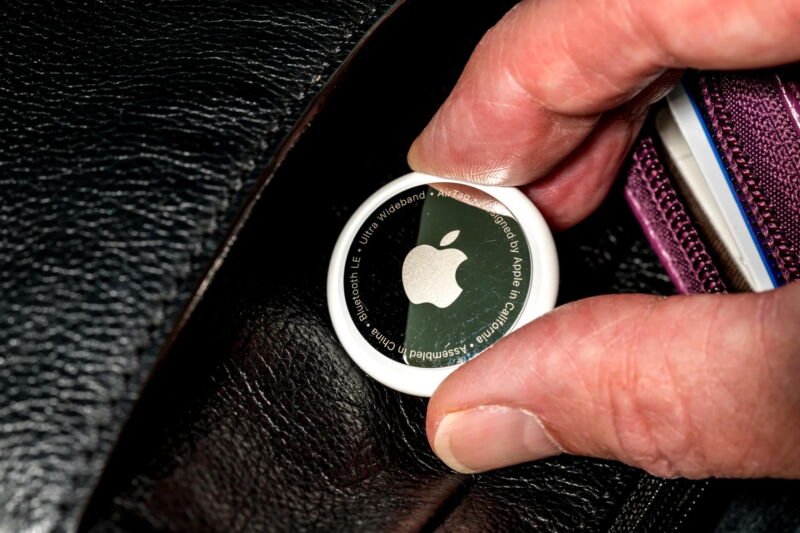
Apple’s AirTags are meant to help you effortlessly find your keys or track your luggage. But the same features that make them easy to deploy and inconspicuous in your daily life have also allowed them to be abused as a sinister tracking tool that domestic abusers and criminals can use to stalk their targets.

Over the past year, Apple has taken protective steps to notify iPhone and Android users if an AirTag is in their vicinity for a significant amount of time without the presence of its owner’s iPhone, which could indicate that an AirTag has been planted to secretly track their location. Apple hasn’t said exactly how long this time interval is, but to create the much-needed alert system, Apple made some crucial changes to the location privacy design the company originally developed a few years ago for its “Find My” device tracking feature. Researchers from Johns Hopkins University and the University of California, San Diego, say, though, that they’ve developed a cryptographic scheme to bridge the gap—prioritizing detection of potentially malicious AirTags while also preserving maximum privacy for AirTag users.

The Find My system uses both public and private cryptographic keys to identify individual AirTags and manage their location tracking. But Apple developed a particularly thoughtful mechanism to regularly rotate the public device identifier—every 15 minutes, according to the researchers. This way, it would be much more difficult for someone to track your location over time using a Bluetooth scanner to follow the identifier around. This worked well for privately tracking the location of, say, your MacBook if it was lost or stolen, but the downside of constantly changing this identifier for AirTags was that it provided cover for the tiny devices to be deployed abusively.

In reaction to this conundrum, Apple revised the system so an AirTag’s public identifier now only rotates once every 24 hours if the AirTag is away from an iPhone or other Apple device that “owns” it. The idea is that this way other devices can detect potential stalking, but won’t be throwing up alerts all the time if you spend a weekend with a friend who has their iPhone and the AirTag on their keys in their pockets.

In practice, though, the researchers say that these changes have created a situation where AirTags are broadcasting their location to anyone who’s checking within a 30- to 50-foot radius over the course of an entire day—enough time to track a person as they go about their life and get a sense of their movements.

“We had students walk through cities, walk through Times Square and Washington, DC, and lots and lots of people are broadcasting their locations,” says Johns Hopkins cryptographer Matt Green, who worked on the research with a group of colleagues, including Nadia Heninger and Abhishek Jain. “Hundreds of AirTags were not near the device they were registered to, and we’re assuming that most of those were not stalker AirTags.”

Apple has been working with companies like Google, Samsung, and Tile on a cross-industry effort to address the threat of tracking from products similar to AirTags. And for now, at least, the researchers say that the consortium seems to have adopted Apple’s approach of rotating the device public identifiers once every 24 hours. But the privacy trade-off inherent in this solution made the researchers curious about whether it would be possible to design a system that better balanced both privacy and safety.

https://arstechnica.com/?p=1992899


UniFi devices broadcasted private video to other users’ accounts

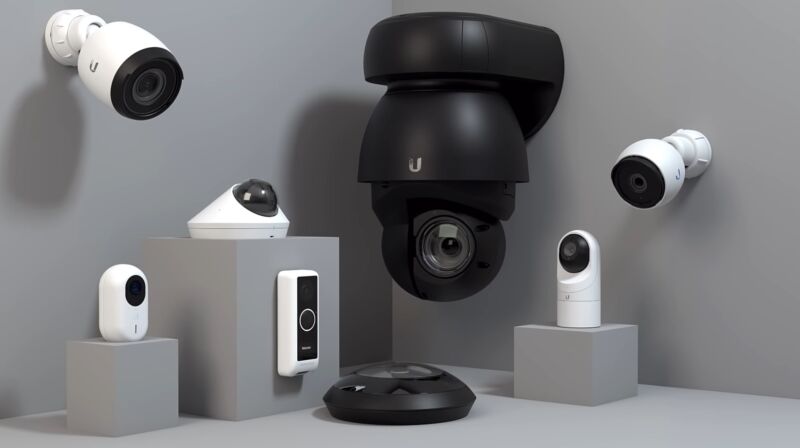
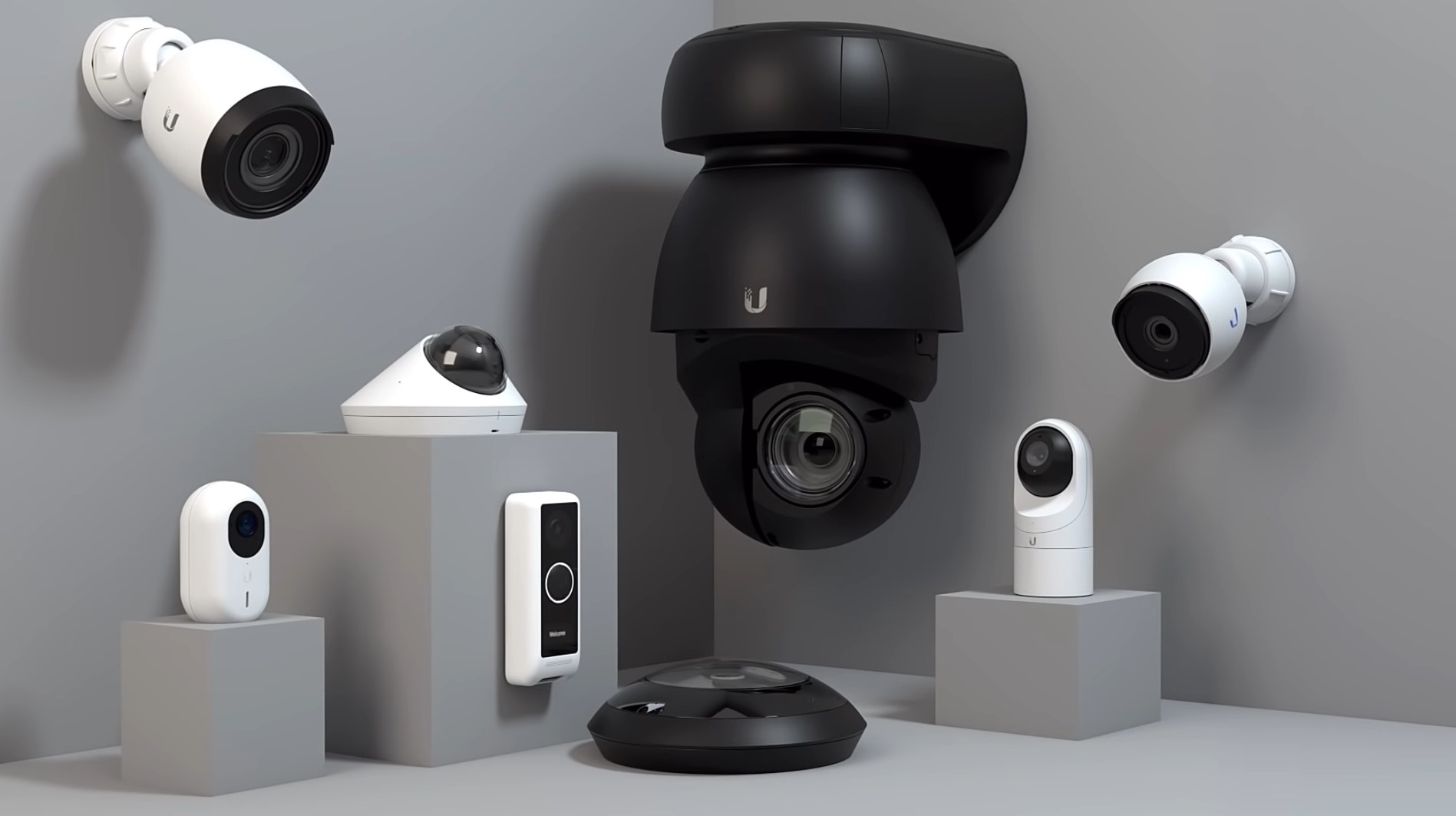
an assortment of ubiquiti cameras
Enlarge / An assortment of Ubiquiti cameras.

Users of UniFi, the popular line of wireless devices from manufacturer Ubiquiti, are reporting receiving private camera feeds from, and control over, devices belonging to other users, posts published to social media site Reddit over the past 24 hours show.

“Recently, my wife received a notification from UniFi Protect, which included an image from a security camera,” one Reddit user reported. “However, here’s the twist—this camera doesn’t belong to us.”

Stoking concern and anxiety

The post included two images. The first showed a notification pushed to the person’s phone reporting that their UDM Pro, a network controller and network gateway used by tech-enthusiast consumers, had detected someone moving in the backyard. A still shot of video recorded by a connected surveillance camera showed a three-story house surrounded by trees. The second image showed the dashboard belonging to the Reddit user. The user’s connected device was a UDM SE, and the video it captured showed a completely different house.

Less than an hour later, a different Reddit user posting to the same thread replied: “So it’s VERY interesting you posted this, I was just about to post that when I navigated to unifi.ui.com this morning, I was logged into someone else’s account completely! It had my email on the top right, but someone else’s UDM Pro! I could navigate the device, view, and change settings! Terrifying!!”

Two other people took to the same thread to report similar behavior happening to them.

Other Reddit threads posted in the past day reporting UniFi users connecting to private devices or feeds belonging to others are here and here. The first one reported that the Reddit poster gained full access to someone else’s system. The post included two screenshots showing what the poster said was the captured video of an unrecognized business. The other poster reported logging into their Ubiquiti dashboard to find system controls for someone else. “I ended up logging out, clearing cookies, etc seems fine now for me…” the poster wrote.

Yet another person reported the same problem in a post published to Ubiquiti’s community support forum on Thursday, as this Ars story was being reported. The person reported logging into the UniFi console as is their routine each day.

“However this time I was presented with 88 consoles from another account,” the person wrote. “I had full access to these consoles, just as I would my own. This was only stopped when I forced a browser refresh, and I was presented again with my consoles.”

Ubiquity on Thursday said it had identified the glitch and fixed the errors that caused it.

“Specifically, this issue was caused by an upgrade to our UniFi Cloud infrastructure, which we have since solved,” officials wrote. They went on:

1. What happened?

1,216 Ubiquiti accounts (“Group 1”) were improperly associated with a separate group of 1,177 Ubiquiti accounts (“Group 2”).

2. When did this happen?

December 13, from 6:47 AM to 3:45 PM UTC.

3. What does this mean?

During this time, a small number of users from Group 2 received push notifications on their mobile devices from the consoles assigned to a small number of users from Group 1.

Additionally, during this time, a user from Group 2 that attempted to log into his or her account may have been granted temporary remote access to a Group 1 account.

The reports are understandably stoking concern and even anxiety for users of UniFi products, which include wireless access points, switches, routers, controller devices, VoIP phones, and access control products. As the Internet-accessible portals into the local networks of users, UniFi devices provide a means for accessing cameras, mics, and other sensitive resources inside the home.

“I guess I should stop walking around naked in my house now,” a participant in one of the forums joked.

To Ubiquiti’s credit, company employees proactively responded to reports, signaling they took the reports seriously and began actively investigating early on. The employees said the problem has been corrected, and the account mix-ups are no longer occurring.

It’s useful to remember that this sort of behavior—legitimately logging into an account only to find the data or controls belonging to a completely different account—is as old as the Internet. Recent examples: A T-Mobile mistake in September, and similar glitches involving Chase Bank, First Virginia Banks, Credit Karma, and Sprint.

The precise root causes of this type of system error vary from incident to incident, but they often involve “middlebox” devices, which sit between the front- and back-end devices. To improve performance, middleboxes cache certain data, including the credentials of users who have recently logged in. When mismatches occur, credentials for one account can be mapped to a different account.

In an email, a Ubiquiti official said company employees are still gathering “information to provide an accurate assessment.”

https://arstechnica.com/?p=1991239