Microsoft blames Google for Apple rejecting offer to buy Bing
Microsoft claims its attempts to sell Bing to Apple were blocked by Google.
The tech giant’s CEO of Advertising and Web Services, Mikhail Parakhin, said he offered Apple more than 100% of the revenue or gross profit to make Bing its default search engine – but the proposal was rejected because of the company’s deal with Google.
Speaking at the federal antitrust trial, Parakhin alleged this was despite Microsoft offering to pay Apple more than Google – which he claims was offering in the region of 60%.
How much did Microsoft offer Apple? Tinter didn’t reveal exactly how much its offer to Apple was worth, but it was enough that the tech giant would have sustained a several billion dollar loss as a result. Tinter explained the company felt the short-term loss would be a justified investment because of the importance of default search engine status.
Why we care. Apple’s decision to reject Microsoft’s higher monetary offer for Bing as the default search engine implies that the Google deal might not be solely based on financial considerations. This could reinforce Google’s argument that it’s preferred for its superior product. Nevertheless, it underscores the significance of default status for search engines, as Microsoft was willing to incur a significant loss for the position.
Better offer than Google. While Tinter didn’t provide the exact dollar amount Microsoft offered Apple, he asserted that Microsoft was confident it presented a superior deal compared to Google. He explained: “That’s based on our best estimates of the revenue payments that Google was making to Apple in the United States.”
Samsung also shut down potential sale. Tinter went on to reveal that Microsoft had also tried to pitch Samsung about making Bing the default search engine on its products. However, he claims these conversations were shut down by the tech giant in their early stages.
Tinter allegedly urged Samsung to at least allow Microsoft to try and make an offer that could rival its deal with Google. But the tech giant told Microsoft that negotiations wouldn’t be worth discussing because of the company’s contract with Google.
Get the daily newsletter search marketers rely on.
What has Microsoft said? Parakhin told the court at the federal antitrust trial:
“We were just big enough to play but probably not big enough to win, if that makes sense.”
“The optimal thing for Apple to have done — and again, I think in closed session, maybe we’ll end up looking at some of the sort of math on this — would have been to have switched to Microsoft in the United States, taken our aggressive offer there, and continue with sort of Google in the rest of the world.”
Deep dive. Read our Google antitrust trial updates for the latest developments in the courtroom.
@media screen and (min-width: 800px) { #div-gpt-ad-3191538-7 { display: flex !important; justify-content: center !important; align-items: center !important; min-width:770px; min-height:260px; }
}
@media screen and (min-width: 1279px) { #div-gpt-ad-3191538-7 { display: flex !important; justify-content: center !important; align-items: center !important; min-width:800px!important; min-height:440px!important; }
}
About the author
Nicola Agius is Paid Media Editor of Search Engine Land after joining in 2023. She covers paid search, paid social, retail media and more. Prior to this, she was SEO Director at Jungle Creations (2020-2023), overseeing the company’s editorial strategy for multiple websites. She has over 15 years of experience in journalism and has previously worked at OK! Magazine (2010-2014), Mail Online (2014-2015), Mirror (2015-2017), Digital Spy (2017-2018) and The Sun (2018-2020). She also previously teamed up with SEO agency Blue Array to co-author Amazon bestselling book ‘Mastering In-House SEO’.
The key to local SEO data is in its name – it’s local. Without it, a campaign may not receive crucial insights to adjust its central strategy.
If you’re targeting Manhattan, N.Y., but 80% of your users are visiting from devices in Brooklyn, N.Y., you’re missing something. But how do you find these gaps in Google Analytics 4?
Insights previously accessed through Universal Analytics are scattered across several dashboards in GA4, with new processes on the platform for filtering and accessing local data. Additionally, certain settings and configurations must be enabled to ensure local data collection.
A local SEO practitioner should regularly analyze information about organic user locations, behaviors, and landing pages accessed from search results.
Through these key reports in GA4, we can review organic data that reflects key local behaviors:
Demographic details
Traffic acquisition and user acquisition
Landing page
Library (custom reports)
Explore
However, none of these reports are perfect. Each report poses flaws and challenges that complicate our data. I’ll include troubleshooting tips and context for each report to ensure the data analysis is as helpful as possible.
A few crucial elements of GA4 impact overall local SEO reporting across these dashboards: the Organic Search filter and Thresholding.
‘Organic Search’ filter
For most reports in GA4, we’ll need to filter to organic search results using the Add filter feature at the top of the dashboard.
A filter column will appear on the right side of the dashboard.
Depending on whether sessions or users are preferred, we’ll choose Session default channel group or First user default channel group as the filter.
Select exactly matches, check Organic Search, and then click Apply.
This organic filter is used through most of our local SEO dashboards in GA4.
Thresholding
Google’s out-of-the-box reports often apply thresholding, indicating data is a sample.
The “Caution” symbol in this report indicates that Google is presenting an aggregate representation of our data rather than exact numbers.
In GA4, data thresholding is implemented across numerous key organic reports to anonymize users’ privacy.
Anonymization usually happens when something can be inferred about the user, like when there’s limited data or if the demographic information about users is too detailed.
For local businesses, individual location pages often receive fewer users since they’re a small piece of the total traffic count.
So, be aware that local SEO data is often an estimate rather than an exact count. We can use this data as a representation of overall user data.
Still, when the difference between compared data sets is >20 users or sessions, we probably shouldn’t rely on it to make major decisions about our strategy.
1. Demographic details
Where to find the data in GA4: Reports > User > User Attributes > Demographic Details
By default, this report lists where users visited by country, but we can change this by selecting the dropdown next to Country, and changing it to Region or City.
From there, we can see the top cities by user:
Why the demographic details report is useful
The demographic details report conveys the region or city where a user accessed the website.
We can compare this user location data with location page traffic or proximity-based rankings in a geo matrix tracking tool.
In the screenshot above, we see that the top cities visited by users in the United States are also some of the most populous: New York, Chicago and Los Angeles.
We should make sure that local landing pages are set up for these locations, as well as key suburbs near these locations.
Issues with the demographic details report
With the right configuration, employee IP addresses will be excluded from GA4 reports, and their cities won’t appear on this dashboard.
However, if employees are required to use a VPN for work, it may prove trickier for the demographic details report to remain accurate. A VPN could anonymize employee data from cities worldwide, scattering location-based attribution.
Additionally, certain settings within GA4 must be configured to ensure that the tracking platform is collecting details about a user’s location.
To confirm that user location information is being tracked, visit Admin > Data Settings > Data Collection and ensure that Granular location and device data collection toggle is checked.
As previously noted, the Demographic details report will apply sampling, which means it won’t provide an exact count of users from each location.
Sometimes, these reports may include a row that says (not set), which typically happens because Analytics doesn’t classify the first event on the page as page_view.
An event like user_engagement might trigger prior to page_view, which isn’t supposed to happen but might relate to rendering issues on the website.
Overall, the solution to analyzing (not set) will require time to either configure a custom landing page report or adjust the website’s rendering issues.
These tasks are often high effort and low impact for local SEO unless there are large data discrepancies – i.e., 50% of the reported traffic is (not set).
2. Traffic acquisition and user acquisition
Where to find this data in GA4: There are two types of labeling for this dashboard, depending on whether GA4 was set up before or after April/May 2023:
Before April-May 2023
Reports > Life cycle > Acquisition > User acquisition
Reports > Life cycle > Acquisition > Traffic acquisition
After April-May 2023
Reports > Business objectives > Generate leads > User acquisition
Reports > Business objectives > Generate leads > Traffic acquisition
The Traffic acquisition and User acquisition dashboards both report on the types of marketing channels that drove traffic to the website: organic, paid, social, etc. However, GA4 has split them into separate dashboards due to a difference in data collection:
User acquisition: Only attributes the first visit from a user.
Traffic acquisition: Multiple sessions of traffic from the same user.
So, traffic acquisition will include a paid session for a user who clicked an ad one day and counts an organic session for that same user the next day.
User acquisition would attribute the user only to the paid traffic channel because it drove the first visit to the site.
Determining whether we should monitor user or traffic acquisition in local SEO depends on our goals for the campaign.
If we want to know about any time a user visited the site from organic search results, then traffic acquisition is a better fit. However, session-based data becomes complicated with brand and non-brand traffic.
If people find “Tom’s Dental,” as an ad and then visit the site, then they might remember this local business. A few days later, they type “Tom’s Dental,” into search results and click an organic result.
If a volume of users are selecting organic results with a branded search, this may result in an artificial increase in sessions on the Traffic acquisition dashboard.
In these scenarios, relying on the User acquisition dashboard to assess our local SEO growth might be more accurate.
Why the user acquisition and traffic acquisition reports are useful
These dashboards closely resemble the Channels report in Universal Analytics and are a great starting point for determining whether local organic traffic has improved.
In local SEO, data within these dashboards can provide insight around:
UTM parameters from Google Business Profile.
Filtering to our location page paths to assess organic traffic.
For simplicity, examples will be from the User acquisition report, but the same filters and adjustments can also be applied to the Traffic acquisition dashboard.
UTM parameters
UTM parameters are added to the end of a business URL in the Website field on Google Business Profile.
Because the source in the screenshot was specified as GoogleLocalListing, we can differentiate standard search results (google / organic) from GBP clicks (GoogleLocalListing / organic).
We see that in a 28-day period, traditional search results received slightly more organic traffic than GBP. This data might indicate that we need to improve our rankings in the Local Pack.
Location pages
By filtering our location pages, we can understand which locations receive the most organic traffic.
Using GA4 to compare the success of our various location pages is crucial to a successful local SEO strategy because it helps us determine priority.
When we have 50 locations but only a few hours to commit across them, it’s most impactful to dedicate our time to the locations most need growth.
First, add a column to the table dashboard that specifies Landing page + query string:
Click the “+” to add a column.
Search for landing page and select Landing page + query string.
Next, use a filter to limit data to organic traffic and our location pages.
Follow the steps outlined at the beginning of this article for filtering organic traffic and add a condition for Landing page + query string to the path of your location pages.
Note: In order to analyze the success of location pages, they must have been organized within a parent path folder, which is typically something like this: https://www.website.com/locations/atlanta
If location pages aren’t nested within a parent path folder, then the Landing page + query string filter won’t work, and assessing local SEO growth will be more challenging.
Based on our filters, we can see that the top GA4 locations accessed by new users are Atlanta and Denver.
Our locations with the least organic new users were New York and Columbus, where we could focus our local SEO efforts moving forward.
Issues with the traffic and user acquisition reports
If you’re not seeing UTM parameters appear within these GA4 reports, confirm that GA4 can display this information by visiting Admin > Data Streams > Redact data.
Make sure that URL query parameters is not checked.
Additionally, GA4 sometimes has issues displaying the “campaign” UTM parameters.
If this happens, the campaign listed in the UTM parameter might need to be added as a custom dimension.
Get the daily newsletter search marketers rely on.
3. Landing page
Where to find this data in GA4: There are two types of labeling for this dashboard, depending on whether GA4 was set up before or after April/May 2023:
Before April-May 2023
Reports > Life cycle > Engagement > Landing page
After April-May 2023:
Reports > Business objectives > Generate leads > Landing page
The Landing page report is populated with session data, meaning that a landing page visit is recorded each time a user visits a site after 30 minutes of inactivity.
Why the landing page report is useful
The Landing page report is another way to access location page data, similar to the Landing page + query string filter in trafficand user acquisition.
However, the data in the Landing page report might be slightly different because it’s a set dashboard, so we don’t need to add the Landing page + query string column.
The table on the dashboard automatically sorts by sessions rather than new users.
Filters for Organic Search and Landing page + query string were applied to this data.
Because GA4 applies thresholding, estimates might vary across its out-of-the-box dashboards, probably because of our filters.
When comparing the Location pages dashboard with the filters in User acquisition, the order of top pages changes, with Denver receiving more sessions while Atlanta receives more new users.
If your website’s GA4 account was configured prior to December 2022, then the Landing page report might be missing.
Additionally, the out-of-the-box landing page report for these older GA4 accounts might conflict with a manually built landing page report.
4. Custom reports
Where to find this data in GA4: When working with any out-of-the-box report in GA4, click the Edit icon in the upper right corner of the dashboard to configure a custom report.
After setting the filters as desired, click Save and give the report an appropriate name.
To review custom reports, navigate to Reports > Library on the lower left part of the dashboard.
Why custom reports are useful
A user saves time by accessing the custom report rather than applying these filters every time GA4 is accessed.
Each out-of-the-box report explained in this article can be saved as a custom report. Here are some examples of what these might be called:
Users in California Cities
GBP Users
Sessions by Local Landing Page
Organic Location Pages
Ultimately, the custom reports filter is great if you regularly reference the same data within a set date range.
Issues with custom reports
The date range for a custom report cannot be changed. Data in a custom report will appear based on the selected date range when the report was first created.
If the date range is set as “Last 28 days,” then then last 28 days of data will always appear in the custom report.
So, if a custom report should reflect year-over-year organic traffic growth, then be sure to select Compare prior to saving the report. If a new date range is needed, you’ll have to build a new custom report.
Additionally, custom reports cannot be exported. Any of GA4’s out-of-the-box reports can be exported by clicking the Share this Report icon on the upper right portion of the dashboard, which can then be downloaded as a PDF or CSV file.
Based on these limitations, custom reports in GA4 seem to be designed as an ongoing reference, rather than a troubleshooting or deep analysis tool.
5. Explore
Explore is designed to address deeper GA4 questions that cannot be answered with an out-of-the-box report. It is less of a dashboard in GA4 and more of a data platform – each Explore report is a custom configuration.
For example, Explore is useful if we want to pull a report comparing demographic location data to our organic location pages.
In this example, we see that some users are visiting the website from Honolulu, HI, but there is no Honolulu location page on the website.
This data suggests Honolulu might fit our next location page well.
Combining demographic data with landing page data can give us deeper insights into the campaign’s next steps.
Dozens of reports like the example above can be pulled with Explore using the principles of the out-of-the-box reports. Still, these configurations are advanced and require additional time to learn the GA4 platform.
Uncover key local SEO insights using GA4
Overall, the out-of-the-box dashboards in GA4 can provide valuable insights for our local SEO campaigns. Here are some examples of questions we can answer with this local data:
Does my site need more location pages?
Which location pages need additional optimization?
Which GBP’s are driving the most organic traffic?
Is keyword growth for a location page driving traffic?
While GA4 is a useful tool for gathering these insights, we should not depend on it as our sole source of data.
Local SEO data from GA4 should be contextualized with other reporting data from Google Search Console, GBP Insights, geo-matrix tracking tools, and other keyword reporting platforms.
For example, if we see an increase in GA4 organic sessions for a location page, is this because of ranking growth or an increase in branded queries?
We can’t determine the source of growth until we cross-reference why users visited the page.
The new GA4 platform includes plenty of insights for our local SEO campaigns as long as we understand the greater context of our wins and losses.
Opinions expressed in this article are those of the guest author and not necessarily Search Engine Land. Staff authors are listed here.
@media screen and (min-width: 800px) { #div-gpt-ad-3191538-7 { display: flex !important; justify-content: center !important; align-items: center !important; min-width:770px; min-height:260px; }
}
@media screen and (min-width: 1279px) { #div-gpt-ad-3191538-7 { display: flex !important; justify-content: center !important; align-items: center !important; min-width:800px!important; min-height:440px!important; }
}
About the author
Harmony Huskinson is an award-winning Senior SEO Specialist at Victorious, an SEO agency. Harmony was named a 2023 Rising Star of Local SEO by BrightLocal and has worked with hundreds of businesses since starting her digital marketing career in 2015. You can find Harmony on LinkedIn if you’d like to chat about the intersection of community and digital in local spaces.
Simply put, FAQs became exclusive to certain kinds of businesses, and HowTos were demoted to desktop only, followed by the news they’re disappearing entirely.
This means the positive impact of ranking for HowTo rich results will disappear, and most of us aren’t authoritative enough to rank for FAQs. Those relying on them for quick wins must now figure out how to regain what they’ve lost.
While Google specifically calls out websites using structured data as being directly affected, we’ve seen the impact of the rich results demotion on websites that don’t even use it.
We must look at SERP features and how Google finds that information to understand why this may have happened.
The answer is they’re using easily identifiable HTML to populate rich results information (or at least something extremely similar).
For example, the above is a lovely featured snippet with HowTo steps from a page with zero structured data (checked with the Schema Validator and Rich Results Test).
But let’s go a bit deeper. Below is a SERP result with two results that look like pages using HowTo structured data.
However, the holder of Position 1 only uses some breadcrumb markup, whereas the result in Position 2 uses HowTo markup.
This isn’t the first time we’ve seen stuff like this, with products gaining rich result features without the markup as far back as January 2022.
Why you should care
This update looks like it affected not only websites using structured data but also those that were very good at making easily identifiable HTML content and weren’t using structured data.
You’ve undoubtedly seen many changes following the August core algorithm update. But it’s possible you saw many of these long beforeAug. 22, which is when Google announced the update was rolling out.
This suggests it is more likely the rich result change impacted you than the August update. Not to say both have not hit you, but if you can see changes in early August, you may want to keep reading.
The following graphs and stats are from Semrush, showing the last five months of SERP features results for one of our clients (on desktop).
Due to being an industry leader, they’ve always had a good amount of SERP features and presence at the top of search results.
In July, they owned over 1,200 People Also Ask positions. However, this dropped to about 750 in August (around -40%).
We noticed these changes before any chatter around the core update, and they pretty exclusively hit SERP features rather than the organic listings.
Below are the top 20 total keywords for the same client, and there’s only a difference of around 20 keywords lost from July to August.
The impact on the People AlsoAsk feature seems strangely high. However, these are present for many query types, especially where HowTo or FAQ results would be ideal.
In case you were wondering how the impact differed between desktop and mobile, here’s the same drop in SERP features on mobile and the corresponding total number of keywords in the top 20 (about 10 fewer in August):
Get the daily newsletter search marketers rely on.
Could this demotion of rich results be because of Search Generative Experience?
When the removal of HowTos from mobile happened last month, I was of the opinion that it was just a UX-focused update.
But some SEOs thought this might be a way to make SGE more of a focus in Google’s SERPs.
Let’s finallydive into recovery. Our aim here is to discover and roadmap the next steps.
Discovering your losses
Despite the differences between websites using structured data and those not, the recovery strategy will be similar. The first step is identifying lost or dropped keywords and their associated pages.
This will be a simple ranking or traffic comparison exercise. I use an SEO tool or Search Console and export data into spreadsheets to do some lookups, but feel free to go with your heart on this one.
Finding intent
Next, we will assess the intent behind the keywords that have dropped, ideally on desktop andmobile, but you can focus on one first.
I often use Semrush for ranking checks, so that’s where my data is from. But you could use any appropriate platform or language with specific intent in your keywords, such as:
“How”, “why” to discover informational queries.
Pricing or “for sale” for transactional.
Product types or brand for commercial.
“Near me” for navigational.
I’ve done mine using COUNTIF in a simple spreadsheet:
Given we’re looking at recovery for informational content, we assume all keyword intent will be informational.
However, as you can see above, my client’s biggest changes have been around commercial andinformational keywords.
This makes sense when the keywords seem focused around product types, “diagram” and “how to” queries.
Discover how the SERPs have changed
This is the most important step because it’ll give us our strategy for recovery.
The easiest bulk approach is to grab your target keywords, pop them into Semrush, see what SERP features are available and match them to intent.
See below for a quick snapshot of some keywords and their intent. It’s easier to manipulate this in spreadsheet form using the “Split text to columns” feature.
Our example keywords suggest we can focus structured data on the following alternatives or adapt content to different formats:
Images and image packs
Video
Featured snippets
Reviews
Local pack
Site links
Forming the strategy
Prioritize the strategy by the biggest losses and the easiest updates we can make to content.
From the example above, I could make these changes:
Provide more images, add structured data to images or add alt text.
Content review and update.
Update Google Business Profile.
Add trusted reviews to the website.
Create the content in video format.
I’ve focused on images and Google Business Profile for most of my content improvements as they’ll be the quickest and easiest to implement.
Still, I’ll earmark some others for more involved updates. Here’s my keyword recovery planned out:
Google’s rich results update: A roadmap to recovery
The rich results update, as with many Google updates, has had far-reaching consequences than expected.
It’s hit several of our clients who never used structured data on their informational content, and it happened beforethe August core update.
To recover from this update, identify lost keywords and their associated pages, understand user intent, and adapt to changes in SERP features.
Opinions expressed in this article are those of the guest author and not necessarily Search Engine Land. Staff authors are listed here.
@media screen and (min-width: 800px) { #div-gpt-ad-3191538-7 { display: flex !important; justify-content: center !important; align-items: center !important; min-width:770px; min-height:260px; }
}
@media screen and (min-width: 1279px) { #div-gpt-ad-3191538-7 { display: flex !important; justify-content: center !important; align-items: center !important; min-width:800px!important; min-height:440px!important; }
}
About the author
Abigail Crosbie is an SEO Manager working in North West England and North Wales, UK. Abi currently leads SEO activity at ecommerce digital marketing agency Reckless, supporting brands with content strategy, website migrations and technical SEO. Over Abi’s 6 years’ in the industry, she has successfully spearheaded SEO strategies for both local and global businesses across sectors including retail, hospitality and manufacturing.
Google introduces Google-Extended to let you block Bard, Vertex AI via robots.txt
Google today announced a new “standalone product token,” Google-Extended, that lets you control whether Bard and Vertex AI can access the content on your site.
This seems to be the end result of a “public discussion” Google initiated in July, when the company promised to gather “voices from across web publishers, civil society, academia and more fields” to talk about choice and control over web content.
Bard is Google’s conversational AI tool. Vertex AI is Google’s machine learning platform for building and deploying generative AI-powered search and chat applications.
The announcement. In a blog post, Google said:
“Today we’re announcing Google-Extended, a new control that web publishers can use to manage whether their sites help improve Bard and Vertex AI generative APIs, including future generations of models that power those products. By using Google-Extended to control access to content on a site, a website administrator can choose whether to help these AI models become more accurate and capable over time.”
What is Google-Extended. Google calls it “A standalone product token that web publishers can use to manage whether their sites help improve Bard and Vertex AI generative APIs, including future generations of models that power those products.”
What Google is saying. The company said Google-Extended gives publishers “choice and control”:
“Making simple and scalable controls, like Google-Extended, available through robots.txt is an important step in providing transparency and control that we believe all providers of AI models should make available. However, as AI applications expand, web publishers will face the increasing complexity of managing different uses at scale.”
Robots.txt. You can use robots.txt to block Google-Extended from accessing your content, or parts of it. To fully block Google-Extended, add the following to your site’s robots.txt:
User-agent: Google-Extended Disallow: /
Why we care. We know 242 of the most popular 1,000 websites have already decided to block GPTBot, OpenAI’s web crawler, since it launched in August. Now you can decide whether your website should opt out of helping Google improve its AI products.
@media screen and (min-width: 800px) { #div-gpt-ad-3191538-7 { display: flex !important; justify-content: center !important; align-items: center !important; min-width:770px; min-height:260px; }
}
@media screen and (min-width: 1279px) { #div-gpt-ad-3191538-7 { display: flex !important; justify-content: center !important; align-items: center !important; min-width:800px!important; min-height:440px!important; }
}
About the author
Danny Goodwin has been Managing Editor of Search Engine Land & Search Marketing Expo – SMX since 2022. He joined Search Engine Land in 2022 as Senior Editor. In addition to reporting on the latest search marketing news, he manages Search Engine Land’s SME (Subject Matter Expert) program. He also helps program U.S. SMX events. Goodwin has been editing and writing about the latest developments and trends in search and digital marketing since 2007. He previously was Executive Editor of Search Engine Journal (from 2017 to 2022), managing editor of Momentology (from 2014-2016) and editor of Search Engine Watch (from 2007 to 2014). He has spoken at many major search conferences and virtual events, and has been sourced for his expertise by a wide range of publications and podcasts.
Google Search Generative Experience adds About this result feature
Google today is adding its About this result feature to the AI-generated answers in the Search Generative Experience (SGE).
What it does.About this result is meant to “give people helpful context, such as a description of how SGE generated the response, so they can understand more about the underlying technology,” according to Google.
What it looks like. Here’s a GIF showing how this feature works:
In this example, the description says:
“This overview was generated with the help of AI. It’s supported by info from across the web and Google’s Knowledge Graph, a collection of info about people, places and things. Generative AI is experimental and info quality may vary. For help evaluating content, you can visit the provided links.”
For individual links (soon).About this result will “soon” be added to individual links in Google SGE as well. Here, the purpose will be to give people more information about webpages that backup the SGE answers.
About About this result.Google launched About this result in Search in 2021. It was meant to help searchers learn more about a search result or search feature.
Why we care. While it’s felt like a struggle for Google to cite its sources in SGE and Bard, this highlighting of webpages and content seems like another positive step for highlighting the source from which Google is generating its AI answers.
Targeted improvements in SGE. Google is also working to reduce AI-powered responses that validate “false or offensive premises” in SGE. A “false premise” query is inaccurate or factually incorrect and something Google has worked to reduce in featured snippets. According to Google:
“We’re rolling out an update to help train the AI model to better detect these types of false or offensive premise queries, and respond with higher-quality, more accurate responses. We’re also working on solutions to use large language models to critique their own first draft responses on sensitive topics, and then rewrite them based on quality and safety principles. While we’ve built a range of protections into SGE and these represent meaningful improvements, there are known limitations to this technology, and we’ll continue to make progress.”
@media screen and (min-width: 800px) { #div-gpt-ad-3191538-7 { display: flex !important; justify-content: center !important; align-items: center !important; min-width:770px; min-height:260px; }
}
@media screen and (min-width: 1279px) { #div-gpt-ad-3191538-7 { display: flex !important; justify-content: center !important; align-items: center !important; min-width:800px!important; min-height:440px!important; }
}
About the author
Danny Goodwin has been Managing Editor of Search Engine Land & Search Marketing Expo – SMX since 2022. He joined Search Engine Land in 2022 as Senior Editor. In addition to reporting on the latest search marketing news, he manages Search Engine Land’s SME (Subject Matter Expert) program. He also helps program U.S. SMX events. Goodwin has been editing and writing about the latest developments and trends in search and digital marketing since 2007. He previously was Executive Editor of Search Engine Journal (from 2017 to 2022), managing editor of Momentology (from 2014-2016) and editor of Search Engine Watch (from 2007 to 2014). He has spoken at many major search conferences and virtual events, and has been sourced for his expertise by a wide range of publications and podcasts.
Understanding explicit vs. implicit searches: The key to dominating local SEO
Most SEOs know the difference between short-tail and long-tail searches. In local SEO, we take it further by giving these search term types another name: implicit and explicit searches.
Applying this concept to your local search strategy can help improve your local rankings and drive leads from Google Maps with arguably less effort. Here’s how knowing the difference can help you get better results in local search.
Implicit vs. explicit search in local SEO: How do they differ?
An explicit search is a search where the user adds a location in their search phrase, such as “car accident lawyer Philadelphia.”
While an implicit search is when the user does not add a location modifier to their search phrase, such as “car accident lawyer.”
Simply put:
An implicit search is a short-tail or general search.
An explicit search is a location-modified, long-tail search.
Google can show radically different search results depending on the location modifier a user adds to their search and the user’s physical location at the time of the search.
Generally, this difference is less prevalent in organic SERPs.
In Google Maps search results, however, the difference between an explicit vs. implicit search is more stark and an element every local SEO must pay attention to.
Why do implicit and explicit searches matter?
One search type is much easier to rank and optimize for than the other. This is due to how Google treats local search results based on their local ranking factors.
Google continually aims to deliver the best search results by considering a combination of these key factors:
Relevance: How well a business matches the user’s search intent. Google uses a mix of information the business provides on its Google Business Profile (GBP), website and other online sources.
Distance: The business location’s proximity in relation to where the user is searching. This comes into play less with explicit searches compared to implicit and “near me” searches.
Prominence: How well-known the business is online and offline. This includes review count and rating.
Relevance and prominence are factors we can more or less influence with marketing efforts. Distance is a fixed factor that we cannot change unless we physically move the address of the business – something most businesses are less than willing to do.
While relevance and prominence are important, proximity to the searcher is the top local search ranking factor, beginning with the 2016 Possum update. As such, ranking for implicit keywords across a large service area or in a competitive city is virtually impossible.
This changes when a user adds a location modifier to their search, as Google will not use a user’s location as the center radius for the particular search.
Instead, Google will use the center point of the location added to the search as the center of the search radius.
This makes the proximity/distance factor less influential and allows you to strategically go after various keywords.
See the examples below of a search for “auto insurance agency” vs. “auto insurance agency new york.” (My location extension is set to ZIP code 10007 for both searches.) The results differ significantly.
“auto insurance agency”
“auto insurance agency new york”
Figuring out which keywords you can dominate by using this key metric
Now that we know Google ranks businesses differently based on where the search is done and whether location modifiers are used, let’s dig into how you can effectively strategize your local SEO with this information.
I use Share of Local Voice (SoLV), a metric for determining “how frequently your listing shows up in the Map Pack per a given scan radius. The greater the SoLV, the greater your local search visibility,” according to Local Falcon’s website.
With SoLV, you can effectively determine how well your business dominates the market for your target keywords. You can also do this for your competition to see how well they dominate the market for your target keywords.
This is an invaluable metric that can show you what is actually possible when it comes to opportunities for local ranking and traffic improvements for all your keywords in your given market.
Get the daily newsletter search marketers rely on.
When Share of Local Voice saved the day
I once had a locksmith client who was obsessed with ranking for the term “locksmith” because it has 10x the search volume of the explicit versions of the keyword, like “locksmith near me” or “locksmith [city]”.
The U.S.-based client was located in the middle of a major metropolitan area, surrounded by tons of competitors, in an already competitive industry. Talk about a trifecta.
Though the client was technically correct about the search volume, as a seasoned SEO, I knew there was no way we would dominate map rankings in their city for “locksmith” with just one GBP listing, no matter how hard we tried.
He was far from convinced and insisted we not ”waste time” with low search volume keywords when his listing was barely ranking for “locksmith” across his service area.
This caused us to investigate how many opportunities there actually was for their listing to improve for “locksmith”.
We looked at their biggest competitors in the market and found that none of them could dominate the market for “locksmith” with one GBP listing.
Below is the SoLV for “locksmith” for our client vs. their top competitor.
The competitor’s SoLV
The client’s SoLV
The screenshots show limited room for growth as the top competitor has one more green pin than him. In reality, that’s not enough of a growth opportunity.
To double down on unrealistic expectations, the client was also insistent we increase leads by 20%, a lofty goal we could never hope to achieve if we just went after “locksmith.”
Thus, we pivoted to optimizing their GBP and website for less competitive keywords like “locksmith [city]” and “emergency locksmith.”
We did this largely through:
On-site optimizations for long-tail keywords.
Optimizing the categories and services on their GBP listing.
From this long-tail strategy, we saw major success. Not only did their rankings for the explicit versions of his head keyword go up, but so did the number of calls they got from their listing.
Putting all this into practice
Share of Local Voice is an invaluable metric that can help estimate the true possibilities for improvement for any local keyword.
I’ve encountered many clients who are not local SEO-savvy, and by showing them the maximum SoLV, we are better aligned with the potential impact of local SEO efforts.
Relationships are immensely better when you set data-backed expectations from the start.
Instead of constantly chasing an unachievable unicorn, shifting to an explicit, long-tail keyword strategy can truly impact their bottom line. Education is key here.
Our job as SEOs is to educate and guide our clients, as their time should be spent running a business, and they can’t possibly know all of the ins and outs of our ever-changing industry.
So instead of throwing mud at the wall and hoping it sticks, take a look at what explicit keywords you can be targeting for your listings and work towards optimizing for those.
The best part? Optimizing for explicit long tail keywords does not conflict with optimizing for implicit head terms.
Optimizing content is not a zero-sum game. By focusing on increasing visibility for the keyword we knew we could improve, we could make improvements to all the most important keywords and, most importantly, leads.
Opinions expressed in this article are those of the guest author and not necessarily Search Engine Land. Staff authors are listed here.
@media screen and (min-width: 800px) { #div-gpt-ad-3191538-7 { display: flex !important; justify-content: center !important; align-items: center !important; min-width:770px; min-height:260px; }
}
@media screen and (min-width: 1279px) { #div-gpt-ad-3191538-7 { display: flex !important; justify-content: center !important; align-items: center !important; min-width:800px!important; min-height:440px!important; }
}
About the author
Elizabeth Rule is an expert local SEO analyst who has been working in the industry since 2015. She has a passion for content creation and loves working with local businesses to develop their website’s authority and expertise through well written, helpful content As a Google Business Profile Product Expert she is also in the unique position to help businesses crack the code to gain valuable visibility in local search maps and help solve complex GBP issues. Recently, she was nominated as one of BrightLocal’s Rising Stars of Local SEO 2023. She currently works as a Local SEO Analyst at Sterling Sky, a Local SEO Agency in Canada and the USA. She is also a faculty member and speaker at Local U SEO Conference.
How to communicate Google core updates to executives
Google releases broad changes to their ranking algorithms several times a year, which can cause major shifts in websites’ search visibility and traffic.
When updates roll out, it’s important to keep stakeholders and business partners informed on the update, timing, and potential impacts so that you can highlight your team’s work.
As an SEO, your role extends beyond optimizing for search engines. You’re also the bridge between the content and technical teams that rely on your expertise. By being a proactive communicator, you demonstrate leadership of the SEO team and shape perceptions of your team and its work.
Here’s how to use Google updates as another opportunity to drive product- or marketing-focused strategy within your organization.
Communication across teams is critical to SEO success
Success in SEO depends on partnerships with teams across the organization. If you aren’t constantly communicating, you’re missing out on opportunities to influence content and product strategy that can impact the SEO team’s goals.
Great communication is a soft skill that’s important to master as you level up from an individual contributor to a leadership role. At the director, head-of, and VP levels, the soft skills of communication and strategic thinking become more important because that’s how you’ll win budget and resources to implement your SEO strategy.
Communication skills are essential for anyone looking to level up their SEO career, as highlighted by:
Control the narrative on the SEO team’s expertise and attentiveness
Imagine that Google has just announced a core update, and you see that it will take a couple of weeks to finish the rollout. You won’t have any data for a week or more, so there’s nothing to report.
You’re OK to wait until you have something definitive to report, right?
Wrong!
The best time to communicate about a core update is when Google has made the announcement.
Communicating that there is an update (even when there’s nothing to report yet) and offering some background information will let you demonstrate the work the SEO team has been releasing.
Think about it from the leadership point of view:
If you aren’t communicating, leadership doesn’t know what’s going on or what’s in your head. Is no news good news? Or does it mean you’re hiding, hoping not to get called out?
What happens if another team or outside agency starts talking about Google updates and is now leading the conversation and forcing you to respond? You’ve lost the ability to lead the narrative and are now reacting to someone else’s agenda.
Don’t leave the perceptions to chance. Do everything you can to be proactive and take control of the conversation.
You are the expert, and knowing how to communicate during a period of uncertainty is a critical skill when dealing with executives.
Get the daily newsletter search marketers rely on.
So, what do you communicate about core updates?
When informing your management or stakeholders about core updates (or any other broad change like the reviews or helpful content updates), lay out the overall timing and goals of these updates and any historical context.
Google releases core updates several times a year. When laying out the context around updates, refer to the timeline of updates and their various themes. Even better: tie recent SEO work to those themes or responses to past updates
Use the announcement of the core update to lead the conversation on the SEO team’s roadmap, work in progress, and expectations around the update.
When Google announces the update
Send out an email to stakeholders and your leadership and include:
The date of the update and link to Google’s announcement.
A statement that Google releases these broad core updates several times a year.
How long is the update estimated to last (based on Google’s statement)?
How has the site fared against the last one to two updates?
Highlight any work released (technical, content, etc.) that could factor into this update.
Sometimes you’ll already have early movements to report, but this is usually an awareness email. What this does is reinforce that your team is on top of their responsibility to
About midway through the update (or when you see the first results)
Send a follow-up. This communication can reinforce your work, keep teams updated on your status, and enable you to start new conversations around performance.
In this email, I work to include:
Restate the start of the core update and the expected end date.
I like to include a statement that after an update is complete, there are post-release adjustments.
Metrics that indicate positive/negative impacts from the update. (Include any tracked competitors.)
Screenshot from your dashboards as visuals.
Tie back results to areas of the site or projects the SEO team has worked on.
Include any current work that would fit into these themes as efforts in a process that would further improve performance with future updates.
Highlight work since that last core update that aligns with positive results.
Highlight past audits or work scheduled that would impact negative results.
Discuss the overall theme from the past few updates and impacts on the site.
Expect these emails to be forwarded to other leaders watching traffic and revenue metrics.
Send a copy to your key partners so they know how you communicate the team efforts related to SEO and traffic growth.
After you’ve sent out these updates, take time to schedule meetings with key individuals on both impacts and opportunities.
I’ve used these meetings both as ways to highlight successful feature releases and as a way to get backlogged projects prioritized. (Once, I was able to dust off a project idea that was over a year old. Timing is everything!)
Take control of the SEO narrative
When leading SEO in an organization, focusing time on the soft skills of effective communication is a cornerstone to long-term success.
SEO managers are responsible for ensuring this knowledge is relayed strategically to stakeholders and teams across the organization.
Taking the initiative to communicate during times of uncertainty affords you the opportunity to highlight the great work your teams are doing. It can unlock additional resources to take your teams to new heights.
Because updates are a recurring fact of life, now is a great time to craft your communication plan and have those templates ready to go when the next core update is announced.
@media screen and (min-width: 800px) { #div-gpt-ad-3191538-7 { display: flex !important; justify-content: center !important; align-items: center !important; min-width:770px; min-height:260px; }
}
@media screen and (min-width: 1279px) { #div-gpt-ad-3191538-7 { display: flex !important; justify-content: center !important; align-items: center !important; min-width:800px!important; min-height:440px!important; }
}
About the author
Craig Harkins is Director of SEO and Content at Apartments.com where he leads SEO products and content strategy across multiple sites. Prior to Apartments.com, Craig managed SEO programs at InterContinental Hotels Group where he built out the local SEO program for over 5,000 hotels worldwide. He has experience ranging across ecommerce, hospitality and real estate and was a credentialed journalist at the 2008 and 2012 Olympic Games.
Google September 2023 helpful content is now done rolling out
Google has confirmed that the September 2023 helpful content update is now finished rolling out. The update took 14 days to roll out, starting on September 14, 2023 and ending on September 28, 2022. Google has posted it completed today, September 28.
Google wrote, “The rollout was complete as of September 28, 2023.”
What we saw. We will do our deep dive on this update in the coming days, after we process the data given to us from the data providers.
Do keep in mind the data providers saw unprecedented low volatility over the past couple of weeks, especially for a Google update. This is while the SEO community has seen significant changes to their client and their own rankings since this update started to roll out.
Stay tuned for our story on the impact of this update.
Google wants to go after hosted third-party content, but that is not in this current update
Content removed content “written by people” in their language
Google says to self-assess your content
Your content should be reviewed by experts
Don’t change dates of your content without the content being significantly updated
Don’t blindly add or remove content
and more…
More on the helpful content update. Google’s helpful content system specifically targets “content that seems to have been primarily created for ranking well in search engines rather than to help or inform people.”
This algorithm update aims to help searchers find “high-quality content,” Google told us. Google wants to reward better and more useful content that was written for humans and to help users.
Searchers get frustrated when they land on unhelpful webpages that rank well in search because they were written for the purpose of ranking in search engines. This is the type of content you might call “search engine-first content” or “SEO content.”
Google’s helpful content algorithm aims to downgrade those types of websites while promoting more helpful websites, designed for humans, above search engines.
Google said this is an “ongoing effort to reduce low-quality content and make it easier to find content that feels authentic and useful in search.”
What to do if you are hit. Google has provided a list of questions you can ask yourself about your content. Read through those questions as we posted over here, and in an unbiased manner, ask yourself if your content is in sync with this update.
Please note if this update has hit you, it can take several months to recover if you do everything right and make changes to your content over time.
@media screen and (min-width: 800px) { #div-gpt-ad-3191538-7 { display: flex !important; justify-content: center !important; align-items: center !important; min-width:770px; min-height:260px; }
}
@media screen and (min-width: 1279px) { #div-gpt-ad-3191538-7 { display: flex !important; justify-content: center !important; align-items: center !important; min-width:800px!important; min-height:440px!important; }
}
About the author
Barry Schwartz is a Contributing Editor to Search Engine Land and a member of the programming team for SMX events. He owns RustyBrick, a NY based web consulting firm. He also runs Search Engine Roundtable, a popular search blog on very advanced SEM topics. Barry can be followed on Twitter here.
Meta AI assistant uses Microsoft Bing Search results
Meta AI, announced today, is a new conversational assistant “you can interact with like a person,” according to the company.
Microsoft Bing is working with Meta to “integrate Bing into Meta AI’s chat experiences enabling more timely and up-to-date answers with access to real-time search information,” according to Yusuf Mehdi, corporate vice president and consumer chief marketing officer, in a company blog post.
This includes bringing Bing to Meta AI and Meta’s 28 other new AI characters in Instagram, WhatsApp and Messenger.
What Microsoft is saying. If a request requires fresh information, Meta AI will automatically ask Bing to get the chat answer, according to Jordi Ribas, Microsoft CVP, head of engineering and product for Bing.
“Many people ask me whether LLMs will make web search engines less valuable, but the opposite is actually the case. LLMs make web search more critical than ever, since the combination of LLMs + web search is what produces fresher and more accurate chat results,” Ribas posted on X.
Why we care. Search continues to expand and is now essentially everything, everywhere, all at once. This integration means Meta’s AI assistant will have access to real-time information, which in theory should produce better chat results via conversational search. And coming soon: businesses will be able to create their own AIs.
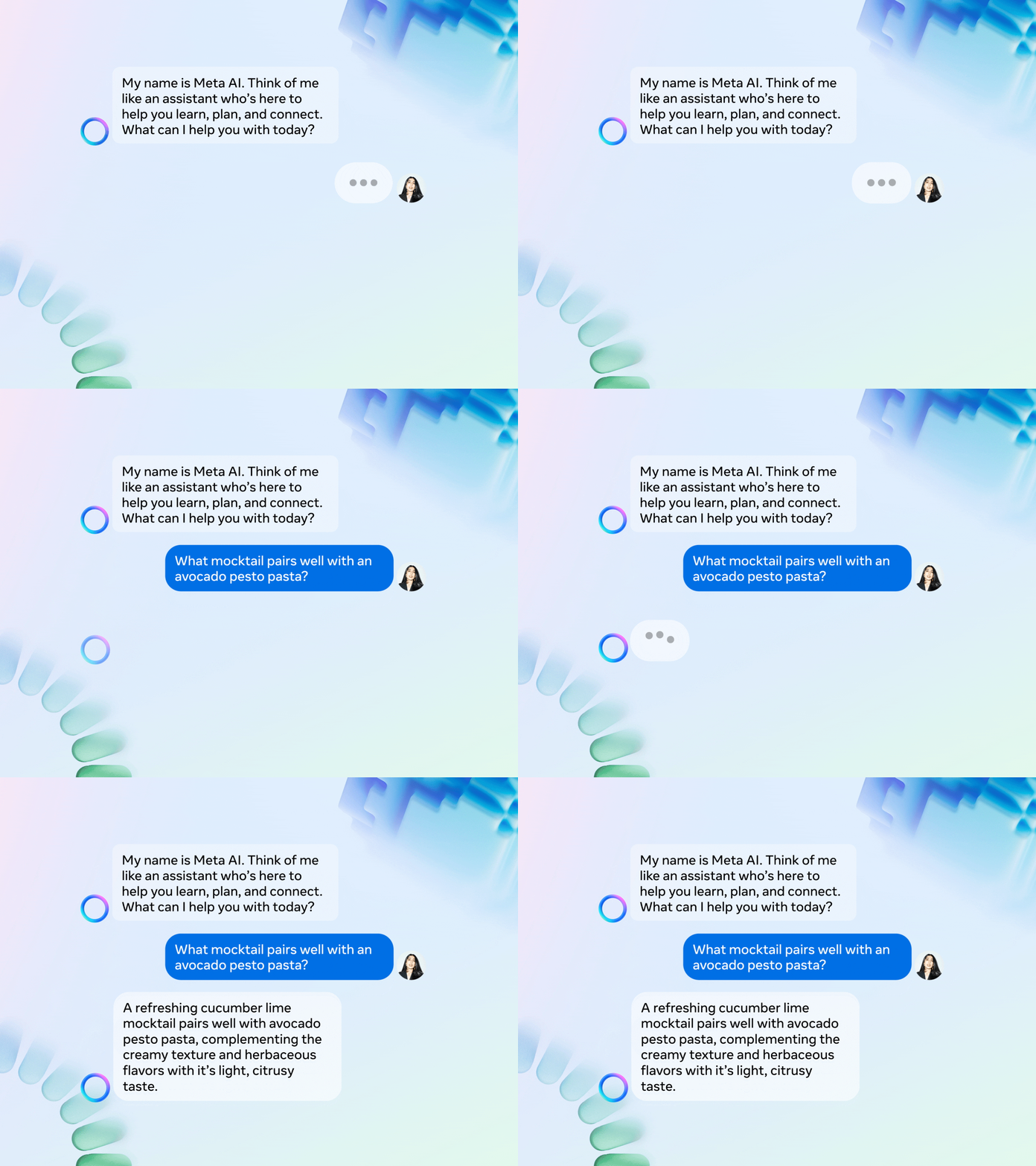
What Meta AI looks like. Here’s a GIF Meta shared:
More Meta AIs with Bing. Meta announced it is releasing 28 additional AIs, all with unique personas, that users can interact with on its platforms. Meta said it plans to bring Bing search to these AI characters, many of which are based on celebrities (e.g., Tom Brady, Snoop Dogg, Paris Hilton, Mr Beast) “in the coming months.”
Bing’s role. Meta AI is powered by a custom model that leverages technology from Llama 2 and other large language models. However, Meta’s LLMs are only trained on information prior to 2023, which would lead to dated responses. This is where Bing’s real-time web results will come into play.
More to come. Meta promises that it is working on AIs for businesses and creators that will be available next year. From Meta:
“Businesses will also be able to create AIs that reflect their brand’s values and improve customer service experiences. From small businesses looking to scale to large brands wanting to enhance communications, AIs can help businesses engage with their customers across our apps. We’re launching this in alpha and will scale it further next year.”
@media screen and (min-width: 800px) { #div-gpt-ad-3191538-7 { display: flex !important; justify-content: center !important; align-items: center !important; min-width:770px; min-height:260px; }
}
@media screen and (min-width: 1279px) { #div-gpt-ad-3191538-7 { display: flex !important; justify-content: center !important; align-items: center !important; min-width:800px!important; min-height:440px!important; }
}
About the author
Danny Goodwin has been Managing Editor of Search Engine Land & Search Marketing Expo – SMX since 2022. He joined Search Engine Land in 2022 as Senior Editor. In addition to reporting on the latest search marketing news, he manages Search Engine Land’s SME (Subject Matter Expert) program. He also helps program U.S. SMX events. Goodwin has been editing and writing about the latest developments and trends in search and digital marketing since 2007. He previously was Executive Editor of Search Engine Journal (from 2017 to 2022), managing editor of Momentology (from 2014-2016) and editor of Search Engine Watch (from 2007 to 2014). He has spoken at many major search conferences and virtual events, and has been sourced for his expertise by a wide range of publications and podcasts.
ChatGPT Browse with Bing returns after being disabled 3 months ago
Open AI has reenabled the Bing search feature it has added to its ChatGPT AI service after temporarily disabling the feature in early July. “ChatGPT can now browse the internet to provide you with current and authoritative information, complete with direct links to sources. It is no longer limited to data before September 2021,” wrote OpenAI on X.
Browse with Bing. Open AI added Bing Search to ChatGPT as a premium service in May. Doing so added to ChatGPT more up-to-date information and timely information powered by Bing Search. ChatGPT has a data set from 2021 or earlier, which is why using Bing Chat provided a better experience for more timely questions. With Bing Search in ChatGPT, the service can “provide timelier and more up-to-date answers with access from the web,” the company wrote.
The service was for ChatGPT Plus subscribers.
Returned on September 27. Open AI explained, “Since the original launch of browsing in May, we received useful feedback. Updates include following robots.txt and identifying user agents so sites can control how ChatGPT interacts with them. Browsing is particularly useful for tasks that require up-to-date information, such as helping you with technical research, trying to choose a bike, or planning a vacation.”
Who can use it. Browse with Bing is available to Plus and Enterprise ChatGPT users today. Open AI said they will “expand to all users soon.”
To enable, choose Browse with Bing in the selector under GPT-4.
Why we care. The Browse with Bing feature in ChatGPT made the service even more useful to searchers and people with questions. Now that this feature is back, it adds more recent information to ChatGPT.
@media screen and (min-width: 800px) { #div-gpt-ad-3191538-7 { display: flex !important; justify-content: center !important; align-items: center !important; min-width:770px; min-height:260px; }
}
@media screen and (min-width: 1279px) { #div-gpt-ad-3191538-7 { display: flex !important; justify-content: center !important; align-items: center !important; min-width:800px!important; min-height:440px!important; }
}
About the author
Barry Schwartz is a Contributing Editor to Search Engine Land and a member of the programming team for SMX events. He owns RustyBrick, a NY based web consulting firm. He also runs Search Engine Roundtable, a popular search blog on very advanced SEM topics. Barry can be followed on Twitter here.