Windows 11 25H2 update hits its last stop before release to the general public

Microsoft’s fifth major iteration of Windows 11 is nearing its release to the general public—the Windows Insider team announced today that Windows 11 25H2 was being put into its Release Preview Channel, the final stop for most updates before they become available to everyone. That’s around two months after the first Windows builds with the 25H2 label were released to the other preview channels.

Putting a new yearly Windows update in the Release Preview channel is analogous to the “release to manufacturing” (RTM) phase of years past, back when updates shipped on physical media that needed to be manufactured. Build numbers for this version of Windows start with 26200, rather than 24H2’s 26100.

The 25H2 update doesn’t do a lot in and of itself, other than reset the clock for Microsoft’s security updates (each yearly release gets two years of security patches). Microsoft says that last year’s 24H2 update and this year’s 25H2 update “use a shared servicing branch,” which mostly means that there aren’t big under-the-hood differences between the two. Installing the 25H2 update on a PC may enable some features on your 24H2 PC that had already been installed but had been disabled by default.

Microsoft says that installing the 25H2 update removes PowerShell 2.0 and the Windows Management Instrumentation Command-line tool (both previously deprecated), and that it allows IT administrators to automatically remove some preinstalled Windows apps from the Microsoft Store via Group Policy. But Microsoft hasn’t said much about major, user-facing new features that are unique to the 25H2 update. The 23H2 update from two years ago was a similarly quiet add-on for Windows 11 22H2.

https://arstechnica.com/gadgets/2025/08/windows-11-25h2-update-hits-its-last-stop-before-release-to-the-general-public/

Google Pixel 10 series review: Don’t call it an Android

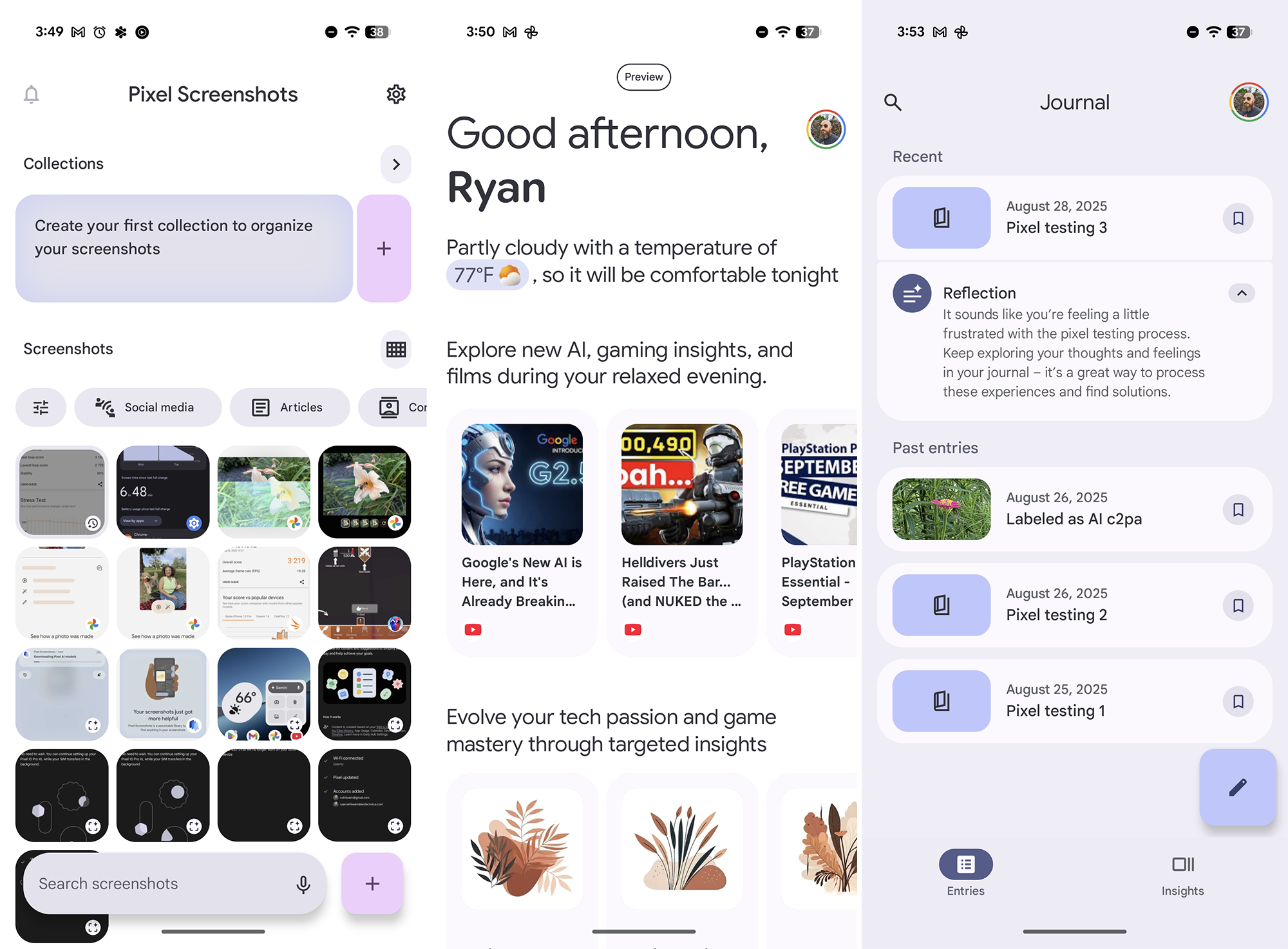
I’ve been using a pre-production version of the new software, but even for early Pixel software, there have been more minor UI hitches than expected. Several times, I’ve seen status bar icons disappear, app display issues, and image edits becoming garbled. There are no showstopping bugs, but the new software could do with a little cleaning up.

The OS changes are more than skin-deep—Google has loaded the Pixel 10 series with a ton of new AI gimmicks aimed at changing the experience (and justifying the company’s enormous AI spending). With the more powerful Tensor G5 to run larger Gemini Nano on-device models, Google has woven AI into even more parts of the OS. Google’s efforts aren’t as disruptive or invasive as what we’ve seen from other Android phone makers, but that doesn’t mean the additions are useful.

It would be fair to say Magic Cue is Google’s flagship AI addition this year. The pitch sounds compelling—use local AI to crunch your personal data into contextual suggestions in Maps, Messages, phone calls, and more. For example, it can prompt you to insert content into a text message based on other messages or emails.

Despite having a mountain of personal data in Gmail, Keep, and other Google apps, I’ve seen precious few hints of Magic Cue. It once suggested a search in Google Maps, and on another occasion, it prompted an address in Messages. If you don’t use Google’s default apps, you might not see Magic Cue at all. More than ever before, getting the most out of the Pixel means using Google’s first-party apps, just like that other major smartphone platform.

Pixel 10 AI

Google is searching for more ways to leverage generative AI.

Credit: Ryan Whitwam

Google is searching for more ways to leverage generative AI. Credit: Ryan Whitwam

Google says it can take about a day after you set up the Pixel 10 before Magic Cue will be done ingesting your personal data—it takes that long because it’s all happening on your device instead of in the cloud. I appreciate Google’s commitment to privacy in mobile AI because it does have access to a huge amount of user data. But it seems like all that data should be doing more. And I hope that, in time, it does. An AI assistant that anticipates your needs is something that could actually be useful, but I’m not yet convinced that Magic Cue is it.

https://arstechnica.com/gadgets/2025/08/google-pixel-10-series-review-dont-call-it-an-android/


700-piece Lego G3 iMac design faces long-shot odds to get made, but I still want one

I don’t usually get too excited about user-submitted designs on the Lego Ideas website, especially when those ideas would require negotiating a license with another company—user-generated designs need to reach 10,000 supporters before Lego considers them for production, two pretty high bars to clear even without factoring in some other brand’s conditions and requests.

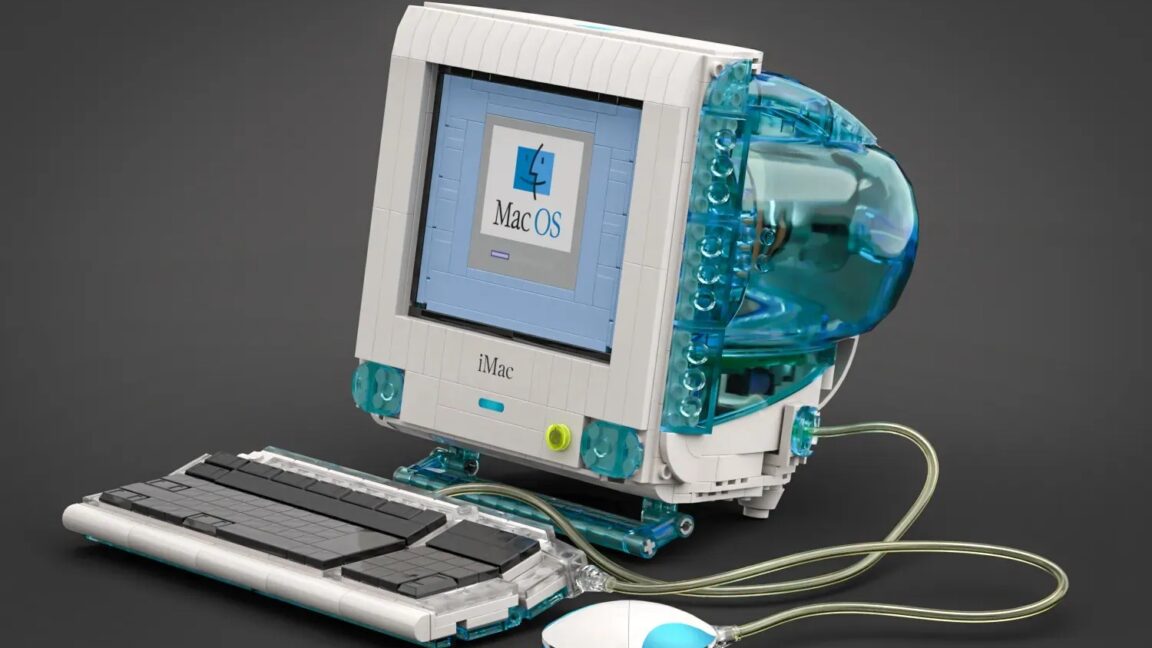
But I’m both intrigued and impressed by this Lego version of Apple’s old Bondi Blue G3 iMac that has been making the rounds today. Submitted by a user named terauma, the 700-plus-piece set comes complete with keyboard, hockey-puck mouse, a classic Mac OS boot screen, and cathode ray tubes and circuit boards visible through the set’s transparent blue casing (like the original iMac, it may cause controversy by excluding a floppy disk drive). The design has already reached 5,000 supporters, and it has 320 days left to reach the 10,000-supporter benchmark required to be reviewed by Lego.

With its personality-forward aesthetics and Jony Ive-led design, the original iMac was the first step down the path that led to blockbuster products like the iPod and iPhone. It was the company’s first all-new Mac design after CEO Steve Jobs returned to the company in the late ’90s, and while it lacked some features included in contemporary PCs, its tightly integrated design and ease of setup helped it stand out against the beige desktop PCs of the day. Today’s colorful Apple Silicon iMacs are clearly inspired by the original design.

https://arstechnica.com/gadgets/2025/08/lego-imac-g3-concept-is-unlikely-to-go-anywhere-but-it-is-very-cute/


Video player looks like a 1-inch TV from the ’60s and is wondrous, pointless fun

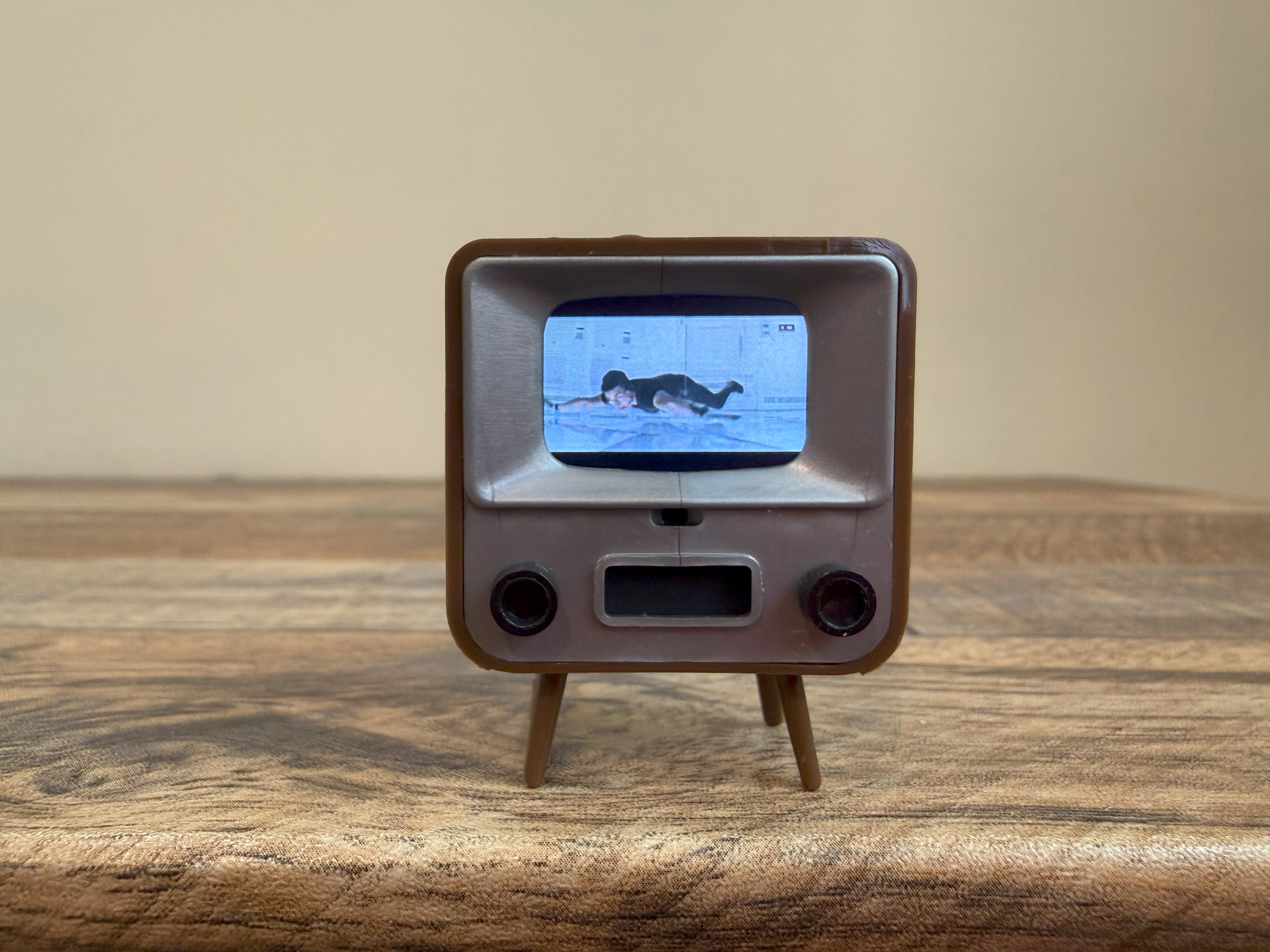
I uploaded a trailer for this summer’s Mission: Impossible – The Final Reckoning movie onto the TinyTV, and with 223.4 pixels per inch, its screen was sharp enough to show details like a document with text, the edges of a small airplane’s wing, and the miniscule space between Tom Cruise and the floor in that vault from the first Mission: Impossible.

Tom Cruise on the TinyTV 2.

Tom Cruise on the TinyTV.

Credit: Scharon Harding

Tom Cruise on the TinyTV. Credit: Scharon Harding

A video of white text on a black background that TinyCircuits preloaded was legible, despite some blooming and the scrolling words appearing jerky. Everything I uploaded also appeared grainier on TinyTV, making details harder to see.

The 0.6×4-inch, front-facing speaker, however, isn’t nearly loud enough to hear if almost anything else in the room is making noise. Soft dialogue was hard to make out, even in a quiet room.

A simpler time for TVs

We’ve come a long way since the early days of TV. Screens are bigger, brighter, faster, and more colorful and advanced. We’ve moved from input dials to slim remotes with ads for streaming services. TV legs have been replaced with wall mounts, and the screens are no longer filled with white noise but are driven by software and tracking.

I imagine the TinyTV serving a humble mouse family when I’m not looking. I’ve seen TinyCircuits market the gadget as dollhouse furniture. People online have also pointed to using TinyTVs at marketing events, like trade shows, to draw people in.

“People use this for a number of things, like office desk toys, loading videos on it for the holidays to send to Grandma, or just for fun,” Burns told me.

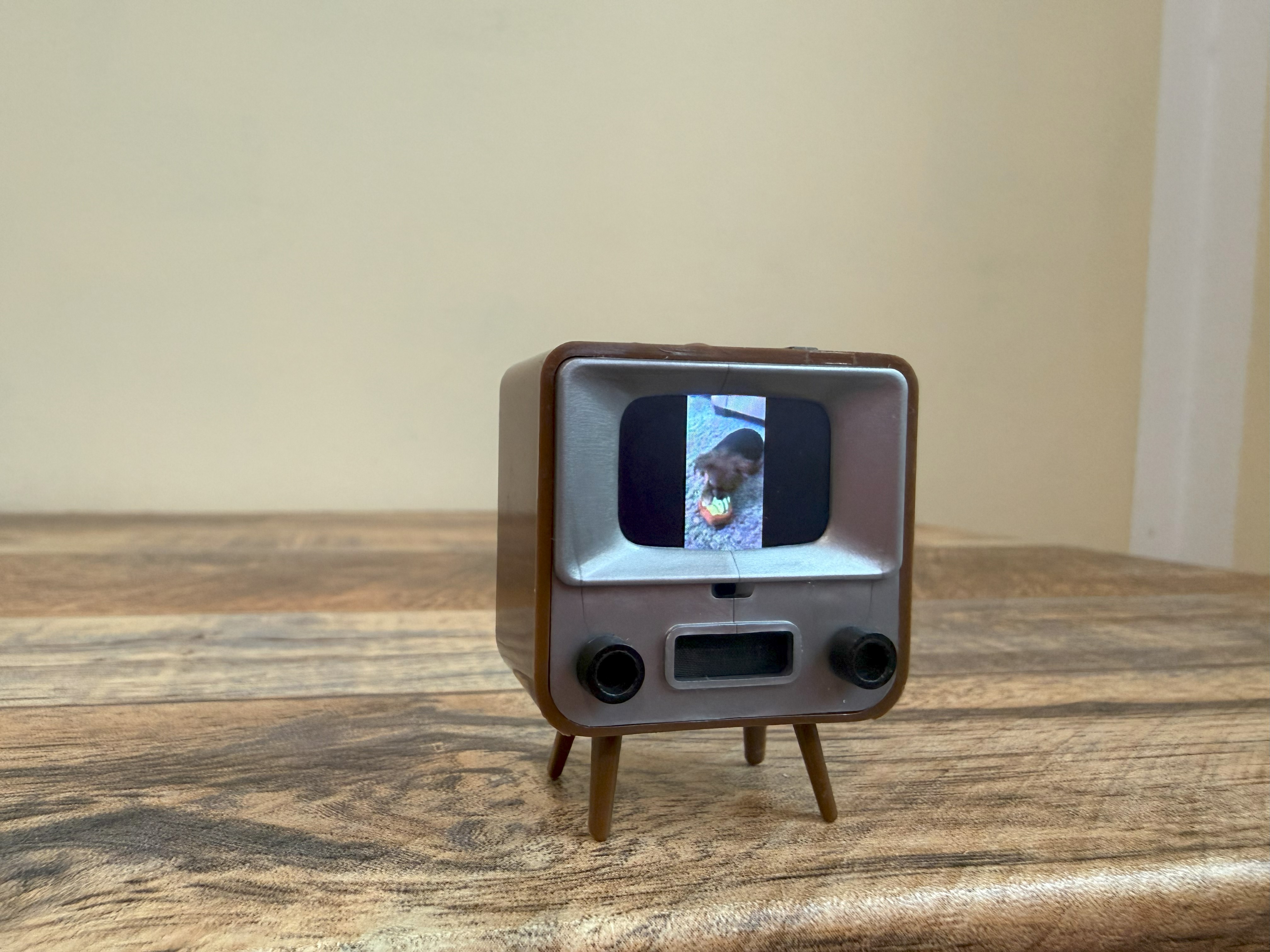
I’ve mostly settled on using the TinyTV in my home office to show iPhone-shot footage of my dog playing, as if it’s an old home video, plus a loop of a video of one of my favorite waterfalls.

TinyTV 2

The TinyTV’s 8GB microSD card is supposed to hold “about” 10 hours of video. Burns told me that it’s “possible” to swap the storage. You’d have to take the gadget apart, though.

Credit: Scharon Harding

The TinyTV’s 8GB microSD card is supposed to hold “about” 10 hours of video. Burns told me that it’s “possible” to swap the storage. You’d have to take the gadget apart, though. Credit: Scharon Harding

As TVs morph into ad machines and new display tech forces us to learn new acronyms regularly, TinyTV’s virtually pointless fun is refreshing. It’s not a real TV, but it gets at the true spirit of TVs: electronic screens that invite people to gather ‘round, so they can detach from the real world and be entertained.

https://arstechnica.com/gadgets/2025/08/video-player-looks-like-a-1-inch-tv-from-the-60s-and-is-wondrous-pointless-fun/


Blogging service TypePad is shutting down and taking all blog content with it

TypePad was a blogging service based on the Movable Type content management system but hosted on TypePad’s site and with other customizations. Both Movable Type and TypePad were originally created by Six Apart, with TypePad being the solution for less technical users who just wanted to create a site and Movable Type being the version you could download and host anywhere and customize to your liking—not unlike the relationship between WordPress.com (the site that hosts other sites) and WordPress.org (the site that hosts the open source software).

Movable Type and TypePad diverged in the early 2010s; Six Apart was bought by a company called VideoEgg in 2010, resulting in a merged company called Say Media. In 2011, Say Media sold Movable Type and the Six Apart brand name to a Japanese company called InfoCom while retaining control of TypePad. Forms filed with the SEC indicate that TypePad was acquired in 2013 by Endurance International Group, which also owns Bluehost, among other hosting and hosting-related brands. Trying to sign up for a new TypePad account currently redirects users to BlueHost instead.

Movable Type still lives on; its latest major release, 8.4.0, came out in November of 2024.

The TypePad shutdown is rough news for the site’s remaining user base—and it’s yet another tranche of old Internet content that will only be available via the Internet Archive’s Wayback Machine, when it’s available at all.

https://arstechnica.com/gadgets/2025/08/one-time-wordpress-competitor-typepad-ends-its-slide-into-obscurity-by-shutting-down/


Apple set to unveil next-gen iPhones and other devices on September 9

Apple is hosting its next product event on Tuesday, September 9, at 10 am Pacific and 1 pm Eastern, the company announced today. Though Apple’s event announcements rarely indicate what the company plans to talk about, the company’s September events for well over a decade have all revolved around the iPhone.

The event will be available to stream from YouTube or from Apple’s events website.

Rumors about this year’s iPhones point to a more significant redesign than in recent years, though Apple isn’t (yet?) ready to jump into the world of foldable phones. In addition to new, wider camera areas that span the backs of the devices, the most reliable rumors suggest we’ll be getting a new “iPhone Air” that prioritizes thinness and lightness. We’re also expecting a standard iPhone 17, an iPhone 17 Pro, and an iPhone 17 Pro Max; the non-Pro Max version of the iPhone may be going away, following in the footsteps of the iPhone mini design from a few years ago.

Apple also usually announces a handful of other devices at its September event. Apple Watches are usually a focus—rumors indicate we should be on the lookout for a mainstream Series 11, as well as a new Ultra 3 at the high end and SE 3 at the low end. We could also get a fresh iteration of the Apple TV box and updates to Apple’s various AirPod and HomePod-related audio devices.

https://arstechnica.com/apple/2025/08/apples-next-iphone-event-is-happening-september-9-at-1-pm-eastern/


Framework Laptop 16 update brings Nvidia GeForce to the modular gaming laptop

It’s been a busy year for Framework, the company behind the now well-established series of repairable, upgradeable, modular laptops (and one paradoxically less-upgradeable desktop). The company has launched a version of the Framework Laptop 13 with Ryzen AI processors, the new Framework Laptop 12, and the aforementioned desktop in the last six months, and last week, Framework teased that it still had “something big coming.”

That “something big” turns out to be the first-ever update to the Framework Laptop 16, Framework’s more powerful gaming-laptop-slash-mobile-workstation. Framework is updating the laptop with Ryzen AI processors and new integrated Radeon GPUs and is introducing a new graphics module with the mobile version of Nvidia’s GeForce RTX 5070—one that’s also fully compatible with the original Laptop 16, for upgraders.

Preorders for the new laptop open today, and pricing starts at $1,499 for a DIY Edition without RAM, storage, an OS, or Expansion Cards, a $100 increase from the price of the first Framework Laptop 16. The first units will begin shipping in November.

While Framework has launched multiple updates for its original Laptop 13, this is the first time it has updated the hardware of one of its other computers. We wouldn’t expect the just-launched Framework Laptop 12 or Framework Desktop to get an internal overhaul any time soon, but the Laptop 16 will be pushing 2-years-old by the time this upgrade launches.

The old Ryzen 7 7840HS CPU version of the Laptop 16 will still be available going forward at a slightly reduced starting price of $1,299 (for the DIY edition, before RAM and storage). The Ryzen 9 7940HS model will stick around until it sells out, at which point Framework says it’s going away.

GPU details and G-Sync asterisks

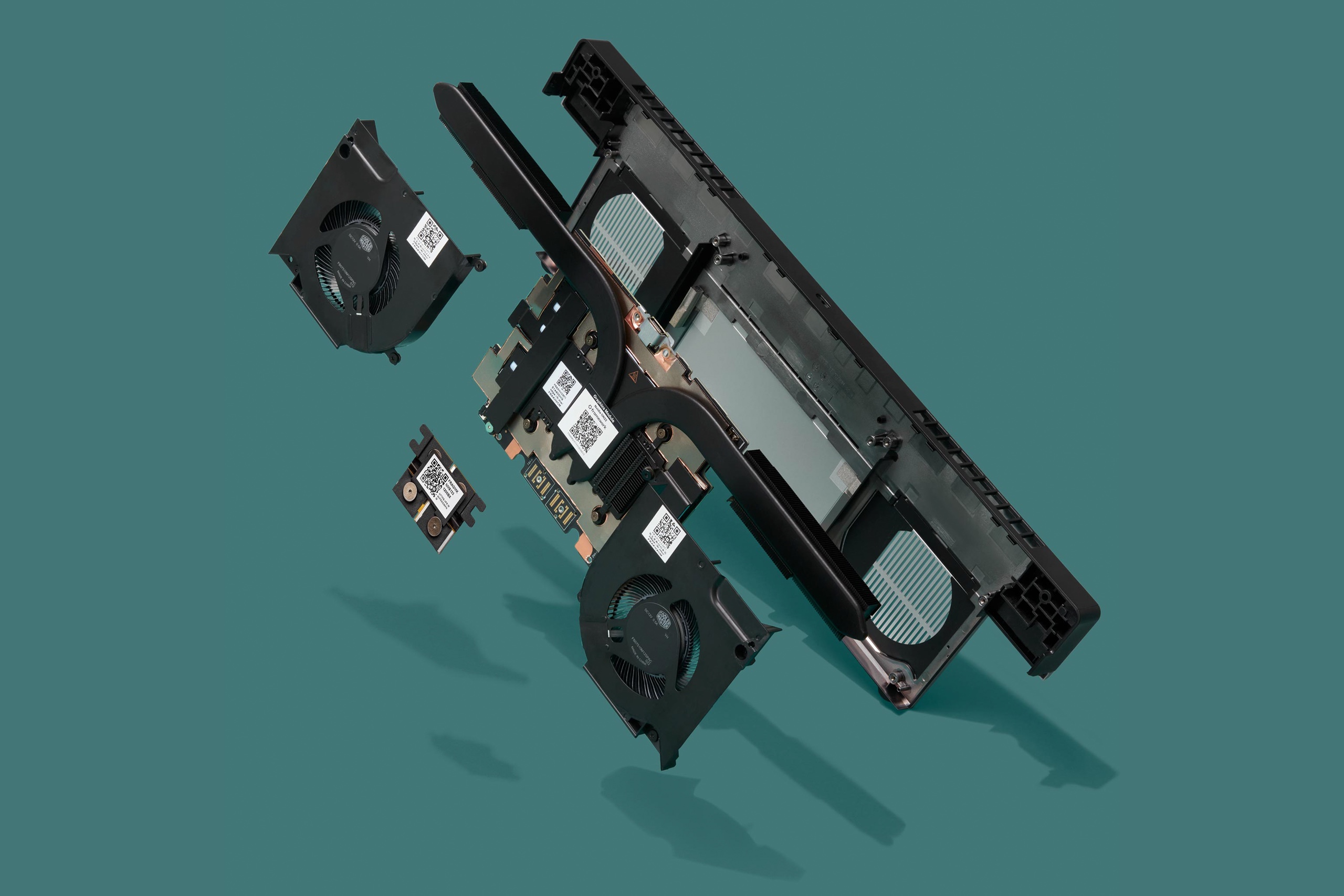
The Laptop 16’s new graphics module and cooling system, also exploded. Credit: Framework

This RTX 5070 graphics module includes a redesigned heatsink and fan system, plus an additional built-in USB-C port that supports both display output and power input (potentially freeing up one of your Expansion Card slots for something else). Because of the additional power draw of the GPU and the other new components, Framework is switching to a 240 W default power supply for the new Framework Laptop 16, up from the previous 180 W power brick.

https://arstechnica.com/gadgets/2025/08/framework-laptop-16-update-brings-nvidia-geforce-to-the-modular-gaming-laptop/


Google will block sideloading of unverified Android apps starting next year

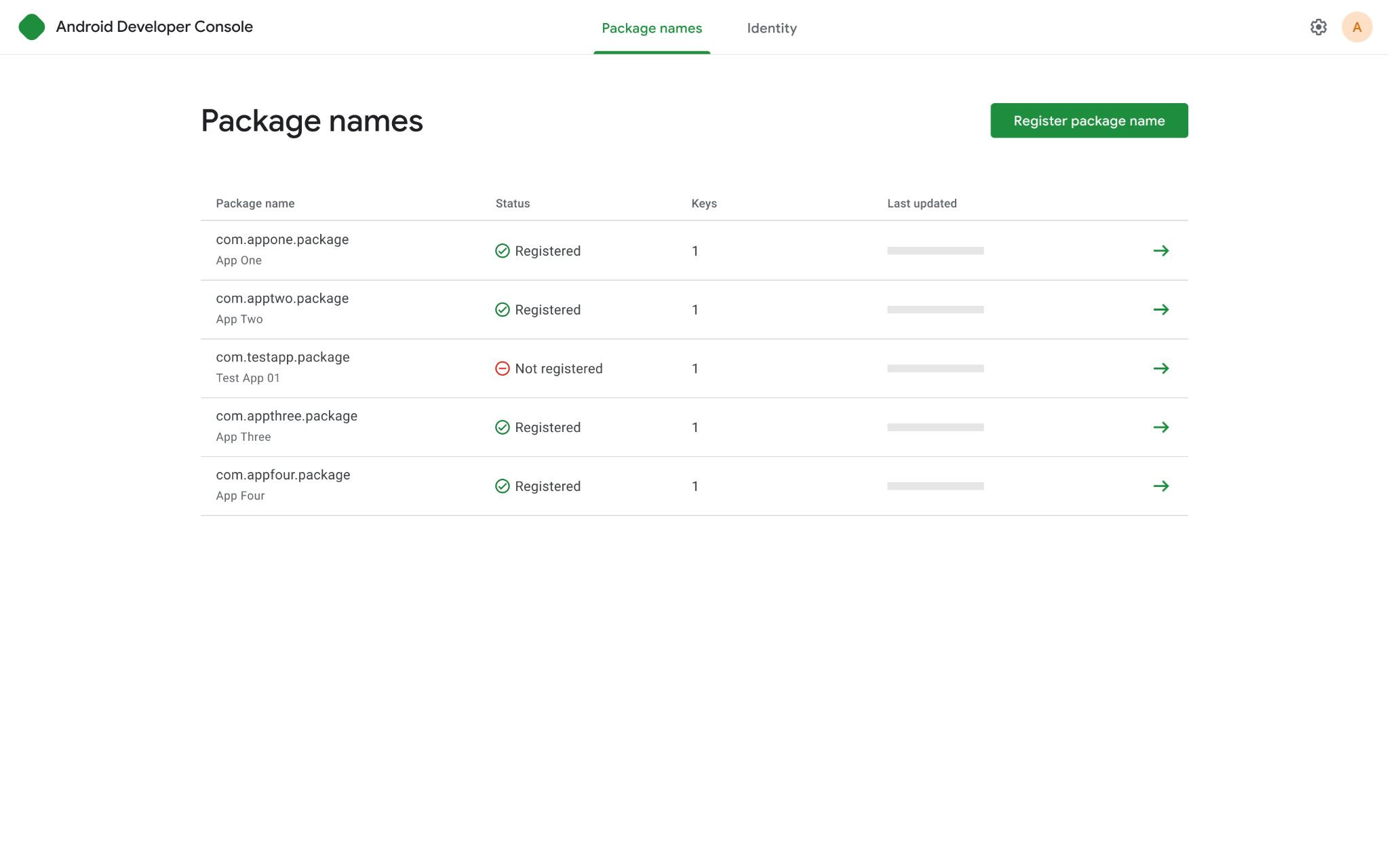
Android Developer Console

An early look at the streamlined Android Developer Console for sideloaded apps. Credit: Google

Google says that only apps with verified identities will be installable on certified Android devices, which is virtually every Android-based device—if it has Google services on it, it’s a certified device. If you have a non-Google build of Android on your phone, none of this applies. However, that’s a vanishingly small fraction of the Android ecosystem outside of China.

Google plans to begin testing this system with early access in October of this year. In March 2026, all developers will have access to the new console to get verified. In September 2026, Google plans to launch this feature in Brazil, Indonesia, Singapore, and Thailand. The next step is still hazy, but Google is targeting 2027 to expand the verification requirements globally.

A seismic shift

This plan comes at a major crossroads for Android. The ongoing Google Play antitrust case brought by Epic Games may finally force changes to Google Play in the coming months. Google lost its appeal of the verdict several weeks ago, and while it plans to appeal the case to the US Supreme Court, the company will have to begin altering its app distribution scheme, barring further legal maneuvering.

Credit: Google

Among other things, the court has ordered that Google must distribute third-party app stores and allow Play Store content to be rehosted in other storefronts. Giving people more ways to get apps could increase choice, which is what Epic and other developers wanted. However, third-party sources won’t have the deep system integration of the Play Store, which means users will be sideloading these apps without Google’s layers of security.

It’s hard to say how much of a genuine security problem this is. On one hand, it makes sense Google would be concerned—most of the major malware threats to Android devices spread via third-party app repositories. However, enforcing an installation whitelist across almost all Android devices is heavy handed. This requires everyone making Android apps to satisfy Google’s requirements before virtually anyone will be able to install their apps, which could help Google retain control as the app market opens up. While the requirements may be minimal right now, there’s no guarantee they will stay that way.

The documentation currently available doesn’t explain what will happen if you try to install a non-verified app, nor how phones will check for verification status. Presumably, Google will distribute this whitelist in Play Services as the implementation date approaches. We’ve reached out for details on that front and will report if we hear anything.

https://arstechnica.com/gadgets/2025/08/google-will-block-sideloading-of-unverified-android-apps-starting-next-year/


Like Intel before it, AMD blames motherboard makers for burnt-out CPUs

It’s also reminiscent of a monthslong process that Intel went through to track down problems with some 13th- and 14th-generation Core CPUs whose performance and stability were degrading over time. Intel had to release multiple waves of fixes to completely iron out the problems—but one major contributing factor, the company said, was motherboard makers whose products strayed too far from Intel’s recommended default settings. In the end, Intel ended up extending the warranties of all 13th- and 14th-generation Core CPUs to help cover the damage.

McAfee and Kirsch recommend installing your motherboard maker’s latest BIOS updates as they’re released, to pick up new default settings as AMD and its partners change them. These BIOS updates also add support for new processors, improve memory compatibility, and patch security flaws, among other things.

McAfee and Kirsch also pointed out that AMD can have slightly more trouble testing and tracking down issues because the long lives of its chipsets and CPU sockets (and AMD’s various tools for adjusting power limits and overclocking) create a much wider range of possible system configurations to test. That’s especially true for socket AM4 motherboards, where an X370 motherboard from 2017 could theoretically be paired with a current CPU release like the Ryzen 5 5500X3D. But even for AM5, users could be sticking brand-new Ryzen X3D chips into 3-year-old motherboards, an upgrade path with no real equivalent in Intel’s ecosystem.

https://arstechnica.com/gadgets/2025/08/like-intel-before-it-amd-blames-motherboard-makers-for-burnt-out-cpus/


Samsung’s “Micro RGB” TV proves the value of RGB backlights for premium displays

Samsung's Micro RGB TV

Samsung declined to specify the type of LCD panel used in the TV but said it’s the same kind used in its other QLED TVs.

Scharon Harding

Samsung's Micro RGB TV

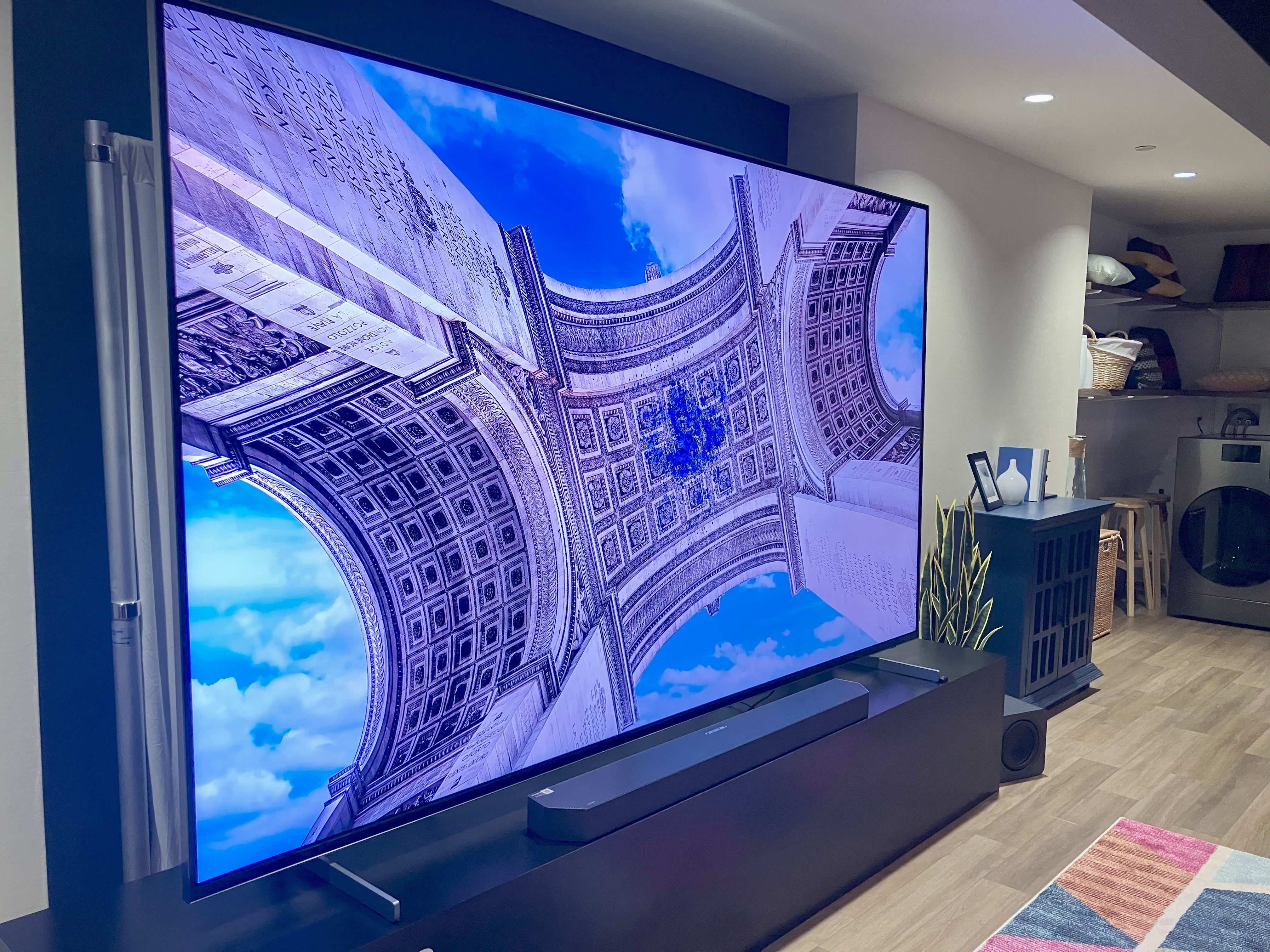
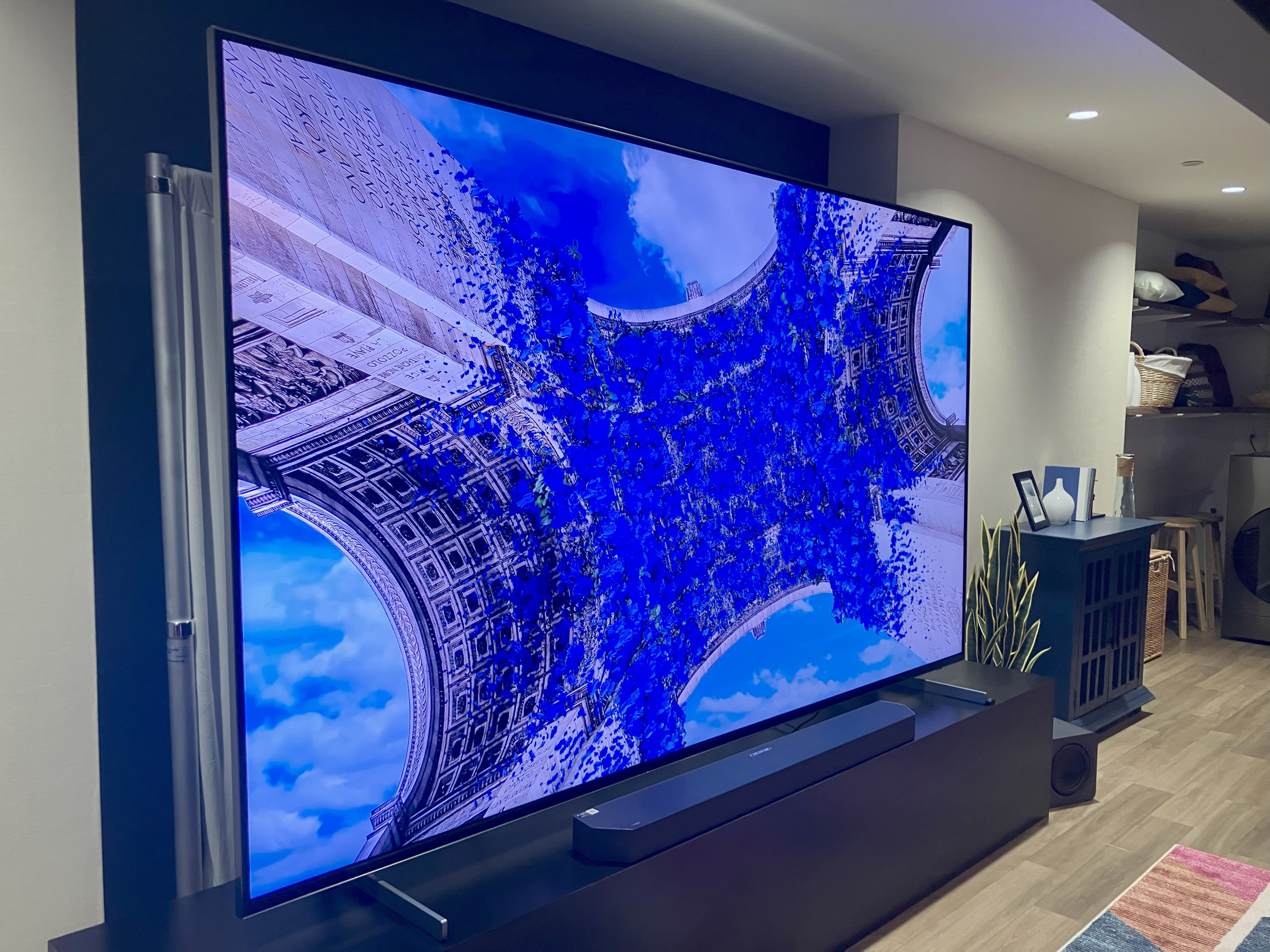
The TV showing off its many shades of blue.

Scharon Harding

I’m still concerned about the Micro RGB name, which carries the risk of being confused with true Micro LED. In the past, Samsung has contributed to display-market confusion with terms like QLED (an acronym that looks awfully similar to OLED). The new display technology is impressive enough; its marketing doesn’t need to evoke associations with a markedly different display type.

Hands-on with Samsung’s Micro RGB TV

Seeing the Micro RGB TV in person confirmed the great potential RGB backlight tech represents. The image quality didn’t quite match what you’d see with a similar OLED or Micro LED display, but what I saw in my short time with the TV surpassed what I’d expect from the best LCD-LED TVs.

I demoed the TV in a mildly lit room, where the screen’s lively colors quickly leaped out at me. I mostly watched pre-selected, polychromatic videos on the TV, making it hard to discern color accuracy. But during the brief demo, I saw colors that are rare to see on even the most expensive TVs.

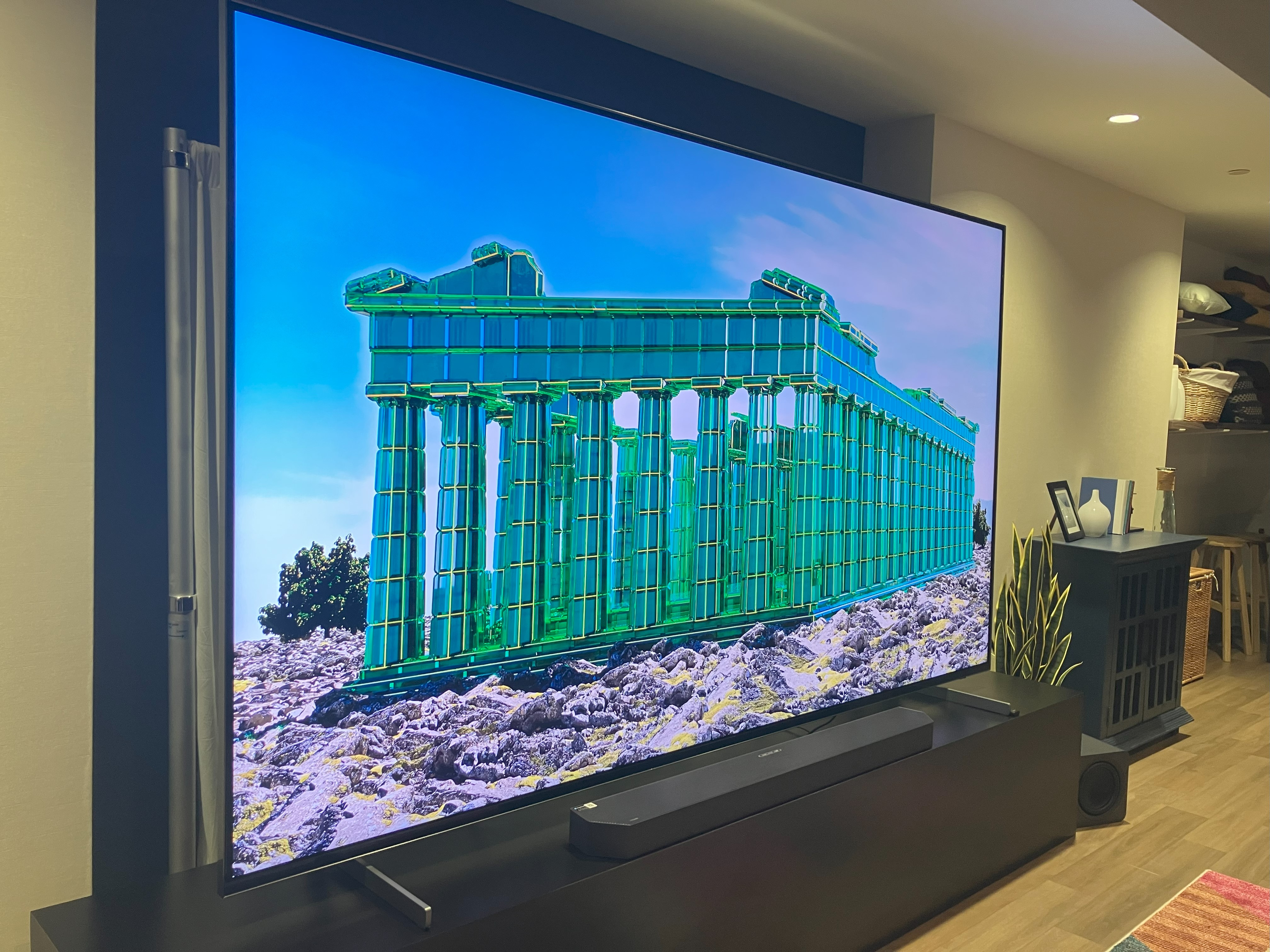
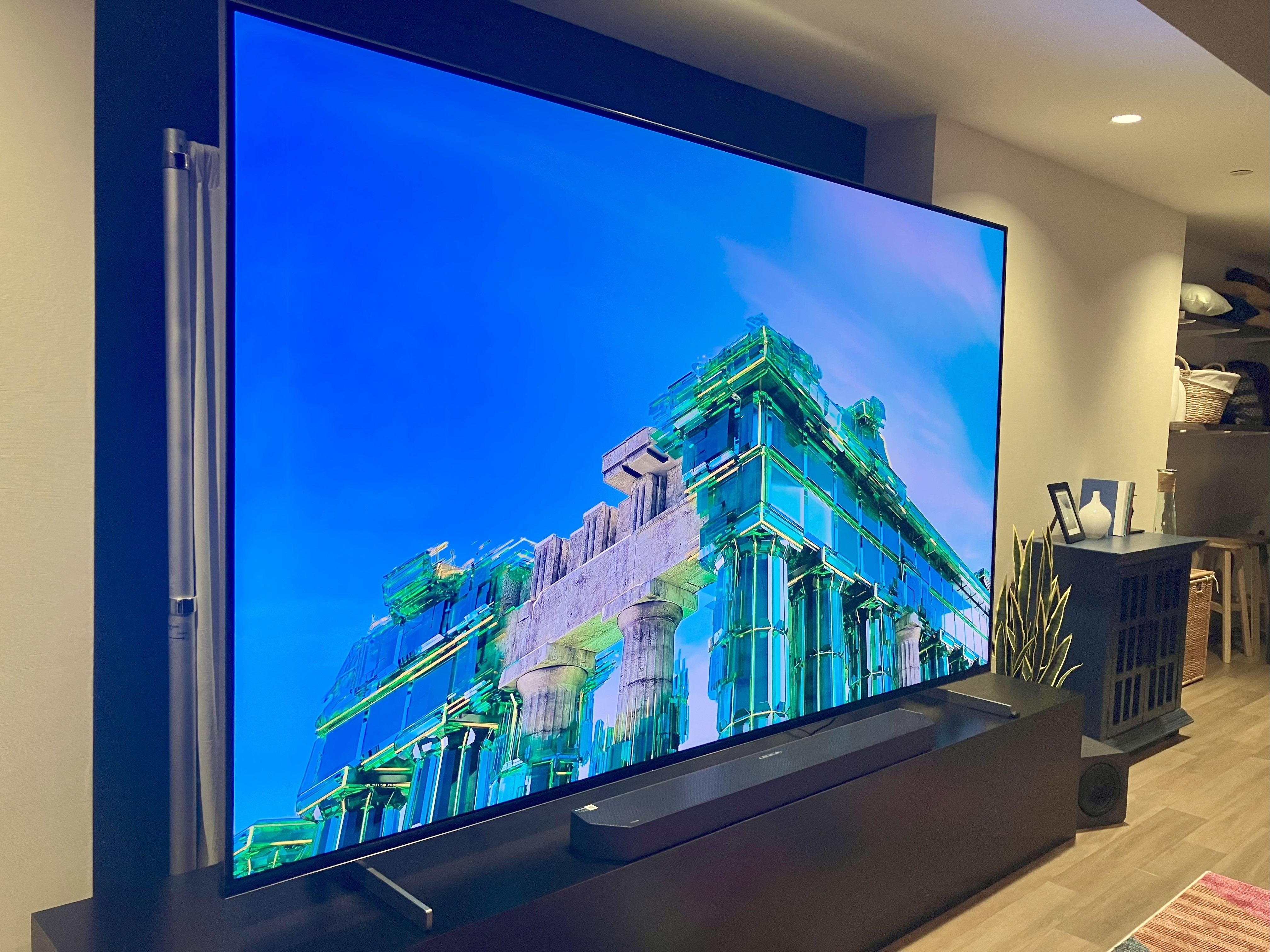
For example, part of the demo reel (shown below) featured a building in a shade of teal that I can’t recall ever seeing on a TV. It was a greener-leaning teal that had just the right amount of blue to distinguish it from true green. Many displays would fail to capture that subtle distinction.

Samsung's Micro RGB TV

My camera couldn’t come close to capturing this shade of teal.

Scharon Harding

Samsung's Micro RGB TV

Another look at the unique color.

Scharon Harding

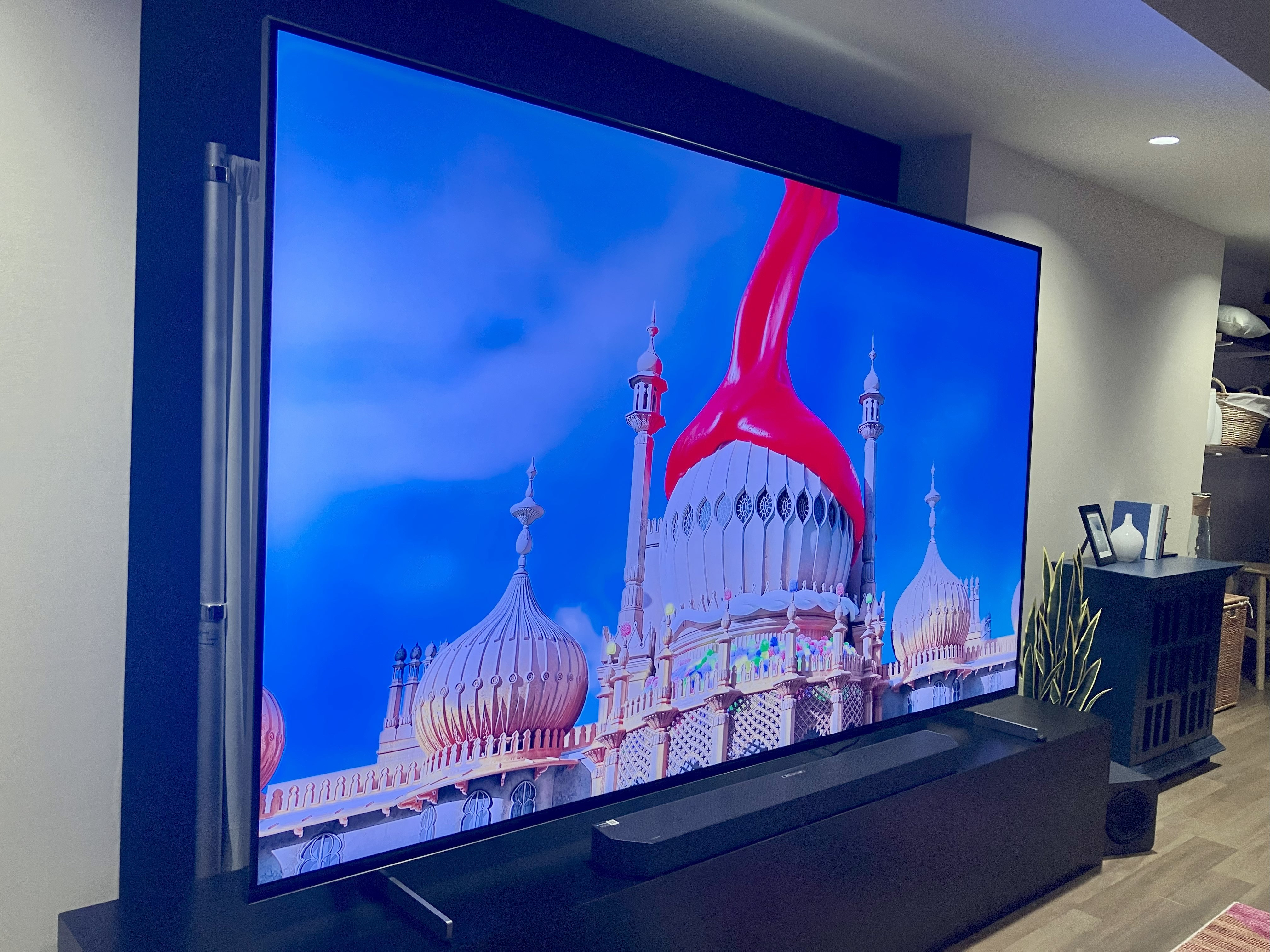
The demo video also showed a particular shade of pinkish-red. Again, this was the first time I had seen this video, making me wonder if a purer red would be more accurate. But I also saw strong, bright, bloody reds during my demo, suggesting that this unfamiliar pinkish-red was the result of the Micro RGB TV’s broad color gamut.

Samsung's Micro RGB TV

Unsurprisingly, the TV packs in AI, including a feature that’s supposed to automatically recognize scenes with dull lighting and make them look more lively.

Credit: Scharon Harding

Unsurprisingly, the TV packs in AI, including a feature that’s supposed to automatically recognize scenes with dull lighting and make them look more lively. Credit: Scharon Harding

Another top standout from my demo was the smooth gradient effects that the TV showed. I could detect no banding in a sunset-like background, for instance, as deep oranges effortlessly transitioned to paler shades before seamlessly evolving into white. Nuanced shades also appeared to enable unique textures on the TV. When the TV was set to display a painting, the screen seemed to mimic the rough texture of canvas or the subtle strokes of paintbrushes. Of course, the TV’s massive size helped emphasize these details, too.

https://arstechnica.com/gadgets/2025/08/samsungs-micro-rgb-tv-proves-the-value-of-rgb-backlights-for-premium-displays/