Google’s frighteningly good Veo 3 AI videos to be integrated with YouTube Shorts

Even in the age of TikTok, YouTube viewership continues to climb. While Google’s iconic video streaming platform has traditionally pushed creators to produce longer videos that can accommodate more ads, the site’s Shorts format is growing fast. That growth may explode in the coming months, as YouTube CEO Neal Mohan has announced that the Google Veo 3 AI video generator will be integrated with YouTube Shorts later this summer.

According to Mohan, YouTube Shorts has seen a rise in popularity even compared to YouTube as a whole. The streaming platform is now the most watched source of video in the world, but Shorts specifically have seen a massive 186 percent increase in viewership over the past year. Mohan says Shorts now average 200 billion daily views.

YouTube has already equipped creators with a few AI tools, including Dream Screen, which can produce AI video backgrounds with a text prompt. Veo 3 support will be a significant upgrade, though. At the Cannes festival, Mohan revealed that the streaming site will begin offering integration with Google’s leading video model later this summer. “I believe these tools will open new creative lanes for everyone to explore,” said Mohan.

YouTube Shorts recommendations.

YouTube heavily promotes Shorts on the homepage.

Credit: Google

YouTube heavily promotes Shorts on the homepage. Credit: Google

This move will require a few tweaks to Veo 3 outputs, but it seems like a perfect match. As the name implies, YouTube Shorts is intended for short video content. The format initially launched with a 30-second ceiling, but that has since been increased to 60 seconds. Because of the astronomical cost of generative AI, each generated Veo clip is quite short, a mere eight seconds in the current version of the tool. Slap a few of those together, and you’ve got a YouTube Short.

https://arstechnica.com/gadgets/2025/06/googles-veo-3-ai-videos-will-come-to-youtube-shorts-this-summer/


Framework Laptop 12 review: I’m excited to see what the 2nd generation looks like

But the keyboard lacks a backlight, and it doesn’t have the fingerprint sensor you get with the Laptop 13. With no fingerprint sensor and no IR webcam, there are no biometric authentication options available for use with Windows Hello, so you’ll either need a PIN or a password to unlock your laptop every time you want to use it. Either omission would be sort of annoying in a laptop in this price range (we complained about the lack of keyboard backlight in the $700 Surface Laptop Go 2 a few years ago), but to be missing both is particularly frustrating in a modern system that costs this much.

Repairs and upgrades

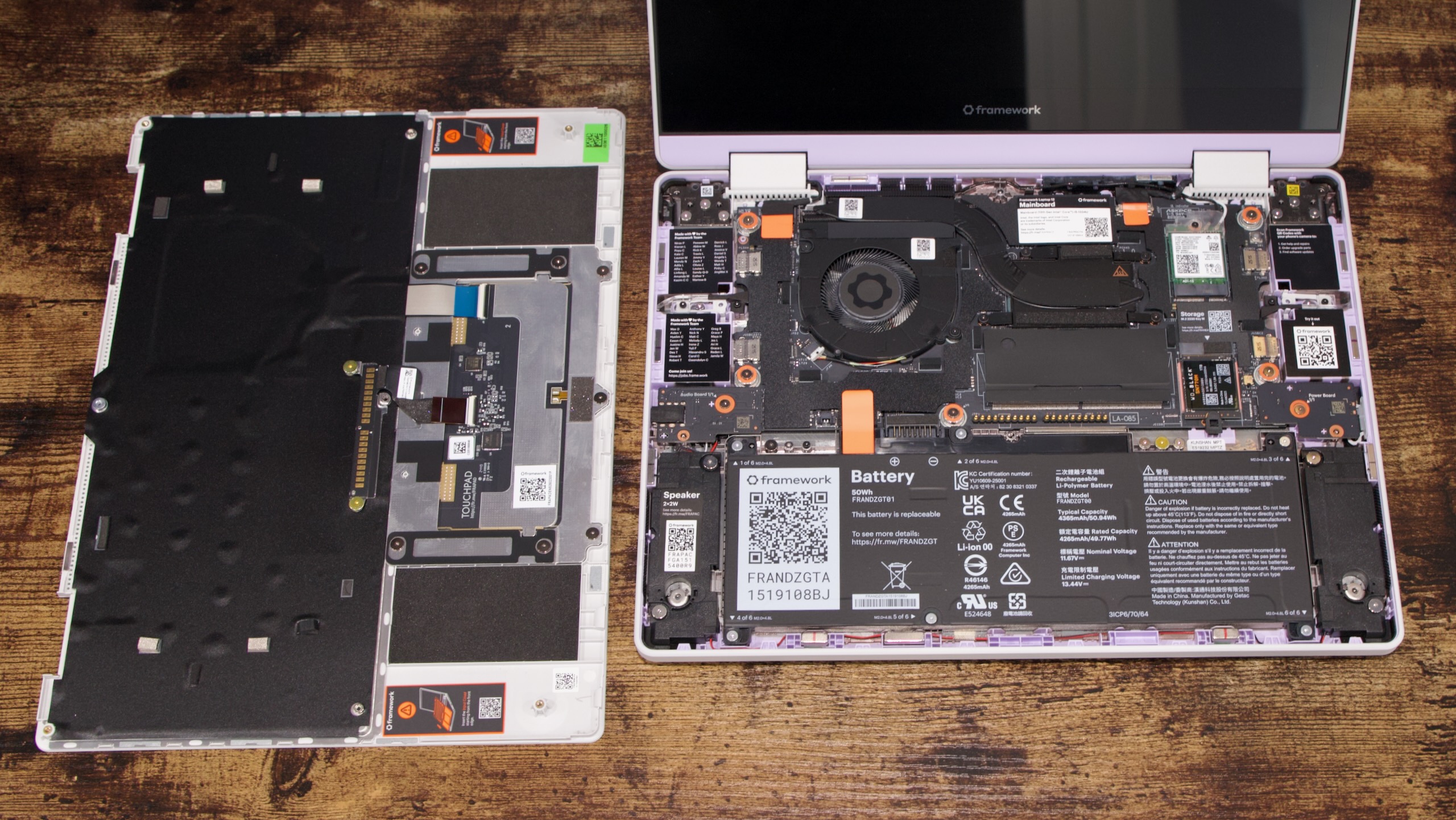
The Laptop 12 on the inside. The keyboard, audio board, and power board all shift to pogo pins instead of ribbon cables, which is handy.

Andrew Cunningham

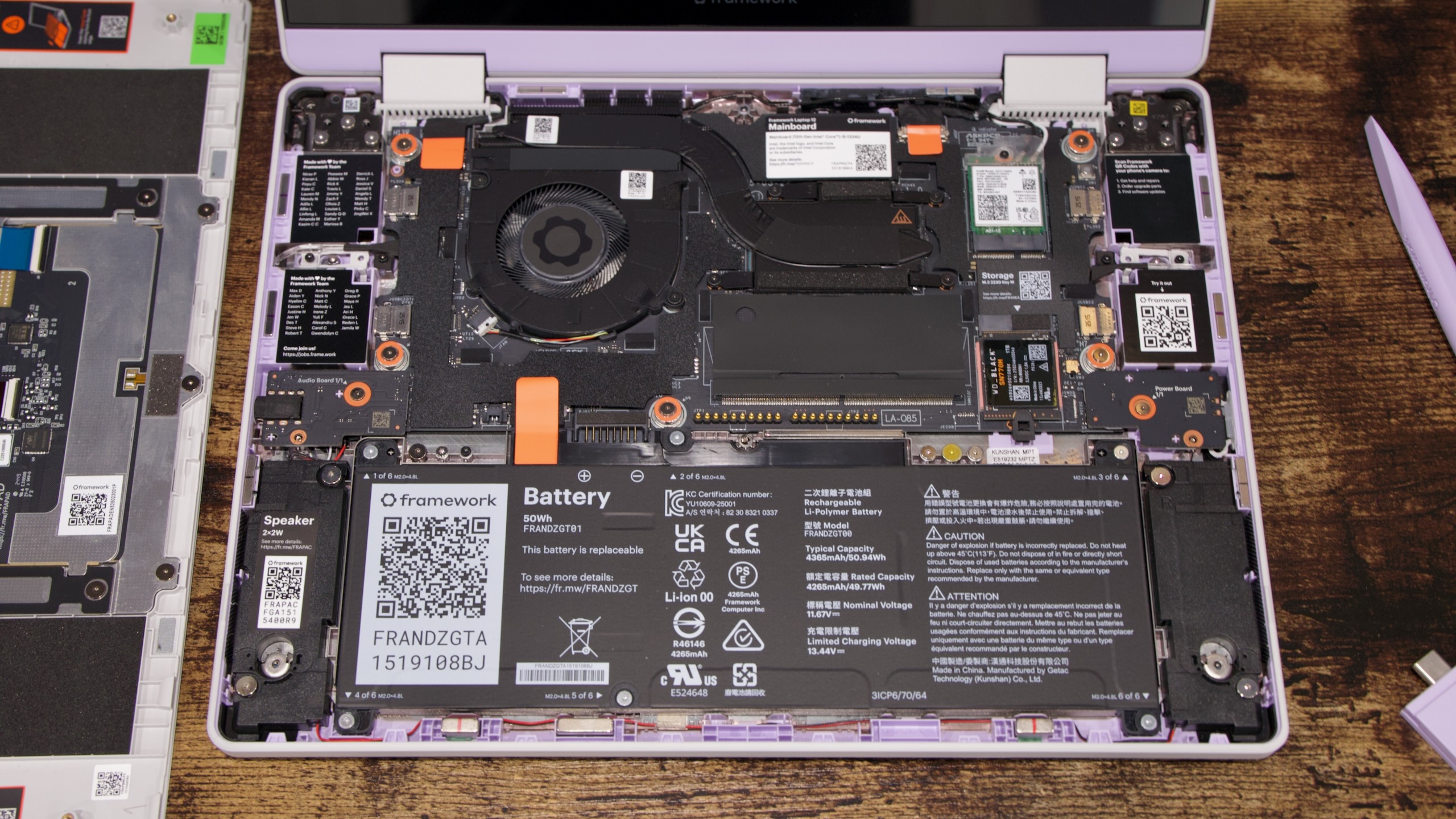
A close-up of the Laptop 12’s inside.

Andrew Cunningham

We’ve been inside the Framework Laptop 13 enough times that we don’t do deep dives into its insides anymore, but as a new (and, in some ways, more refined) design, the Laptop 12 warrants a closer look this time around.

Framework’s pack-in Torx screwdriver is still the only tool you need to work on the Laptop 12. Undo the eight captive screws on the bottom of the laptop, and you’ll be able to lift away the entire keyboard and trackpad area to expose all of the other internal components, including the RAM, SSD, battery, and the motherboard itself.

The motherboard is quite a bit smaller than the Framework Laptop 13 board, and the two are definitely not interchangeable. Framework has never said otherwise, but it’s worth highlighting that these are two totally separate models that will have their own distinct components and upgrade paths—that goes for parts like the speakers and battery, too.

Laptop 12 motherboard on top, Laptop 13 motherboard on bottom. Credit: Andrew Cunningham

As a result of that reduction in board space, the Laptop 12 can only fit a single DDR5 RAM slot, which reduces memory bandwidth and limits your RAM capacity to 48GB. It also uses shorter M.2 2230 SSDs, like the Surface lineup or the Steam Deck. Unlike a few years ago, these SSDs are now readily available at retail, and it’s also easy to buy warranty-less ones on eBay or elsewhere that have been pulled from OEM systems. But they’re still a bit more expensive than the more common M.2 2280 size, and you have fewer options overall.

https://arstechnica.com/gadgets/2025/06/framework-laptop-12-review-im-excited-to-see-what-the-2nd-generation-looks-like/


Google’s Gemini AI family updated with stable 2.5 Pro, super-efficient 2.5 Flash-Lite

Google has announced a big expansion of its Gemini AI model family today. After months of tweaking and tuning, the high-power Gemini 2.5 Pro is leaving preview and is ready for developers to build on. Meanwhile, Google is offering a peek at its upcoming high-efficiency model, known as Gemini 2.5 Pro Flash-Lite. Try as it might, Google can’t get away from confusing model names.

Google’s AI aspirations have been looking up in 2025 with the debut of Gemini 2.5. These models showed a marked improvement over past versions, making Google more competitive with OpenAI and its popular GPT models. However, we’ve been inundated with previews and test builds as Google works toward general availability, which means a model is stable enough for long-term development work.

The 2.5 Flash model left preview at I/O, but Gemini 2.5 Pro lagged behind. Today, Flash is hitting general availability with the 04-17 build. Gemini 2.5 Pro is leaving preview and also reaching general availability, and as predicted, the recently revamped 06-05 build is the winner. This version aimed to address some issues that popped up in the Google I/O build of 2.5 Pro, and it appears to have worked.

Gemini final models

Google now has a Gemini model for every task.

Credit: Google

Google now has a Gemini model for every task. Credit: Google

All Gemini 2.5 models include adjustable thinking budgets, making them appealing to developers who want more control over costs. For the most price-sensitive devs, Google is also introducing Gemini 2.5 Flash-Lite, which was previously experimental. This model is now in preview, offering a way to run high-volume AI workloads without incurring significant costs. Compared to 2.5 Flash, it’s one-third of the cost for text, image, and video inputs and less than one-sixth of the cost for output tokens. It’s unlikely this variant of Gemini will come to the app for regular users, because it’s less capable than 2.5 Flash and only makes sense when you’re paying by the token.

https://arstechnica.com/ai/2025/06/googles-gemini-ai-family-updated-with-stable-2-5-pro-super-efficient-2-5-flash-lite/


Inside the firm turning eerie blank streaming ads into useful nonprofit messages

DENVER—Ads shown while you’re streaming shows or movies are disruptive enough. But there’s something uniquely eerie about what you see when a connected TV (CTV) platform fails to sell ad inventory. You may get a black screen accompanied by ethereal music or a confusing thumping beat, alongside a graphic that says something like, “We’ll be right back.”

Not only are streamers being forced to endure more ad time than ever, but that time doesn’t even always benefit streaming platforms or advertisers. For the past six months, AdGood has been working to turn that blank, wasted ad space into messaging for good by helping nonprofits buy ad space for cheap.

During the StreamTV Show in Denver this week, Ars spoke with Kris Johns, CEO and founder of AdGood, a 501(c)(3) nonprofit that sells unused, CTV ad space to other nonprofits. AdGood sells unfilled, sometimes donated, ad space at discounted rates, which it says can be as low as about $5 to $6 CPMs (cost per mille, or the amount an advertiser pays for every 1,000 impressions an ad earns). Johns said that CTV CPMs can vary depending on the scenario, with costs ranging from $12 to $15 and higher. Some CTV ad firms peg the average CTV CPM at $35 to $65.

According to Johns, AdGood currently has “about 60-plus” nonprofit customers across the US that span different sizes and verticals. Its customer base covers various areas, including animals, education, health care, and homelessness. Johns said AdGood would like to be in all vertical sectors eventually.

AdGood is able to sell nonprofits CTV ad space for cheap through partnerships, including ones with LG Ad Solutions and, announced this week, Stingray and Plex.

“Partnering with AdGood allows us to extend the impact of our media platform to nonprofits doing critical work around the world,” Shawn Eldridge, VP of business development and Content at Plex, said in a statement.

https://arstechnica.com/gadgets/2025/06/inside-the-firm-turning-eerie-blank-streaming-ads-into-useful-nonprofit-messages/


Another one for the graveyard: Google to kill Instant Apps in December

But that was then, and this is now. Today, an increasing number of mobile apps are functionally identical to the mobile websites they are intended to replace, and developer uptake of Instant Apps was minimal. Even in 2017, loading an app instead of a website had limited utility. As a result, most of us probably only encountered Instant Apps a handful of times in all the years it was an option for developers.

To use the feature, which was delivered to virtually all Android devices by Google Play Services, developers had to create a special “instant” version of their app that was under 15MB. The additional legwork to get an app in front of a subset of new users meant this was always going to be a steep climb, and Google struggles to incentivize developers to adopt new features. Plus, there’s no way to cram in generative AI! So it’s not a shock to see Google retiring the feature.

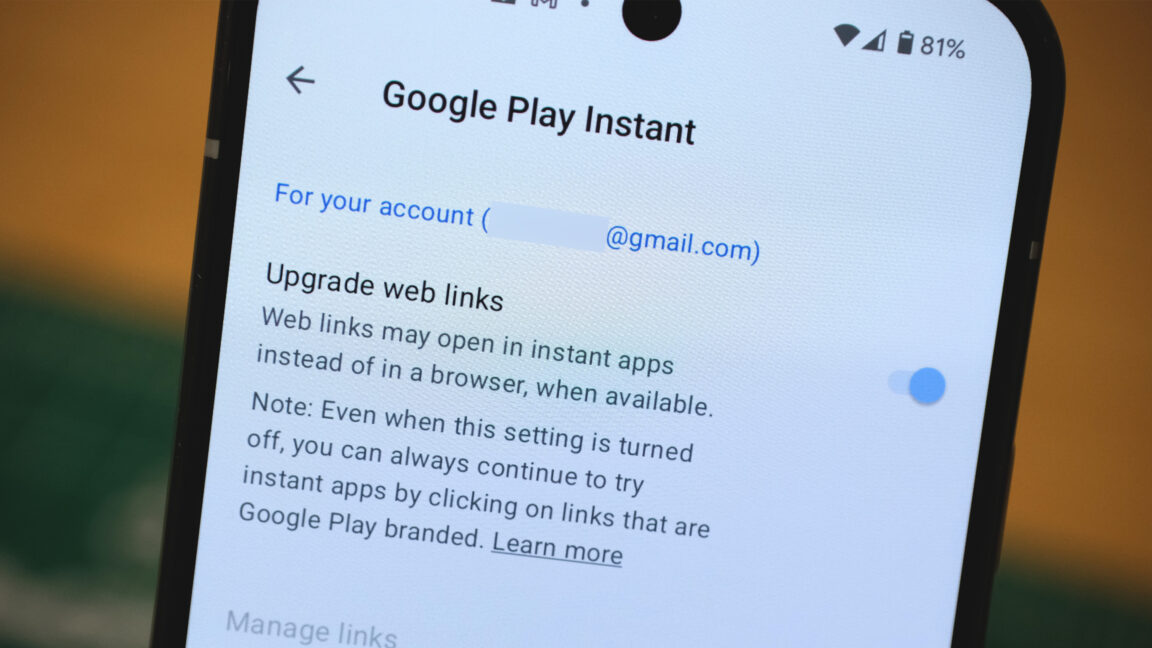
This feature is currently listed in the collection of Google services in your phone settings as “Google Play Instant.” Unfortunately, there aren’t many examples still available if you’re curious about what Instant Apps were like—the Finnish publisher Ilta-Sanomat is one of the few still offering it. Make sure the settings toggle for Instant Apps is on if you want a little dose of nostalgia.

https://arstechnica.com/gadgets/2025/06/another-one-for-the-graveyard-google-to-kill-instant-apps-in-december/


HP reveals first Google Beam 3D video conferencing setup, priced at $25,000

Amid all the Gemini hype at Google I/O last month, the company also turned one of its experiments into a (kind of) real product. Project Starline was reborn as Google Beam, a 3D video conferencing system that makes it look like you’re in the same room with the other party. Google said HP would reveal the first Beam setup, and now it has. The HP Dimension is coming this year, and the price tag is a predictably hefty $24,999.

Google Beam calls for a lot of advanced hardware, so the high price isn’t a surprise. The HP Dimension uses six high-speed cameras positioned around the display to capture the speaker from multiple angles. This visual data is then fed into Google’s proprietary volumetric video model, which merges the streams together into a 3D reconstruction of the speaker.

Eventually, there will be Beam systems of various sizes, but the HP model comes with a big 65-inch display. All Beam systems will use light field screen technology, which can show the volumetric model in 3D, eliminating the need to wear a headset or glasses for the 3D effect. Google says Beam can show minute details at 60 fps with millimeter-scale precision.

Read full article

Comments

https://arstechnica.com/gadgets/2025/06/hp-reveals-first-google-beam-3d-video-conferencing-setup-priced-at-25000/


A history of the Internet, part 2: The high-tech gold rush begins

Welcome to the second article in our three-part series on the history of the Internet. If you haven’t already, read part one here.

As a refresher, here’s the story so far:

The ARPANET was a project started by the Defense Department’s Advanced Research Project Agency in 1969 to network different mainframe computers together across the country.  Later, it evolved into the Internet, connecting multiple global networks together using a common TCP/IP protocol.

By the late 1980s, investments from the National Science Foundation (NSF) had established an “Internet backbone” supporting hundreds of thousands of users worldwide. These users were mostly professors, researchers, and graduate students.

In the meantime, commercial online services like CompuServe were growing rapidly. These systems connected personal computer users, using dial-up modems, to a mainframe running proprietary software. Once online, people could read news articles and message other users. In 1989, CompuServe added the ability to send email to anyone on the Internet.

In 1965, Ted Nelson submitted a paper to the Association for Computing Machinery. He wrote: “Let me introduce the word ‘hypertext’ to mean a body of written or pictorial material interconnected in such a complex way that it could not conveniently be presented or represented on paper.” The paper was part of a grand vision he called Xanadu, after the poem by Samuel Coleridge.

A decade later, in his book “Dream Machines/Computer Lib,” he described Xanadu thusly: “To give you a screen in your home from which you can see into the world’s hypertext libraries.” He admitted that the world didn’t have any hypertext libraries yet, but that wasn’t the point. One day, maybe soon, it would. And he was going to dedicate his life to making it happen.

As the Internet grew, it became more and more difficult to find things on it. There were lots of cool documents like the Hitchhiker’s Guide To The Internet, but to read them, you first had to know where they were.

The community of helpful programmers on the Internet leapt to the challenge. Alan Emtage at McGill University in Montreal wrote a tool called Archie. It searched a list of public file transfer protocol (FTP) servers. You still had to know the file name you were looking for, but Archie would let you download it no matter what server it was on.

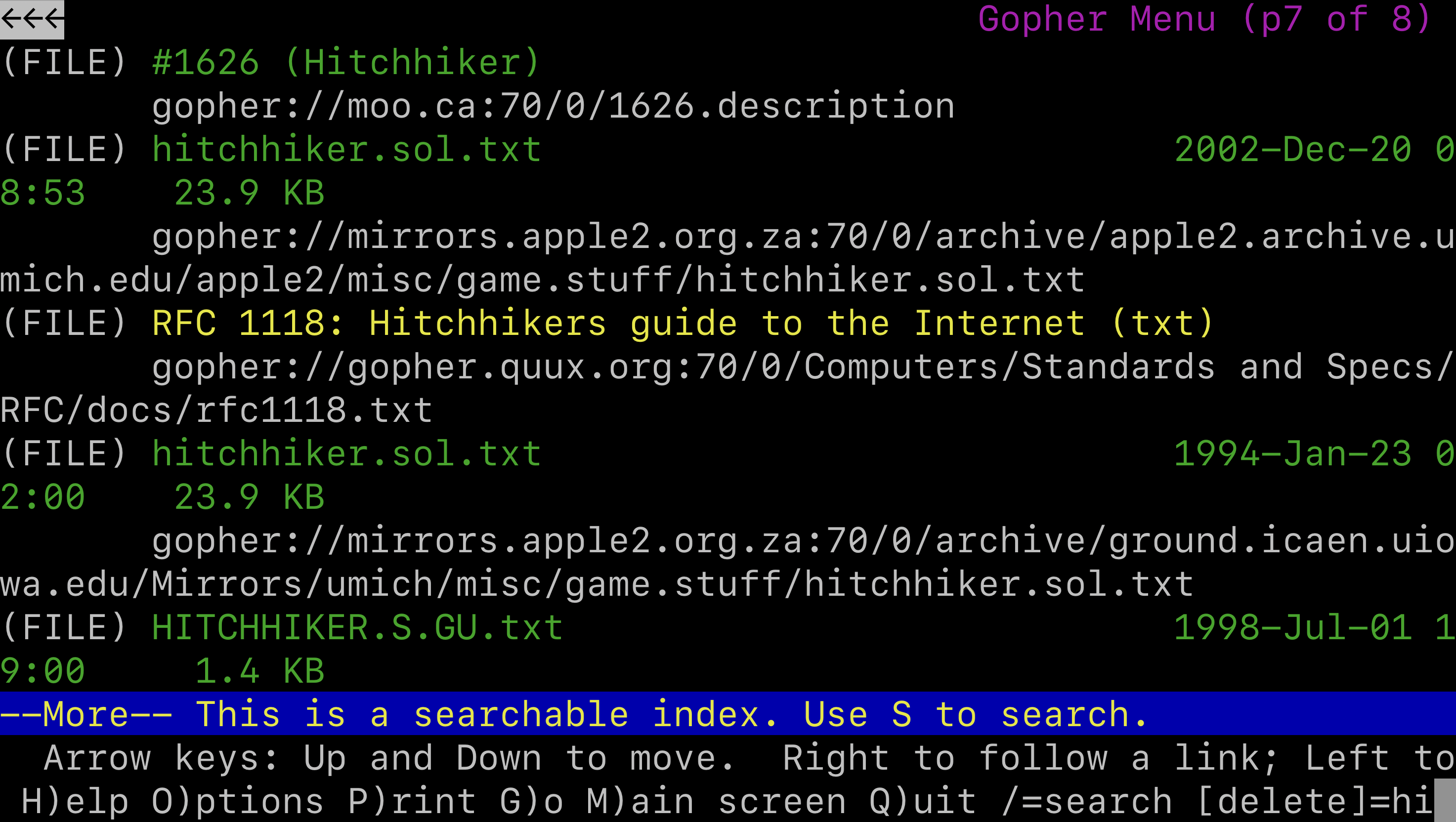
An improved search engine was Gopher, written by a team headed by Mark McCahill at the University of Minnesota. It used a text-based menu system so that users didn’t have to remember file names or locations. Gopher servers could display a customized collection of links inside nested menus, and they integrated with other services like Archie and Veronica to help users search for more resources.
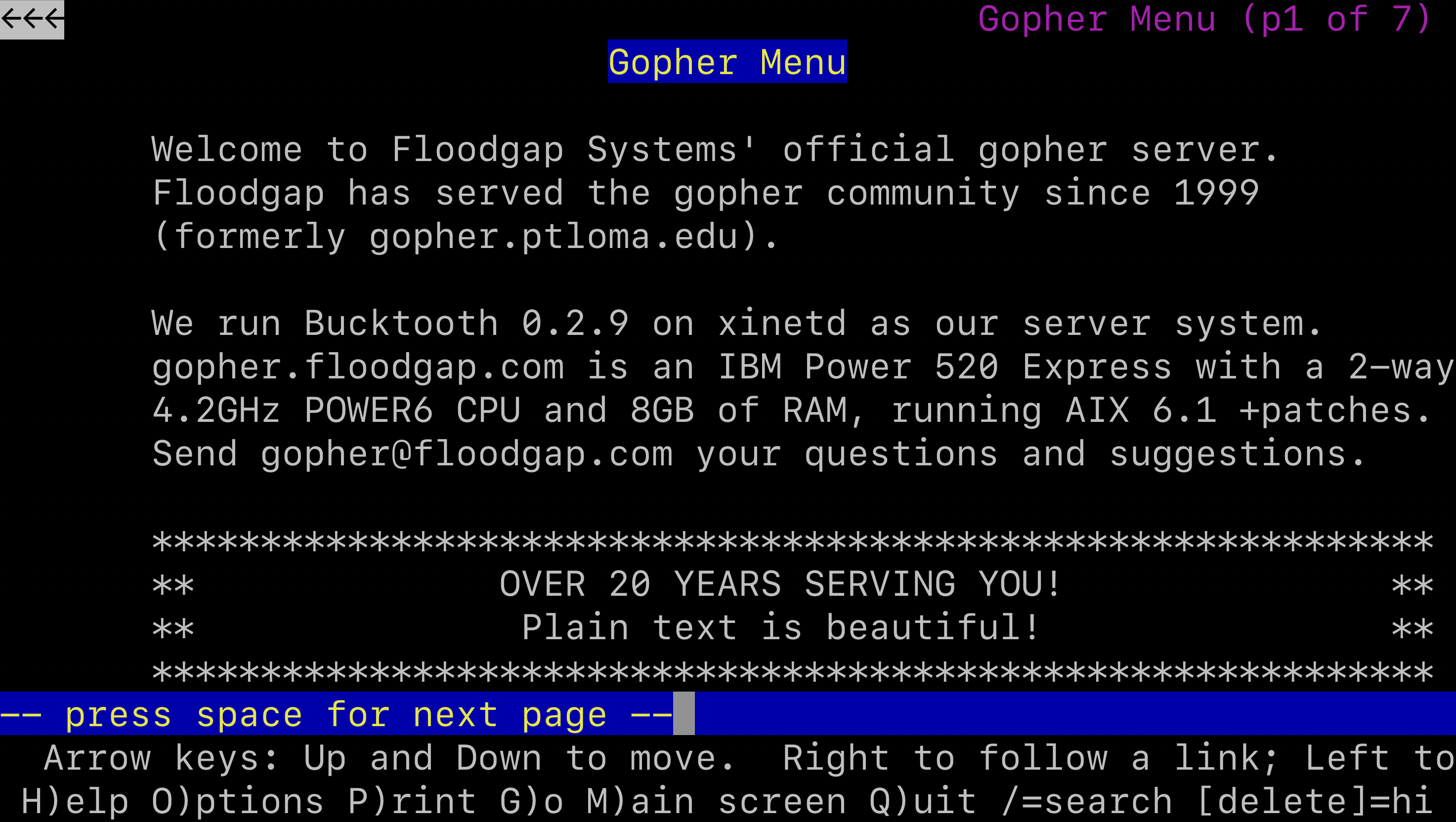
Here is the multi-page result of searching for “Hitchhiker” on Gopher.

Jeremy Reimer
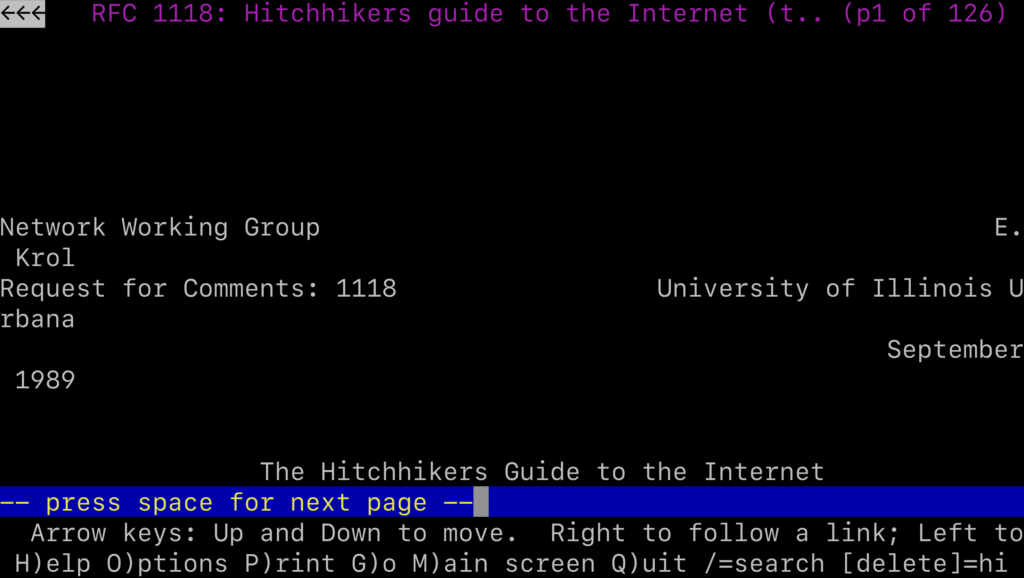
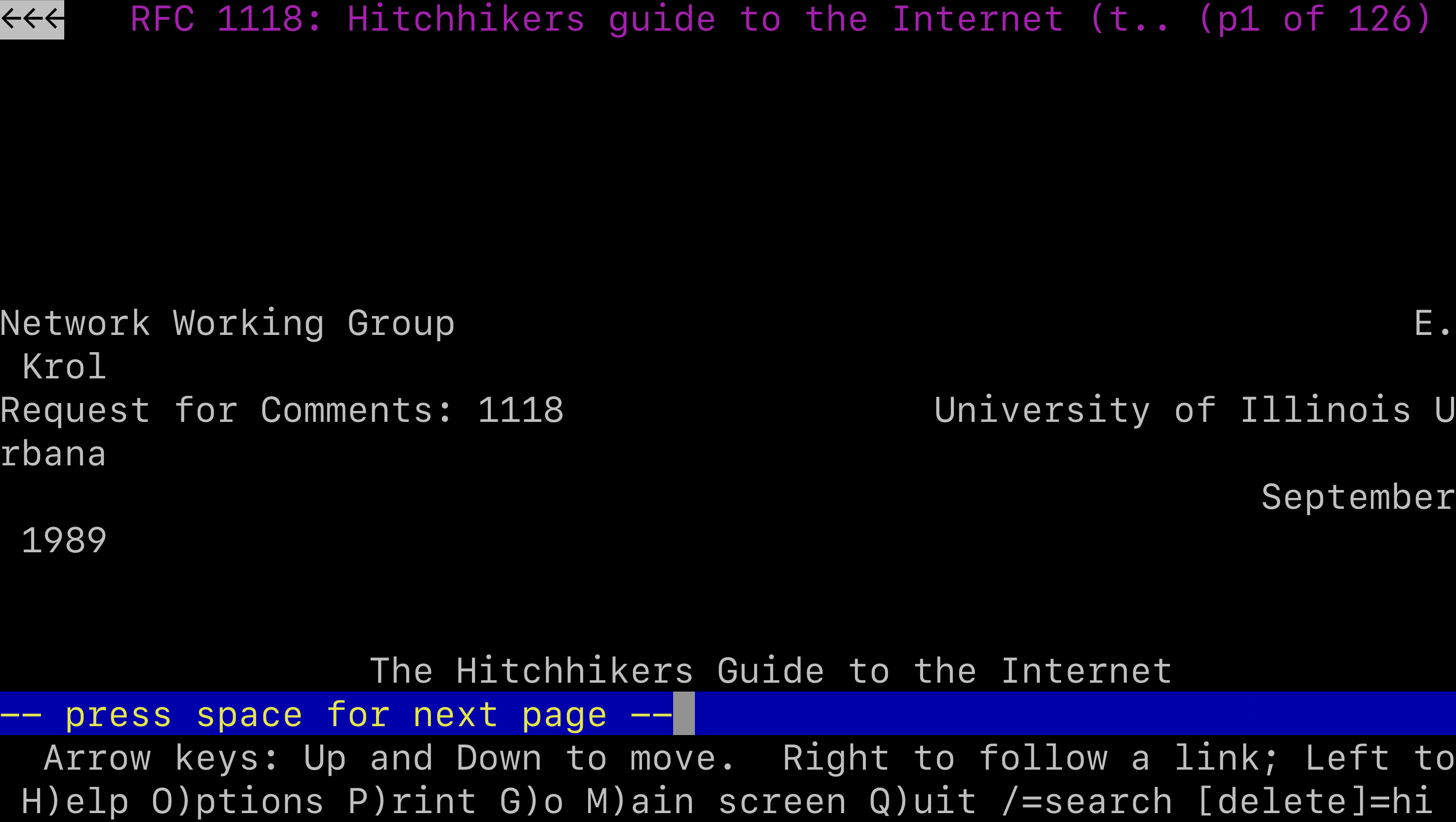
By hitting the Enter key, you can view the document you were looking for.

Jeremy Reimer

A Gopher server could provide many of the things we take for granted today: search engines, personal pages that could contain links, and downloadable files. But this wasn’t enough for a British computer scientist who was working at CERN, an intergovernmental institute that operated the world’s largest particle physics lab.

The World Wide Web

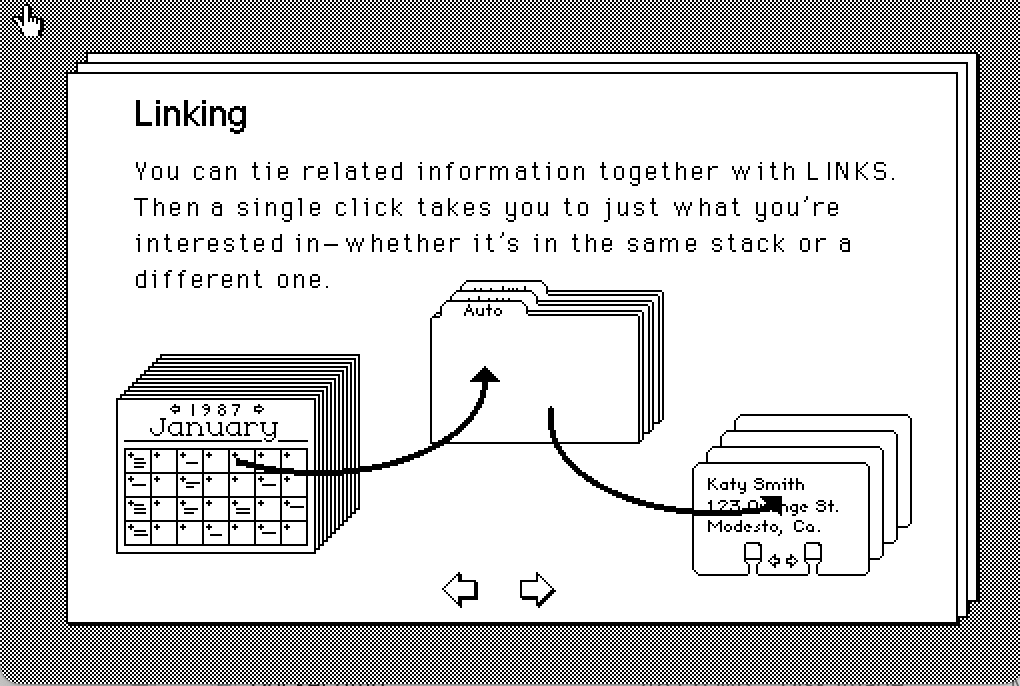
Hypertext had come a long way since Ted Nelson had coined the word in 1965. Bill Atkinson, a member of the original Macintosh development team, released HyperCard in 1987. It used the Mac’s graphical interface to let anyone develop “stacks,” collections of text, graphics, and sounds that could be connected together with clickable links. There was no networking, but stacks could be shared with other users by sending the files on a floppy disk.
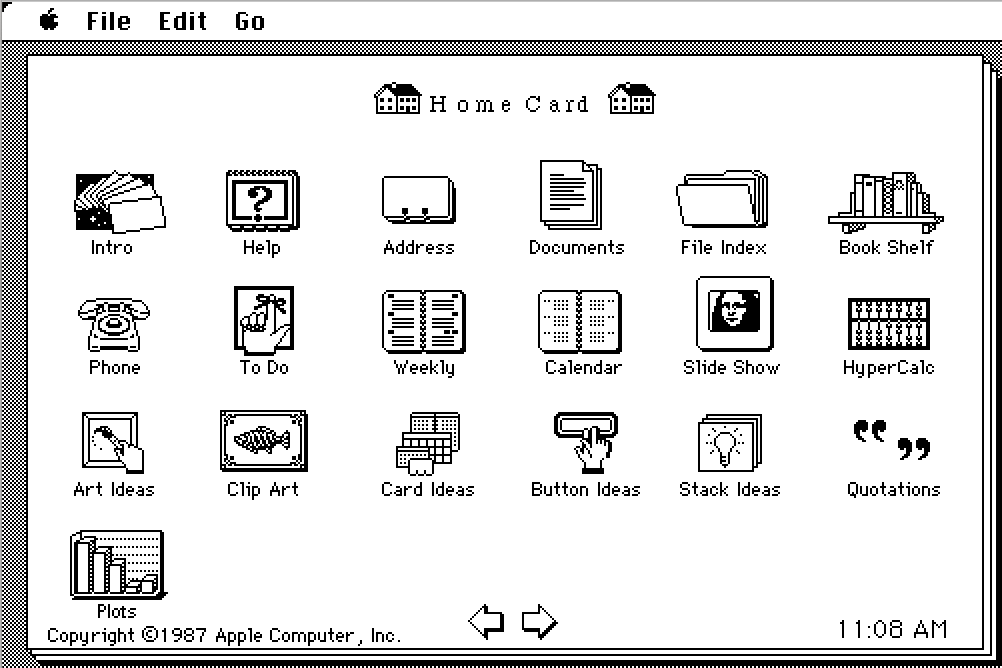
Hypercard came with a tutorial, written in Hypercard, explaining how it worked.

Jeremy Reimer

There were also sample applications, like this address book.

Jeremy Reimer

Hypertext was so big that conferences were held just to discuss it in 1987 and 1988. Even Ted Nelson had finally found a sponsor for his personal dream: Autodesk founder John Walker had agreed to spin up a subsidiary to create a commercial version of Xanadu.

https://arstechnica.com/gadgets/2025/06/a-history-of-the-internet-part-2-the-high-tech-gold-rush-begins/


Apple details the end of Intel Mac support and a phaseout for Rosetta 2

The support list for macOS Tahoe still includes Intel Macs, but it has been whittled down to just four models, all released in 2019 or 2020. We speculated that this meant that the end was near for Intel Macs, and now we can confirm just how near it is: macOS Tahoe will be the last new macOS release to support any Intel Macs. All new releases starting with macOS 27 will require an Apple Silicon Mac.

Apple will provide additional security updates for Tahoe until fall 2028, two years after it is replaced with macOS 27. That’s a typical schedule for older macOS versions, which all get one year of major point updates that include security fixes and new features, followed by two years of security-only updates to keep them patched but without adding significant new features.

Apple is also planning changes to Rosetta 2, the Intel-to-Arm app translation technology created to ease the transition between the Intel and Apple Silicon eras. Rosetta will continue to work as a general-purpose app translation tool in both macOS 26 and macOS 27.

But after that, Rosetta will be pared back and will only be available to a limited subset of apps—specifically, older games that rely on Intel-specific libraries but are no longer being actively maintained by their developers. Devs who want their apps to continue running on macOS after that will need to transition to either Apple Silicon-native apps or universal apps that run on either architecture.

https://arstechnica.com/gadgets/2025/06/apple-details-the-end-of-intel-mac-support-and-a-phaseout-for-rosetta-2/


YouTube will “protect free expression” by pulling back on content moderation

YouTube videos may be getting a bit more pernicious soon. Google’s dominant video platform has spent years removing discriminatory and conspiracy content from its platform in accordance with its usage guidelines, but the site is now reportedly adopting a lighter-touch approach to moderation. A higher bar for content removal will allow more potentially inflammatory content to remain up in the “public interest.”

YouTube has previously attracted the ire of conservatives for its removal of QAnon and anti-vaccine content. According to The New York Times, YouTube’s content moderators have been provided with new guidelines and training on how to handle the deluge of provocative content on the platform. The changes urge reviewers to pull back on removing certain videos, a continuation of a trend not just at YouTube, but on numerous platforms that host user-created content.

Beginning late last year, YouTube began informing moderators they should err on the side of caution when removing videos that are in the public interest. That includes user uploads that discuss issues like elections, race, gender, sexuality, abortion, immigration, and censorship. Previously, YouTube’s policy told moderators to remove videos if one-quarter or more of the content violated policies. Now, the exception cutoff has been increased to half. In addition, staff are now told to bring issues to managers if they are uncertain rather than removing the content themselves.

“Recognizing that the definition of ‘public interest’ is always evolving, we update our guidance for these exceptions to reflect the new types of discussion we see on the platform today,” YouTube’s Nicole Bell told the Times. “Our goal remains the same: to protect free expression on YouTube while mitigating egregious harm.”

https://arstechnica.com/gadgets/2025/06/youtube-adopts-looser-moderation-policy-for-videos-about-elections-gender-and-more/


Apple aims for “more personal and expressive” iOS 26 with new Liquid Glass design

At WWDC today, Apple unveiled iOS 26, its next iPhone operating system (OS), which is centered on Apple’s new Liquid Glass design for its software platform.

Available across Apple’s other operating systems, like macOS, Liquid Glass aims to make the software look and operate as if it has glass edges. You can see this approach throughout iOS 26 in things like the app icons’ appearance, which includes softer edges and the option to be translucent.

“An updated set of APIs provides developers with access to Liquid Glass materials and components so they can make their apps appear just as dynamic and delightful,” Apple’s press release said.

iOS 26 also includes new wallpaper customization options that leverage the Liquid Glass feel. This includes the ability for the clock to auto-adjust length and width based on the image used for the wallpaper. Craig Federighi, SVP of software engineering, demoed how quickly and fluidly this change is supposed to look when you toggle wallpapers.

Additionally, the clock shown on the wallpaper in iOS 26 will change size based on incoming notifications in order to keep in place what the software determines is the best part of the image.

https://arstechnica.com/gadgets/2025/06/apple-aims-for-more-personal-and-expressive-ios-26-with-new-liquid-glass-design/