Linux boots in 4.76 days on the Intel 4004
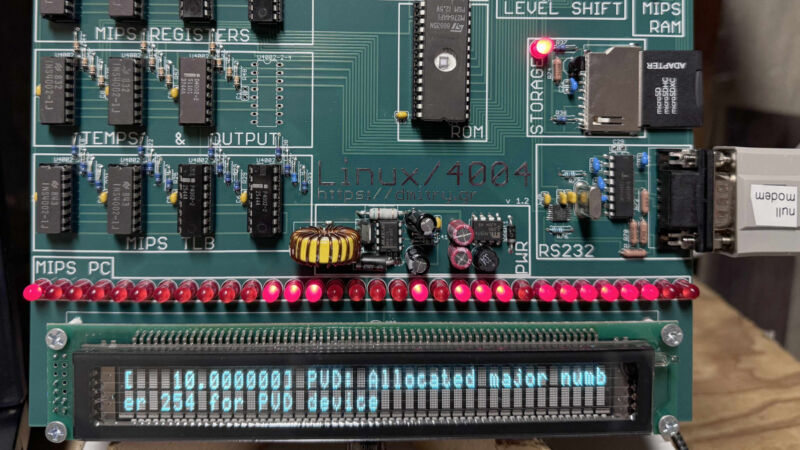
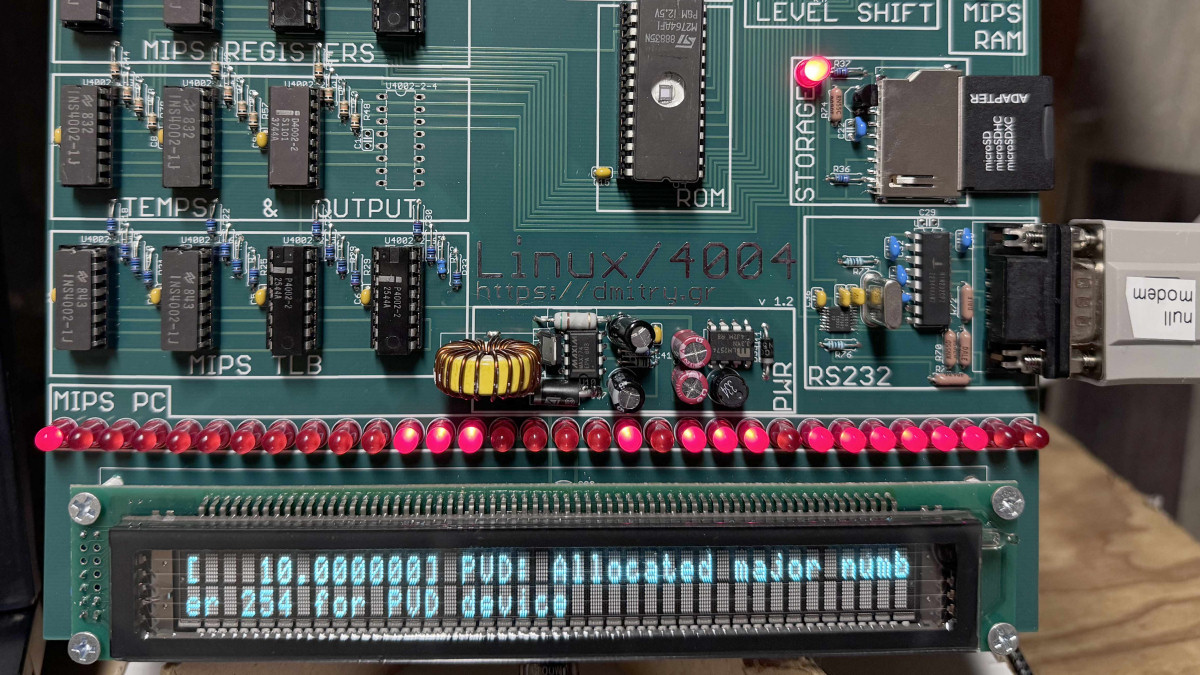
A photo of Dmitry Grinberg's custom Linux/4004 circuit board.
Enlarge / A photo of Dmitry Grinberg’s custom Linux/4004 circuit board.

Hardware hacker Dmitry Grinberg recently achieved what might sound impossible: booting Linux on the Intel 4004, the world’s first commercial microprocessor. With just 2,300 transistors and an original clock speed of 740 kHz, the 1971 CPU is incredibly primitive by modern standards. And it’s slow—it takes about 4.76 days for the Linux kernel to boot.

Initially designed for a Japanese calculator called the Busicom 141-PF, the 4-bit 4004 found limited use in commercial products of the 1970s before being superseded by more powerful Intel chips, such as the 8008 and 8080 that powered early personal computers—and then the 8086 and 8088 that launched the IBM PC era.

If you’re skeptical that this feat is possible with a raw 4004, you’re right: The 4004 itself is far too limited to run Linux directly. Instead, Grinberg created a solution that is equally impressive: an emulator that runs on the 4004 and emulates a MIPS R3000 processor—the architecture used in the DECstation 2100 workstation that Linux was originally ported to. This emulator, along with minimal hardware emulation, allows a stripped-down Debian Linux to boot to a command prompt.

[embedded content]
Linux/4004.

Grinberg is no stranger to feats of running Linux in unlikely places. As he explains on his website, “In 2012, I ran real Linux on an 8-bit microcontroller (AVR), setting a new world record for lowest-end-machine to ever run Linux.” After others improved on that record in recent years, he decided to surpass himself and others by targeting the very first microprocessor.

The long, slow boot

To make Linux on the 4004 work, Grinberg had to overcome numerous challenges. The 4004 has extremely limited ROM and RAM, no interrupts, and lacks even basic logical operations like AND and OR. Grinberg’s emulator makes clever use of lookup tables and other tricks to squeeze maximum performance out of the primitive CPU.

The final hardware uses the 4004 (overclocked to 790 kHz) along with several other period-correct support chips from Intel’s MCS-4 chipset. It includes a VFD display to show Linux output and can accept input over a serial connection. The whole setup draws about 6 W of power.

To pull it all together, Grinberg designed a custom circuit board with no vias (paths from one side of the circuit board to the other) and only right-angle traces for a retro aesthetic. It’s meant to be wall-mountable as an art piece, slowly executing Linux commands over the course of days or weeks.

While it has no practical purpose, the Linux/4004 project demonstrates the flexibility of Linux and pushes emulation to its limits. Grinberg is considering the possibility of offering kits or fully assembled boards for others who want to experience Linux at its slowest, though this is not yet definite.

The full details of the project, including schematics and source code, are available on Grinberg’s website. For those interested in vintage computing or extreme Linux implementations, it’s a fascinating look at what’s possible with 1970s technology and a lot of clever engineering.

https://arstechnica.com/?p=2051764
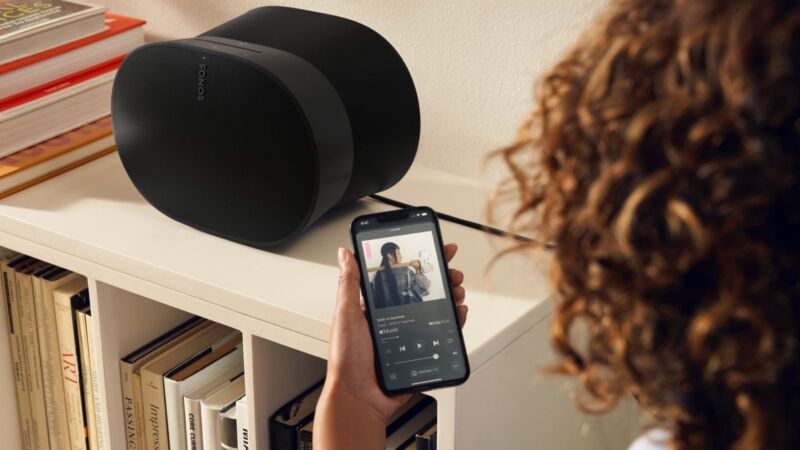


Sonos workers shed light on why the app update went so horribly

sonos-redesigned-app

In May, Sonos updated its mobile app—to the dismay of many users. With missing features and bugs, customers complained about a loss of functionality and hardware not working the way it should. As Sonos deals with the expensive repercussions, a report from Bloomberg today highlights how Sonos allowed the release of an update so buggy and incomplete as to overturn its goodwill with long-standing customers.

Illustrating how poorly this app update has gone, last month, Sonos CEO Patrick Spence said the company would spend $20 million to $30 million in the short term to get the app where it needs to be (which is, basically, functioning as well as the predecessor) and rebuild customer and partner trust. Sonos also expects to miss its annual revenue target by $200 million. This is partially due to its delay of two hardware releases to focus on the app. Bloomberg noted that “Sonos shares are down 25% this year.” Annual bonuses and merit-based raises have also reportedly been canceled.

Outdated code

One reason for the app’s failure is the outdated code and infrastructure that the prior app was running on. Anonymous employees Bloomberg spoke with claimed that the Sonos app’s technical debt had been building up for 20 years before the update.

By the time Sonos decided to update the app in mid-2022, it was dealing with software based on virtually obsolete infrastructure and code languages. As such, the app update “was less about introducing new functionality than sorting out the existing mess,” Bloomberg reported.

After decades of the app’s inner workings growing stale, the impending release of Sonos’ long anticipated Ace wireless headphones, which came out in June, made the need for a new app both urgent and necessary. This is because the headphones were made to be on-the-go, differing from Sonos’ other products, mainly speakers and soundbars relying on home Wi-Fi. This seems to align with comments that Spence made to investors in August. He said that the app update was “a redesign of the entire system—not only the app but also the player side of our system, as well as our cloud infrastructure—and this was a complex undertaking.”

The Ace headphones.
Enlarge / The Ace headphones.

In May, Bloomberg reported that Sonos aimed to release the new app “at least a few weeks” before Ace. At the time, Bloomberg said that the update was originally supposed to release in March but was delayed due to “software-engineering challenges.”

Although it makes sense that Sonos’ most mobile offering yet would need a more advanced, revamped app, it seems that the app’s redesign could have been initiated earlier than the mid-2022 timeframe that Bloomberg reported. In addition to the years of technical debt that has been said to be built up, Sonos’ headphones have been reported to be in development since at least 2019.

https://arstechnica.com/?p=2051728


Reviewing iOS 18 for power users: Control Center, iCloud, and more

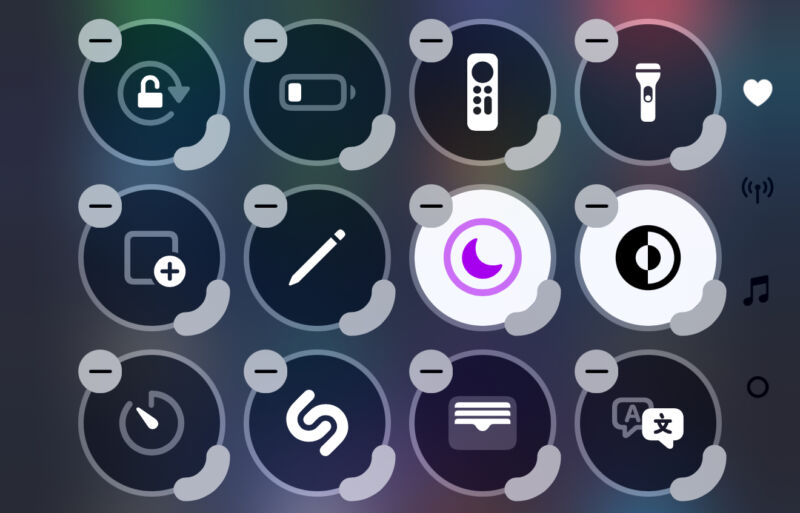
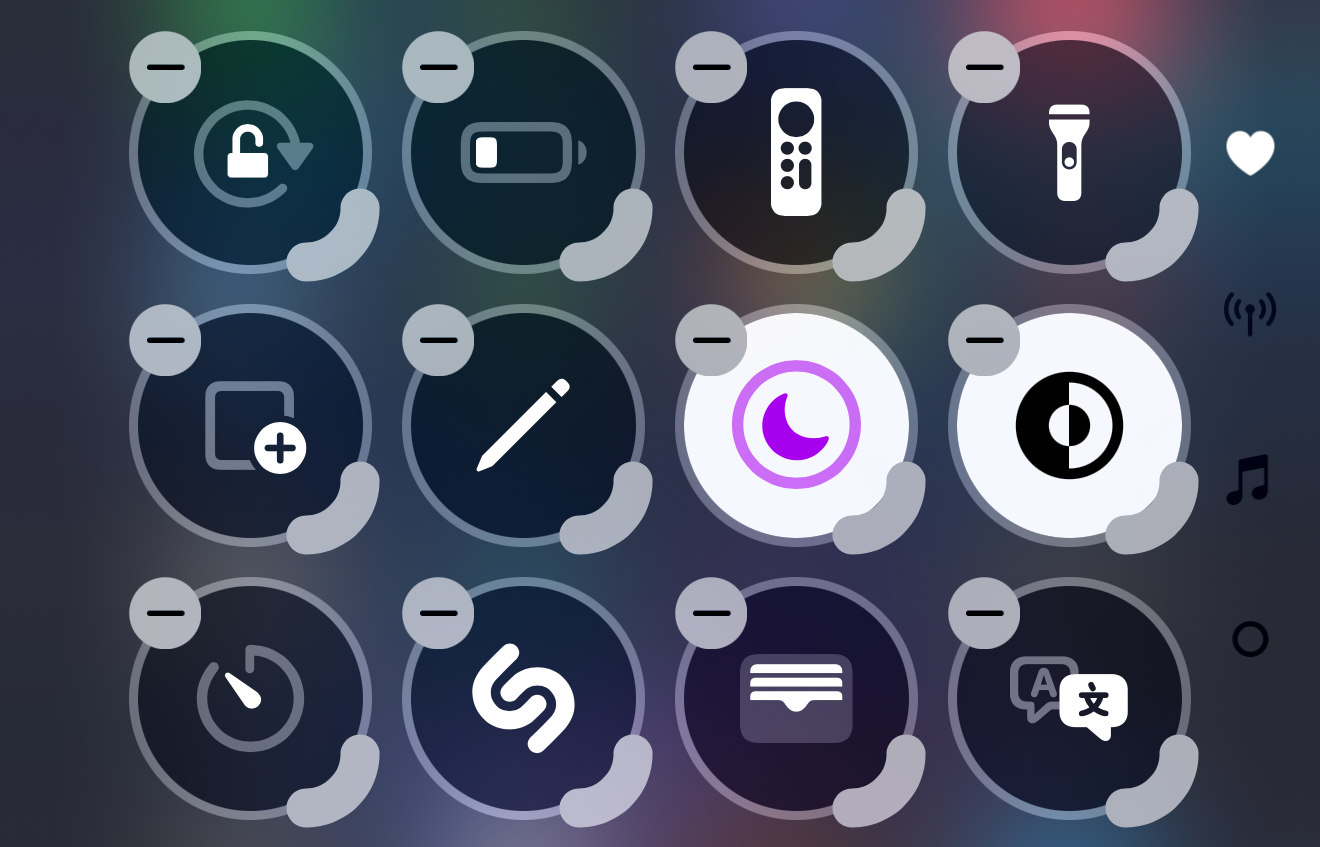
Control Center in iOS 18 in its customization view
Enlarge / Control Center has a whole new customization interface.
Samuel Axon

iOS 18 launched this week, and while its flagship feature (Apple Intelligence) is still forthcoming, the new OS included two significant new buckets of customization: the home screen and Control Center.

We talked about home screen a few days ago, so for our next step in our series on iOS 18, it’s now time to turn our attention to the new ways you can adjust the Control Center to your liking. While we’re at it, we’ll assess a few other features meant to make iOS more powerful and more efficient for power users.

This is by no means the most significant update for power users Apple has released of the iPhone operating system—there’s nothing like Shortcuts, for example, or the introduction of the Files app a few years ago. But with the increasingly expensive iPhone Pro models, Apple still seems to be trying to make the case that you’ll be able to do more with your phone than you used to.

Let’s start with Control Center, then dive into iCloud, Files, external drives, and hidden and locked apps.

A revamped Control Center

Control Center might not be the flashiest corner of iOS, but when Apple adds more functionality and flexibility to a panel that by default can be accessed with a single gesture from anywhere in the operating system—including inside third-party apps—that has the potential to be a big move for how usable and efficient the iPhone can be.

That seems to be the intention with a notable control center revamp in iOS 18. Visually, it mostly looks similar to what we had in iOS 17, but it’s now paginated and customizable, with a much wider variety of available controls. That includes the option for third-party apps to offer controls for the first time. Additionally, Apple lets you add Shortcuts to Control Center, which has the potential to be immensely powerful for those who want to get that deep into things.

When you invoke it (still by swiping down from the upper-right corner of the screen on modern iPhones and iPads), it will mostly look similar to before, but you’ll notice a few additional elements on screen, including:

  • A “+” sign in the top-left corner: This launches a customization menu for reordering and resizing the controls
  • A power icon in the top-right corner: Holding this brings up iOS’s swipe-to-power-off screen.
  • Three icons along the right side of the screen: A heart, a music symbol, and a wireless connectivity symbol

Control center is now paginated

The three icons on the right represent the three pages Control Center now starts with, and they’re just the beginning. You can add more pages if you wish.

Swiping up and down on any empty part of Control Center moves between the pages. The first page (the one represented by a heart) houses all the controls that were in the older version of Control Center. You can customize what’s here as much as you want.

The second page by default includes a large “currently playing” music and audio widget alongside AirPlay controls, and the third is a one-stop shop for toggling connectivity features like Wi-Fi, Bluetooth, cellular, AirDrop, airplane mode, and whichever VPN you’re using.

This new paginated approach might seem like it introduces an extra step to get to some controls, but it’s necessary because there are so many more controls you can add now—far more than will fit on a single page.

Customizing pages and controls

If you prefer the way things were, you can remove a page completely by removing all the controls housed in it. You can add more pages if you want, or you can tweak the existing pages to be anything you want them to be.

Whereas you previously had to go into the Settings app to change what controls are included, you can now do this directly from Control Center in one of two ways: you can either tap the aforementioned plus icon, or you can long-press on any empty space in Control Center to enter customization mode.

In this view, you’re presented with a grid of circular spots where controls can go. Each control that’s already there has a “-“ button in its corner that you can tap to remove it. To move a control, you just long press on it for a split second and drag it to whichever spot in the grid you want it to live in.

There’s also a marker on the bottom-right corner of each control that you can touch and drag to increase the size of the control. The substantial majority of these controls don’t offer anything of value when you make them bigger, though, which is both strange and a missed opportunity.

To add a new control, you tap the words “Add a control” at the bottom of the screen, which are only visible in this customization mode. This brings up a vertically scrollable list of all the controls available, with a search field at the top. The controls appear in the list just as they would in Control Center, which is great for previewing your choice.

https://arstechnica.com/?p=2050326


Anker warns people to stop using some of its iPhone power banks, issues recall

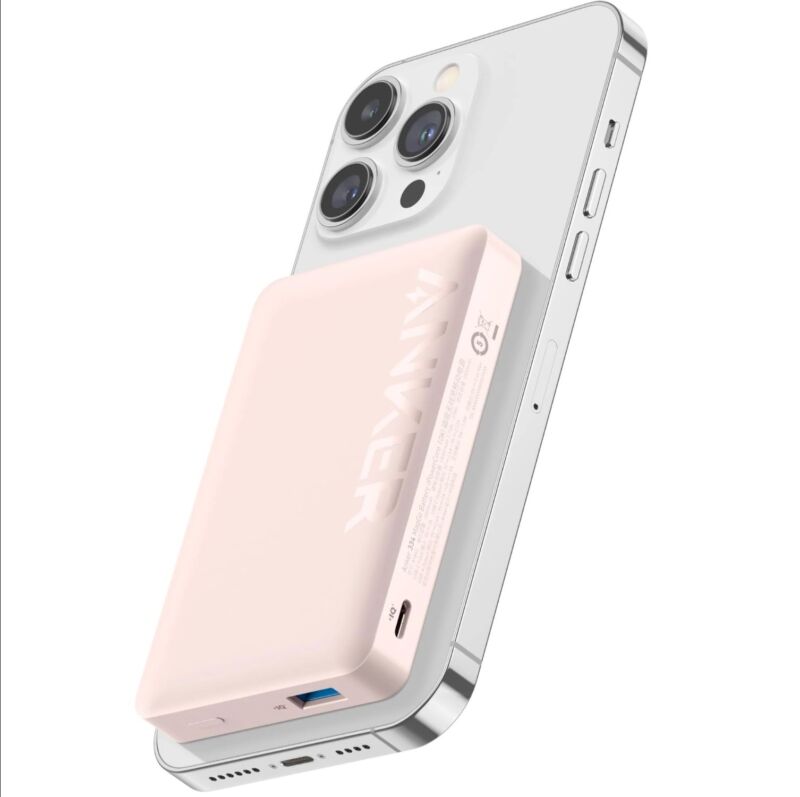
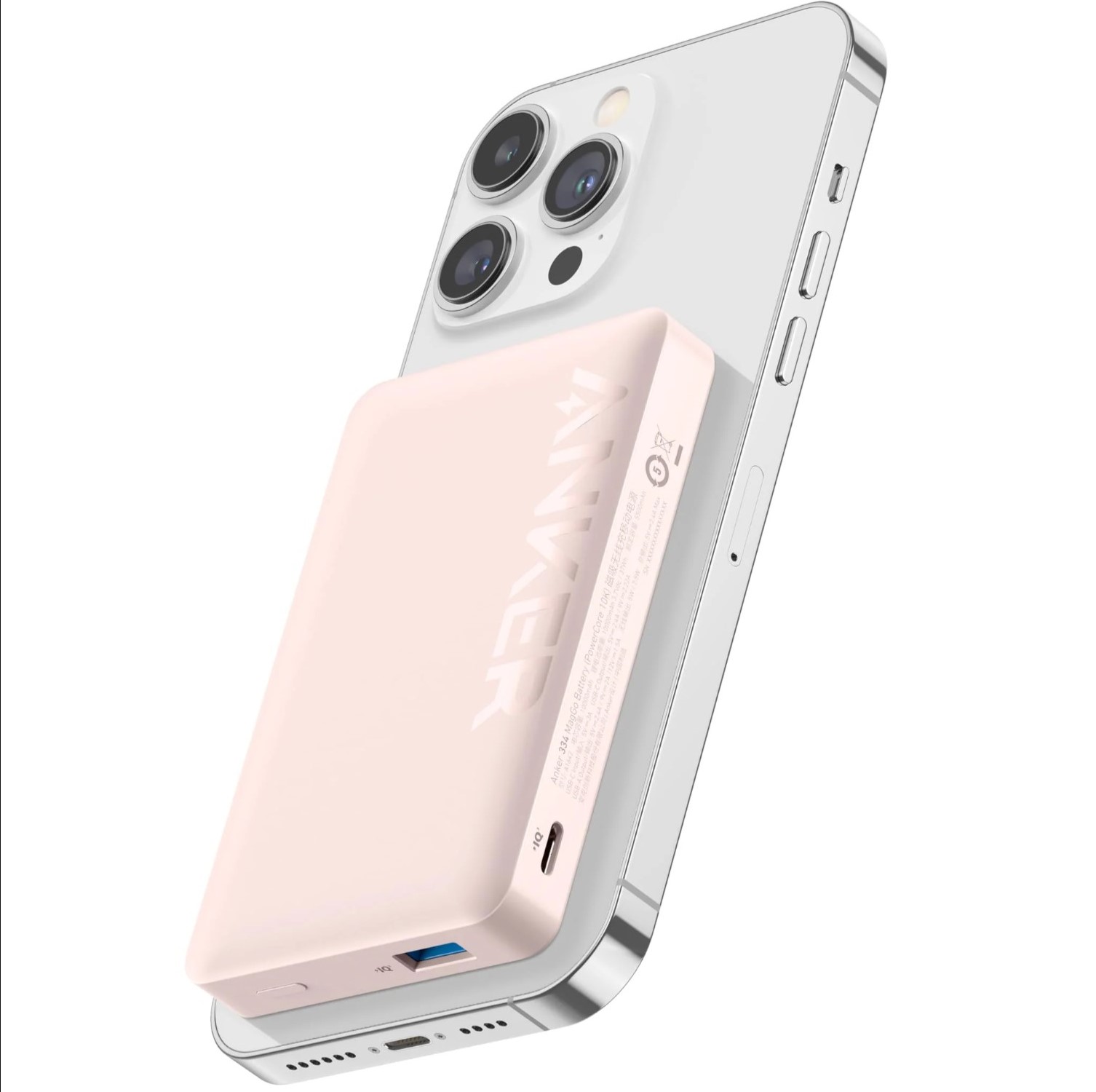
An Anker 334 MagGo Battery (PowerCore 10K) on an iPhone.
Enlarge / An Anker 334 MagGo Battery (PowerCore 10K) on an iPhone.

Anker is recalling three models of MagSafe iPhone batteries due to a fire risk, it said yesterday.

The models being recalled are the Anker 334 MagGo Battery (PowerCore 10K, model number A1642), Anker Power Bank (model number A1647), and Anker 334 MagGo Battery (model number A1652). In its recall notice, Anker said that some of the lithium-ion batteries in the devices “may pose a fire risk due to a manufacturing defect.”

“The lithium-ion battery in the affected power banks can overheat, potentially causing melting of plastic components, smoke, and fire hazards,” the notice reads.

Anker claims that only products made from January 3 to September 17 are affected but says it’s recalling all units “out of an abundance of caution.”

Anker says that people who own one of these products should “immediately stop using” it. Owners should store the affected products “in a safe location” and use Anker’s website to verify their device’s serial number before filling out a recall form and getting a replacement.

Anker’s recall notice also included tips for safely disposing of power banks, reminding people not to toss them in the trash.

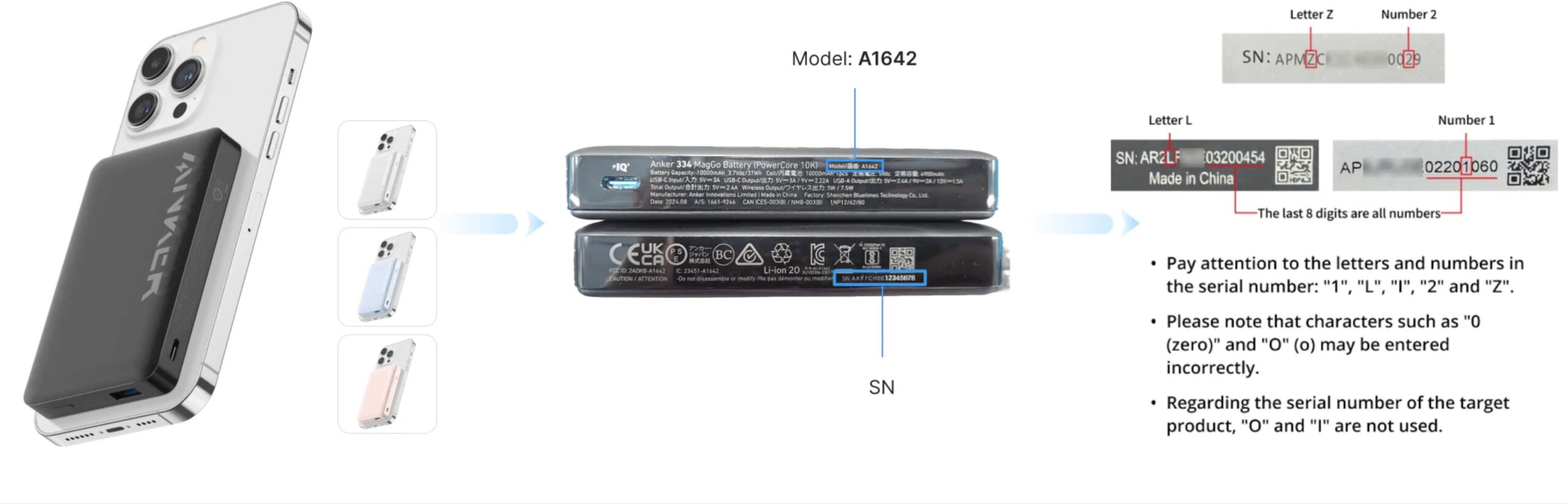
If you own an Anker battery pack and want to check if it’s being recalled, you can look at the bottom of the device for the aforementioned product names and model numbers (A1642, A1647, and A1652) as shown below:

https://arstechnica.com/?p=2051402


“A total lump of… ”: Customer frustration as ISP’s smart TVs won’t turn on

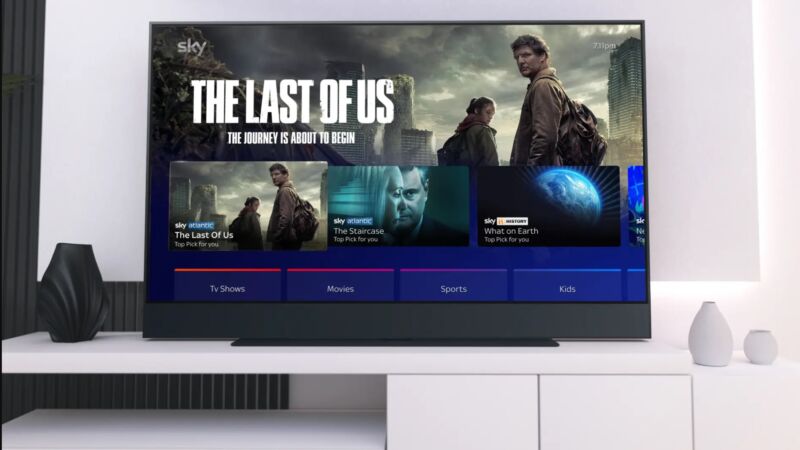
Sky Glass TV

Hundreds of owners of smart TVs and streaming devices from United Kingdom telecom Sky reported that their hardware stopped powering on Thursday. Sky hasn’t confirmed the cause of the problem, but a botched update is largely suspected.

Sky, a Comcast company that sells Internet, mobile, and satellite TV service in the UK, got into the streaming hardware business in 2021. Its proprietary Glass TVs and Stream pucks let people access TV channels offered through Sky via the Internet instead of a dish. As of this writing, Glass TVs range from 600 pounds (about $800) for a 43-inch set to 1,199 pounds (about $1,600) for 65 inches and include quantum dots and Dolby Vision, HDR10, and HLG HDR support. To order a Glass TV, people have to sign up for a Sky Entertainment subscription that includes the same type of channels offered through Sky’s satellite TV services but via streaming, plus Netflix (with or without ads). If you don’t buy/renew your Sky Entertainment subscription, “access to TV apps like Netflix won’t be available,” Sky says. The Stream puck, meanwhile, supports various streaming apps but doesn’t work without a Sky subscription.

As of yesterday, paying subscribers and owners of Glass and Stream devices reported that their devices were unable to power on. Users reported only being able to see a blank screen, with some saying the problems lasted for hours.

As noted by the BBC, problems started on Thursday night. Per Downdetector, the situation seemed to peak at around 3:10 pm UTC with 377 incidents reported, but the overall number of affected devices could vary. A thread on Sky’s community forum about the problem is currently 141 pages long.

This morning, some people were still complaining about broken devices online; although, some reported that their devices were functioning again. As of this writing, DownDetector is showing 142 reported incidents.

With no TV to watch, Glass and Stream users had plenty of time to go online to try to troubleshoot with each other and share their disappointment in Sky. Some have called for Sky to pay for the cost of a new TV, while others are wondering if they will get financial compensation for their troubles. Sky hasn’t made any public mention of refunds or credits, though.

A user going by larky+marky on Sky’s community forum wrote:

What a total lump of s**t.

I have been thinking of cancelling my subscription altogether, so now this has made my mind up.

Yesterday, a Twitter user claimed that their TV was bricked “for the best part of 11 hours.” The user, going by MattHudson81, wrote, “We pay a lot of money each month for the use of your services and understand at times faults happen, but 11 hours so far with no end in sight, it’s not good.”

On Sky’s support forum, an employee said that Sky was working on the problem throughout Thursday night. “We continue to work on the problem in the background,” the employee going by KevNewMedia wrote today.

Sky also acknowledged the problems on Thursday via its Twitter account, saying:

Some Sky Glass/Stream customers are currently experiencing technical issues when trying to switch on their devices. Our technical teams are working hard to fix this. We’re sorry for any inconvenience caused.

Today, the Twitter account posted another apology along with a link to a support page with steps for getting the hardware to work (basically by resetting it). However, at least some people on Sky’s support forum have said that the fix hasn’t worked for them.

“Yet this isn’t working for everyone though. You’re essentially just tell[ing] people to turn it on and off again,” PaulRC1963 wrote. “Sky is acting very incompetent.”

Sky hasn’t confirmed the cause

Sky declined to answer questions from the BBC about the cause of the problems or when they’d be totally resolved. Without further explanation, a poorly executed software update issued via the Internet seems to be the most obvious reason for hundreds of people concurrently reporting broken devices.

The situation, which led to missed sporting events and hours of boredom, is a reminder of the risks of buying hardware from companies, like ISPs, that aren’t traditionally in the technology game. Sky first unveiled its Glass TVs in 2021, ostensibly as an attempt to save its business amid a massive shift to streaming over satellite dishes and cable and to drive subscription revenue. It’s possible that in its haste to jump on the streaming bandwagon, it has overlooked some of the intricacies and complexities in mass, web-issued updates. Notably, Sky’s set-top boxes have reportedly been unaffected.

If a botched update didn’t break the smart TVs and streaming sticks, it would be prudent of Sky to inform customers of the root of the problem. Otherwise, it can be hard for customers to have confidence that the problems won’t repeat and that their subscriptions and Sky hardware are worthwhile.

https://arstechnica.com/?p=2051341


Ars is seeking a seasoned senior reporter for all things Google

A photograph of
Enlarge / If you get hired for this position, you’ll be provided an assistant. It’s this guy. This guy is your assistant. His name is “Googly.”

Update: We’ve resurfaced this posting one more time to make sure everyone who might be interested can see it. If it sounds like your jam, be sure and apply as soon as possible. We’re looking forward to working with you!

Google is a company in transformation—but “from what“ and “to what“ are not always clear. To catalog and examine Google’s moves in this new era of generative AI, Ars Technica is hiring a Senior Technology Reporter to focus on Google, AI, Android, and search. While attention to so-called “consumer products” will be important, this role will be more focused on Google’s big moves as a technology and infrastructure company, moves often made to counter perceived threats from companies like OpenAI, Microsoft, and Perplexity. Informed skepticism is the rule around here, so we’re looking for someone with the chops to bring a critical eye to some deep technical and business issues.

As this is a senior role owning an important beat, it is not an entry-level position. We’re looking for someone who can primarily self-direct when it comes to their reporting and someone who is comfortable working remotely within a similarly remote team. We’d also like someone who can bring to the table deep and intelligent analyses on broader Google topics while also hitting smaller daily news stories.

This is a full-time union job with benefits.

All candidates:

  • Must have prior professional experience in technology journalism
  • Must be living in and eligible to work in the United States
  • Should expect to travel two to three times per year for major event coverage
  • Must be comfortable with fully remote work.

The full job description and official details can all be found at the listing on the Condé Careers site. If this sounds like the job for you, please apply!

https://arstechnica.com/?p=2038555


Microsoft releases a new Windows app called Windows App for running Windows apps

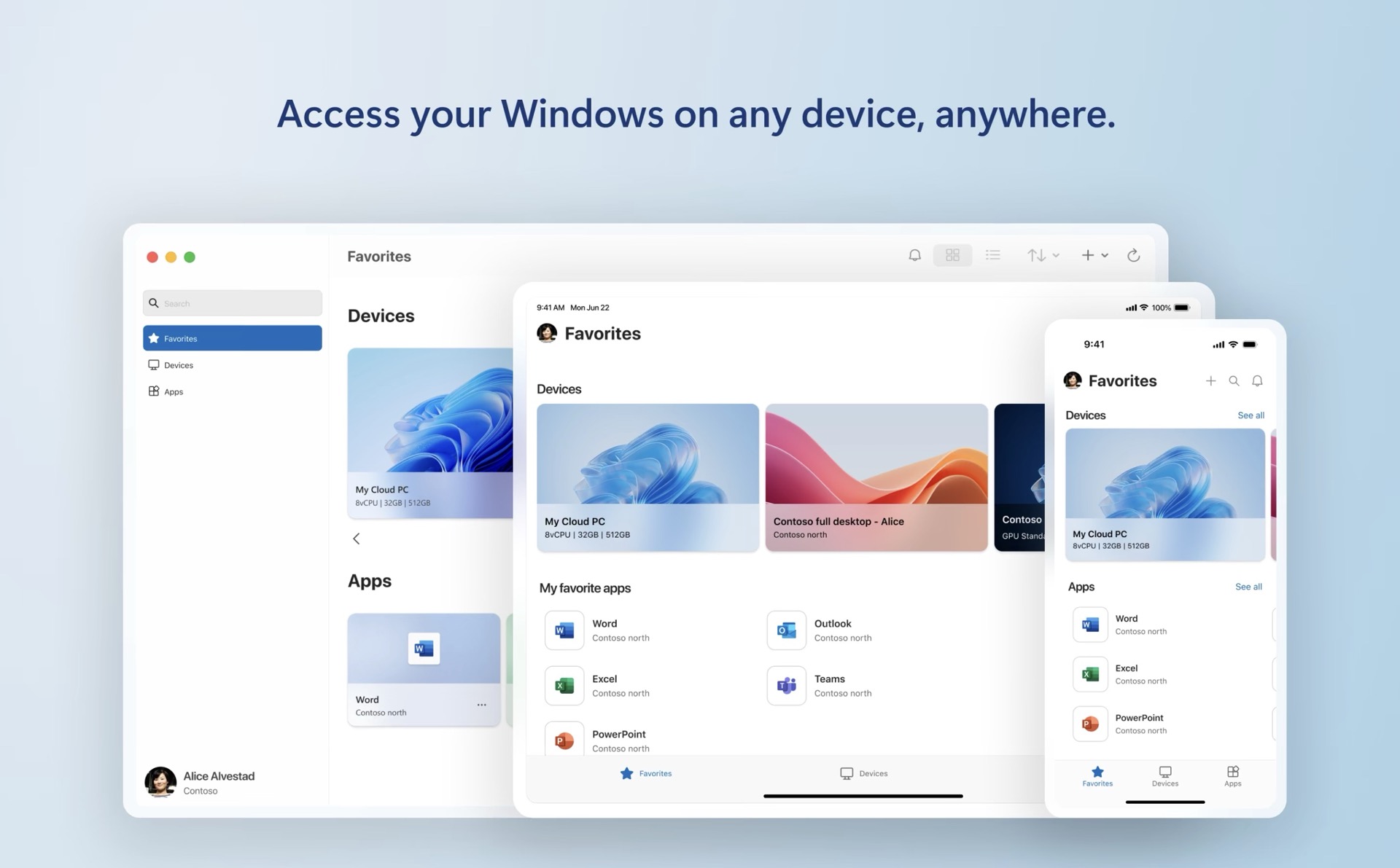
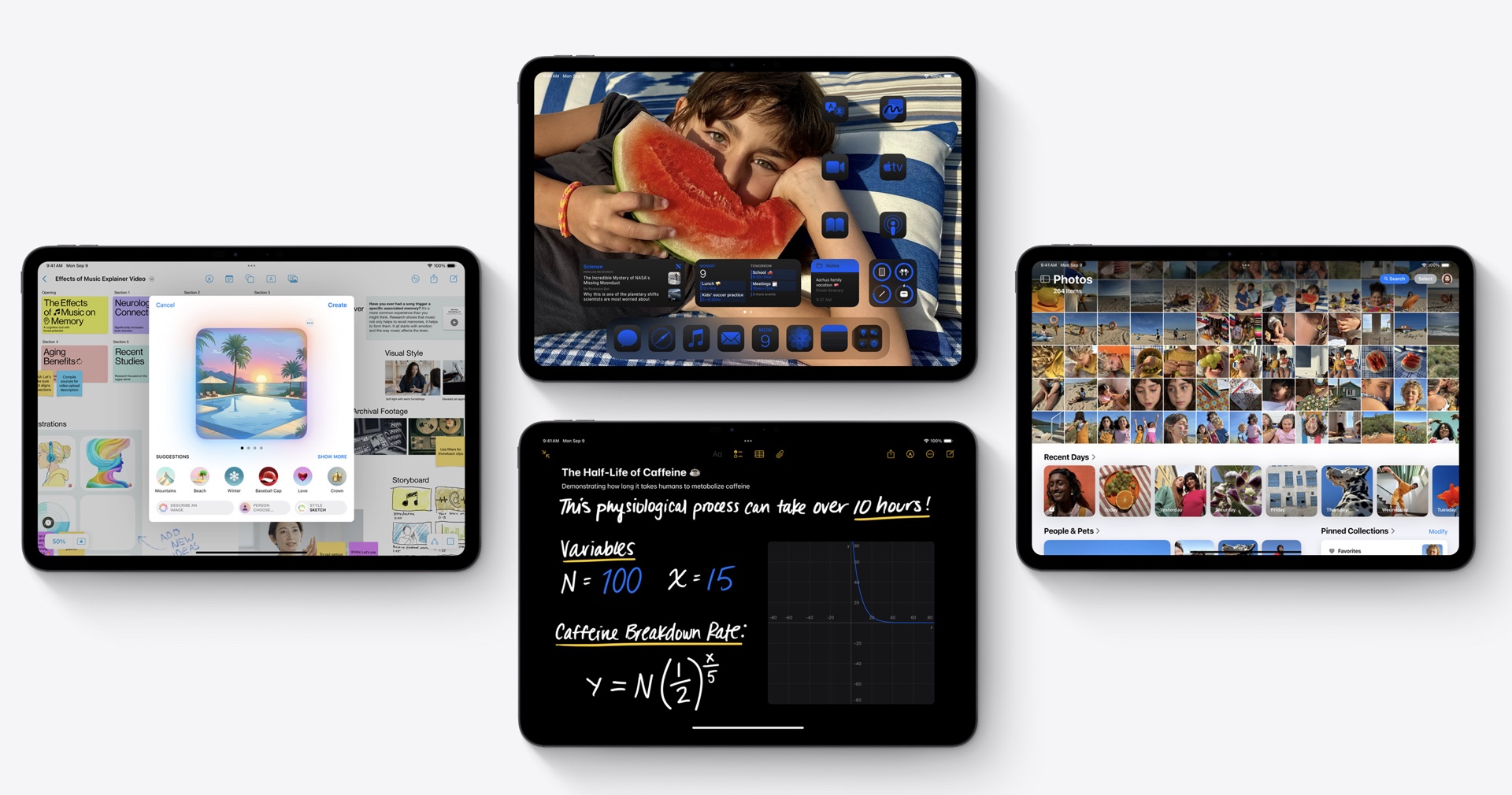
The Windows App runs on Windows, but also macOS, iOS/iPadOS, web browsers, and Android.
Enlarge / The Windows App runs on Windows, but also macOS, iOS/iPadOS, web browsers, and Android.

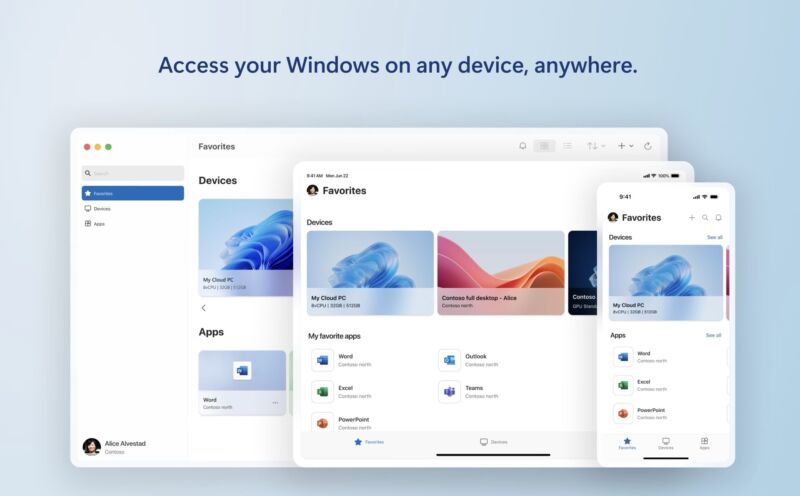
Microsoft announced today that it’s releasing a new app called Windows App as an app for Windows that allows users to run Windows and also Windows apps (it’s also coming to macOS, iOS, web browsers, and is in public preview for Android).

On most of those platforms, Windows App is a replacement for the Microsoft Remote Desktop app, which was used for connecting to a copy of Windows running on a remote computer or server—for some users and IT organizations, a relatively straightforward way to run Windows software on devices that aren’t running Windows or can’t run Windows natively.

The new name, though potentially confusing, attempts to sum up the app’s purpose: It’s a unified way to access your own Windows PCs with Remote Desktop access turned on, cloud-hosted Windows 365 and Microsoft Dev Box systems, and individual remotely hosted apps that have been provisioned by your work or school.

“This unified app serves as your secure gateway to connect to Windows across Windows 365, Azure Virtual Desktop, Remote Desktop, Remote Desktop Services, Microsoft Dev Box, and more,” reads the post from Microsoft’s Windows 365 Senior Product Manager Hilary Braun.

Microsoft says that aside from unifying multiple services into a single app, Windows App’s enhancements include easier account switching, better device management for IT administrators, support for the version of Windows 365 for frontline workers, and support for Microsoft’s “Relayed RDP Shortpath,” which can enable Remote Desktop on networks that normally wouldn’t allow it.

On macOS, iOS, and Android, the Windows App is a complete replacement for the Remote Desktop Connection app—if you have Remote Desktop installed, an update will change it to the Windows App. On Windows, the Remote Desktop Connection remains available, and Windows App is only used for Microsoft’s other services; it also requires some kind of account sign-in on Windows, while it works without a user account on other platforms.

For connections to your own Remote Desktop-equipped PCs, Windows App has most of the same features and requirements as the Remote Desktop Connection app did before, including support for multiple monitors, device redirection for devices like webcams and audio input/output, and dynamic resolution support (so that your Windows desktop resizes as you resize the app window).

https://arstechnica.com/?p=2051069


Patents for software and genetic code could be revived by two bills in Congress

Image from the patent office of a patent for
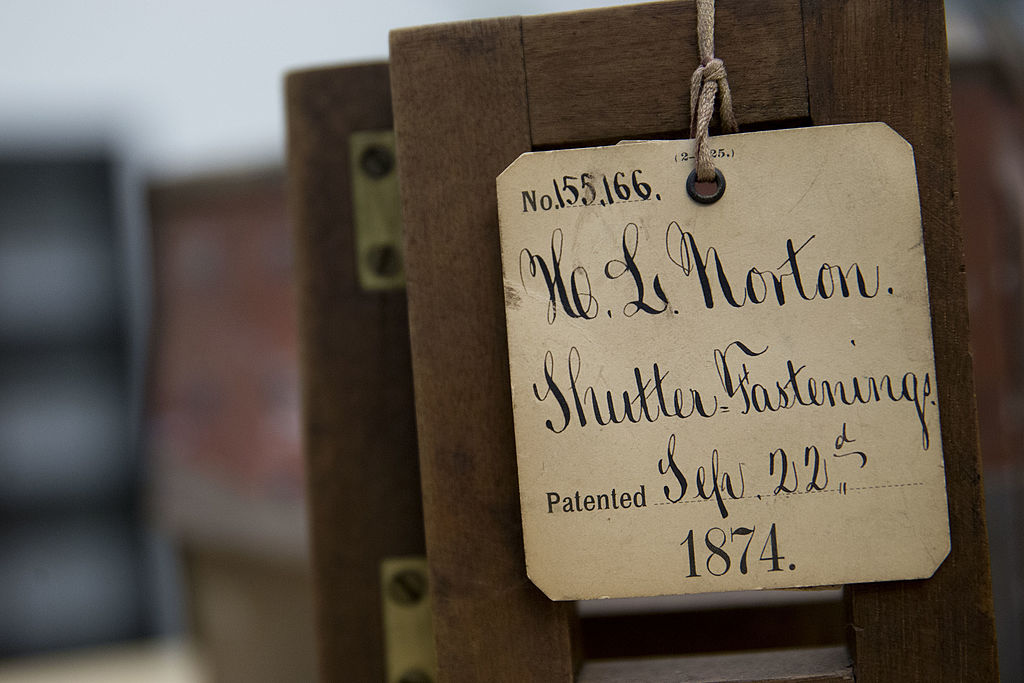
Enlarge / An image from the U.S. Patent and Trademark Office, where in 1874, the newest thing was not software or genetic compositions, but shutter fastenings from H.L. Norton.
Andrew Harrer/Bloomberg via Getty Images

The Senate Judiciary Committee is scheduled to consider two bills Thursday that would effectively nullify the Supreme Court’s rulings against patents on broad software processes and human genes. Open source and Internet freedom advocates are mobilizing and pushing back.

The Patent Eligibility Restoration Act (or PERA, S. 2140), sponsored by Sens. Thom Tillis (R-NC) and Chris Coons (D-Del.), would amend US Code such that “all judicial exceptions to patent eligibility are eliminated.” That would include the 2014 ruling in which the Supreme Court held, with Justice Clarence Thomas writing, that simply performing an existing process on a computer does not make it a new, patentable invention. “The relevant question is whether the claims here do more than simply instruct the practitioner to implement the abstract idea of intermediated settlement on a generic computer,” Thomas wrote. “They do not.”

That case also drew on Bilski v. Kappos, a case in which a patent was proposed based solely on the concept of hedging against price fluctuations in commodity markets.

Open source groups hunker down

Software and Internet advocates have taken notice. This week, the Linux Foundation, working with the Cloud Native Computing Foundation (CNCF), announced an expanded partnership with Unified Patents, intended to defend open source software against what it gamely calls “non-practicing entities” (NPEs), but most people would term patent trolls. “As the risk and volume of frivolous litigation against open source projects grows, the need to provide accessible protection from NPEs has become crucial,” the Linux Foundation writes.

In interviews with The Register, leaders at CNCF and Unified Patents described patent trolls as actively chasing any widespread technology, aiming for settlements over the cost of trials. Nearly 98 percent of NPE claims are settled, according to Unified Patents, but NPE claims challenged at the US Patent and Trademark Appeals Board lose 67 percent of the time.

Challenging patent claims, however valid, could get tougher under the PREVAIL Act, the other bill being considered by the Senate Judiciary Committee this week. PREVAIL would, among other changes, limit patent challenge petitions to 14,000 words, hampering attempts to debunk complex patents. The Act would also eliminate clearance patents, which companies can use to clear any infringement claims prior to their own products’ release.

Clearing the way for genome patents

Another wrinkle in the PERA bill involves genetic patents. The Supreme Court ruled in June 2013 that pieces of DNA that occur naturally in the genomes of humans or other organisms cannot, themselves, be patented. Myriad Genetics had previously been granted patents on genes associated with breast and ovarian cancer, BRCA1 and BRCA2, which were targeted in a lawsuit led by the American Civil Liberties Union (ACLU). The resulting Supreme Court decision—this one also written by Thomas—found that information that naturally occurs in the human genome could not be the subject to a patent, even if the patent covered the process of isolating that information from the rest of the genome. As with broad software patents, PERA would seemingly allow for the patenting of isolated human genes and connections between those genes and diseases like cancer.

The Electronic Frontier Foundation (EFF) describes PERA and PREVAIL as “a huge gift to patent trolls, a few tech firms that aggressively license patents, and patent lawyers. For everyone else, it will be a huge loss.” The EFF maintains a collection of stories of people claiming their jobs or avocations were “Saved by Alice” (the Supreme Court ruling).

The Judiciary Committee is set to debate and potentially amend or rewrite PREVAIL and PERA (i.e. mark up) on Thursday. Tillis told Axios that the bills are necessary for “Biotech, a number of emerging sectors [needing] relief, or we’re just going to stifle innovation.” Most Judiciary Committee members have not indicated their votes on the bills. Pharmaceutical trade group PhRMA supports the bills, while numerous advocates for lower-cost drugs and biosimilars oppose them.

https://arstechnica.com/?p=2050585


Apple pauses iPadOS 18 rollout for M4 iPad Pro after bricking complaints

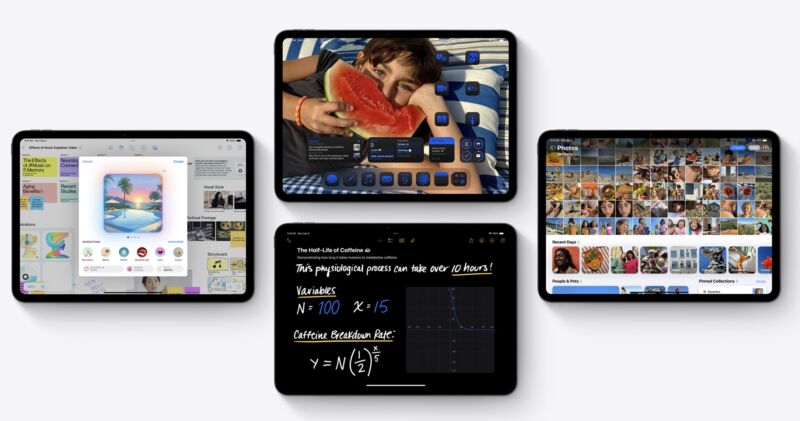
iPads running iPadOS 18.
Enlarge / iPads running iPadOS 18.

Apple has temporarily paused the rollout of the iPadOS 18 update for M4 iPad Pros. The company has stopped signing the update for these iPads, meaning it will no longer be offered to users when they check, and Apple’s servers won’t activate the update if it’s installed some other way.

Apple confirmed to Ars that it had “temporarily removed” the update in order to “resolve an issue that is impacting a small number of devices.”

The update has supposedly been “bricking” devices for some M4 iPad Pro users; anecdotal reports from Reddit and MacRumors forum users suggest that some users have installed the update without issue, and others have ended up with unresponsive devices. Apple is apparently offering hardware replacements to users who have been affected, which points to a pretty serious bug—usually devices can be put into recovery (or DFU) mode as a last resort in the event of a botched software update.

Some people affected by the problem reported that they installed the iPadOS 17.7 update first and then attempted to install iPadOS 18.0. The 17.7 update is provided primarily as a security update for people who aren’t ready to upgrade to an entirely new version of iPadOS just yet, and the 17.7 to 18.0 upgrade path may not have been tested as thoroughly as the 17.6 to 18.0 upgrade.

In any case, M4 iPad Pro owners who haven’t already upgraded will need to wait—either for Apple to release a new version of the iPadOS 18 update without the problems or for Apple to determine that the bricked iPads are suffering from a hardware issue rather than a software glitch.

The iPadOS 17.7 update is still being signed for these iPads, and users should install it if they want the latest security patches while they wait for Apple to resolve the problems with iPadOS 18. Apple is also continuing to sign the iPadOS 18.0 update for other iPads, including the M2 iPad Air.

This article was updated with a statement from Apple. 

https://arstechnica.com/?p=2050551


TCL accused of selling quantum dot TVs without actual quantum dots

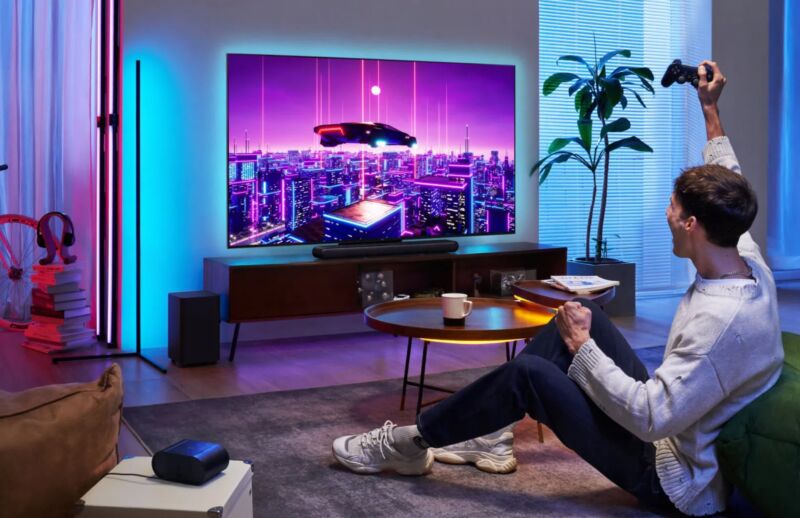
Many playing video games on TCL C655 Pro
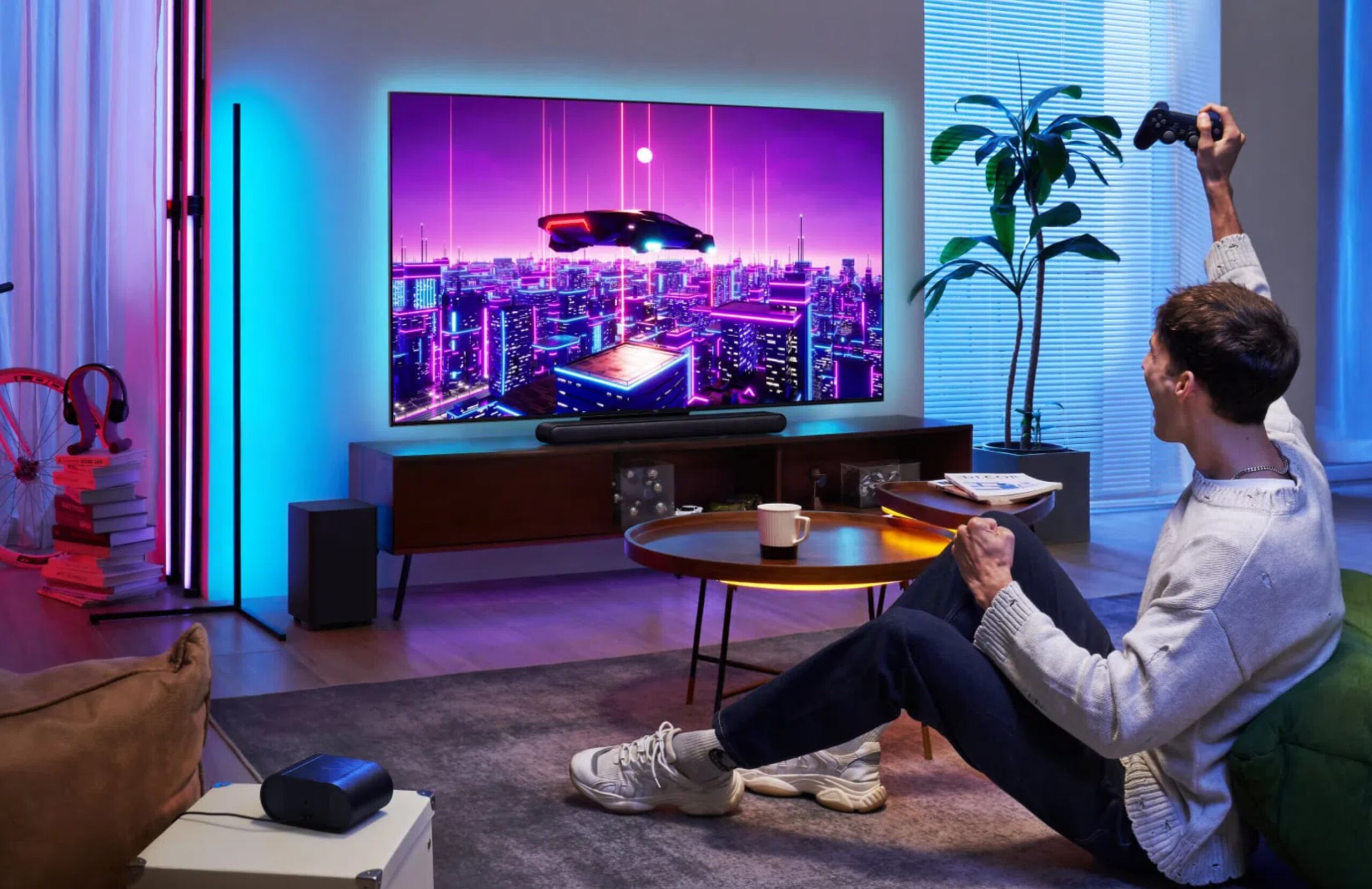
Enlarge / TCL’s C655 Pro TV is advertised as a quantum dot Mini LED TV.

TCL has come under scrutiny this month after testing that claimed to examine three TCL TVs marketed as quantum dot TVs reportedly showed no trace of quantum dots.

Quantum dots are semiconductor particles that are several nanometers large and emit different color lights when struck with light of a certain frequency. The color of the light emitted by the quantum dot depends on the wavelength, which is impacted by the quantum dot’s size. Some premium TVs (and computer monitors) use quantum dots so they can display a wider range of colors.

Quantum dots have become a large selling point for LCD-LED, Mini LED, and QD-OLED TVs, and quantum dot TVs command higher prices. A TV manufacturer pushing off standard TVs as quantum dot TVs would create a scandal significant enough to break consumer trust in China’s biggest TV manufacturer and could also result in legal ramifications.

But with TCL sharing conflicting testing results, and general skepticism around TCL being able to pull off such an anti-consumer scam in a way that would benefit it financially, this case of questionable colorful TVs isn’t so black and white. So, Ars Technica sought more clarity on the situation.

Tests unable to detect quantum dots in TCL TVs

Earlier this month, South Korean IT news publication ETNews published a report on testing that seemingly showed three TCL quantum dot TVs, marketed as QD TVs, as not having quantum dots present.

Hansol Chemical, a Seoul-headquartered chemicals company, commissioned the testing. SGS, a Geneva-headquartered testing and certification company, and Intertek, a London-headquartered testing and certification company, performed the tests.

The models examined were TCL’s C755, said to be a quantum dot Mini LED TV, the C655, a purported quantum dot LED (QLED) TV, and the C655 Pro, another QLED. None of those models are sold in the US, but TCL sells various Mini LED and LED TVs in the US that claim to use quantum dots.

According to a Google translation, ETNews reported: “According to industry sources on the 5th, the results of tests commissioned by Hansol Chemical to global testing and certification agencies SGS and Intertek showed that indium… and cadmium… were not detected in three TCL QD TV models. Indium and cadmium are essential materials that cannot be omitted in QD implementation.”

The testing was supposed to detect cadmium if present at a minimum concentration of 0.5 mg per 1 kg, while indium was tested at a minimum detection standard of 2 mg/kg or 5 mg/kg, depending on the testing lab.

These are the results from Intertek and SGS’s testing, as reported by display tech publication Display Daily:

Testing Lab TCL Model Measured Indium Cadmium Indium Minimum Detection Standard (mg/kg) Cadmium Minimum Detection Standard (mg/kg)
Intertek C755 Sheet Undetected Undetected 2 mg/kg 0.5 mg/kg
Intertek C655 Diffusion Plate Undetected Undetected 2 mg/kg 0.5 mg/kg
SGS C655 Pro Sheet Undetected Undetected 5 mg/kg 0.5 mg/kg
SGS C655 Pro Diffusion Plate Undetected Undetected 5 mg/kg 0.5 mg/kg
SGS C655 Pro Sheet Undetected Undetected 5 mg/kg 0.5 mg/kg

https://arstechnica.com/?p=2050037