AnandTech, mainstay of computer hardware reviews, closes after 27 years

AnandTech, mainstay of computer hardware reviews, closes after 27 years

Few ’90s tech sites other than Ars Technica are still operating here in 2024, and today, there’s one fewer. AnandTech, a staple of CPU and GPU news and reviews since 1997, will stop publishing today, according to an announcement from Editor-in-Chief Ryan Smith.

“For better or worse, we’ve reached the end of a long journey—one that started with a review of an AMD processor, and has ended with the review of an AMD processor,” wrote Smith, referring to reviews of AMD’s K6 and Ryzen 9000-series chips, respectively. “It’s fittingly poetic, but it is also a testament to the fact that we’ve spent the last 27 years doing what we love, covering the chips that are the lifeblood of the computing industry.”

The site’s current owner, Future PLC, will keep the AnandTech archives online “indefinitely” and will continue to manage the site’s forums, Smith wrote. Several AnandTech staffers will continue to publish articles at Tom’s Hardware, another ’90s vintage technology site that continues to publish today (AnandTech and Tom’s have both been owned by the same company since 2014, though they retained separate sites and branding).

Media headwinds

Smith wasn’t specific about exactly why the site was closing, but he implied that the shutdown was a financial decision on Future’s part.

“[T]he market for written tech journalism is not what it once was—nor will it ever be again,” wrote Smith. “There is still more that I had wanted AnandTech to do, but after 21,500 articles, this was a good start.”

Ars Technica founder and Editor-in-Chief Ken Fisher, familiar with the challenges of keeping a late-’90s technology website relevant and profitable, largely agreed with Smith’s assessment.

“The market for tech journalism has changed,” Fisher said. “Technology is now thoroughly mainstream when compared to the late ’90s. Big Tech advertisers are just as happy now to market their products or services on lifestyle websites as they once did primarily on tech sites. Furthermore, whatever the cause (mostly ‘growth at all costs’ thinking), Google no longer sends the traffic it once did. This is especially true for tech buying advice (reviews, explainers, etc.), which AnandTech excelled at providing. Reader culture has changed, too. In-depth explainers and long-form reviews are costly to produce but result in ever-dwindling audiences. Google AI Overviews then ‘helpfully’ summarizes your content, and you get even less in return.”

Perhaps not coincidentally, much of the audience for in-depth PC component reviews has migrated to Google’s YouTube, where big channels like Linus Tech Tips and Gamers Nexus traffic in meticulous component reviews that owe a clear debt to AnandTech’s rigorous methodology and endless seas of bar charts.

AnandTech’s closure comes just a few days after Gannett announced that it was shutting down Reviewed, another technology-focused site founded in 1997. Camera review site DPReview, founded in 1998, was nearly closed down last year, but it was saved at the 11th hour when Amazon was able to sell the site to Gear Patrol.

In the spirit of full disclosure: AnandTech wasn’t my first paid writing gig, but it was certainly the first one of any note and the first where I did any serious review work on hardware (like the very first touchscreen Kindle) and software (like the Windows 8 Consumer Preview).

Site founder Anand Lal Shimpi began AnandTech as a 14-year-old “armed with very little actual knowledge” (in his own words), and by December 1999, it had become noteworthy and authoritative enough that CNN Money described it as a “megahot computer-review site.” Shimpi’s family remained involved in the site for years after its founding—when I was freelancing there in 2011 and 2012, the person I sent my invoices to was Anand’s mother.

Although best known for its PC component reviews, the site also did in-depth reporting on Arm processors during the early smartphone era, and AnandTech was one of the few outlets publishing in-depth firsthand technical information about early Apple Silicon processors like the Apple A4, A5, A6, and the 64-bit A7. When Shimpi left AnandTech in 2014, it was to start a new position at Apple.

https://arstechnica.com/?p=2046409


Tumblr migrates more than 500 million blogs to WordPress

Tumblr app open on an Android phone
Enlarge / “You’ll never be bored again” is one of the more fitting slogans attached to Tumblr.
Getty Images

Once-great social media and blogging platform Tumblr has gone through a number of big changes in recent years, and another one is right around the corner. Parent company Automattic says it is migrating all Tumblr blogs—more than half a billion in number—to the WordPress back end.

In a blog post announcing the initiative this week, Automattic is careful to note that it doesn’t want anything about the front-end user experience of Tumblr to change. We love Tumblr’s streamlined posting experience and its current product direction. We’re not changing that,” a rep wrote.

In terms of user experience, the two blogging platforms have very different emphases. WordPress is meant to be powerful, customizable, and extensible to serve a variety of needs, while Tumblr is meant to streamline the experience to be something like a middle ground between operating a WordPress blog and using something like X or Threads.

The plan is to move to the WordPress back end so that Automattic can develop features that will deploy to Tumblr and WordPress blogs simultaneously. This will let Tumblr tap into the robust existing WordPress.com infrastructure and allow the open-source work happening on WordPress to more easily be tapped to improve Tumblr.

The Automattic post did not provide a timeline; it simply acknowledged that this will be “one of the largest technical migrations in Internet history.”

Automattic acquired Tumblr in a humbling fire sale of just $3 million—a far cry from the $1 billion the platform was worth to Yahoo not all that many years ago. Yahoo acquired Tumblr then to try to turn it into a Facebook competitor, but it consistently failed to make the right choices to make that happen—if it even possible.

Since the acquisition, Automattic has shuffled around employees and resources, including moving many off of Tumblr to other projects, but it says it plans to continue supporting Tumblr with new features in the future and that this migration is part of those plans.

https://arstechnica.com/?p=2046479


Gen AI Alexa to use Anthropic tech after it “struggled for words” with Amazon’s

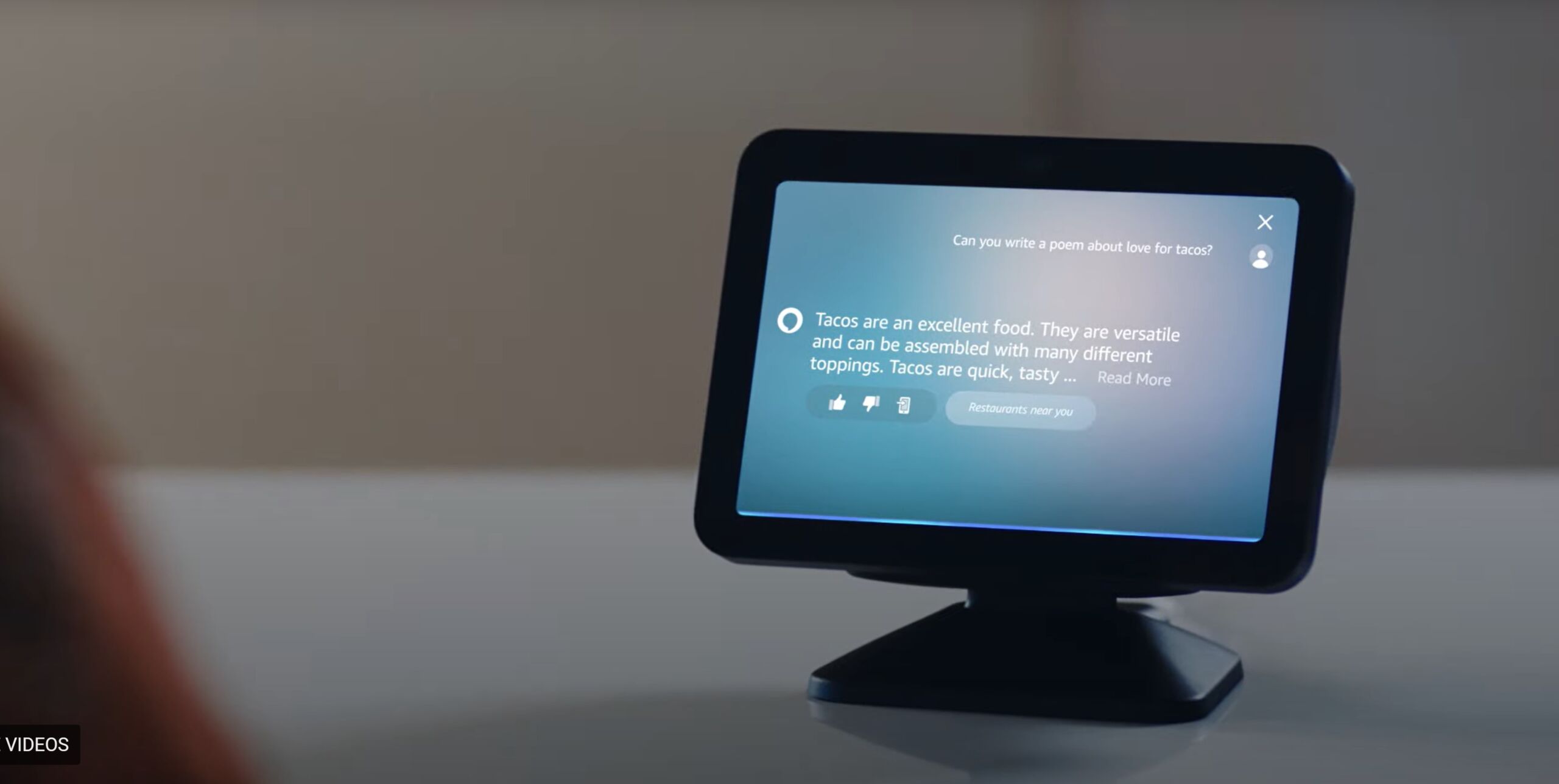
Amazon Alexa using generative AI on an Echo Show
Enlarge / Generative AI Alexa asked to make a taco poem.

The previously announced generative AI version of Amazon’s Alexa voice assistant “will be powered primarily by Anthropic’s Claude artificial intelligence models,” Reuters reported today. This comes after challenges with using proprietary models, according to the publication, which cited five anonymous people “with direct knowledge of the Alexa strategy.”

Amazon demoed a generative AI version of Alexa in September 2023 and touted it as being more advanced, conversational, and capable, including the ability to do multiple smart home tasks with simpler commands. Gen AI Alexa is expected to come with a subscription fee, as Alexa has reportedly lost Amazon tens of billions of dollars throughout the years. Earlier reports said the updated voice assistant would arrive in June, but Amazon still hasn’t confirmed an official release date.

Now, Reuters is reporting that Amazon will no longer use its own large language models as the new Alexa’s primary driver. Early versions of gen AI Alexa based on Amazon’s AI models “struggled for words, sometimes taking six or seven seconds to acknowledge a prompt and reply,” Reuters said, citing one of its sources. Without specifying versions or features used, Reuters’ sources said Claude outperformed proprietary software.

In a statement to Reuters, Amazon didn’t deny using third-party models but claimed that its own tech is still part of Alexa:

Amazon uses many different technologies to power Alexa.

When it comes to machine learning models, we start with those built by Amazon, but we have used, and will continue to use, a variety of different models—including (Amazon AI model) Titan and future Amazon models, as well as those from partners—to build the best experience for customers.

Amazon has invested $4 billion in Anthropic (UK regulators are currently investigating this). It’s uncertain if Amazon’s big investment in Anthropic means that Claude can be applied to Alexa for free. Anthropic declined to comment on Reuters’ report.

The new Alexa may be delayed

On Monday, The Washington Post reported that Amazon wants to launch the new Alexa in October, citing internal documents. However, Reuters’ sources claimed that this date could be pushed back if the voice assistant fails certain unspecified internal benchmarks.

The Post said gen AI Alexa could cost up to $10 per month, according to the documents. That coincides with a June Reuters report saying that the service would cost $5 to $10 per month. The Post said Amazon would finalize pricing and naming in August.

But getting people to open their wallets for a voice assistant already associated with being free will be difficult (free Alexa is expected to remain available after the subscription version releases). Some Amazon employees are questioning if people will really pay for Alexa, Reuters noted. Amazon is facing an uphill battle with generative AI, which is being looked at as a last shot for Alexa amid big competition and leads from other AI offerings, including free ones like ChatGPT.

In June, Bank of America analysts estimated that Amazon could make $600 million to $1.2 billion in annual sales with gen AI Alexa, depending on final monthly pricing. This is under the assumption that 10 percent of an estimated 100 million active Alexa users (Amazon says it has sold 500 million Alexa-powered gadgets) will upgrade. But analysts noted that free alternatives would challenge the adoption rate.

The Post’s Monday report said the new Alexa will try winning over subscribers with features like AI-generated news summaries. This Smart Briefing feature will reportedly share summaries based on user preferences on topics including politics, despite OG Alexa’s previous problems with reporting accurate election results. The publication also said that gen AI Alexa would include “a chatbot aimed at children” and “conversational shopping tools.”

https://arstechnica.com/?p=2046432


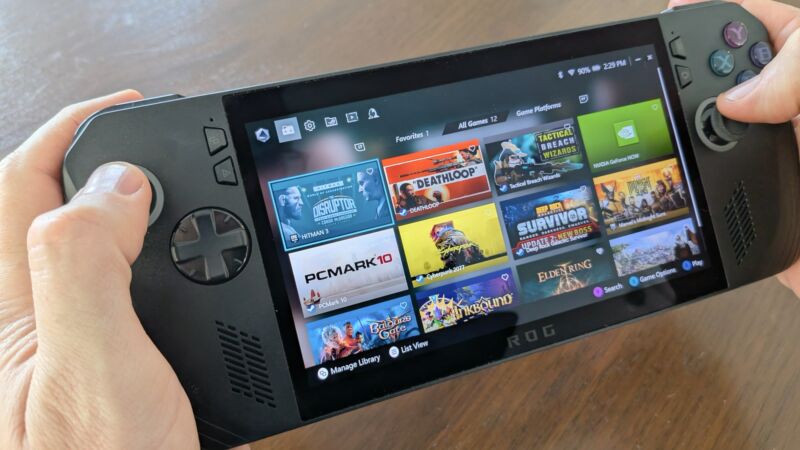
Asus ROG Ally X review: Better performance and feel in a pricey package

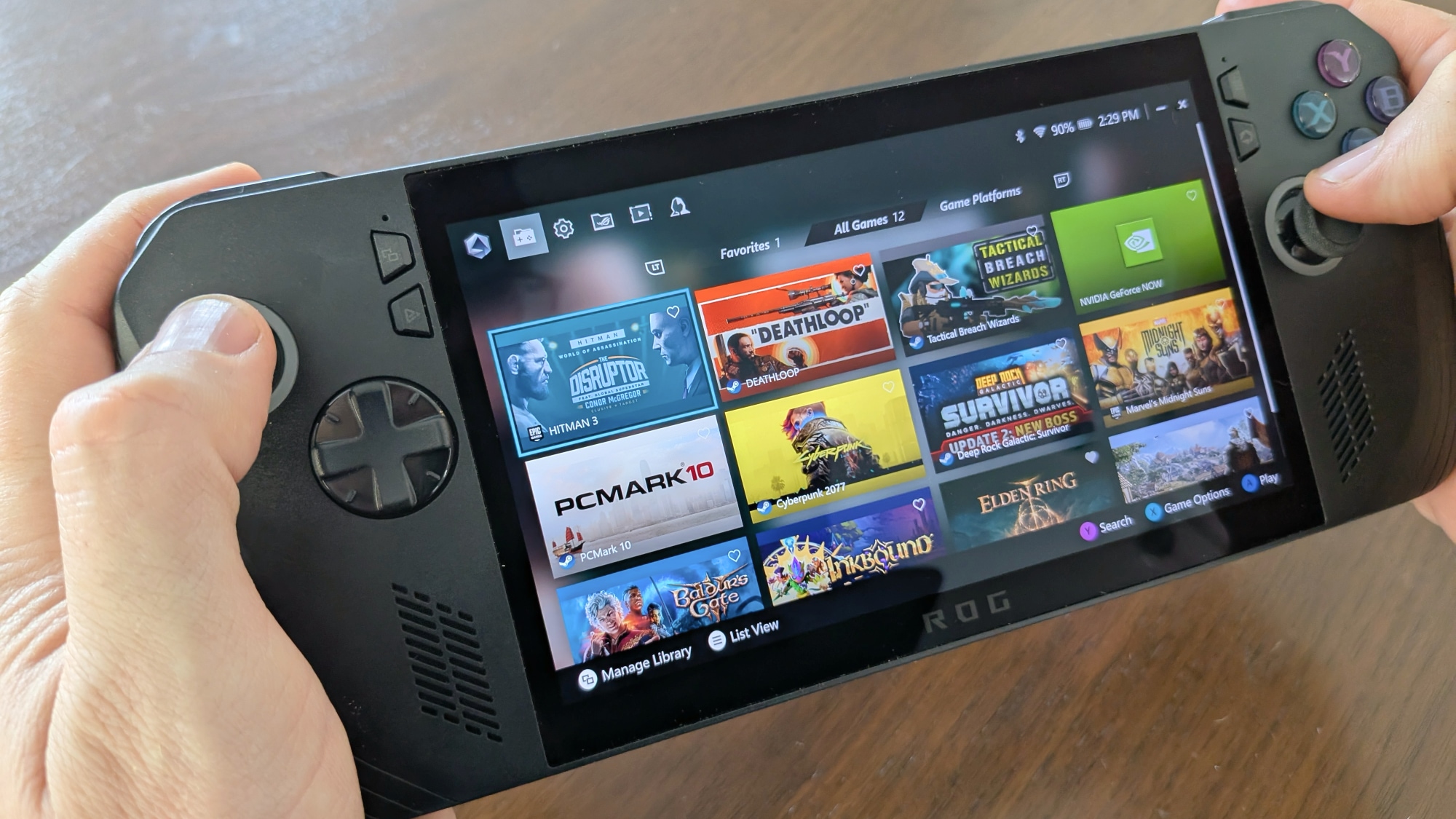
It's hard to fit the perfomance-minded but pricey ROG Ally X into a simple product category. It's also tricky to fit it into a photo, at the right angle, while it's in your hands.
Enlarge / It’s hard to fit the perfomance-minded but pricey ROG Ally X into a simple product category. It’s also tricky to fit it into a photo, at the right angle, while it’s in your hands.
Kevin Purdy

The first ROG Ally from Asus, a $700 Windows-based handheld gaming PC, performed better than the Steam Deck, but it did so through notable compromises on battery life. The hardware also had a first-gen feel and software jank from both Asus’ own wraparound gaming app and Windows itself. The Ally asked an awkward question: “Do you want to pay nearly 50 percent more than you’d pay for a Steam Deck for a slightly faster but far more awkward handheld?”

The ROG Ally X makes that question more interesting and less obvious to answer. Yes, it’s still a handheld that’s trying to hide Windows annoyances, and it’s still missing trackpads, without which some PC games just feel bad. And (review spoiler) it still eats a charge faster than the Steam Deck OLED on less demanding games.

But the improvements Asus made to this X sequel are notable, and its new performance stats make it more viable for those who want to play more demanding games on a rather crisp screen. At $800, or $100 more than the original ROG Ally with no extras thrown in, you have to really, really want the best possible handheld gaming experience while still tolerating Windows’ awkward fit.

What’s new in the Ally X

Specs at a glance: Asus ROG Ally X
Display 7-inch IPS panel: 1920×1080, 120 Hz, 7 ms, 500 nits, 100% sRGB, FreeSync, Gorilla Glass Victus
OS Windows 11 (Home)
CPU AMD Ryzen Z1 Extreme (Zen 4, 8 core, 24M cache, 5.10 Ghz, 9-30 W (as reviewed)
RAM 24GB LPDDR5X 6400 MHz
GPU AMD Radeon RDNA3, 2.7 GHz, 8.6 Teraflops
Storage M.2 NVME 2280 Gen4x4, 1TB (as reviewed)
Networking Wi-Fi 6E, Bluetooth 5.2
Battery 80 Wh (65W max charge)
Ports USB-C (3.2 Gen2, DPI 1.4, PD 3.0), USB-C (DP, PD 3.0), 3.5 mm audio, Micro SD
Size 11×4.3×0.97 in. (280×111×25 mm)
Weight 1.49 lbs (678 g)
Price as reviewed $800

The ROG Ally X is essentially the ROG Ally with a bigger battery packed into a shell that is impressively not much bigger or heavier, more storage and RAM, and two USB-C ports instead of one USB-C and one weird mobile port that nobody could use. Asus reshaped the device and changed the face-button feel, and it all feels noticeably better, especially now that gaming sessions can last longer. The company also moved the microSD card slot so that your cards don’t melt, which is nice.

There’s a bit more to each of those changes that we’ll get into, but that’s the short version. Small spec bumps wouldn’t have changed much about the ROG Ally experience, but the changes Asus made for the X version do move the needle. Having more RAM available has a sizable impact on the frame performance of demanding games, and you can see that in our benchmarks.

We kept the LCD Steam Deck in our benchmarks because its chip has roughly the same performance as its OLED upgrade. But it’s really the Ally-to-Ally-X comparisons that are interesting; the Steam Deck has been fading back from AAA viability. If you want the Ally X to run modern, GPU-intensive games as fast as is feasible for a battery-powered device, it can now do that a lot better—for longer—and feel a bit better while you do.

The Rog Ally X has better answered the question “why not just buy a gaming laptop?” than its predecessor. At $800 and up, you might still ask how much portability is worth to you. But the Ally X is not as much of a niche (Windows-based handheld) inside a niche (moderately higher-end handhelds).

I normally would not use this kind of handout image with descriptive text embedded, but Asus is right: the ROG Ally X is indeed way more comfortable (just maybe not all-caps).

How it feels using the Rog Ally X

My testing of the Rog Ally X consisted of benchmarks, battery testing, and playing some games on the couch. Specifically: Deep Rock Galactic: Survivor and Tactical Breach Wizards on the devices lowest-power setting (“Silent”), Deathloop on its medium-power setting (“Performance”), and Shadow of the Erdtree on its all-out “Turbo” mode.

All four of those games worked mostly fine, but DRG: Survivor pushed the boundaries of Silent mode a bit when its levels got crowded with enemies and projectiles. Most games could automatically figure out a decent settings scheme for the Ally X. If a game offers AMD’s FSR (FidelityFX Super Resolution) upscaling, you should at least try it; it’s usually a big boon to a game running on this handheld.

Overall, the ROG Ally X was a device I didn’t notice when I was using it, which is the best recommendation I can make. Perhaps I noticed that the 1080p screen was brighter, closer to the glass, and sharper than the LCD (original) Steam Deck. At handheld distance, the difference between 800p and 1080p isn’t huge to me, but the difference between LCD and OLED is more so. (Of course, an OLED version of the Steam Deck was released late last year.)

https://arstechnica.com/?p=2045977


Sunrise alarm clock didn’t make waking up easier—but made sleeping more peaceful

To say “I’m not a morning person” would be an understatement. Not only is it hard for me to be useful in the first hour (or so) of being awake, but it’s hard for me to wake up. I mean, really hard.

I’ve tried various recommendations and tricks: I’ve set multiple alarms and had coffee ready and waiting, and I’ve put my alarm clock far from my bed and kept my blinds open so the sun could wake me. But I’m still prone to sleeping through my alarm or hitting snooze until the last minute.

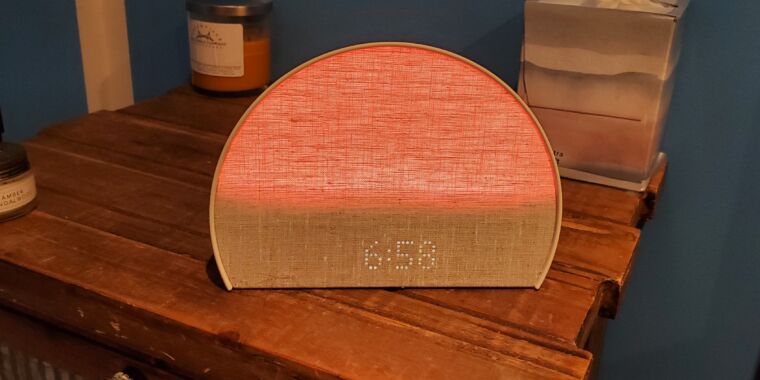
The Hatch Restore 2, a smart alarm clock with lighting that mimics sunrises and sunsets, seemed like a technologically savvy approach to realizing my dreams of becoming a morning person.

After about three weeks, though, I’m still no early bird. But the smart alarm clock is still earning a spot on my nightstand.

How it works

Hatch refers to the Restore 2 as a “smart sleep clock.” That’s marketing speak, but to be fair, the Restore 2 does help me sleep. A product page describes the clock as targeting users’ “natural circadian rhythm, so you can get your best sleep.” There’s some reasoning here. Circadian rhythms are “the physical, mental, and behavioral changes an organism experiences over a 24-hour cycle,” per the National Institute of General Medical Sciences (NIGMS). Circadian rhythms affect our sleep patterns (as well as other biological aspects, like appetite), NIGMS says.

The Restore 2’s pitch is a clock programmed to emit soothing lighting, which you can make change gradually as it approaches bedtime (like get darker), partnered with an alarm clock that simulates a sunrise with brightening lighting that can help you wake up more naturally. You can set the clock to play various soothing sounds while you’re winding down, sleeping, and/or as your alarm sound.

The clock needs a Wi-Fi connection and its app to set up the device. The free app has plenty of options, including sounds, colors, and tips for restful sleep (there’s a subscription for extra features and sounds for $5 per month, but thankfully, it’s optional).

Out like a light

This is, by far, the most customizable alarm clock I’ve ever used. The app was a little overwhelming at first, but once I got used to it, it was comforting to be able to set Routines or different lighting/sounds for different days. For example, I set mine to play two hours of “Calming Singing Bowls” with a slowly dimming sunset effect when I press the “Rest” button. Once I press the button again, the clock plays ocean sounds until my alarm goes off.

I didn’t think I needed a sleeping aid—I’m really good at sleeping. But I was surprised at how the Restore 2 helped me fall asleep more easily by blocking unpleasant noises. In my room, the biggest culprit is an aging air conditioner that’s loud while on, and it gets even more uproarious when automatically turning itself on and off (a feature that has become a bug I can’t disable).

As I’ve slept these past weeks, the clock has served as a handy, adjustable colored light to have on in the evening or as a cozy nightlight. The ocean noises have been blending in with the AC’s sounds, clearing my mind. I’d sleepily ponder if certain sounds I heard were coming from the clock or my AC. That’s the dull, fruitless thinking that quickly gets me snoozing.

Playing sounds to fall asleep is obviously not new (some of my earlier memories are falling asleep to a Lady and the Tramp cassette). Today, many would prefer using an app or playing a long video over getting a $170 alarm clock for the experience. Still, the convenience of setting repeating Routines on a device dedicated to being a clock turned out to be an asset. It’s also nice to be able to start a Routine by pressing an on-device button rather than having to use my phone to play sleeping sounds.

But the idea of the clock’s lighting and sounds helping me wind down in the hours before bed would only succeed if I was by the clock when winding down. I’m usually spending my last waking moments in my living room. So unless I’m willing to change my habits, or get a Restore 2 for the living room, this feature is lost on me.

https://arstechnica.com/?p=2046183


Revised Raspberry Pi 5 chip comes with unexpected power savings

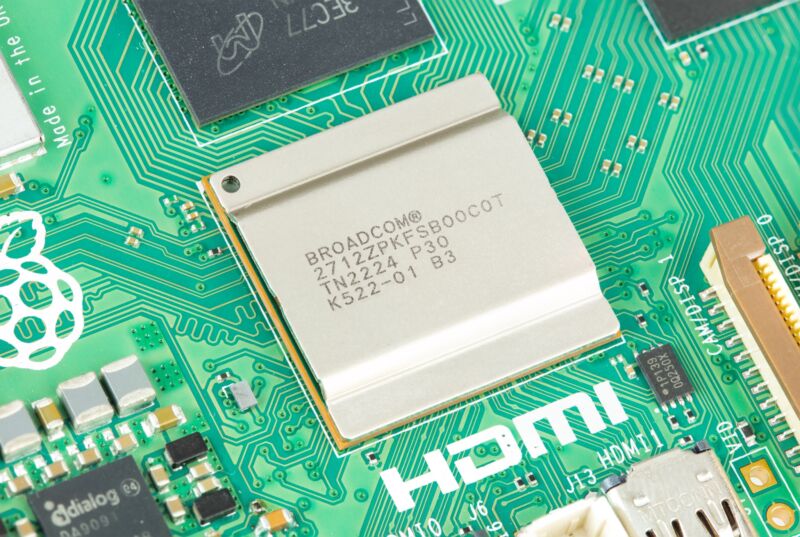
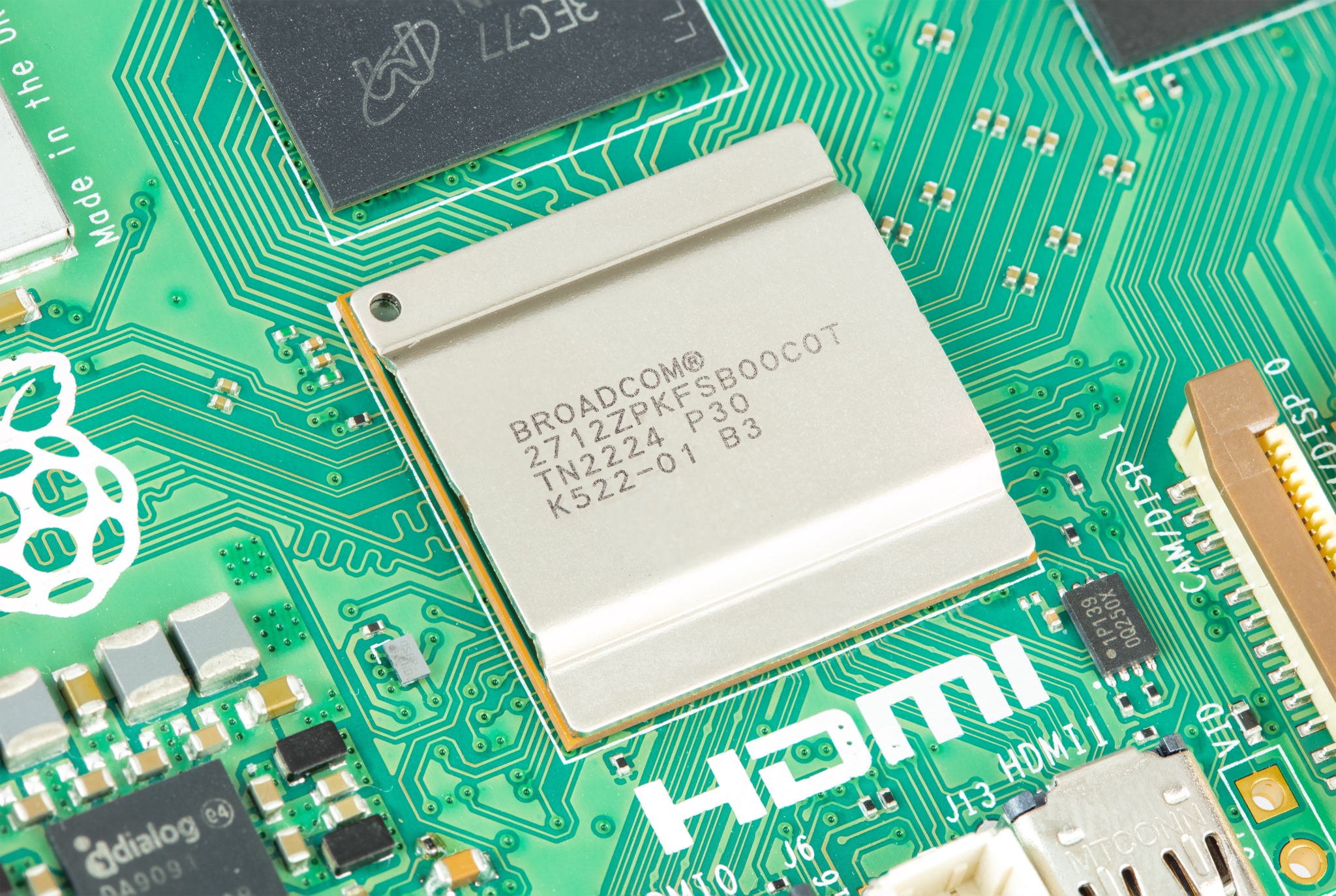
The Broadcom SoC used in the original 4GB and 8GB Raspberry Pi 5. The 2GB version uses an updated revision with several small but significant benefits.
Enlarge / The Broadcom SoC used in the original 4GB and 8GB Raspberry Pi 5. The 2GB version uses an updated revision with several small but significant benefits.
Raspberry Pi

When Raspberry Pi introduced a new 2GB version of the Raspberry Pi 5 board earlier this month, CEO Eben Upton said that the board would come with a slightly updated version of the board’s Broadcom BCM2712C1 SoC. By removing chip functionality that the Pi 5 didn’t use, the new D0 stepping of the chip would use less silicon, reducing its cost.

Raspberry Pi enthusiast and YouTuber Jeff Geerling has performed some firsthand testing of the 2GB Pi 5. As Upton said, the new board is functionally identical to the older 4GB and 8GB boards, with identical performance (as long as whatever workload you’re running doesn’t benefit from extra RAM, anyway). The new silicon die is also about 33 percent smaller than the old one, which Geerling verified by removing the SoC’s heat spreader to expose the silicon underneath and measuring by hand.

Geerling also demonstrated that the 2GB Pi 5 comes with a couple of unexpected benefits that Upton didn’t mention in his announcement—that the 2GB Pi 5 runs a little cooler and uses a little less power than the 4GB and 8GB editions. The 2GB Pi used just 2.4 W or power at idle and 8.9 W during a CPU stress test, compared to 3.3 W and 9.8 W in the 4GB version. The SoC of the 2GB Pi measured 30° Celsius at idle and 59° under load, compared to 32° and 63° for the 2GB version. Those are all small but significant differences, given that nothing has changed other than the SoC.

As to the exact functionality that was removed from the chip for the 2GB version of the Pi, the company hasn’t gotten specific. But Geerling speculates that it’s mostly related to functionality that’s being handled by the custom RP1 I/O chip—RP1 handles the Ethernet and USB controllers, display interfaces, and GPIO, among other things.

We also don’t know whether the D0 stepping will eventually be used for the 4GB and 8GB versions of the Pi 5 board. Raspberry Pi would likely benefit by standardizing on a single, cheaper chip rather than shipping different steppings on different boards—we’ve asked the company if it has any plans to share on this front, and we will update if we receive a response.

https://arstechnica.com/?p=2046291


AI company Midjourney teases hardware product in a new form factor

A fantasy drawing of a wizard staring into a glowing orb
Responding to this meme image of a wizard with an orb from the I.C.E. book Middle-earth: Valar and Maiar, Midjourney’s founder joked that the new hardware form factor might be an orb.

Midjourney, a company best known for its robust AI image-generation tool, has publicly announced that it’s “getting into hardware” and has invited job-seekers to apply to join its new hardware division.

The company shared the announcement on its official X account earlier today.

Midjourney founder David Holz previously worked at a hardware company; he was CTO of Leap Motion. A few months ago, he hired Ahmad Abbas,  whom he worked with at Leap Motion. Abbas also worked at Apple for five years as a hardware manager working on the Vision Pro headset. His LinkedIn profile now lists his current title as “Head of Hardware, Midjourney.”

Nothing is yet known about what kind of device Midjourney will develop, but that X account has posted numerous tweets today that could give Internet sleuths insight into exactly what its plans are. For example, it posted that the device is “not gonna be a pendant” in the wake of a rash of multiple recent failed pendant-like AI hardware devices.

The company tweeted that it has “multiple efforts in flight” when asked for more details about the device and noted that there are “definitely opportunities for more form factors.”

If you really want to stretch, you can look back to the fact that Holz months ago tweeted, “we will make the orb” in response to a fellow X user joking that someone ought to make a device with a spherical form factor inspired by wizards’ spheres from fantasy stories, like Saruman’s palantír from The Lord of the Rings.

In case it’s not obvious, both Midjourney and Holz have been prolific on X with teases and trolls about it to the point that you probably shouldn’t read too much into anything they’ve said beyond the commitment to produce some kind of hardware.

There’s no timeline, either, so it might be a while before we see what happens. At this point, Midjourney is just one of many companies trying to figure out what AI-driven hardware will look like.

https://arstechnica.com/?p=2046020


ESPN’s Where to Watch tries to solve sports’ most frustrating problem

The ESPN app on an iPhone 11 Pro.

Too often, new tech product or service launches seem like solutions in search of a problem, but not this one: ESPN is launching software that lets you figure out just where you can watch the specific game you want to see amid an overcomplicated web of streaming services, cable channels, and arcane licensing agreements. Every sports fan is all too familiar with today’s convoluted streaming schedules.

Launching today on ESPN.com and the various ESPN mobile and streaming device apps, the new guide offers various views, including one that lists all the sporting events in a single day and a search function, among other things. You can also flag favorite sports or teams to customize those views.

“At the core of Where to Watch is an event database created and managed by the ESPN Stats and Information Group (SIG), which aggregates ESPN and partner data feeds along with originally sourced information and programming details from more than 250 media sources, including television networks and streaming platforms,” ESPN’s press release says.

ESPN previously offered browsable lists of games like this, but it didn’t identify where you could actually watch all the games.

There’s no guarantee that you’ll have access to the services needed to watch the games in the list, though. Those of us who cut the cable cord long ago know that some games—especially those local to your city—are unavailable without cable.

For example, I live within walking distance from Wrigley Field, but because I don’t have cable, I can’t watch most Cubs games on any screens in my home. As a former Angeleno, I follow the Dodgers instead because there are no market blackouts for me watching them all the way from Chicago. The reverse would be true if I were in LA.

Even if you do have cable, many sports are incredibly convoluted when it comes to figuring out where to watch stuff. ESPN Where to Watch could be useful for the new college football season, for example.

Expansion effort

ESPN isn’t the first company to envision this, though. The company to make the most progress up until now was Apple. Apple’s TV device and app was initially meant as a one-stop shop for virtually all streaming video, like a comprehensive 21st-century TV Guide. But with cable companies being difficult to work with and Netflix not participating, Apple never quite made that dream a reality.

It kept trying for sports, though, tying into third-party offerings like the MLB app alongside its own programming to try to make the TV app a place to launch all your games. Apple got pretty close, depending on which sport you’re trying to follow.

ESPN’s app seems a little more promising, as it covers a more comprehensive range of games and goes beyond the TV app’s “what’s happening right now” focus with better search and listings.

ESPN execs have said they hope to start offering more games streaming directly in the app, and if that app becomes the go-to spot thanks to this new guide, it might give the company more leverage with leagues to make that happen.

That could certainly be more convenient for viewers, though there are, of course, downsides to one company having too much influence and leverage in a sport.

https://arstechnica.com/?p=2045985


A long, weird FOSS circle ends as Microsoft donates Mono to Wine project

Man looking over the offerings at a wine store with a tablet in hand.
Enlarge / Does Mono fit between the Chilean cab sav and Argentinian malbec, or is it more of an orange, maybe?
Getty Images

Microsoft has donated the Mono Project, an open-source framework that brought its .NET platform to non-Windows systems, to the Wine community. WineHQ will be the steward of the Mono Project upstream code, while Microsoft will encourage Mono-based apps to migrate to its open source .NET framework.

As Microsoft notes on the Mono Project homepage, the last major release of Mono was in July 2019. Mono was “a trailblazer for the .NET platform across many operating systems” and was the first implementation of .NET on Android, iOS, Linux, and other operating systems.

Ximian, Novell, SUSE, Xamarin, Microsoft—now Wine

Mono began as a project of Miguel de Icaza, co-creator of the GNOME desktop. De Icaza led Ximian (originally Helix Code), aiming to bring Microsoft’s then-new .NET platform to Unix-like platforms. Ximian was acquired by Novell in 2003.

Mono was key to de Icaza’s efforts to get Microsoft’s Silverlight, a browser plug-in for “interactive rich media applications” (i.e., a Flash competitor), onto Linux systems. Novell pushed Mono as a way to develop iOS apps with C# and other .NET languages. Microsoft applied its “Community Promise” to its .NET standards in 2009, confirming its willingness to let Mono flourish outside its specific control.

By 2011, however, Novell, on its way to being acquired into obsolescence, was not doing much with Mono, and de Icaza started Xamarin to push Mono for Android. Novell (through its SUSE subsidiary) and Xamarin reached an agreement in which Xamarin would take over the IP and customers, using Mono inside Novell/SUSE.

Microsoft open-sourced most of .NET in 2014, then took it further, acquiring Xamarin entirely in 2016, putting Mono under an MIT license, and bundling Xamarin offerings into various open source projects. Mono now exists as a repository that may someday be archived, though Microsoft promises to keep binaries around for at least four years. Those who want to keep using Mono are directed to Microsoft’s “modern fork” of the project inside .NET.

What does this mean for Mono and Wine? Not much at first. Wine, a compatibility layer for Windows apps on POSIX-compliant systems, has already made use of Mono code in fixes and has its own Mono engine. By donating Mono to Wine, Microsoft has, at a minimum, erased the last bit of concern anyone might have had about the company’s control of the project. It’s a very different, open-source-conversant Microsoft making this move, of course, but regardless, it’s a good gesture.

https://arstechnica.com/?p=2045805


Old and new Ryzen CPUs get a speed boost from optional Windows update

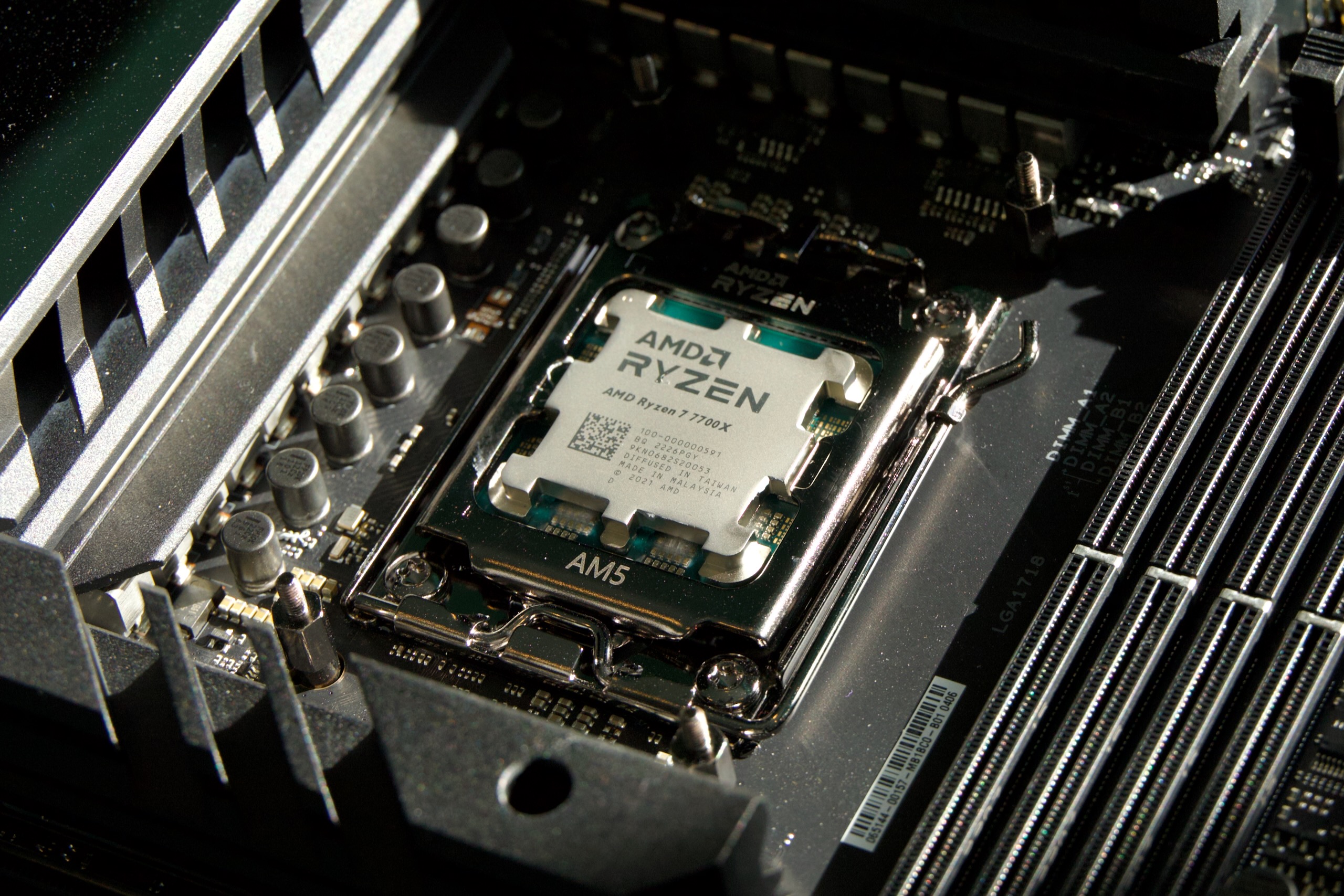
AMD's Ryzen 7 7700X.
Enlarge / AMD’s Ryzen 7 7700X.
Andrew Cunningham

Among AMD’s explanations for the somewhat underwhelming Ryzen 9000 performance reports from reviewers earlier this month: that the upcoming Windows 11 24H2 update would bring some improvements to the CPU scheduler that would boost the performance of the new CPUs and their Zen 5-based architecture.

But rather than make Ryzen owners wait for the 24H2 update to come out later this fall (or make them install a beta version of a major OS update), AMD and Microsoft have backported the scheduler improvements to Windows 11 23H2. Users of Ryzen 5000, 7000, and 9000 CPUs can install the KB5041587 update by going to Windows Update in Settings, selecting Advanced Options, and then Optional Updates.

“We expect the performance uplift to be very similar between 24H2 and 23H2 with KB5041587 installed,” an AMD representative told Ars.

In current versions of Windows 11 23H2, the CPU scheduler optimizations are only available using Windows’ built-in Administrator account. The update enables them for typical user accounts, too.

Older AMD CPUs benefit, too

AMD’s messaging has focused mainly on how the 24H2 update (and 23H2 with the KB5041587 update installed) improves Ryzen 9000 performance; across a handful of provided benchmarks, the company says speeds can improve by anything between zero and 13 percent over Windows 11 23H2. There are also benefits for users of CPUs that use the older Zen 4 (Ryzen 7000/8000G) and Zen 3 (Ryzen 5000) architectures, but AMD hasn’t been specific about how much either of these older architectures would improve.

The Hardware Unboxed YouTube channel has done some early game testing with the current builds of the 24H2 update, and there’s good news for Ryzen 7000 CPU owners and less good news for AMD. The channel found that, on average, across dozens of games, average frame rates increased by about 10 percent for a Zen 4-based Ryzen 7 7700X. Ryzen 7 9700X improved more, as AMD said it would, but only by 11 percent. At default settings, the 9700X is only 2 or 3 percent faster than the nearly 2-year-old 7700X in these games, whether you’re running the 24H2 update or not.

This early data suggests that both Ryzen 7000 and Ryzen 5000 owners will see at least a marginal benefit from upgrading to Windows 11 24H2, which is a nice thing to get for free with a software update. But there are caveats. Hardware Unboxed tested for CPU performance strictly in games running at 1080p on a high-end Nvidia GeForce RTX 4090—one of the few scenarios in any modern gaming PC where your CPU might limit your performance before your GPU would. If you play at a higher resolution like 1440p or 4K, your GPU will usually go back to being the bottleneck, and CPU performance improvements won’t be as noticeable.

The update is also taking already-high frame rates and making them even higher; one game went from an average frame rate of 142 FPS to 158 FPS on the 7700X, and from 167 to 181 FPS on the 9700X, for example. Even side by side, it’s an increase that will be difficult for most people to see. Other kinds of workloads may benefit, too—AMD said that the Procyon Office benchmark ran about 6 percent faster under Windows 11 24H2—but we don’t have definitive data on real-world workloads yet.

We wouldn’t expect performance to improve much, if at all, in either heavily multi-threaded workloads where all the CPU cores are actively engaged at once or in exclusively single-threaded workloads that run continuously on a single-core. AMD’s numbers for both single- and multi-threaded versions of the Cinebench benchmark, which simulates these kinds of workloads, were exactly the same in Windows 11 23H2 and 24H2 for Ryzen 9000.

Finally, it’s worth noting that the Ryzen 7 9700X was held back quite a bit by its new, lower 65 W TDP in our testing, compared to the 105 W TDP of the Ryzen 7 7700X. Both CPUs performed similarly in games Hardware Unboxed tested, both before and after the 24H2 update. But the 9700X is still the cooler and more efficient chip, and it’s capable of higher speeds if you either set its TDP to 105 W manually or use features like Precision Boost Overdrive to adjust its power limits. How both CPUs perform out of the box is important, but comparing the 9700X to the 7700X at stock settings is a worst-case scenario for Ryzen 9000’s generation-over-generation performance increases.

Windows 11 24H2: Coming soon but available now

Microsoft has disclosed a few details of the underpinnings of the 24H2 update, which looks the same as older Windows 11 releases but includes a new compiler, a new kernel, and a new scheduler under the hood. Microsoft talked about these specifically in the context of improving Arm CPU performance and the speed of translated x86 apps because it was gearing up to push Microsoft Surface devices and other Copilot+ PCs with new Qualcomm Snapdragon chips in them. Still, we’ll hopefully see some subtle benefits for other CPU architectures, too.

The 24H2 update is still technically a preview, available via Microsoft’s Windows Insider Release Preview channel. Users can either download it from Windows Update or as an ISO file if they want to make a USB installer to upgrade multiple systems. But Microsoft and PC OEMs have been shipping the 24H2 update on the Surfaces and other PCs for weeks now, and you shouldn’t have many problems with it in day-to-day use at this point. For those who would rather wait, the update should begin rolling out to the general public this fall.

https://arstechnica.com/?p=2045537