Next-gen iPhones and other Apple announcements are coming on September 9
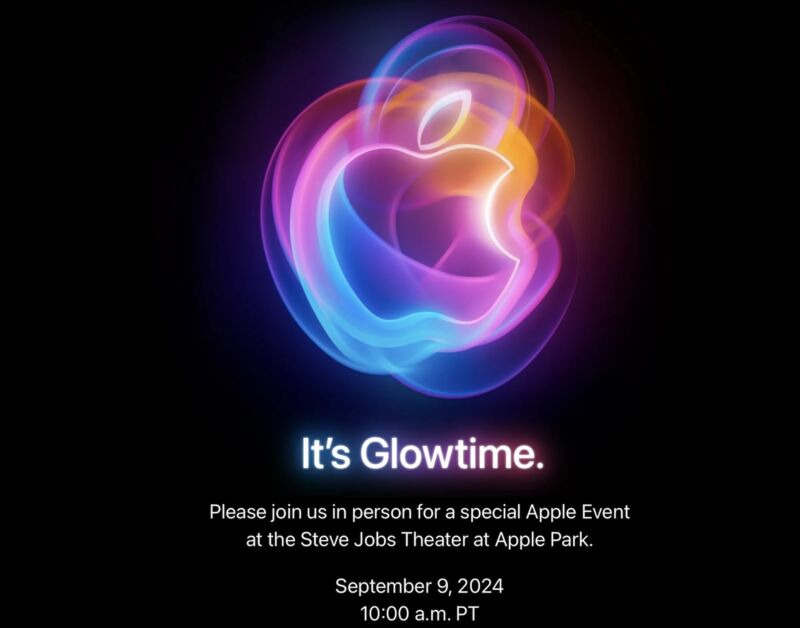
Apple’s next product announcement event is happening on September 9 at 1 pm ET, the company announced today. While most of Apple’s products are updated irregularly, Apple has reliably launched next-generation iPhones every September since the iPhone 5 was announced in 2012. This year, we expect new iPhone 16 and iPhone 16 Pro models.
The most reliable rumors about Apple’s next-gen iPhones (gathered here by MacRumors for your convenience) point to mostly iterative improvements to the current versions: marginally larger screens for the Pro phones, an Action Button and a rearranged camera bump for the non-Pro phones, and improved processors for each. Notably, both phones should be compatible with the first wave of Apple Intelligence AI features; as of this writing, the iPhone 15 Pro is the only iPhone that will support Apple Intelligence when it launches.
Apple also usually announces new Apple Watches at its September events. Updated Apple TV boxes are also occasionally unveiled, though Apple’s streaming box is updated more sporadically than most of its other products. We’re also due to get the first wave of M4 Macs at some point soon, including refreshed MacBook Pros and a newly redesigned Mac mini. But Apple often holds Mac launches for a separate event sometime in October or November, so don’t be surprised if the Mac goes unmentioned on September 9.
Whatever else Apple announces, the company is relatively unlikely to mention the iPad. Apple overhauled its entire iPad lineup in May, releasing new iPad Pro and iPad Air models, dropping the price of the 10th-generation iPad to $349 and totally discontinuing the aging 9th-gen iPad (also the last iPad to include a Lightning port, Home button, or headphone jack).
We’d also expect to get a release date for the public releases of all the new software versions Apple announces at WWDC in June: iOS 18, iPadOS 18, macOS 15 Sequoia, and new releases of watchOS, tvOS, and the HomePod operating system. But we already know that some of the Apple Intelligence features won’t launch until the iOS/iPadOS 18.1 and macOS 15.1 updates later in the year.
https://arstechnica.com/?p=2045240
Ikea takes on Craigslist with classifieds site for its used furniture
Ikea is taking on the likes of eBay, Craigslist, and Gumtree with a peer-to-peer marketplace for customers to sell secondhand furniture to each other.
Ikea Preowned will be tested in Madrid and Oslo until the end of the year with the aim of rolling out the buying and selling platform globally, according to Jesper Brodin, chief executive of Ingka, the main operator of Ikea stores.
“This has been a dream in the making for a while,” Brodin told the Financial Times. “We are in a place in Ikea where we can do more advanced and cool stuff. There is an incredible confidence in the company evolving on digital.”
The new marketplace is part of a transformation at Ikea over the past few years as it moves from being an out-of-town retailer where customers have to pick up and build their own furniture to a business offering online sales, city-center stores, and services such as assembly.
Ikea has had a small offering under which it buys used furniture from customers and resells it in store. But the new platform is more ambitious, aiming to tackle the secondhand market for customers selling directly to each other—an area where Brodin estimates Ikea has a higher market share than in new furniture sales.
Customers enter their product, their own pictures, and a selling price, while Ikea’s own artificial intelligence-enabled database brings in its own promotional images and measurements. The buyer collects the furniture directly from the seller, who has the option of receiving money or a voucher from Ikea with a 15 percent bonus.
“Very often there is a monopoly or oligopoly on platforms that operate,” said Brodin, talking about eBay or digital classified ad services such as Gumtree in the UK and Finn in Norway. Finn has 8,700 items from Ikea listed in Oslo alone. Early offerings on Ikea Preowned include large items such as sofas for up to $670 (600 euros) and wardrobes for $500 (450 euros) as well as smaller items such as a toilet roll holder for $4.50 (4 euros).
Listings are free, but Brodin said Ikea could eventually charge “a symbolic fee, a humble fee.”
He added: “We’re going to verify the full scope including the economics. If a lot of people use the offer to get a discount with Ikea—it’s a good way to reconnect with customers. I am very curious. I think it makes business sense.”
Ikea has previously tested selling its new furniture on third-party platforms such as Alibaba’s Tmall in China, but the Preowned platform marks its first foray into secondhand marketplaces. It also dovetails with the retailer’s wish to become “circular and climate positive” by 2030.
The world’s largest retailer had a plan to roll out online shopping worldwide within three years in 2020, but the COVID-19 pandemic pushed it to accelerate that to six weeks.
“That was a matter of survival for us,” Brodin said. “We were 100 percent closed. The digital transformation saved us.”
He added that Ikea now wanted to develop a platform that was “the go-to place for home furnishing,” of which the marketplace would be “one of the most important parts.” Other parts could include services, finance, and home planning as well as shopping, he added.
Dual-screen laptops make more sense with this spiral notebook-like hinge
On the left is Screen B, on the right is Screen A.
Scharon Harding
The closed laptop’s lid.
Scharon Harding
Opening the lid reveals the underside of Screen B, which is on top of Screen A.
Scharon Harding
Screen B wraps around and snaps onto the computer’s lid.
Scharon Harding
A left-profile view.
Scharon Harding
A top-down view of the hinge with the secondary screen wrapped around to the back.
Scharon Harding
As I write this article on the AceMagic X1, two things stand out most. The first is its convenience—being able to write on one screen and view specs and information about the laptop and a chat window on a second integrated screen. The second is that with each aggressive keypress, that convenient secondary screen is jiggling just enough to distract me and rattle my nerves.
I often use sleek, small-screened ultralight laptops, so I find dual-screen laptops intriguing. The dual-screen laptops I’ve used up until this point have come with a huge caveat, though: no integrated keyboard. That’s what makes AceMagic’s X1 stand out to me. Not only does its secondary screen swing out from the system horizontally (instead of vertically), but the laptop manages to include two 13-inch screens and a traditional keyboard and touchpad.
But the somewhat precarious way that Screen B hangs off the left side of Screen A, floating above my tabletop, proves that even an integrated keyboard can’t resolve all the limitations of dual-screen laptop designs.
Some background
Specs at a glance: AceMagic X1 (as reviewed)
Screen
2x 14-inch 1920×1080 IPS
OS
Windows 11 Home
CPU
Intel Core i7-1255U (13th Gen SKU coming soon, an AceMagic rep told me)
For the unfamiliar, AceMagic is a PC brand owned by Chinese company Shenzhen Shanminheng Technology Co., Ltd. AceMagic sells other laptops besides the X1. But if you know AceMagic, it’s probably because of their Mini PCs—or because of the malware that was discovered inside of some of its Mini PCs (AceMagic has responded to this).
With this recent history in mind, what makes the X1 most interesting isn’t its specs or benchmark results, but rather one of the most distinct and clever approaches to giving laptop users extra screen space.
How the screens work
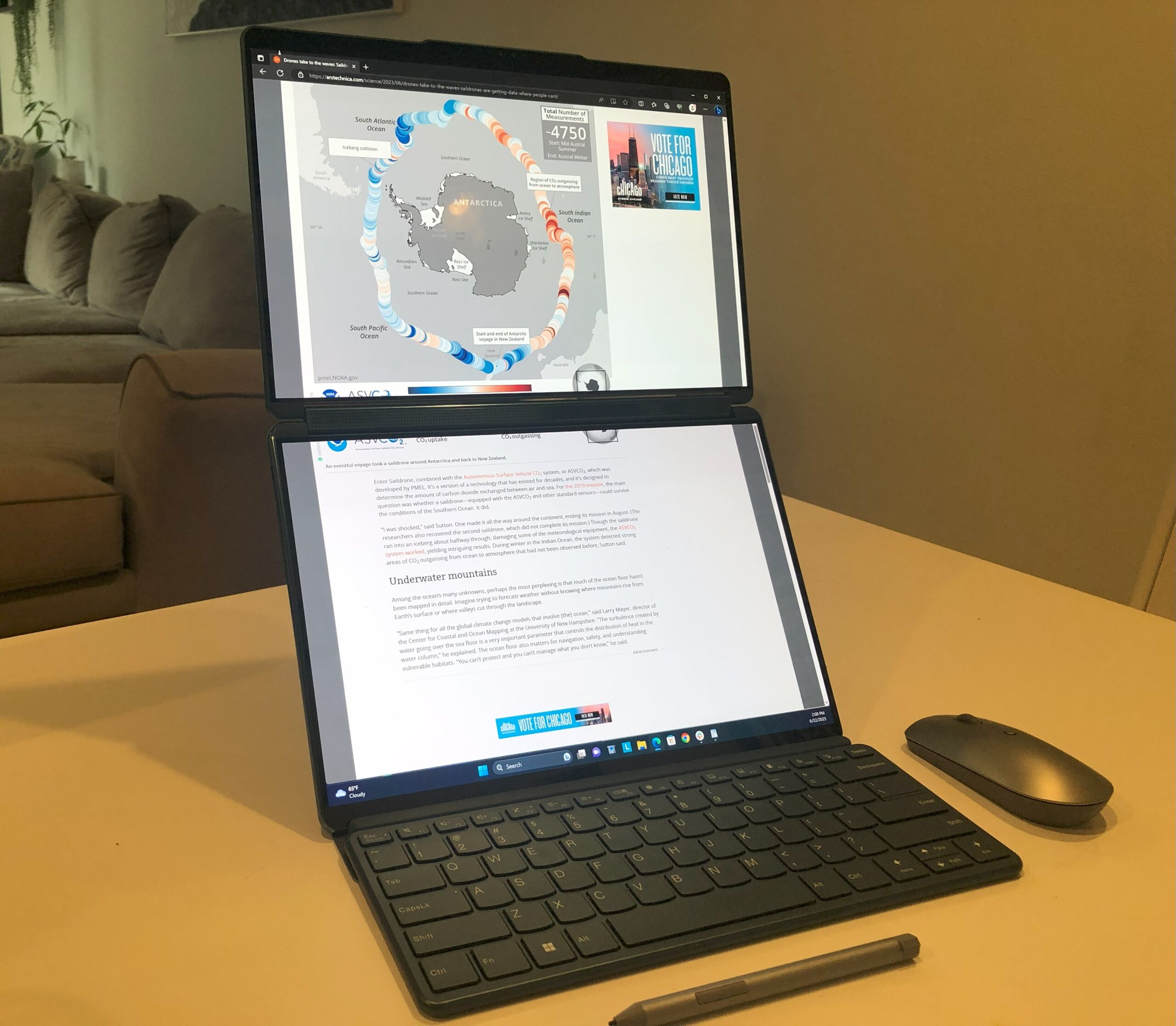
The X1 has two separate 14-inch IPS non-touch screens, each with 1920×1080 resolution. This differs from other dual-screen laptops on the market. For example, Lenovo’s Yoga Book 9i has two 13.3-inch OLED touchscreens with 2880×1800 resolution in each screen.
Enlarge/ Pictured is the Yoga Book 9i with its Bluetooth keyboard detached.
Scharon Harding
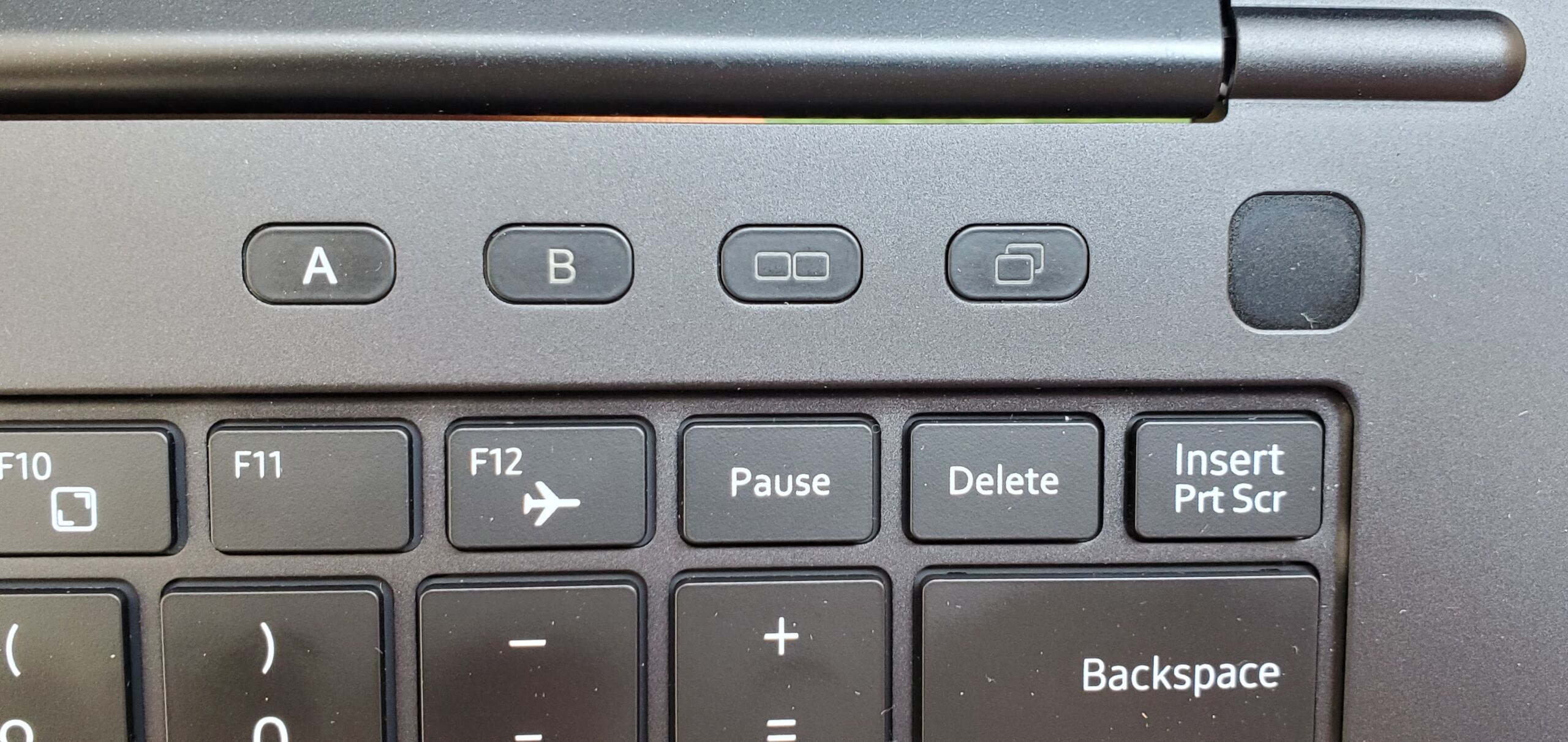
The Yoga 9i—and virtually every other laptop with two laptop-sized screens—uses a clamshell laptop form factor but with the keyboard/touchpad replaced with a screen. They come with detachable Bluetooth keyboards that inevitably have shallow keys. But using the X1 feels more like using a normal clamshell, down to the tactile keyboard. AceMagic (along with Windows 11’s Snap layouts) simplifies use of the dual screens and makes good use of the X1’s deck, with features for controlling which of the two screens is on.
Enlarge/ The deck’s buttons make the PC display on Screen A only, on Screen B only, Screen A and B as extended displays, or duplicating the displays.
Scharon Harding
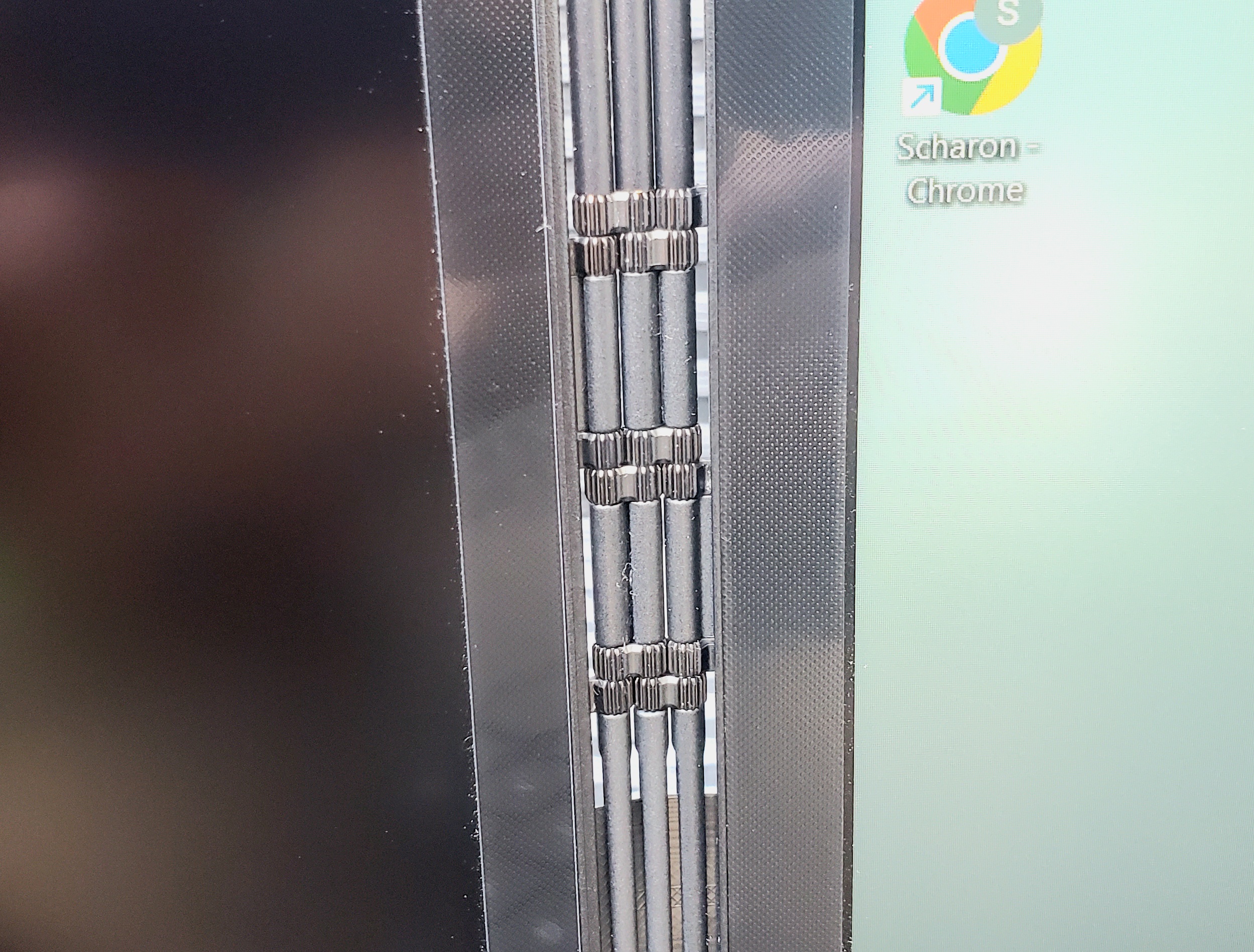
Getting to any display, though, requires opening the lid and then opening Screen B, which is folded on top of Screen A like a book cover. Once you flip the secondary screen out to the left, you can use one screen or both screens, divided by a striking hinge system.
The hinge supports up to 360-degree movement, meaning the secondary screen can flip all the way back, like the cover of a spiral notebook, and snap onto the back of the lid, allowing someone behind the laptop to view it.
https://arstechnica.com/?p=2044163
Microsoft formally deprecates the 39-year-old Windows Control Panel
Here’s the Keyboard control panel from Windows NT 4.0.
Andrew Cunningham
Aside from some updated Windows Vista-era icons, the design of the modern Keyboards panel is identical.
Andrew Cunningham
The Mouse Pointers panel in Windows NT 4.
Andrew Cunningham
Again, Windows 11 hews remarkably close to the old NT-era design.
Andrew Cunningham
The Date & Time control panel from NT 4.
Andrew Cunningham
Dig a couple of menus down, and you’ll find a version of Date & Time that still looks a lot like its NT counterpart.
Andrew Cunningham
With an operating system as old as Windows, what Microsoft decides to remove is often just as (if not more) newsworthy as what it is trying to add. You may or may not care about new AI-themed MS Paint additions or the soon-to-be-reborn Recall feature, but you’ve almost certainly interacted with one of Windows’ Control Panel applets at some point in the last 39 years. And according to a note buried on Microsoft’s support site, those Control Panels’ days may be numbered (emphasis ours):
“The Control Panel is a feature that’s been part of Windows for a long time. It provides a centralized location to view and manipulate system settings and controls,” the support page explains. “Through a series of applets, you can adjust various options ranging from system time and date to hardware settings, network configurations, and more. The Control Panel is in the process of being deprecated in favor of the Settings app, which offers a more modern and streamlined experience.“
This won’t be news to anyone who has followed Windows’ development over the last decade. The Settings app was initially introduced in Windows 8 in 2012 as a touchscreen-friendly alternative for some of the Control Panel applets, but during the Windows 10 era it began picking up more and more Control Panel settings, and by the time Windows 11 rolled around it was full-featured enough to serve as a complete Control Panel replacement most of the time, with a handful of exceptions made for especially obscure changes (and those who simply prefer the Old Ways).
But while individual Control Panel applets have disappeared over the years—the Displays panel, the Add/Remove Programs screen, panels for deprecated features like Homegroups—Microsoft’s note suggests that the rest of the applets may disappear en masse in some future Windows update. That said, for now, there’s nothing that’s changing in Windows. Even the upcoming 24H2 update still has all the old Control Panels in it, and the gap between “deprecated” and “removed” can span years.
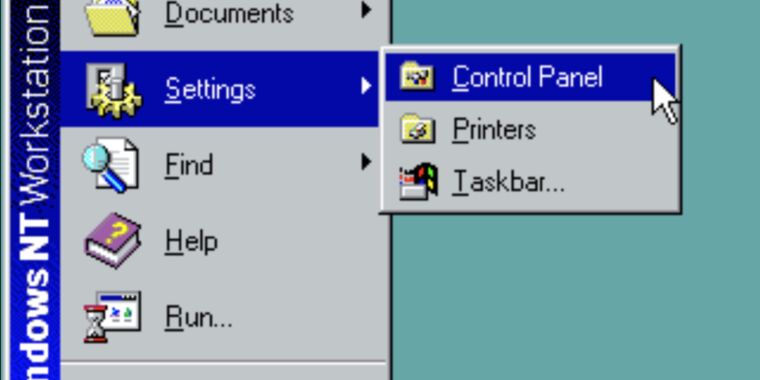
What’s incredible about some of the Control Panels at this point is how far back some of their designs go. You’re never more than a double-click away from some piece of UI that has been essentially exactly the same since 1996’s Windows NT 4.0, when Microsoft’s more-stable NT operating system was refreshed with the same user interface as Windows 95 (modern Windows versions descend from NT, and not 95 or 98). The Control Panel idea is even older, dating all the way back to Windows 1.0 in 1985.
Most of the current Control Panel designs and iconography settled down back in Windows Vista and Windows 7 in 2006 and 2009, which explains why so many of the panels still feature the rounded, glassy look that defines those versions of the operating system (check out the way the clock looks in our screenshots above). It’s one of the few areas of the operating system that hasn’t been spruced up for Windows 11, which is otherwise probably Microsoft’s most cohesive Windows design since 95 and NT 4.0; even old apps like Paint and Notepad have gotten facelifts, while other Windows 7-era holdovers like WordPad have been put out to pasture.
https://arstechnica.com/?p=2045029
Amazon is bricking primary feature on $160 Echo device after 1 year
In September of 2023, Amazon announced the Echo Show 8 Photos Edition. It looked just like the regular Echo Show 8 smart display/speaker but cost $10 more. Why? Because of its ability to show photos on the home screen for as long as you want—if you signed up for a $2 monthly subscription to Amazon’s PhotosPlus. Now, about a year after releasing the Echo Show 8 Photos Edition, Amazon is announcing that it’s discontinuing PhotosPlus. That means Echo Show 8 Photos Edition users will be forced to see ads instead of their beloved pics.
As per The Verge yesterday, Amazon started sending PhotosPlus subscribers emails saying that it will automatically cancel all PhotosPlus subscriptions on September 12 and will stop supporting PhotosPlus as of September 23. PhotosPlus, per Amazon’s message, “makes photos the primary home screen content you see on your Echo Show 8 and includes 25 GB of storage with Amazon Photos,” Amazon’s online photo storage offering. Users can continue using the 25GB of Amazon Photos storage after September.
However, users will no longer be able to make photos the indefinite home screen on the Alexa gadget. After September, their devices will no longer have the “photo-forward mode” that Amazon advertised for the Echo Show 8 Photos Edition. The photo-forward mode, per Amazon, let people make “selected personal photos the primary rotating content on the ambient screen” (photos rotated every 30 seconds). Now, Echo Show 8 Photo Editions will work like a regular Echo Show 8 and default to showing ads and promotions after three hours.
“The end of my Echo Show 8”
Amazon never explained why owners of the standard Echo Show 8 couldn’t use PhotosPlus or the photo-forward mode. The devices looked identical. It’s possible that the Photos Edition used extra hardware, but it’s likely that the Photos Edition’s $10 premium was meant to offset the lost ad revenue.
But now people who bought into the Photos Edition could feel like the victims of a bait-and-switch. After paying $10 extra to get a device capable of displaying photos indefinitely instead of ads, they’ll be forced into the same user experience as the cheaper Echo Show 8.
“I really have zero interest in keeping it if it’s going to show ads all day,” Reddit user Misschiff0 said in response to the news. “Sadly, this is the end of my Echo Show 8.”
Other apparent customers have discussed abandoning the Echo line entirely in response to the changes. As Reddit user Raybreezer wrote:
I’m dying for a replacement smart home speaker with a screen that’s not Google. Every day I hate the echo [sic] line more and more.
PhotosPlus was always a tough sell
Amazon may make more money selling ads than it has selling PhotosPlus subscriptions and relevant hardware. It was always somewhat peculiar that PhotosPlus only applied to one Amazon device. Amazon might have been considering extending PhotosPlus to other devices but didn’t get enough interest or money from the venture. Getting people to pay monthly for a feature that some would argue the gadget should already support out of the box seems difficult.
Amazon spokesperson Courtney Ramirez told The Verge that Amazon discontinued the Echo Show 8 Photos Edition in March, noting that Amazon regularly evaluates “products and services based on customer feedback” and that users can still get their Echo Show 8 Photos Editions to show photos.
But it’s hard to overlook Amazon discontinuing a product after about only six months and then bricking the device’s exclusive feature only a year after release. The short-lived Echo Show 8 Photos Edition and PhotosPlus service are joining Amazon’s graveyard of gadgets, which include the discontinued Astro business robot, Just Walk Out, Amazon Glow, Fire Phone, Dash buttons, and the Amazon Smart Oven.
Amazon’s quick discontinuation of the smart display and PhotosPlus is emblematic of its struggles to find a lucrative purpose and significant revenue source for Alexa-powered devices. Reports have claimed that Alexa went without a profit timeline for years and has cost Amazon tens of billions of dollars.
Amazon is banking on the upcoming generative AI version of Alexa being so good that people will pay a subscription fee to use it. But with tough competition, generative AI implementations varying in accuracy and relevance, and some consumers already turned off by consumer gadgets’ AI marketing hype, it’ll be hard for Amazon to turn things around. A premium-priced Alexa device losing its main feature after a year doesn’t instill confidence in future Amazon products either.
https://arstechnica.com/?p=2045012
Dumb idea? $1,700 “smart” bassinet loses features if you buy it used
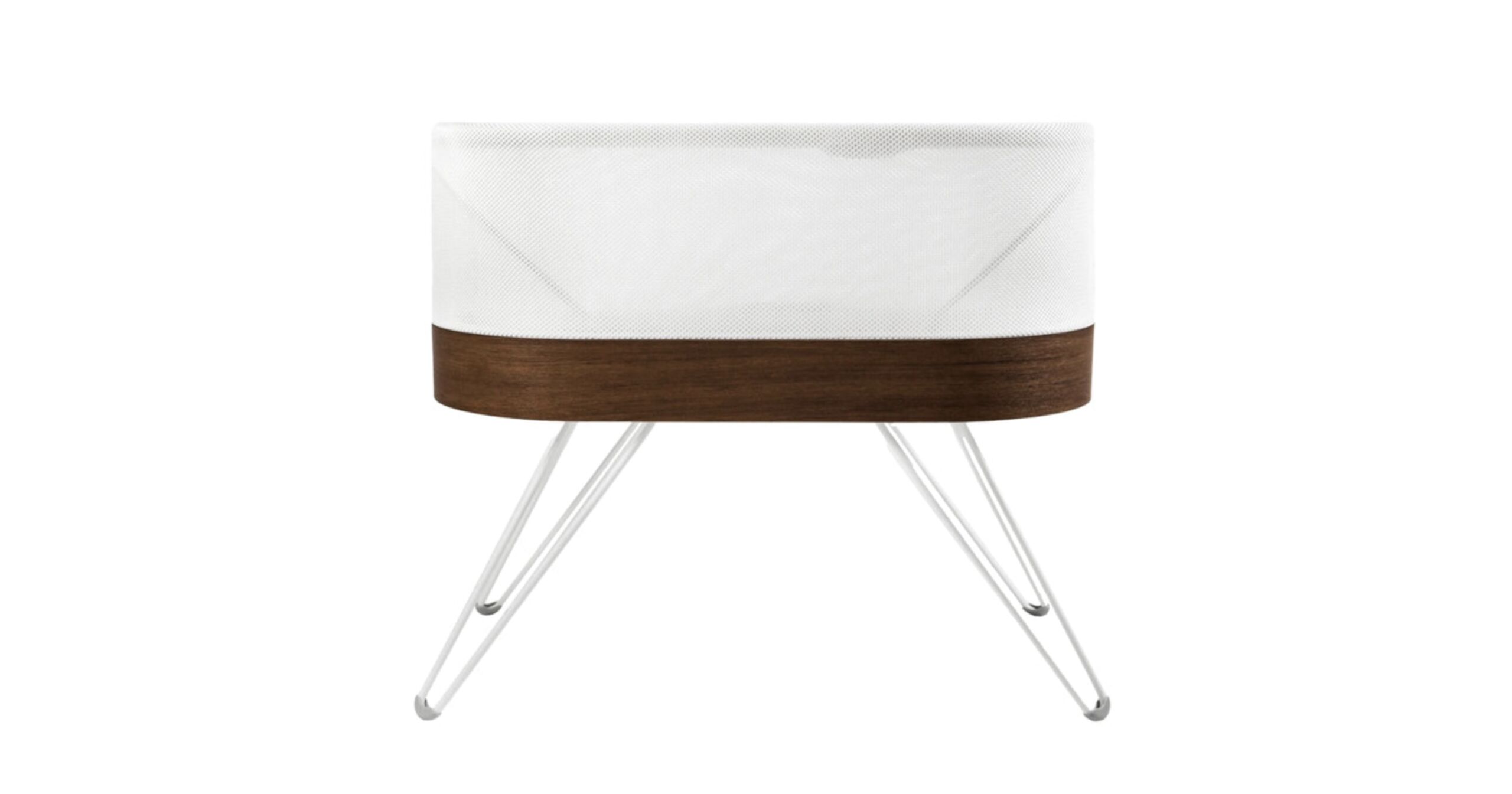
Owners of the $1,695 Snoo “smart” bassinet like to gather in forums like Reddit’s r/snoolife to swap tracking graphs of their children’s sleep patterns. But they also like to complain about Happiest Baby, the company behind the Snoo. That’s because Happiest Baby this summer added a $20 monthly subscription fee to several of the Snoo’s “premium features,” which are controlled by a smartphone app.
Those who bought their Snoo from an “authorized” retailer before July 15, 2024, get the premium features free for nine months. No problem!
But those who bought their Snoo from an unauthorized retailer—that is, got it used—can “enjoy all the fun and benefits of our premium App features—for FREE—until July 15, 2024,” the company announced in its fine print. After that date, premium features went away; the only option for premium feature access on used Snoos now is to cough up $20 each month, atop the $600–$1,000 already spent on the device.
Because the Snoo is so [fabulously|ludicrously|incandescently] expensive, and because a bassinet is used only for those first few months while a newborn [learns to sleep|bawls its head off at least six times a night], and because having a new baby can be [expensive|extremely expensive], many [new parents|sleep-deprived zombies] seek out a non-new Snoo. And the parents are not happy about this new subscription fee. Says one Reddit user:
Just saying. This is bullshit. The current owners and users of Snoo should have been grandfathered in and continue to have access to basic feature like motion lock (the one I use most) and future new accounts should get a clear notification that without paying $20/mo they’re just buying a $2,000 basket.
Time to review bomb their app.
Dazed and confused
The Snoo works by rocking the bassinet at different levels while tracking the baby’s sleep level, and it can do things like simulate a car ride or offer gentle motion when a baby wakes at night. The idea is that the baby and parents both sleep more.
Basic features of the Snoo work for everyone, even those who purchased used devices, but the premium package includes things like the aforementioned “car ride mode,” responsiveness settings, weaning mode (to get ready for a crib), sleep tracking and logging, a “level lock,” and “sleepytime sounds.” In other words, the premium sub includes some pretty basic functionality that most Snoo owners want. (A common online complaint, in fact, is that the “premium” features are quite basic for a smart device like this.)
Many of the angriest online comments appear to get the actual details of the new subscription wrong, especially the fact that new Snoo purchasers do still get the premium features for free (well, for nine months).
But that’s part of the problem with these sorts of sudden business model changes—the details are confusing! Customers buy an expensive piece of hardware, hoping to placate a squalling child, and then find that in addition to a squalling child and a lot of cash out of pocket, they have to think about email addresses and online accounts and subscription fees and whether they bought a device new or used and if today is before or after July 15. Just rock the crying baby, smart bassinet!
In addition, whatever its legality, charging for features that used to be free can often feel like an injustice, leading even mild-mannered Snoo owners to take the above Redditor’s advice and start “review bombing” Happiest Baby’s apps.
On the Google Play Store, for instance, Happiest Baby’s smartphone app is currently down to 1.4 stars. Most of the recent reviews are one-star complaints that say things like:
When we first got our Snoo, the app was free and it worked properly. 5 months later you now charge to access the log (and other features) that were free. And now the app is glitching all the time too! Every time we go to turn it on, we have to reset the app first and then it’ll comment. Glad we only have 1 month left. I LOVE the snoo. It has been a savior. But the decision to charge for most of the app features out of no where was shameful. Even wean mode? That’s bull.
Or:
This app used to be great. But then they took many of the more important features and locked them behind a “Premium” subscription of $20/month, which is ridiculous. And just in case Happiest Baby tries to “clarify”, yes, the free version has several features. But that doesn’t change the fact that all of those “Premium” features USED TO BE FREE. It is purely a way to try and get more money out of parents who are just trying to do what is best for their kids.
Angry parents have also gone to the Better Business Bureau (BBB) to leave complaints about Happiest Baby, which currently has one out of five stars and is rated an “F.”
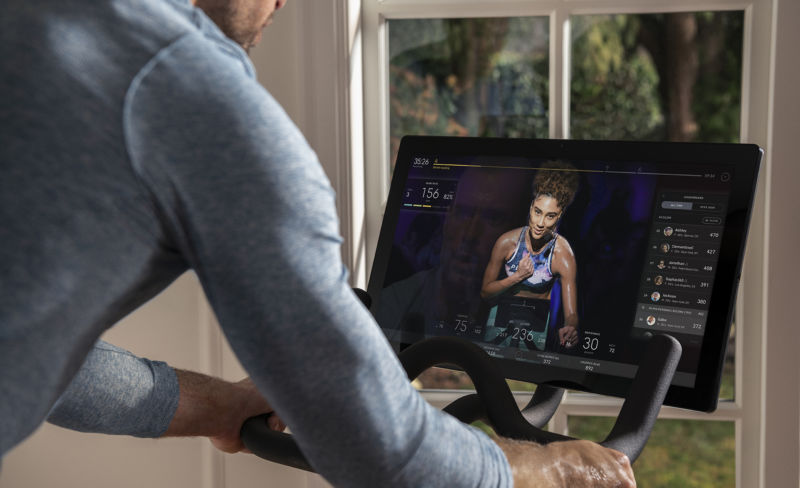
Peloton will start charging people a one-time $95 “used equipment activation fee” for used bikes purchased from outside of Peloton and its official distribution partners.
The fee will apply in the US and Canada. As pointed out by The Verge, Peloton confirmed in its fiscal Q4 2024 earnings call today that people who buy a used bike directly from Peloton or one of its third-party partners will not be subject to the fee.
During the call, Peloton’s interim CEO, Christopher Bruzzo, said that the activation fee “will be a source of incremental revenue and gross profit” and support Peloton’s “investments in improving the fitness experience for our members.”
Peloton also claimed in a letter to shareholders [PDF] that the fee is related to ensuring that the subscription customers that Peloton gains through used bike sales “receive the same high-quality onboarding experience.”
Secondhand bikes already help make Peloton money
Peloton doesn’t immediately make money when someone sells their unwanted bike to someone else for a discount, but it is making significant money from people buying subscriptions to use with their secondhand gear. In its Q4 2024 shareholder letter, Peloton said that secondhand bike sales deliver “a steady stream of paid connected fitness subscriber additions, up 16 percent” year over year in Peloton’s fiscal Q4.
People who buy used bikes outside of Peloton also “exhibit lower net churn rates” than people who pay Peloton to rent its hardware, per the letter.
But Peloton’s hardware sales have tumbled—as has its worth—since booming during the COVID-19 pandemic. The new activation fee is characteristic of a company desperate for more revenue after going from a valuation of $50 billion in January 2021 to $2.1 billion in December 2023.
Peloton’s Q4 2024 earnings report today showed hardware sales declining 4 percent year over year (YoY). Subscription revenue increased 2.3 percent (YoY). Overall, Peloton achieved its first revenue growth (0.2 percent YoY) since its fiscal quarter that ended on December 21, 2021. The company still reported a loss of $30.5 million; although, that’s an improvement from a year ago, when it lost $241.8 million.
Fee could deter used equipment sales
Peloton will have to continue making big moves to turn a profit. However, the $95 fee could be seen as a deterrent to the used market and as unnecessary for the user experience.
Peloton gear is already known for being expensive (its Bike+, for example, is $2,500 as of this writing). The used market makes Peloton’s products more accessible and allows people to recoup some of their losses from unwanted equipment while also avoiding connected gym equipment becoming e-waste. A $95 fee takes away some of the savings people have been enjoying for years by opting for a secondhand Peloton.
The fee is also a standout from most the secondhand market (imagine paying Toyota a “reactivation fee” to drive a used car you purchased, or having to pay Lenovo a separate fee in order to use the refurbished laptop you just got).
That’s completely ridiculous. Why would you want to discourage people from buying used equipment and getting an active subscriber back on board for $50/month? Because presumably whoever is selling doesn’t want to pay the subscription fee anymore. Yikes.
Peloton continues to face challenges to bouncing back after a meteoric rise and fall tied to the pandemic. It’s also employing cost-cutting measures, like reducing marketing and sales spend, CNBC noted. And in May, Peloton announced layoffs of about 400 workers (about 15 percent of the workforce), as well as the quitting of its second CEO in two years. Peloton has undergone multiple rounds of layoffs lately, with job reductions by the hundreds also occurring in February 2023, October 2022, August 2022, July 2022, and in February 2022, when it announced that it was laying off 2,800 people. After having 8,600 workers in 2021, Peloton now employs about 3,000.
Some may be perturbed by Peloton’s efforts to make money. However, investors are seemingly happy, as CNBC noted that shares increased over 30 percent in afternoon trading.
This isn’t the first we’ve heard of a company, whose unit sales thrived during the pandemic, seeking novel and controversial ways to keep the money flowing. Last month, CEO Hanneke Faber discussed Logitech’s idea for a “forever mouse” that requires a subscription for software updates.
https://arstechnica.com/?p=2044830
AMD explains, promises partial fixes for Ryzen 9000 performance problems
Enlarge/ We (and other testers) have had issues getting the Ryzen 9000 series to behave normally.
Andrew Cunningham
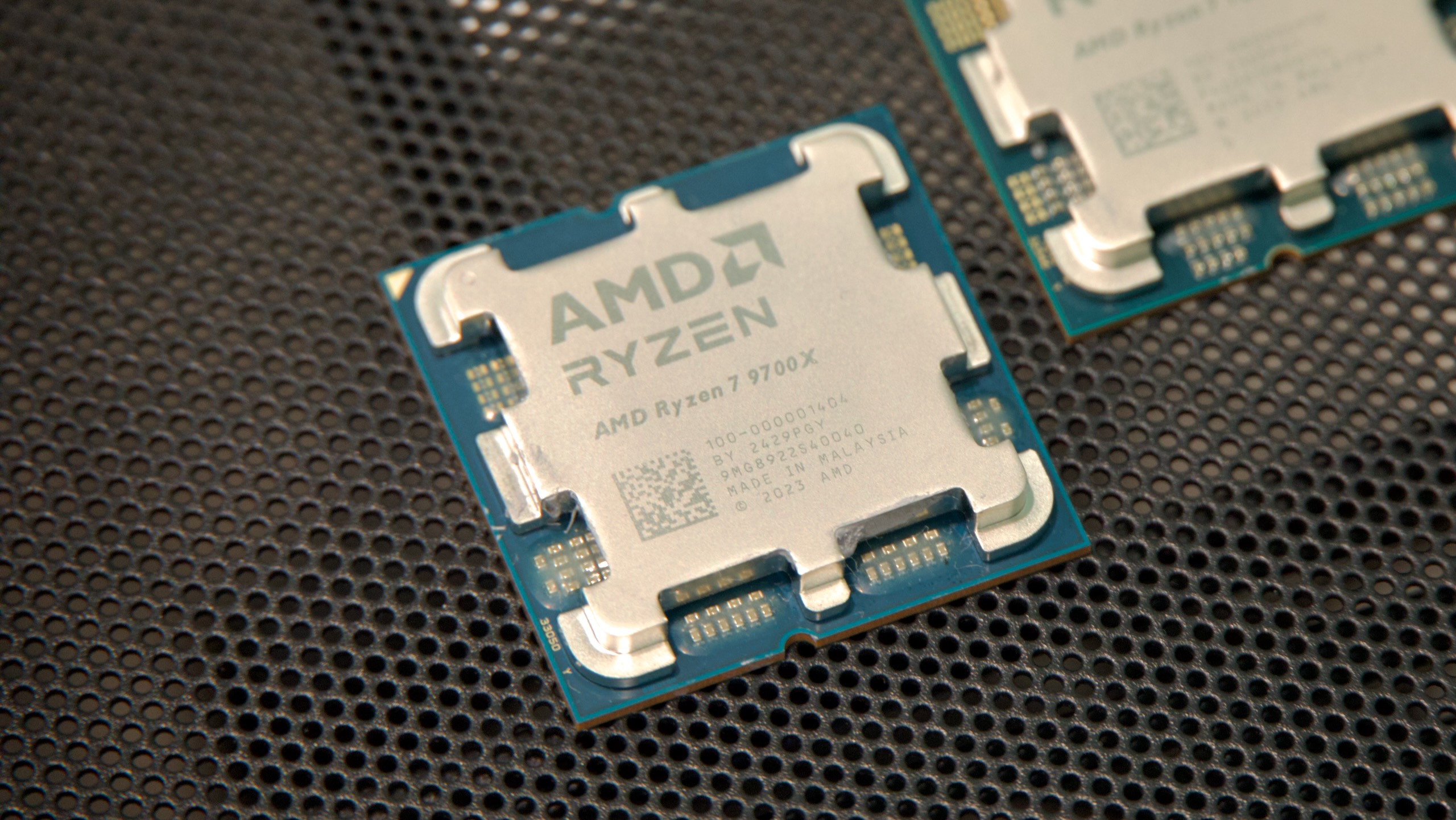
AMD recently released its Ryzen 9000-series processors, which brought the company’s new Zen 5 CPU architecture to desktops for the first time. But we (and multiple other reviewers) had issues getting the chips’ performance to match up to AMD’s promises, something that the company wasn’t able to fully resolve before the processors launched to the public.
AMD has since put out statements explaining some of the discrepancies and promising at least partial fixes for some of them.
A Windows problem
The main fix for slower-than-expected game performance, the company says, will come with the Windows 11 24H2 update later this year, which will include “optimized AMD-specific branch prediction code” that improves Ryzen 9000’s performance by between 3 and 13 percent in an AMD-provided cross-section of games and benchmarks (though a handful of tests also showed no change). AMD says that these improvements will also benefit Zen 3- and Zen 4-based Ryzen processors, but that “the biggest boost” will be reserved for Ryzen 9000 and Zen 5.
Apparently, this branch prediction code improvement is already available in current Windows builds if you’re running games and apps in Administrator mode, which AMD used to run its tests. From AMD’s post, it’s unclear whether it was running games from within the normally disabled Administrator account, as has been reported elsewhere, or if it was merely running them in Administrator mode from within a standard user account.
In any case, even a standard user account with Administrator permissions spends most of its time running in a standard user mode, throwing up a User Account Control elevation message when Administrator privileges are needed for something. For security reasons, Windows only runs software in Administrator mode when it’s required, generally to install an app for the first time or make other system-wide changes. Virtually no one will be running games with Administrator privileges or while logged in as Administrator, which makes it an odd testing choice. Regardless, the 24H2 update should make those branch prediction improvements available to standard user accounts running in user mode.
The Windows 11 24H2 update should be released to the general public this fall, though Windows Insiders can also get it from the Insider Preview channel or by downloading an ISO. The 24H2 update is already the default version of Windows on Copilot+ PCs and on the Ryzen AI-powered Asus laptop we tested recently, so for most people it should be stable and reliable enough for day-to-day use.
There’s no word on whether or when these changes might come to Windows 10. But as with Intel’s Thread Director, which is not optimized for Windows 10, I wouldn’t count on AMD or Microsoft working very hard to bring significant performance improvements to a last-generation operating system that is just over a year away from its end-of-support date, even if it is still Steam’s most popular Windows version by a handful of percentage points.
https://arstechnica.com/?p=2044784
Apple splits App Store team in two, introduces new leadership
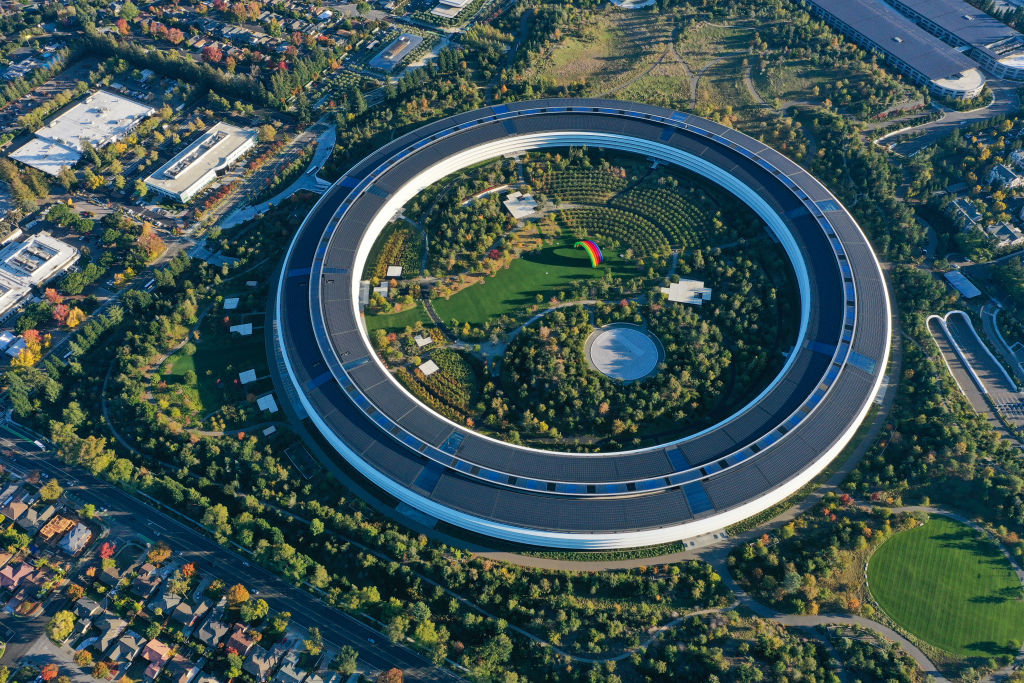
Enlarge/ The Apple Park campus in Cupertino, California.
Apple is comprehensively restructuring its long-standing App Store team, splitting the team into two separate divisions as the executive who has run it for more than a decade says goodbye to the company.
There will now be one team for the familiar, Apple-run App Store, and another one to handle alternative app stores in the European Union. Apple recently partially opened the platform to third-party app stores in response to the Digital Markets Act, a set of European regulations meant to break up what legislators and regulators deemed to be app store monopolies.
As noted, the restructuring comes with some notable personnel changes, too. App Store Vice President Matt Fischer, who has been at the helm of the platform since 2010, will leave the company.
In a social media post and email to employees, Fischer wrote the following:
After 21 years at Apple, I’ve made the decision to step away from our incredible company. This has been on my mind for some time, and as we are also reorganizing the team to better manage new challenges and opportunities, now is the right moment to pass the baton to two outstanding leaders on my team—Carson Oliver and Ann Thai—both of whom are more than ready for this next chapter.
You can visit his LinkedIn post to see the full statement. According to Bloomberg, Carson Oliver will lead the Apple App Store division, while Ann Thai will head up the alternative app store team. Up to this point, Oliver has been a senior director of business management at Apple, while Thai has had the title of worldwide product director for the App Store and Apple Arcade.
It’s worth noting that Fischer was the overall lead for Apple Arcade, so that service will now be under new leadership.
Apple Fellow and former marketing SVP Phil Schiller will continue to oversee both of the new divisions.
It’s unclear what further changes, if any, will result from this shakeup. Apple has already made significant changes in response to EU regulations, but some developers and competitors are still critical, saying it hasn’t gone far enough.
https://arstechnica.com/?p=2044820
Microsoft will try the data-scraping Windows Recall feature again in October
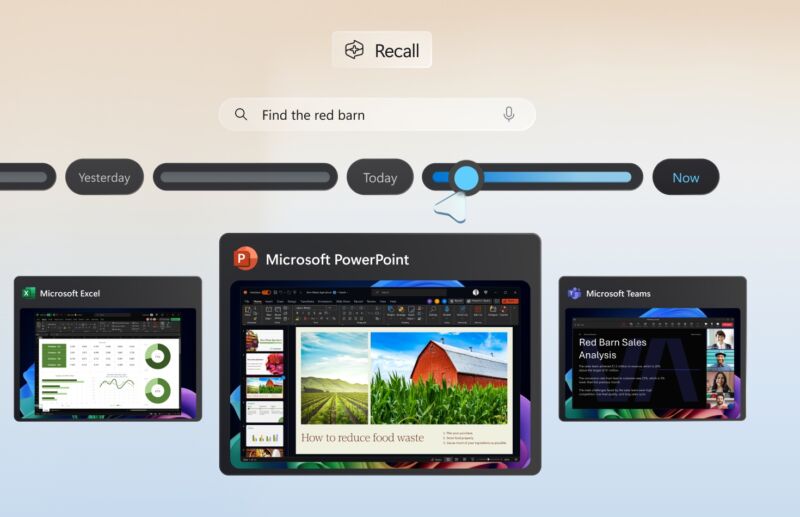
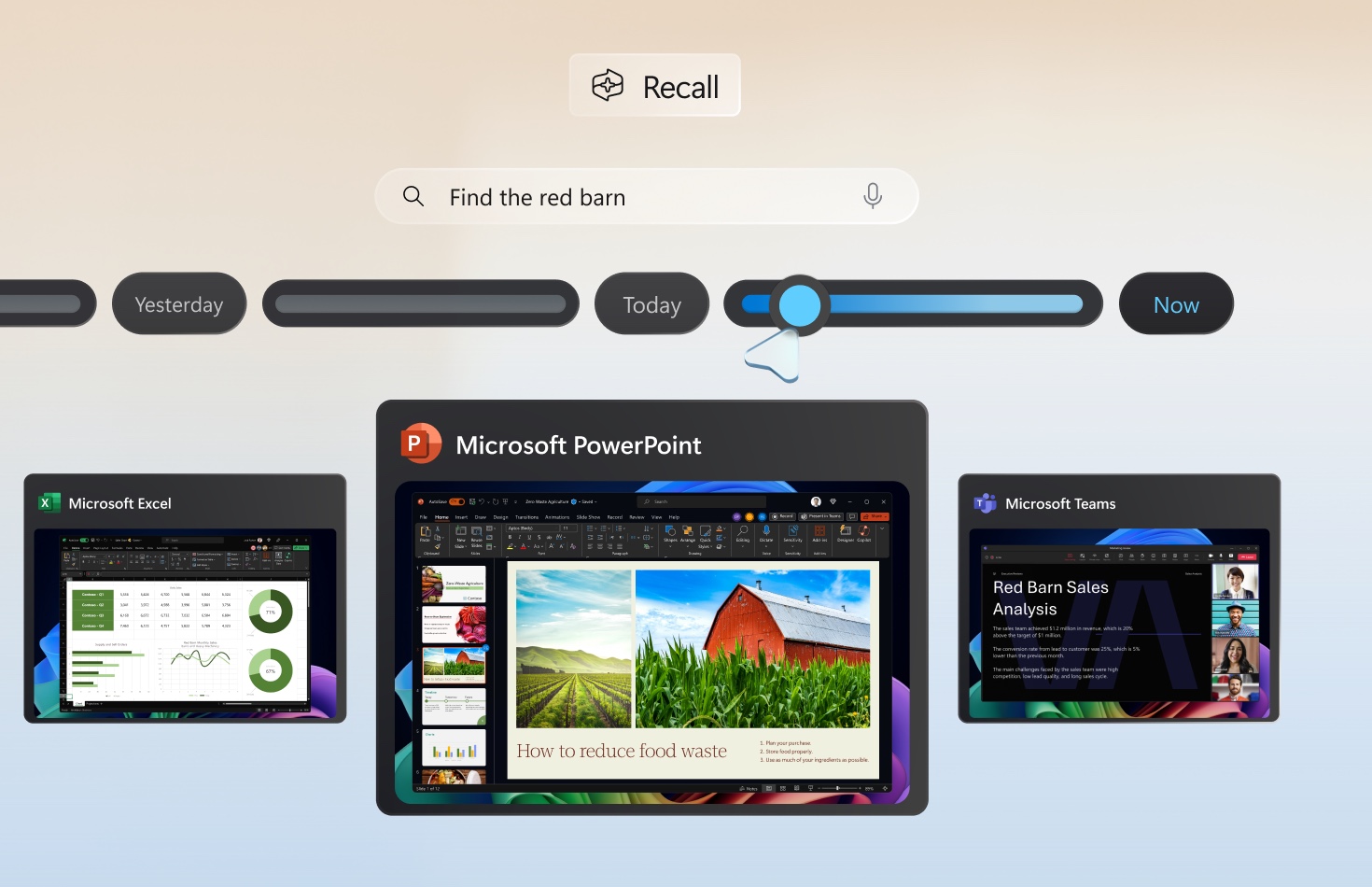
Enlarge/ The Recall feature provides a timeline of screenshots and a searchable database of text, thoroughly tracking everything about a person’s PC usage.
Microsoft will begin sending a revised version of its controversial Recall feature to Windows Insider PCs beginning in October, according to an update published today to the company’s original blog post about the Recall controversy. The company didn’t elaborate further on specific changes it’s making to Recall beyond what it already announced in June.
For those unfamiliar, Recall is a Windows service that runs in the background on compatible PCs, continuously taking screenshots of user activity, scanning those screenshots with optical character recognition (OCR), and saving the OCR text and the screenshots to a giant searchable database on your PC. The goal, according to Microsoft, is to help users retrace their steps and dig up information about things they had used their PCs to find or do in the past.
The problem was that other users on the same PC, or attackers with physical or remote access to your PC, could easily access, view, and export those screenshots and the OCR database since none of the information was encrypted at rest or protected in any substantive way.
Microsoft had planned to launch Recall as one of the flagship features of its Copilot+ PC launch in July, along with the new Qualcomm Snapdragon-powered Surface devices, but its rollout was bumped back and then paused entirely so that Recall could be reworked and then sent out to Windows Insiders for testing like most other Windows features are.
Among the changes Microsoft has said it will make: The database will be encrypted at rest and will require authentication (and periodic reauthentication) with Windows Hello before users will be allowed to access it. The feature will also be off by default, whereas the original plan was to turn it on by default and make users go into Settings to turn it off.
“Security continues to be our top priority and when Recall is available for Windows Insiders in October we will publish a blog with more details,” reads today’s update to Microsoft Windows and Devices Corporate Vice President Pavan Davuluri’s blog post.
When the preview is released, Windows Insiders who want to test the Recall preview will need to do it on a PC that meets Microsoft’s Copilot+ system requirements. Those include a processor with a neural processing unit (NPU) capable of at least 40 trillion operations per second (TOPS), 16GB of RAM, and 256GB of storage. The x86 builds of Windows for Intel and AMD processors don’t currently support any Copilot+ features regardless of whether the PC meets those requirements, but that should change later this year.
That said, security researchers and reporters who found the holes in the original version of Recall could only find them because it was possible to enable them on unsupported PCs, just as it’s possible to run Windows 11 on PCs that don’t meet the system requirements. It’s possible that users will figure out how to get Recall and other Copilot+ features running on unsupported PCs at some point, too.