Apple will let other digital wallets into Apple Pay, and even be the default

A raised iPhone-ish phone taps against a mobile payments square above restaurant dishes, including prawns.
Enlarge / Soon enough, iPhone owners will be able to use “CREDIT CARD” to pay for delicious clams and prawns at the bistro of their choice.
Getty Images

Do iPhones have NFC? Up until recently, the answer was “Kind of,” or, possibly, “It depends.”

You could use an iPhone’s near-field communication (NFC) hardware for Apple Pay transactions, tapping through a public transit gate, exchanging contacts with another iPhone user, reading basic NFC tags, and a few other things. But every option was brokered by Apple, and the only tap-to-pay option was through Apple Pay.

In a press release today, Apple says that will soon change. Starting with iOS 18.1, apps can, through the Secure Element (SE) on iOS devices, offer things like “in-store payments, car keys, closed-loop transit, corporate badges, student IDs, home keys, hotel keys, merchant loyalty and rewards cards, and event tickets, with government IDs to be supported in the future.” In addition, iPhone users will be able to set a default payment app triggered by double-clicking the side button.

Access to payments and secure transactions through more than a billion iOS devices will not be free, or freely given. Developers will need to “enter into a commercial agreement with Apple, request the NFC and SE entitlement, and pay the associated fees.” Apple says this is so developers and apps that “meet certain industry and regulatory requirements, and commit to Apple’s ongoing security and privacy standards,” have access.

Apple’s move to open up its contactless system broadly—to developers in the US, UK, Canada, Japan, and other countries—follows its settlement this summer with the European Commission as part of an antitrust action. As part of that settlement, Apple went beyond its obligations under the Digital Markets Act (DMA) to allow for monitoring of its compliance over a 10-year period.

The rollout of Apple Pay contactless phone payments in 2014 spurred renewed interest in technology already taken up by credit card companies and Google, among others. At that time, Apple was purportedly receiving a commission on transactions through Apple Pay from banks and other card issuers. Agents for the European Economic Area said at the time of Apple’s settlement that the firm’s exclusive access to payments through iPhones “may have had a negative impact on innovation.” https://arstechnica.com/?p=2043164


Framework Laptop 13 reviewed, again: Meteor Lake meh, Linux upgrades good

The ever-evolving Framework Laptop 13 is back again, this time with some Linux-friendly upgrades and Intel's new Meteor Lake-based Core Ultra CPUs.
Enlarge / The ever-evolving Framework Laptop 13 is back again, this time with some Linux-friendly upgrades and Intel’s new Meteor Lake-based Core Ultra CPUs.
Andrew Cunningham

Would you believe that the Framework Laptop 13 is back again?

Framework’s fifth motherboard for the Laptop 13—which, in typical fashion, can be easily swapped into any existing Framework Laptop 13 of any generation—is mainly significant because it offers Intel’s Meteor Lake-based Core Ultra chips. But Framework likes to release its updates in batches, and this one also comes with a few designed to make the Laptop 13 a better system for Linux enthusiasts.

One of those changes is a redesigned keyboard, which is exactly like the older Framework Laptop 13 keyboard, except it has a Super key instead of a Windows logo on it. The second is a higher-resolution display upgrade, specifically chosen because it looks better in 200 percent scaling mode than the old screen; Linux still has problems with “fractional” scaling modes like 125 percent and 150 percent, which was what the old Framework screen usually looked best at.

As usual, we’ve run performance tests on the new Framework Laptop to show how it stands up to older models. But because so many Framework Laptops will include mixed and matched parts at this point, we’ve also re-run tons of battery tests on most of the older Framework Laptop motherboards to show how the screen resolution affects battery life (for some models, BIOS and driver updates have also affected battery life, but more on that in a bit).

The high-level summary is the same as it has been for our last few Framework Laptop reviews: This isn’t a perfect laptop, and Framework still has some trust to earn when it comes to software updates and extended support. Intel’s Meteor Lake is also an upgrade with a big asterisk next to it, with generally good news for battery life and graphics performance but mediocre and conditional gains in CPU performance. But the greatest strength of the Framework Laptop has always been that it gives you options, and now upgraders and new buyers have even more of them.

A new screen

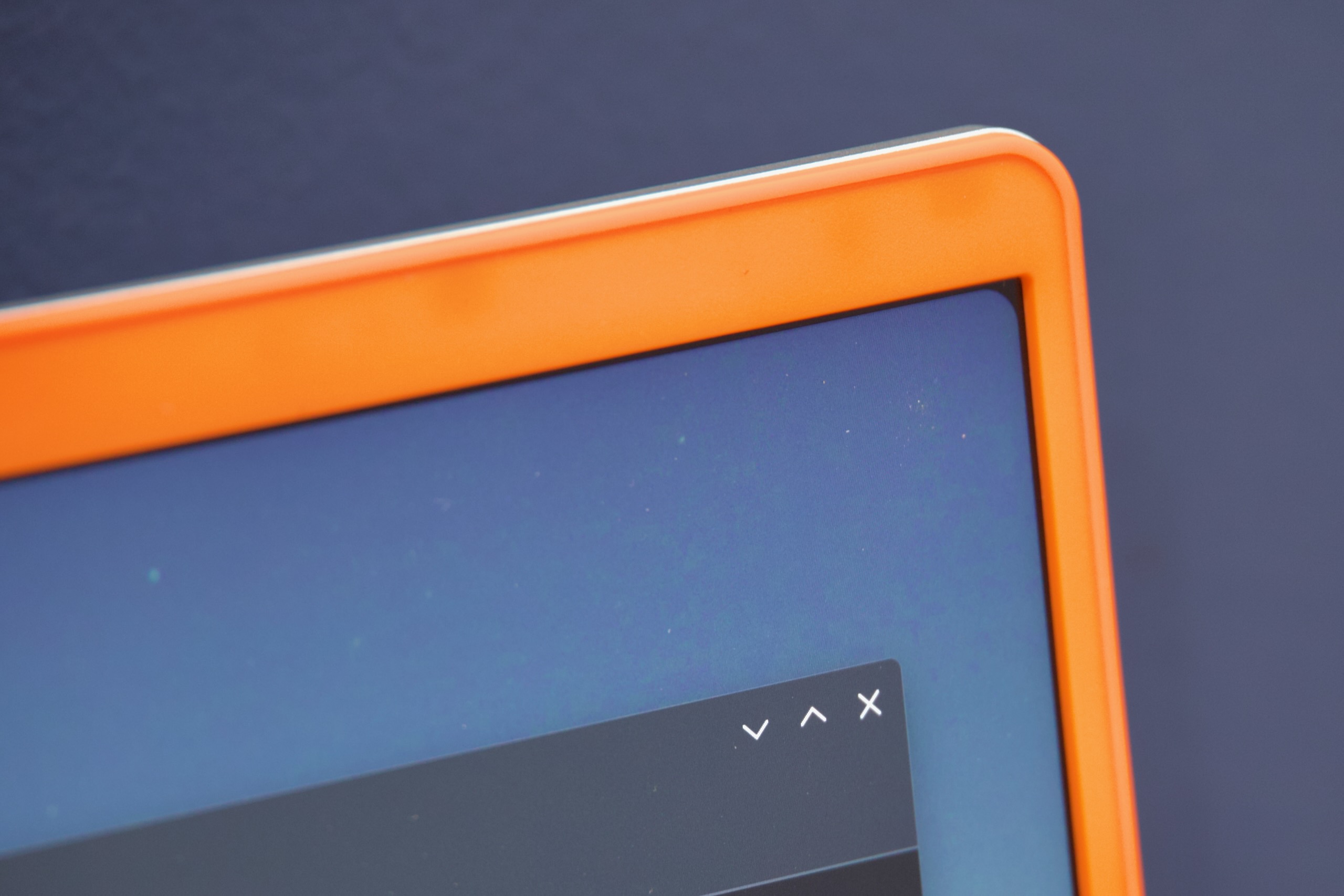
The new Framework display panel has gently rounded corners, which both Windows and Linux OSes just treat as small patches of dead space. The practical impact is negligible.
Enlarge / The new Framework display panel has gently rounded corners, which both Windows and Linux OSes just treat as small patches of dead space. The practical impact is negligible.
Andrew Cunningham

The new 13.5-inch display panel that Framework is releasing alongside its Meteor Lake boards—available as a configuration option on both the Intel Core Ultra and AMD Ryzen systems, plus as a separate $269 component for upgraders—is Framework’s third Laptop 13 display, after the original glossy 2256×1504 screen and the matte version with the same resolution that Framework introduced along with the 13th-generation Intel refresh last year.

The new screen’s 2880×1920 resolution isn’t a massive step up from the original screen, though its 120 Hz refresh rate is a more noticeable upgrade if you care about that sort of thing. According to Framework’s specs and our own colorimeter testing, it has roughly the same 1500:1 contrast ratio and color gamut coverage as the original, though with a marginally increased maximum brightness. It also has a matte finish—if you currently use a glossy Framework screen and were thinking about the matte upgrade anyway, this one is worth the extra money you’ll pay for the higher refresh rate and resolution.

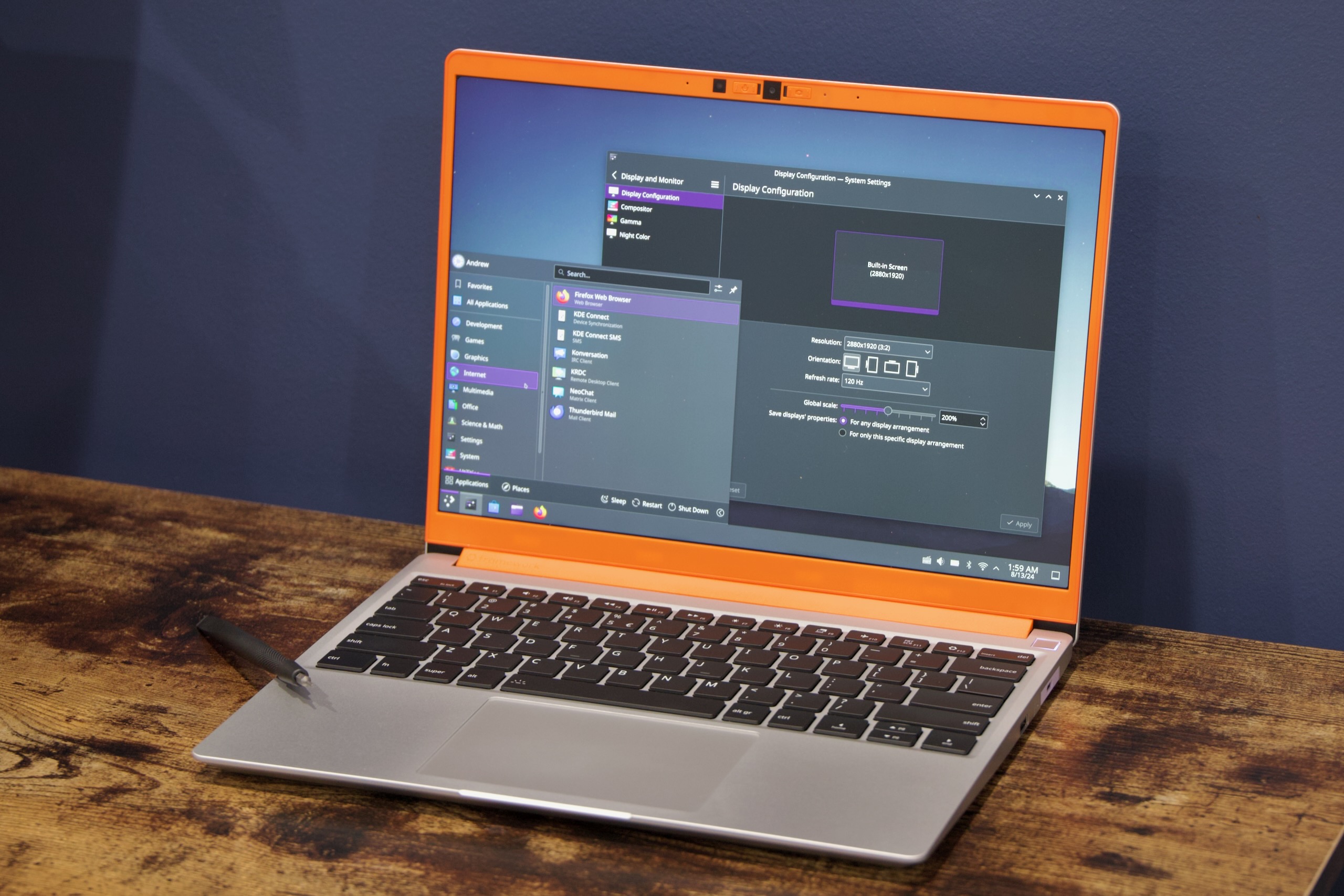
One selling point Framework uses for this screen is that it’s more comfortable to use at 200% scaling, which is less relevant in Windows 10 or 11 (where 125% or 150% scaling looks perfectly fine) but important for Linux, where fractional scaling is usually labeled an “experimental” feature that will still break a bunch of apps. Most of our testing was still done in Windows, but the UI in Kubuntu (pictured, at the top of the article) was indeed more comfortable to use at 200% than it is on the original 2256×1504 screen. UI elements are still a bit large, but it’s better than it was.

Framework officially supports Ubuntu 24.04.1 LTS and Fedora 40 on the Core Ultra Framework Laptop, and distros that exist downstream of those should also be fine. “Community support” is available for Project Bluefin, Arch Linux, and the gaming-focsed Bazzite distro. Whether other distros work largely depends on whether they have reasonably recent kernels; the 6.9 kernel and even the not-yet-finalized 6.11 kernel should include fairly major Meteor Lake performance improvements, so the newer the better.

https://arstechnica.com/?p=2042317


Stratasys sues Bambu Lab over patents used widely by consumer 3D printers

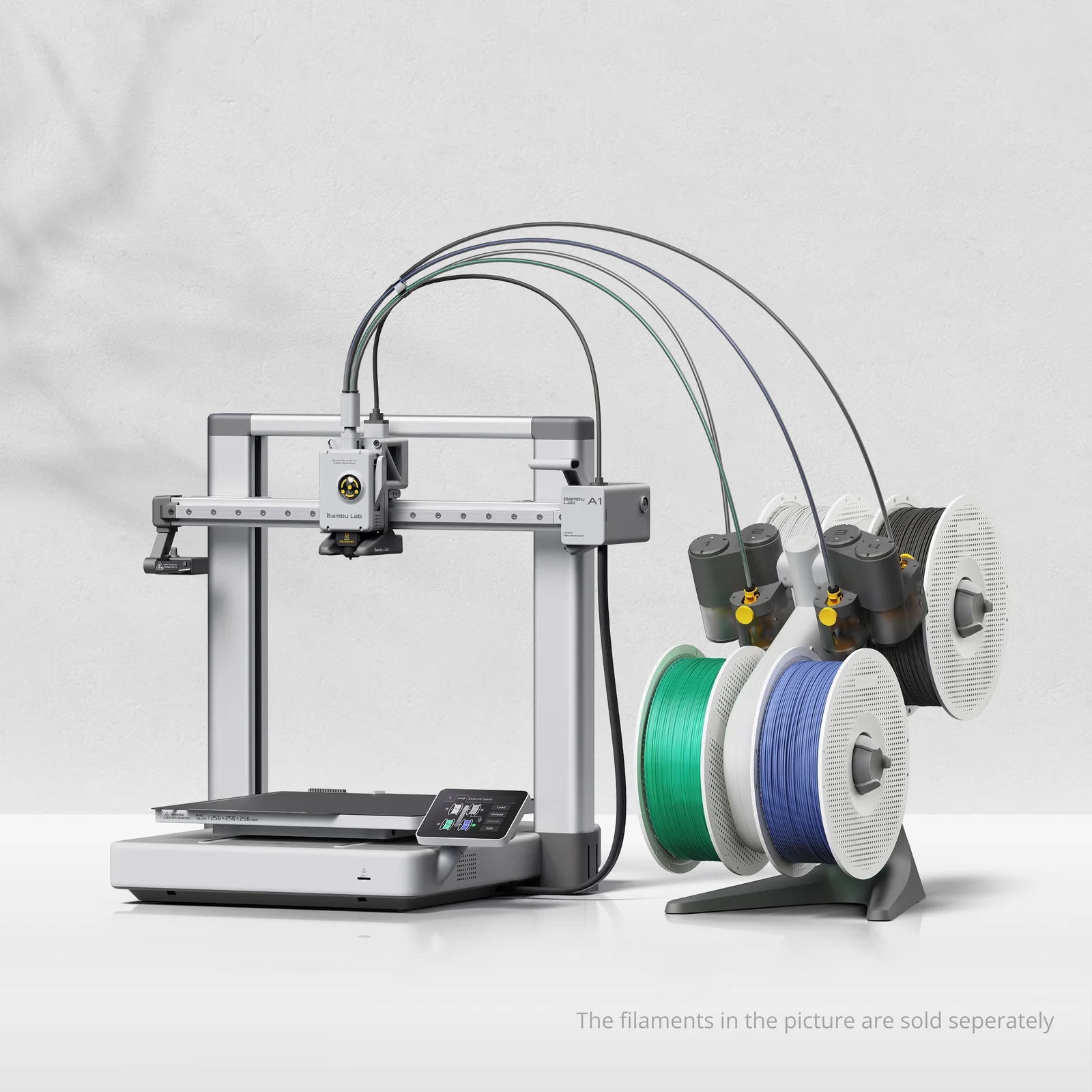
Bambu Lab A1, with three filament spools connected by circular loops off to the right.
Enlarge / The Bambu Lab A1, complete with heated build platform.

A patent lawsuit filed by one of 3D printing’s most established firms against a consumer-focused upstart could have a big impact on the wider 3D-printing scene.

In two complaints, (1, 2, PDF) filed in the Eastern District of Texas, Marshall Division, against six entities related to Bambu Lab, Stratasys alleges that Bambu Lab infringed upon 10 patents that it owns, some through subsidiaries like Makerbot (acquired in 2013). Among the patents cited are US9421713B2, “Additive manufacturing method for printing three-dimensional parts with purge towers,” and US9592660B2, “Heated build platform and system for three-dimensional printing methods.”

There are not many, if any, 3D printers sold to consumers that do not have a heated bed, which prevents the first layers of a model from cooling during printing and potentially shrinking and warping the model. “Purge towers” (or “prime towers” in Bambu’s parlance) allow for multicolor printing by providing a place for the filament remaining in a nozzle to be extracted and prevent bleed-over between colors. Stratasys’ infringement claims also target some fundamental technologies around force detection and fused deposition modeling (FDM) that, like purge towers, are used by other 3D-printer makers that target entry-level and intermediate 3D-printing enthusiasts.

Bambu Lab launched onto the 3D-printing scene in 2022, quickly picking up market share in the entry-level and enthusiast space, in part due to its relatively fast multicolor printing. It hasn’t had an entirely smooth path to its market share, with a cloud-based force printing fiasco in the summer of 2023 and a recall of its popular A1 printer for heat issues earlier this year.

Stratasys, by contrast, has been working in 3D printing since 1988, and its products are used more often in manufacturing and commercial prototyping. Its 3D printers were part of how General Motors pivoted to making face shields and ventilators during the COVID-19 pandemic. Its acquisition of MakerBot led to layoffs two years in and eventually a spin-off merger with Ultimaker, but Stratasys retained MakerBot’s patents.

Another patent lawsuit filed by a larger prototyping firm against a smaller semi-competitor was settled in 2014. 3D Systems sued Formlabs in 2012 over patents regarding laser-based stereolithography. That suit ended with Formlabs agreeing to pay an 8 percent royalty on all sales to 3D Systems. Stratasys had also previously sued another smaller-scale printing firm, Afinia, in 2013, although that case eventually failed.

Listing image by Bambu Lab

https://arstechnica.com/?p=2042499


Microsoft’s Paint 3D was once the future of MS Paint, but now it’s going away

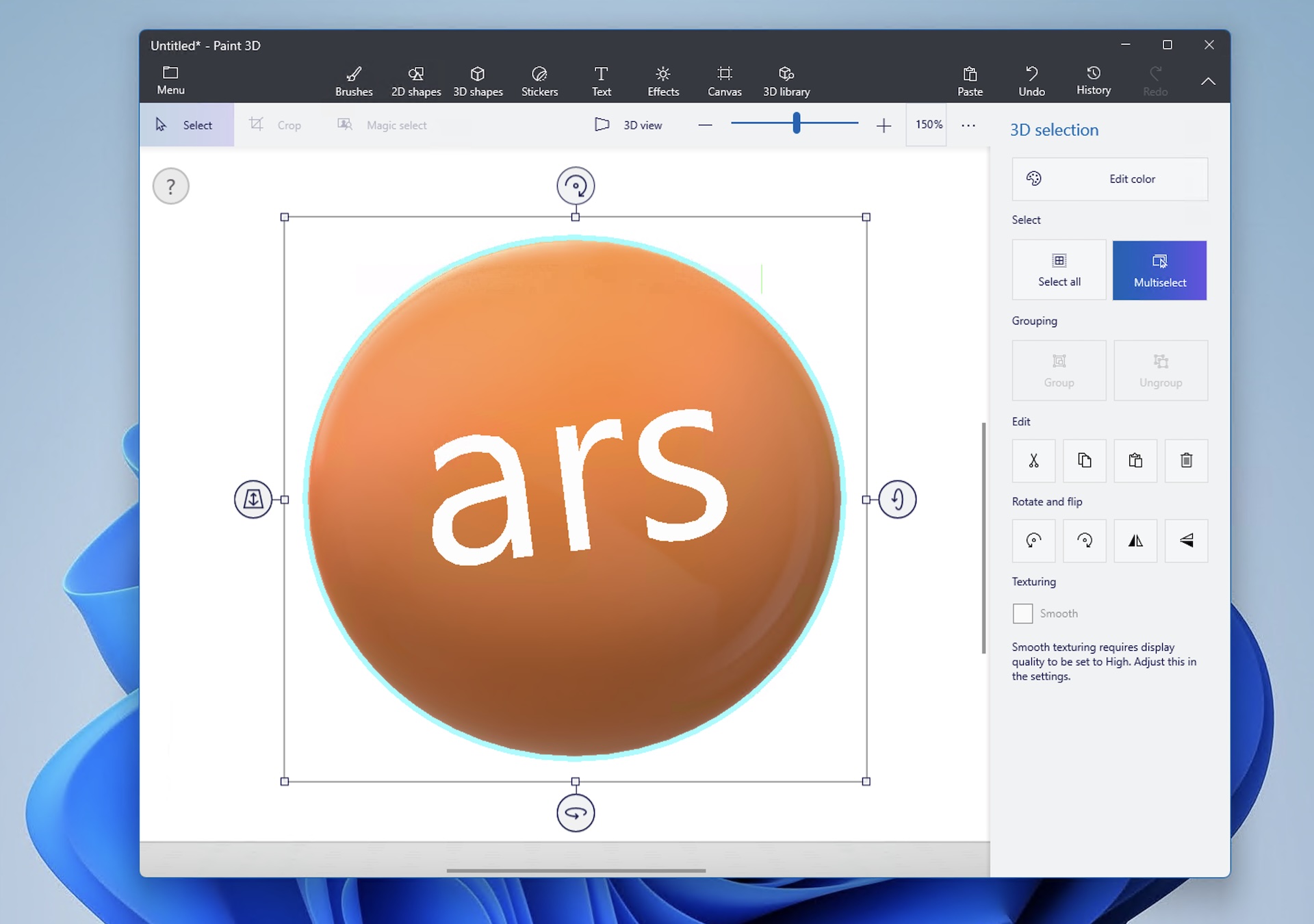
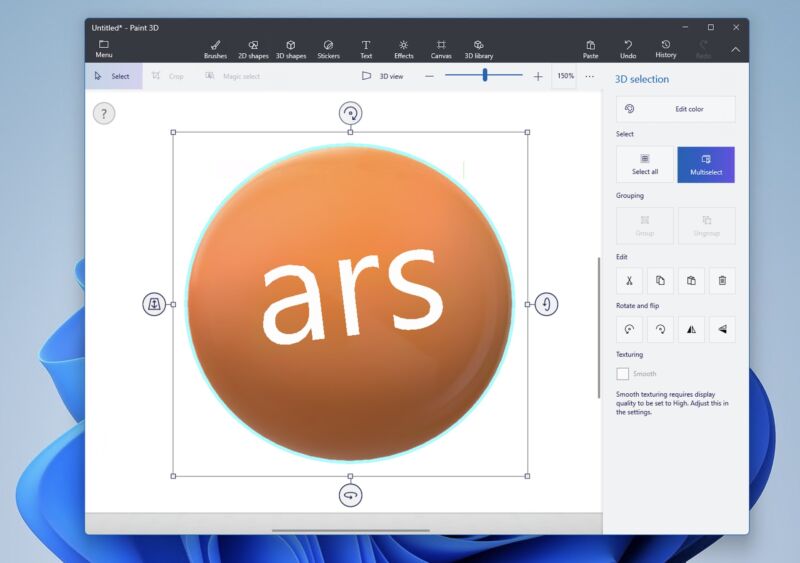
Paint 3D, once the future of the Paint app, is getting the axe in November.
Enlarge / Paint 3D, once the future of the Paint app, is getting the axe in November.
Andrew Cunningham

In October of 2017, Microsoft released a version of Windows 10 called the “Fall Creators Update,” back when the company tried to give brand names to these things rather than just sticking to version numbering. One of the new apps included in that update was called Paint 3D, and while it shared a name with the old two-dimensional MS Paint app, it was entirely new software that supported creating 3D shapes and a whole bunch of other editing and transform options that the old Paint app didn’t have.

For the briefest of moments, Microsoft planned to deprecate the classic 2D version of the Paint app and focus its development resources on Paint 3D. But user outcry prompted Microsoft to cancel Paint’s cancelation and move it into the Microsoft Store for easier updating. The company soon began adding new features to the app for the first time in years, starting with keyboard controls and extending to a redesigned UI, support for layers and PNG transparency, and integrated AI-powered image generation.

But the old Paint app’s renaissance is coming at the expense of Paint 3D, which Microsoft says is formally being deprecated and removed from the Microsoft Store on November 4. Windows Central reports that users of the app will be notified via a banner message, just in case they aren’t regularly checking Microsoft’s documentation page for the list of deprecated and removed Windows features.

Microsoft recommends the Paint and Photos apps for viewing and editing 2D images and the 3D Viewer app for viewing 3D models. Creating and editing 3D images will be left to third-party software.

When it was introduced, Paint 3D was also pitched as a way to create and manipulate three-dimensional objects that could then be dropped into real environments using the Windows Mixed Reality platform. It’s probably not a coincidence that Windows Mixed Reality is being removed in this fall’s Windows 11 24H2 release, right around the same time Paint 3D will be removed from Windows and from the Microsoft Store.

Many Windows 8- and 10-era apps have either been axed or renamed in the Windows 11 era as Microsoft has refocused on built-in Windows apps with decadeslong histories. The Mail and Calendar apps are being replaced with a version of Outlook, and though it isn’t called Outlook Express there are certainly parallels. The Groove app was renamed “Windows Media Player” and picked up a few legacy Media Player capabilities, like the ability to play and rip audio CDs. Voice Recorder became Sound Recorder. Snip & Sketch had its capabilities rolled back into the Snipping Tool.

https://arstechnica.com/?p=2042481


Intel details fixes for crashing 13th- and 14th-gen CPUs as BIOS updates roll out

Intel details fixes for crashing 13th- and 14th-gen CPUs as BIOS updates roll out

Intel has shared more about the voltage-related issues that affected some 13th- and 14th-generation Core processors, as the company tries to put the episode behind it. As reported by Tom’s Hardware, Intel says that the problem originated with “elevated operating voltage” stemming from “incorrect voltage requests,” specifically an increase to the minimum operating voltage of the chips. These “elevated voltage events can accumulate over time,” eventually damaging the processor and causing system hangs or crashes.

Intel has developed a microcode update to fix those elevated voltage requests, but the bad news for some users is that they will require a BIOS update, and they can’t be deployed via software updates as some microcode fixes can be.

Intel says that in most cases, CPU performance should be essentially unaffected by the patch, though the company did notice a handful of benchmark subscores and individual games that exhibited “moderate” slowdown (though we don’t know how much that is, in concrete terms). Here’s the relevant statement about performance:

Intel’s internal testing—utilizing Intel Default Settings—indicates performance impact is within run-to-run variation (eg. 3DMark: Timespy, WebXPRT 4, Cinebench R24, Blender 4.2.0) with a few sub-tests showing moderate impacts (WebXPRT Online Homework; PugetBench GPU Effects Score). For gaming workloads tested, performance has also been within run-to-run variation (eg. Cyberpunk 2077, Shadow of the Tomb Raider, Total War: Warhammer III – Mirrors of Madness) with one exception showing slightly more impact (Hitman 3: Dartmoor). However, system performance is dependent on configuration and several other factors.

For some PCs, particularly pre-built models, BIOS updates can be delivered via Windows Update or the OEM’s proprietary update software (Lenovo Vantage, Dell SupportAssist, the HP Support Assistant, and the MyASUS app all being prominent examples). For others, particularly boutique or home-built PCs, you may need to go to your motherboard maker’s website, look up your model, and download and install the BIOS update manually.

Some motherboard makers have already released updates for some of their boards; MSI and ASRock are out with updates for most boards with 700-series chipsets, and Asus also has beta updates available for some 700-series boards. Updates for slightly older 600-series motherboards that also support the 13th- and 14th-generation CPUs should follow later. If the release notes mention microcode 0x129, that means you’re getting the update.

Applying the fix as soon as possible is important, because the voltage-related damage to your CPU can’t be reversed. Once you’re noticing hangs and crashes, your CPU is already irreparably damaged, and you’ll need to have it replaced or exchanged for a new one.

If you need to do that, the good news is that Intel is offering two additional years of warranty service to buyers of the affected CPUs, for a total of five years of coverage. People who bought retail boxed CPUs to install in their self-built computers can contact Intel directly; people who bought one of the chips as part of a pre-built system should generally be able to get the same level of coverage from the company that made the PC.

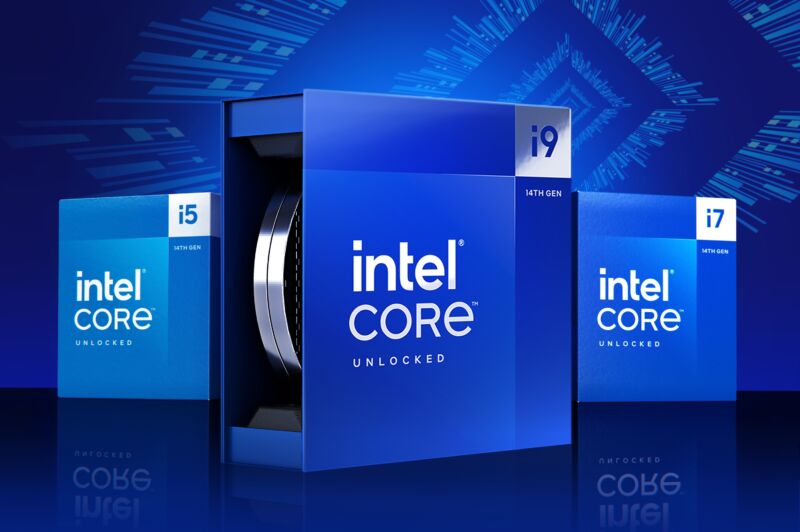
Affected processors include all K, KF, and KS-series Core i5, i7, and i9 processors in the 13th- and 14th-generation Core processor families, plus non-K-series Core i7 and Core i9 processors (despite the name change, the chips are all based on the same Raptor Lake architecture). Lower-end Core i5 and Core i3 processors are unaffected, as are all 12th-generation Core processors.

Earlier this year, Intel also tried to alleviate the problem by asking motherboard makers to adhere to Intel’s default power settings in their BIOS settings. Though these didn’t end up being the root cause of the crashes, the elevated voltage settings or power limits used by some of these motherboards could exacerbate or accelerate the problem.

And Intel’s efforts continue. The company said earlier this month that it was working on a way for users to easily test whether their CPU had been damaged or not. And the company’s statement today reiterated that Intel was still looking into other possible fixes.

“Intel is continuing to investigate mitigations for scenarios that can result in Vmin shift on potentially impacted Intel Core 13th and 14th Gen desktop processors,” the statement reads. “Intel will provide updates by end of August.”

https://arstechnica.com/?p=2042246


Nova Launcher, savior of cruft-filled Android phones, is on life support

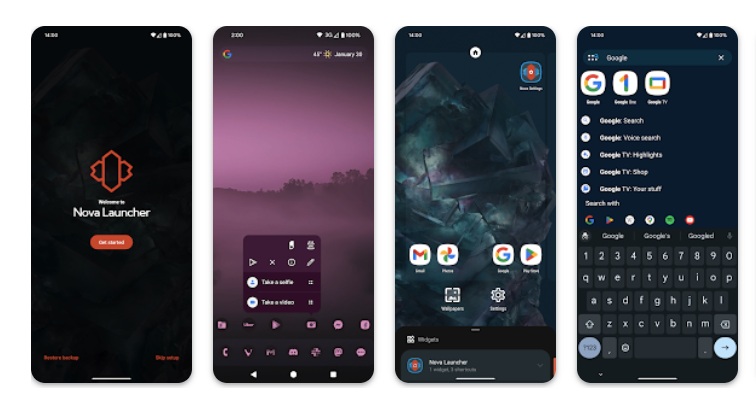
Lineup of four Android devices showing Nova Launcher aspects, including the logo, icon customization, and app drawer
Nova Launcher

Back in July 2022, when mobile app metrics firm Branch acquired the popular and well-regarded Nova Launcher for Android, the app’s site put up one of those self-directed FAQ posts about it. Under the question heading “What does Branch want with Nova?,” Nova founder and creator Kevin Barry started his response with, “Not to mess it up, don’t worry!”

Branch (formerly/sometimes Branch Metrics) is a firm concerned with helping businesses track the links that lead into their apps, whether from SMS, email, marketing, or inside other apps. Nova, with its Sesame Search tool that helped users find and access deeper links—like heading straight to calling a car, rather than just opening a rideshare app—seemed like a reasonable fit.

Barry wrote that he had received a number of acquisition offers over the years, but he didn’t want to be swallowed by a giant corporation, an OEM, or a volatile startup. “Branch is different,” he wrote then, because they wanted to add staff to Nova, keep it available to the public, and mostly leave it alone.

Two years later, Branch has left Nova Launcher a bit too alone. As documented on Nova’s official X (formerly Twitter) account, and transcripts from its Discord, as of Thursday Nova had “gone from a team of around a dozen people” to just Barry, the founder, working alone. The Nova cuts were part of “a massive layoff” of purportedly more than 100 people across all of Branch, according to now-former Nova workers.

Barry wrote that he would keep working on Nova, “However I have less resources.” He would need to “cut scope” on an upcoming Nova release, he wrote. Other employees noted that customer support, marketing, and even correspondence would likely be strained or disappear.

Ars has reached out to Branch for comment and will update this post with response.

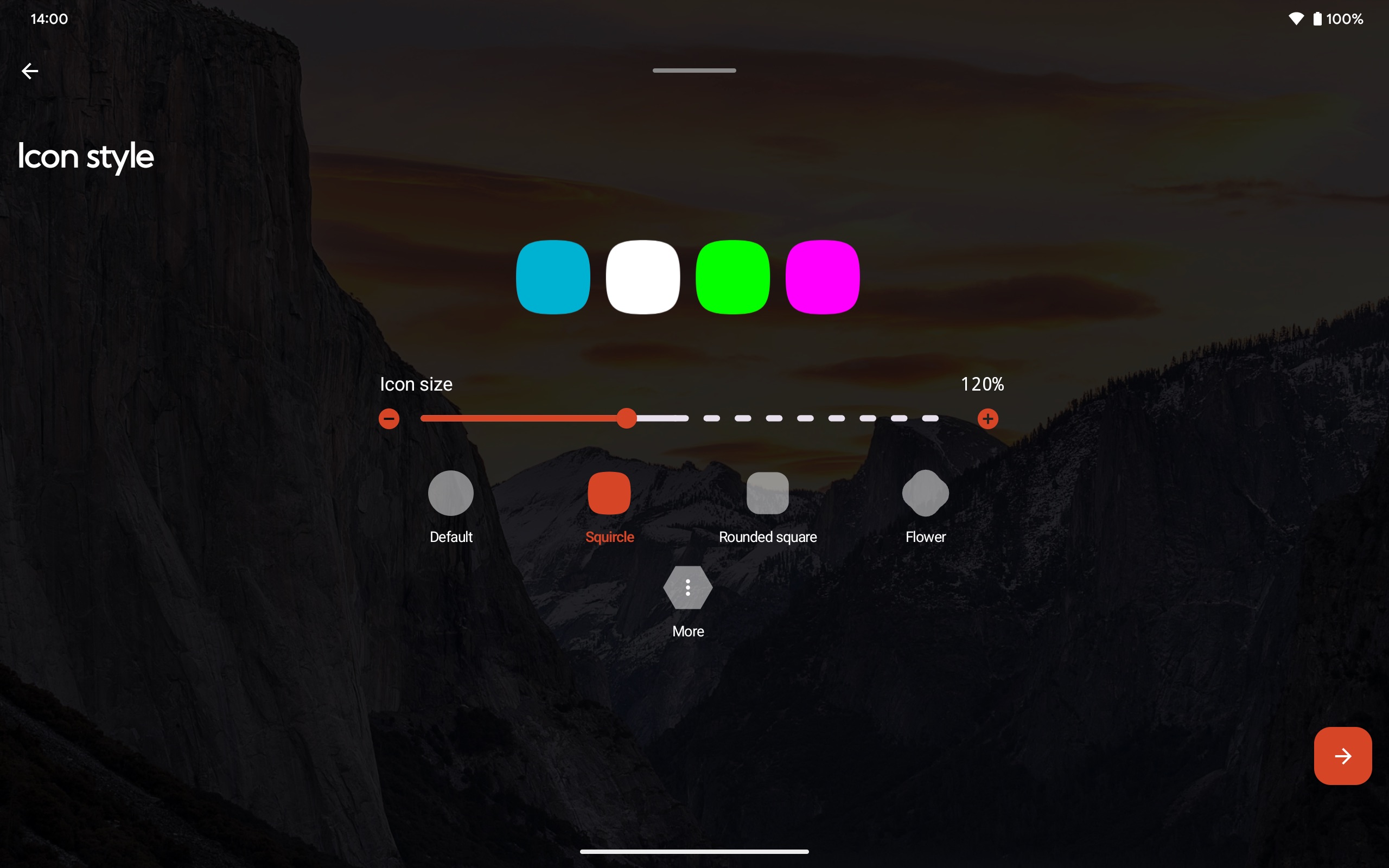
Some of the icon customization options, shown here on a tablet, inside Nova Launcher.
Nova Launcher

Custom, clean Android home screens

It’s hard to tell if Nova would have been better off without ever having been inside Branch, or if it might have inevitably run into the vexing question of how to get people to continually pay for an Android utility. But for Nova to be endangered, or at least heavily constrained, is a sad state for a very useful tool.

Installing a launcher on Android allows you to ignore whatever home screen, app tray, and search bars your phone came with and design your own. Nova Launcher allowed people to change how many icons showed up on their screen, and how big. It allowed for hiding default apps that could not be uninstalled. It was, and still is, one of the best ways to save your phone of bad skins, cruddy OEM software, and stuff for which you never asked.

In more than a dozen Ars reviews of Android devices touting organization concepts that people might not like—including Google’s own Pixels—Nova Launcher was recommended (minus one weird Razer/Nextbit phone that came with it by default). In his Pixel 7 Pro review, Ron Amadeo spells out one such way Nova saved the day:

The worst part of the Pixel software package is the home screen launcher, the primary interface of the phone, which is not nearly configurable enough. All I’m asking for is two things. First, I’d like many more icon grid size adjustments—the default 4×4 grid was fine when we were using 3.2-inch, 480p displays, but I now run a 7×5 grid in Nova launcher, and the Pixel launcher looks ridiculous. Second, I want to remove Google’s useless “At a Glance” widget, which takes up an incredible four icon slots to show the date and current outdoor temperature.

For the more than a decade that I used (and sometimes reviewed) Android phones, I maintained an exported Nova configuration file that I brought from phone to phone. I could experiment with theming, icon packs, and custom widgets (complete with deep links into app actions), but what that export really did was allow me to feel comfortable tinkering and messing with layout ideas. I could always go back to my rock-solid, no-nonsense layout of apps, spaced just how I liked them.

While Nova is not dead (despite mine and others‘ eulogistic tones), it’s certainly not positioned to launch bold new features or plot new futures. Here’s hoping Barry can make a go of Nova Launcher for as long as it’s viable for him.

https://arstechnica.com/?p=2042216


You can kick the alpha tires on System76’s Cosmic, a new Linux desktop

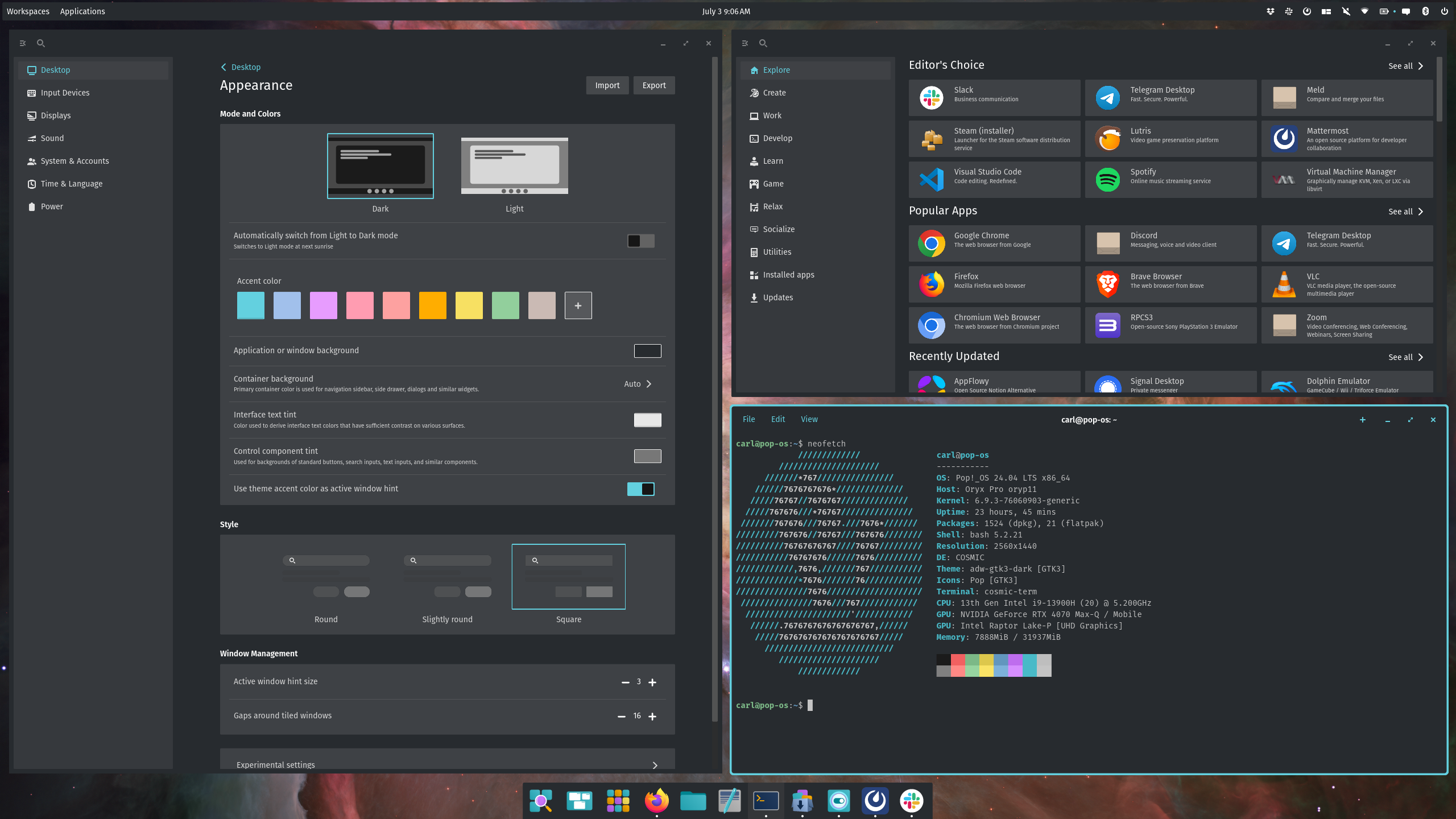
The app store, terminal window (showing an ASCII Pop!_OS logo), theming options, and other windows on a Cosmic desktop
Enlarge / A little auto-tiling on the Cosmic desktop.

System76 has released an alpha version of its Cosmic desktop environment for Linux and Unix-like systems. The Linux hardware firm isn’t targeting only its customers with its GNOME replacement; it also hopes to get distro maintainers and app makers on board with its Rust-built, UX-focused desktop.

While the Cosmic desktop will be built into the Linux vendor’s Pop!_OS (which is also in the alpha ISO), it’s also available to other systems, as you might expect. System76 provides drop-in instructions for Fedora and Arch Linux installs, among others.

System76 says it is “excited to see COSMIC integration elevate Linux as a whole,” along with what results “from making UX-building more accessible.” By building Cosmic natively in the Rust language, System76 also intends to provide a more stable and memory-safe environment for apps.

Cosmic shows deep attention to tiling, keyboard shortcuts, and panel and dock customization, as has been present on its Pop!_OS. I’m a bit of a boring side-by-side, single-workspace type; Gardiner Bryant on YouTube went deeper into the Cosmic alpha’s tiling, panels, and GTK app acceptance. I found that getting Cosmic into a reasonable shape I could work from, and picking up its keyboard window shortcuts, was easier than with either KDE or GNOME.

One thing System76 made clear in its push for Cosmic is its readiness for more deeply integrated themes. System76 offered a few examples in its press materials, and I must admit a fondness for its over-the-top examples.

Promising, but definitely not production

I’ve been using the Cosmic-topped desktop alpha since last week on an also alpha-ish Pop!_OS 24.04 long-term support distribution with Wayland windowing. It’s running on my desktop-ified Framework laptop, since System76 noted that virtual machines would require some hardware acceleration trickery to function properly. It’s definitely an alpha, with lots of things you’d expect to see in the settings and around the system missing or non-interactive.

What I can say about Cosmic, even at this early alpha stage, is that it’s relatively snappy and cohesive compared to other systems I’ve used. The settings app only has six main categories, and one of them is “Desktop,” with robust settings for changing your dock, windows, workspaces, and appearance. I keep a webcam on top of my monitor, with a clamp big enough to hide the time/date combo sometimes perched there by GNOME desktops. Cosmic’s panel controls made it easy to move this to the right and similarly position and style my dock however I like.

Most of what is on display here is not for end users, though, as much as it is for adventurous users, or maybe community distro packagers, looking for a desktop environment carrying far less technical debt than GNOME and KDE. At the same time, that means there will be some tension and scraping between certain apps and this new environment. Slack’s main window on my system is constantly disappearing, and clicking its persistent notification in the tray won’t bring it back. And I’m the type who always remaps his Caps Lock key to Escape, but there’s no place to do that yet, and the Gnome-Tweaks app won’t work, either. Some of this is probably the distribution itself, some of it is Cosmic, and some of it is between the two. (Yes, I’m certain there’s a way to get that keyboard fix with a command or config file, but this is just a test run.)

The Cosmic team says it will next work on settings pages, the Files app, variable refresh rate, and software rendering, among other bugs and refinements. After that comes the hard part of gaining acceptance and installs across the wider open source community.

Listing image by System76

https://arstechnica.com/?p=2041716


Disney has “earned” latest streaming price hike, CFO says

Samel L. Jackson in a scene from Secret Invasion
Enlarge / A scene from Secret Invasion, a Disney+ exclusive.

Yesterday, The Walt Disney company announced it will soon raise prices for Disney+, Hulu, and ESPN+. Today, it revealed that its streaming business has become profitable for the first time.

So if Disney is starting to make money, why has it decided to jack up prices… again?

Disney says it has “earned” higher prices

On October 17, pricing for ad and ad-free subscriptions to Disney+, Hulu, and ESPN+ will increase by as much as 25 percent, depending on the plan (you can see a breakdown of pricing changes here). The pending price hikes follow price increases for the platforms issued in October 2023 and August 2022.

During Disney’s Q3 2024 earnings call today, CFO Hugh Johnston (per a Motley Fool-provided transcription) said that Disney has earned the right to charge more for streaming services, pointing to current and upcoming content availability:

We do feel like we’ve earned that pricing in the marketplace, and we feel positively about that. With that will come scale benefits. The product improvements also should reduce churn and keep our consumers with us as they’re evaluating their options.

CEO Bob Iger said that Disney has increased its streaming “pricing leverage” with upcoming features like new live channels and movies.

As Disney, like other streaming businesses, looks to shift focus from growing subscriber counts to other factors, like user engagement—or how much time users spend on the service, which can help companies’ ad businesses—and profit margins, it may be more emboldened to make moves that could potentially cost it some subscribers (more on this in a moment).

When asked about customer pushback on the latest price hikes, Iger said in part:

We’re not concerned. The goal is to grow engagement on the platform. And what I mean by that is obviously offering a wider variety of programming.

Disney says it hasn’t lost many customers from previous price hikes

Although price hikes across streaming platforms have driven subscribers to the web to declare cancellation plans and encourage others to cancel, Iger claimed that “every time we’ve taken a price increase, we’ve had only modest churn from that, nothing that we would consider significant.”

One of the biggest business challenges facing streaming companies currently is high churn rates. But it seems like other reasons for fast churning—such as subscribers watching preferred content and then canceling until the platform adds new, desirable stuff to watch—may be more pressing to Disney than frequent price hikes—which have become common among streaming services.

Iger also claimed that Disney hadn’t seen a significant backlash to the password-sharing crackdown that the company began rolling out earlier this year and will continue “in earnest” in September.

https://arstechnica.com/?p=2041700


Google kills Chromecast, replaces it with Apple TV and Roku Ultra competitor

Google is discontinuing the Chromecast brand and pulling its Chromecast hardware off the market after 11 years, but it’s not leaving the streaming-device business.

Rather, it’s launching a new product called the Google TV Streamer that competes with high-end streaming boxes like the Apple TV or the Roku Ultra.

The new device is not a direct replacement for the Chromecast dongles, though, as it has a different design and is substantially more expensive. Google is replacing 2020’s $50 4K Chromecast with Google TV USB dongle with an HDMI set-top box that costs $100.

Google is also discontinuing the HD-only Chromecast variant that launched at a lower $30 price point in 2022. It remains a possibility that Google will introduce a cheaper, HD-only version of this new set-top box, but we haven’t heard anything about that just yet.

The adage that you get what you pay for rings true, though, as the Google TV Streamer is superior to the Chromecast with Google TV in almost every way that matters.

The new device includes a processor that claims to be up to 22 percent faster than before, with twice as much RAM (4GB) and four times the storage (32GB).

It supports 4K streaming at 60 fps with an HDMI 2.1a port. There’s HDR support (Dolby Vision) and spatial audio (Dolby Atmos). The device adds several amenities that weren’t available in the dongles, like an Ethernet port.

However, it’s important to note that it does not ship with an HDMI cable in the box, so you might need to buy one in addition to the $100 sticker price. (Many folks already have HDMI cables lying around, though, so that won’t be a problem for everyone.)

As you might expect, the new device is loaded with Google Gemini AI features. Google claims in a blog post that the streamer can summarize or review TV episodes or even whole seasons for you on command and that it can build customized watchlists from recommendations for every member of your household. Google’s AI powers content suggestions across the device’s software.

Announced alongside a new Nest Learning Thermostat, the streamer is part of Google’s initiative to revitalize interest in the Nest line of smart home products. As such, it works not just as a video-streaming device but as a smart home hub, with Thread and Matter integration; you can use the streamer to control either Google Home or Matter-compliant devices, such as cameras or thermostats.

As for the Thread support, the streamer includes a built-in Thread border router to improve connectivity.

The Google TV Streamer began preorders today and starts shipping to buyers on September 26.

Listing image by Google

https://arstechnica.com/?p=2041337


“Do not hallucinate”: Testers find prompts meant to keep Apple Intelligence on the rails

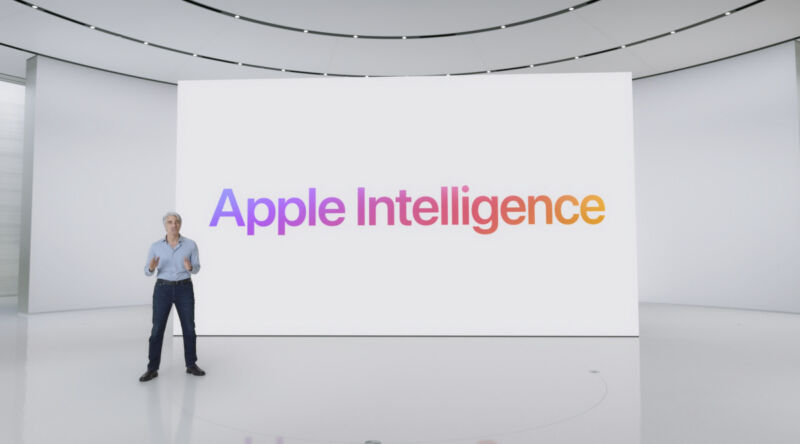
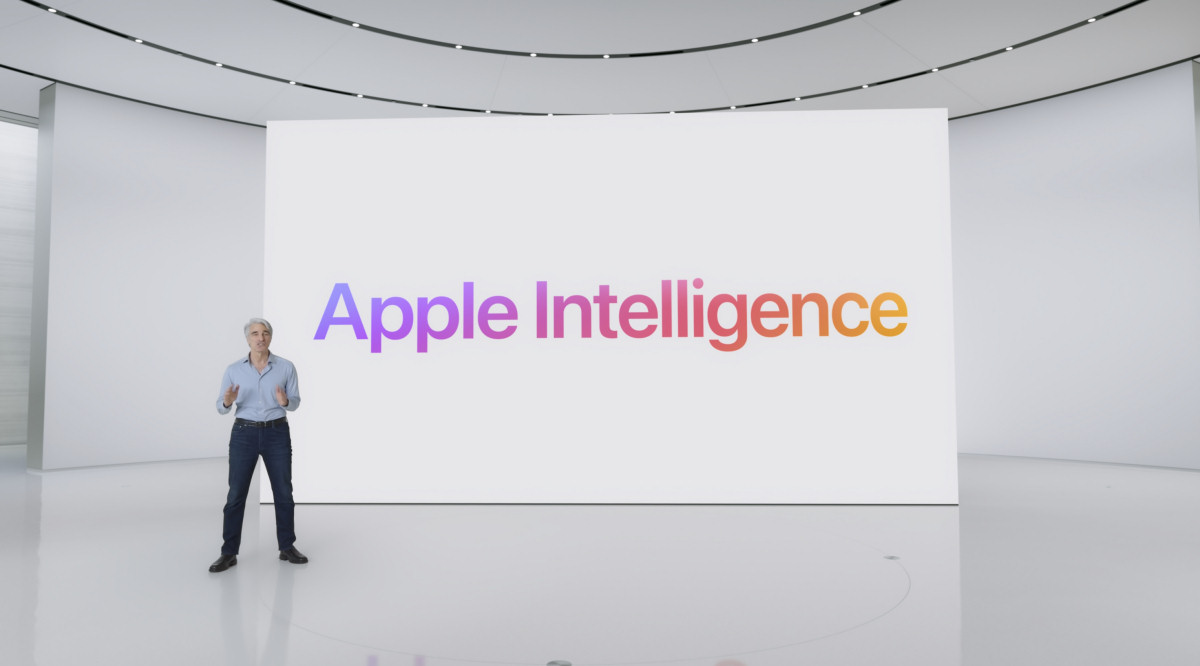
Craig Federighi stands in front of a screen with the words
Enlarge / Apple Intelligence was unveiled at WWDC 2024.

As the parent of a younger child, I can tell you that getting a kid to respond the way you want can require careful expectation-setting. Especially when we’re trying something new for the first time, I find that the more detail I can provide, the better he is able to anticipate events and roll with the punches.

I bring this up because testers of the new Apple Intelligence AI features in the recently released macOS Sequoia beta have discovered plaintext JSON files that list a whole bunch of conditions meant to keep the generative AI tech from being unhelpful or inaccurate. I don’t mean to humanize generative AI algorithms, because they don’t deserve to be, but the carefully phrased lists of instructions remind me of what it’s like to try to give basic instructions to (or explain morality to) an entity that isn’t quite prepared to understand it.

The files in question are stored in the /System/Library/AssetsV2/com_apple_MobileAsset_UAF_FM_GenerativeModels/purpose_auto folder on Macs running the macOS Sequoia 15.1 beta that have also opted into the Apple Intelligence beta. That folder contains 29 metadata.json files, several of which include a few sentences of what appear to be plain-English system prompts to set behavior for an AI chatbot powered by a large-language model (LLM).

Many of these prompts are utilitarian. “You are a helpful mail assistant which can help identify relevant questions from a given mail and a short reply snippet,” reads one prompt that seems to describe the behavior of the Apple Mail Smart Reply feature. “Please limit the reply to 50 words,” reads one that could write slightly longer draft responses to messages. “Summarize the provided text within 3 sentences, fewer than 60 words. Do not answer any question from the text,” says one that looks like it would summarize texts from Messages or Mail without interjecting any of its own information.

Some of the prompts also have minor grammatical issues that highlight what a work-in-progress all of the Apple Intelligence features still are. “In order to make the draft response nicer and complete, a set of question [sic] and its answer are provided,” reads one prompt. “Please write a concise and natural reply by modify [sic] the draft response,” it continues.

“Do not make up factual information.”

And still other prompts seem designed specifically to try to prevent the kinds of confabulations that generative AI chatbots are so prone to (hallucinations, lies, factual inaccuracies; pick the term you prefer). Phrases meant to keep Apple Intelligence on-task and factual include things like:

  • “Do not hallucinate.”
  • “Do not make up factual information.”
  • “You are an expert at summarizing posts.”
  • “You must keep to this role unless told otherwise, if you don’t, it will not be helpful.”
  • “Only output valid json and nothing else.”

Earlier forays into generative AI have demonstrated why it’s so important to have detailed, specific prompts to guide the responses of language models. When it launched as “Bing Chat” in early 2023, Microsoft’s ChatGPT-based chatbot could get belligerent, threatening, or existential based on what users asked of it. Prompt injection attacks could also put security and user data at risk. Microsoft incorporated different “personalities” into the chatbot to try to rein in its responses to make them more predictable, and Microsoft’s current Copilot assistant still uses a version of the same solution.

What makes the Apple Intelligence prompts interesting is less that they exist and more that we can actually look at the specific things Apple is attempting so that its generative AI products remain narrowly focused. If these files stay easily user-accessible in future macOS builds, it will be possible to keep an eye on exactly what Apple is doing to tweak the responses that Apple Intelligence is giving.

The Apple Intelligence features are going to launch to the public in beta this fall, but they’re going to miss the launch of iOS 18.0, iPadOS 18.0, and macOS 15.0, which is why Apple is testing them in entirely separate developer betas. Some features, like the ones that transcribe phone calls and voicemails or summarize text, will be available early on. Others, like the new Siri, may not be generally available until next year. Regardless of when it arrives, Apple Intelligence requires fairly recent hardware to work: either an iPhone 15 Pro, or an iPad or Mac with at least an Apple M1 chip installed.

https://arstechnica.com/?p=2041307