Ryzen AI 300 performance review: Impressive CPUs, even if you don’t care about AI

With or without the "AI," AMD's new laptop processors are pretty good.
Enlarge / With or without the “AI,” AMD’s new laptop processors are pretty good.
Andrew Cunningham

For all the noise about neural processing units (NPUs) and the generative AI capabilities of new and upcoming chips, NPUs don’t yet do all that much in terms of day-to-day, bread-and-butter computing.

So when I’m evaluating new processors that make a big deal about their AI processing capabilities, my unofficial rule of thumb has been to mostly ignore the AI stuff and focus on more traditional metrics: If the AI bubble popped tomorrow and the hype wave dissipated, would these still be worthwhile chips? Qualcomm’s Snapdragon X SoCs were launched alongside a pile of AI-related software announcements, but they’re impressive mostly because they’re very good at basic computer-y things: They feel fast, and they enable good battery life.

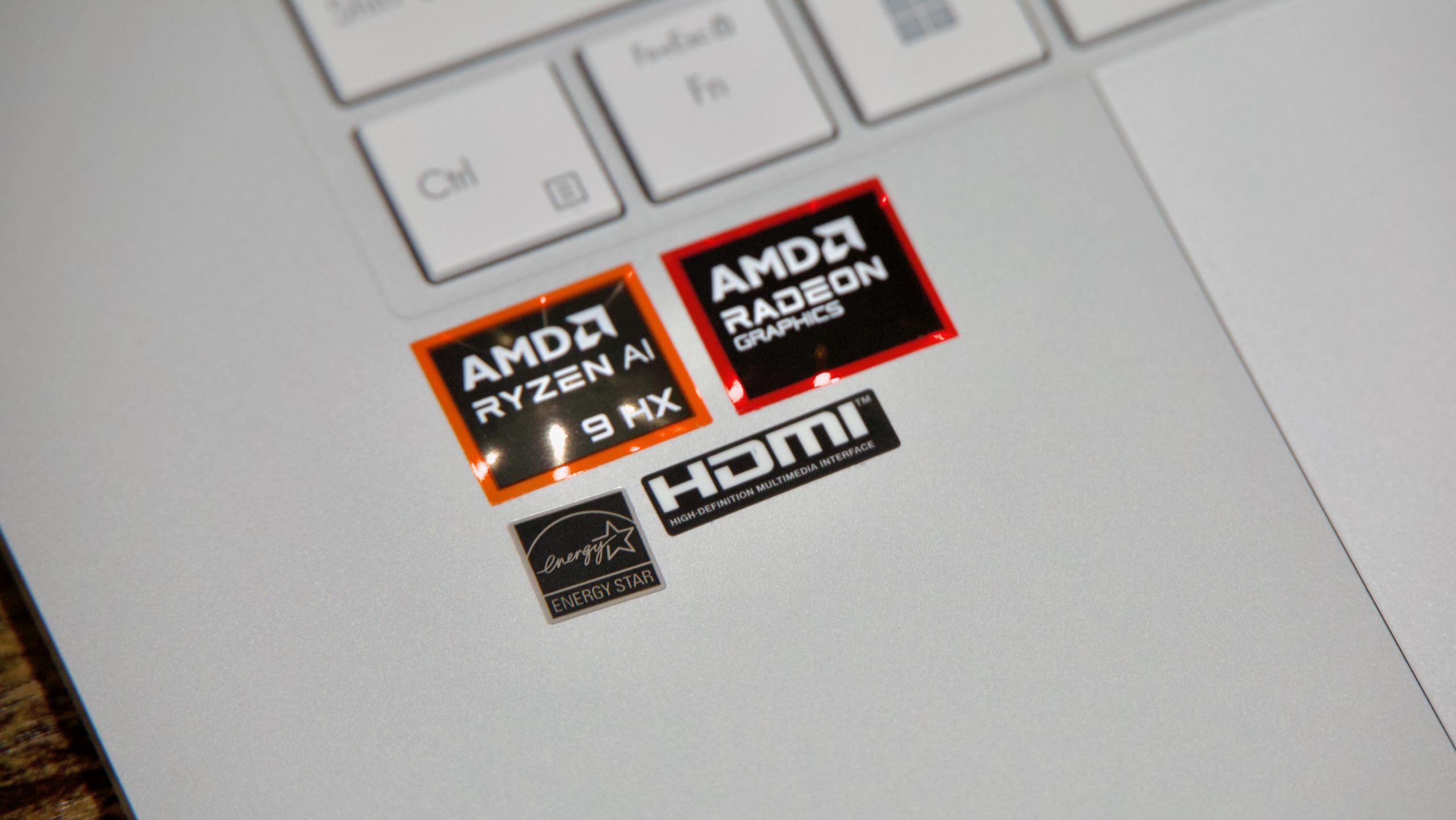
Despite the “AI” that AMD has added to the name, I’m looking at the new Ryzen AI 300-series pretty much the same way. The test system AMD provided—a 16-inch Asus ZenBook UM5606W with a Ryzen AI 9 HX 370 and an integrated Radeon 890M GPU in it—shows that the chip is a small but significant bump over the older Ryzen 7000- and 8000-series laptop CPUs. For various reasons, those chips were already a bit easier to recommend than Intel’s 13th-generation Core processors and both Ultra and non-Ultra Intel Core CPUs, and the Ryzen AI upgrade provides solid boosts to CPU performance and graphics while still maintaining good power efficiency and battery life.

This Asus ZenBook, and a brief note on AI stuff

This isn’t an in-depth review of the ZenBook UM5606W, but here’s a high-level overview if you’re curious.

I’d place this in the same “large thin-and-light” category as the Surface Laptop 15 and the 15-inch MacBook Air, a laptop that acknowledges that people sometimes want larger screens without also needing expensive power-draining dedicated GPUs or toasty desktop-class CPUs. And it’s a broadly inoffensive laptop, with no deal-breaking problems I encountered in a week or so of use.

Its worst sin is its white keyboard with a white keyboard backlight, something that has never been a great idea because it always makes the key legends harder rather than easier to read in medium to bright indoor or outdoor light. Unless the room you’re in is actually dark or nearly dark, turning it off almost always makes the keyboard nicer to look at. The glassy screen is also tremendously reflective, which doesn’t bother me much but which could be a problem if you’re frequently working outdoors.

The laptop has a decent port selection—two 40Gbps USB-C ports, a full-size HDMI port, a USB-A port, a full-size SD card slot, and a headphone jack. The OLED screen looks great and covers 100 percent of the sRGB and DCI-P3 color gamuts. Both the keyboard and trackpad work well enough that I don’t have notes, aside from the backlight thing. And obviously, since this is using a good-old x86 chip, you won’t deal with any of the lingering compatibility issues that are still part and parcel of a Snapdragon-based system.
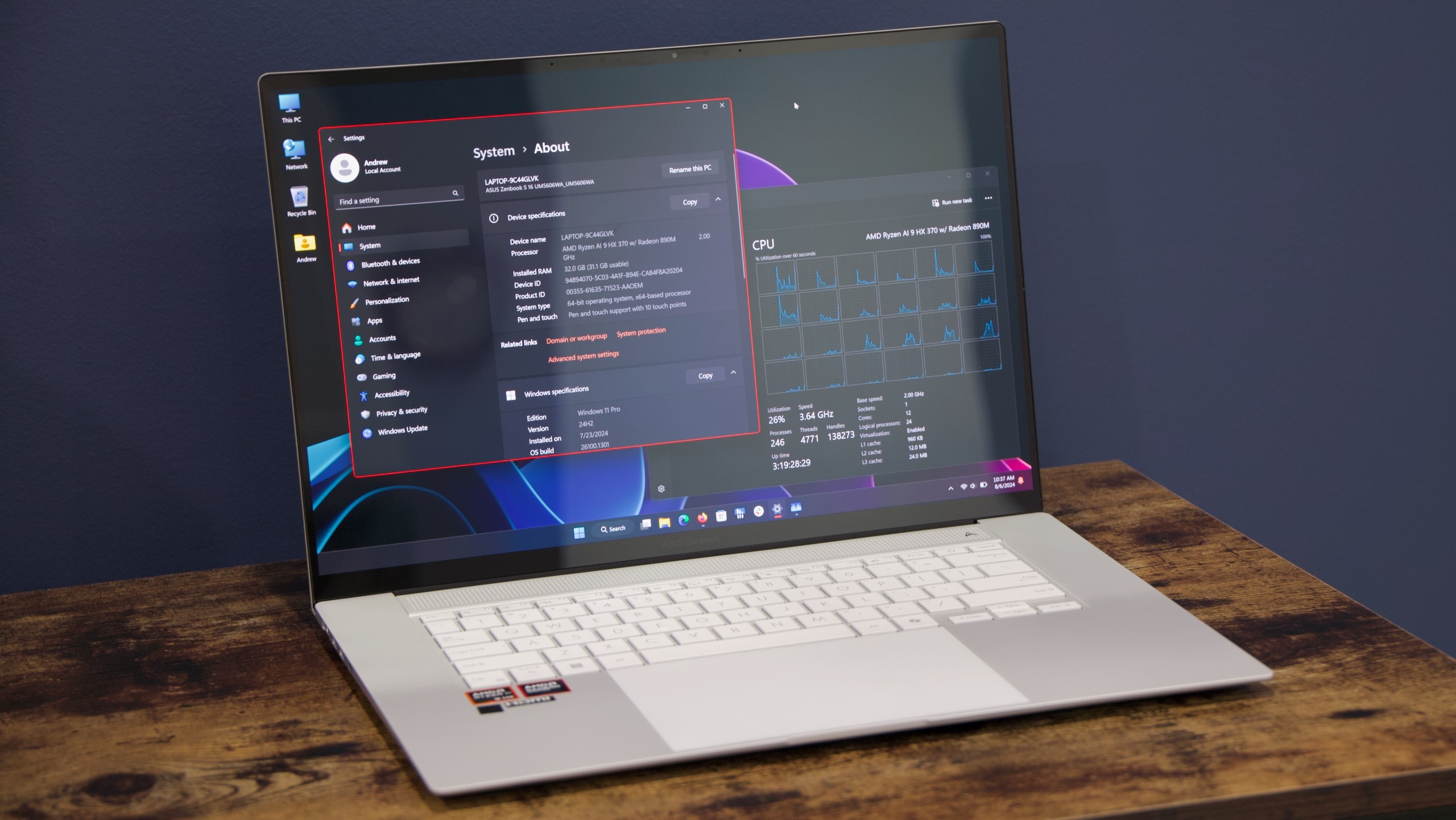
The Asus Zenbook UM5606W, a solid showcase for the Ryzen AI chips.
Enlarge / The Asus Zenbook UM5606W, a solid showcase for the Ryzen AI chips.
Andrew Cunningham

Of course, even the Copilot+ stuff that does exist isn’t actually working on x86 PCs just yet, even though the ZenBook does ship with a version of Windows 11 24H2 installed rather than 23H2. In theory, this update is still technically a beta for most x86 PCs, though Microsoft and the PC makers are shipping and supporting it on Arm-powered Copilot+ PCs.

To ensure that it can still talk about AI stuff despite a lack of AI-driven Windows features, AMD is promoting a beta of TensorStack’s Amuse 2.0 image-generation software that runs entirely locally. The hardware recommendations are pretty steep; you need a Ryzen AI 300 system with 24GB of RAM, a computer with a Radeon 7000-series GPU, or a Ryzen 8040-series chip with 32GB of RAM (Ryzen 7000 laptop CPUs and Ryzen 8000G desktop CPUs, all chips with NPUs that were promoted heavily as being AI-capable, are not mentioned).

But those recommendations are only really requirements if you want “XDNA Super Resolution” upscaling. The funny thing about the Amuse software is that it doesn’t even touch the Ryzen AI chip’s much-talked-about NPU—it’s rendering everything on the Radeon 890M GPU, just like it uses the Radeon GPU on the desktop. And since it’s really just using the GPU, Amuse will download, install, and run on just about anything, making it less than convincing both as a selling point for Ryzen AI processors and as a showcase for chips with fancy NPUs in them.

https://arstechnica.com/?p=2040553


Explaining color gamuts and color spaces in HDTVs and monitors

pixels
sandergroffen/Getty Images

Back in the 1950s, when color TV was invented, everything was simple. TVs were either color or black-and-white, and you could tell at a glance which was which. Today, you can find TVs and monitors that somehow promise more colors, but what does that mean? And why do manufacturers use confusing jargon like color spaces and color gamuts to explain it? Let’s break it down.

Most likely, you’ve seen the terms “color space” or “color gamut” while shopping for a high-dynamic-range TV, but you’ll also see them pop up around certain computer monitors, especially ones designed for gaming. Sometimes a manufacturer will say that a display covers some percentage of a particular color space, like DCI-P3 or Rec. 2020.

If none of these words mean anything to you, then it’s probably fine if you ignore them. All most people really need to know is whether their display supports HDR—a significant upgrade to color displays that can produce over a billion colors in bright, vivid detail. But if you do a lot of media editing, or you care about getting the most accurate color reproduction you can, here’s how to interpret all the jargon.

What is a color gamut?

As you might recall from middle school science class, color is simply how our squishy human eyes perceive different wavelengths of light. The spectrum of wavelengths that we can see is only a small subset of the entire electromagnetic spectrum. So, a color display will show all the colors that a human eye can see. Right?

Well, not exactly. In fact, every display you’ve ever seen only shows a small portion of the colors that your eyes are capable of perceiving. That portion is what’s referred to as a “color gamut.” A color gamut refers to the range of colors within the visible light spectrum that the display is capable of reproducing.

It might not seem like there are colors missing from your display, because you see approximations of most colors, but there are certain colors that simply can’t be shown. For a simple comparison, SDR (standard dynamic range) TVs are capable of displaying over 16.7 million colors—more specifically, there are 16.7 million unique combinations of the 256 different levels of red, green, and blue that the display can produce.

An HDR TV, on the other hand, is capable of at least 1,024 different levels of red, green, and blue each, for over 1.07 billion unique color combinations. This dramatically expands how much of the visible spectrum that displays can reproduce. But it also means that all the content that you see on your display—every show, movie, or video game—has to be created with those new color options in mind.

https://arstechnica.com/?p=2041231


OpenAI has the tech to watermark ChatGPT text—it just won’t release it

OpenAI logo displayed on a phone screen and ChatGPT website displayed on a laptop screen.
Getty Images

According to The Wall Street Journal, there’s internal conflict at OpenAI over whether to release a watermarking tool that would allow people to test text to see whether it was generated by ChatGPT.

To deploy the tool, OpenAI would make tweaks to ChatGPT that would lead it to leave a trail in the text it generates that can be detected by a special tool. The watermark would be undetectable by human readers without the tool, and the company’s internal testing has shown that it does not negatively affect the quality of outputs. The detector would be accurate 99.9 percent of the time. It’s important to note that the watermark would be a pattern in the text itself, meaning it would be preserved if the user copies and pastes the text or even if they make modest edits to it.

Some OpenAI employees have campaigned for the tool’s release, but others believe that would be the wrong move, citing a few specific problems.

First among those is the fact that even with 99.9 percent accuracy, the watermark detector would still be wrong some of the time, considering how often ChatGPT is used.

Among those who have shown the most interest in using the tools are teachers and professors, who have seen a rapid rise of ChatGPT-generated school papers and other assignments. But OpenAI’s argument is this: 99.9 percent accuracy sounds like a lot, but imagine that one among 1,000 college papers was falsely labeled as cheating. That could lead to some unfortunate consequences for innocent students.

Further, OpenAI says the tool’s release could stigmatize non-native English speakers using ChatGPT for translation or to improve their writing, which the company argues is a legitimate use of the tool.

Finally, a blog post by OpenAI clarified that it is relatively easy for bad actors to bypass the watermark in its current form. Running ChatGPT’s output through another LLM text generator could do it, as could asking ChatGPT to insert special characters throughout the output and then manually removing those characters.

There’s one problem OpenAI didn’t mention in its blog post, but it did come up in The Wall Street Journal article: A survey of ChatGPT users showed that as many as 30 percent said they would stop using ChatGPT if its output was watermarked.

OpenAI hasn’t rolled it out the watermark feature yet and is also investigating alternative solutions that are still in development, such as including cryptographically signed metadata in outputs.

That solution would be similar to how OpenAI has approached the content provenance issue with the DALL-E 3 image generator. The company includes C2PA metadata to help people identify when and how images were modified with DALL-E.

OpenAI previously released and supported an AI text detection tool. It focused not just on ChatGPT, but also on detecting whether any AI tool was used to generate text. However, it was discontinued because it was highly inaccurate and prone to false positives, making it mostly useless.

https://arstechnica.com/?p=2041148


NZXT wants you to pay up to $169/month to rent a gaming PC

NZXT gaming PC
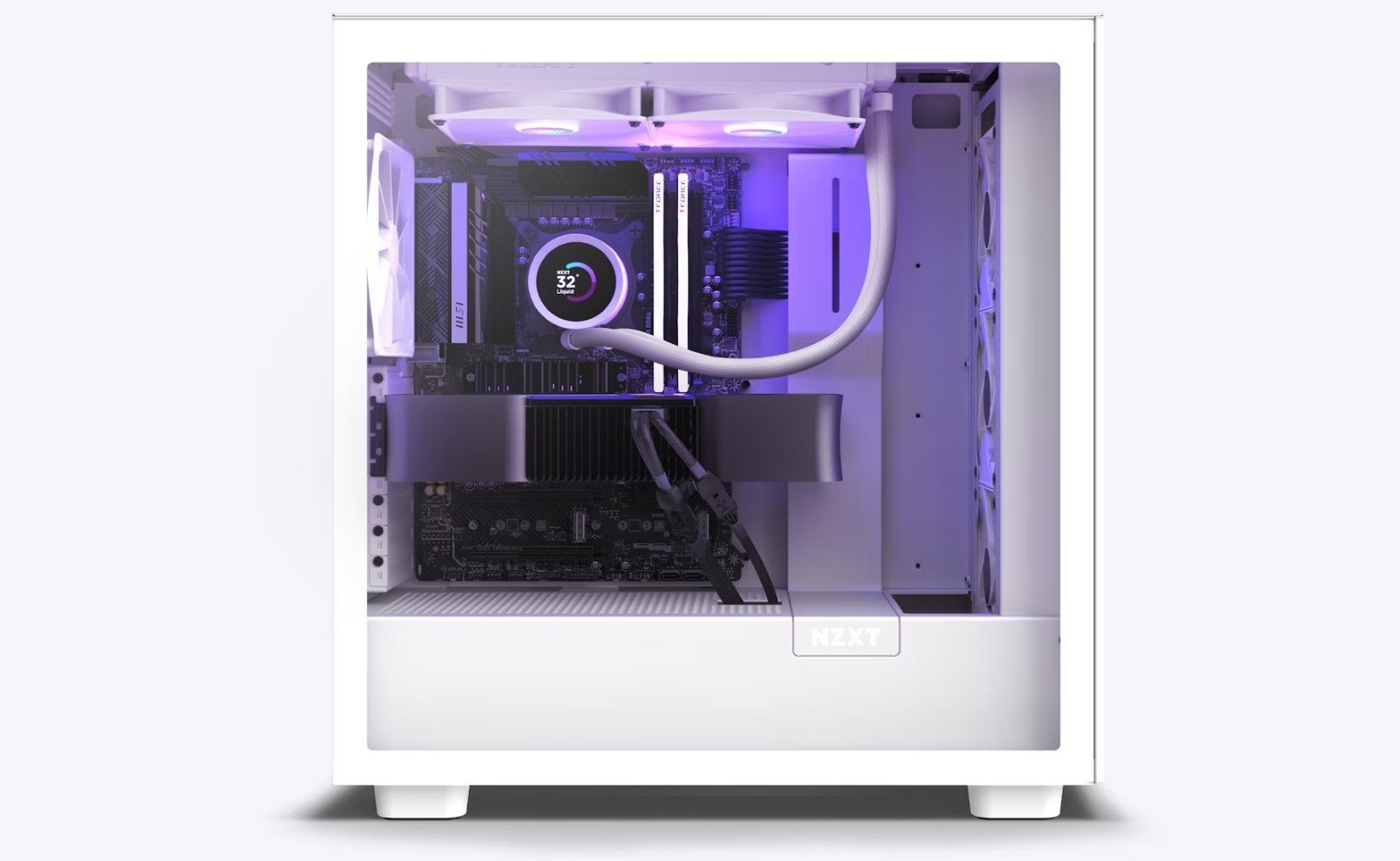
Enlarge / NZXT’s subscription program charges $169/month for this build.

NZXT, which sells gaming PCs, components, and peripherals, has a subscription program that charges a monthly fee to rent one of its gaming desktops. Subscribers don’t own the computers and receive an upgraded rental system every two years.

NZXT’s Flex program subscription prices range from $49 to $169 per month, depending on the specs of the system, as you can see below:

The footnote is: "Specs of PCs subject to change based on availability."
Enlarge / The footnote is: “Specs of PCs subject to change based on availability.”

There’s also a one-time setup and shipping fee for the rentals that totals $50. NZXT says it will “likely” charge subscribers a separate fee if they return the rental without the original box and packaging (NZXT hasn’t disclosed how much).

The systems received, per NZXT’s website, will be “new or like-new.” Users may get refurbished systems and should check their rental for any defects, per subscription agreement terms from Fragile, which helps manage the subscription service.

NZXT says subscribers get 24/7 customer support with their subscription. The Irvine, California-headquartered company also says that there are no cancellation fees, and subscribers get a prepaid return label with their rental system. As noted by The Verge, NZXT started promoting Flex as early as February; it’s unclear how much interest it has garnered.

Per the subscription agreement, users can be charged the full retail value of the system if it’s returned damaged or altered (self-upgrades/repairs have limits) and monthly interest rates of 8 percent if they stop paying the monthly fee for over 60 days.

Who’s this for?

In an announcement Wednesday, NZXT looked to frame Flex as a way to make PC gaming more accessible and highlighted use cases where it thinks rental PCs make sense.

In a shared statement, the CEO of esports team FlyQuest suggested there’s a place for rental PCs in esports, which often relies on expensive gear delivered through sponsorships. In a statement, Brian Anderson said: “New hardware is being released frequently, and having access to industry-leading products is vital to staying competitive. NZXT Flex provides us with the confidence that we’ll always have access to the top-of-the-line builds so that we can create content and play at our highest level for our fans.”

The announcement also highlights a supposed customer who said the program let them immediately get a gaming PC that they can’t afford. The program also targets people who only need a high-end PC for a short period or who want easy biennial upgrades.

But for most, rental PCs don’t make much fiscal sense long-term, as monthly fees add up over time. For example, the cheapest plan would cost $758 the first year (including the setup/shipping fee), which is more than various prebuilt gaming PCs and DIY builds.

Subscribers also don’t own the computer. They can get an upgraded system after two years, but in that time, they will have spent $1,466 to $4,106 for hardware that they don’t own. Meanwhile, $1,466 to $4,106 could fetch a quality PC that you could own and continue getting value from beyond two years.

Flex also competes with PC rental programs from companies like Rent-A-Center and Aaron’s that let people rent to own. A few months ago, an NZXT representative confirmed via Reddit that Flex isn’t a rent-to-own program. The rep said that computer buyouts could be allowed but that only a portion of rental payments would apply to the purchase.

Those seeking immediate PC gaming gratification with limited funds also have options in payment plans/financing, used systems, and cloud gaming—all of which have drawbacks but let you compute and play games with hardware that you own.

Recently, more tech brands have been showing interest in trying to draw subscription dollars from consumer gadgets that typically only net a one-time profit. HP, for example, has a printer rental program where you pay to use a printer that you don’t own and that HP tracks. Logitech CEO Hanneke Faber also recently discussed interest in selling a “forever mouse” that people would own but requires a subscription to receive ongoing software updates.

https://arstechnica.com/?p=2040844


Intel is offering extended warranties for crashing 13th- and 14th-gen desktop CPUs

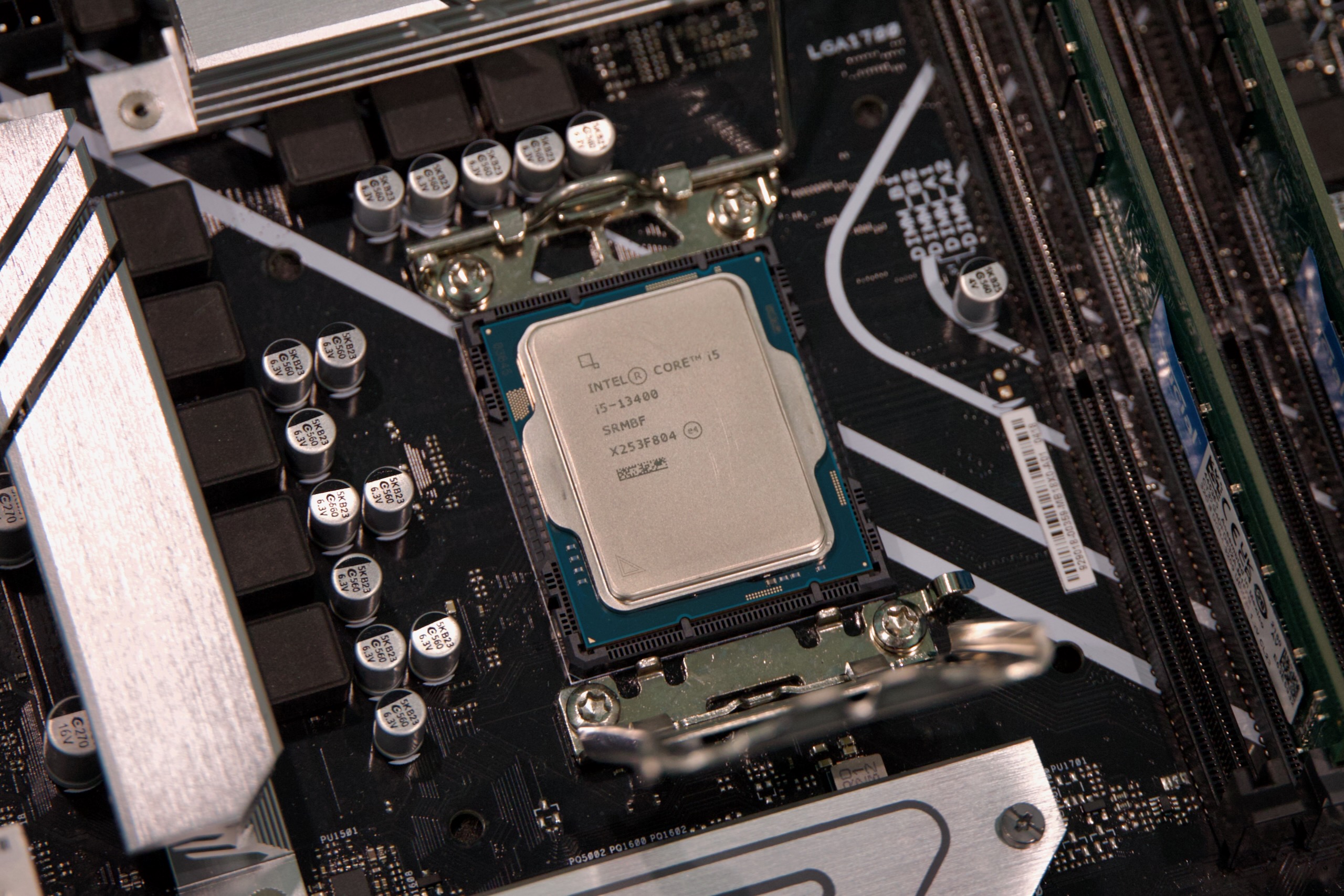
Even mainstream CPUs like the Core i5-13400 could theoretically be affected by Intel's crashing issues.
Enlarge / Even mainstream CPUs like the Core i5-13400 could theoretically be affected by Intel’s crashing issues.
Andrew Cunningham

Intel will be releasing a microcode update to prevent further damage to crashing 13th- and 14th-generation desktop processors sometime this month if it can stick to its previously announced schedule. This fix should be available via BIOS updates from PC and motherboard makers and from Microsoft as a Windows update. But it will take time for those updates to roll out to users, and Intel has said that processors that are already exhibiting crashes have been permanently damaged and won’t be fixed by the microcode update.

In an effort to provide peace of mind to buyers and cover anyone whose CPU is subtly damaged but not showing explicit signs of instability, Intel is extending the warranty on all affected 13th- and 14th-generation CPUs by an additional two years, Tom’s Hardware reports. This raises the warranty on a new boxed Intel CPU from three years to five. For processors that came installed in pre-built PCs, Intel says users should reach out to their PC’s manufacturer for support instead.

Though owners of high-end chips like the Core i9-13900K and Core i9-14900K were the most frequently affected by the crashing issue, Intel says that any 13th- or 14th-generation desktop CPU with a base power of 65 W or higher could ultimately be affected. This means that even slower, more budget-oriented chips like the Core i5-13400 could end up having problems.

According to Intel, the root cause of the issue was “a microcode algorithm resulting in incorrect voltage requests to the processor,” a bug that caused motherboards to supply too much power to a CPU. This resulted in damage to the silicon over time, leading to crashing and instability. The problem was also exacerbated by enthusiast motherboards that didn’t stick to Intel’s recommended default power and performance settings.

Intel says it is “investigating options to easily identify affected processors” to help give users peace of mind, and it will have more to share on both these testing options and the details of the extended warranty “in the coming days.” Anyone experiencing problems should reach out to Intel or their PC’s manufacturer, depending on whether they bought a separate CPU or a complete system.

https://arstechnica.com/?p=2040742


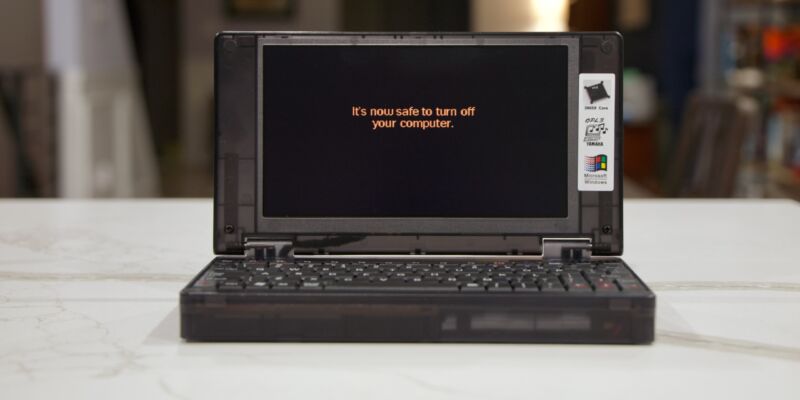
A few weeks with the Pocket 386, an early-‘90s-style, half-busted retro PC

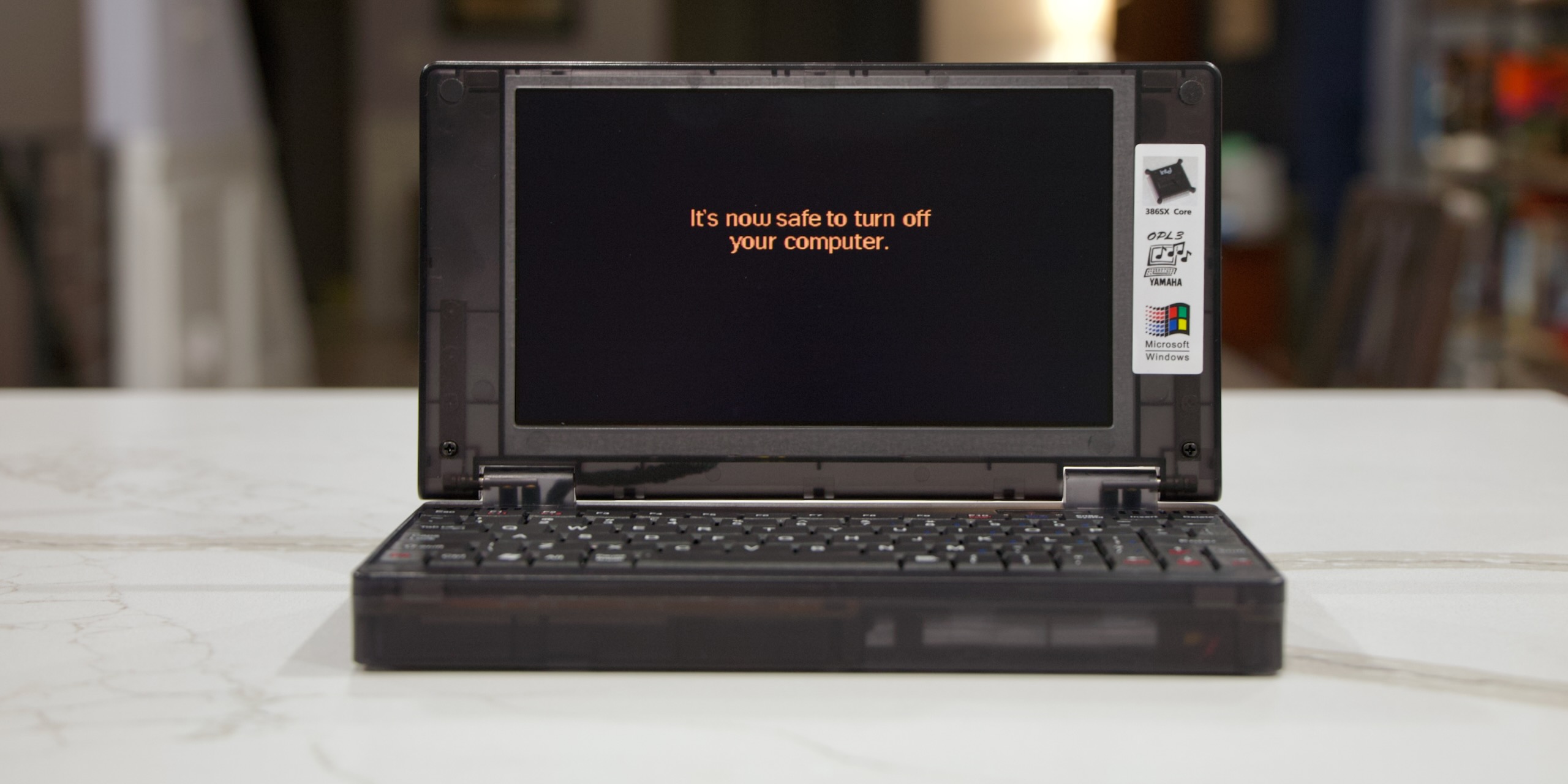
The Pocket 386 is fun for a while, but the shortcomings and the broken stuff start to wear on you after a while.
Enlarge / The Pocket 386 is fun for a while, but the shortcomings and the broken stuff start to wear on you after a while.
Andrew Cunningham

The Book 8088 was a neat experiment, but as a clone of the original IBM PC, it was pretty limited in what it could do. Early MS-DOS apps and games worked fine, and the very first Windows versions ran… technically. Just not the later ones that could actually run Windows software.

The Pocket 386 laptop is a lot like the Book 8088, but fast-forwarded to the next huge evolution in the PC’s development. Intel’s 80386 processors not only jumped from 16-bit operation to 32-bit, but they implemented different memory modes that could take advantage of many megabytes of memory while maintaining compatibility with apps that only recognized the first 640KB.

Expanded software compatibility makes this one more appealing to retro-computing enthusiasts since (like a vintage 386) it will do just about everything an 8088 can do, with the added benefit of a whole lot more speed and much better compatibility with seminal versions of Windows. It’s much more convenient to have all this hardware squeezed into a little laptop than in a big, clunky vintage desktop with slowly dying capacitors in it.

But as with the Book 8088, there are implementation problems. Some of them are dealbreakers. The Pocket 386 is still an interesting curio, but some of what’s broken makes it too unreliable and frustrating to really be usable as a vintage system once the novelty wears off.

The 80386

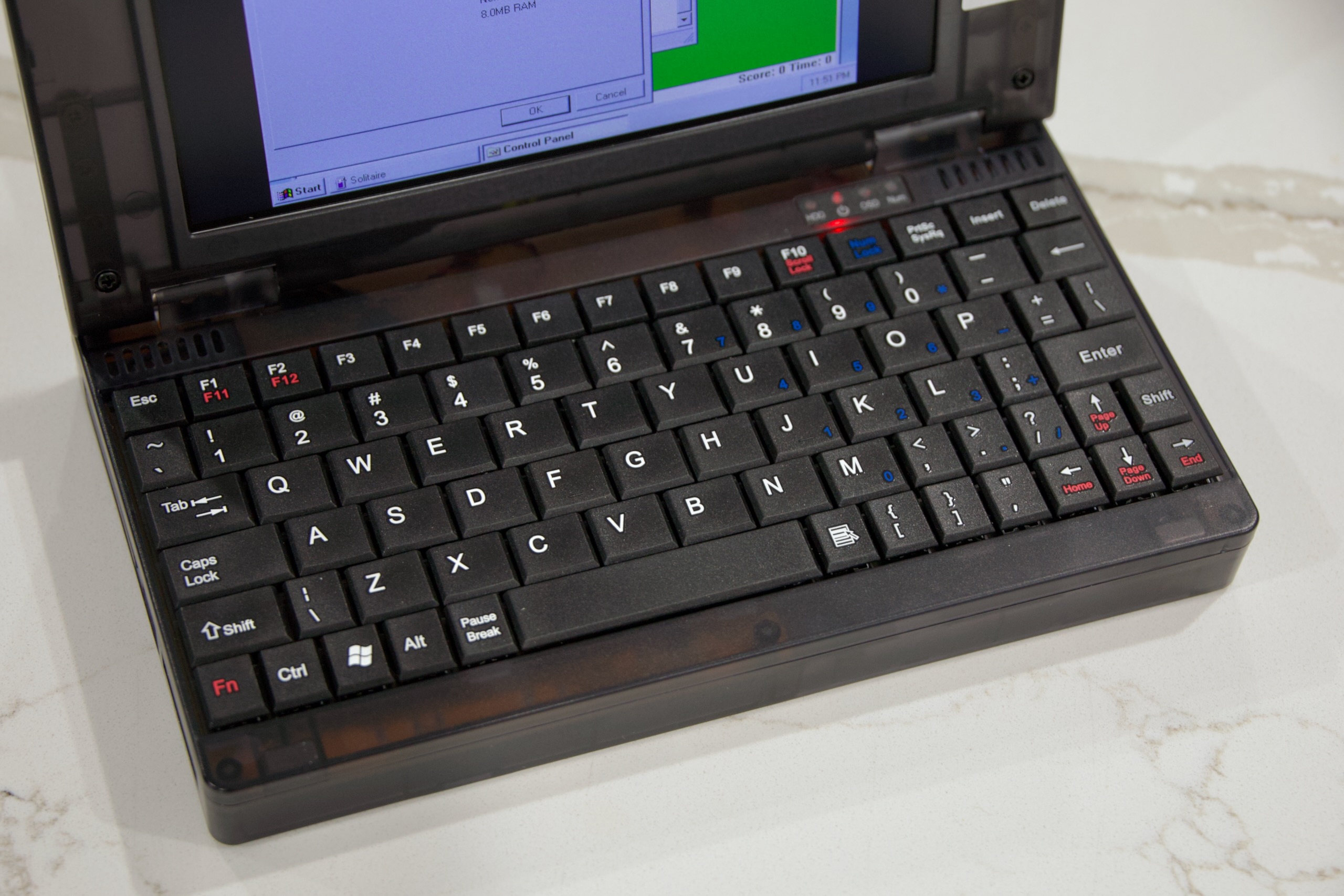
A close-up of the Pocket 386's tiny keyboard.
Enlarge / A close-up of the Pocket 386’s tiny keyboard.
Andrew Cunningham

When we talked about the Book 8088, most of our discussion revolved around a single PC: the 1981 IBM PC 5150, the original machine from which a wave of “IBM compatibles” and the modern PC industry sprung. Restricted to 1MB of RAM and 16-bit applications—most of which could only access the first 640KB of memory—the limits of an 8088-based PC mean there are only so many operating systems and applications you can realistically run.

The 80386 is seven years newer than the original 8086, and it’s capable of a whole lot more. The CPU came with many upgrades over the 8086 and 80286, but there are three that are particularly relevant for us: for one, it’s a 32-bit processor capable of addressing up to 4GB of RAM (strictly in theory, for vintage software). It introduced a much-improved “protected mode” that allowed for improved multitasking and the use of virtual memory. And it also included a so-called virtual 8086 mode, which could run multiple “real mode” MS-DOS applications simultaneously from within an operating system running in protected mode.

The result is a chip that is backward-compatible with the vast majority of software that could run on an 8088- or 8086-based PC—notwithstanding certain games or apps written specifically for the old IBM PC’s 4.77 MHz clock speed or other quirks particular to its hardware—but with the power necessary to credibly run some operating systems with graphical user interfaces.

Moving on to the Pocket 386’s specific implementation of the CPU, this is an 80386SX, the weaker of the two 386 variants. You might recall that the Intel 8088 CPU was still a 16-bit processor internally, but it used an 8-bit external bus to cut down on costs, retaining software compatibility with the 8086 but reducing the speed of communication between the CPU and other components in the system. The 386SX is the same way—like the more powerful 80386DX, it remained a 32-bit processor internally, capable of running 32-bit software. But it was connected to the rest of the system by a 16-bit external bus, which limited its performance. The amount of RAM it could address was also limited to 16MB.

(This DX/SX split is the source of some confusion; in the 486 generation, the DX suffix was used to denote a chip with a built-in floating-point unit, while 486SX processors didn’t include one. Both 386 variants still required a separate FPU for people who wanted one, the Intel 80387.)

While the Book 8088 uses vintage PC processors (usually a NEC V20, a pin-compatible 8088 upgrade), the Pocket 386 is using a slightly different version of the 80386SX core that wouldn’t have appeared in actual consumer PCs. Manufactured by a company called Ali, the M6117C is a late-’90s version of the 386SX core combined with a chipset intended for embedded systems rather than consumer PCs.

https://arstechnica.com/?p=2034561


Testing shows “significant durability” problems with edge-lit LCD TVs

Samsung The Frame (2022) mounted on a wall
Enlarge / Samsung’s 2022 The Frame is one of the edge-lit TVs that RTINGs tested.

Thin LCD-LED TVs are appealing because they’re easy to find space for and are aesthetically pleasing. To stay slim, most thin TVs, like Samsung’s The Frame pictured above, use edge-lit backlights. But beyond the image quality limitations of these designs, new testing from RTINGs suggests that there are inherent flaws in edge-lit TV designs that hurt durability.

Review site RTINGs has been running extreme tests on dozens of TVs and a few monitors that are meant to simulate years of use. So far, RTINGs is up to 10,000 hours of testing, which it says is equivalent to about six years of use. In a YouTube video this week, a representative for the publication’s research team said that in the past few months, testing has revealed a “clear, but troubling trend” of LCD TVs with edge-lit backlights being “inherently prone to significant durability issue.” She added that edge-lit TVs “fail faster than other LCD TV designs,” or those with full array local dimming (FALD) or direct-lit (or global dimming) backlights.

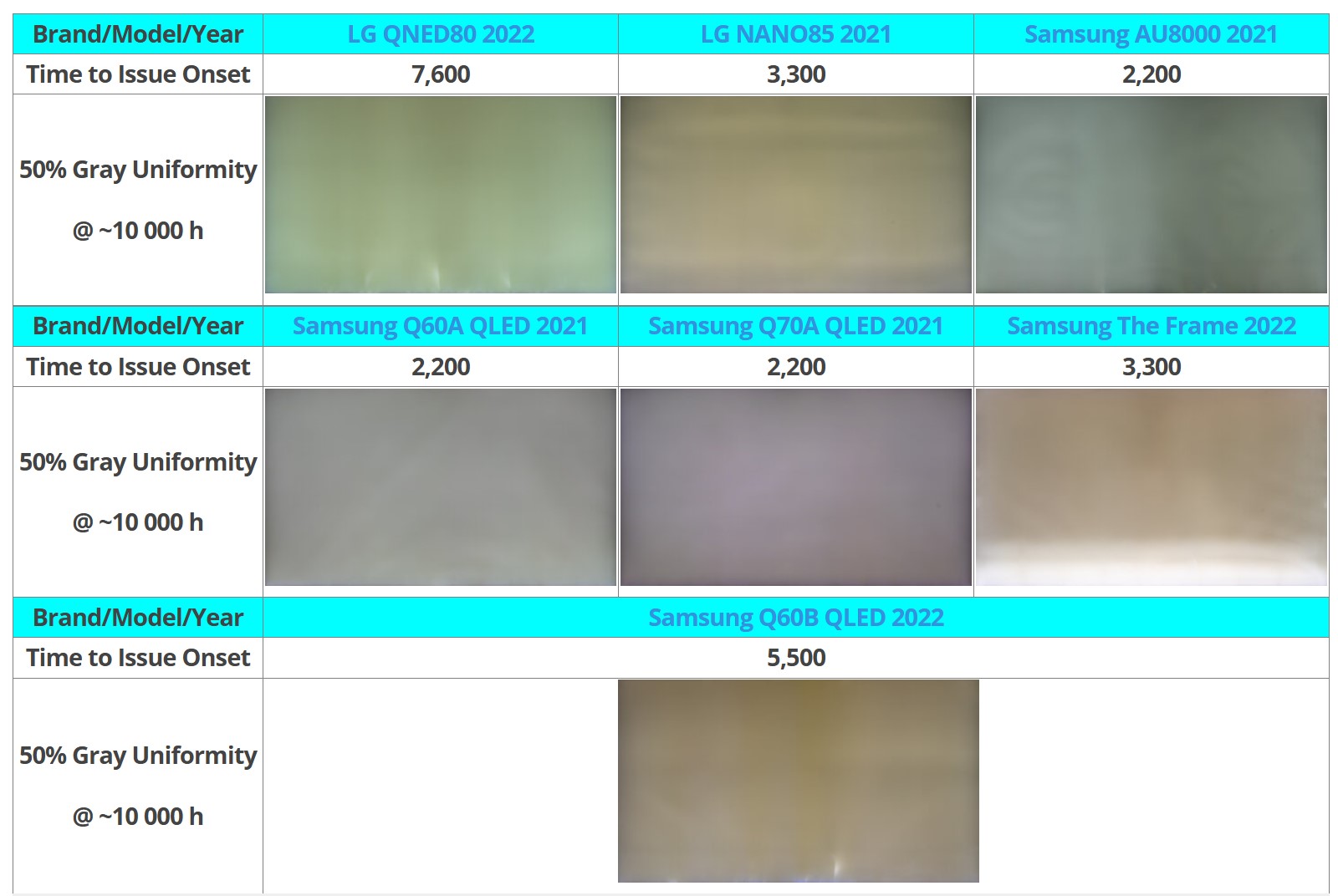
For its torture test, RTINGs tested 11 edge-lit TVs and reported that seven of them have “noticeable” uniformity issues. Of those seven, two models are from LG, and five are Samsung TVs.

Uniformity problems in the edge-lit LCDs tested starting showed after 2,200 hours of testing.
Enlarge / Uniformity problems in the edge-lit LCDs tested starting showed after 2,200 hours of testing.

That’s not a massive sample, but RTINGs’ rep noted that “that’s 64 percent of one type of TV with issues, compared to 20 percent of both” FALD and direct-lit models tested.

Per RTINGs’ spokesperson:

The results of our investigation conclude that edge-lit TVs are prone to failure earlier than other LED designs, like full array local dimming or direct-lit designs. These issues are brand agnostic.

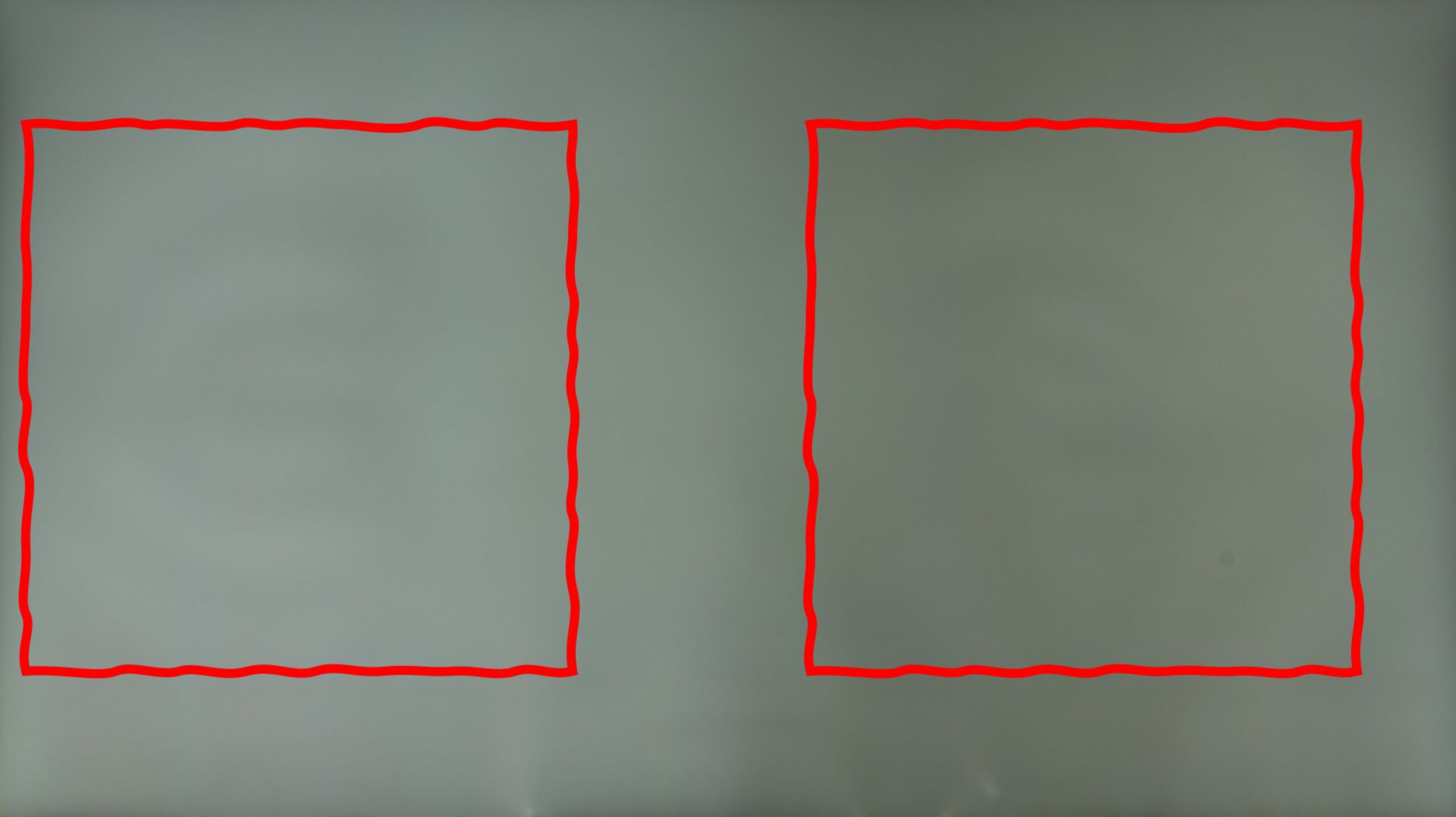
Three main issues are causing the uniformity problems, which have been getting worse on all but one of the seven affected edge-lit TVs, RTINGs said: warped reflector sheets, cracked light guide plates, and burnt-out LEDs. These problems are reportedly surfacing after extended use of the devices with the brightness cranked to the maximum.

Samsung's edge-lit AU8000 showing uniformity problems due to a warped reflector.
Enlarge / Samsung’s edge-lit AU8000 showing uniformity problems due to a warped reflector.

When reached for comment, a Samsung representative told RTINGs that it’s been using edge-lit tech in products “reliably” for over 15 years and that the company “continuously improved the optical components and thermal management of edge-lit models, subjecting them to over 20 long-term reliability tests, including high-temperature testing.” LG told the publication that it had not seen any difference in the defect rate between edge-lit and FALD or direct-lit LCD TVs.

Hot spots

As is often the case with display deformities, the big factor here is heat dispersion.

Because edge-lit displays have heat concentrated in a few (usually one to four) areas along the display’s border, heat is more concentrated than the heat generated by FALD or direct-lit backlights. For example, LG’s QNED90 2022 TV has 180 LEDs on the bottom compared to the Sony X90L’s 160 LEDs that are spread out across the entire back chassis. Even though brighter TVs tend to get hotter, the dimmer LG TV showed hot spots that the Sony didn’t, with its LEDs measuring a whopping 123° C (253.4° F) with the TV at max brightness (RTINGs didn’t specify how long it took for the LEDs to reach this temperature or the temperature of the Sony TV’s LEDs).

This level of heat can warp the TVs’ reflector sheets, which aren’t pinned down like they are in FALD and direct-lit LCD TVs. “This means that there’s nothing keeping that sheet taut and tight inside the TV. so it warps,” RTINGs’ rep explained. According to the publication, every TV that it opened with edge-lit backlight had a reflector sheet that showed some sign of warping.

Edge-lit TVs also use polymer light guide plates, which other types of LCD TVs don’t have, for light diffusion. These plates are also impacted by high temperatures of LEDs, despite the TVs having heatsinks, as only plastic standoffs separate the plates from the diodes. Combined with the stress “caused by the TV heating up and cooling down rapidly,” RTINGs said it’s seeing light guide plates crack, creating visible streaks of light shooting from the border(s) where the backlight is.

Extreme examples of light guide plate damage include the LG QNED80 from 2022, which RTINGs said has over 25 cracks, and the Samsung AU800, whose plastic standoffs melted, resulting in the light guide plate sliding and fusing with the strip of LEDs south of it.

Such high temperatures can also result in the LEDs in edge-lit backlights burning out, which can result in a bluish tint in the TV’s image.

https://arstechnica.com/?p=2040611


Apple reports record revenues despite stagnant iPhone sales

Apple CEO Tim Cook.
Enlarge / Apple CEO Tim Cook.
Lionel Hahn/Getty Images

Apple reported its earnings results for the third quarter of the 2024 fiscal year, and it satisfied investors’ expectations at the top level with 5 percent growth year over year. The company set a third-quarter record with $85.8 billion in revenue.

Despite that growth, a couple of key things investors were concerned about—overall iPhone sales and revenue in China—slipped downward, and Apple’s stock fell slightly in after-hours trading.

Revenue in China fell to $14.7 billion, down 6.3 percent from a year ago, as Apple faces fierce competition from Huawei and other smartphone companies. CEO Tim Cook said on the investor call that iPhone models are still the top sellers “in urban China.”

Overall, the iPhone business fell slightly from $39.67 billion in the same quarter last year to $39.30 this year. As a percent of total sales, the iPhone accounts for its lowest portion amongst the company’s other products and services in almost four years.

So how did the company still achieve a 5 percent overall in overall revenue? That was driven in no small part by substantial gains in both services and iPad revenue.

Apple introduced major new iPad updates in Q3 2024, and consumers seemed to respond well: iPad revenue was $7.16 billion, up almost 24 percent.

Services, which includes things like Apple TV+ and Apple Music, was up 14 percent, continuing an upward trend for that business.

Other product categories include “Wearables, Home, and Accessories” (including AirPods and the Apple Watch, among other things)—down 2 percent to $8.1 billion during the quarter—and the Mac, which was up 2 percent to around $7 billion in sales.

Apple was careful to point out that a very large percentage of buyers of both the Apple Watch and the iPad this quarter were first-time owners of those device categories, suggesting the market is not yet saturated for either.

Cook spent the majority of his time speaking during the earnings call hyping Apple Intelligence, the suite of generative AI features coming in iOS 18.1 this fall. The company first unveiled it during WWDC 2024 earlier in the quarter.

Apple believes Apple Intelligence will help drive sales of its newest and most expensive iPhones, as it won’t run on devices before last year’s iPhone 15 Pro.

Cook also took a brief moment to share enthusiasm for Apple Vision Pro, saying that developers have released more than 2,500 native spatial apps. He listed use cases and described the product in terms of customer satisfaction, though he did not go into specifics about sales numbers for the device.

https://arstechnica.com/?p=2040637


Nothing’s new AI widget is trying to make its CFO a news star

Nothing’s new AI widget is trying to make its CFO a news star

Nothing has a new smartphone—the Phone (2a) Plus—nearly identical to the Phone (2a) it released earlier this year, but with slightly beefed-up specs. It costs $399 and is available in the US through the same beta program. But it isn’t the new Android handset we find most interesting, it’s the company’s new widget.

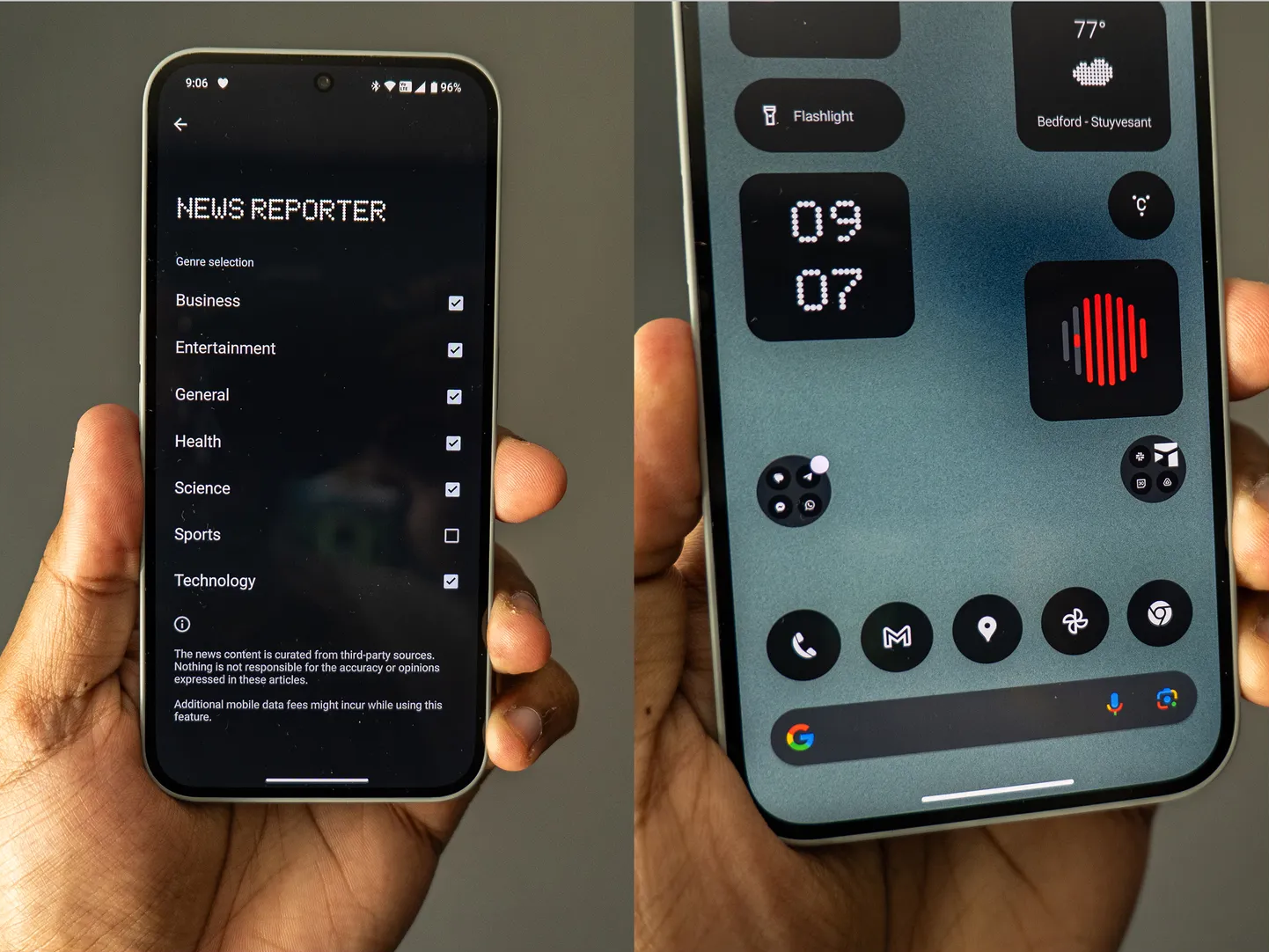
The “News Reporter” widget, available by default on all Nothing and CMF smartphones plus other Android and iOS devices via the Nothing X app, lets you quickly play a news bulletin summarized by artificial intelligence. It is read out by the synthesized voice of Tim Holbrow, the company’s chief financial officer. (Nothing is using ElevenLabs’ tech for sound synthesis and output.) As soon as you tap the widget, you’re greeted by a soothing British voice:

“Welcome to Nothing News, where the only thing we take seriously is not taking anything seriously. I’m Tim, your CFO and reluctant news reader. Today, we’re making something out of nothing, because that’s literally our job.”

The widget will start cycling through a selection of news stories—you can press and hold the widget and tap Edit to add or remove categories you’re interested in, such as business, entertainment, tech, and sports. These news stories are pulled from “trusted English-language news sources” through News API, using Meta’s Llama large language models for the summary.

Nothing's News Reporter widget is available on all Nothing and CMF phones by default. If you download the Nothing X app, you can also access it on Android and iOS.
Enlarge / Nothing’s News Reporter widget is available on all Nothing and CMF phones by default. If you download the Nothing X app, you can also access it on Android and iOS.

You can swipe down the notification bar and press the next button on the media playback notification to skip a story, to which Holbrow will add a quip. “Not feeling that one? Let’s find another.” After I skipped quite a few in a row, AI Holbrow asked, “Do you even like news?”

The summaries are one minute each (roughly), and you get eight stories per day. Every morning, the widget will refresh with a fresh batch. Unfortunately, and frustratingly, the widget doesn’t give you much to go on if you want to read more. There’s no attribution to where it pulled the news from, and no links are provided to read directly from the source.

Every smartphone company has been touting some kind of generative AI feature in new devices this year. Samsung has Galaxy AI; Google has its Gemini chatbot and a bevy of AI features in Pixel phones; Motorola introduced Moto AI recently; and even OnePlus has been teasing a few AI features in its phones, like AI Eraser, which lets you remove unwanted objects from photos. Nothing introduced a ChatGPT integration in its earbuds earlier this year, and this widget is the latest generative AI feature to land.

That said, it’s hardly the first time we’ve seen a news summarization feature. Back when Amazon Alexa and Google Assistant were gaining popularity, one of the top features was to ask the voice assistant to play the news—you’d be able to hear short news clips from various sources, like NPR and CNN. That said, I like the implementation in Nothing’s widget, but I’d also like to see attribution and a way to dig deeper into a story if it’s interesting.

What about that phone?

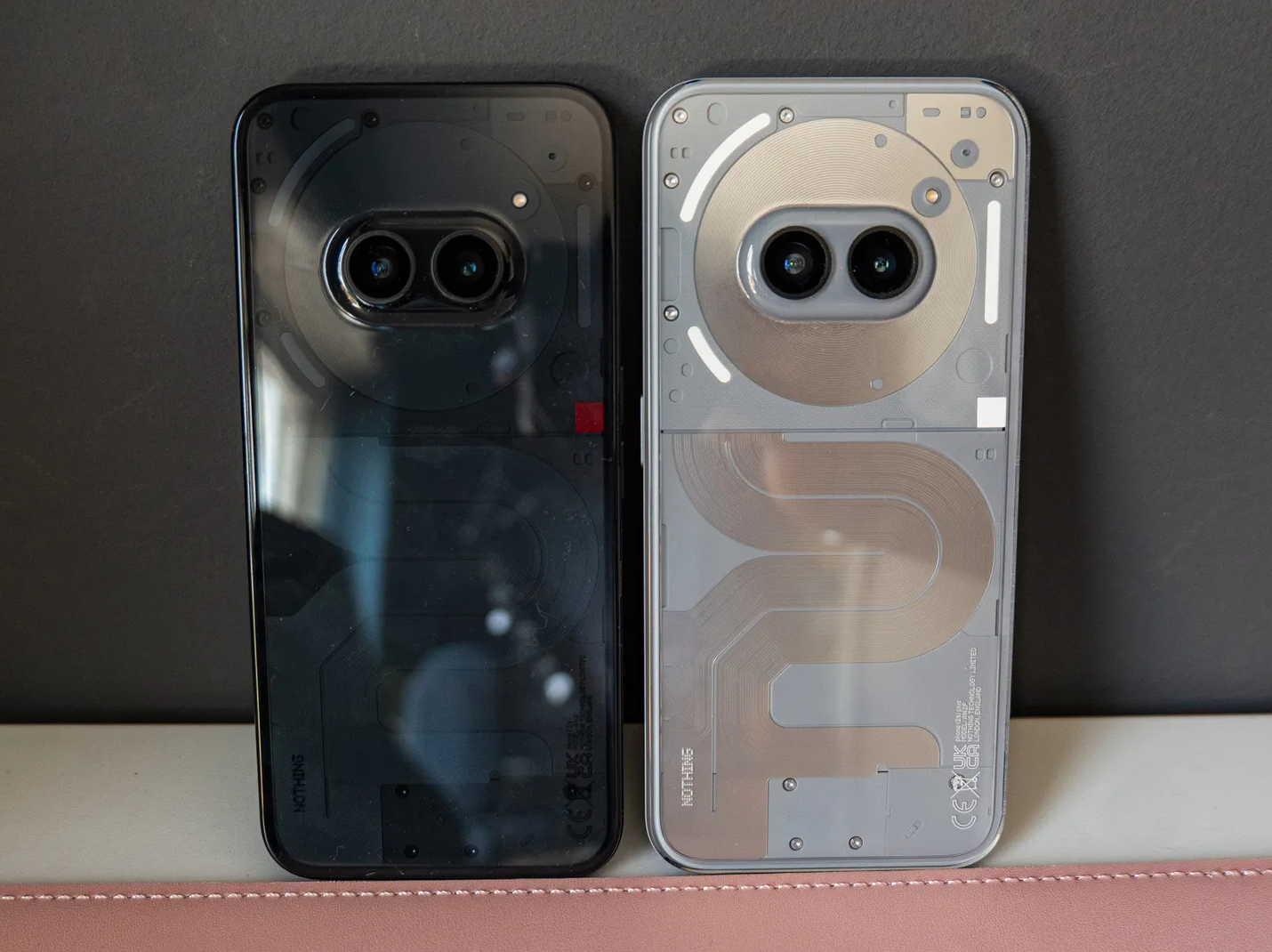
As for the Nothing Phone (2a) Plus, I’ve been using it for several days and it’s … indiscernible from the Phone (2a) I reviewed positively in March. I love the new gray color option, which hides smudges on the rear better and makes the phone’s already fun design pop even more. You still get the same Glyph light functionality, allowing the LEDs to light up for notifications and calendar events, and even double as a visualizer when playing music.

Nothing Phone (2a) on the left, Nothing Phone (2a) Plus on the right.
Enlarge / Nothing Phone (2a) on the left, Nothing Phone (2a) Plus on the right.

The top change here is the processor. Inside is MediaTek’s Dimensity 7350 Pro 5G (as opposed to the Phone (2a)’s Dimensity 7200 Pro), which offers a 10 percent increase in CPU power, and a 30 percent jump in graphics performance. Honestly, I didn’t notice a huge bump in speed, and my benchmark scores show a very tiny boost.

The next upgrade is in the camera, namely, the selfie camera and its new 50-MP sensor that can shoot 4K at 30 frames per second (up from 32 megapixels). The company says it has issued seven updates since the launch of the Phone (2a) with 26 improvements to the camera, which include upgrades to loading speeds, color consistency, and blur accuracy in portrait mode. The Phone (2a) Plus launches with all of those improvements, and the 50-MP front and ultrawide cameras on the rear are the same.

Selfies indeed look much nicer, especially in low light, where my face appears sharper with better HDR and a more balanced exposure. The rear cameras produce nice results considering the price, and I found daytime renders to deliver natural-looking colors. It can still struggle with super high-contrast scenes, but this is a solid camera system.

Lastly, the wired charging on the phone now supports 50 watts (up from 45 watts), which supposedly gets you a 10 percent charging speed boost. Everything else is identical from the Phone (2a)’s specs, from the 6.7-inch AMOLED display to the 5,000-mAh battery.

Nothing new

I’ve enjoyed the phone over the past few days, but its launch is so peculiar, considering it doesn’t introduce any groundbreaking updates to the Phone (2a). So I asked the company why it decided to launch the (2a) Plus now. “We aren’t launching Phone (3) until next year, and we saw an opportunity to enhance the smartphone we launched in March with Phone (2a) Plus, a new smartphone—catered towards power users—at an accessible price point,” says Jane Nho, Nothing’s head of PR in the US. The company launched its last flagship phone, the Phone (2), in July 2023.

So there you have it: The Phone (2a) Plus is a seemingly painless way for Nothing to try and stay relevant amidst all the other smartphone launches, still have an AI story, boost sales, and oddly try and make some sort of digital celebrity out of its CFO.

Nothing says it’ll go on sale August 3 in London at Nothing’s store in Soho, in gray and black, with 12GB RAM and 256GB storage. In the US, the device will follow the same beta program system as the Phone (2a) and CMF Phone 1. That means you’ll have to sign up for the beta, and once you’re accepted, you’ll be able to purchase the device for $399. It’ll be available on August 7 at 9 am ET.

This story originally appeared on wired.com.

https://arstechnica.com/?p=2040429


Microsoft strips ads from Skype in a move toward “user-centric design”

A marketing image by Microsoft for the desktop version of Skype.
Enlarge / A marketing image by Microsoft for the desktop version of Skype.

If you’ve used Microsoft’s Skype in recent years, you’ve probably noticed that the user experience is less than ideal because of the pervasiveness of ads in the software. Fortunately, that’s going to change in a new update coming to all platforms in the near future.

In the latest release notes for Skype Insider build 8.125, product manager Irene Namuganyi writes, “We’re excited to announce that Skype is now ad-free! Our latest update removes all ads from Skype channels and the entire Skype platform, ensuring a smoother, decluttered, and more enjoyable user experience.”

Whereas there were previously ads in the “today” section of the application, it will now be ad-free, showing just the relevant newsfeed content. There won’t be any ads in conversation views, either.

Other major features in the Skype update include improved AI image creation—you can now more directly access the feature from the chat window or top bar, the UI has been improved, and other improvements—and the introduction of OneAuth integration on the iOS app. (OneAuth was already supported on Skype for Android.)

Skype isn’t the behemoth of online communication it was long ago, though it’s still popular for international calls in many cases, and it still has quite a few users.

But this update is interesting in the larger context of Microsoft’s software strategy. Ads have been popping up all over Windows and other Microsoft experiences, like the Start menu. Anyone who’s using Windows or Microsoft’s web services right now is too familiar with the company’s aggressive efforts to get users to start using the Edge web browser or to try the Copilot AI tool.

Does this Skype update herald a scaling back of that approach to the company’s software business in response to criticism about a less-than-ideal user experience? We have no way of knowing, but this is nice to see if you’re still a frequent Skype user.

https://arstechnica.com/?p=2040411