TinyPod wants to turn Apple Watches into minimalist phones that feel like iPods

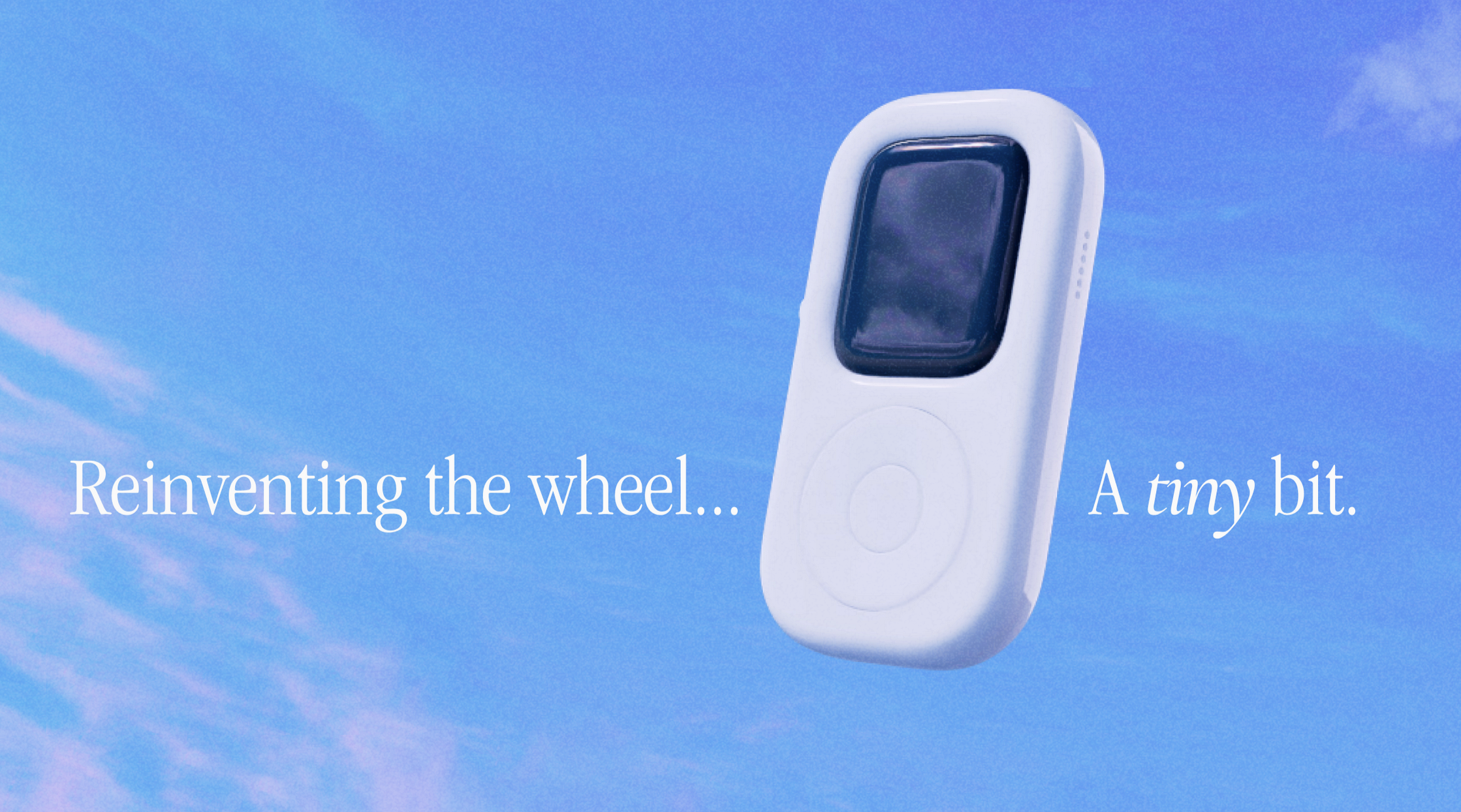
Image of a TinyPod, with text in an Apple-evoking font reading
Enlarge / The font styling is very intentional.

I traded in my Series 5 Apple Watch last week to Apple after the battery couldn’t make it through most evenings. There wasn’t much resale incentive on the open market, because the screen was far from pristine and the battery was nearly 5 years old. You can replace the battery yourself, but, already having a lot of fix projects on the shelf, I opted to send it off, take a gift card, and move on.

If I get a chance, though, I’m going to ask Apple for that watch back. Apple can keep its estimated $90. I am cautiously but earnestly optimistic that the tinyPod can give me more value than a gift card number I plow into some future iPhone upgrade. In fact, the tinyPod, according to its creator, should go on sale for around that $90 mark after a more detailed reveal in June.

No electronics, just a lefty-oriented Apple Watch case

The tinyPod is essentially an iPod-like case, complete with circular-scrolling clickwheel, into which a strapless Apple Watch can be snapped in. Once inside the case, the scroll wheel function is “entirely analog and physically rotates the watch crown,” according to tinyPod founder Newar, better known as “Sentry” on X (formerly Twitter) and in jailbreaking circles. The crown-moving mechanism and general case enhancements to the Watch are patent-pending, Newar wrote by email. More on the scroll wheel will be shown next month, he wrote, at a “proper launch.”

As seen in the reveal trailer on X/Twitter, the tinyPod has two buttons on its side, with an inlet for a microphone hole, too. They all roughly match the Apple Watch’s long side button and crown push-button. It might not look like it lines up with how an upward-facing Apple Watch is oriented, but that’s probably because you’re right-handed. The Apple Watch can flip its display for lefties, something the tinyPod seems to utilize.

The case doesn’t have any “additional storage or electronics,” Newar wrote, at least in this model. The best use cases are “anything playback related (music/podcasts/audio books).” But, Newar adds, it’s also “the best way for an iPhone user to disconnect from their phone while staying connected to the essentials of messaging, email, calendar, phone calling and more that watchOS is capable of.”

The tinyPod project aims to eventually cover all Watch models that are Series 4 and newer. But at launch, the larger 45 mm models of Series 7-9 will be first to ship, then the Ultra and 41 mm sizes of the newer Series 7-9, and eventually the 40 and 44 mm models of Series 4-6.

Prior to this creative reuse project, Newar toiled in the iOS jailbreak scene, working on the Auxo app switcher, AltKeyboard, Apex, and several others. After that, he worked as a product designer and director of design engineering at Snap. Newar is working now with what he describes as a small team, globally dispersed.

https://arstechnica.com/?p=2027388



Google is killing off the messaging service inside Google Maps

Google is killing off a messaging service! This one is the odd “Google Business Messaging” service—basically an instant messaging client that is built into Google Maps. If you looked up a participating business in Google Maps or Google Search on a phone, the main row of buttons in the place card would read something like “Call,” “Chat,” “Directions,” and “Website.” That “Chat” button is the service we’re talking about. It would launch a full messaging interface inside the Google Maps app, and businesses were expected to use it for customer service purposes. Google’s deeply dysfunctional messaging strategy might lead people to joke about a theoretical “Google Maps Messaging” service, but it already exists and has existed for years, and now it’s being shut down.

Search Engine Land’s Barry Schwartz was the first to spot the shutdown emails being sent out to participating businesses. Google has two different support articles up for a shutdown of both “Google Business Profile Chat” and “Google Business Messages,” which appear to just be the same thing with different names. On July 15, 2024, the ability to start a new chat will be disabled, and on July 31, 2024, both services will be shut down. Google is letting businesses download past chat conversations via Google Takeout.

Google’s Maps messaging service was Google Messaging Service No. 16 in our giant History of Google Messaging article. The feature has undergone many changes, so it’s a bit hard to follow. The Google Maps Messaging button launched in 2017, when it would have been called “Google My Business Chat.” This wasn’t quite its own service yet—the messaging button would either launch your SMS app or boot into another dead Google messaging product, Google Allo!

The original SMS option was the easy path for small businesses with a single store, but SMS is tied to a single physical phone. If you’re a bigger business and want to take on the task of doing customer service across multiple stores, at the scale of Google Maps, that’s going to be a multi-person job. The Google Allo back-end (which feels like it was the driving force behind creating this project in the first place) would let you triage messages to multiple people. Allo was one year into its 2.5-year lifespan when this feature launched, though, so things would have to change soon before Allo’s 2019 shutdown date.

Knowing that the announcement of Allo’s death was a month away, Google started making Maps into its own standalone messaging service in November 2018. Previously, it would always launch an outside app (either SMS or Allo), but with this 2018 update, Maps got its own instant messaging UI built right into the app. “Messages” became a top-level item in the navigation drawer (later this would move to “updates”), and a third-party app was no longer needed. On the business side of things, a new “Google My Business” app would be the new customer service interface for all these messages. Allo’s shutdown in 2019 disabled the ability to use SMS for small businesses, and everything needed to use this Google My Business app now. Maps was officially a new messaging service. Google also created the “Business Messages API,” so big businesses could plug Maps messaging into some kind of customer management app.

It does not sound like Google is going to replace business messaging with anything in the near future, so the Chat buttons in Google Maps and search will be going away. In the endless pantheon of Google Messaging solutions, the Google Developer page also mentions an “RCS Business Messaging” platform that will launch the Google Messaging app. This service does not seem to be built into any existing Google products, though, and isn’t mentioned as an alternative in Google’s shutdown announcement. Google only suggests that businesses “redirect customers to your alternative communication channels,” but those links won’t be getting premium placement in Google’s products.

Business messaging is a pretty well-established market, and the Big Tech companies with competent messaging strategies are involved somehow. On iOS, there’s Apple’s iMessage-based Messages for Business, which also has a chat button layout in Apple Maps. Meta has both WhatsApp Business Messaging and Facebook Messenger’s Meta Business Messaging. There are also standalone businesses like Twilio.

Listing image by Google / Ron Amadeo

https://arstechnica.com/?p=2027430


8BitDo M Edition mechanical keyboard is a modern take on IBM’s Model M

8BitDo is releasing an IBM-inspired look for its $100 wireless mechanical keyboard. Keyboard enthusiasts love regaling normies with tales of IBM’s buckling spring keyboards and the precedent they set for today’s mechanical keyboards. But 8BitDo’s Retro Mechanical Keyboard M Edition doesn’t adopt very much from IBM’s iconic designs.

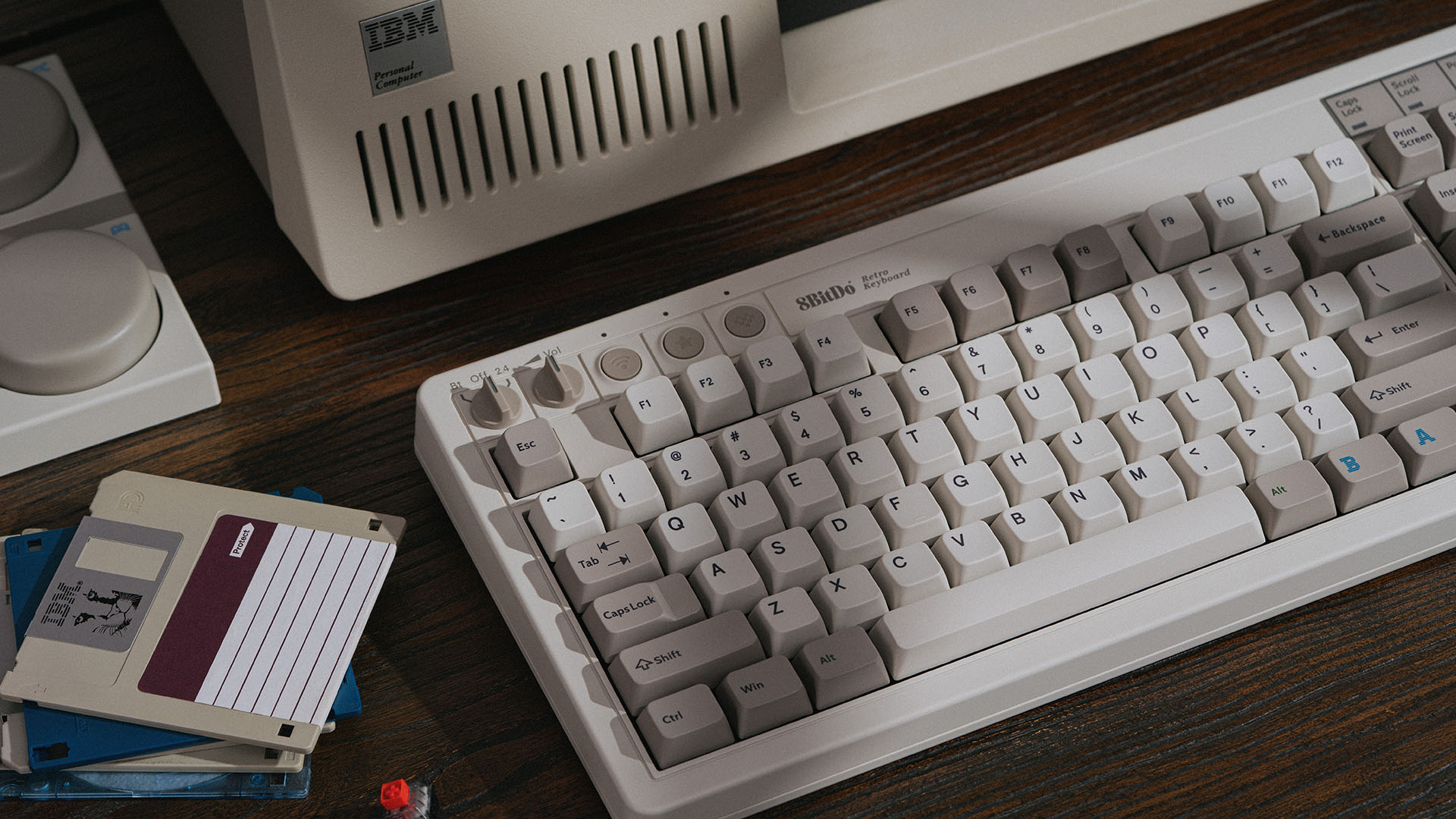
8BitDo’s Retro mechanical keyboards come in different looks that each pay tribute to classic tech. The tributes are subtle enough to avoid copyright issues. Similar to 8BitDo’s ‘80s Nintendo Entertainment System (NES) and Commodore 64 designs, the M Edition doesn’t have any official IBM logos. However, the M Edition’s color scheme, chunkier build, and typeface selection, including on the Tab key with arrows and elsewhere, are nods to IBM’s Model M, which first succeeded the Model F in 1985.

Of course, the keyboard’s naming, and the IBM behemoth and floppy disks strategically placed in marketing images, are notes of that, too:

The IBM Easter eggs are apparent.
Enlarge / The IBM Easter eggs are apparent.

Despite its IBM-blue striped B and A buttons, the M Edition won’t be sufficient for retro keyboard fans seeking the distinct, buckling-spring experience of a true Model M.

As mentioned, the M Edition is basically a new color scheme for 8BitDo’s wireless mechanical keyboard offering. The peripheral connects to Windows 10 and Android 9.0 and newer devices via a USB-A cable, its wireless USB-A 2.4 Ghz dongle, or Bluetooth 5.0. 8BitDo claims it can endure up to 200 hours of use before needing a recharge. The M Edition also comes with the detachable A and B “Super Buttons” that connect to the keyboard via a 3.5 mm jack and are programmable without software.

Differing from the Model M’s buckling spring switches, the M Edition has Kailh Box White V2 mechanical switches, which typically feel clicky and light to press. With crisp clicks and noticeable, but not slowing, feedback, they’re good for a modern mechanical switch for frequent typing.

But IBM’s ’80s keyboard didn’t use modern mechanical switches. It used buckling springs over a membrane sheet that made keys feel heavier to push than the keys on the preceding Model F keyboard (which used buckling springs over a capacitive PCB). 8BitDo’s switches are hot-swappable, though, making them easily replaceable.

The M Edition’s keycaps have an MDA-profile-like height, according to 8BitDo’s website. True Model M keycaps all had the same profile. The M Edition’s keycaps are doubleshot like the true Model M’s were, but the new keyboard uses cheaper ABS plastic instead of PBT.

While dimensions of 14.8×6.7×1.8 inches make the M Edition fairly dense for a tenkeyless keyboard, I would have loved to see 8BitDo commit to the vintage look with a thicker border north of the keys and more height toward the top.

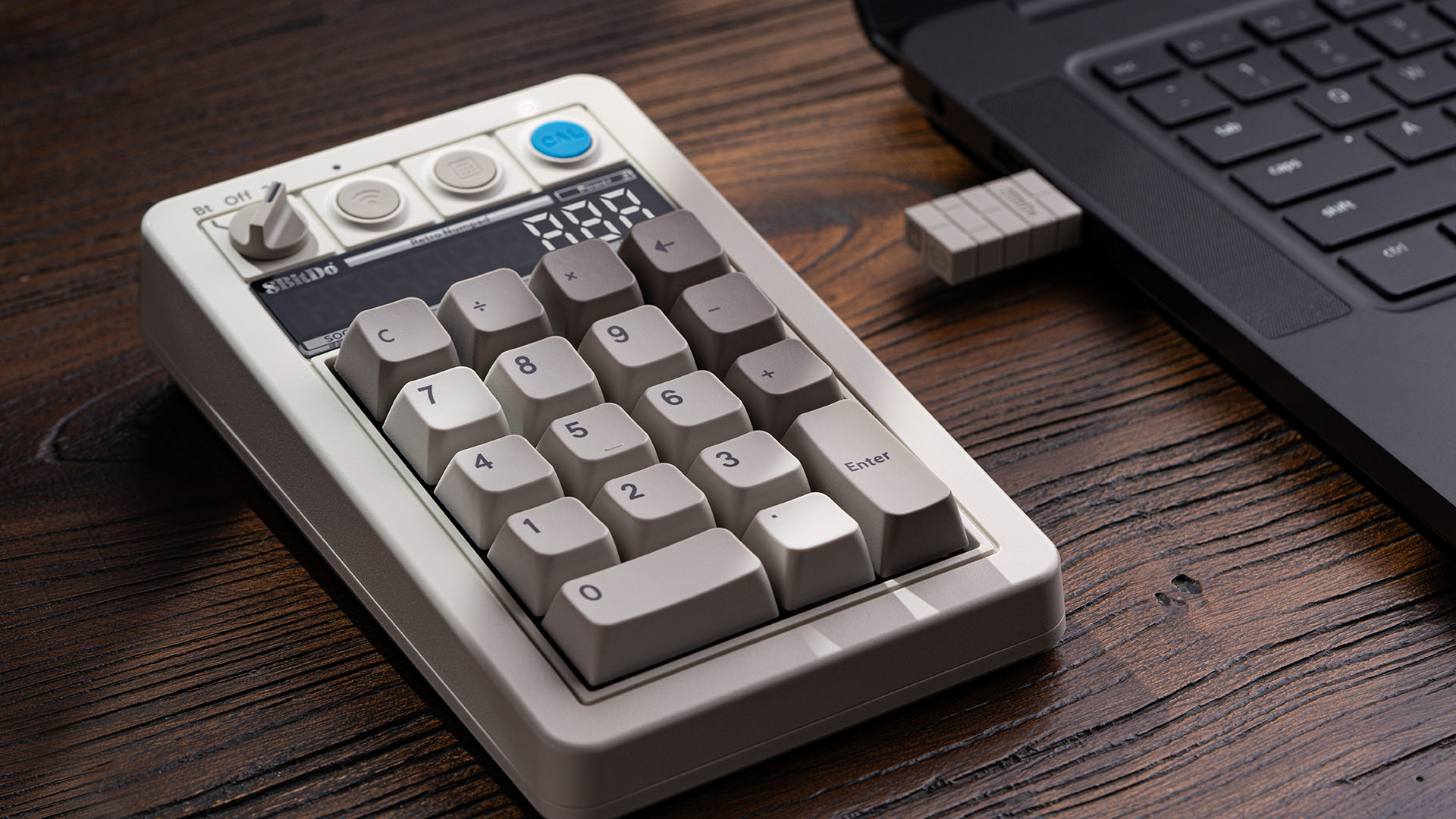
But smaller keyboards that let owners reclaim desk space are the more common prebuilt mechanical keyboard releases these days, especially for gaming-peripherals brands like 8BitDo. A gaming focus also helps explain why there’s no numpad on the M Edition. 8BitDo is releasing a detachable numpad to go with the keyboard. It can connect via Bluetooth, dongle, or cable, but it will cost $45 extra.

The numpad has a button for switching to a regular calculator.
Enlarge / The numpad has a button for switching to a regular calculator.

8BitDo’s new keyboard colorway may appeal to people craving a hint of IBM nostalgia that doesn’t make their workspace look like it’s completely stuck in the past. But considering the fandom and legacy of old-school IBM keyboards’ switches and looks, shades of gray and blue won’t feel retro enough for many IBM keyboard fans.

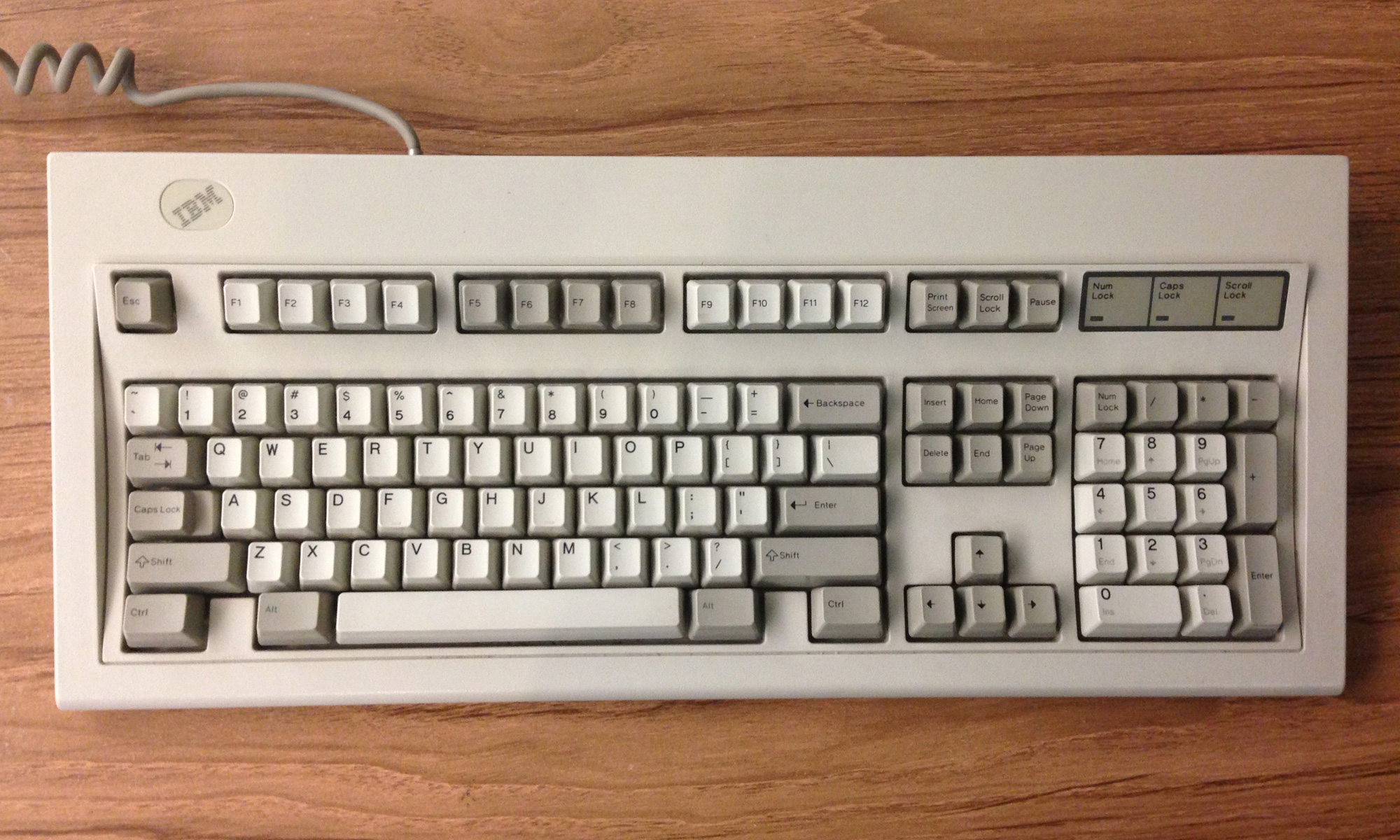
The real deal: an IBM Model M.
Enlarge / The real deal: an IBM Model M.

If you want a real Model M, there’s a market of found and restored models available online and in thrift stores and electronics stores. For a modern spin, like USB ports and Mac support, Unicomp also makes new Model M keyboards that are truer to the original IBM design, particularly in their use of buckling spring switches.

The M Edition comes out on July 15.

Listing image by 8BitDo

https://arstechnica.com/?p=2027463


Google Search’s “udm=14” trick lets you kill AI search for good

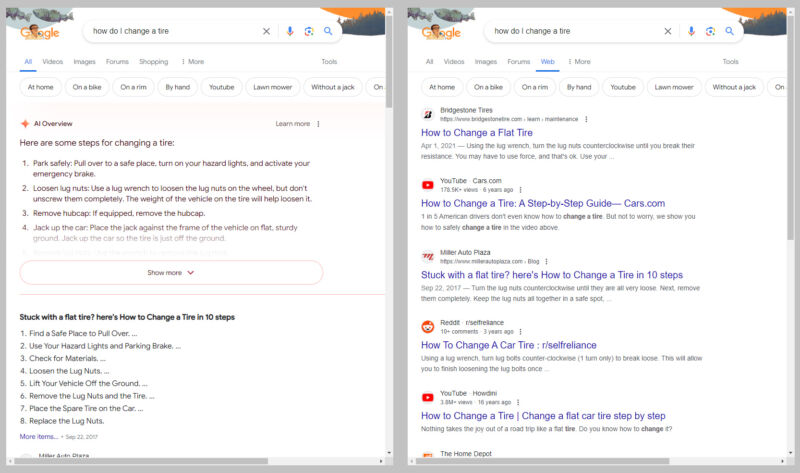
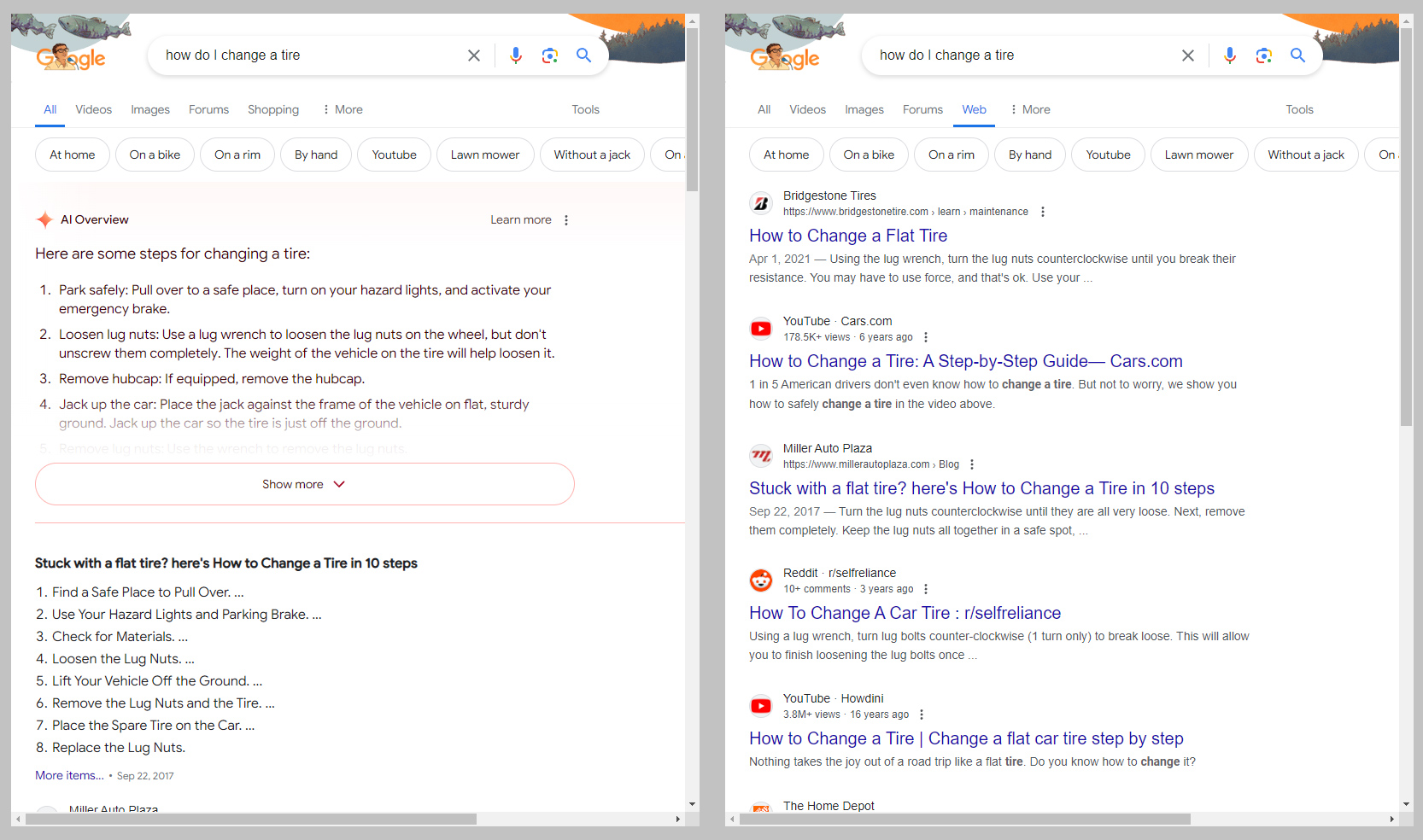
The now normal "AI" results versus the old school "Web" results.
Enlarge / The now normal “AI” results versus the old school “Web” results.
Ron Amadeo / Google

If you’re tired of Google’s AI Overview extracting all value from the web while also telling people to eat glue or run with scissors, you can turn it off—sort of. Google has been telling people its AI box at the top of search results is the future, and you can’t turn it off, but that ignores how Google search works: A lot of options are powered by URL parameters. That means you can turn off AI search with this one simple trick! (Sorry.)

Our method for killing AI search is defaulting to the new “web” search filter, which Google recently launched as a way to search the web without Google’s alpha-quality AI junk. It’s actually pretty nice, showing only the traditional 10 blue links, giving you a clean (well, other than the ads), uncluttered results page that looks like it’s from 2011. Sadly, Google’s UI doesn’t have a way to make “web” search the default, and switching to it means digging through the “more” options drop-down after you do a search, so it’s a few clicks deep.

Check out the URL after you do a search, and you’ll see a mile-long URL full of esoteric tracking information and mode information. We’ll put each search result URL parameter on a new line so the URL is somewhat readable:

https://www.google.com/search
?sca_esv=2d1299fed1ffcbfc
&sca_upv=1
&sxsrf=ADLYWIKXaYE8rQyTMcGnzqLZRvjlreRhkw:1716566104389
&q=how+do+I+turn+off+ai+overview
&uds=ADvngMiH6OrNXu9iaW3w… [truncated]
&udm=14
&prmd=vnisbmt
&sa=X
&ved=2ahUKEwixo4qH06aGAxW5MlkFHQupBdkQs6gLegQITBAB
&biw=1918
&bih=953
&dpr=1

Most of these only mean something to Google’s internal tracking system, but that “&udm=14” line is the one that will put you in a web search. Tack it on to the end of a normal search, and you’ll be booted into the clean 10 blue links interface. While Google might not let you set this as a default, if you have a way to automatically edit the Google search URL, you can create your own defaults. One way to edit the search URL is a proxy site like udm14.com, which is probably the biggest site out there popularizing this technique. A proxy site could, if it wanted to, read all your search result queries, though (your query is also in the URL), so whether you trust this site is up to you.

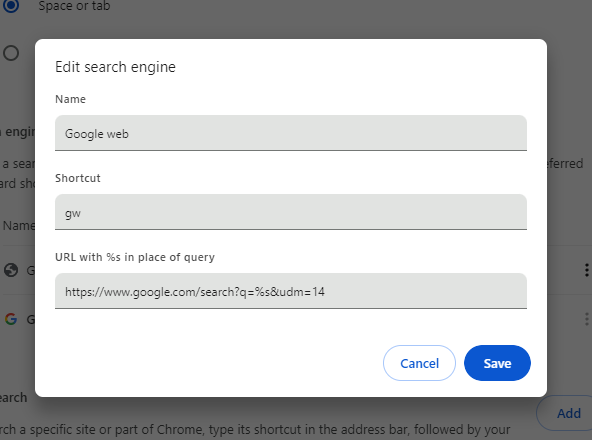
If you search from your browser’s address bar, that’s a good way to make “web” search the default without involving a third party. Chrome and Firefox have essentially the exact same UI for search settings. In Chrome, you get there by right-clicking the address bar and hitting “manage search engines.” Firefox might take a bit more work, since first you’ll need to enable custom search engines. First type “about:config” into the address bar and hit enter, then search for “browser.urlbar.update2.engineAliasRefresh,” and hit the “plus” button. Then go to Settings -> Search, scroll down to the search engine section, and hit “Add.”

On both browsers, you probably can’t edit the existing Google listing, so you’ll need to create a new search shortcut, call it Google Web, and use https://www.google.com/search?q=%s&udm=14 as the URL.

AI-free Google search.
Ron Amadeo

The third box in the search engine setting is either named “shortcut” or “alias,” depending on your browser, and it does not matter at all if you plan on making this your new default search engine. If you don’t want it to be the default, shortcut/alias will let you selectively launch this search from the address bar by starting your query with the shortcut text. The udm14.com instructions suggest “gw,” so then typing “gw should I eat rocks” will launch “web” search. Omitting “gw” will still launch Google’s AI idiot box, which will probably tell you that rocks are delicious. To use this search engine all the time, find it in the list again after creating it, click the menu button next to the listing, and hit “make default.” Then the shortcut is no longer needed—anything typed into the address bar/search box will go right to web search.

While you’re in here messing around with Google’s URL parameters, another one you might want to add is “&tbs=li:1”. This will automatically trigger “verbatim” search, which makes Google use your exact search inputs instead of fuzzy searching everything, ignoring some words, replacing words with synonyms, and generally doing whatever it can to water down your search input. If you’re a Google novice, the default fuzzy search is fine, but if you’re an expert that has honed your Google Fu skills since the good old days, the fuzzy search is just annoying. It’s just a default, so if you ever find yourself with zero results, hitting the “tools” button will still let you switch between “verbatim” and “all results.”

Defaulting to “web” search will let you use Google with only the 10 blue links, and while that feels like rolling the interface back to 2011, keep in mind you’re still not rolling back Google’s search results quality to 2011. You’re still going to be using a search engine that feels like it has completely surrendered to SEO spammers. So, while this Band-Aid solution is interesting, things are getting so bad that the real recommendation is probably to switch to something other than Google at this point. We all need to find another search engine that values the web and tries to search it. As opposed to Google, which increasingly seems like it’s trying to sacrifice the web at the altar of AI.

Listing image by Aurich Lawson

https://arstechnica.com/?p=2026948


Apple clarifies iOS 17.5 bug that exposed deleted photos

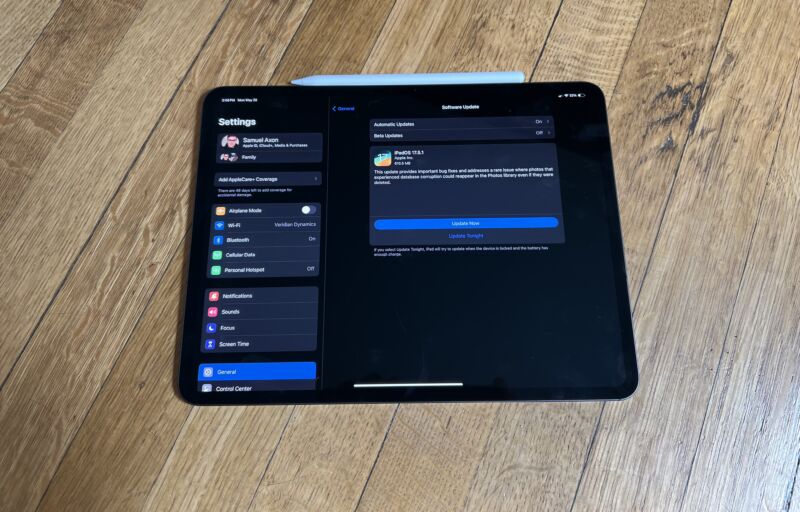
iPadOS 17.5.1 ready to install on an iPad Pro.
Enlarge / iPadOS 17.5.1 ready to install on an iPad Pro.
Samuel Axon

On May 20, Apple released iOS 17.5.1 to fix a bug users had found a few days prior in iOS 17.5 that resurfaced old photos that had been previously deleted. So far, the update seems to have resolved the issue, but users were left wondering exactly what had happened. Now Apple has clarified the issue somewhat, describing the nature of the bug to 9to5Mac.

Apple told the publication that the photos were not regurgitated from iCloud Photos after being deleted on the local device; rather, they were local to the device. Apple says they were neither left in the cloud after deletion nor synced to it after, and the company did not have access to the deleted photos.

The photos were retained on the local device storage due to a database corruption issue, and the bug resurfaced photos that were flagged for deletion but were not actually fully deleted locally.

That simple explanation doesn’t fully cover all the widely reported edge cases some users had brought up in forums and on Reddit, but Apple offered additional answers for those, too.

The company claimed that when users reported the photos resurfacing on a device other than the one they were originally deleted on, it was always because they had restored from a backup other than iCloud Photos or performed a direct transfer from one device to another.

One user on Reddit claimed (the post has now been deleted) that they had wiped an iPad, sold it to a friend, and the friend then saw photos resurface. Apple told 9to5Mac that is impossible if the user followed the expected procedure for wiping the device, which is to go to “Settings,” “General,” “Transfer and Reset,” and “Erase All Content and Settings.”

The bug was particularly nasty in terms of optics and user trust for Apple, but it would have been far worse if it was iCloud-related and involved deleted photos staying on or being uploaded to Apple’s servers. If what the company told 9to5Mac is true, that was not the case.

Still, it’s a good reminder that in many cases, a deleted file isn’t necessarily deleted, either due to a bug like this, the nature of the storage tech, or in some other cases on other platforms, a deliberate choice.

https://arstechnica.com/?p=2026970


“Unacceptable”: Spotify bricking Car Thing devices in Dec. without refunds

“Unacceptable”: Spotify bricking Car Thing devices in Dec. without refunds

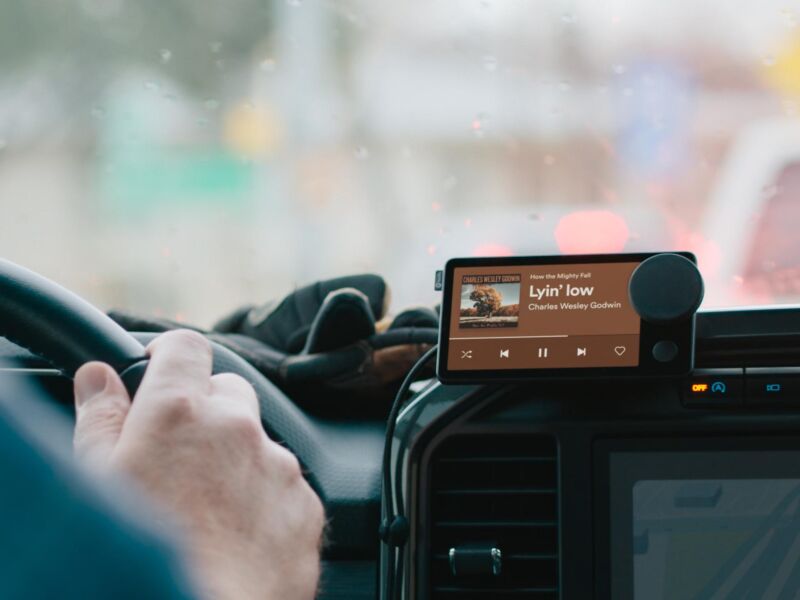
Owners of Spotify’s soon-to-be-bricked Car Thing device are begging the company to open-source the gadgets to save some the landfill. Spotify hasn’t responded to pleas to salvage the hardware, which was originally intended to connect to car dashboards and auxiliary outlets to enable drivers to listen to and navigate Spotify.

Spotify announced today that it’s bricking all purchased Car Things on December 9 and not offering refunds or trade-in options. On a support page, Spotify says:

We’re discontinuing Car Thing as part of our ongoing efforts to streamline our product offerings. We understand it may be disappointing, but this decision allows us to focus on developing new features and enhancements that will ultimately provide a better experience to all Spotify users.

Spotify has no further guidance for device owners beyond asking them to reset the device to factory settings and “safely” get rid of the bricked gadget by “following local electronic waste guidelines.”

The company also said that it doesn’t plan to release a follow-up to the Car Thing.

Early demise

Car Thing came out to limited subscribers in October 2021 before releasing to the general public in February 2022.

In its Q2 2022 earnings report released in July, Spotify revealed that it stopped making Car Things. In a chat with TechCrunch, it cited “several factors, including product demand and supply chain issues.” A Spotify rep also told the publication that the devices would continue to “perform as intended,” but that was apparently a temporary situation.

Halted production was a warning sign that Car Thing was in peril. However, at that time, Spotify also cut the device’s price from $90 to $50, which could have encouraged people to buy a device that would be useless a few years later.

Car Thing’s usefulness was always dubious, though. The device has a 4-inch touchscreen and knob for easy navigation, as well as support for Apple CarPlay, Android Auto, and voice control. But it also required users to subscribe to Spotify Premium, which starts at $11 per month. Worse, Car Thing requires a phone using data or Wi-Fi connected via Bluetooth in order to work, making the Thing seem redundant.

In its Q1 2022 report, Spotify said that quitting Car Thing hurt gross margins and that it took a 31 million euro (about $31.4 million at the time) hit on the venture.

Open source pleas

Spotify’s announcement has sent some Car Thing owners to online forums to share their disappointment with Spotify and beg the company to open-source the device instead of dooming it for recycling centers at best. As of this writing, there are over 50 posts on the Spotify Community forums showing concern about the discontinuation, with many demanding a refund and/or calling for open-sourcing. There are similar discussions happening elsewhere online, like on Reddit, where users have used phrases like “entirely unnacceptable” to describe the news.

A Spotify Community member going by AaronMickDee, for example, said:

I’d rather not just dispose of the device. I think there is a community that would love the idea of having a device we can customize and use for other uses other than a song playback device.

Would Spotify be willing to maybe unlock the system and allow users to write/flash 3rd party firmware to the device?

A Spotify spokesperson declined to answer Ars’ questions about why Car Thing isn’t being open-sourced and concerns around e-waste and wasted money.

Instead, a company rep told Ars, in part: “The goal of our Car Thing exploration in the US was to learn more about how people listen in the car. In July 2022, we announced we’d stop further production and now it’s time to say goodbye to the devices entirely.” I followed up with Spotify’s rep to ask again about making the device open source but didn’t hear back.

At this point, encouraging customers to waste nearly $100 on a soon-obsolete device hasn’t resulted in any groundbreaking innovations or lessons around “how people listen in the car.” In their initial response, Spotify’s rep pointed me to a Spotify site that searches Spotify’s newsroom for “how to listen to Spotify in the car.” One of the top posts is from 2019 and states that “if your car has an AUX or USB socket, using a cable is probably one of the fastest ways to connect by using your phone.”

As for Spotify, using customer dollars for company-serving learning experiences isn’t the best business plan. And for regular users, it’s best to avoid investing in an unproven hardware venture from a software company.

As Redditor Wemie1420 put it:

Doesn’t feel great that there is literally no alternative other than trashing it. Feels like we’re being punished for supporting them. Dissuades me from buying anything Spotify puts out in the future. I feel like there would be some way to approach this without being like, ‘yeah we’re done. Just throw it out it’s a waste of money now.’

https://arstechnica.com/?p=2026806


Bing outage shows just how little competition Google search really has

Google logo on a phone in front of a Bing logo in the background
Getty Images

Bing, Microsoft’s search engine platform, went down in the very early morning today. That meant that searches from Microsoft’s Edge browsers that had yet to change their default providers didn’t work. It also meant that services relying on Bing’s search API—Microsoft’s own Copilot, ChatGPT search, Yahoo, Ecosia, and DuckDuckGo—similarly failed.

Services were largely restored by the morning Eastern work hours, but the timing feels apt, concerning, or some combination of the two. Google, the consistently dominating search platform, just last week announced and debuted AI Overviews as a default addition to all searches. If you don’t want an AI response but still want to use Google, you can hunt down the new “Web” option in a menu, or you can, per Ernie Smith, tack “&udm=14” onto your search or use Smith’s own “Konami code” shortcut page.

If dismay about AI’s hallucinations, power draw, or pizza recipes concern you—along with perhaps broader Google issues involving privacy, tracking, news, SEO, or monopoly power—most of your other major options were brought down by a single API outage this morning. Moving past that kind of single point of vulnerability will take some work, both by the industry and by you, the person wondering if there’s a real alternative.

Search engine market share, as measured by StatCounter, April 2023–April 2024.
StatCounter

Upward of a billion dollars a year

The overwhelming majority of search tools offering an “alternative” to Google are using Google, Bing, or Yandex, the three major search engines that maintain massive global indexes. Yandex, being based in Russia, is a non-starter for many people around the world at the moment. Bing offers its services widely, most notably to DuckDuckGo, but its ad-based revenue model and privacy particulars have caused some friction there in the past. Before his company was able to block more of Microsoft’s own tracking scripts, DuckDuckGo CEO and founder Gabriel Weinberg explained in a Reddit reply why firms like his weren’t going the full DIY route:

… [W]e source most of our traditional links and images privately from Bing … Really only two companies (Google and Microsoft) have a high-quality global web link index (because I believe it costs upwards of a billion dollars a year to do), and so literally every other global search engine needs to bootstrap with one or both of them to provide a mainstream search product. The same is true for maps btw — only the biggest companies can similarly afford to put satellites up and send ground cars to take streetview pictures of every neighborhood.

Bing makes Microsoft money, if not quite profit yet. It’s in Microsoft’s interest to keep its search index stocked and API open, even if its focus is almost entirely on its own AI chatbot version of Bing. Yet if Microsoft decided to pull API access, or it became unreliable, Google’s default position gets even stronger. What would non-conformists have to choose from then?

https://arstechnica.com/?p=2026559


Biggest Windows 11 update in 2 years nearly finalized, enters Release Preview

Biggest Windows 11 update in 2 years nearly finalized, enters Release Preview

The Windows 11 24H2 update isn’t scheduled to be released until sometime this fall, but testers can get a near-final version of it early. Microsoft has released Windows 11 24H2 build 26100.712 to its Release Preview testing channel for Windows Insiders, a sign that the update is nearly complete and that the company has shifted into bug-fixing mode ahead of general availability.

Microsoft has generally stuck to smaller but more frequent feature updates during the Windows 11 era, but the annual fall updates still tend to be a bigger deal. They’re the ones that determine whether you’re still eligible for security updates, and they often (but not always) come with more significant under-the-hood changes than the normal feature drops.

Case in point: Windows 11 24H2 includes an updated compiler, kernel, and scheduler, all lower-level system changes made at least in part to better support Arm-based PCs. Existing Windows-on-Arm systems should also see a 10 or 20 percent performance boost when using x86 applications, thanks to improvements in the translation layer (which Microsoft is now calling Prism).

There are more user-visible changes, too. 24H2 includes Sudo for Windows, the ability to create TAR and 7-zip archives from the File Explorer, Wi-Fi 7 support, a new “energy saver” mode, and better support for Bluetooth Low Energy Audio. It also allows users to run the Copilot AI chatbot in a regular resizable window that can be pinned to the taskbar instead of always giving it a dedicated strip of screen space.

Other new Windows features are tied to the 24H2 update but will only be available on Copilot+ PCs, which have their own specific system requirements: 16 GB of memory, 256 GB of storage, and a neural processing unit (NPU) capable of at least 40 trillion operations per second (TOPS). As of right now, the only chips that fit the bill are Qualcomm’s Snapdragon X Plus and X Elite processors, though Intel and AMD systems with faster NPUs should be released later this year. Microsoft will maintain a separate list of processors that support the Copilot+ features.

The biggest 24H2 feature specific to Copilot+ PCs is Recall, which continually takes snapshots of everything you do with your PC so that you can look up your own activities later. This comes with obvious privacy and security risks, though Microsoft says that all of Recall’s data is encrypted on disk and processed entirely locally by the NPU rather than leveraging the cloud. Other Copilot+ features include Live Captions for captioning video files or video calls in real time and features for generating new images and enhancing existing images.

Collectively, all of these changes make 24H2 the most significant Windows 11 release since the 22H2 update came out a year and a half ago. 22H2 has served as the foundation for most new Windows features since then, including the Copilot chatbot, and 23H2 was mostly just a version number change released to reset the clock on Microsoft’s security update timeline.

Despite all of these changes and additions, the 24H2 update is still called Windows 11, still looks like Windows 11, and doesn’t change Windows 11’s official minimum system requirements. Unsupported installs will stop working on a few generations’ worth of older 64-bit x86 CPUs, though these chips are old and slow enough that they wouldn’t run Windows 11 particularly well in the first place.

For people who want to start fresh, ISO files of the release are available from Microsoft’s download page here. You can update a current Windows 11 install from the Insider section in the Settings app. Microsoft says to expect the full release “later this calendar year.” Based on past precedent, it’s most likely to come out in the fall, but it will probably ship a bit early on the first wave of Copilot+ Arm PCs that will be available in mid-June.

https://arstechnica.com/?p=2026588


Humane AI Pin is a disaster: Founders already want to sell the company

Humane AI Pin
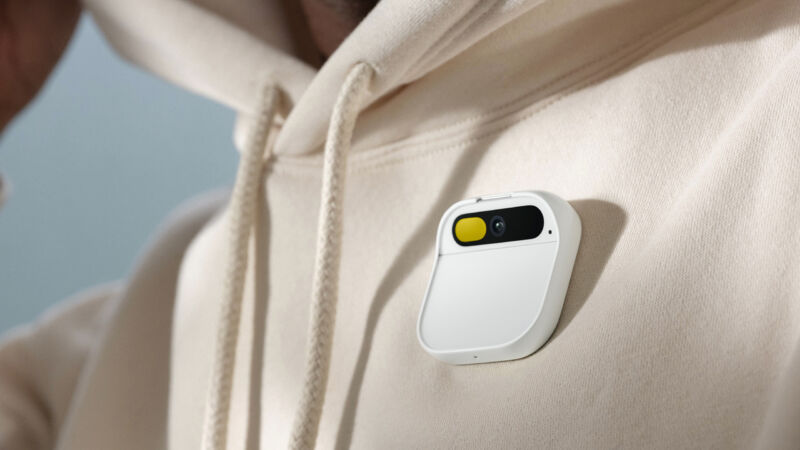
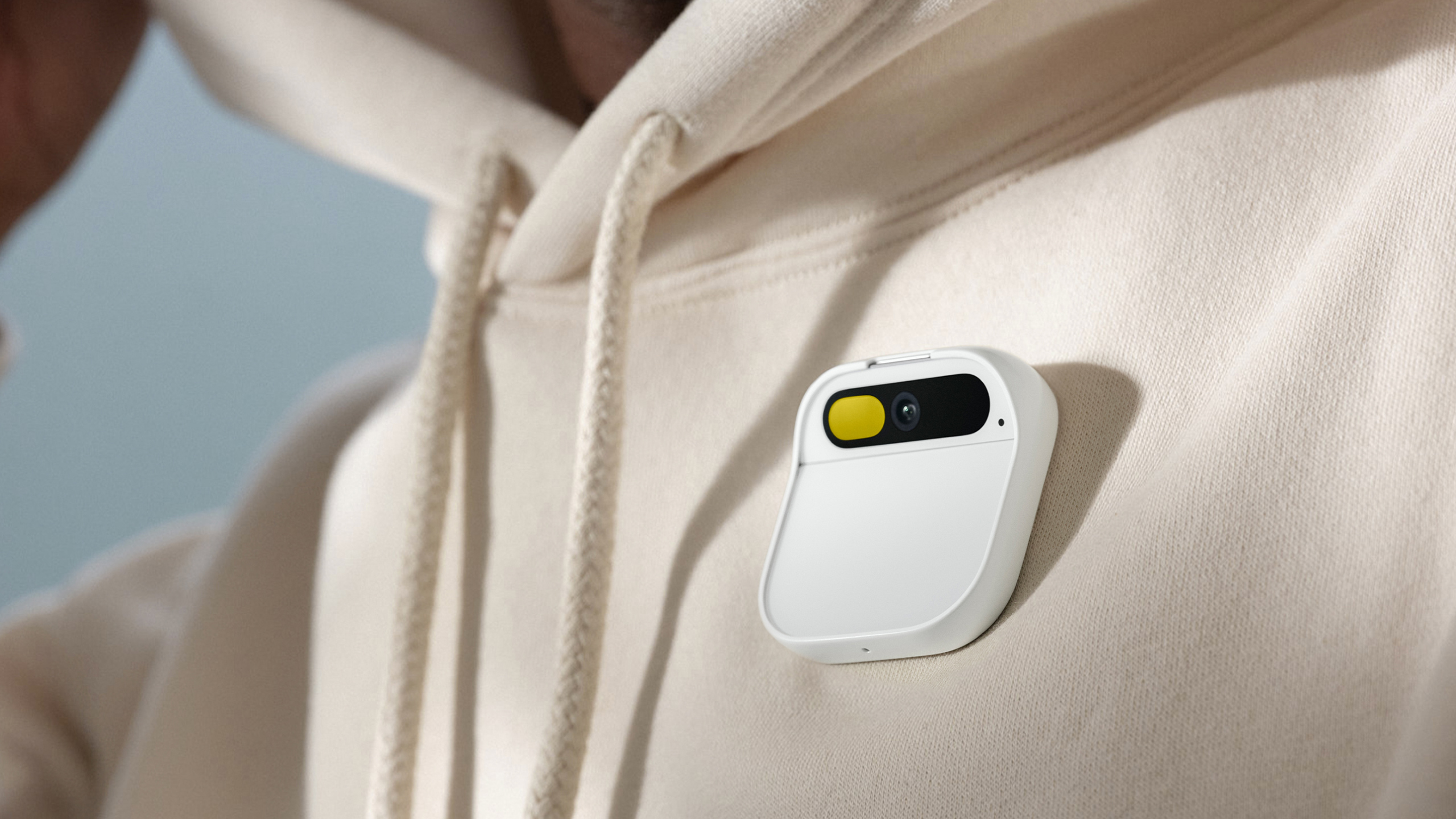
Enlarge / The Humane AI Pin. It has a magnetic back, so it sticks to your clothing like a name tag.

The wearable startup Humane, makers of the bizarre Humane AI Pin, is already looking for the exit. Bloomberg reports the company is seeking a sale after its first and only product launch was a big flop. Despite seemingly having nothing else in the pipeline and the AI Pin being dead on arrival, Bloomberg reports the company is “seeking a price of between $750 million and $1 billion in a sale.” Humane was founded by two ex-Apple employees, Imran Chaudhri and Bethany Bongiorno, in 2018 and has raised $230 million from some big-name investors like OpenAI CEO Sam Altman.

The Humane AI Pin immediately seemed like an idea that only made sense in a VC pitch room. The device is a wearable voice command box and camera that you magnetically clip onto a shirt, sort of like a Star Trek communicator. It wanted to replace your smartphone yet had no traditional display, and the company bragged in the launch video: “We don’t do apps.” That means you’re left with mostly voice commands for whatever the voice command system can process. You could press on the front and ask a question. The camera could also be involved in a “what’s this thing?” capacity.

While there was no onboard display, it did have a one-color 720p laser projection system that would project onto your hand. The UI looked just like a smartwatch, and you controlled it with the same hand you’re using as a projection screen. You could tilt your palm around to select something and tap your fingers together to confirm, all the while distorting and moving the “display” being projected onto your hand. The smartwatch-like UI raises the question: “Why not just wear a smartwatch instead?” Then you’d have real apps, a real display, a less-weird form factor, better input, and better voice commands, and it would probably cost less. Oh, yeah, about that price: The Humane AI Pin was $700 plus a $24-a-month subscription fee, while an Apple Watch Series 9 is $400.

Besides all those “on-paper” problems, the device was also universally panned once it landed in the hands of reviewers. The device comes in two halves, with a front processing unit and a back battery, and the side clipped together magnetically with your shirt in the middle. It turns out a shirt is not a great support substrate for the rather heavy device, and it drags down a lot of lighter clothes. Like all projector-based displays, the laser projector does not work well outside of a dark room. The voice response time is really slow, and the device is warm all the time, which is an odd sensation when it’s pressed against your chest. The battery life is between two and four hours. It can’t do a lot of basic things like set an alarm or timer. Review conclusions range from The Verge’s “not even close” to Marques Brownlee’s “the worst product I’ve ever reviewed.”

No one knows what sales were like for the company, but the AI Pin only started shipping in April. To already have the founders running for the exits a single month after launch sounds pretty dire. It’s hard to imagine a worse timeline of events and hard to imagine anyone paying $750 million for a company that seems to be swirling the drain. Don’t be surprised if history places Humane on the list of “biggest tech startup flops ever” alongside the likes of Juicero and Ouya.

https://arstechnica.com/?p=2026234


It’s not “Windows 12”: Microsoft keeps Windows 11 branding despite major changes

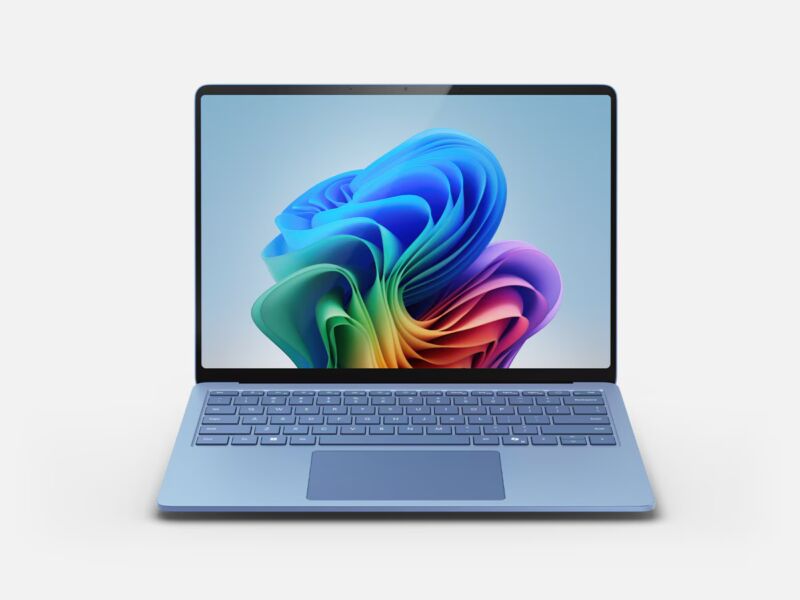
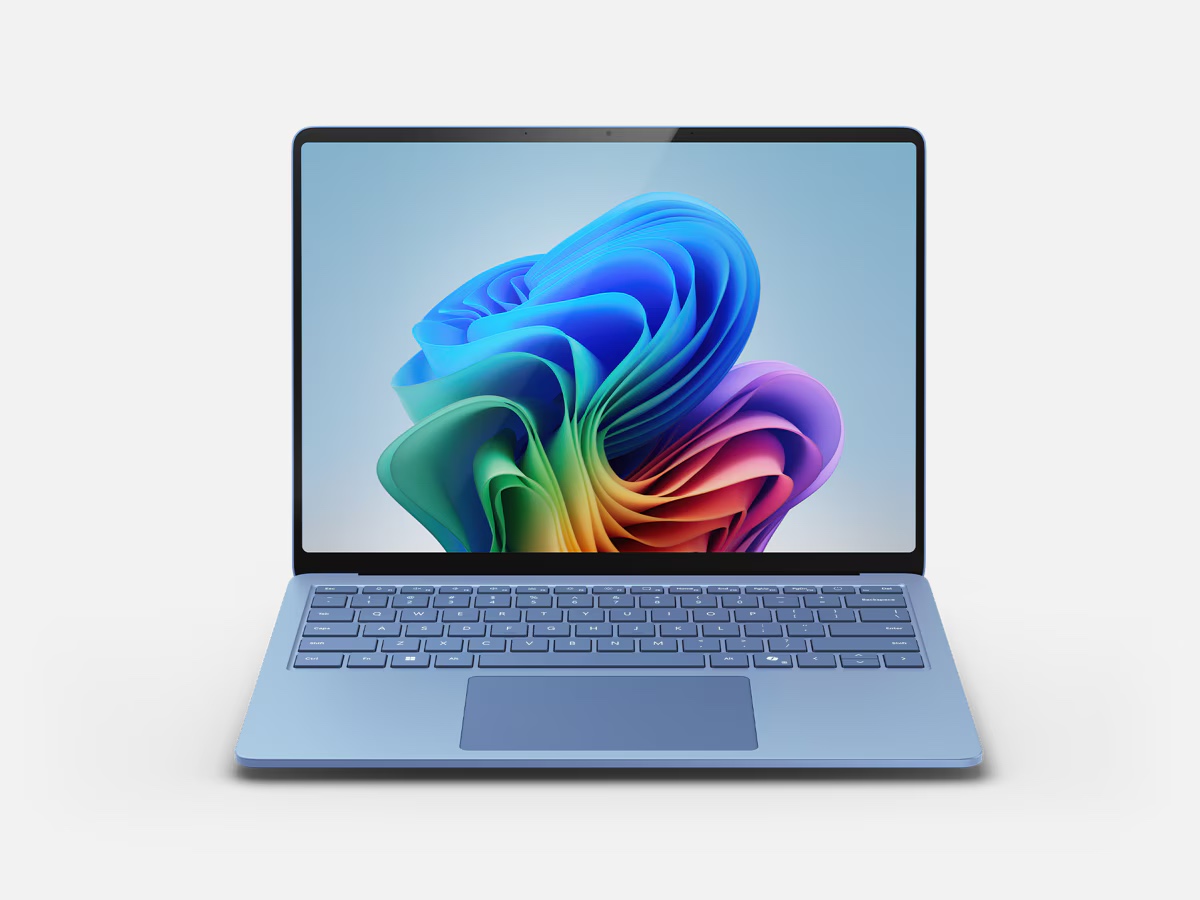
The new Arm-powered Surface Laptop. These Copilot+ PCs are all pictured with a refreshed version of Windows 11's "Bloom" wallpaper.
Enlarge / The new Arm-powered Surface Laptop. These Copilot+ PCs are all pictured with a refreshed version of Windows 11’s “Bloom” wallpaper.

Microsoft is announcing some fairly major changes for Windows and the Surface lineup as part of its Build developer conference this week, but there’s one thing that’s definitely not coming, at least not right now: a Windows 12 update.

Speculation about the “Windows 12” update began propagating at some point last year in reports that suggested that Microsoft was shifting back to a three-year release cycle like the ones used for Windows Vista, 7, 8, and 10 in the late 2000s and early 2010s.

And Microsoft may have intended to call this fall’s release “Windows 12” at some point, and it does come with substantial changes both above and under the hood to better support Arm systems and to emphasize Microsoft’s AI focus.

“We really focused on modernizing this update of Windows 11,” said Microsoft Corporate Vice President of Windows and Devices Pavan Davuluri at a technical briefing on Microsoft’s campus in mid-April. “We engineered this update of Windows 11 with a real focus on AI inference and taking advantage of the Arm64 instruction set at every layer of the operating system stack. For us, what this meant really was building a new compiler in Windows. We built a new kernel in Windows on top of that compiler. We now have new schedulers in the operating system that take advantage of these new SoC architecture.”

Microsoft didn’t say whether the updated system components would have user-noticeable benefits for users of current x86 systems, though these updates are likely the reason why the OS has gone from “unsupported” to “unbootable” on some systems with early 64-bit x86 processors.

Even with these changes, at some point the company made the decision to stay the course with Windows 11’s user interface and branding rather than starting over from scratch and discarding whatever momentum Windows 11 had managed to achieve. By some metrics, Windows 11 usage has continued its slow but steady increase; by others, it has mostly stagnated this year. Leaked internal data suggests that Windows 11 currently has somewhere between 400–500 million active users, a slower pace of adoption than Windows 10 at this point in its lifecycle.

Whatever Microsoft decides to call it, Windows’ versioning doesn’t have a ton to do with the underpinnings of the operating system. The first release of Windows 11 was essentially Windows 10 with a new user interface on top of it—at one point it was known as “Windows 10X,” and the Windows 11 branding came as a surprise when it was announced three years ago. Plenty of apps and games continue to identify it as a flavor of Windows 10.

Microsoft did decide to impose stricter system requirements for Windows 11 than for Windows 10, but these are enforced by a handful of easily tweaked registry settings. Once you bypass requirements for Secure Boot or a TPM 2.0 module, early Windows 11 builds will install and run on practically any 64-bit PC that could run Windows 10, highlighting their shared foundation. Even with the newer processor requirement, unsupported installations will continue to work on basically any PC made in the last 12 or 13 years (the official system requirements remain unchanged).

The Windows 11 24H2 update will hit most Windows 11 PCs when it’s officially released later this fall, though Windows Insiders in the Dev channel can get the work-in-progress version of the update now.

https://arstechnica.com/?p=2021701