Microsoft’s “Copilot+” AI PC requirements are embarrassing for Intel and AMD
Microsoft’s “Copilot+” AI PC requirements are embarrassing for Intel and AMD

Microsoft is using its new Surface launch and this week’s Build developer conference as a platform to launch its new “Copilot+” PC initiative, which comes with specific hardware requirements that systems will need to meet to be eligible. Copilot+ PCs will be able to handle some AI-accelerated workloads like chatbots and image generation locally instead of relying on the cloud, but new hardware will generally be required to run these workloads quickly and power efficiently.

At a minimum, systems will need 16GB of RAM and 256GB of storage, to accommodate both the memory requirements and the on-disk storage requirements needed for things like large language models (LLMs; even so-called “small language models” like Microsoft’s Phi-3, still use several billion parameters). Microsoft says that all of the Snapdragon X Plus and Elite-powered PCs being announced today will come with the Copilot+ features pre-installed, and that they’ll begin shipping on June 18th.

But the biggest new requirement, and the blocker for virtually every Windows PC in use today, will be for an integrated neural processing unit, or NPU. Microsoft requires an NPU with performance rated at 40 trillion operations per second (TOPS), a high-level performance figure that Microsoft, Qualcomm, Apple, and others use for NPU performance comparisons. Right now, that requirement can only be met by a single chip in the Windows PC ecosystem, one that isn’t even quite available yet: Qualcomm’s Snapdragon X Elite and X Plus, launching in the new Surface and a number of PCs from the likes of Dell, Lenovo, HP, Asus, Acer, and other major PC OEMs in the next couple of months. All of those chips have NPUs capable of 45 TOPS, just a shade more than Microsoft’s minimum requirement.

The problem for Intel and AMD is that none of their current-generation chips come anywhere close to meeting this requirement, even the ones that have NPUs in the first place—Intel’s Meteor Lake-based Core Ultra NPUs top out (ha) at 10 TOPS, and a handful of AMD’s Ryzen 7000 and Ryzen 8000 desktop and laptop processors with NPUs offer between 12 and 16 TOPS. This is particularly embarrassing for Intel, which for decades has been so synonymous with Windows PCs that their portmanteau has a fairly thorough Wikipedia entry.

Both Intel and AMD have products on their roadmap that will boost NPU performance to the level that Microsoft is asking for with Copilot+ PCs, but none of the hundreds of millions of active x86-based Windows PCs, up to and including models you can buy today, will qualify for the label.

NPUs that meet Microsoft’s Copilot+ PC requirement will be used to power (among other things) a group of features that Microsoft is calling “Recall,” a collection of AI features that will try to make helpful suggestions by keeping track of everything you’ve done on your PC, including attending meetings, opening files, and doing web searches. Perhaps aware of the fact that this sounds like a privacy and security nightmare, Microsoft EVP Yusuf Medhi says that the NPU will handle all of this processing locally, allowing user data to stay “private, local, and secure on just the device.” On a Copilot+ PC with the minimum 256GB SSD, Microsoft says Recall will take up about 25GB of disk space and store around three months’ worth of events.

Intel and AMD’s CPUs and GPUs can also contribute to the total number of TOPS that any given system can perform. But NPUs are specialized hardware, made to run AI workloads more quickly and while using less power. You could use a CPU to render 3D games or other workloads, but you typically wouldn’t; you’d leave that work to the GPU. Dedicated video encoding and decoding hardware allows slow, dirt-cheap ARM processors in Roku boxes or Fire sticks to play back 4K video streams. The NPU fills a similar role for AI workloads—it’s not dishonest to put out TOPS figures that bundle the CPU, GPU, and NPU together, but achieving that level of performance using a CPU and GPU means using a lot more power and reducing battery life.

Microsoft sees Copilot+ PCs as “premium” devices that exist above older Windows PCs or Intel, AMD, and Qualcomm-powered systems with lower-performance NPUs. Windows 11’s core system requirements aren’t changing, and all of the cloud-powered AI features (and existing NPU-accelerated workloads like Windows Studio Effects for webcams) will continue to work on existing PCs as they currently do.

There’s risk for Microsoft in tying the Copilot+ PC branding to the Arm version of Windows in all of these launch devices. Though compatibility has gotten dramatically better in just the last couple of years, and though Windows 11 24H2’s new Prism emulation layer improves app translation speeds by as much as 20 percent compared to Windows 11 23H2 running on the same hardware, there are still some compatibility gaps where Arm-based Windows PCs won’t be able to do the same things that an Intel or AMD PC can. Hardware that requires specialized drivers is one sticking point; games that require the installation of anti-cheat software are another.

Copilot+ PCs could be a new phase in the PC’s development, one that we eventually look back on as an inflection point. They could also be Windows RT all over again, a trend-chasing flash-in-the-pan that comes and goes without making a dent in the Wintel monolith.

https://arstechnica.com/?p=2025348


Microsoft says “Prism” translation layer does for Arm PCs what Rosetta did for Macs

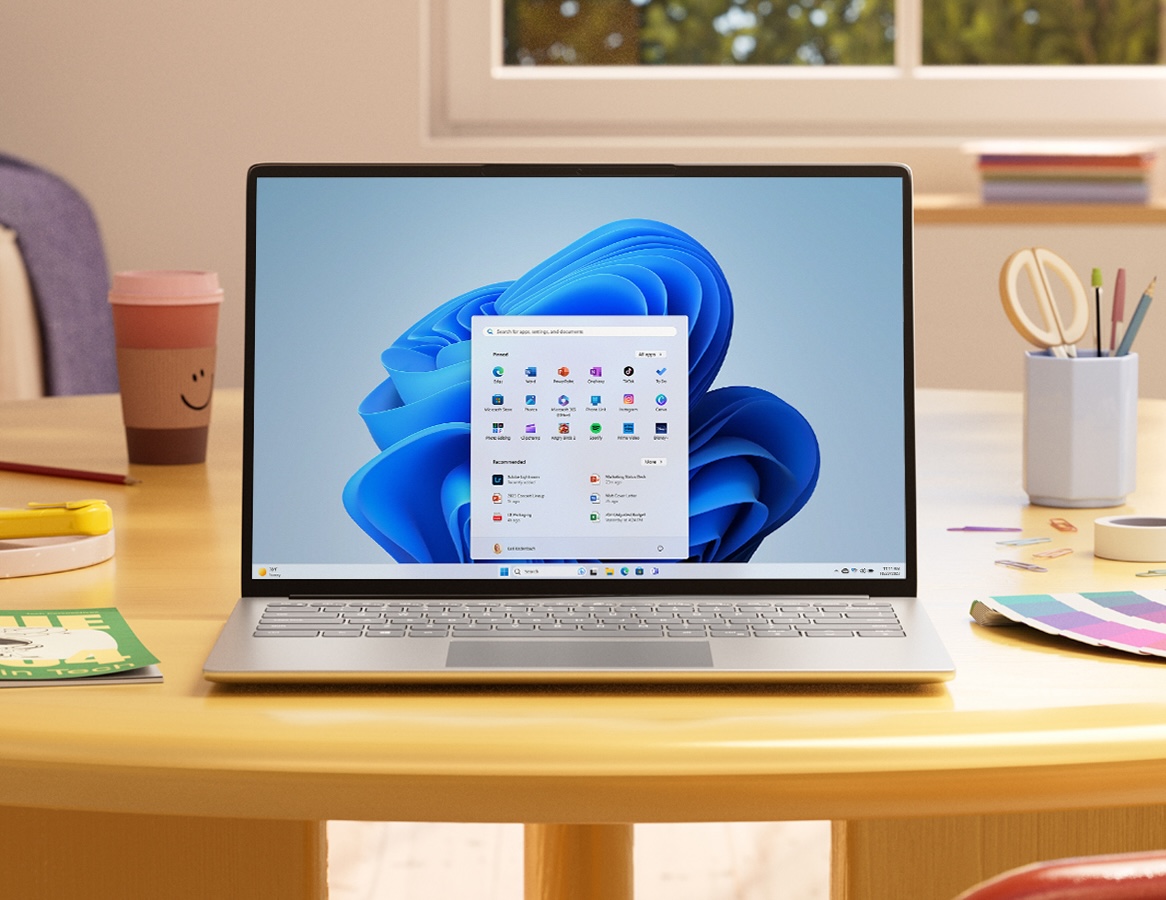
A PC running Windows 11.
Enlarge / A PC running Windows 11.

Microsoft is going all-in on Arm-powered Windows PCs today with the introduction of a Snapdragon X Elite-powered Surface Pro convertible and Surface Laptop, and there are inevitable comparisons to draw with another big company that recently shifted from Intel’s processors to Arm-based designs: Apple.

A huge part of the Apple Silicon transition’s success was Rosetta 2, a translation layer that makes it relatively seamless to run most Intel Mac apps on an Apple Silicon Mac with no extra effort required from the user or the app’s developer. Windows 11 has similar translation capabilities, and with the Windows 11 24H2 update, that app translation technology is getting a name: Prism.

Microsoft says that Prism isn’t just a new name for the same old translation technology. Translated apps should run between 10 and 20 percent faster on the same Arm hardware after installing the Windows 11 24H2 update, offering some trickle-down benefits that users of the handful of Arm-based Windows 11 PCs should notice even if they don’t shell out for new hardware. The company says that Prism’s performance should be similar to Rosetta’s, though obviously this depends on the speed of the hardware you’re running it on.

Microsoft also claims that Prism will further improve the translation layer’s compatibility with x86 apps, though the company didn’t get into detail about the exact changes it had made on this front.

Emulated x86 apps are a useful stopgap solution, but to take full advantage of Arm chips, developers will need to ship native apps. Luckily for Microsoft, this has become more common in the last couple of years. Google Chrome is finally shipping a native Arm version, as is Dropbox. Adobe also announced today that Illustrator and Premiere Pro would be joining its slate of Arm-native apps later this summer, joining the already-native Photoshop, Lightroom, Firefly, and Express apps.

Essentially all of the major PC OEMs plan to join Microsoft in shipping Arm-based PCs in the next few months, partly because Qualcomm’s Snapdragon X Elite chips are the only ones with neural processing units (NPUs) fast enough to support Windows 11’s new on-device AI features. Dubbed “Copilot+ PCs,” the new devices are trying to make Windows-on-Arm happen after more than a decade of failures and at-best-muted successes.

https://arstechnica.com/?p=2025352


“Unprecedented” Google Cloud event wipes out customer account and its backups

“Unprecedented” Google Cloud event wipes out customer account and its backups

Buried under the news from Google I/O this week is one of Google Cloud’s biggest blunders ever: Google’s Amazon Web Services competitor accidentally deleted a giant customer account for no reason. UniSuper, an Australian pension fund that manages $135 billion worth of funds and has 647,000 members, had its entire account wiped out at Google Cloud, including all its backups that were stored on the service. UniSuper thankfully had some backups with a different provider and was able to recover its data, but according to UniSuper’s incident log, downtime started May 2, and a full restoration of services didn’t happen until May 15.

UniSuper’s website is now full of must-read admin nightmare fuel about how this all happened. First is a wild page posted on May 8 titled “A joint statement from UniSuper CEO Peter Chun, and Google Cloud CEO, Thomas Kurian.” This statement reads, “Google Cloud CEO, Thomas Kurian has confirmed that the disruption arose from an unprecedented sequence of events whereby an inadvertent misconfiguration during provisioning of UniSuper’s Private Cloud services ultimately resulted in the deletion of UniSuper’s Private Cloud subscription. This is an isolated, ‘one-of-a-kind occurrence’ that has never before occurred with any of Google Cloud’s clients globally. This should not have happened. Google Cloud has identified the events that led to this disruption and taken measures to ensure this does not happen again.”

In the next section, titled “Why did the outage last so long?” the joint statement says, “UniSuper had duplication in two geographies as a protection against outages and loss. However, when the deletion of UniSuper’s Private Cloud subscription occurred, it caused deletion across both of these geographies.” Every cloud service keeps full backups, which you would presume are meant for worst-case scenarios. Imagine some hacker takes over your server or the building your data is inside of collapses, or something like that. But no, the actual worst-case scenario is “Google deletes your account,” which means all those backups are gone, too. Google Cloud is supposed to have safeguards that don’t allow account deletion, but none of them worked apparently, and the only option was a restore from a separate cloud provider (shoutout to the hero at UniSuper who chose a multi-cloud solution).

UniSuper is an Australian “superannuation fund“—the US equivalent would be a 401(k). It’s a retirement fund that employers pay into as part of an employee paycheck; in Australia, some amount of superfund payment is required by law for all employed people. Managing $135 billion worth of funds makes UniSuper a big enough company that, if something goes wrong, it gets the Google Cloud CEO on the phone instead of customer service.

A June 2023 press release touted UniSuper’s big cloud migration to Google, with Sam Cooper, UniSuper’s Head of Architecture, saying, “With Google Cloud VMware Engine, migrating to the cloud is streamlined and extremely easy. It’s all about efficiencies that help us deliver highly competitive fees for our members.”

The many stakeholders in the service meant service restoration wasn’t just about restoring backups but also processing all the requests and payments that still needed to happen during the two weeks of downtime.

https://arstechnica.com/?p=2025177


How I upgraded my water heater and discovered how bad smart home security can be

The bottom half of a tankless water heater, with lots of pipes connected, in a tight space
Enlarge / This is essentially the kind of water heater the author has hooked up, minus the Wi-Fi module that led him down a rabbit hole. Also, not 140-degrees F—yikes.
Getty Images

The hot water took too long to come out of the tap. That is what I was trying to solve. I did not intend to discover that, for a while there, water heaters like mine may have been open to anybody. That, with some API tinkering and an email address, a bad actor could possibly set its temperature or make it run constantly. That’s just how it happened.

Let’s take a step back. My wife and I moved into a new home last year. It had a Rinnai tankless water heater tucked into a utility closet in the garage. The builder and home inspector didn’t say much about it, just to run a yearly cleaning cycle on it.

Because it doesn’t keep a big tank of water heated and ready to be delivered to any house tap, tankless water heaters save energy—up to 34 percent, according to the Department of Energy. But they’re also, by default, slower. Opening a tap triggers the exchanger, heats up the water (with natural gas, in my case), and the device has to push it through the line to where it’s needed.

That led to me routinely holding my hand under cold water in the sink or shower, waiting longer than felt right for reasonably warm water to appear. I understood the water-for-energy trade-off I was making. But the setup wasted time, in addition to potable water, however plentiful and relatively cheap it was. It just irked me.

Little did I know the solution was just around the corner.

Hot water hotspot

I mean that literally. When I went into the utility closet to shut off the hose bibbs for winter, I noticed a plastic bag magnetically stuck to the back side of the water heater. “Attention! The Control-R Wi-Fi Module must be installed for recirculation to operate,” read the intense yellow warning label. The water heater would not “recirculate” without it, it noted.

The Rinnai Control-R module, out of bag.
Enlarge / The Rinnai Control-R module, out of bag.

Recirculation means that the heater would start pulling water and heating it on demand, rather than waiting for enough negative pressure from the pipes. To trigger this, Rinnai offered smartphone apps that could connect through its servers to the module.

I found the manual, unplugged the water heater, and opened it up. The tone of the language inside (“DO NOT TOUCH,” unless you are “a properly trained technician”) did not match that of the can-do manual (“get the most from your new module”). But, having read the manual and slotted little beige nubs before, I felt trained and technical. I installed the device, went through the typical “Connect your phone to this weirdly named hotspot” process, and—it worked.

I now had an app that could start recirculation. I could get my shower hot while still in bed, or get started on the dinner dishes from the couch. And yet pulling out my phone whenever I wanted hot water felt like trading one inconvenience for another.

https://arstechnica.com/?p=2020163


Thunderbolt Share simplifies dual-PC workloads—but requires new hardware

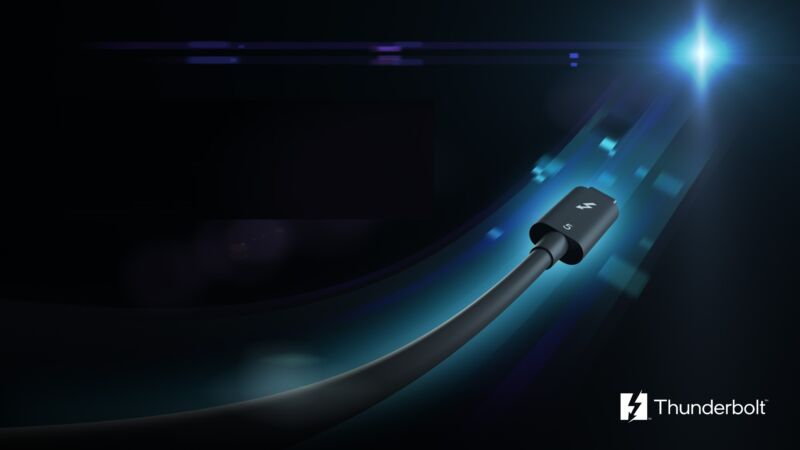
Thunderbolt 5 cable

Intel this week announced new Thunderbolt software made for connecting two PCs. Thunderbolt Share will require Intel-licensed hardware and is looking to make it simpler to do things like transferring large files from one PC to another or working with two systems simultaneously.

For example, you could use a Thunderbolt cable to connect one laptop to another and then configure the system so that your keyboard, mouse, and monitor work with both computers. Thunderbolt Share also enables dragging and dropping and syncing files between computers.

The app has similar functionality to a KVM switch or apps like PCmover, Logitech Flow, or macOS’ File Sharing and Screen Sharing, which enable wireless file sharing. But Thunderbolt Share comes with Intel-backed Thunderbolt 4 or Thunderbolt 5 speeds (depending on the hardware) and some critical requirements.

In a press briefing, Jason Ziller, VP and GM of Intel’s Client Connectivity Division, said that the speeds would vary by what the user is doing.

“It’s hard to put a number on it,” he said. “But I’d say, generally speaking, probably expect to see around 20 gigabits per second… That’s on a Thunderbolt 4 on a 40 gig link. And then we’ll see higher bandwidth on Thunderbolt 5 [with an] 80 gig link.”

You could use Thunderbolt Share to connect a laptop to a desktop so they can share a monitor, mouse, and keyboard, for example. The systems could also connect via a Thunderbolt dock or Thunderbolt monitor. Ziller told the press that the feature could support FHD screen mirroring at up to 60 frames per second (fps), and higher resolutions would result in lower frame rates.

Per Ziller, the feature could pull some CPU and GPU resources depending on the workload and hardware involved. Full video mirroring, for example, would be a more taxing task. Ziller said.

Thunderbolt Share requires Windows 10 or newer to work, but Intel is “exploring” additional OS support for the future, Ziller told the press.

New hardware required

You might be thinking, “Great! I have a Thunderbolt 4 desktop and laptop I’d love to connect right now.” But no hardware you own will officially support Thunderbolt Share, as it requires Intel licensing, which will cost OEMs an extra fee. That means you’ll need a new computer or dock, which Intel says will start releasing this year. Thunderbolt Share will not be part of the Thunderbolt 5 spec, either.

When Ars Technica asked about this limitation, Intel spokesperson Tom Hannaford said, “We focused on partnering with the OEMs to test, validate, and provide support to ensure all new Thunderbolt Share-enabled PCs and accessories meet the performance and quality standards that users expect with Thunderbolt technology. Working with our OEM partners in this way to bring Thunderbolt Share to market will ensure the best possible multi-PC experience for creators, gamers, consumers, and businesses.”

Partners announced this week include Acer, Lenovo, MSI, Razer, Belkin, Kensington, and Plugable, and Intel says there will be more.

“Thunderbolt Share is a more advanced experience than what the baseline Thunderbolt spec should require,” Hannaford said. “That’s why we’re offering it as a value-add feature that OEMs can license for supported hardware going forward rather than requiring they license it as part of the base Thunderbolt spec.”

The Verge reported that Thunderbolt Share “doesn’t strictly require a Thunderbolt-certified computer” or Intel CPU. Ziller told the publication that USB4 and Thunderbolt 3 connections “may work, we just really don’t guarantee it; we won’t be providing support for it.”

Intel’s portrayal of Thunderbolt Share as something that needs rigid testing aligns with the company’s general approach to Thunderbolt. Still, I was able to use a preproduction version of the app without licensed hardware. Using a Thunderbolt 4 cable, the app seemed to work normally, and I moved a 1GB folder with Word documents and some images in about a minute and 15 seconds. Your experience may vary, though. Further, some Macs can link up over a Thunderbolt cable and share files and screens without licensing from Intel.

The test version of Thunderbolt Share is temporary, though. Those who want to use the officially supported final version will have to wait until the app’s release in June. You’ll also need a licensed third-party PC or dock to become available.

https://arstechnica.com/?p=2024849


VMware Fusion, Workstation now free for home use, subscription-only for businesses

VMware Fusion, Workstation now free for home use, subscription-only for businesses

Broadcom’s acquisition of VMware last year has led to widespread upheaval at the company, including layoffs, big changes to how it approaches software licensing, and general angst from customers and partners. Broadcom also discontinued the free-to-use version of VMware’s vSphere Hypervisor, also known as ESXi, earlier this year, forcing home users to find alternatives.

But today there’s a bit of good news—for home users, at least. Broadcom is making VMware Fusion Pro 13 and VMWare Workstation Pro free for personal use.

Fusion Pro and Workstation Pro certainly aren’t the only free-to-use virtualization products—VirtualBox has existed for years, and there are many indie projects that make use of Apple’s virtualization frameworks for macOS. But VMware’s products are a bit more polished and easier to learn than some of those alternatives, and VMware’s file formats are also commonly used when redistributing virtual machines for retrocomputing purposes.

Today’s announcement may be less welcome for businesses that prefer perpetually licensed versions of Fusion Pro or Workstation Pro. VMware is phasing these licenses out, offering support for current perpetually licensed products until “their existing End of Life and End of General Support dates” but shifting to a subscription-only model for future updates.

VMware is framing this as a “simplification” that “eliminates 40+ other SKUs,” and while this may be true, it’s also likely just a side effect of Broadcom’s wider push to end standalone software sales in favor of a more lucrative subscription-only model. Broadcom has already stopped selling perpetual licenses for many other VMware products.

A Desktop Hypervisor app subscription will run businesses $120 per year. The only difference between the free home version and the paid business version is a “this product is licensed for personal use only” message that appears in the home version; Broadcom says that the products are functionally identical.

Since the full apps are going the free-to-use route, Broadcom is discontinuing the VMware Workstation Player and Fusion Player apps. These apps could be used to fire up pre-existing VMs but generally couldn’t create new virtual machines from scratch. Workstation Player will continue on as a component of Workstation Pro, but it will no longer be offered as a standalone product. Users of Fusion Player will be able to upgrade in place to Fusion Pro by updating the app to version 13.5.2 or later and deleting the Fusion Player license key. Workstation Player users will need to download and install the Workstation Pro software separately.

Users who want to use Fusion Pro and Workstation Pro will need to sign up for a Broadcom account; once they do, Fusion Pro can be downloaded from here, and Workstation Pro can be downloaded from here.

https://arstechnica.com/?p=2024573


Virtual Boy: The bizarre rise and quick fall of Nintendo’s enigmatic red console

A young kid using a Virtual Boy on a swing.
Ars Technica AI Reporter and tech historian Benj Edwards has co-written a book on the Virtual Boy with Dr. Jose Zagal. In this exclusive excerpt, Benj and Jose take you back to Nintendo of the early ’90s, where a unique 3D display technology captured the imagination of legendary designer Gunpei Yokoi and set the stage for a daring, if ultimately ill-fated, foray into the world of stereoscopic gaming.

Seeing Red: Nintendo’s Virtual Boy is now available for purchase in print and ebook formats.

A full list of references can be found in the book.

Nearly 30 years after the launch of the Virtual Boy, not much is publicly known about how, exactly, Nintendo came to be interested in developing what would ultimately become its ill-fated console. Was Nintendo committed to VR as a future for video games and looking for technological solutions that made business sense? Or was the Virtual Boy primarily the result of Nintendo going “off script” and seizing a unique, and possibly risky, opportunity that presented itself? The answer is probably a little bit of both.

As it turns out, the Virtual Boy was not an anomaly in Nintendo’s history with video game platforms. Rather, it was the result of a deliberate strategy that was consistent with Nintendo’s way of doing things and informed by its lead creator Gunpei Yokoi’s design philosophy.

Dabbling in virtual reality?

A 1995 Japanese ad for the Nintendo Virtual Boy.
Enlarge / A 1995 Japanese ad for the Nintendo Virtual Boy.

The late 1980s and 1990s were a heady time for virtual reality, and, when it came to generating public interest, Japan was arguably leading the charge. In May 1991, Hattori Katsura’s Jinkō genjitsukan no sekai (The world of the feeling of artificial reality) was published. It was the first best-selling general audience book on VR, beating Howard Rheingold’s watershed Virtual Reality by a few months. Japan is also “where VR was first repackaged as a consumer technology” and, by 1991, it had more VR systems than anywhere else in the world.

However, VR was neither presented nor perceived in the same way in Japan as it was in the United States. First, while VR research in the United States was largely developed and driven by military interests, in Japan, it came out of a telecommunications context. Second, in the mid-1990s at least, Japanese VR research had an engineering emphasis rather than computer science like in the United States. Thus, the Japanese public’s perception of VR was shaped by the additional availability, via public demonstrations for example, of VR devices and experiences different from those shown elsewhere. These devices and experiences were characterized in the United States as “cool gadgets” and “strange experiments” but would, perhaps taken together, provide alternative highlights of VR’s potential as a medium.

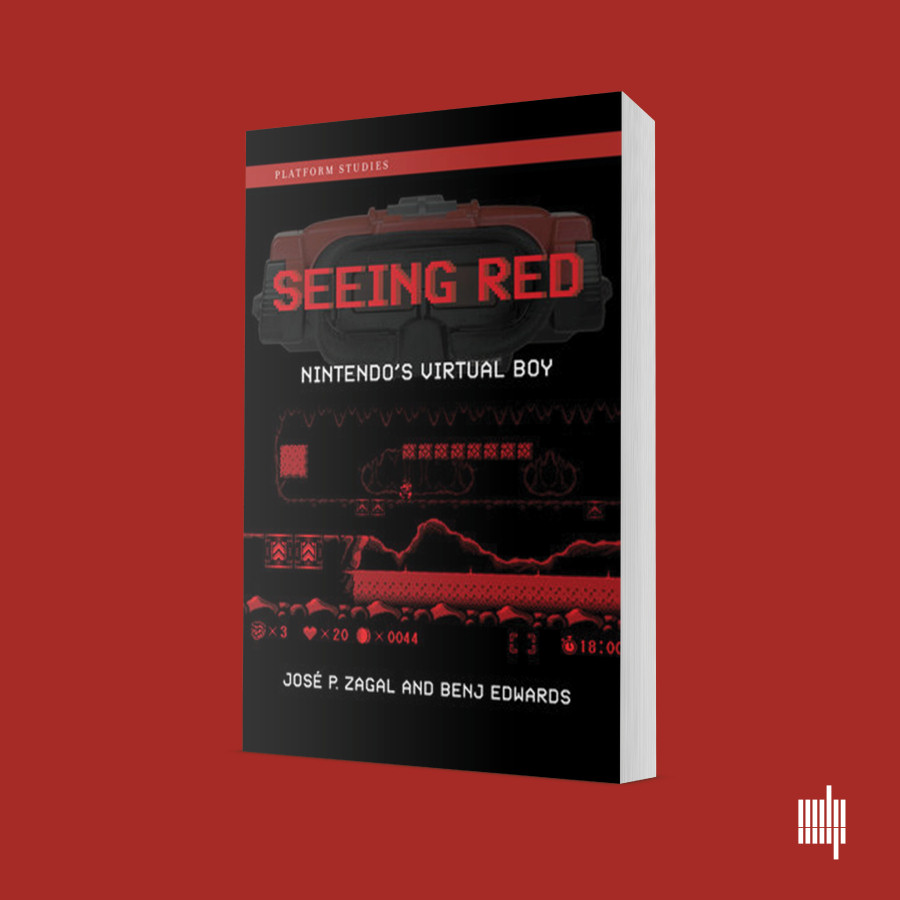
<a href="https://cdn.arstechnica.net/wp-content/uploads/2024/05/zagal.edwards.red_.900px.jpg" class="enlarge" data-height="900" data-width="900" alt="You're reading an excerpt of Seeing Red: Nintendo’s Virtual Boy by Jose Zagal and Benj Edwards.”><img alt="You're reading an excerpt of Seeing Red: Nintendo’s Virtual Boy by Jose Zagal and Benj Edwards.” src=”https://rassegna.lbit-solution.it/wp-content/uploads/2024/05/virtual-boy-the-bizarre-rise-and-quick-fall-of-nintendos-enigmatic-red-console-2.jpg” width=”300″ height=”300″ srcset=”https://rassegna.lbit-solution.it/wp-content/uploads/2024/05/virtual-boy-the-bizarre-rise-and-quick-fall-of-nintendos-enigmatic-red-console-4.jpg 2x”>
Enlarge / You’re reading an excerpt of Seeing Red: Nintendo’s Virtual Boy by Jose Zagal and Benj Edwards.

Prior to the release of the Virtual Boy, Nintendo designers and engineers expressed at least some interest in virtual reality. For example, when interviewed by Satoru Iwata about the development of the Nintendo’s autostereoscopic handheld Nintendo 3DS, Shigeru Miyamoto commented, “To start at the beginning, at the time [just before the creation of the Virtual Boy], I was interested in virtual reality, and was one of the staff that went on and on about how we should do something with 3D goggles. I didn’t exactly twist his arm, but I would talk with Yokoi-san about how [3D] goggles would be interesting.”

However, not much is known outside of Nintendo if this interest led to in-house experiments or the development of prototype virtual reality systems. Some reports, mostly secondhand, do exist that there was some research taking place. For example, while researching an article about the Virtual Boy for FastCompany, Benj Edwards interviewed Takefumi Makino, the biographer of Gunpei Yokoi and a friend of Yokoi’s for a period near Yokoi’s death in 1997. According to Makino, Nintendo experimented with virtual reality prior to creating the Virtual Boy, but it found the experience unsatisfactory.

https://arstechnica.com/?p=2017218


Apple releases iOS 17.5, macOS 14.5, and other updates as new iPads launch

Apple releases iOS 17.5, macOS 14.5, and other updates as new iPads launch

Apple has released the latest updates for virtually all of its actively supported devices today. Most include a couple handfuls of security updates, some new features for Apple News+ subscribers, and something called Cross-Platform Tracking Protection for Bluetooth devices.

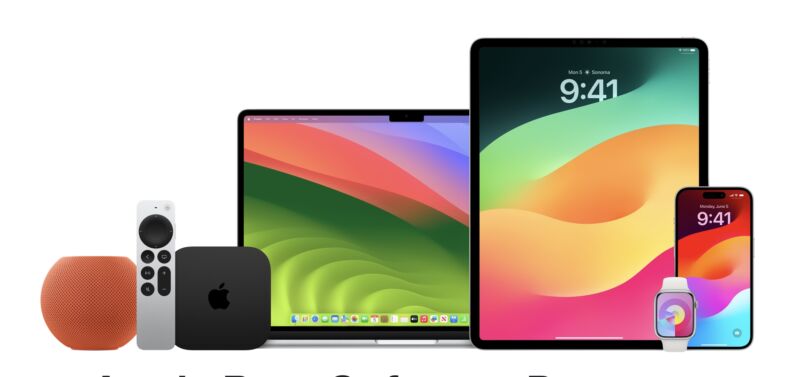
The iOS 17.5, iPadOS 17.5, macOS 4.5, watchOS 10.5, tvOS 17.5, and HomePod Software 17.5 updates are all available to download now.

Cross-Platform Tracking Protection notifications alert users “if a compatible Bluetooth tracker they do not own is moving with them, regardless of what operating system the device is paired with.” Apple has already implemented protections to prevent AirTag stalking, and Cross-Platform Tracking Protection implements some of those same safeguards for devices paired to non-Apple phones.

Apple News+ picks up a new word game called Quartiles, part of the wider trend of news organizations embracing games as growth drivers. Quartiles, Crossword, and Mini Crossword also track player stats and win streams, and the Today+ and News+ tabs will also load without an Internet connection.

Some of Apple’s older operating systems also received security-only updates to keep them current. The iOS 16.7.8 and iPadOS 16.7.8 updates are available for older iDevices that can’t update to iOS 17, and macOS Venture 13.6.7 and Monterey 12.7.5 support all Macs still running those OS versions regardless of whether they can install macOS Sonoma. There’s no update available for iOS or iPadOS 15.

These are likely to be the last major updates that Apple’s current operating systems receive before this year’s Worldwide Developers Conference on June 10, where Apple usually unveils its next major operating systems for the fall. Once those updates—iOS 18, macOS 15, and others—are announced, updates for current versions usually shift focus to security updates and bugs rather than adding major new features. Apple’s updates this year are widely expected to focus on generative AI features, including some ChatGPT-powered features and a more capable Siri assistant.

https://arstechnica.com/?p=2024075


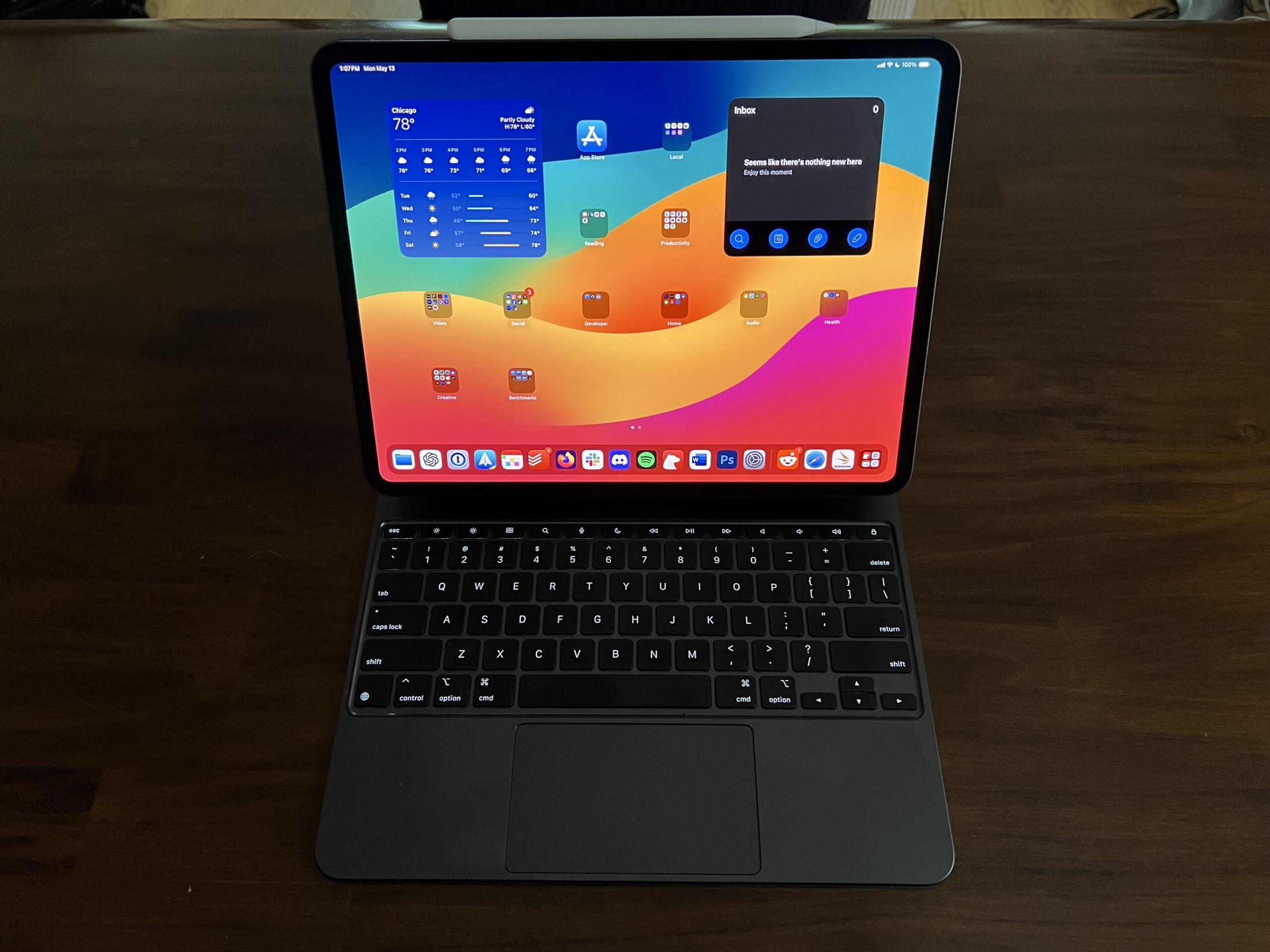
M4 iPad Pro review: Well, now you’re just showing off

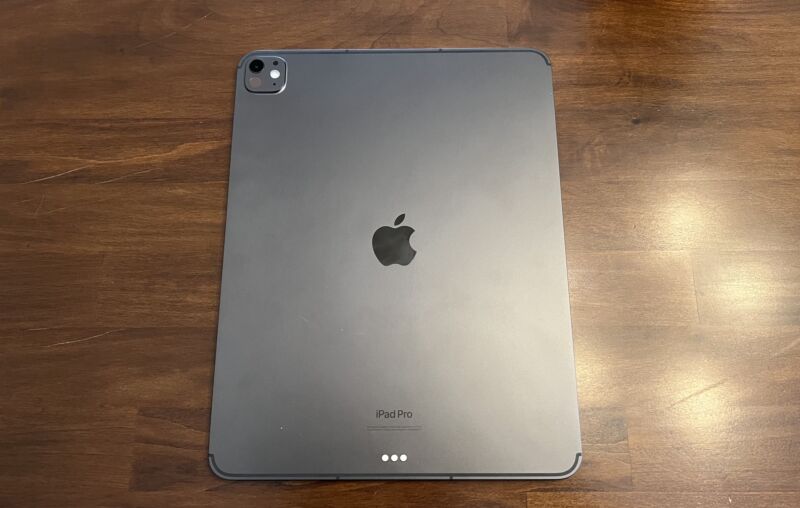
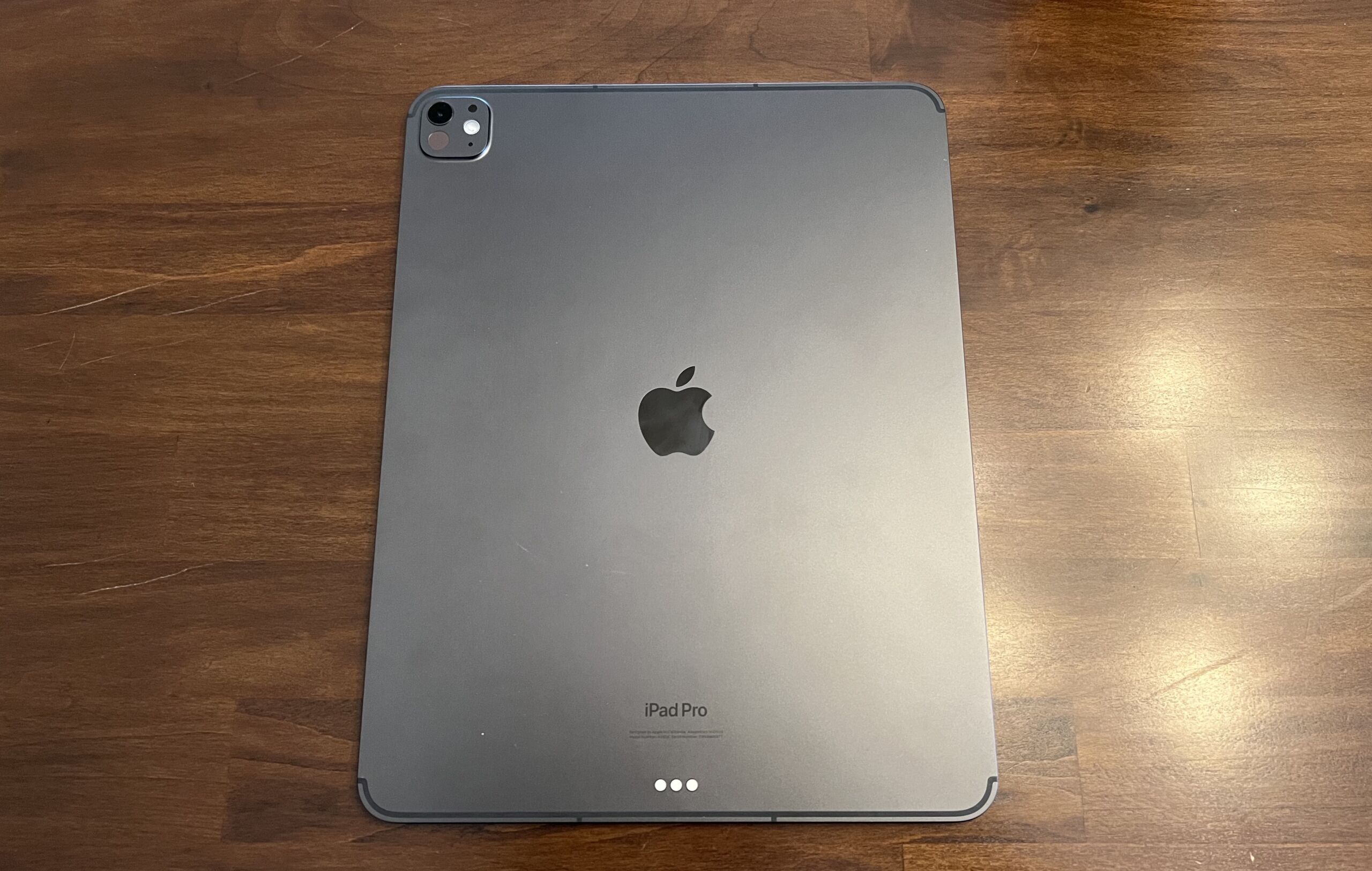
The back of an iPad with its Apple logo centered
Enlarge / The 2024, M4-equipped 13-inch iPad Pro.
Samuel Axon

The new iPad Pro is a technical marvel, with one of the best screens I’ve ever seen, performance that few other machines can touch, and a new, thinner design that no one expected.

It’s a prime example of Apple flexing its engineering and design muscles for all to see. Since it marks the company’s first foray into OLED beyond the iPhone or Watch, and the first time a new M-series chip has debuted on something other than a Mac, it comes across as a tech demo for where the company is headed beyond just tablets.

Still, it remains unclear why most people would spend one, two, or even three thousand dollars on a tablet that, despite its amazing hardware, does less than a comparably priced laptop—or at least does it a little more awkwardly, even if it’s impressively quick and has a gorgeous screen.

Specifications

There are some notable design changes in the 2024 iPad Pro, but really, it’s all about the specs—and it’s a more notable specs jump than usual in a couple of areas.

M4

First up, there’s the M4 chip. The previous iPad Pro had an M2 chip, and the latest Mac chip is the M3, so not only did the iPad Pro jump two whole generations, but this is the first time it has debuted the newest iteration of Apple Silicon. (Previously, new M-series chips launched on the Mac first and came to the iPad Pro a few months later.)

Using second-generation 3 nm tech, the M4’s top configuration has a 10-core CPU, a 10-core GPU, and a 16-core NPU. In that configuration, the 10-core CPU has four performance cores and six efficiency cores.

A lower configuration of the M4 has just nine CPU cores—three performance and six efficiency. Which one you get is tied to how much storage you buy. 256GB and 512GB models get nine CPU cores, while 1TB and 2TB get 10. Additionally, the two smaller storage sizes have 8GB of RAM to the larger ones’ 16GB.

This isn’t the first time Apple has tied RAM to storage configurations, but doing that with CPU cores is new for the iPad. Fortunately, the company is upfront about all this in its specs sheet, whereas the RAM differentiation wasn’t always clear to buyers in the past. (Both configurations claim 120GB/s memory bandwidth, though.)

Can the M4 help the iPad Pro bridge the gap between laptop and tablet? Mostly, it made me excited to see the M4 in a laptop.
Enlarge / Can the M4 help the iPad Pro bridge the gap between laptop and tablet? Mostly, it made me excited to see the M4 in a laptop.
Samuel Axon

Regardless of the specific configuration, the M4 promises substantially better CPU and GPU performance than the M2, and it supports hardware-accelerated ray-tracing via Metal, which some games and applications can take advantage of if developers put in the work to make it happen. (It looked great in a demo of Diablo Immortal I saw, but it’s unclear how often we’ll actually see it in the wild.)

Apple claims 1.5x faster CPU performance than the M2 and up to 4x faster graphics performance specifically on applications that involve new features like ray-tracing or hardware-accelerated mesh shading. It hasn’t made any specific GPU performance claims beyond those narrow cases.

A lot of both Apple’s attention and that of the media is focused on the Neural Engine, which is what Apple calls the NPU in the M-series chips. That’s because the company is expected to announce several large language model-based AI features in iOS, macOS, and iPadOS at its developer conference next month, and this is the chip that will power some of that on the iPad and Mac.

Some neat machine-learning features are already possible on the M4—you can generate audio tracks using certain instruments in your Logic Pro projects, apply tons of image optimizations to photos with just a click or two, and so on.

https://arstechnica.com/?p=2023366


M2 iPad Air review: The everything iPad

The iPad Air has been a lot of things in the last decade-plus. In 2013 and 2014, the first iPad Airs were just The iPad, and the “Air” label simply denoted how much lighter and more streamlined they were than the initial 2010 iPad and 2011’s long-lived iPad 2. After that, the iPad Air 2 survived for years as an entry-level model, as Apple focused on introducing and building out the iPad Pro.

The Air disappeared for a while after that, but it returned in 2019 as an in-betweener model to bridge the gap between the $329 iPad (no longer called “Air,” despite reusing the first-gen Air design) and more-expensive and increasingly powerful iPad Pros. It definitely made sense to have a hardware offering to span the gap between the basic no-frills iPad and the iPad Pro, but pricing and specs could make things complicated. The main issue for the last couple of years has been the base Air’s 64GB of storage—scanty enough that memory swapping doesn’t even work on it— and the fact that stepping up to 256GB brought the Air too close to the price of the 11-inch iPad Pro.

Which brings us to the 2024 M2 iPad Air, now available in 11-inch and 13-inch models for $599 and $799, respectively. Apple solved the overlap problem this year partly by bumping the Air’s base storage to a more usable 128GB and partly by making the 11-inch iPad Pro so much more expensive that it almost entirely eliminates any pricing overlap (only the 1TB 11-inch Air, at $1,099, is more expensive than the cheapest 11-inch iPad Pro).

I’m not sure I’d go so far as to call the new Airs the “default” iPad for most buyers—the now-$349 10th-gen iPad still does everything the iPad is best at for less money, and it’s still all you really need if you just want a casual gaming, video streaming, and browsing tablet (or a tablet for a kid). But the M2 Air is the iPad that best covers the totality of everything the iPad can do from its awkward perch, stuck halfway between the form and function of the iPhone and the Mac.

Not quite a last-gen iPad Pro

The new iPad Airs have a lot in common with the M2 iPad Pro from 2022. They have the same screen sizes and resolutions, the same basic design, they work with the same older Magic Keyboard accessories (not the new ones with the function rows, metal palm rests, and larger trackpads, which are reserved for the iPad Pro), and they obviously have the same Apple M2 chip.

Performance-wise, nothing we saw in the benchmarks we ran was surprising; the M2’s CPU and (especially) its GPU are a solid generational jump up from the M1, and the M1 is already generally overkill for the vast majority of iPad apps. The M3 and M4 are both significantly faster than the M2, but the M2 is still unquestionably powerful enough to do everything people currently use iPads to do.

That said, Apple’s decision to use an older chip rather than the M3 or M4 does mean the new Airs come into the world missing some capabilities that have come to other Apple products announced in the last six months or so. That list includes hardware-accelerated ray-tracing on the GPU, hardware-accelerated AV1 video codec decoding, and, most importantly, a faster Neural Engine to help power whatever AI stuff Apple’s products pick up in this fall’s big software updates.

The 13-inch Air’s screen has the same resolution and pixel density (2732×2048, 264 PPI) as the last-generation 12.9-inch iPad Pro. And unlike the 13-inch Pro, which truly is a 13-inch screen, Apple’s tech specs page says the 13-inch Air is still using a 12.9-inch screen, and Apple is just rounding up to get to 13.

The 13-inch Air display does share some other things with the last-generation iPad Pro screen, including P3 color, a 600-nit peak brightness. Its display panel has been laminated to the front glass, and it has an anti-reflective coating (two of the subtle but important quality improvements the Air has that the $349 10th-gen iPad doesn’t). But otherwise it’s not the same panel as the M2 Pro; there’s no mini LED, no HDR support, and no 120 Hz ProMotion support.

https://arstechnica.com/?p=2023520