Pixel 8a review—The best deal in smartphones

SPECS AT A GLANCE: Pixel 8a
SCREEN 6.1-inch, 120 Hz, 2400×1080 OLED
OS Android 14
CPU Google Tensor G3

One 3.0 GHz Cortex-X3 core
Four 2.45 GHz Cortex-A715 cores
Four 2.15 GHz Cortex-A510 Cores

GPU ARM Mali-G715
RAM 8GB
STORAGE 128GB, UFS 3.1
BATTERY 4492 mAh
NETWORKING Wi-Fi 6E, Bluetooth 5.3, GPS, NFC
PORTS USB Type-C 3.1 Gen 1 with 18 W USB-PD 3.0 charging
CAMERA 64MP main camera, 13 MP Ultrawide, 13 MP front camera
SIZE 152.1×72.7×8.9 mm
WEIGHT 188 g
STARTING PRICE $499.99
OTHER PERKS IP67 dust and water resistance, eSIM, in-screen fingerprint reader, 5 W wireless charging

Somehow, Google’s midrange phone just keeps getting better. The Pixel 8a improves on many things over the Pixel 7a—it has a better display, a longer support cycle, and the usual yearly CPU upgrades, all at the same $499 price as last year. Who could complain? The Pixel A series was already the best bargain in smartphones, and there’s now very little difference between it and a flagship-class device.

Year over year, the 6.1-inch, 2400×1080 display is being upgraded from 90 Hz to 120 Hz, giving you essentially the same experience you’d get on the “flagship” Pixels. The SoC is the same processor you’d get in the Pixel 9, a Google Tensor G3. That’s a 4 nm chip with one Arm Cortex X3, four Cortex A715 cores, four Cortex A510 cores, and a Mali G715 GPU.

Previously, the 120 Hz display was the primary thing A-series owners were missing out on compared to the more expensive Pixels, so its addition is a huge deal. Any comparison between the “midrange” Pixel 8a and the “flagship” 6.2-inch Pixel 8 will now just be splitting hairs. The flagship gets an extra 0.1 inches of display, 2 percent more battery, and Wi-Fi 6E instead of Wi-Fi 7. The cameras are technically newer, but since they all run the same image-stacking software, the images look very similar. Are those things worth an extra $200? No, they are not.

It looks like the Pixel 9 will end up with a third model, a small “Pro” model with three cameras, presumably to try to put some distance between the flagship Pixels and the A series. The company will still ship a base-model Pixel 9 that will probably be consumed by the Pixel 9a, but if they cut that model, that could arrive at a cohesive lineup.
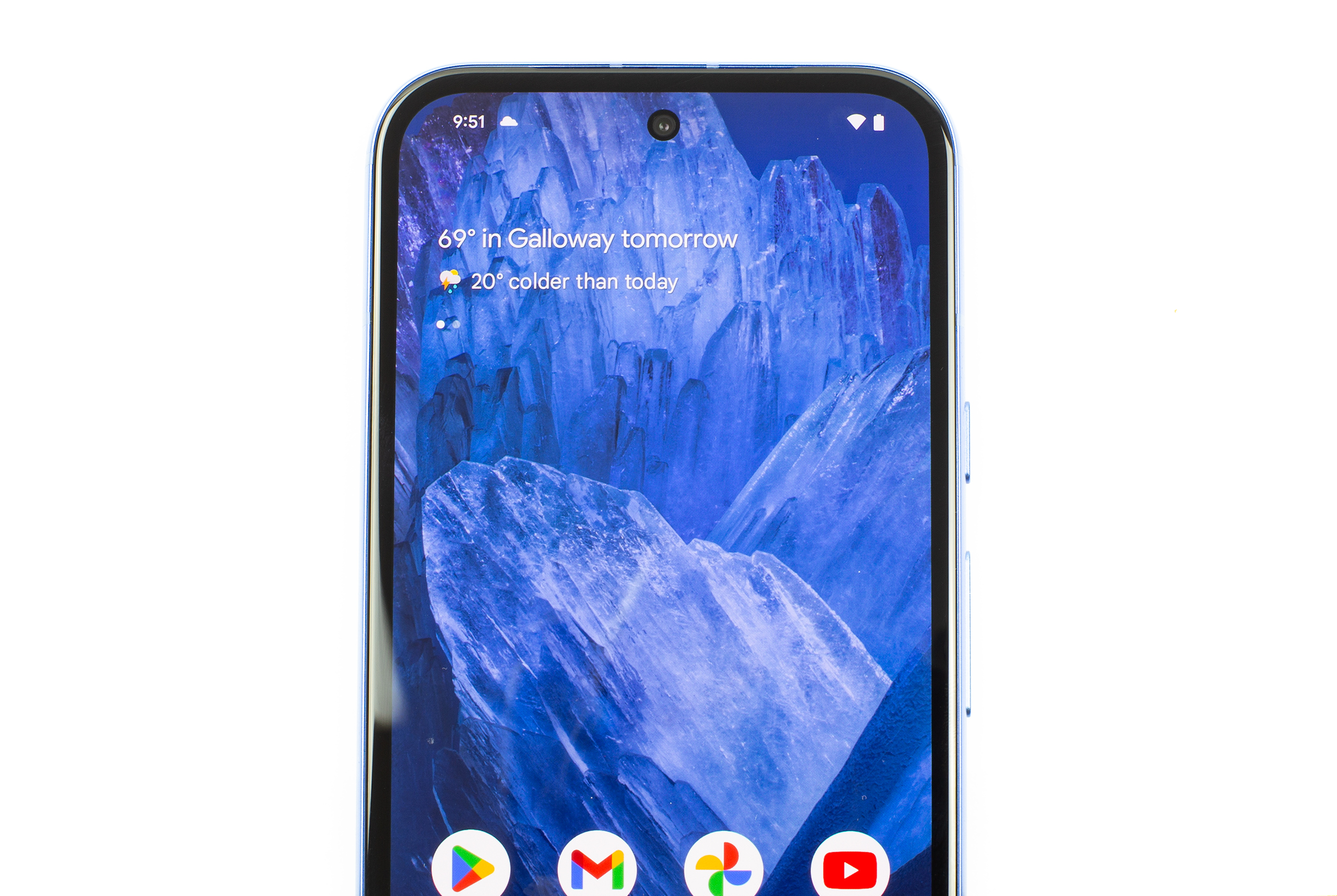
The bezels are a bit bigger than what we generally see on a flagship, but they're fine.
Enlarge / The bezels are a bit bigger than what we generally see on a flagship, but they’re fine.
Ron Amadeo

The other big upgrade is seven years of update support. Just like on the Pixel 8, you’ll now get monthly security updates and major Android OS updates for a whopping seven years, the longest promise in the industry. Whether a phone like this can actually run what would presumably be “Android 21” in 2031 is anyone’s guess. Previous Pixel models have often felt like they were being prematurely killed due to the short three-year update window.

When planning this far ahead, you most likely do have to pick one situation or the other as hardware ages: Do you want the phone to die a premature death due to software limits or have a years-longer life cycle with an eventual software update that runs poorly because the hardware is too slow? Even if running Android 21 is a challenge for this little midranger, the phone will at least be allowed to die a natural death due to actual hardware limitations. Google won’t be creating e-waste due to an artificial software timeline; the phone will actually be e-waste, and now users will be allowed to squeeze as much life as possible out of it. That’s a good thing!

Over those seven years, don’t be surprised if the Pixel 8a misses out on some of Google’s future AI features. The phone has 8GB of RAM, and Google is already saying that’s not enough for some of the AI features it wants to make in the future. The company says something like a generative AI-powered smart reply system would require keeping models in memory 24/7, and that would cut down on memory available for the OS, so phones need more memory. One leaked Pixel 9 model had 16GB of RAM, which is wild.

I’m someone who views a phone as a piece of hardware for running apps and just wants the OS to be simple and clean and get out of the way. I don’t need any of Google’s generative AI features, so I don’t consider this a big loss at all. Hopefully, future builds of Android allow you to turn AI features off. If Google actually wants to support these 8GB of RAM devices for seven years, it will need to do that.

https://arstechnica.com/?p=2023032



OpenAI revs up plans for web search, but denies report of an imminent launch

OpenAI revs up plans for web search, but denies report of an imminent launch
Aurich Lawson | Getty Images

OpenAI is eventually coming for the most popular website on the Internet: Google Search. A Reuters report claimed that the company behind ChatGPT is planning to launch a search engine as early as this Monday, but OpenAI denied that Monday would be the day.

The company recently confirmed it’s holding a livestream event on Monday, though, but an OpenAI rep told Ars that “Despite reports, we’re not launching a search product or GPT-5 on Monday.” Either way, Monday is an interesting time for an OpenAI livestream. That’s the day before Google’s biggest show of the year, Google I/O, where Google will primarily want to show off its AI prowess and convince people that it is not being left in the dust by OpenAI. Google seeing its biggest search competition in years and suddenly having to face down “OpenAI’s Google Killer” would have definitely cast a shadow over the show.

OpenAI has been inching toward a search engine for a while now. It has been working with Microsoft with a “Bing Chat” generative-AI search engine in Microsoft’s search engine. Earlier this week, The Verge reported that “OpenAI has been aggressively trying to poach Google employees” for an upstart search team. “Search.chatgpt.com” is already being set up on OpenAI’s server, so it’s all falling into place.

When the launch of OpenAI search does happen, one thing to really watch for is what types of search queries it can handle. Right now, ChatGPT can really only replace search queries that are questions. The primary reason Google Search is the No. 1 most visited website is not answers to questions; it’s because many people use Google as their gateway to the Internet. Here’s a list of the top Google queries; most of them are not questions, they are other websites. The No. 1 Google query is “youtube,”  No. 2 is “facebook.” Also in the top 10 are “amazon,” “gmail,” “instagram,” and “whatsapp web,” and truly sad is No. 16, where people go to Google and search for “google” to get the homepage. That link is a top-100 list, and I don’t think I would categorize a single one as a “question.”

These navigational queries are the bread and butter of a search engine, not answers. If you want to make a purchase or reservation, view a map, download software, do research, watch a video, or read news, these are all things Google can help with that chatbots typically can’t. These types of navigational queries used to be the only thing Google could do—the obsession with answers only happened around 2012 when Google was 14 years old. Before then, it was all about the 10 blue links.

So, exactly how much of a threat OpenAI is to the big incumbent will depend on how much of Google it’s actually able to replace. One attempt at a chatbot search engine is Perplexity AI, where the primary text on the page shouts “Ask questions, trust the answers.” Again there’s that “answer” obsession, and that’s not how Google built its fortune. If you type “youtube” into Perplexity, it doesn’t show a link to YouTube; it shows a Wikipedia-style response.

Earlier this week, Bloomberg reported a few details on the forthcoming OpenAI search engine and said it would “allow users to ask ChatGPT a question and receive answers that use details from the web with citations to sources such as Wikipedia entries and blog posts” and that “one version of the product also uses images alongside written responses to questions.” That does not quite sound like a Google Killer and other than the source citation, it does not sound all that different from the ChatGPT of today.

The other issue is speed. Google became the gateway to the Internet by being really fast. Google is so proud of its speed that it actually displays the time it takes for a response to be generated, and it’s always fractions of a second. Generative AI, on the other hand is probably best measured in “words per minute,” like you’re judging a typist. When you just want to do something simple or go somewhere, sitting there for several seconds waiting for text to slowly appear word by word can be agonizing. My last Google Search took 0.41 seconds to “generate” a full page of text. How long will OpenAI’s search engine take?

This article was updated to reflect OpenAI’s denial of the search engine launch day reports.

https://arstechnica.com/?p=2023495


Fedora Asahi Remix 40 is another big step forward for Linux on Apple Silicon Macs

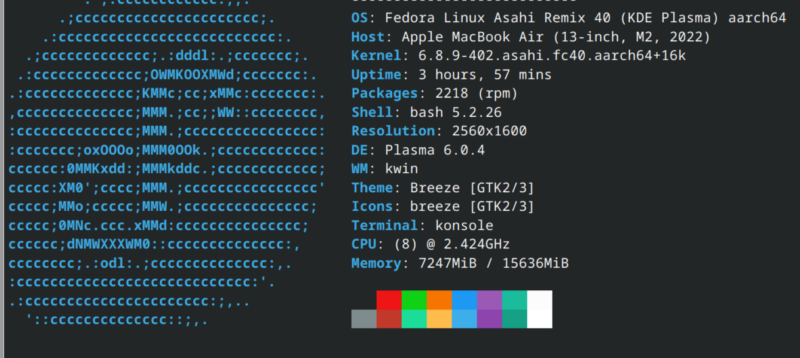
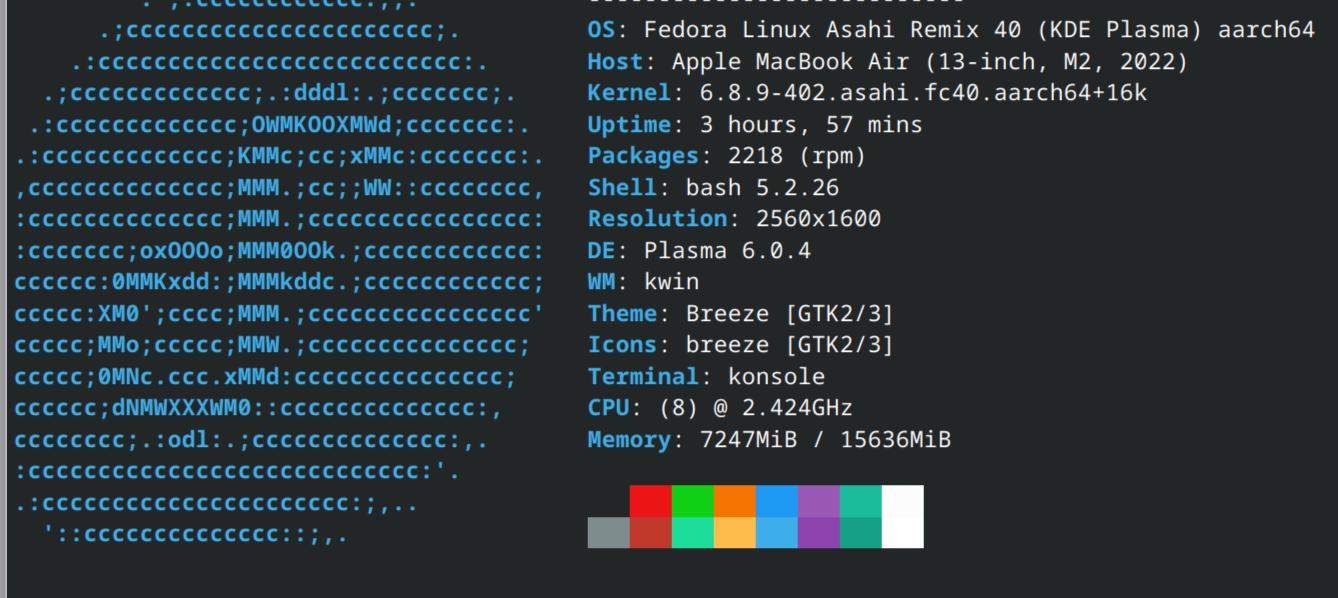
Terminal screen showing Fedora logo in ASCII text
Kevin Purdy

Asahi Linux, the project that aims to bring desktop Linux to Apple hardware with Apple silicon—the M series of chips—is out with Fedora Asahi Remix 40. More hardware features of Apple devices are supported, the Fedora Linux 40-based distro ships with KDE’s new Plasma 6 desktop, and untold numbers of bugs are squashed, to be replaced with reams more.

Fedora Asahi Remix is a “fully integrated distro,” according to the Asahi team, and you can “expect a solid and high-quality experience without any unwanted surprises.” It supports all the M1 and M2 devices in the MacBook, Mac Mini, Mac Studio, and iMac lines. It’s OpenGL 4.6 and OpenGL ES 3.2 certified, and comes with “the best Linux laptop audio you’ve ever heard.”

So, should you install it on your Mac? Keep scrolling down Asahi’s release page and check the “Device support” section. Still missing from most M-series Apple devices are support for Thunderbolt and USB4, built-in microphones, and Touch ID, as well as USB-C display support. Speakers are not supported on the iMac. And HDMI audio is in rough shape, being able to “break audio on the system completely.”

Still, for someone using an Apple laptop primarily as a portable device, or simply connecting to a monitor with less modern all-in-one cables, there is a desktop awaiting. Installing it is a single cURL command. Let’s give it a shot.

Pretty easy install, given the target

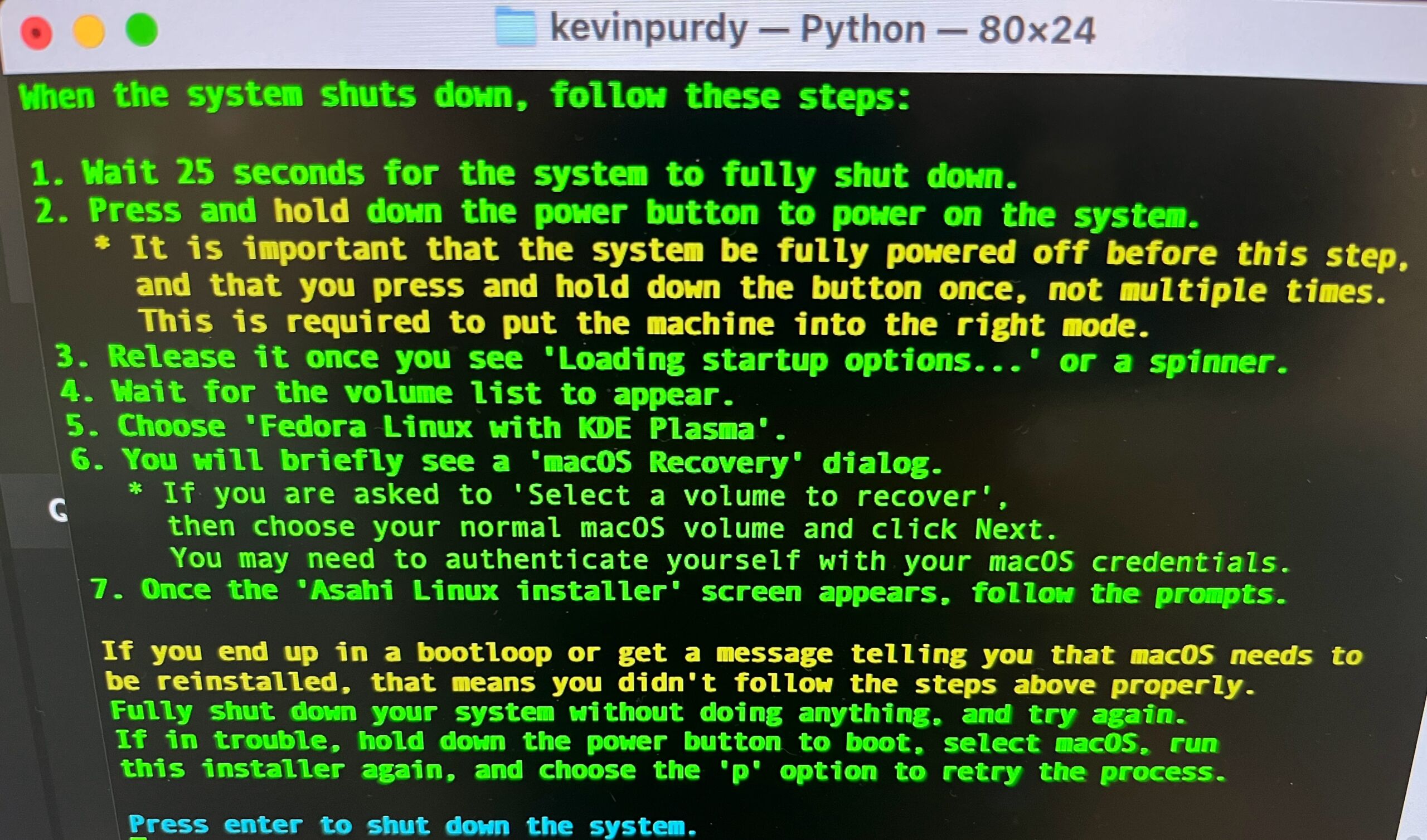
The rest of this post was written inside Fedora Asahi Remix 40, newly installed on an M2 MacBook Air. The script to install Asahi was as helpful and straightforward as a terminal script that resizes your hard drive can be. After choosing a size, choosing which version of Fedora Asahi to install (KDE by default, but GNOME or server options are available), and reading an extended warning about how to properly restart the machine in Fedora, I was almost in, but not quite.

It's a lot of green text, but really it's just telling you to wait, then hold down a button.
It’s a lot of green text, but really it’s just telling you to wait, then hold down a button.
Kevin Purdy

You have to first stop by the Mac’s barren recovery environment, giving your new Linux partition permission to have an alternate security scheme. I was fine with this until the command prompt asked me to type out which user was approving this change, with no options to select. The macOS interface does a pretty thorough job of abstracting away your actual Unix username to the point where I had to guess a few times until I got it right. Make sure you’ve got your own written down before you jump in.

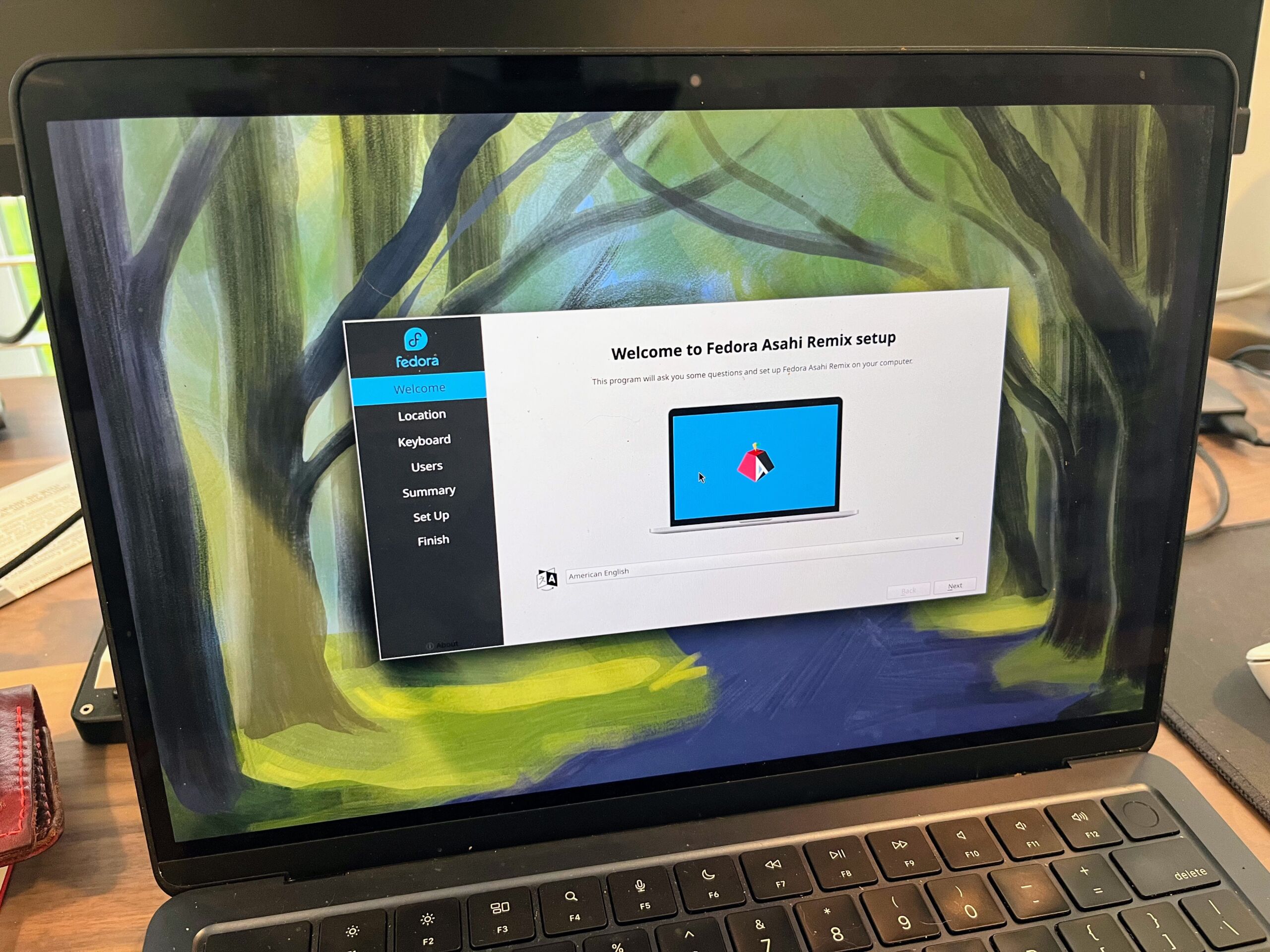
The welcome center in Fedora Asahi Remix is quite nice.

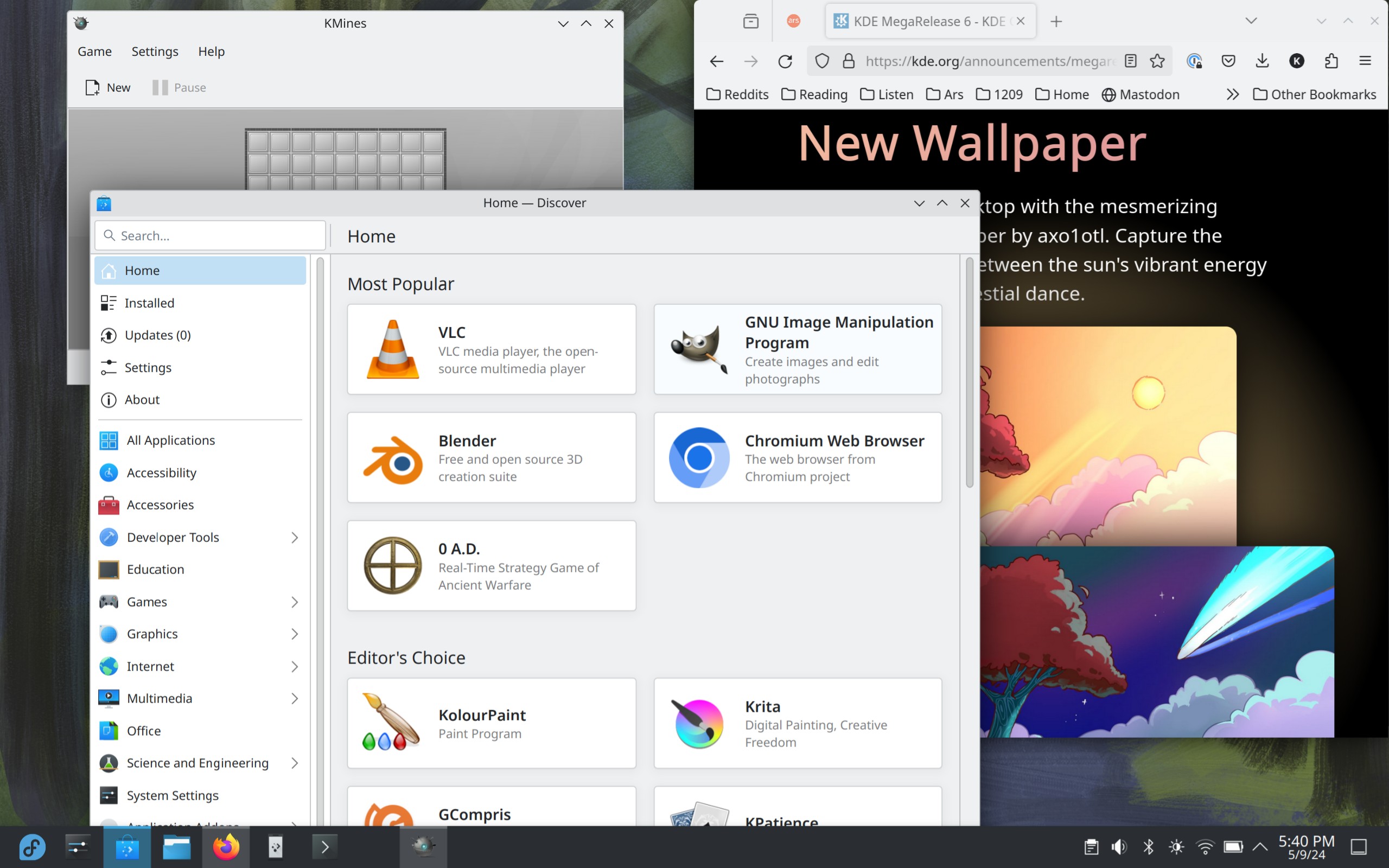
Finally, I arrived at the Fedora Asahi Remix desktop. I am very unfamiliar with KDE generally, but it’s not hard to get around. In a few hours of use, I encountered no crashes, no visual oddities, and only a bit of harsh speaker clipping when adjusting the volume. I got the keyboard set up to a reasonable facsimile for my Mac-familiar hands (left command as control, change alt+tab to control+tab). The touchpad settings lacked for palm sensitivity options, so after a few accidental scrolls and selects, I switched off tap-to-click.

Fedora Asahi Remix 40.
Kevin Purdy

The chicken-egg-chicken scenario

The biggest barrier to getting your ideal setup in Asahi Linux remains the architecture. Most software outside Fedora’s own repositories isn’t available in 64-bit ARM (or “AArch64“), at least not without some deeper compilation and configuration work. That means no Slack or Steam for the time being. I know there are ways to get there, but with everything working so well in this Fedora-sanctioned desktop, I’m not ready to scatter the parts across the lawn just yet. As my colleague Andrew Cunningham noted in his Raspberry Pi 5 desktop experiment, using and engaging with Asahi Linux, Raspberry Pis, and other ARM variants of Linux can only help, though it will take time.

It’s easy to forget what a remarkable thing Asahi Linux is on a broad level. That there’s a common Linux distribution available for this very new and purpose-built hardware is impressive in any regard. With this, the second release of a Fedora Remix, Asahi is becoming an almost normal distribution to install, a reasonable place to compute. Where it leads from here should be exciting.

https://arstechnica.com/?p=2023080


A crushing backlash to Apple’s new iPad ad

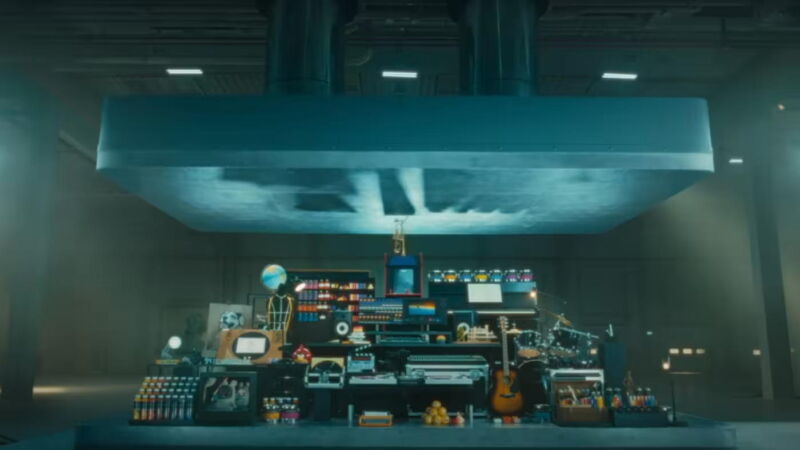
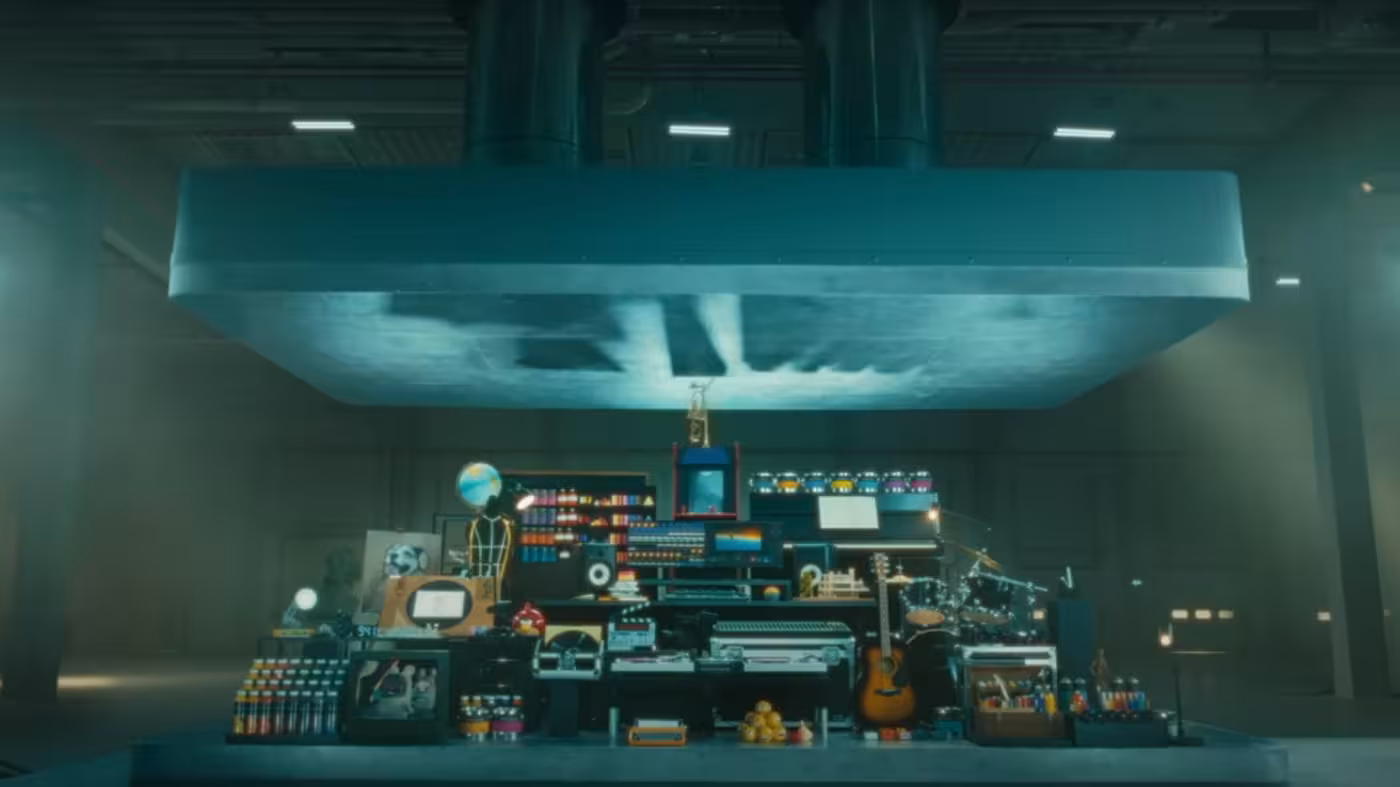
A screenshot of the Apple iPad ad
Enlarge / A screenshot of the Apple iPad ad.
Apple via YouTube

An advert by Apple for its new iPad tablet showing musical instruments, artistic tools, and games being crushed by a giant hydraulic press has been attacked for cultural insensitivity in an online backlash.

The one-minute video was launched by Apple chief executive Tim Cook to support its new range of iPads, the first time that the US tech giant has overhauled the range for two years as it seeks to reverse faltering sales.

The campaign—soundtracked by Sonny and Cher’s 1971 hit All I Ever Need Is You—is designed to show how much Apple has been able to squeeze into the thinner tablet. The ad was produced in-house by Apple’s creative team, according to trade press reports.

[embedded content]

The campaign has been hit by a wave of outrage, with responses on social media reacting to Cook’s X post accusing Apple of crushing “beautiful creative tools” and the “symbols of human creativity and cultural achievements.”

Advertising industry executives argued the ad represented a mis-step for the Silicon Valley giant, which under late co-founder Steve Jobs was lauded for its ability to capture consumer attention through past campaigns.

Christopher Slevin, creative director for marketing agency Inkling Culture, compared the iPad ad unfavorably to a famous Apple campaign directed by Ridley Scott called “1984” for the original Macintosh computer, which positioned Apple as liberating a dystopian, monochrome world.

“Apple’s new iPad spot is essentially them turning into the thing they said they were out to destroy in the 1984 ad,” said Slevin.

[embedded content]

Actor Hugh Grant accused Apple of “the destruction of the human experience courtesy of Silicon Valley” on X.

However, Richard Exon, founder of marketing agency Joint, said: “A more important question is: does the ad do its job? It’s memorable, distinctive, and I now know the new iPad has even more in it yet is thinner than ever.”

Consumer insights platform Zappi conducted consumer research on the ad that suggested that the idea of the hydraulic press crushing art was divisive.

It said that the ad underperformed benchmarks in typically sought-after emotions such as happiness and laughter and overperformed in traditionally negative emotions like shock and confusion, with older people more likely to have a negative response than younger consumers.

Nataly Kelly, chief marketing officer at Zappi, said: “Is the Apple iPad ad a work of genius or the sign of the dystopian times? It really depends on how old you are. The shock value is the power of this advert, which is controversial by design, so the fact that people are talking about it at all is a win.”

Apple did not immediately respond to a request for comment.

© 2024 The Financial Times Ltd. All rights reserved. Not to be redistributed, copied, or modified in any way.

https://arstechnica.com/?p=2023053


Prime Video subs will soon see ads for Amazon products when they hit pause

<img src="https://rassegna.lbit-solution.it/wp-content/uploads/2024/05/prime-video-subs-will-soon-see-ads-for-amazon-products-when-they-hit-pause.jpg" alt="A scene from the Prime Video original series Fallout.”>
Enlarge / A scene from the Prime Video original series Fallout.

Amazon Prime Video subscribers will see new types of advertisements this broadcast year. Amazon announced today that it’s adding new ad formats to its video streaming service, hoping to encourage people to interact with the ads and shop on Amazon.

In January, Prime Video streams included commercials unless subscribers paid $3 extra per month. That has meant that watching stuff on Prime Video ad-free costs $12 per month or, if you’re also a Prime subscriber, $18 per month.

New types of Prime Video ads

Amazon has heightened focus on streaming ads this year. Those who opted for Prime Video with commercials will soon see shoppable carousel ads, interactive pause ads, and interactive brand trivia ads, as Amazon calls them. Amazon said that advertisers could buy these new displays to be shown “across the vast majority of content on Prime Video, wherever it’s streamed.” All the new ad formats allow a viewer to place advertised products in their Amazon cart.

With carousel ads, subscribers will be pushed to shop “a sliding lineup of” products during ad breaks during shows and movies, Amazon said, adding: “The ad automatically pauses so that customers can browse, and automatically resumes play when ad interaction has stopped.”

The pause ads will be visible during Prime Video TV shows, movies, and live sports. These types of ads have been around since Hulu introduced them in 2019. Since they can show up whenever someone hits the pause button, these displays mean that Prime Video users will see ads beyond their scheduled breaks.

In Prime Video’s case, pausing the program will bring up “a translucent ad featuring brand messaging and imagery, along with an ‘Add to Cart’ and ‘Learn More'” overlay, per Amazon. Advertisers can also use pause ads to acquire voluntary viewers’ email addresses (so viewers can “get more information,” per Amazon).

Amazon trivia-themed ads will also appear during shows, movies, and live sports. The ad will try to sell stuff by offering “rewards like Amazon shopping credits.”

Amazon’s ad business is growing

Amazon is already one of the three biggest digital advertising firms (in addition to Alphabet and Meta). But its interest in using its streaming service to sell ad space has grown as ad dollars continue shifting away from linear, traditional TV platforms. The streaming industry has been trying to capitalize on advertisers’ growing interest with new ad types that users can shop from. Amazon research from 2023 claims that interactive ads increase product page views and conversions for products sold on Amazon tenfold.

On the other hand, Amazon has not released research publicly on how much constant ad viewing can impact the user experience or interest in a streaming service.

Still, Amazon claimed today that Prime Video ads reach an average of 200 million people monthly. Amazon hasn’t provided a firm figure on how many Prime Video subscribers it currently has overall, however. In 2021, Amazon said that Prime, which includes Prime Video, had 200 million subscribers.

Amazon has, however, boasted about how well it is selling ads recently. In its Q1 2024 earnings report released on April 30, Amazon said its ad business grew 24 percent year over year. Most of Amazon’s ad dollars come from its retail business, as The Hollywood Reporter noted, but in a statement at the time, Amazon CEO and President Andy Jassy noted that Prime Video was also a contributor.

According to a Hub Media Entertainment survey from January to March 2024, 6,338 US TV viewers between 16 to 74 years old watched at least one hour of TV per week, and 85 percent of Prime Video subscribers in the survey are on Amazon’s ad tier. (Amazon hasn’t confirmed those figures.) The Hub Entertainment Media survey claims that Amazon has a higher ad-based-to-ad-free ratio of subscribers than all other video-streaming services examined, including Netflix, Max, and Hulu. But it’s worth noting that Amazon automatically moved all Prime Video subscribers to its ad tier in January, while others, like Netflix, introduced ad tiers as a new option to sign up for.

A fine line

Like all streamers, Amazon is toeing a fine line between using ads to boost the average revenue it makes per user and aggravating subscribers to the point of cancellation.

Amazon is already facing a lawsuit regarding ads on Prime Video that seeks class-action certification and was filed by people who purchased annual subscriptions.

https://arstechnica.com/?p=2022688


Raspberry Pis get a built-in remote-access tool: Raspberry Pi Connect

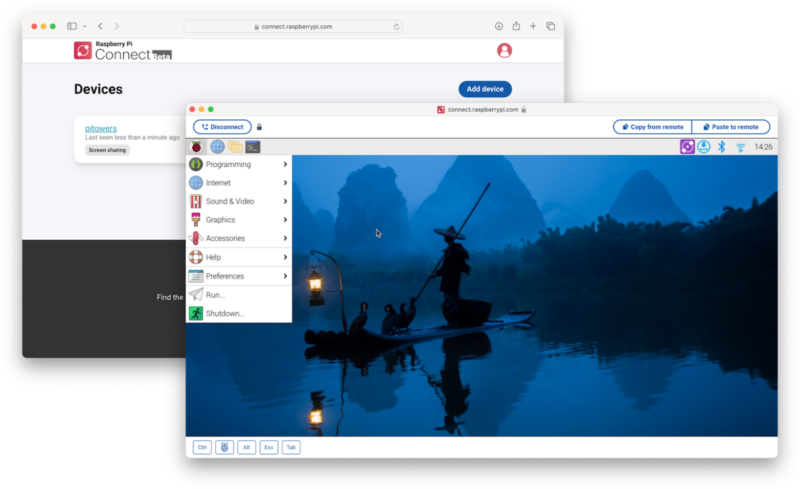
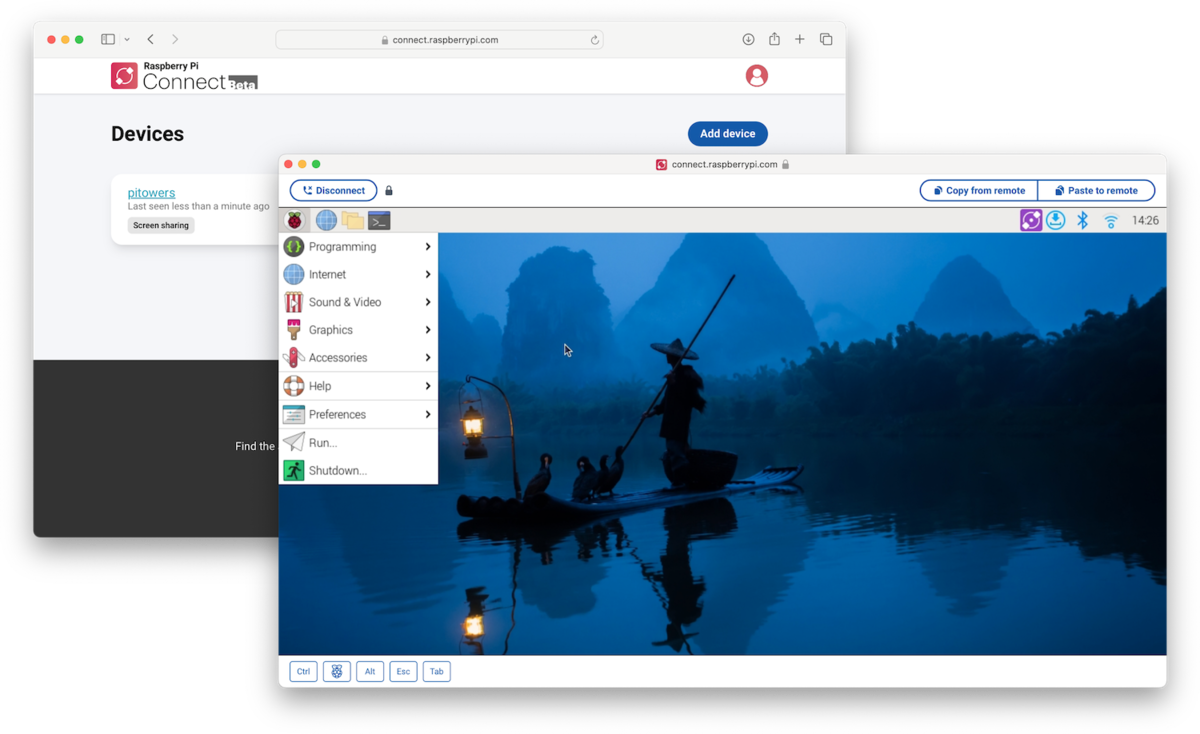
Raspberry Pi Connect looks like a good reason to make a Pi account, at least if you're not running your own DynDNS, VPN, and other remote-access schemes.
Enlarge / Raspberry Pi Connect looks like a good reason to make a Pi account, at least if you’re not running your own DynDNS, VPN, and other remote-access schemes.
Raspberry Pi

One Raspberry Pi often leads to another. Soon enough, you’re running out of spots in your free RealVNC account for your tiny boards and “real” computers. Even if you go the hardened route of SSH or an X connection, you have to keep track of where they all are. All of this is not the easiest thing to tackle if you’re new to single-board computers or just eager to get started.

Enter Raspberry Pi Connect, a new built-in way to access a Raspberry Pi from nearly anywhere you can open a browser, whether to control yourself or provide remote assistance. On a Raspberry Pi 4, 5, or Pi 400 kit, you install Pi connect with a single terminal line, reboot the Pi, and then click a new tray icon to connect the Pi to a Raspberry Pi ID (and then enable two-factor authentication, of course).

From then on, visiting connect.raspberrypi.com gives you an encrypted connection to your desktop. It’s a direct connection if possible, and if not, it runs through relay servers in London, encrypting it with DTLS and keeping only the metadata needed for the service to work. The Pi will show a notification in its tray that somebody has connected, and you can manage screen sharing from there. The Pi’s docs site has a lot more on the particulars.

Connect works only on 64-bit systems running the Bookworm version of Pi OS with a Wayland window server. Connect was created partly due to Pi’s transition to Wayland from X, which offered its own remote desktop option. According to the Pi firm, the service runs on a peer-to-peer WebRTC connection, similar to that of Zoom, Slack, Teams, and other video-sharing services. The whole service is in beta at the moment, and the company says it’s not quite sure how much traffic to expect through its relay servers.

Listing image by Getty Images

https://arstechnica.com/?p=2022695


Hands-on with the new iPad Pros and Airs: A surprisingly refreshing refresh

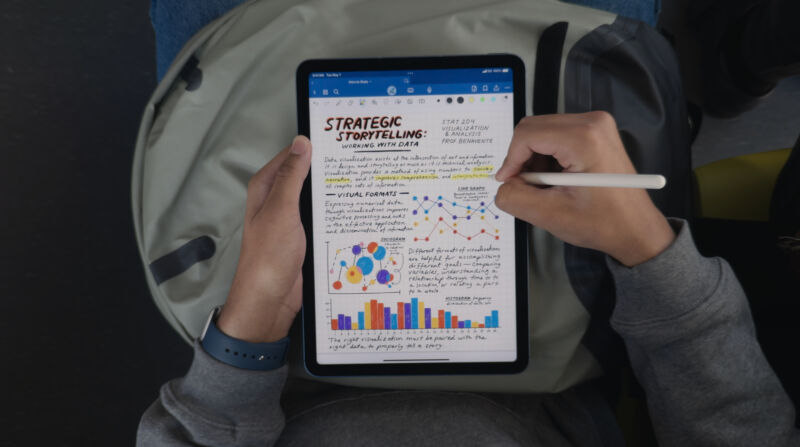
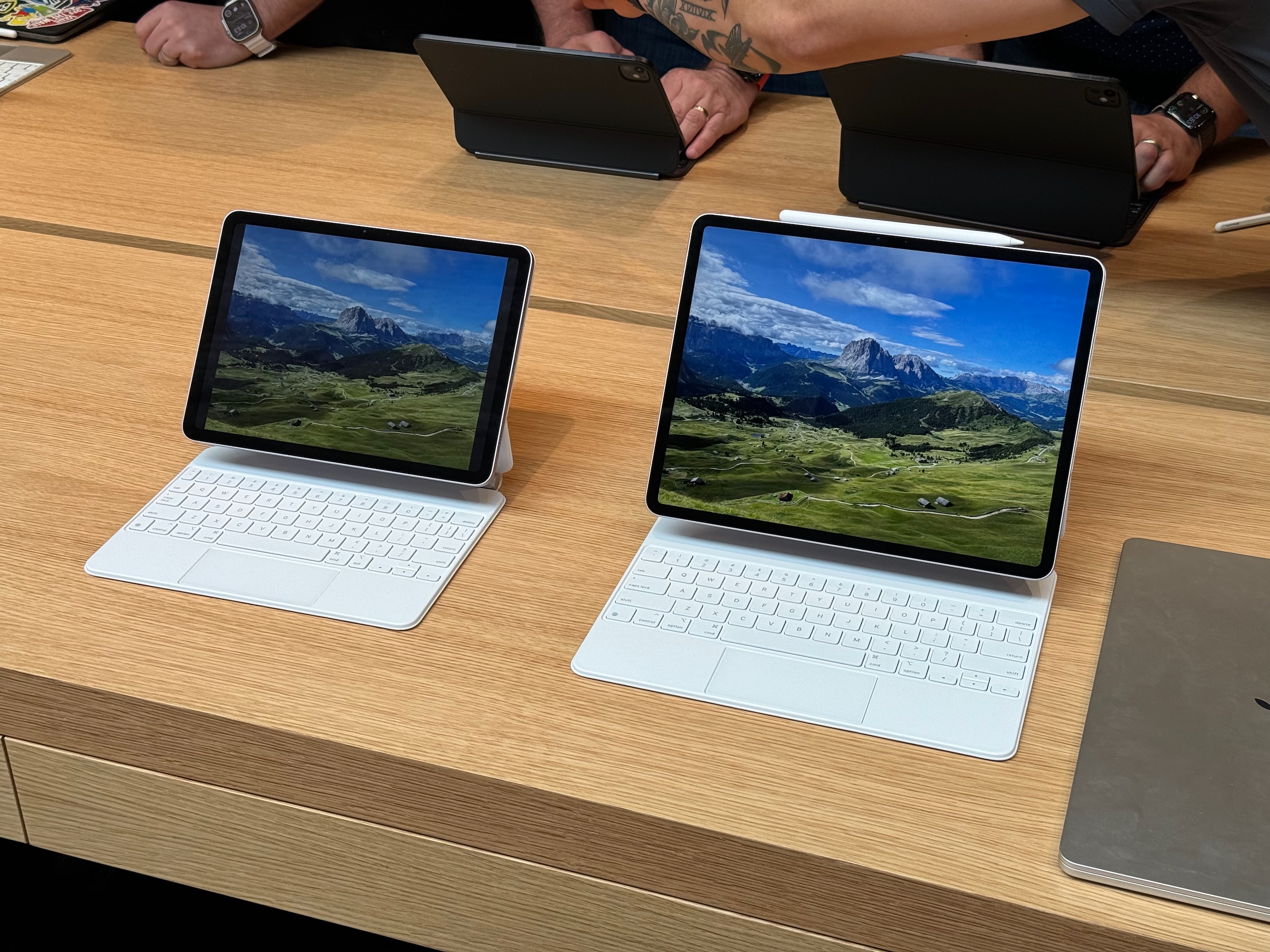
Apple's latest iPad Air, now in two sizes. The Magic Keyboard accessory is the same one that you use with older iPad Airs and Pros, though they can use the new Apple Pencil Pro.
Enlarge / Apple’s latest iPad Air, now in two sizes. The Magic Keyboard accessory is the same one that you use with older iPad Airs and Pros, though they can use the new Apple Pencil Pro.
Andrew Cunningham

Apple has a new lineup of iPad Pro and Air models for the first time in well over a year. Most people would probably be hard-pressed to tell the new ones from the old ones just by looking at them, but after hands-on sessions with both sizes of both tablets, the small details (especially for the Pros) all add up to a noticeably refined iPad experience.

iPad Airs: Bigger is better

But let’s begin with the new Airs since there’s a bit less to talk about. The 11-inch iPad Air (technically the sixth-generation model) is mostly the same as the previous-generation A14 and M1 models, design-wise, with identical physical dimensions and weight. It’s still the same slim-bezel design Apple introduced with the 2018 iPad Pro, just with a 60 Hz LCD display panel and Touch ID on the power button rather than Face ID.

So when Apple says the device has been “redesigned,” the company is mainly referring to the fact that the webcam is now mounted on the long edge of the tablet rather than the short edge. This makes its positioning more laptop-y when it’s docked to the Magic Keyboard or some other keyboard.

The most welcome change to the Air is the introduction of a 13-inch model (blessedly, no longer “12.9 inches”). It looks like the old 12.9-inch iPad Pro design from circa 2018 but with the simpler single-lens 12 MP camera and the Touch ID button rather than the Face ID sensor.

The new iPad Air.
Enlarge / The new iPad Air.
Andrew Cunningham

With the iPad Pro and the Air next to each other, it’s clear which has the superior screen—the 120 Hz refresh rate of ProMotion and the infinite contrast of OLED are definitely major points in the Pro’s favor. But if you’re just looking for a big screen for watching videos, reading books, or playing games, or if you’re just looking for a general-use laptop replacement tablet, Apple is still using a great 60 Hz LCD panel here. And the $799 price tag is considerably lower than any of Apple’s past 12.9-inch iPad Pros.

Like the 15-inch MacBook Air, it’s a way for people to get a bigger screen without paying for advanced screen technologies or faster processors if they don’t want or need them. It’s hard to find a downside to that, as long as you’re OK with iPadOS’ differences and restrictions relative to macOS.

https://arstechnica.com/?p=2022530


Apple drops price of 10th Gen iPad from $399 to $349

Apple kills $329 iPad with home button, Lightning port

Apple lowered the price of its 10th Generation iPad from $399 to $349, it announced at its Let Loose event today.

The 10th-generation iPad did away with the top and bottom bezels that previous iPads carried. The 10.9-inch tablet also doesn’t have a home button, and shows Apple, under pressure from European Union regulations, moving from a Lightning port to USB-C.

However, Apple’s also doing away with the $329, 9th Generation iPad, effectively increasing the price of entry for an iPad.

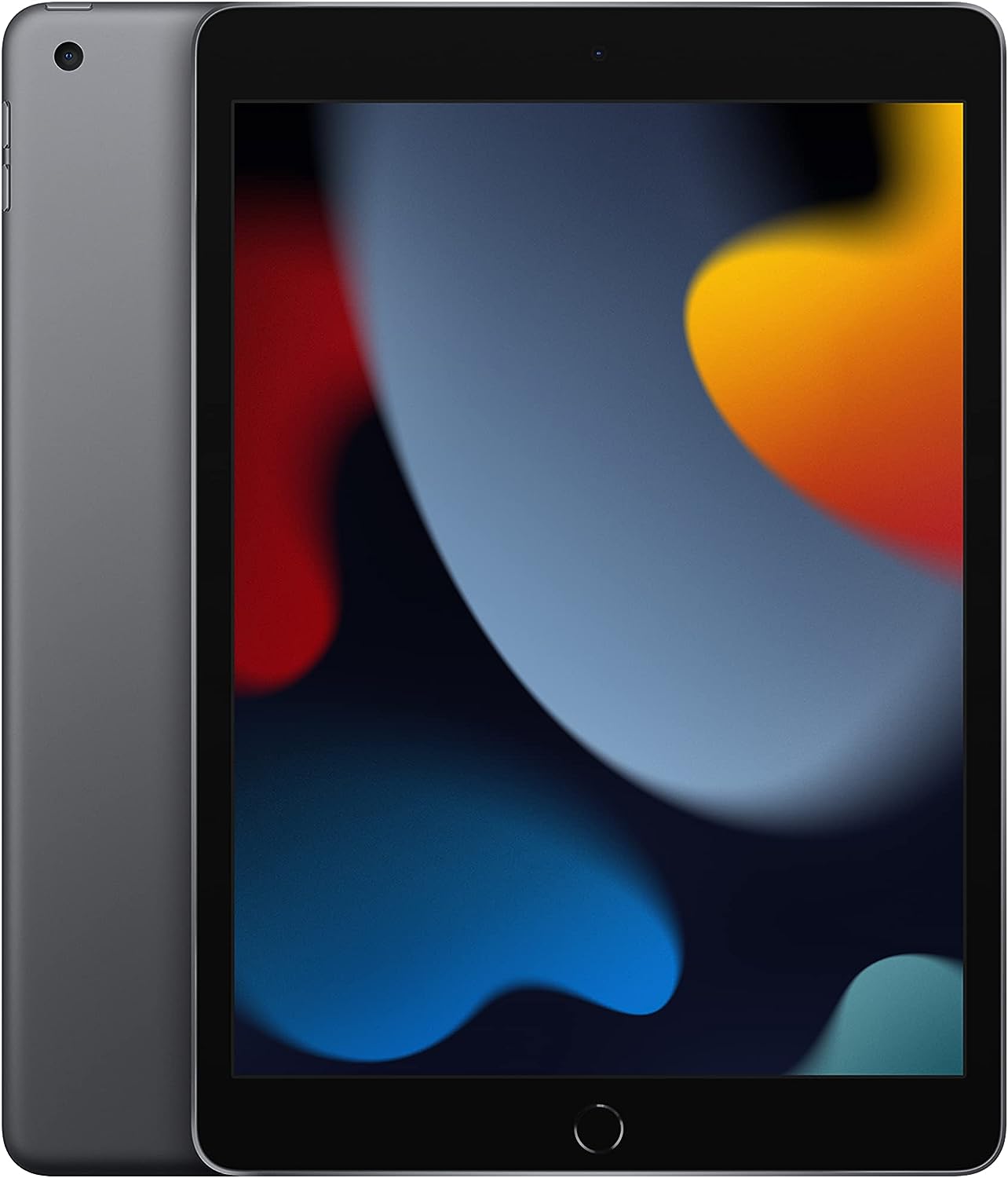
You won't be able to buy this 9th-generation iPad from Apple anymore.
Enlarge / You won’t be able to buy this 9th-generation iPad from Apple anymore.

The $329 iPad had an old school home button, as well as a Lightning port. The cheaper iPad also supported the 1st-generation Apple Pencil that had a round barrel shape, glossy finish, and also used a Lightning port. Meanwhile, Apple’s Pencil lineup has moved toward magnetic charging and other new features.

https://arstechnica.com/?p=2022463


New iPad Pros are the thinnest Apple device ever, feature dual-OLED screens

New iPad Pros are the thinnest Apple device ever, feature dual-OLED screens

Apple’s newest iPad Pro puts an M4 chip inside a thinner frame and is available in new 11-inch and 13-inch sizes, while also upgrading the screens on both to “tandem” OLED displays for more brightness.

Compared to the last iPad Pro, released in early 2022, Apple is highlighting how thin and light these new Pros are. The 11-inch model is 5.3 mm thick and weighs less than a pound, while the 13-inch is 5.1 mm, which Apple says is its thinnest product ever, at 1.28 pounds.

The tandem OLED design, dubbed Ultra Retina XDR, delivers 1000 nits at full-screen brightness, and 1600 nits at peak HDR, equivalent to a high-end Samsung TV. The screens are “nano-texture glass,” which is essentially a matte display finish.

What’s really big is the inclusion of an M4 chip, built from a second-generation 3-nanometer process. It’s the first time the iPad Pro has included a new Apple chip ahead of other devices. Apple is touting a 50 percent improvement over M2 performance and can deliver the same performance as M2 at half the power, or one-quarter the power in certain scenarios. Notably, the new iPad Air uses the M2; this year’s lineup puts more of a gap between the use cases and price/performance points of the various iPads, even if there is still some cross-over.

The chip’s neural engine got a very specific call-out; it’s capable of 38 trillion operations per second, and Apple says it’s the most powerful (consumer-level) AI computer sold.

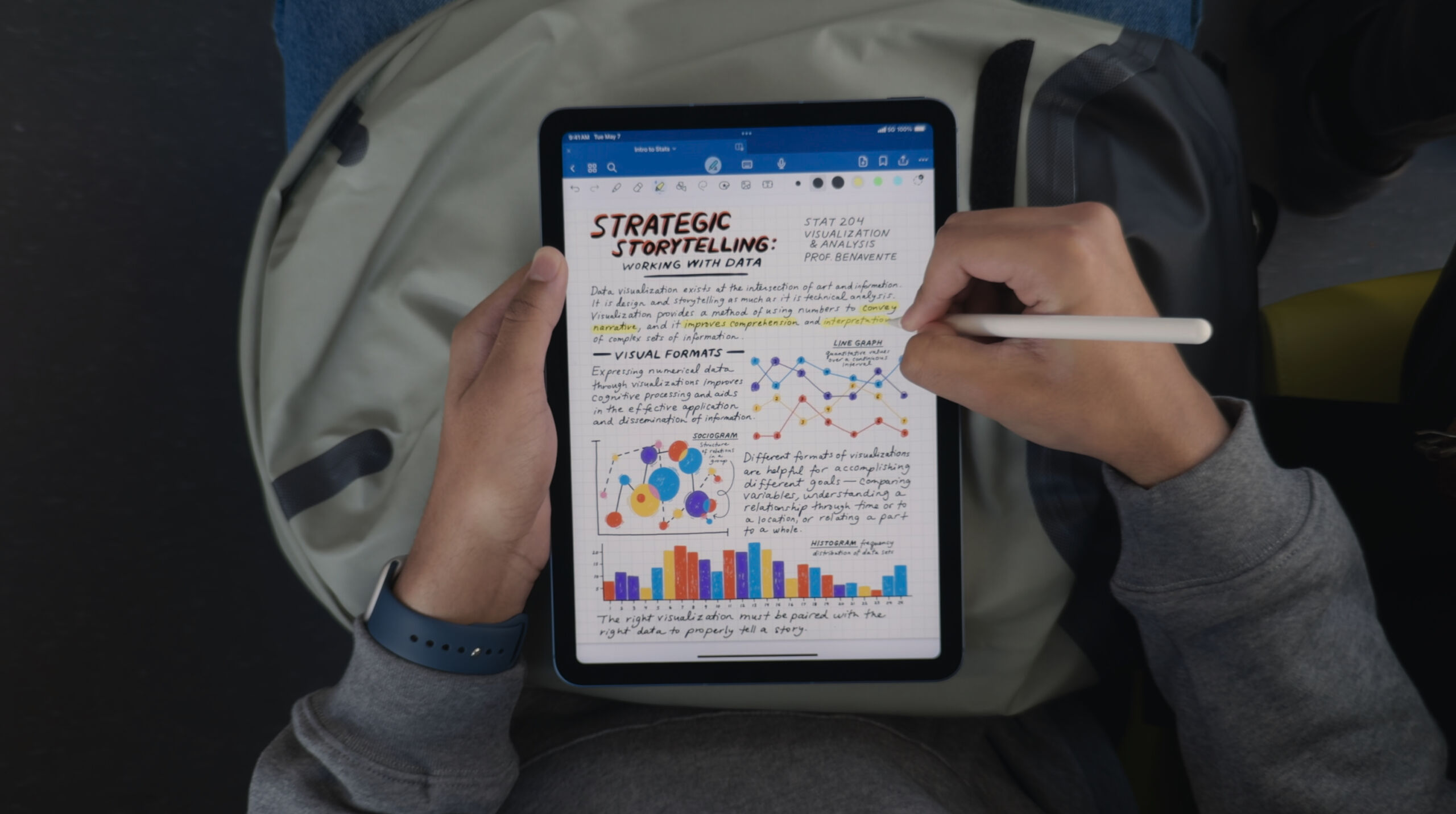
The new iPad Pros get a 12 megapixel camera, along with LIDAR scanners and an adaptive flash that improves document scanning. Finally, the “selfie”/conferencing camera moves to the landscape position on the iPad Pro, making that ultra-wide 12MP camera far more useful and the iPad-as-laptop experience a good deal better. On that note, there are new Magic Keyboards, Smart Folios, and an Apple Pencil Pro available soon to attach to these new models.

The 11-inch iPad Pro starts at $999, and the 13-inch starts at $1,299, with 256GB storage to start. They’re both available for order today, with delivery next week.

This is a developing story and this post will be updated.

https://arstechnica.com/?p=2022368


Apple’s first 13-inch iPad Air debuts at $799 next week

iPad Air
Enlarge / M2-based iPad Airs come out next week.

Apple today announced the first 13-inch iPad Air. The company is also releasing a revamped 11-inch iPad Air next week, meaning the tablet will be available in two sizes for the first time.

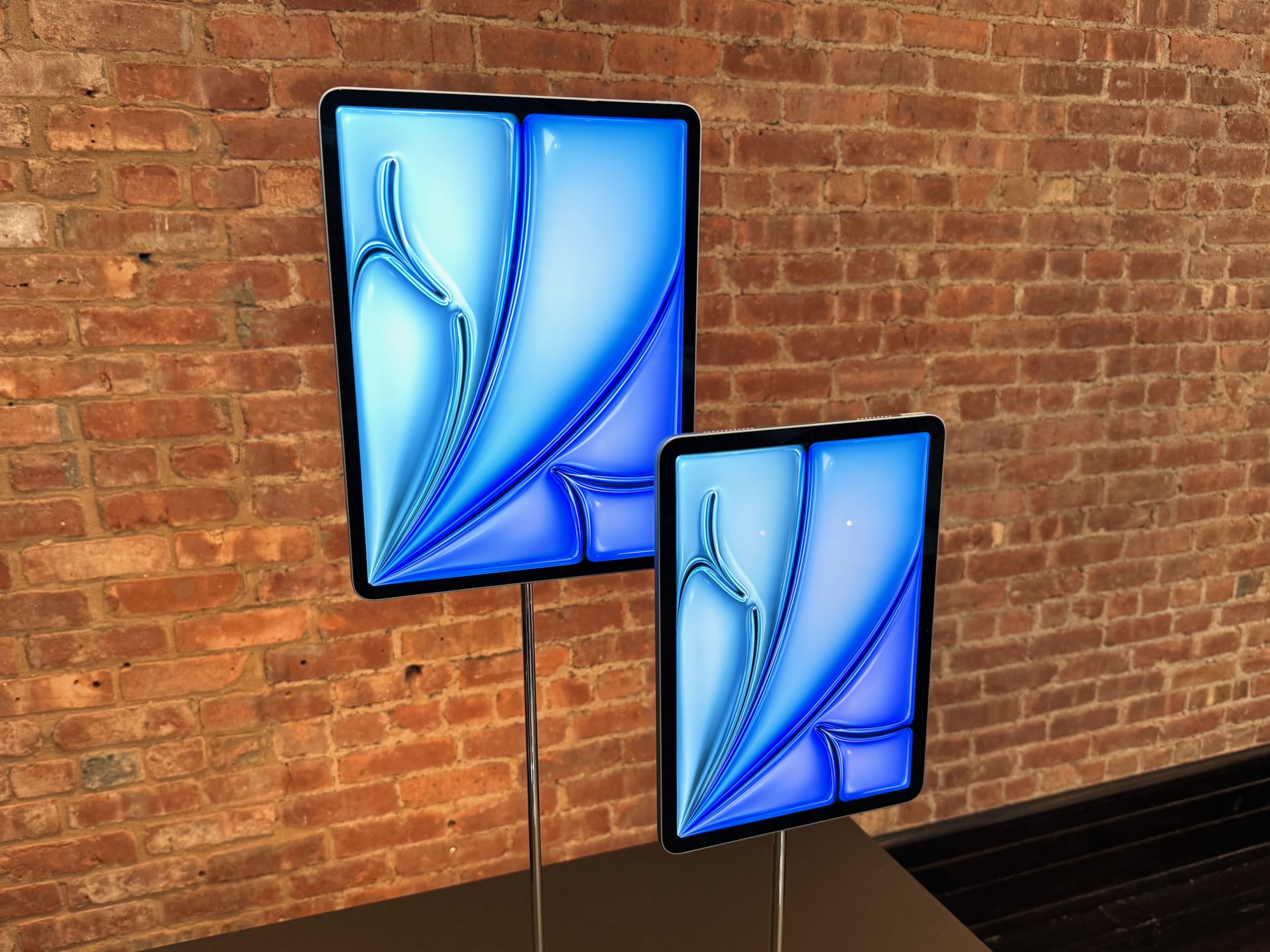
The 13-inch iPad Air has 30 percent more screen real estate than its smaller counterpart, so Apple is marketing it as being for multitasking and applications like iPadOS’ Split View. During its Let Loose event today, Apple said it decided to release a 13-inch iPad Air because more than half of iPad Pro users opt for the larger (12.9 inches versus 11 inches) size.

The 11-inch versus the 13-inch iPad Air.
Enlarge / The 11-inch versus the 13-inch iPad Air.

In addition to a larger screen, the 13-inch iPad Air will offer better sound quality than the 11-inch version, Apple says, due to it offering twice the bass. Both tablets have landscape stereo speakers and Spatial Audio support.

Both iPad Airs will come with an M2 chip that Apple claimed will give the devices 15 percent faster CPU performance, 25 percent faster GPU performance, and a 40 percent faster neural engine. With improved memory bandwidth as well, Apple says the new iPad Airs will be 50 percent faster than M1-based predecessors.

Apple also claimed the new chip will make the tablets more appropriate for AI-based tasks, like visual look up, subject lift, and live text capture.

The new Airs will also have a front-facing, ultrawide 12MP camera that supports Apple’s Center Stage feature for keeping users in a central field of view during video calls. Apple moved the camera positioning to one of the tablet’s longer edges to appeal to the way people tend to use the tablets with video calls.

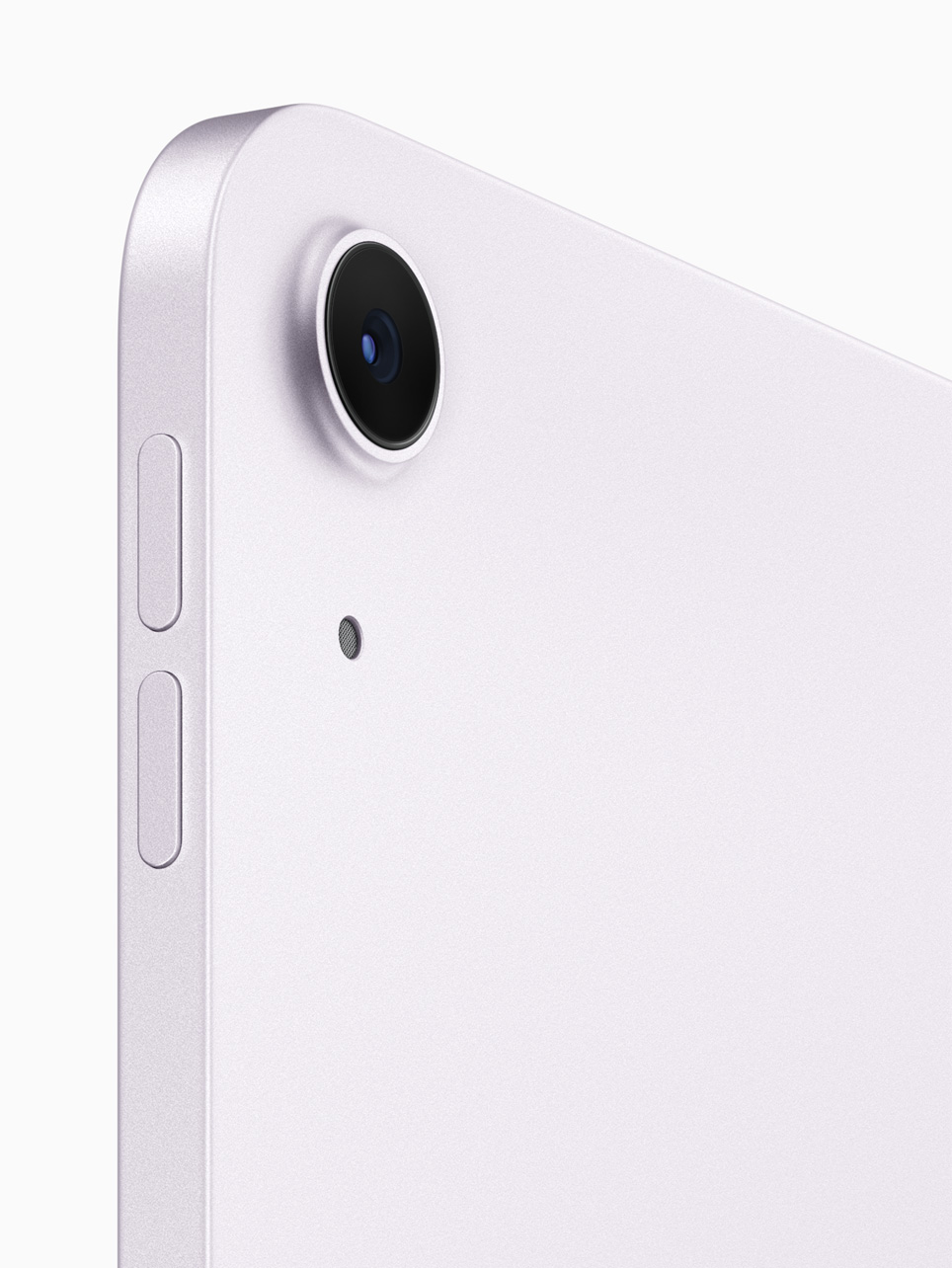
The new iPad Air cameras support 4K video and 240-fps slo-mo.
Enlarge / The new iPad Air cameras support 4K video and 240-fps slo-mo.

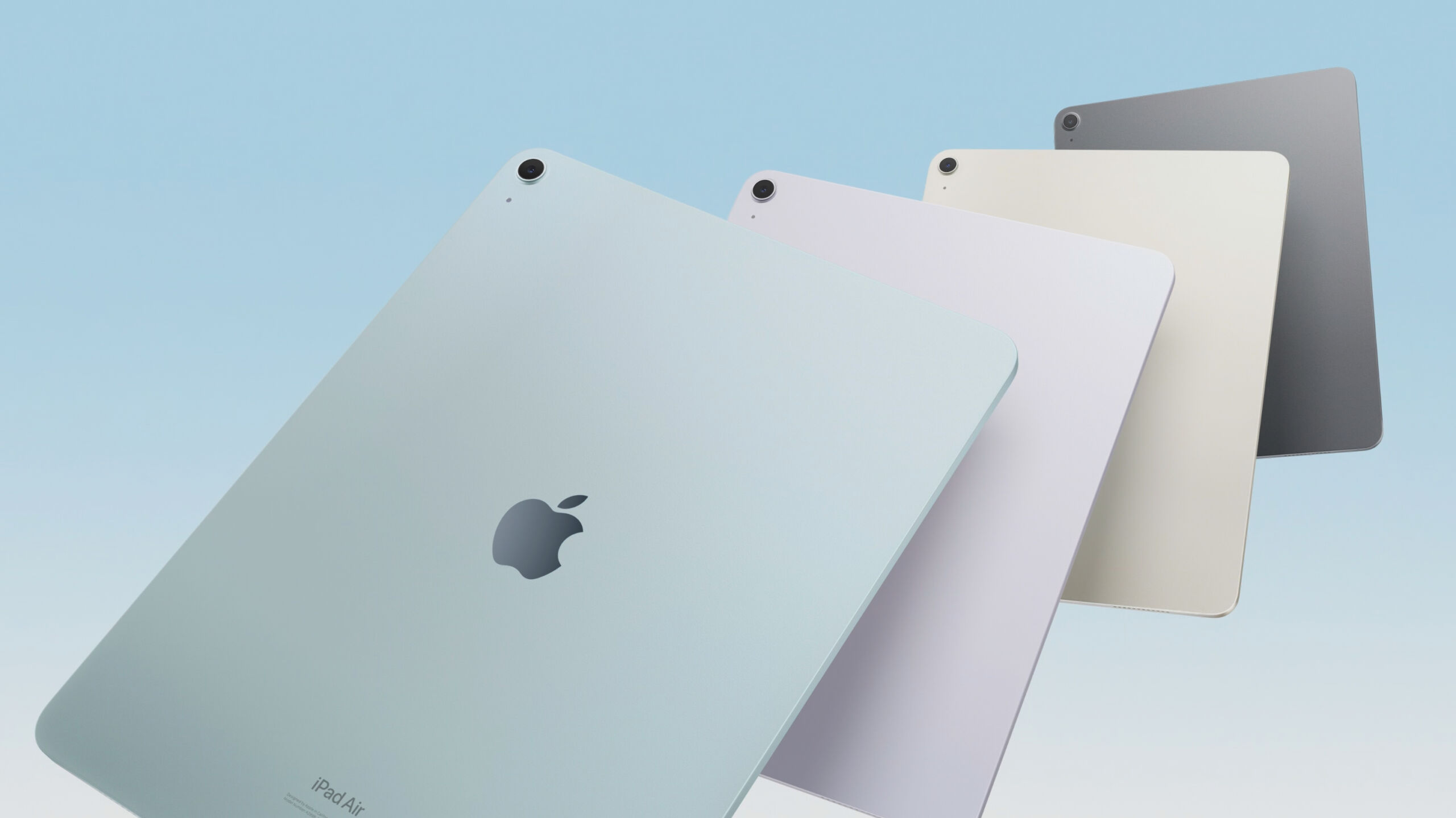
Apple’s new thin tablets will come out in four colors:

Apple's new iPad Airs in blue, purple, starlight, and space gray.
Enlarge / Apple’s new iPad Airs in blue, purple, starlight, and space gray.

With 128GB of storage, the 13-inch iPad Air will start at $799, and the 11-incher will start at $599. Storage goes up to 1TB. The tablets will be available starting May 15.

Listing image by Apple

https://arstechnica.com/?p=2022379