UK outlaws awful default passwords on connected devices
Getty Images
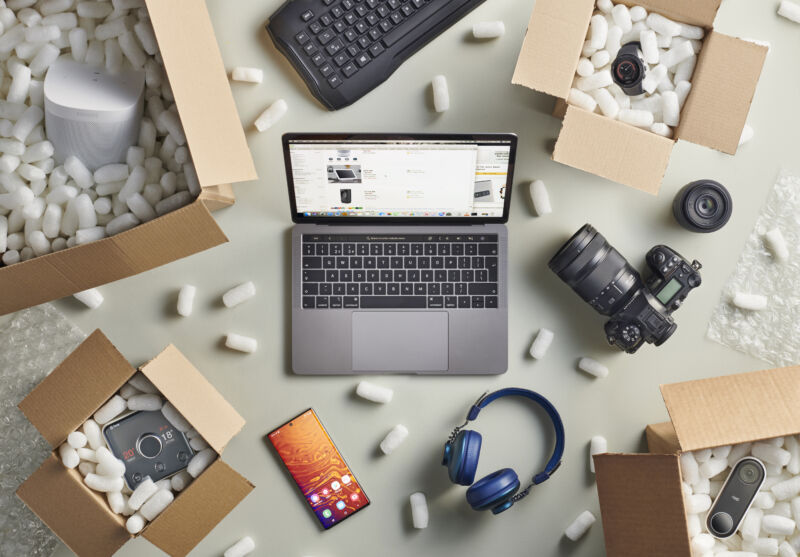
If you build a gadget that connects to the Internet and sell it in the United Kingdom, you can no longer make the default password “password.” In fact, you’re not supposed to have default passwords at all.
A new version of the 2022 Product Security and Telecommunications Infrastructure Act (PTSI) is now in effect, covering just about everything that a consumer can buy that connects to the web. Under the guidelines, even the tiniest Wi-Fi board must either have a randomized password or else generate a password upon initialization (through a smartphone app or other means). This password can’t be incremental (“password1,” “password54”), and it can’t be “related in an obvious way to public information,” such as MAC addresses or Wi-Fi network names. A device should be sufficiently strong against brute-force access attacks, including credential stuffing, and should have a “simple mechanism” for changing the password.
There’s more, and it’s just as head-noddingly obvious. Software components, where reasonable, “should be securely updateable,” should actually check for updates, and should update either automatically or in a way “simple for the user to apply.” Perhaps most importantly, device owners can report security issues and expect to hear back about how that report is being handled.
Violations of the new device laws can result in fines up to 10 million pounds (roughly $12.5 million) or 4 percent of related worldwide revenue, whichever is higher.
Besides giving consumers better devices, these regulations are aimed squarely at malware like Mirai, which can conscript devices like routers, cable modems, and DVRs into armies capable of performing distributed denial-of-service attacks (DDoS) on various targets.
As noted by The Record, the European Union’s Cyber Resilience Act has been shaped but not yet passed and enforced, and even if it does pass, would not take effect until 2027. In the US, there is the Cyber Trust Mark, which would at least give customers the choice of buying decently secured or genially abandoned devices. But the particulars of that label are under debate and seemingly a ways from implementation. At the federal level, a 2020 bill tasked the National Institutes of Standard and Technology with applying related standards to connected devices deployed by the feds. https://arstechnica.com/?p=2020491
First post: A history of online public messaging
Aurich Lawson | Getty Images
People have been leaving public messages since the first artists painted hunting scenes on cave walls. But it was the invention of electricity that forever changed the way we talked to each other. In 1844, the first message was sent via telegraph. Samuel Morse, who created the binary Morse Code decades before electronic computers were even possible, tapped out, “What hath God wrought?” It was a prophetic first post.
World War II accelerated the invention of digital computers, but they were primarily single-use machines, designed to calculate artillery firing tables or solve scientific problems. As computers got more powerful, the idea of time-sharing became attractive. Computers were expensive, and they spent most of their time idle, waiting for a user to enter keystrokes at a terminal. Time-sharing allowed many people to interact with a single computer at the same time.
Part 0: The Precambrian era of digital communication (1969–1979)
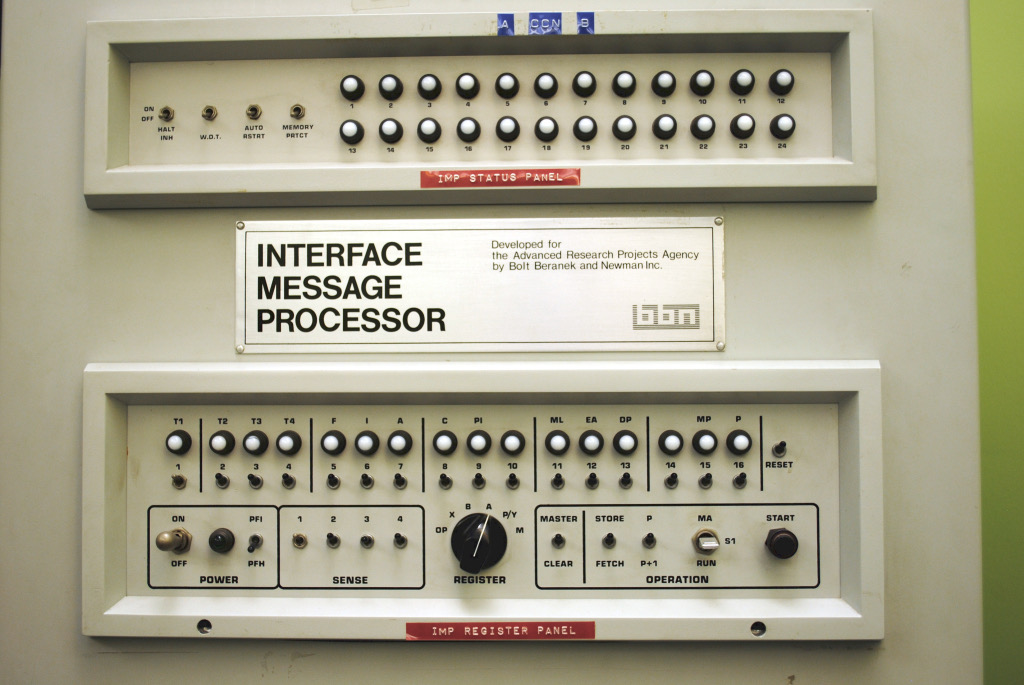
Soon after time-sharing was invented, people started sending messages to other users. But since every computer spoke its own unique machine language and had its own way of storing and retrieving data, none of these machines could talk to each other. The solution to this problem came out of the Pentagon’s Advanced Research Projects Agency (ARPA), and was thus dubbed the “ARPANET.” When two different computers connected to each other through an “IMP” (Interface Message Processor, the first router) in 1969, it was a massive breakthrough.
[
Enlarge/ The front panel of the first Internet router.
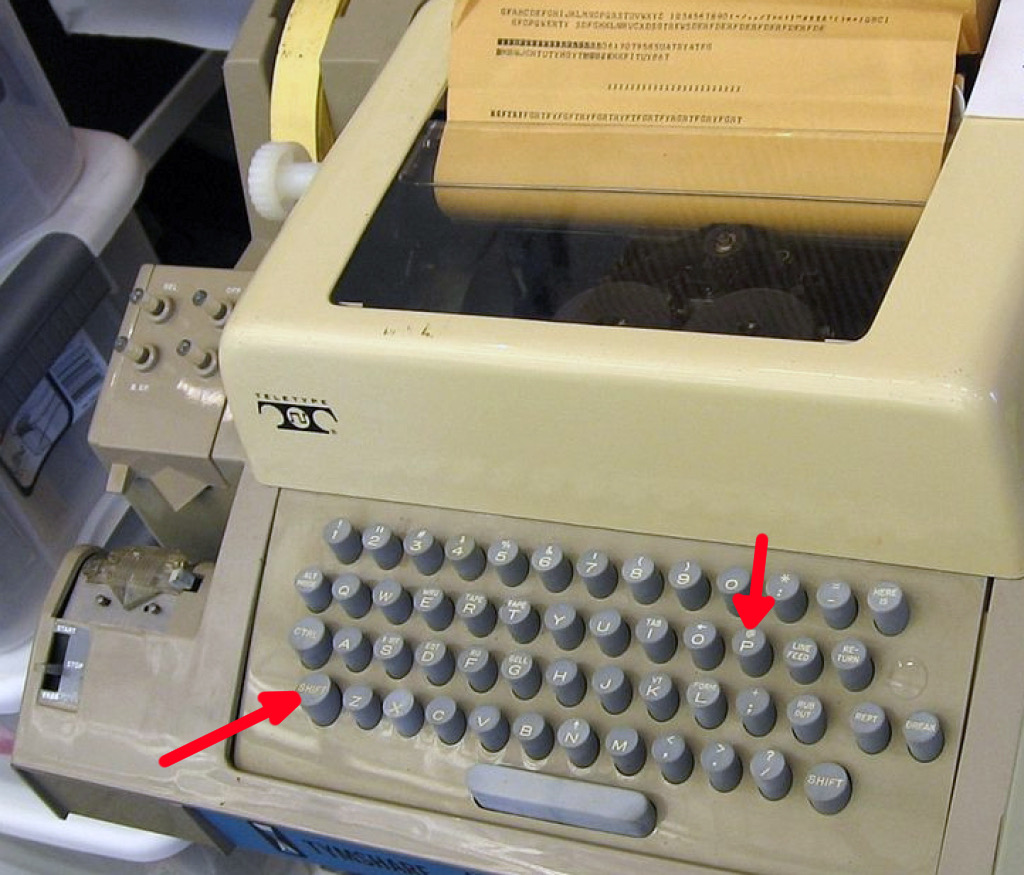
Now, instead of sending a message to a friend who was probably sitting next to you in the same computer lab, you could send it to someone in a different city. In 1971, Ray Tomlinson wrote the first inter-computer messaging program, SNDMSG. Because he had to differentiate between the receiver’s username and the name of the computer they were using, he needed a character that wouldn’t be part of either. He hit “SHIFT-P” on the Model 33 Teletype, got an @, and the rest was history. Email was born.
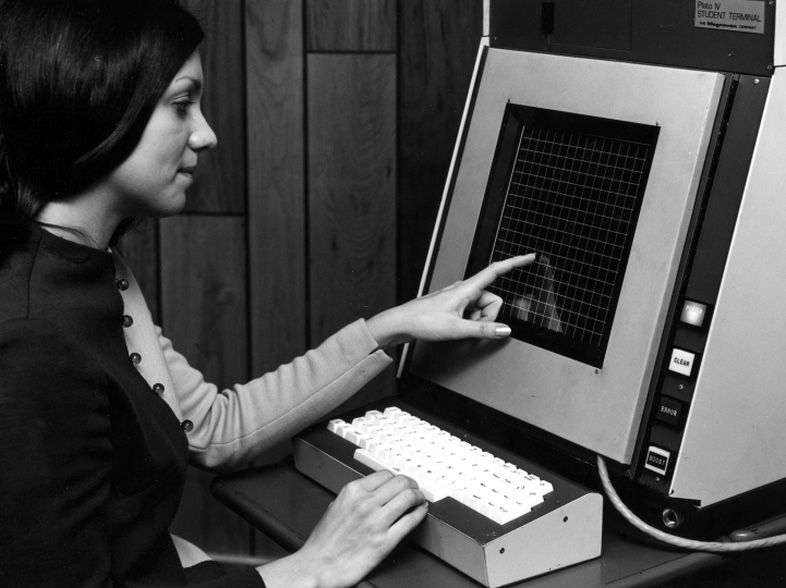
At around the same time, a self-contained computer network called PLATO was also changing the world. PLATO was an educational system that began in 1960 and was nearing its fourth iteration. It was responsible for many computer firsts, such as the first flat-screen plasma display, which launched in 1972 with PLATO IV. These touch-enabled, 512×512 graphical displays looked like they came from the future. And while it couldn’t talk to ARPANET, every PLATO user at every terminal could communicate with each other all over the world.
In 1971, PLATO was the home of the first “phishing” scam, when student Mark Rusted created a fake login screen that stole users’ passwords. (He was politely asked not to do it again.) Because of this, the next revision of PLATO added a special keystroke combination, SHIFT-STOP, that would guarantee that the user saw a real login screen. Years later, Microsoft would use the same idea for Windows NT with CTRL-ALT-DEL.
https://arstechnica.com/?p=2017574
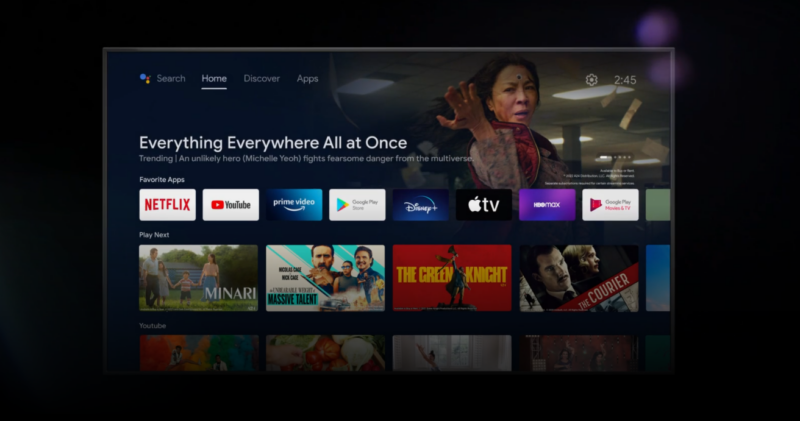
Android TV has access to your entire account—but Google is changing that
Google says it has patched a nasty loophole in the Android TV account security system, which would grant attackers with physical access to your device access to your entire Google account just by sideloading some apps. As 404 Media reports, the issue was originally brought to Google’s attention by US Sen. Ron Wyden (D-Ore.) as part of a “review of the privacy practices of streaming TV technology providers.” Google originally told the senator that the issue was expected behavior but, after media coverage, decided to change its stance and issue some kind of patch.
“My office is mid-way through a review of the privacy practices of streaming TV technology providers,” Wyden told 404 Media. “As part of that inquiry, my staff discovered an alarming video in which a YouTuber demonstrated how with 15 minutes of unsupervised access to an Android TV set-top box, a criminal could get access to private emails of the Gmail user who set up the TV.”
The video in question was a PSA from YouTuber Cameron Gray, and it shows that grabbing any Android TV device and sideloading a few apps will grant access to the current Google account. This is obvious if you know how Android works, but it’s not obvious to most users looking at a limited TV interface.
The heart of the issue is how Android treats your Google account. Since the OS started on phones, every Android device starts with the assumption that it is a private, one-person device. Google has built on top of that feature with multiuser support and guest accounts, but these aren’t part of the default setup flow, can be hard to find, and are probably disabled on many Android TV boxes. The result is that signing in to an Android TV device often gives it access to your entire Google account.
Android has a centralized Google account system shared by a million Google-centric background and syncing processes, the Play Store, and nearly all Google apps. When you boot an Android device for the first time, the guided setup asks for a Google account, which is expected to live on the device forever as the owner’s primary account. Any new Google app you add to your device automatically gets access to this central Google account repository, so if you set up the phone and then install Google Keep, Keep automatically gets signed in and gains access to your notes. During the initial setup, where you might install 10 different apps that use a Google account, it would be annoying to enter your username and password over and over again.
[embedded content]
This centralized account system is hungry for Google accounts, so any Google account you use to sign in to any Google app gets sucked into the central account system, even if you decline the initial setup. A common annoyance is to have a Google Workspace account at work, then sign into Gmail for work email and then have to deal with this useless work account showing up in the Play Store, Maps, Photos, etc.
For TVs, this presents a unique gotcha because, while you will still be forced to log in to download something from the Play Store, it’s not obvious to the user that you’re granting this device access to your entire Google account—including to potentially sensitive things like location history, emails, and messages. To the average user, a TV device just shows “TV stuff” like your YouTube recommendations and a few TV-specific Play Store apps, so you might not consider it to be a high-sensitivity sign-in. But if you just sideload a few more Google apps, you can get access to anything. Further confusing matters is Google’s OAuth strategy, which teaches users that there are things like scoped access to a Google account on third-party devices or sites, but Android does not work that way.
In the video, Gray simply grabs an Android TV device, goes to a third-party Android app site, then sideloads Chrome. Chrome automatically signs in to the TV owner’s Google account and has access to all passwords and cookies, which means access to Gmail, Photos, Chat history, Drive files, YouTube accounts, AdSense, any site that allows for Google sign-in, and partial credit card info. It’s all available in Chrome without any security checks. Individual apps like Gmail and Google Photos would immediately start working, too.
As Gray’s video points out, Android TV devices can be dongles, set-top boxes, or code installed right into a TV. In businesses and hotels, they can be semi-public devices. It’s also not hard to imagine a TV device falling into the hands of someone else. You might not worry too much about forgetting a $30 Chromecast in a hotel room, or you might sign in to a hotel TV and forget to delete your account, or you might throw out a TV and not think twice about what account it’s signed in to. If an attacker gets access to any of these devices later, it’s trivial to unlock your entire Google account.
Google says it has fixed this problem, though it doesn’t explain how. The company’s statement to 404 says, “Most Google TV devices running the latest versions of software already do not allow this depicted behavior. We are in the process of rolling out a fix to the rest of the devices. As a best security practice, we always advise users to update their devices to the latest software.”
Many Android TV devices, especially those built-in to TV sets, are abandonware and run an old version of the software, but Google’s account system is updatable via the Play Store, so there’s a good chance a fix can roll out to most devices.
https://arstechnica.com/?p=2020252
Message-scraping, user-tracking service Spy Pet shut down by Discord
Spy Pet, a service that sold access to a rich database of allegedly more than 3 billion Discord messages and details on more than 600 million users, has seemingly been shut down.
404 Media, which broke the story of Spy Pet’s offerings, reports that Spy Pet seems mostly shut down. Spy Pet’s website was unavailable as of this writing. A Discord spokesperson told Ars that the company’s safety team had been “diligently investigating” Spy Pet and that it had banned accounts affiliated with it.
“Scraping our services and self-botting are violations of our Terms of Service and Community Guidelines,” the spokesperson wrote. “In addition to banning the affiliated accounts, we are considering appropriate legal action.” The spokesperson noted that Discord server administrators can adjust server permissions to prevent future such monitoring on otherwise public servers.
Kiwi Farms ties, GDPR violations
The number of servers monitored by Spy Pet had been fluctuating in recent days. The site’s administrator told 404 Media’s Joseph Cox that they were rewriting part of the service while admitting that Discord had banned a number of bots. The administrator had also told 404 Media that he did not “intend for my tool to be used for harassment,” despite a likely related user offering Spy Pet data on Kiwi Farms, a notorious hub for doxxing and online harassment campaigns that frequently targets trans and non-binary people, members of the LGBTQ community, and women.
Even if Spy Pet can somehow work past Discord’s bans or survive legal action, the site’s very nature runs against a number of other Internet regulations across the globe. It’s almost certainly in violation of the European Union’s General Data Protection Regulation (GDPR). As pointed out by StackDiary, Spy Pet and services like it seem to violate at least three articles of the GDPR, including the “right to be forgotten” in Article 17.
Ars was unsuccessful in reaching the administrator of Spy Pet by email and Telegram message. Their last message on Telegram stated that their domain had been suspended and a backup domain was being set up. “TL;DR: Never trust the Germans,” they wrote.
https://arstechnica.com/?p=2020247
Microsoft open-sources infamously weird, RAM-hungry MS-DOS 4.00 release
Microsoft has open-sourced another bit of computing history this week: The company teamed up with IBM to release the source code of 1988’s MS-DOS 4.00, a version better known for its unpopularity, bugginess, and convoluted development history than its utility as a computer operating system.
The MS-DOS 4.00 code is available on Microsoft’s MS-DOS GitHub page along with versions 1.25 and 2.0, which Microsoft open-sourced in cooperation with the Computer History Museum back in 2014. All open-source versions of DOS have been released under the MIT License.
Initially, MS-DOS 4.00 was slated to include new multitasking features that allow software to run in the background. This release of DOS, also sometimes called “MT-DOS” or “Mutitasking MS-DOS” to distinguish it from other releases, was only released through a few European PC OEMs and never as a standalone retail product.
The source code Microsoft released this week is not for that multitasking version of DOS 4.00, and Microsoft’s Open Source Programs Office was “unable to find the full source code” for MT-DOS when it went to look. Rather, Microsoft and IBM have released the source code for a totally separate version of DOS 4.00, primarily developed by IBM to add more features to the existing non-multitasking version of DOS that ran on most IBM PCs and PC clones of the day.
Microsoft never returned to its multitasking DOS idea in subsequent releases. Multitasking would become the purview of graphical operating systems like Windows and OS/2, while MS-DOS versions 5.x and 6.x continued with the old one-app-at-a-time model of earlier releases.
Microsoft has released some documentation and binary files for MT-DOS and “may update this release if more is discovered.” The company credits English researcher Connor “Starfrost” Hyde for shaking all of this source code loose as part of an ongoing examination of MT-DOS that he is documenting on his website. Hyde has posted many screenshots of a 1984-era build of MT-DOS, including of the “session manager” that it used to track and switch between running applications.
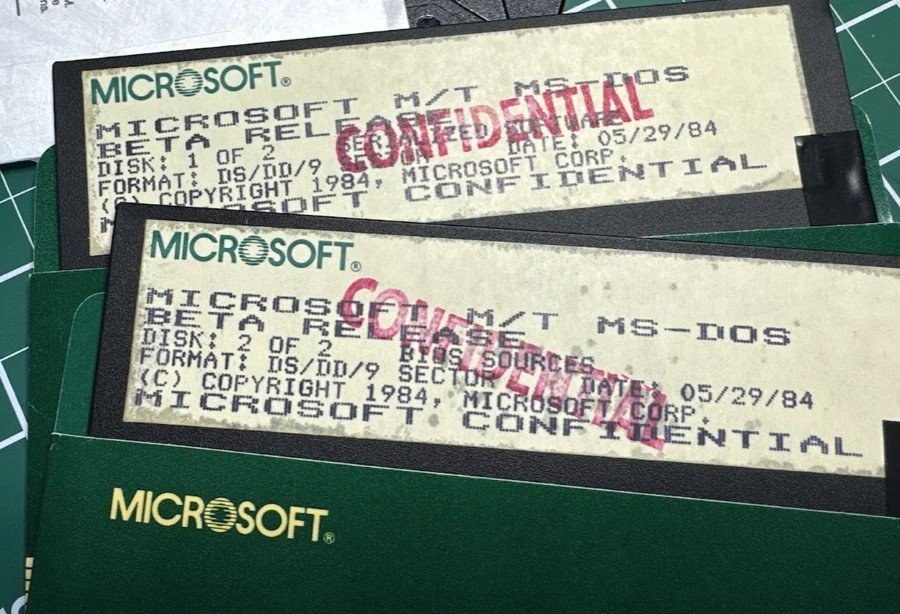
Confidential copies of the obscure, abandoned multitasking-capable version of MS-DOS 4.00. Microsoft has been unable to locate source code for this release, sometimes referred to as “MT-DOS” or “Multitasking MS-DOS.”
The publicly released version of MS-DOS 4.00 is known less for its new features than for its high memory usage; the 4.00 release could consume as much as 92KB of RAM, way up from the roughly 56KB used by MS-DOS 3.31, and the 4.01 release reduced this to about 86KB. The later MS-DOS 5.0 and 6.0 releases maxed out at 72 or 73KB, and even IBM’s PC DOS 2000 only wanted around 64KB.
These RAM numbers would be rounding errors on any modern computer, but in the days when RAM was pricey, systems maxed out at 640KB, and virtual memory wasn’t a thing, such a huge jump in system requirements was a big deal. Today’s retro-computing enthusiasts still tend to skip over MS-DOS 4.00, recommending either 3.31 for its lower memory usage or later versions for their expanded feature sets.
Microsoft has open-sourced some other legacy code over the years, including those older MS-DOS versions, Word for Windows 1.1a, 1983-era GW-BASIC, and the original Windows File Manager. While most of these have been released in their original forms without any updates or changes, the Windows File Manager is actually actively maintained. It was initially just changed enough to run natively on modern 64-bit and Arm PCs running Windows 10 and 11, but it’s been updated with new fixes and features as recently as March 2024.
The release of the MS-DOS 4.0 code isn’t the only new thing that DOS historians have gotten their hands on this year. One of the earliest known versions of 86-DOS, the software that Microsoft would buy and turn into the operating system for the original IBM PC, was discovered and uploaded to the Internet Archive in January. An early version of the abandoned Microsoft-developed version of OS/2 was also unearthed in March.
https://arstechnica.com/?p=2020236
Tech brands are forcing AI into your gadgets—whether you asked for it or not
Enlarge/ Tech brands love hollering about the purported thrills of AI these days.
Logitech announced a new mouse last week. A company rep reached out to inform Ars of Logitech’s “newest wireless mouse.” The gadget’s product page reads the same as of this writing.
I’ve had good experience with Logitech mice, especially wireless ones, one of which I’m using now. So I was keen to learn what Logitech might have done to improve on its previous wireless mouse designs. A quieter click? A new shape to better accommodate my overworked right hand? Multiple onboard profiles in a business-ready design?
I was disappointed to learn that the most distinct feature of the Logitech Signature AI Edition M750 is a button located south of the scroll wheel. This button is preprogrammed to launch the ChatGPT prompt builder, which Logitech recently added to its peripherals configuration app Options+.
That’s pretty much it.
Beyond that, the M750 looks just like the Logitech Signature M650, which came out in January 2022. Also, the new mouse’s forward button (on the left side of the mouse) is preprogrammed to launch Windows or macOS dictation, and the back button opens ChatGPT within Options+. As of this writing, the new mouse’s MSRP is $10 higher ($50) than the M650’s.
The new M750 (pictured) is 4.26×2.4×1.52 inches and 3.57 ounces.
The M650 (pictured) comes in 3 sizes. The medium size is 4.26×2.4×1.52 inches and 3.58 ounces.
I asked Logitech about the M750 appearing to be the M650 but with an extra button, and a spokesperson responded by saying:
M750 is indeed not the same mouse as M650. It has an extra button that has been preprogrammed to trigger the Logi AI Prompt Builder once the user installs Logi Options+ app. Without Options+, the button does DPI toggle between 1,000 and 1,600 DPI.
However, a reprogrammable button south of a mouse’s scroll wheel that can be set to launch an app or toggle DPI out of the box is pretty common, including among Logitech mice. Logitech’s rep further claimed to me that the two mice use different electronic components, which Logitech refers to as the mouse’s platform. Logitech can reuse platforms for different models, the spokesperson said.
Logitech’s rep declined to comment on why the M650 didn’t have a button south of its scroll wheel. Price is a potential reason, but Logitech also sells cheaper mice with this feature.
Still, the minimal differences between the two suggest that the M750 isn’t worth a whole product release. I suspect that if it weren’t for Logitech’s trendy new software feature, the M750 wouldn’t have been promoted as a new product.
The M750 also raises the question of how many computer input devices need to be equipped with some sort of buzzy, generative AI-related feature.
Logitech’s ChatGPT prompt builder
Logitech’s much bigger release last week wasn’t a peripheral but an addition to its Options+ app. You don’t need the “new” M750 mouse to use Logitech’s AI Prompt Builder; I was able to program my MX Master 3S to launch it. Several Logitech mice and keyboards support AI Prompt Builder.
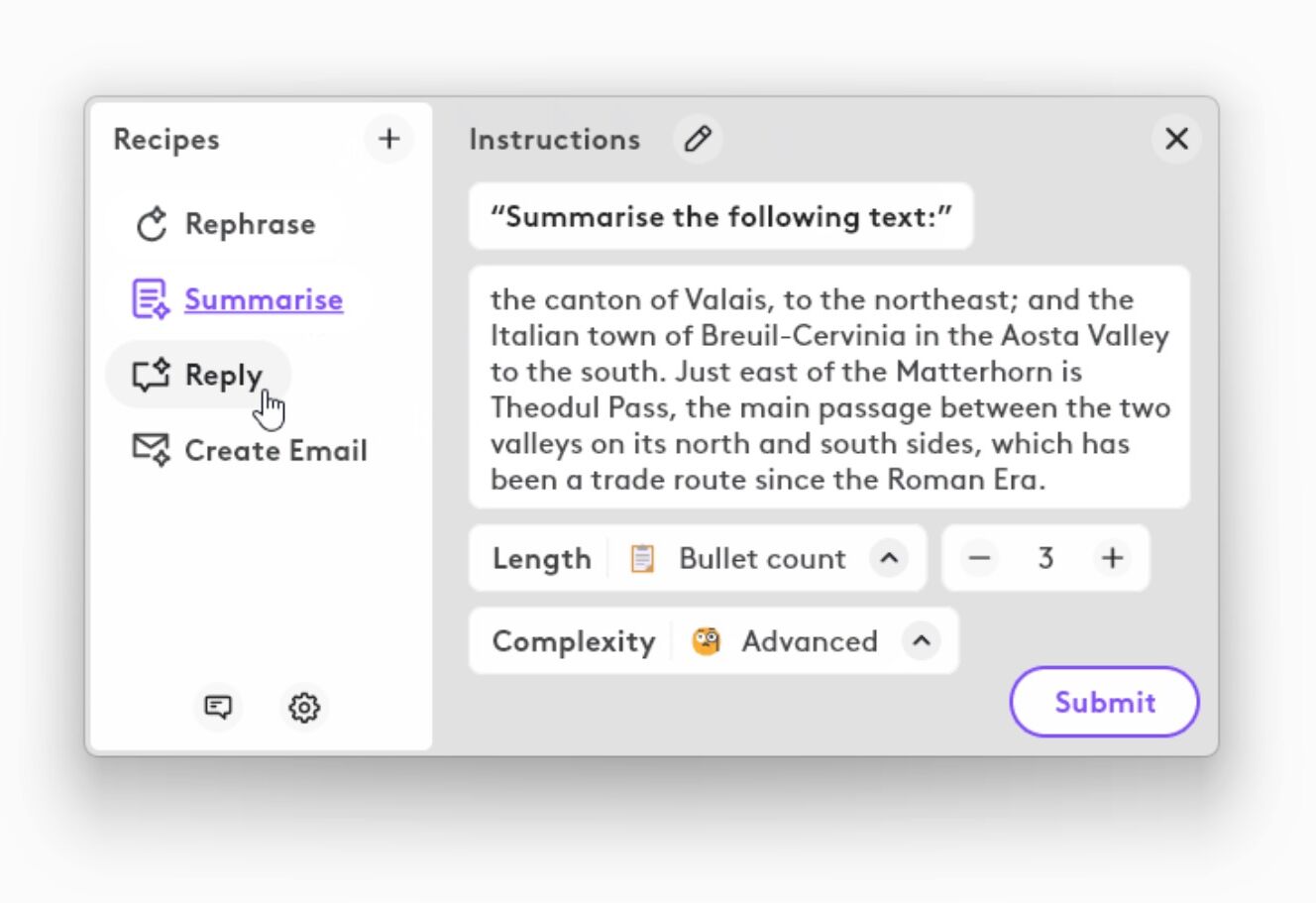
When you press a button that launches the prompt builder, an Options+ window appears. There, you can input text that Options+ will use to create a ChatGPT-appropriate prompt based on your needs:
Enlarge/ A Logitech-provided image depicting its AI Prompt Builder software feature.
After you make your choices, another window opens with ChatGPT’s response. Logitech said the prompt builder requires a ChatGPT account, but I was able to use GPT-3.5 without entering one (the feature can also work with GPT-4).
The typical Arsian probably doesn’t need help creating a ChatGPT prompt, and Logitech’s new capability doesn’t work with any other chatbots. The prompt builder could be interesting to less technically savvy people interested in some handholding for early ChatGPT experiences. However, I doubt if people with an elementary understanding of generative AI need instant access to ChatGPT.
The point, though, is instant access to ChatGPT capabilities, something that Logitech is arguing is worthwhile for its professional users. Some Logitech customers, though, seem to disagree, especially with the AI Prompt Builder, meaning that Options+ has even more resources in the background.
But Logitech isn’t the only gadget company eager to tie one-touch AI access to a hardware button.
Pinching your earbuds to talk to ChatGPT
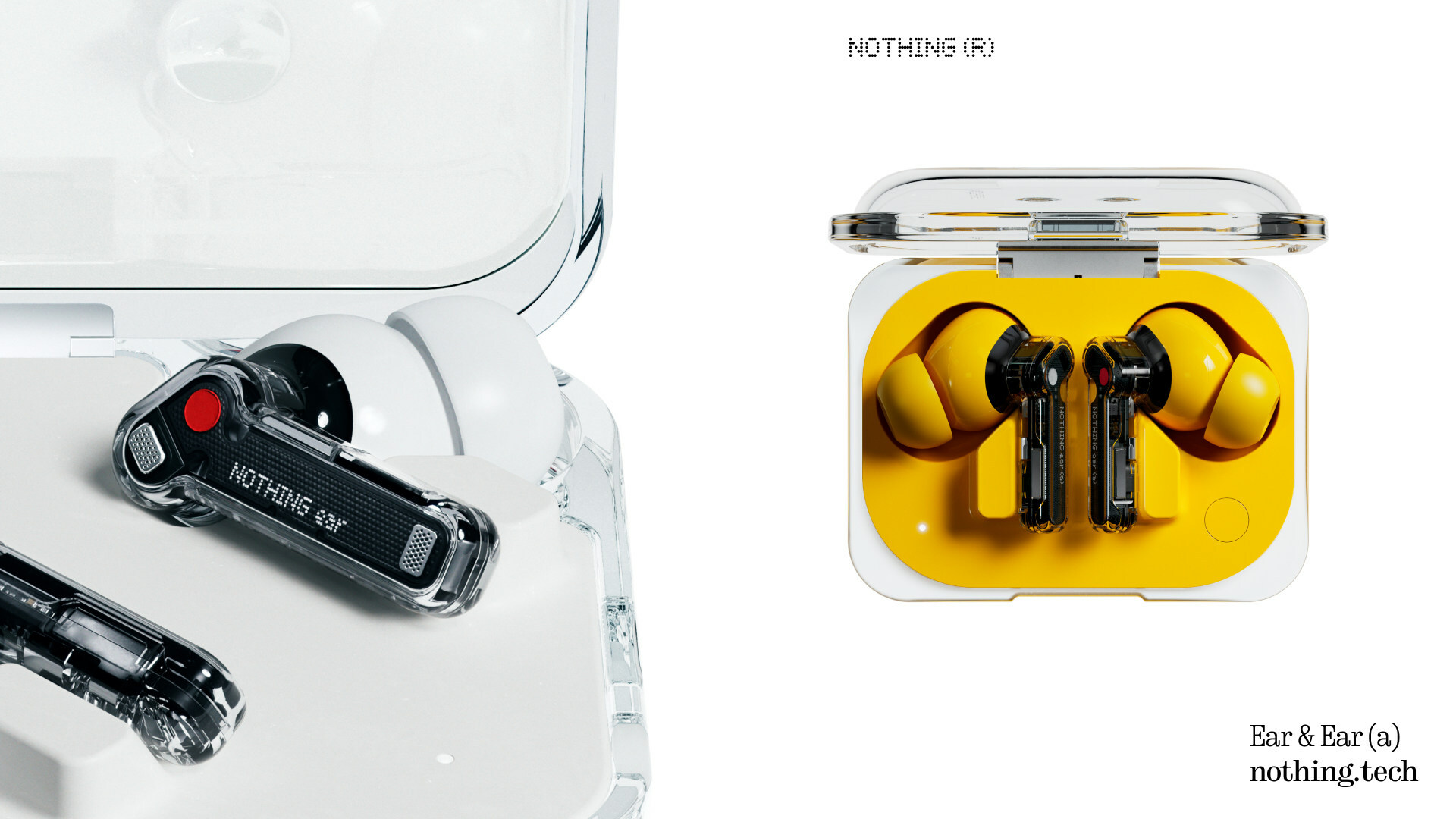
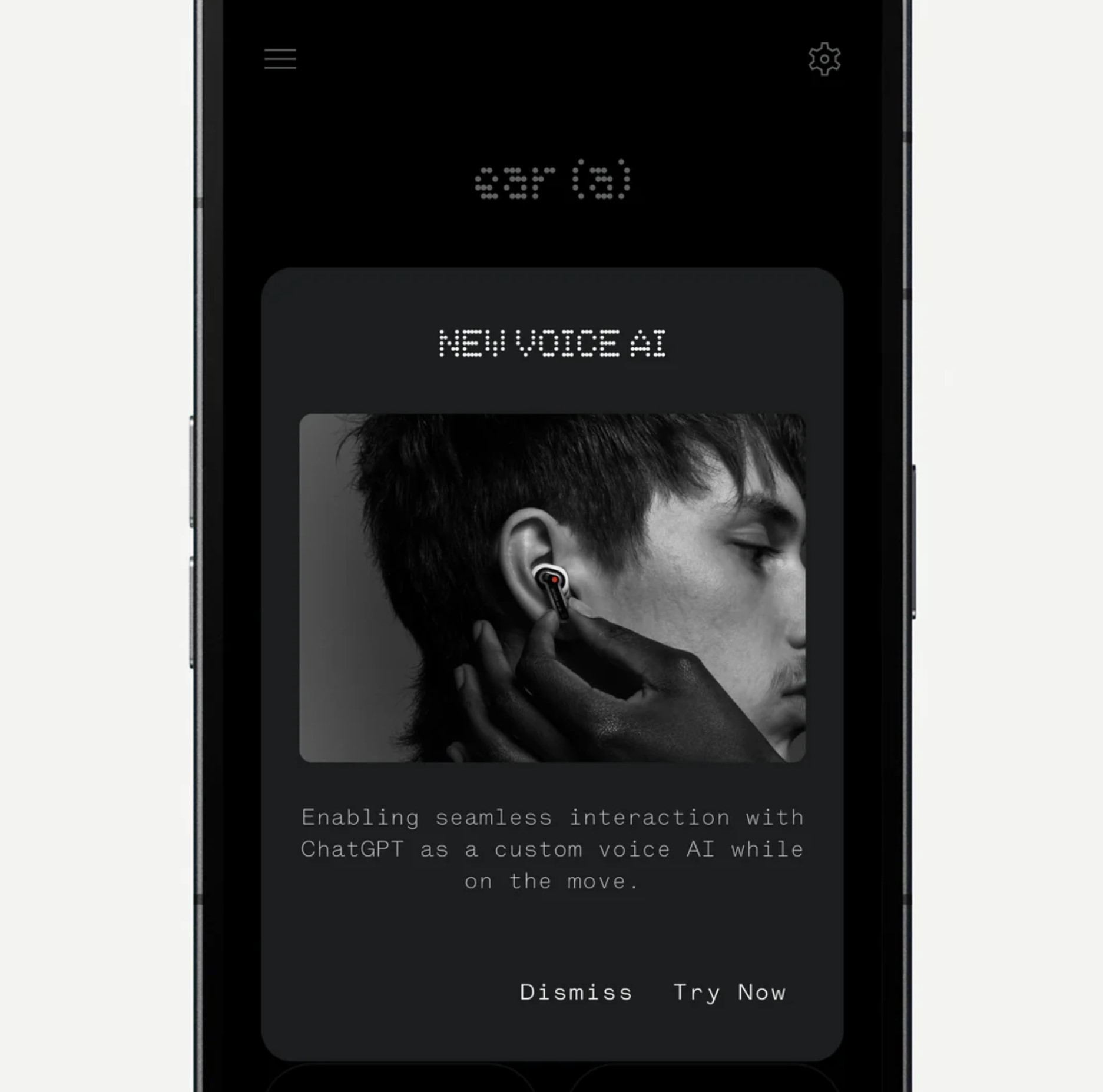
Similarly to Logitech, Nothing is trying to give its customers access to ChatGPT quickly. In this case, access occurs by pinching the device. This month, Nothing announced that it “integrated Nothing earbuds and Nothing OS with ChatGPT to offer users instant access to knowledge directly from the devices they use most, earbuds and smartphones.” The feature requires the latest Nothing OS and for the users to have a Nothing phone with ChatGPT installed. ChatGPT gestures work with Nothing’s Phone (2) and Nothing Ear and Nothing Ear (a), but Nothing plans to expand to additional phones via software updates.
Nothing also said it would embed “system-level entry points” to ChatGPT, like screenshot sharing and “Nothing-styled widgets,” to Nothing smartphone OSes.
Enlarge/ A peek at setting up ChatGPT integration on the Nothing X app.
Nothing’s ChatGPT integration may be a bit less intrusive than Logitech’s since users who don’t have ChatGPT on their phones won’t be affected. But, again, you may wonder how many people asked for this feature and how reliably it will function.
https://arstechnica.com/?p=2019927
HMD’s first self-branded phones are all under $200
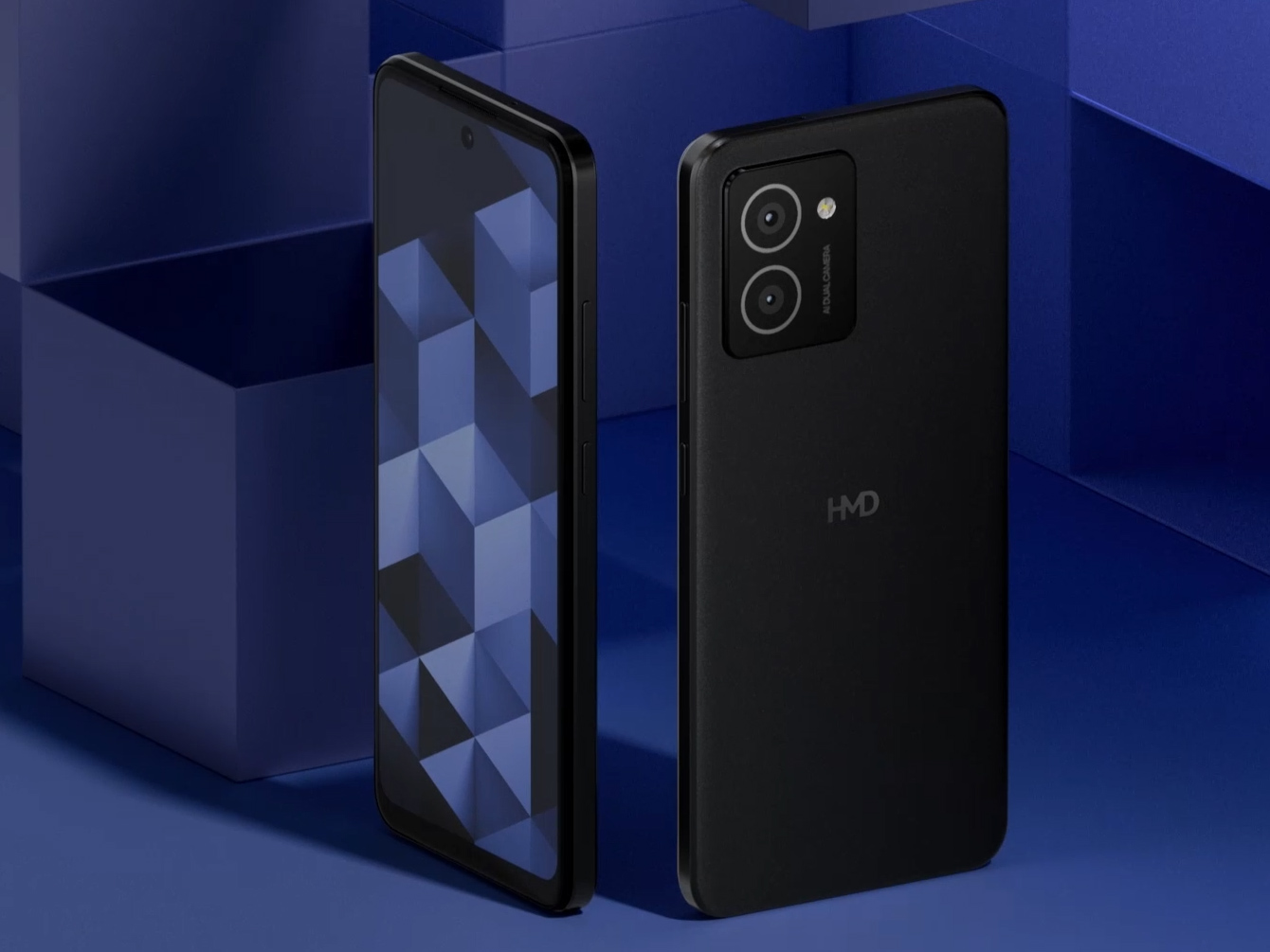
The HMD Pulse base model.
The “Plus” version doesn’t have any discernible differences.
The Pro model has … bigger bezels?
HMD has been known as the manufacturer of Nokia-branded phones for years now, but now the company wants to start selling phones under its own brand. The first is the “HMD Pulse” line, a series of three low-end phones that are headed for Europe. The US is getting an HMD-branded phone, too—the HMD Vibe—but that won’t be out until May.
Europe’s getting the 140-euro HMD Pulse, 160-euro Pulse+, and the 180-euro Pulse Pro. If you can’t tell from the prices, these are destined for Europe for now, but if you convert them to USD, that’s about $150, $170, and $190, respectively. With only $20 between tiers, there isn’t a huge difference from one model to the next. They all have bottom-of-the-barrel Unisoc T606 SoCs. That’s a 12 nm chip with two Cortex A75 Arm cores, two A55 cores, an ARM Mali-G57 MP1, and it’s 4G only. Previously, HMD used this chip in the 2023 HMD Nokia G22. They also all have 90 Hz, 6.65-inch, 1612×720 LCDs, 128GB of storage, and 5,000 mAh batteries.
As for the differences, the base model has 4GB of RAM, a 13 MP main rear camera, an 8 MP front camera, and 10 W wired charging. The Plus model upgrades to a 50 MP main camera, while the Pro model has 6GB of RAM, a 50 MP main camera, 50 MP front camera, and 20 W wired charging. There is a second lens camera on the back, but it appears to be only a 2 MP “depth sensor” on all models.
Oddly, the Pro design is slightly worse than the cheaper phones, with thicker bezels and a bottom chin. Other than that, the phones have near-identical designs, and they all look good for a phone at this price. The Pulse phones, and only the Pulse phones, apparently, are marketed as “built to be repairable” and will have parts that will be available at iFixit. It’s hard to say exactly what “repairable” means since none of that information is out yet, but HMD’s last “repairable” phone didn’t contain any repair-focused innovations. It just seemed like a normal, non-waterproof cheap phone with a new marketing angle.
The US is getting the closely related “HMD Vibe,” which sounds like a more capable device with a Snapdragon 680. It’s old as far as Qualcomm chips go (from 2021), but it’s not a Unisoc. This is a 6 nm chip with four Cortex A73 cores and four Cortex A53 cores. It has 6GB of RAM, the same screen as the other devices, and only a 4,000 mAh battery for $150. The camera sounds like a low-end loadout, with only a 13 MP main shooter and a 5 MP front. All the phones have NFC, a 3.5 mm headphone jack, a Micro SD slot, USB-C ports, and they come with Android 14 and two OS upgrades. The European phones all have side fingerprint readers, and the real deal-breaker for the US seems to be that it doesn’t have a fingerprint reader at all.
HMD’s desire to step away from the Nokia brand is an odd one. Lots of historic phone companies that washed out of the phone market have licensed their brand to a third party, giving rise to the “zombie brand” trend. Blackberry, Palm, and Motorola all come to mind. HMD was different, though; at launch, it was more of a spiritual successor to Nokia rather than a random manufacturer licensing the brand. Both companies are Finnish, and HMD’s headquarters are right across the street from Nokia. The company’s leadership is filled with former Nokia executives. Nokia even owns 10 percent of HMD, while FIH Mobile, a division of Chinese manufacturing juggernaut Foxconn, owns 14 percent.
Despite all that, HMD is stepping out of the shadow of Nokia and trying to start its own brand. The company plans to go with a “multi-brand” strategy now, so Nokia phones will stick around, but expect to see more HMD-branded phones in the future. The company is also open to other brand partnerships. It just released a bizarre “Heineken” dumbphone in partnership with the beer brand and is planning a “Barbie flip phone” with Mattel this summer.
Listing image by HMD
https://arstechnica.com/?p=2019993
Ubuntu 24.04 LTS, Noble Numbat, overhauls its installation and app experience
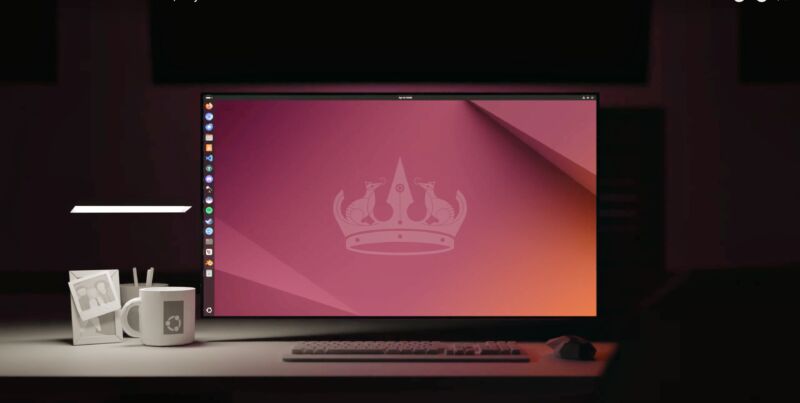
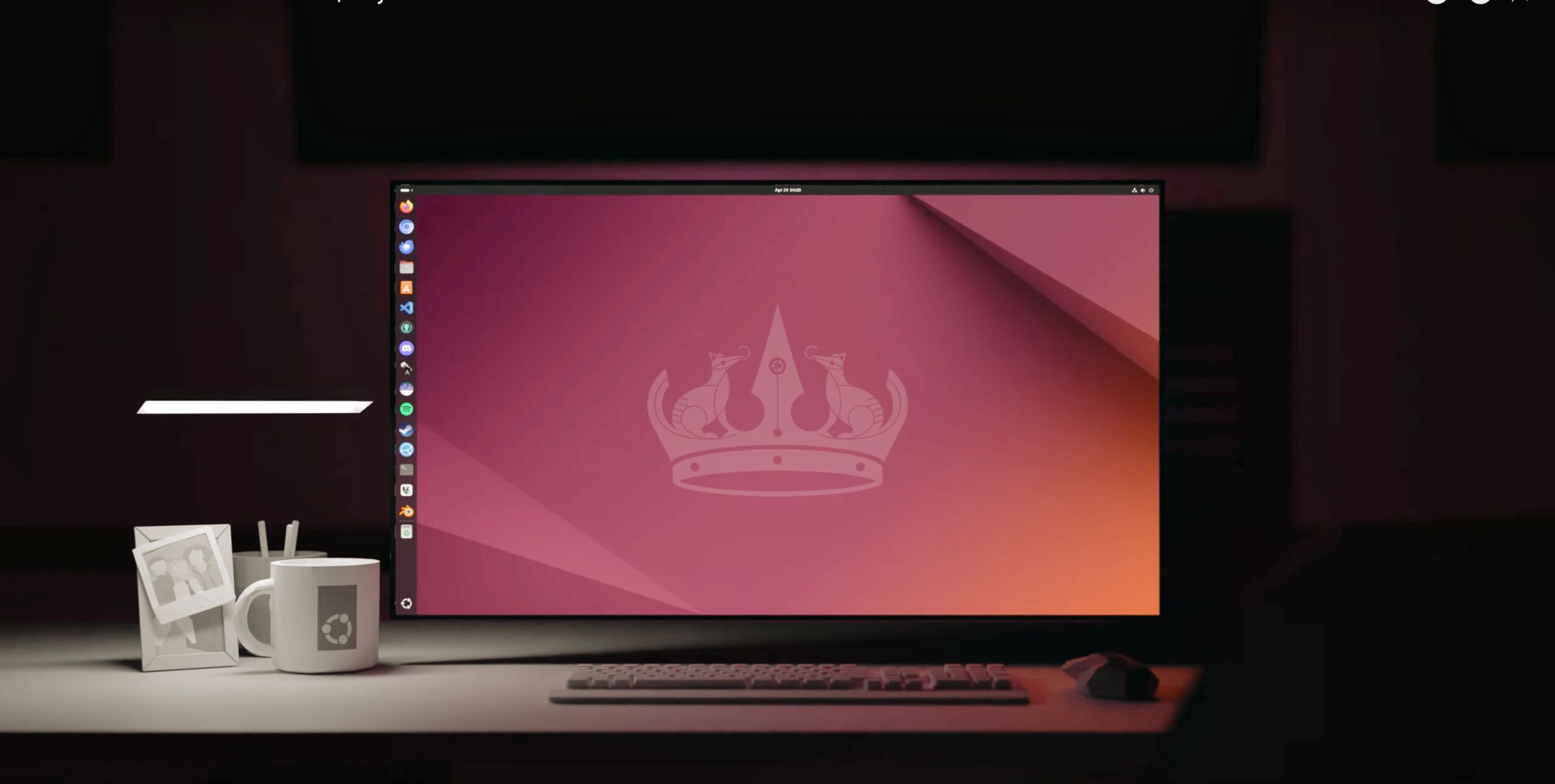
Enlarge/ Ubuntu has come a long way over nearly 20 years, to the point where you can now render 3D Ubuntu coffee mugs and family pictures in a video announcing the 2024 spring release.
Betas, and the final release of Ubuntu 24.04, a long-term support (LTS) release of the venerable Linux distribution, were delayed, as backing firm Canonical worked in early April 2024 to rebuild every binary included in the release. xz Utils, an almost ubiquitous data-compression package on Unix-like systems, had been compromised through a long-term and elaborate supply-chain attack, discovered only because a Microsoft engineer noted some oddities with SSH performance on a Debian system. Ubuntu, along with just about every other regularly updating software platform, had a lot of work to do this month.
[embedded content]
Canonical’s Ubuntu 24.04 release video, noting 20 years of Ubuntu releases. I always liked the brown.
What is actually new in Ubuntu 24.04, or “Noble Numbat?” Quite a bit, especially if you’re the type who sticks to LTS releases. The big new changes are a very slick new installer, using the same Subiquity back-end as the Server releases, and redesigned with a whole new front-end in Flutter. ZFS encryption is back as a default install option, along with hardware-backed (i.e., TPM) full-disk encryption, plus more guidance for people looking to dual-boot with Windows setups and BitLocker. Netplan 1.0 is the default network configuration tool now. And the default installation is “Minimal,” as introduced in 23.10.
<a href="https://cdn.arstechnica.net/wp-content/uploads/2024/04/GettyImages-1472552858.jpg" class="enlarge" data-height="1414" data-width="2121" alt="The numbat is an endangered species, and I think we should save it.”><img alt="The numbat is an endangered species, and I think we should save it.” src=”https://rassegna.lbit-solution.it/wp-content/uploads/2024/04/ubuntu-24-04-lts-noble-numbat-overhauls-its-installation-and-app-experience-1.jpg” width=”300″ height=”200″ srcset=”https://rassegna.lbit-solution.it/wp-content/uploads/2024/04/ubuntu-24-04-lts-noble-numbat-overhauls-its-installation-and-app-experience-2.jpg 2x”>
Raspberry Pi gets some attention, too, with an edition of 24.04 (64-bit only) available for the popular single-board computer, including the now-supported Raspberry Pi 5 model. That edition includes power supply utility Pemmican and enables 3D acceleration in the Firefox Snap. Ubuntu also tweaked the GNOME (version 46) desktop included in this release, such that it should see better performance on Raspberry Pi graphics drivers.
What else? Lots of little things:
Support for autoinstall, i.e., YAML-based installation workflows
A separate, less background-memory-eating firmware updating tool
Additional support for Group Policy Objects (GPOs) in Active Directory environments
Security improvements to Personal Package Archives (PPA) software setups
Restrictions to unprivileged user namespace through apparmor, which may impact some third-party apps downloaded from the web
A new Ubuntu App Center, replacing the Snap Store that defaults to Snaps but still offers traditional .deb installs (and numerous angles of critique for Snap partisans)
Firefox is a native Wayland application, and Thunderbird is a Snap package only
More fingerprint reader support
Improved Power Profiles Manager, especially for portable AMD devices
Support for Apple’s preferred HEIF/HEIC files, with thumbnail previews
Snapshot replaces Cheese, and GNOME games has been removed
Virtual memory mapping changes that make many modern games run better through Proton, per OMG Ubuntu
Linux kernel 6.8, which, among other things, improves Intel Meteor Lake CPU performance and supports Nintendo Switch Online controllers.
The suggested system requirements for Ubuntu 24.04 are a 2 GHz dual-core processor, 4GB memory, and 25GB free storage space. There is a dedicated WSL edition of 24.04 out for Windows systems.
Listing image by Getty Images
https://arstechnica.com/?p=2020002
Qualcomm says lower-end Snapdragon X Plus chips can still outrun Apple’s M3
Qualcomm’s Snapdragon X series of chips promises to be the company’s first that can go toe-to-toe with Apple Silicon, and the PC ecosystem is reacting accordingly. Microsoft reportedly plans for the Arm version of its next Surface tablet to be the flagship, and major apps like Chrome and Dropbox have recently released Arm-native Windows versions for the first time.
Ahead of the chips’ launch late this year, Qualcomm announced a new lower-end model destined for cheaper devices. Dubbed the Snapdragon X Plus, it shares a lot in common with the flagship Snapdragon X Elite.
The Snapdragon X Plus includes 10 CPU cores instead of the Elite’s 12, though the more noticeable change is its lack of support for clock-speed boosting; the chip’s 3.4 GHz base frequency is as fast as it goes, where the Elite chips can boost two cores to 4.2 GHz and one core up to 4.3 GHz, depending on the specific model. Qualcomm also rates the X Plus’ integrated GPU at 3.8 TFLOPs, down from the X Elite’s maximum of 4.6 TFLOPs. Aside from those high-level FLOP numbers, we still know very little about how the GPU will be configured; we also don’t know the ratio of “big” and “little” CPU cores.
Qualcomm says the Snapdragon X Plus’ multi-threaded performance still compares favorably to Apple’s M3, outrunning it by about 10 percent; Qualcomm doesn’t provide any single-core scores, which are presumably less flattering. The company also says it outruns Intel’s Core Ultra 7 155H and AMD’s Ryzen 9 7940HS chips in multi-core performance when the chips are using the same power, or it can match those x86 chips’ performance while using 65 percent less power.
All Snapdragon X chips share the same basic Oryon CPU architecture, developed by the former Apple Silicon engineers that Qualcomm acquired when it bought a company called Nuvia in 2021. The Elite and Plus chips also use the same 4nm manufacturing process and the exact same neural processing unit (NPU). This ensures that both chips will meet Microsoft’s rumored requirements for “AI PCs,” a list of specs that also includes 16GB of RAM and (for some reason) the dedicated Copilot key. The X Elite and X Plus chips all support up to 64GB of LPDDR5X memory.
It’s not clear what “AI PCs” will be able to do that regular non-AI PCs can’t, but it’s likely that they’ll be able to run some version of the Copilot generative AI assistant locally on-device. Testers have also found an AI-focused revamp of Windows Explorer in recent testing builds. Microsoft recently released Phi-3-mini, a smaller language model that claims to be able to match GPT 3.5’s performance using 3.8 billion parameters instead of 175 billion. This would be well-suited to on-device processing—fewer parameters means lower system requirements, faster performance, and a smaller footprint on disk.
https://arstechnica.com/?p=2019890
Palm OS and the devices that ran it: An Ars retrospective
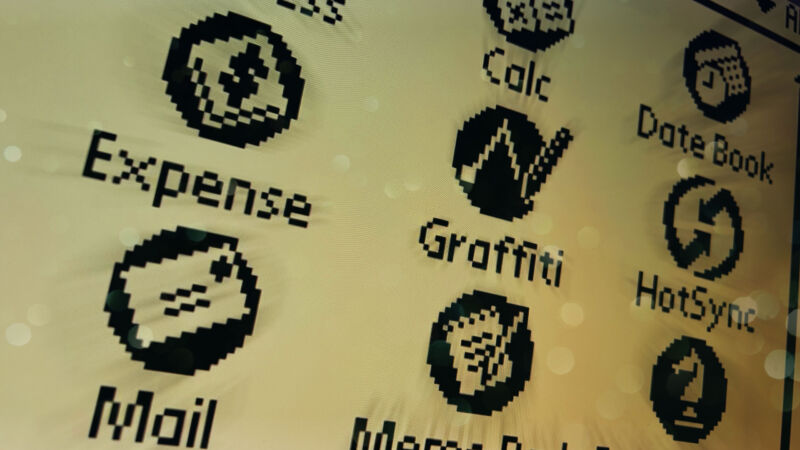
Aurich Lawson
“Gadgets aren’t fun anymore,” sighed my wife, watching me tap away on my Palm Zire 72 as she sat on the couch with her MacBook Air, an iPhone, and an Apple Watch.
And it’s true: The smartphone has all but eliminated entire classes of gadgets, from point-and-shoot cameras to MP3 players, GPS maps, and even flashlights. But arguably no style of gadget has been so thoroughly superseded as the personal digital assistant, the handheld computer that dominated the late ’90s and early 2000s. The PDA even set the template for how its smartphone successors would render it obsolete, moving from simple personal information management to encompass games, messaging, music, and photos.
But just as smartphones would do, PDAs offered a dizzying array of operating systems and applications, and a great many of them ran Palm OS. (I bought my first Palm, an m505, new in 2001, upgrading from an HP 95LX.) Naturally, there’s no way we could enumerate every single such device in this article. So in this Ars retrospective, we’ll look back at some notable examples of the technical evolution of the Palm operating system and the devices that ran it—and how they paved the way for what we use now.
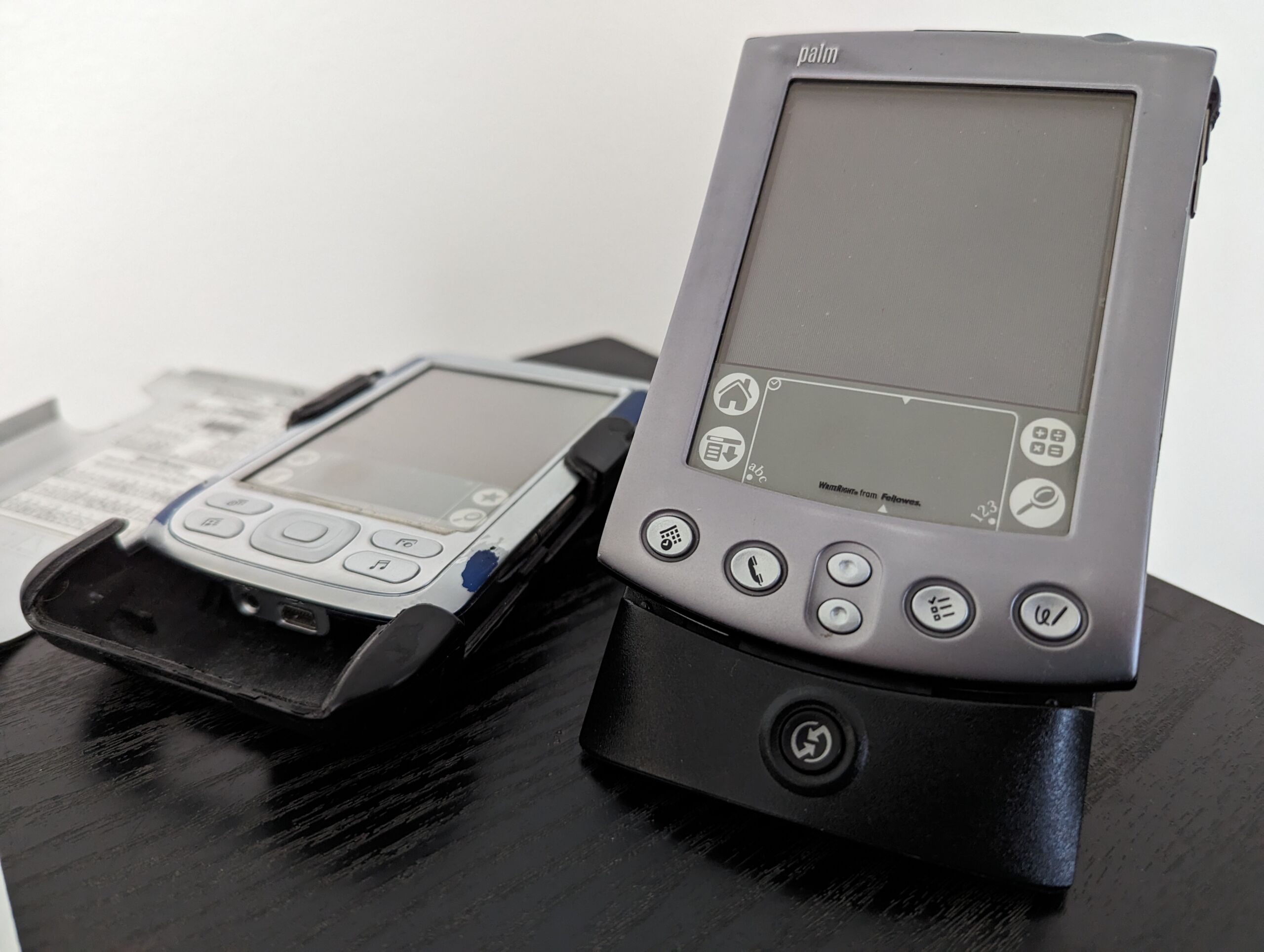
Enlarge/ You never forget your first(s). Here were my Palms from back in the day, my original m505, and later, my first Zire 72. They’re beat up, but with new batteries, they still work great.
Cameron Kaiser
When Zoom(er) wasn’t meeting software
In the mid-to-late 1980s, portable computing primarily meant either heavy, luggable workstations or a unique class of pocket computers with tiny screens, small memories, and calculator-like keyboards. Jeff Hawkins, then vice president of research at portable systems builder GRiD, thought he could do better. He wanted to build a system where the screen itself becomes the input device, replacing keyboards with pens and styluses.
While handwriting recognition was an even bigger challenge for systems back then, Hawkins’ PalmPrint system simplified the task by merely matching strokes to characters instead of trying to recognize entire words. PalmPrint became GridPen, the core of the 1989 GriDPad 1900, or what we would call today the first commercially successful tablet computer. Using a resistive 10-inch black-and-white LCD as the screen and writing surface, it ran MS-DOS on a lower-power 10 MHz Intel 80C86 and weighed just about two kilograms (4.5 pounds), selling at an MSRP of $2,500 (about $6,200 in 2024 dollars).
The GriDPad line went on to be very successful for GRiD, but Hawkins increasingly considered his own creation to be too bulky and expensive. Surveying existing GriDPad corporate customers about a portable machine they would personally use, the feedback was unanimous: It had to be a lot lighter, a lot smaller, and under a cool grand.
GRiD itself wasn’t interested in producing a low-end mass-market device, but such a unit was well within the market range of Tandy Corporation, GRiD’s parent since 1988 and the owners of Radio Shack. Tandy management was entranced by the concept of what Hawkins called the “Zoomer,” so much so that the company was willing to invest $300,000 in Hawkins’ new venture to develop it, which he called Palm Computing.
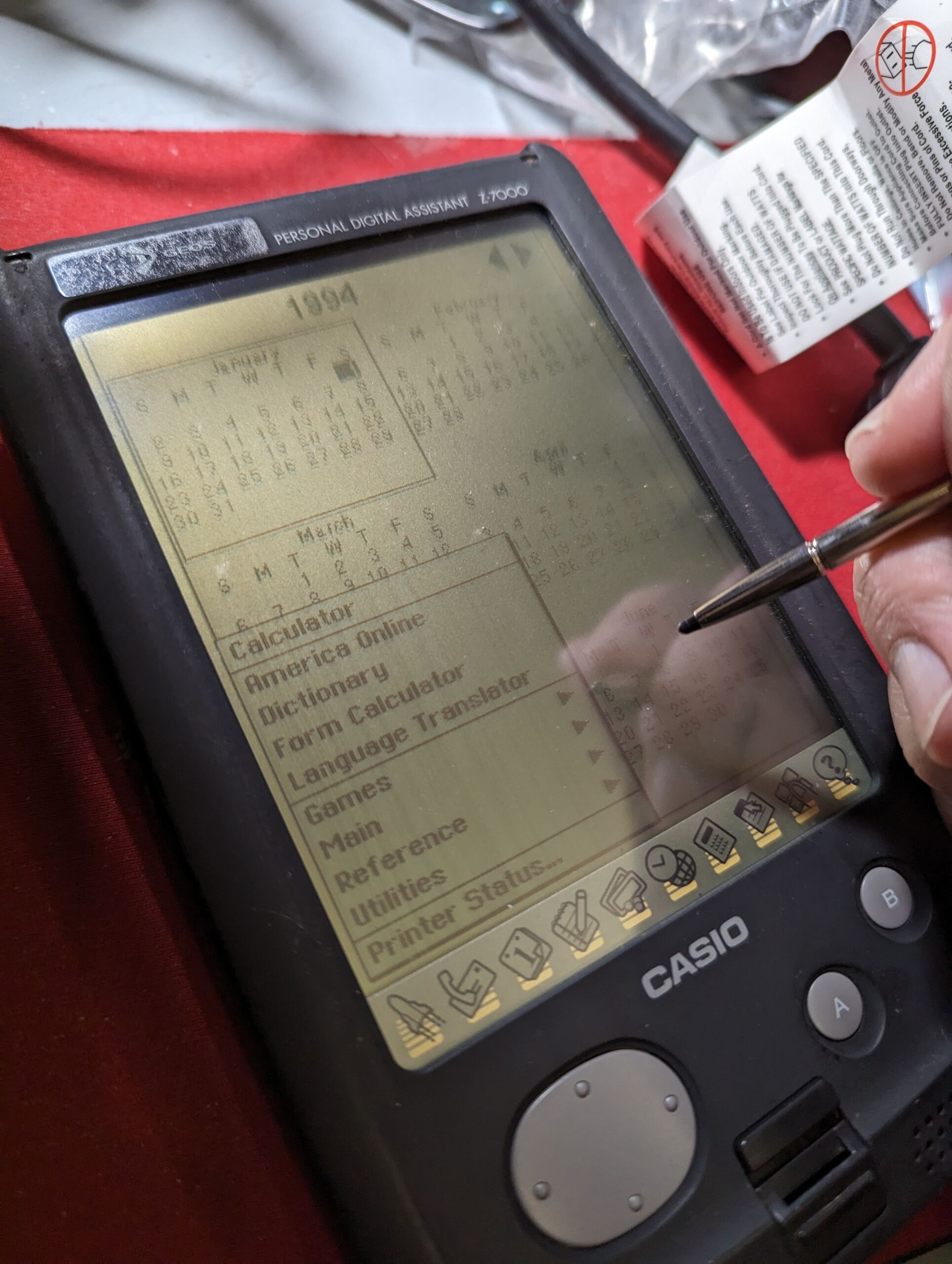
Hawkins selected GeoWorks’ PC/GEOS as the operating system based on its proven ability to run on inexpensive hardware, and Tandy brought on longtime partner Casio (also a major pocket computer manufacturer) as the new device’s OEM. To manage the growing company, Hawkins hired Apple-Claris alumnus Donna Dubinsky as CEO and later Ed Colligan as VP of marketing, fresh from Macintosh peripherals maker Radius.
Enlarge/ The Tandy Zoomer, here in the Casio Z-7000 OEM version.
Cameron Kaiser
Unfortunately, the Zoomer’s development became increasingly troubled due to corporate interference and software churn, and although underclocking its x86-compatible CPU to 7 MHz dramatically extended its battery life, it also made the unit slow and ponderous. Still, the Zoomer got to market in October 1993 at a pound in weight (less than half a kilogram) and for $599 ($1,240 in 2024), markedly undercutting Apple’s Newton MessagePad. On the other hand, it was still too large and was basically treated (and judged) as a PC, and even though its handwriting recognition was better than the Newton’s, it was still outsold four to one.