Spotify’s second price hike in 9 months will target audiobook listeners
Spotify logo on phone screen with headphones around the phone

Spotify Premium subscriptions include up to 15 hours of audiobook listening. But starting in April, the company will charge an extra $1 to $2 per month for the feature, Bloomberg reported today, citing anonymous “people familiar with the matter.” The reported price hike would be the second that Spotify customers have faced in nine months.

Currently, Spotify charges nothing for its free plan with ads, $5.99/month for students, $10.99/month for its Premium plan, $14.99/month for its Duo Premium plan for two users, and $16.99/month for its Family Premium plan with up to six users.

Bloomberg reported that individual plan prices will go up by approximately $1 per month and multi-member plans will increase by $2 per month.

The changes will reportedly start in Australia, Pakistan, the United Kingdom, and two other markets by the end of this month. Subscribers in the US will reportedly see prices rise “later this year.”

Spotify will usher the changes by offering a ‘new’ basic tier that lets users access everything on Spotify except audiobooks for $10.99/month, per Bloomberg. That would mean that people who only use Spotify for listening to music and/or podcasts would avoid paying a higher monthly rate. Basic plan members will still be able to buy audiobooks through Spotify, Bloomberg said.

Bloomberg didn’t specify whether Spotify would default current subscribers to this plan so that their monthly costs wouldn’t change or if users would have to take steps to sign up for what would be marketed as a new plan. It also didn’t mention if the basic plan would have additional drawbacks.

The upcoming price increase would be Spotify’s second since it introduced Premium pricing in 2011. In July, Spotify bumped the starting Premium price from $9.99/month to $10.99/month. Spotify’s announcement followed price hikes from rivals like Amazon Music and Tidal.

Spotify tries to be profitable

Spotify may deem these changes necessary to buoy audiobook revenue. The company is heavily invested in the sector and spent $123 million to acquire Findaway in July 2022. Spotify said it was the second biggest audiobook brand after Audible, citing Bookstat data published in The New York Times. But as it stands, Spotify only generates revenue from audiobooks if users go beyond the 15 hours per month limit included in their Premium plan, per Bloomberg.

Spotify, which launched in 2008, hasn’t had a profitable year (although it has reported profitable quarters at times). Audiobooks represent an opportunity for the company to diversify revenue streams beyond its traditional routes, which include paying hefty royalty fees. Spotify says it paid $9 billion in music-related royalties last year, or about 69.7 percent of its 2023 revenue ($13.2 billion). Bloomberg said Spotify’s music industry partners “have been pushing Spotify and its competitors to raise prices” amid concerns about royalty prices.

Spotify has also invested over $1 billion in a podcast business that is currently unprofitable (although Bloomberg noted that Spotify expects this to change in 2024). In December, Spotify announced it was laying off 17 percent of employees.

Audiobooks could help Spotify’s wallets. But charging extra for a service it’s been pushing since October risks losing some of the listeners it’s earned. At the same time, if Spotify ensures that long-time users who simply want Spotify for its original bread-and-butter aren’t impacted, it could help minimize disruption.

As with any price hike, though, Spotify’s changing pricing structure will force users to reassess whether they want to keep paying for Spotify or consider alternatives. Those who’ve been waiting for Spotify to offer high-fidelity audio since 2021, for example, may decide the app doesn’t fit their needs.

A Spotify spokesperson declined to comment on Bloomberg’s report to Ars Technica.

https://arstechnica.com/?p=2014721


Copilot key is based on a button you probably haven’t seen since IBM’s Model M

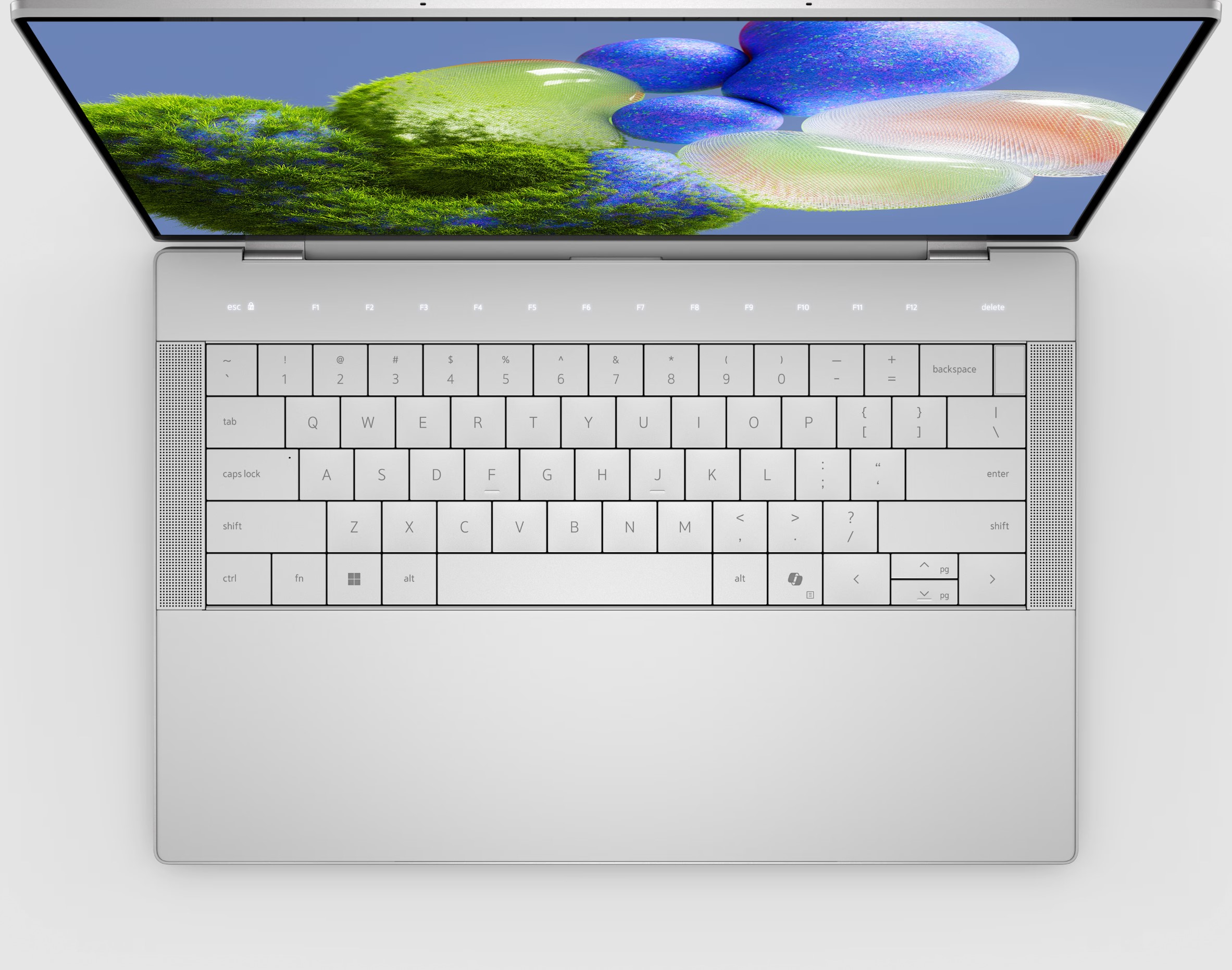
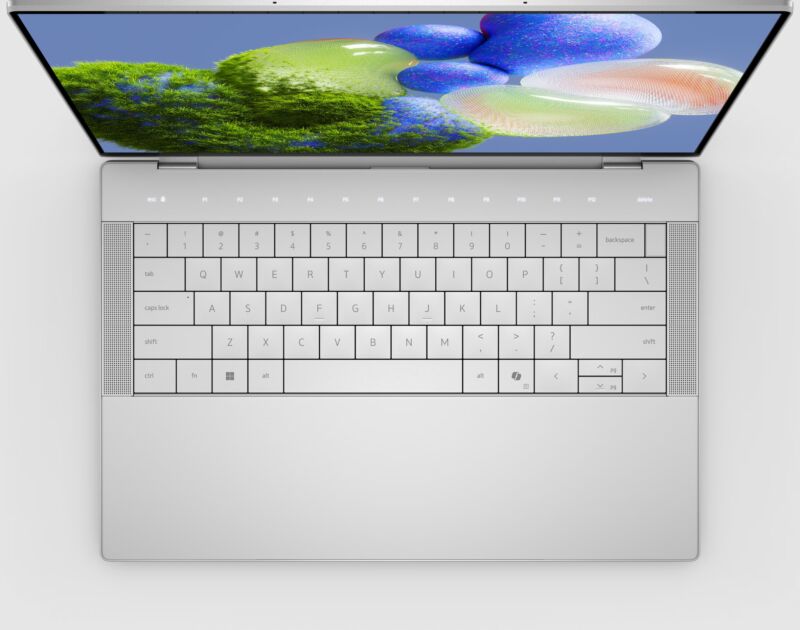
A Dell XPS 14 laptop with a Copilot key.
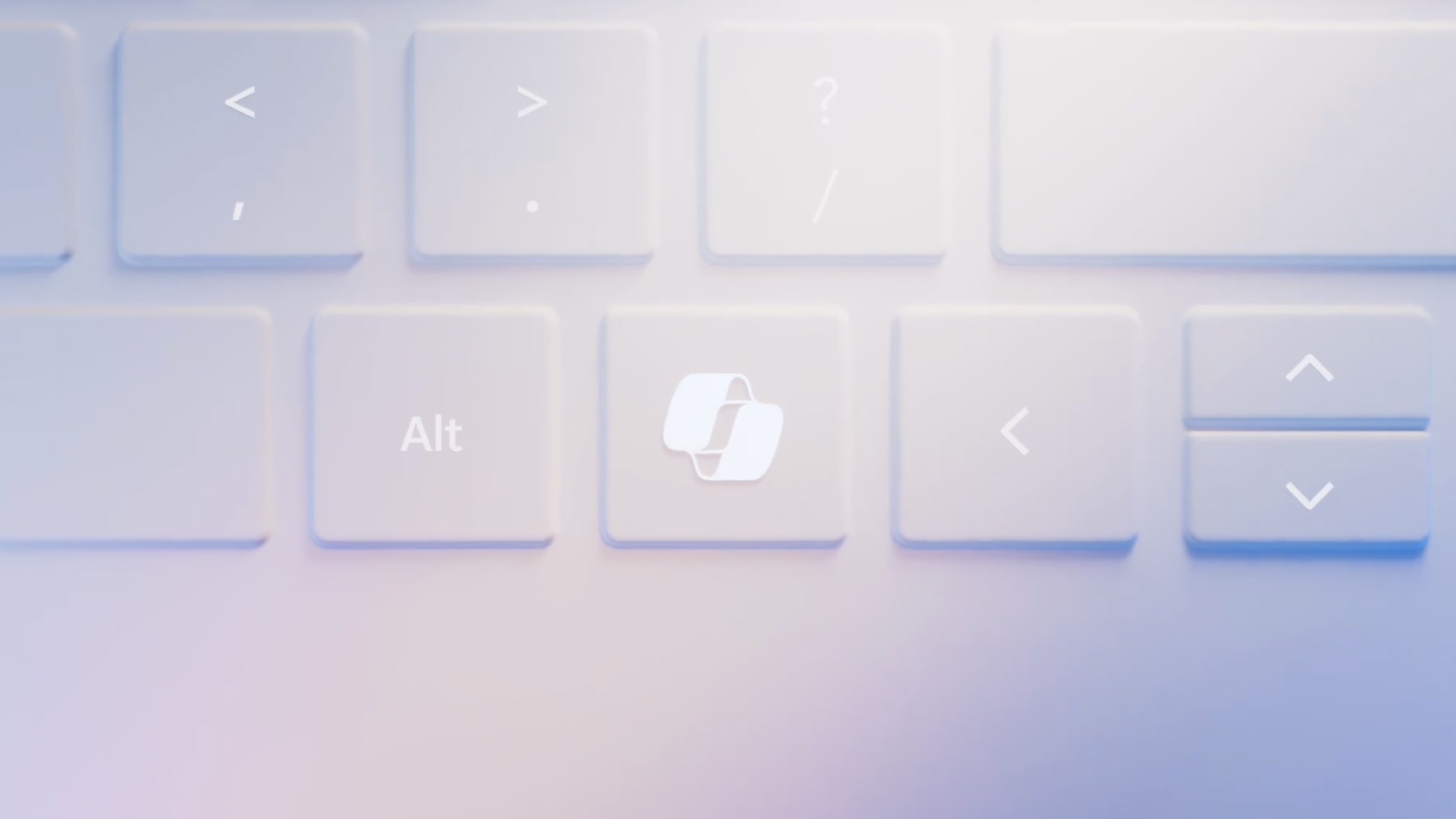
Enlarge / A Dell XPS 14 laptop. The Copilot key is to the right of the right-Alt button.

In January, Microsoft introduced a new key to Windows PC keyboards for the first time in 30 years. The Copilot key, dedicated to launching Microsoft’s eponymous generative AI assistant, is already on some Windows laptops released this year. On Monday, Tom’s Hardware dug into the new addition and determined exactly what pressing the button does, which is actually pretty simple. Pushing a computer’s integrated Copilot button is like pressing left-Shift + Windows key + F23 simultaneously.

Tom’s Hardware confirmed this after wondering if the Copilot key introduced a new scan code to Windows or if it worked differently. Using the scripting program AuthoHotkey with a new laptop with a Copilot button, Tom’s Hardware discovered the keystrokes registered when a user presses the Copilot key. The publication confirmed with Dell that “this key assignment is standard for the Copilot key and done at Microsoft’s direction.”

F23

Surprising to see in that string of keys is F23. Having a computer keyboard with a function row or rows that take you from F1 all the way to F23 is quite rare today. When I try to imagine a keyboard that comes with an F23 button, vintage keyboards come to mind, more specifically buckling spring keyboards from IBM.

IBM’s Model F, which debuted in 1981 and used buckling spring switches over a capacitive PCB, and the Model M, which launched in 1985 and used buckling spring switches over a membrane sheet, both offered layouts with 122 keys. These layouts included not one, but two rows of function keys that would leave today’s 60 percent keyboard fans sweating over the wasted space.

But having 122 keys was helpful for keyboards tied to IBM business terminals. The keyboard layout even included a bank of keys to the left of the primary alpha block of keys for even more forms of input.

An IBM Model M keyboard with an F23 key.
Enlarge / An IBM Model M keyboard with an F23 key.

The 122-key keyboard layout with F23 lives on. Beyond people who still swear by old Model F and M keyboards, Model F Labs and Unicomp both currently sell modern buckling spring keyboards with built-in F23 buttons. Another reason a modern Windows PC user might have access to an F23 key is if they use a macro pad.

But even with those uses in mind, the F23 key remains rare. That helps explain why Microsoft would use the key for launching Copilot; users are unlikely to have F23 programmed for other functions. This was also likely less work than making a key with an entirely new scan code.

The Copilot button is reprogrammable

When I previewed Dell’s 2024 XPS laptops, a Dell representative told me that the integrated Copilot key wasn’t reprogrammable. However, in addition to providing some interesting information about the newest PC key since the Windows button, Tom’s Hardware’s revelation shows why the Copilot key is actually reprogrammable, even if OEMs don’t give users a way to do so out of the box. (If you need help, check out the website’s tutorial for reprogramming the Windows Copilot key.)

I suspect there’s a strong interest in reprogramming that button. For one, generative AI, despite all its hype and potential, is still an emerging technology. Many don’t need or want access to any chatbot—let alone Microsoft’s—instantly or even at all. Those who don’t use their system with a Microsoft account have no use for the button, since being logged in to a Microsoft account is required for the button to launch Copilot.

A rendering of the Copilot button.
Enlarge / A rendering of the Copilot button.

Additionally, there are other easy ways to launch Copilot on a computer that has the program downloaded, like double-clicking an icon or pressing Windows + C, that make a dedicated button unnecessary. (Ars Technica asked Microsoft why the Copilot key doesn’t just register Windows + C, but the company declined to comment. Windows + C has launched other apps in the past, including Cortana, so it’s possible that Microsoft wanted to avoid the Copilot key performing a different function when pressed on computers that use Windows images without Copilot.)

In general, shoehorning the Copilot key into Windows laptops seems premature. Copilot is young and still a preview; just a few months ago, it was called Bing Chat. Further, the future of generative AI, including its popularity and top uses, is still forming and could evolve substantially during the lifetime of a Windows laptop. Microsoft’s generative AI efforts could also flounder over the years. Imagine if Microsoft went all-in on Bing back in the day and made all Windows keyboards have a Bing button, for example. Just because Microsoft wants something to become mainstream doesn’t mean that it will.

This all has made the Copilot button seem more like a way to force the adoption of Microsoft’s chatbot than a way to improve Windows keyboards. Microsoft has also made the Copilot button a requirement for its AI PC certification (which also requires an integrated neural processing unit and having Copilot pre-installed). Microsoft plans to make Copilot keys a requirement for Windows 11 OEM PCs eventually, it told Ars Technica in January.

At least for now, the basic way that the Copilot button works means you can turn the key into something more useful. Now, the tricky part would be finding a replacement keycap to eradicate Copilot’s influence from your keyboard.

Listing image by Microsoft

https://arstechnica.com/?p=2014584


Users say Google’s VPN app “breaks” the Windows DNS settings

Users say Google’s VPN app “breaks” the Windows DNS settings
Aurich / Thinkstock

Google offers a VPN via its “Google One” monthly subscription plan, and while it debuted on phones, a desktop app has been available for Windows and Mac OS for over a year now. Since a lot of people pay for Google One for the cloud storage increase for their Google accounts, you might be tempted to try the VPN on a desktop, but Windows users testing out the app haven’t seemed too happy lately. An open bug report on Google’s GitHub for the project says the Windows app “breaks” the Windows DNS, and this has been ongoing since at least November.

A VPN would naturally route all your traffic through a secure tunnel, but you’ve still got to do DNS lookups somewhere. A lot of VPN services also come with a DNS service, and Google is no different. The problem is that Google’s VPN app changes the Windows DNS settings of all network adapters to always use Google’s DNS, whether the VPN is on or off. Even if you change them, Google’s program will change them back.

Most VPN apps don’t work this way, and even Google’s Mac VPN program doesn’t work this way. The users in the thread (and the ones emailing us) expect the app, at minimum, to use the original Windows settings when the VPN is off. Since running a VPN is often about privacy and security, users want to be able to change the DNS away from Google even when the VPN is running.

Changing the DNS can result in several problems for certain setups. As users in the thread point out, some people, especially those using a VPN, want an encrypted DNS setup, and Google’s VPN program will just turn this off. It can break custom filtering setups and will prevent users from accessing local network IPs, like a router configuration page or corporate intranet pages. It will also make it impossible to log in to a captive portal, which you often see on public Wi-Fi at a hotel, airport, or coffee shop.

Besides that behavior, the thread is full of all sorts of reports of Google’s VPN program getting screwy with the Windows DNS settings. Several users say Google’s VPN app frequently resets the DNS settings of all network adapters, even if they change them after the initial install sets them to 8.8.8.8. For instance, one reply from ryanzimbauser says: “This program has absolutely no business changing all present NICs to a separate DNS on the startup of my computer while the program is not set to ‘Launch app after computer starts.’ This recent change interfered with my computer’s ability to access a network implementing a private DNS filter. This has broken my trust and I will not be reinstalling this program until this is remedied.”

Several user reports say that even after uninstalling the Google VPN, the DNS settings don’t revert to what they used to be. Maybe this is more of a Windows problem than a Google problem, but a lot of users have trouble changing the settings away from 8.8.8.8 through the control panel after uninstalling. They are resorting to registry changes, PowerShell scripts, or the “reset network settings” button.

Google employee Ryan Lothian responded to the thread, saying:

Hey folks, thank you for reporting this behaviour.

To protect users privacy, the Google One VPN deliberately sets DNS to use Google’s DNS servers. This prevents a nefarious DNS server (that might be set by DHCP) compromising your privacy. Visit https://developers.google.com/speed/public-dns/privacy to learn about the limited logging performed by Google DNS.

We think this is a good default for most users. However, we do recognize that some users might want to have their own DNS, or have the DNS revert when VPN disconnects. We’ll consider adding this to a future release of the app.

It’s pretty rare for Google, the web and Android company, to make a Windows program. There’s Chrome, the Drive syncing app, Google Earth Pro, this VPN app, and not too much else. You can find it by going to the Google One website, clicking “Benefits” in the sidebar, and then “View Details” under the VPN box, where you’ll find an exceedingly rare Google Windows executable.

If you want a VPN and care about privacy, there are probably better places to go than Google. The company can still see all the websites you’re visiting via its DNS servers, and while the VPN data might be private, Google’s DNS holds onto your web history for up to 48 hours and is subject to subpoenas. There are several accusations in the thread of Google changing DNS for data harvesting purposes, but if you’re concerned about that, maybe don’t do business with one of the world’s biggest user-tracking companies.

https://arstechnica.com/?p=2014104


Apple wouldn’t let Jon Stewart interview FTC Chair Lina Khan, TV host claims

[embedded content]
The Daily Show host Jon Stewart’s interview with FTC Chair Lina Khan. The conversation about Apple begins around 16:30 in the video.

Before the cancellation of The Problem with Jon Stewart on Apple TV+, Apple forbade the inclusion of Federal Trade Commission Chair Lina Khan as a guest and steered the show away from confronting issues related to artificial intelligence, according to Jon Stewart.

This isn’t the first we’ve heard of this rift between Apple and Stewart. When the Apple TV+ show was canceled last October, reports circulated that he told his staff that creative differences over guests and topics were a factor in the decision.

The New York Times reported that both China and AI were sticking points between Apple and Stewart. Stewart confirmed the broad strokes of that narrative in a CBS Morning Show interview after it was announced that he would return to The Daily Show.

“They decided that they felt that they didn’t want me to say things that might get me into trouble,” he explained.

Stewart’s comments during his interview with Khan yesterday were the first time he’s gotten more specific publicly.

“I’ve got to tell you, I wanted to have you on a podcast, and Apple asked us not to do it—to have you. They literally said, ‘Please don’t talk to her,'” Stewart said while interviewing Khan on the April 1, 2024, episode of The Daily Show.

Khan appeared on the show to explain and evangelize the FTC’s efforts to battle corporate monopolies both in and outside the tech industry in the US and to explain the challenges the organization faces.

She became the FTC chair in 2021 and has since garnered a reputation for an aggressive and critical stance against monopolistic tendencies or practices among Big Tech companies like Amazon and Meta.

Stewart also confirmed previous reports that AI was a sensitive topic for Apple. “They wouldn’t let us do that dumb thing we did in the first act on AI,” he said, referring to the desk monologue segment that preceded the Khan interview in the episode.

The segment on AI in the first act of the episode mocked various tech executives for their utopian framing of AI and interspersed those claims with acknowledgments from many of the same leaders that AI would replace many people’s jobs. (It did not mention Apple or its leadership, though.)

Stewart and The Daily Show‘s staff also included clips of current tech leaders suggesting that workers be retrained to work with or on AI when their current roles are disrupted by it. That was followed by a montage of US political leaders promising to retrain workers after various technological and economic disruptions over the years, with the implication that those retraining efforts were rarely as successful as promised.

The segment effectively lampooned some of the doublespeak about AI, though Stewart stopped short of venturing any solutions or alternatives to the current path, so it mostly just prompted outrage and laughs.

[embedded content]
The Daily Show host Jon Stewart’s segment criticizing tech and political leaders on the topic of AI.

Apple currently uses AI-related technologies in its software, services, and devices, but so far it has not launched anything tapping into generative AI, which is the new frontier in AI that has attracted worry, optimism, and criticism from various parties.

However, the company is expected to roll out its first generative AI features as part of iOS 18, a new operating system update for iPhones. iOS 18 will likely be detailed during Apple’s annual developer conference in June and will reach users’ devices sometime in the fall.

Listing image by Paramount

https://arstechnica.com/?p=2014269


Discord starts down the dangerous road of ads this week

The Discord logo on a funky cyber-background.

Discord had long been strongly opposed to ads, but starting this week, it’s giving video game makers the ability to advertise to its users. The introduction of so-called Sponsored Quests marks a notable change from the startup’s previous business model, but, at least for now, it seems much less intrusive than the ads shoved into other social media platforms, especially since Discord users can choose not to engage with them.

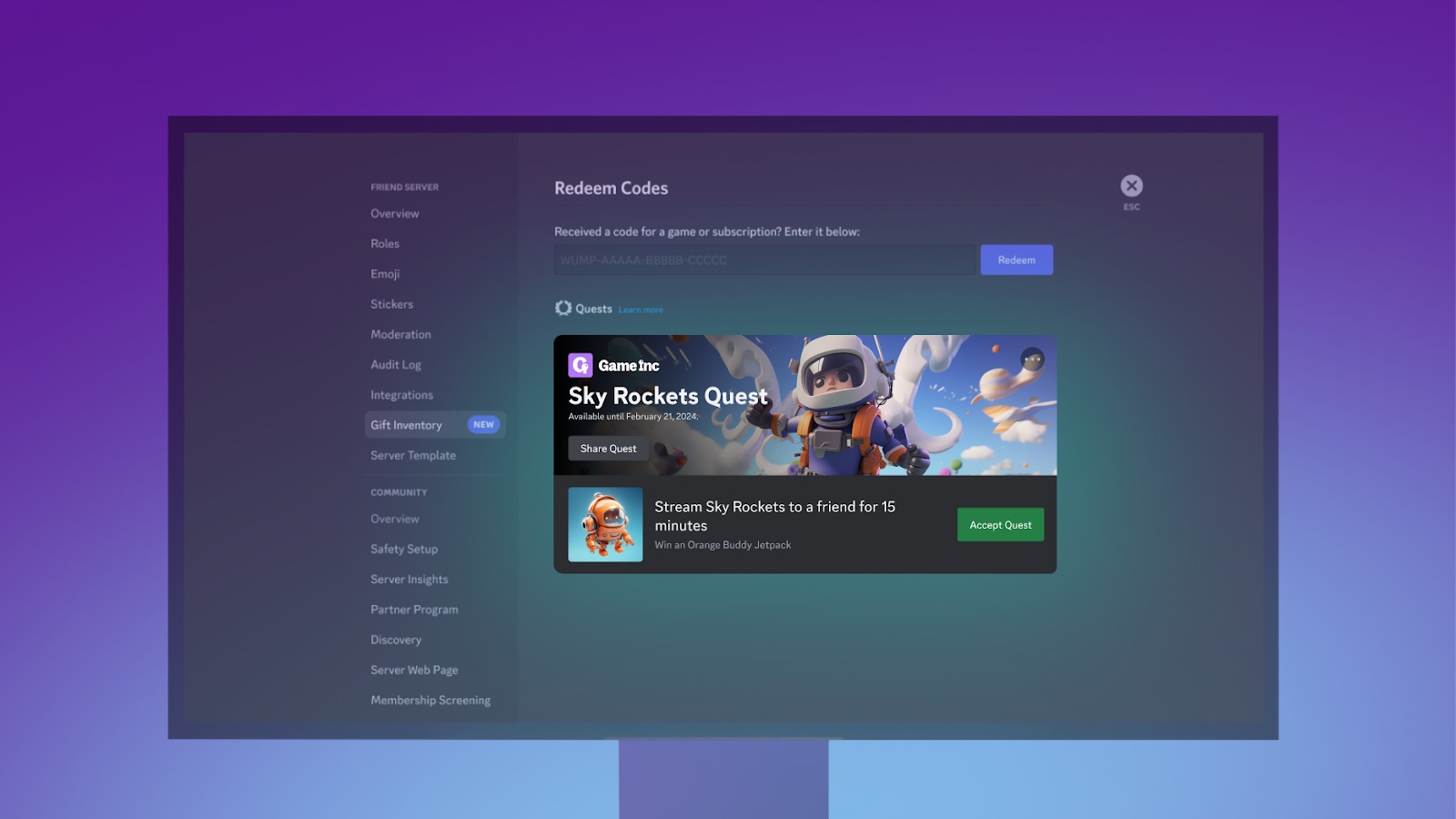
Discord first announced Sponsored Quests on March 7, with Peter Sellis, Discord’s SVP of product, writing in a blog post that users would start seeing them in the “coming weeks.” Sponsored Quests offer PC gamers in-game rewards for getting friends to watch a stream of them playing through Discord. Discord senior product communications manager Swaleha Carlson confirmed to Ars Technica that Sponsored Quests launch this week.

Discord shared this image in March as an example of the new type of ads.
Enlarge / Discord shared this image in March as an example of the new type of ads.

The goal is for video games to get exposure to more gamers, serving as a form of marketing. On Saturday, The Wall Street Journal (WSJ) reported that it viewed a slide from a slideshow Discord shows to game developers regarding the ads that reads: “We’ll get you in front of players. And those players will get you into their friend groups.”

Sellis told WSJ that Discord will target ads depending on users’ age, geographic location data, and gameplay. The ads will live on the bottom-left of the screen, but users can opt out of personalized promotions for Quests that are based on activity or data shared with Discord, Swaleha Carlson, senior product communications manager at Discord, told Ars Technica.

“Users may still see Quests, however, if they navigate to their Gift Inventory and/or through contextual entry points like a user’s friends’ activity. They’ll also have the option to hide an in-app promotion for a specific Quest or game they’re not interested in,” she said.

“Users may still see Quests, however, if they navigate to their Gift Inventory and/or through contextual entry points like a user’s friends’ activity. They’ll also have the option to hide an in-app promotion for a specific Quest or game they’re not interested in. “

Discord already tested the ads in May with Lucasfilm Games and Epic Games. Discord users were able to receive Star Wars-themed gear in Fortnite for getting a friend to watch them play Fortnite on PC for at least 15 minutes.

Jason Citron, Discord co-founder and CEO, told Bloomberg in March that the company hopes that one day “every game will offer Quests on Discord.”

Discord used to be anti-ads

It may be a nuisance for users to have to disable personalized promotion for Sponsored Quests when they never asked for them, but it should bring long-term users at least some comfort that their data purportedly doesn’t have to contribute to the marketing. However, it’s unclear if Discord may one day change this. The fact that the platform is implementing ads at all is somewhat surprising. Discord named its avoidance of advertising as one of its key differentiators from traditional social media platforms as recently as late January.

In March 2021, Citron told WSJ that Discord had eschewed ads until that point because ads would be intrusive, considering Discord’s purpose of instant back-and-forth communication and people’s general distaste for viewing ads and having their data shared with other companies.

“We really believe we can build products that make Discord more fun and that people will pay for them. It keeps our incentives aligned,” Citron told WSJ at the time.

That same year, Citron, in response to a question about why being ad-free is important to Discord, told NPR: “We believe that people’s data is their data and that people should feel comfortable and safe to have conversations and that their data is not going to be used against them in any way that is improper.”

Sponsored Quests differs from other types of ads that would more obviously disrupt Discord users’ experiences, such as pop-up ads or ads viewed alongside chat windows.

A tight-rope to walk

Beyond Sponsored Quests, Discord, which launched in 2015, previously announced that it would start selling sponsored profile effects and avatar decorations in the Discord Shop. In March, Discord’s Sellis said this would arrive in the “coming weeks.” Discord is also trying to hire more than 12 people to work in ad sales, WSJ said Saturday, citing anonymous “people familiar with [Discord’s] plans.”

Discord’s Carlson declined to comment to Ars on whether or not Discord plans to incorporate other types of ads into Discord. She noted that Sponsored Quests “are currently in the pilot phase” and that the company will “continue to iterate based on what we learn.”

In 2021, Discord enjoyed a nearly three-times revenue boost that it attributed to subscription sales for Nitro, which adds features like HD video streaming and up to 500MB uploads. In March, Citron told Bloomberg that Discord has more than 200 million monthly active users and that the company will “probably” go public eventually.

The publication, citing unnamed “people with knowledge of the matter,” also reported that Discord makes over $600 million in annualized revenue. The startup has raised over $1 billion in funding and is reported to have over $700 million in cash. However, the company reportedly isn’t profitable. It also laid off 17 percent of staffers, or 170 workers, in January.

Meanwhile, ads are the top revenue generator for many other social media platforms, such as Reddit, which recently went public.

While Discord’s first real ads endeavor seems like it will have minimal impact on users who aren’t interested in them, it brings the company down a tricky road that it hasn’t previously navigated. A key priority should be ensuring that any form of ads doesn’t disrupt the primary reasons people like using Discord. As it stands, Sponsored Quests might already put off some users.

“I don’t want my friendships to be monetized or productized in any way,” Zack Mohsen, a reported long-time user and computer hardware engineer based in Seattle, told WSJ.

Updated April 1, 2024 at 5:32 p.m. ET to add information and comment from Discord. 

https://arstechnica.com/?p=2014027


Redis’ license change and forking are a mess that everybody can feel bad about

AWS data centers built right next to suburban cul-de-sac housing
Enlarge / An Amazon Web Services (AWS) data center under construction in Stone Ridge, Virginia, in March 2024. Amazon will spend more than $150 billion on data centers in the next 15 years.
Getty Images

Redis, a tremendously popular tool for storing data in-memory rather than in a database, recently switched its licensing from an open source BSD license to both a Source Available License and a Server Side Public License (SSPL).

The software project and company supporting it were fairly clear in why they did this. Redis CEO Rowan Trollope wrote on March 20 that while Redis and volunteers sponsored the bulk of the project’s code development, “the majority of Redis’ commercial sales are channeled through the largest cloud service providers, who commoditize Redis’ investments and its open source community.” Clarifying a bit, “cloud service providers hosting Redis offerings will no longer be permitted to use the source code of Redis free of charge.”

Clarifying even further: Amazon Web Services (and lesser cloud giants), you cannot continue reselling Redis as a service as part of your $90 billion business without some kind of licensed contribution back.

This generated a lot of discussion, blowback, and action. The biggest thing was a fork of the Redis project, Valkey, that is backed by The Linux Foundation and, critically, also Amazon Web Services, Google Cloud, Oracle, Ericsson, and Snap Inc. Valkey is “fully open source,” Linux Foundation execs note, with the kind of BSD-3-Clause license Redis sported until recently. You might note the exception of Microsoft from that list of fork fans.

As noted by Matt Asay, who formerly ran open source strategy and marketing at AWS, most developers are “largely immune to Redis’ license change.” Asay suggests that, aside from the individual contributions of AWS engineer and former Redis core contributor Madelyn Olson (who contributed in her free time) and Alibaba’s Zhao Zhao, “The companies jumping behind the fork of Redis have done almost nothing to get Redis to its current state.”

Olson told TechCrunch that she was disappointed by Redis’ license change but not surprised. “I’m more just disappointed than anything else.” David Nally, AWS’ current director for open source strategy and marketing, demurred when asked by TechCrunch if AWS considered buying a Redis license from Redis Inc. before forking. “[F]rom an open-source perspective, we’re now invested in ensuring the success of Valkey,” Nally said.

Shifts in open source licensing have triggered previous keep-it-open forks, including OpenSearch (from ElasticSearch) and OpenTofu (from Terraform). With the backing of the Linux Foundation and some core contributors, though, Valkey will likely soon evolve far beyond a drop-in Redis replacement, and Redis is likely to follow suit.

If you’re reading all this and you don’t own a gigascale cloud provider or sit on the board of a source code licensing foundation, it’s hard to know what to make of the fiasco. Every party in this situation is doing what is legally permissible, and software from both sides will continue to be available to the wider public. Taking your ball and heading home is a longstanding tradition when parties disagree on software goals and priorities. But it feels like there had to be another way this could have worked out.

https://arstechnica.com/?p=2014018


Google Podcasts shuts down tomorrow, April 2

Each headstone in this miniature, decorative cemetery is for a defunct Google product.
Enlarge / A spooky Halloween display from Google’s Seattle campus.

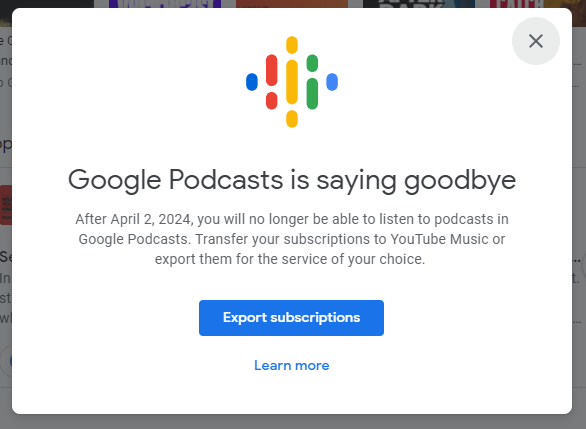
RIP Google Podcasts. Google’s self-branded podcasting service shuts down tomorrow, April 2, and existing users have until July to export any subscriptions that are still on the service. Google originally announced the shutdown in September and has been plastering shutdown notices all over the Google Podcasts site and app for a few days now.

Google Podcasts was Google’s third podcasting service, after Google Listen (2009–2012) and Google Play Music Podcasts (2016–2020). The shutdown will clear the deck for Google’s media consolidation under the YouTube brand with podcasting app No. 4: YouTube Podcasts.

Google Podcasts has always had an awkward life.  Despite an eight-year existence, it has only been a viable podcasting app for maybe half that time. The project grew out of the Google Search team’s desire to index podcast content. That started in 2016 when searching for a podcast would show a player embedded right in the Google Search results. This only worked on google.com and on the Android search app.

The Google Podcasts shutdown notice.

Actually subscribing to a podcast didn’t come until two years later, in 2018, allowing users to finally do the bare minimum of opening the app and seeing the latest episodes of shows they’re subscribed to. Again, though, this was all in the Google Search app, which didn’t make sense to anyone, especially when Google already had a decent podcast ecosystem going in its primary music app, Google Play Music. A month later it launched a formal “Google Podcasts” app on the Play Store, helping the app make a little more sense, even though under the hood the “app” was just a link to the podcast interface in the Google Search app. This was also the first podcast player to integrate with another Google Search project, the Google Home smart speaker.

Two years later, in 2020, Google finally launched an iOS app. At this point, four years after launch, as a third-party observer, you could begin to think that “maybe Google is actually serious about Google Podcasts.” The very next year rumors of “YouTube Podcasts” started, and the writing was on the wall for the search team’s weird little podcast app.

Google Podcasts is one of the major examples of Google’s disorganization. Along with Google Play Music Podcasts, Google launched two competing and disconnected podcast services within the same week! The Google Search team never had a clear reason for building a podcast app, and no clear vision; it felt like it was going rogue inside the company. Along with a glacially slow development pace, Google Podcasts feels like it should have never existed to begin with.

https://arstechnica.com/?p=2014008


8BitDo’s $100 wireless mechanical keyboard is a tribute to Commodore 64

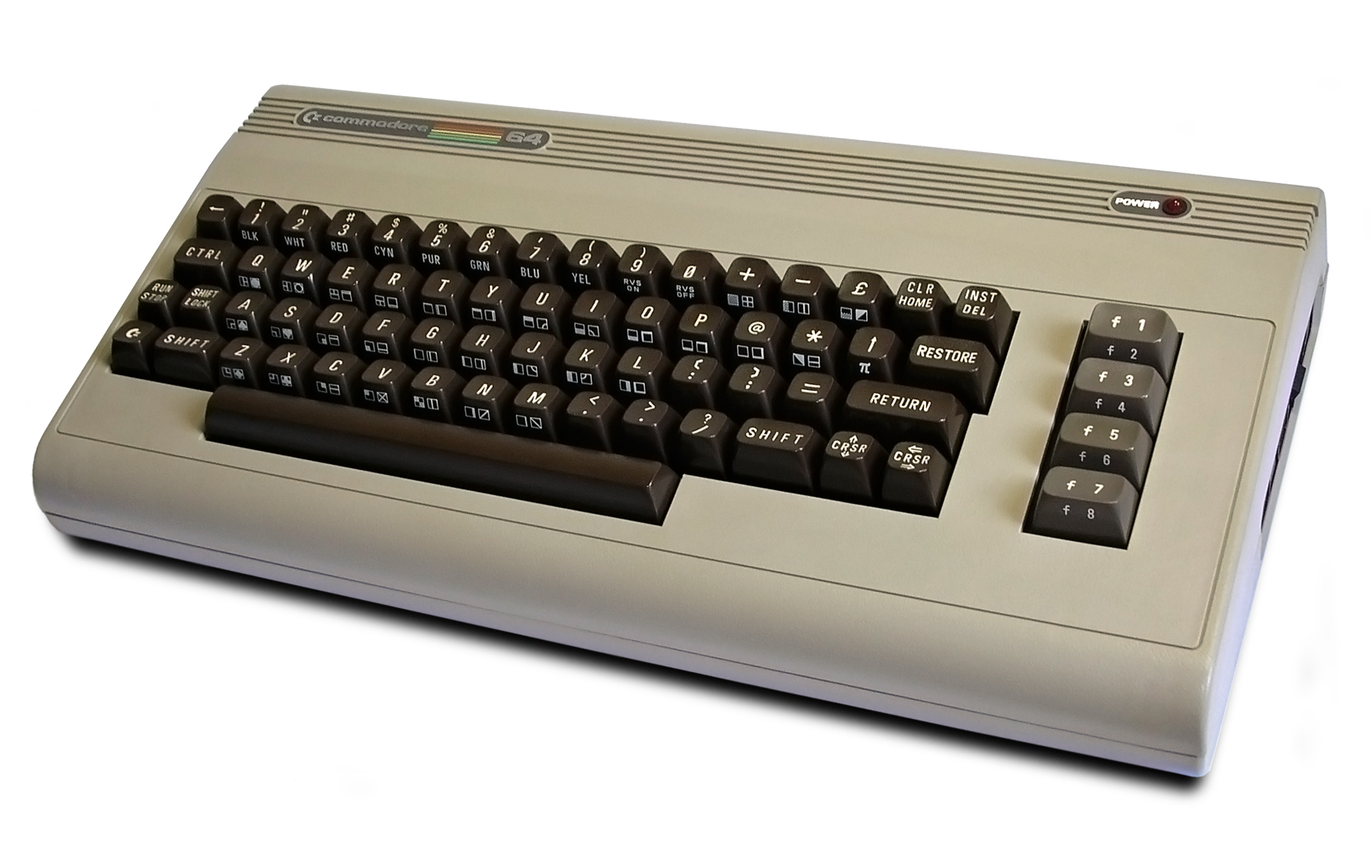
The Commodore 64 introduced a generation of future computer geeks to personal computing. The 8-bit system first launched in 1982 and was discontinued in 1994. During that time, it made its mark as one of the first and most influential personal computers, and many still remember the computer fondly.

A Commodore 64.
Enlarge / A Commodore 64.

Gaming peripherals maker 8BitDo wants to bring that nostalgia to people’s fingertips and this week announced the Retro Mechanical Keyboard – C64 Edition. 8BitDo is careful not to use the name “Commodore” outright. But with marketing images featuring retro Commodore gear in the background, press materials saying that the keyboard was “inspired by the classics,” and certain design cues, the keyboard is clearly a tribute to the ’80s keyboard-computer.

8BitDo starts with the sort of beige that you only see on new peripherals these days if the gadgets are trying to appear old. A rainbow stripe runs horizontally and north of the function row, like on Commodore’s computer. There’s a power button with a bulb popping out of the keyboard case, ready to illuminate when it receives the signal.

Like the Commodore 64, the C64 keyboard has limited keys, foregoing a number pad. The column of F-keys on the right side of the retro computer is abandoned in favor of today’s standard navigation keys. Naturally, the ports have also been updated. 8BitDo’s wireless mechanical keyboard can connect with a detachable USB-C to USB-A power cable via a 2.4 GHz wireless USB-A dongle or Bluetooth 5.0. 8BitDo claims that the keyboard’s 2000 mAh battery can endure 200 hours of use before needing a charge.

The new keyboard also reduces the bulkiness of a true vintage keyboard. It’s 6.7 inches tall and weighs 2.31 pounds. Commodore 64s were about 8 inches tall and weighed over 4 pounds.

A trimmer keyboard should help 8BitDo better appeal to its core audience of gamers. The keyboard even comes with a separate pair of large buttons and a joystick for gaming with an arcade feel. The joystick and Super Buttons, as 8BitDo calls them, are programmable, including with macros, without downloading 8BitDo’s software.

<a href="https://cdn.arstechnica.net/wp-content/uploads/2024/03/5-Super-Stick-and-Super-Buttons.jpg" class="enlarge" data-height="1708" data-width="2560" alt="The keyboard comes with a joystick and mega-size buttons, just like 8BitDo's NES-inspired keyboard.”><img alt="The keyboard comes with a joystick and mega-size buttons, just like 8BitDo's NES-inspired keyboard.” src=”https://rassegna.lbit-solution.it/wp-content/uploads/2024/03/8bitdos-100-wireless-mechanical-keyboard-is-a-tribute-to-commodore-64-1.jpg” width=”640″ height=”427″ srcset=”https://rassegna.lbit-solution.it/wp-content/uploads/2024/03/8bitdos-100-wireless-mechanical-keyboard-is-a-tribute-to-commodore-64-3.jpg 2x”>
Enlarge / The keyboard comes with a joystick and mega-size buttons, just like 8BitDo’s NES-inspired keyboard.

The C64 doesn’t support Apple devices; it only supports Windows 10 and Android 9.0 and higher. The software for reprogramming the keyboard and setting up different profiles (which you can toggle with the heart button near the keyboard’s top edge) doesn’t officially support Apple OSes.

SA keycaps

If you really want to feel like you’re typing on an ’80s system, it’s not just about muted shades of beige; it’s about what your fingers feel. While there are some design changes that might have made the keyboard feel more authentic, some thought was clearly given to making this 2024 keyboard feel like it came out more than 30 years ago.

To start, the C64’s keycaps are made of ABS plastic with doubleshot legends. Some premium mechanical keyboards these days opt for PBT, as such keycaps typically offer better grip and resist fingerprint smudges better. But if we’re trying to be as accurate to the original C64 as possible, doubleshot ABS is the way to go.

The keycaps on the Commodore 64 were also notably spherical and contoured. 8BitDo’s design uses SA-profile keycaps, which are some of the tallest keycaps that are widely available. Some hardcore enthusiasts can tell the difference between SA keycaps and the Commodore 64’s original keycaps, but this is still a strong choice from 8BitDo, (plus the original Commodore 64 keycaps wouldn’t fit on modern mechanical switches without some modding).

https://arstechnica.com/?p=2013448


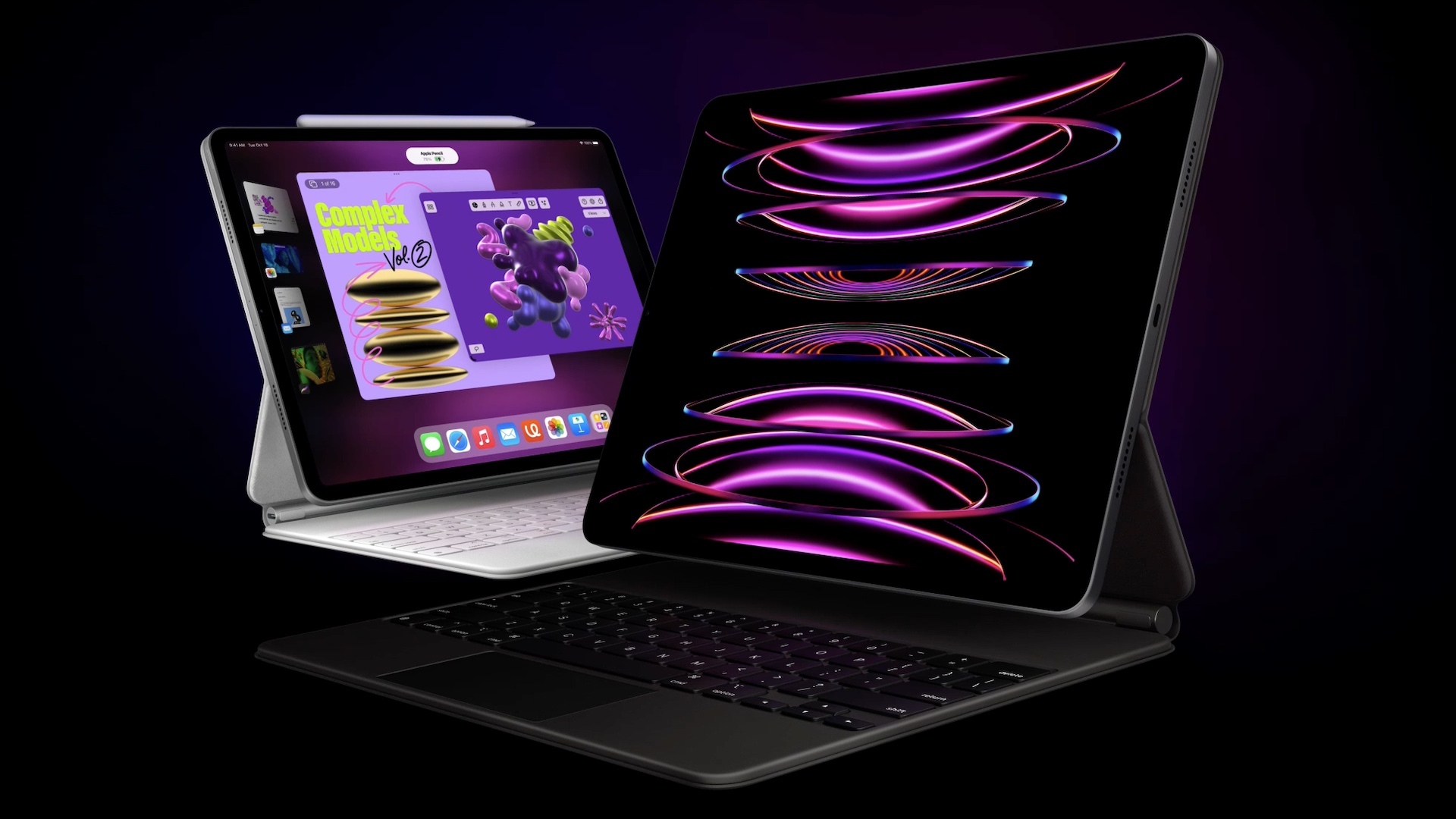
Report: Redesigned M3 iPad Pros, large-screened iPad Air now expected in May

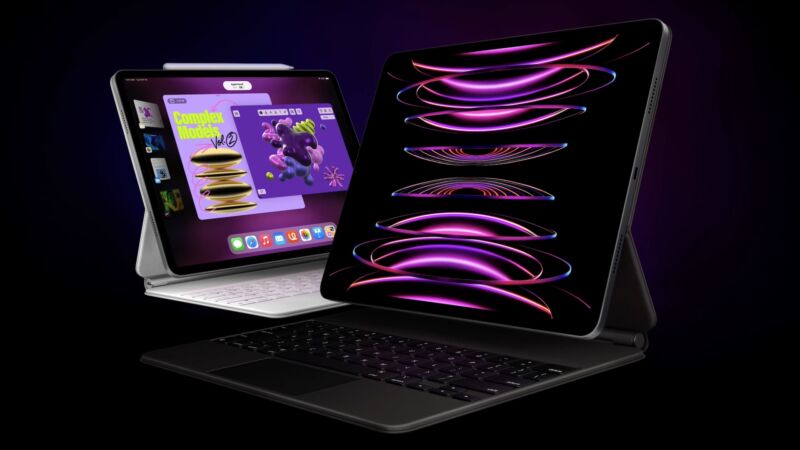
The M2 iPad Pro. The updated version will come with refined designs and new accessories.
Enlarge / The M2 iPad Pro. The updated version will come with refined designs and new accessories.

If you’ve been waiting for new iPads to come out, prepare to wait just a little longer: Bloomberg’s Mark Gurman says that redesigned iPad Pros with Apple’s M3 chip, plus refreshed iPad Air models with the M2 and a larger-screened option, should now arrive sometime in “early May.” Gurman had previously reported that new iPads could arrive in March or April, not long after the updated M3 MacBook Airs.

Gurman suggests that “complex new manufacturing techniques” for the new iPad screens have “contributed to the delay,” and that Apple is also “working to finish software for the devices.”

The details of what the new iPads will look like hasn’t changed. The new iPad Pro models will shift to using OLED display panels for the first time and will have their designs tweaked for the first time since the 2018 iPad Pros introduced the current rounded, slim-bezeled look. Those new iPad Pros will also come with redesigned Magic Keyboard and Apple Pencil accessories, though it’s unclear whether those accessories will be totally rethought or if they’ll just tweak existing designs to work with the new tablets.

The iPad Air refresh will be more straightforward. It should retain the current design, which is very similar to the 2018-era iPad Pro refresh but with a power button-mounted TouchID fingerprint sensor instead of a FaceID camera for authentication. But the new Airs will come with an M2 chip instead of the current M1, and a 12.9-inch variant will provide a less-expensive large-screened option for people who want to use their iPad as their primary computer but who don’t want to pay for the extra bells and whistles of the Pro.

Some rumors have suggested the iPad Pro could come with a price hike relative to the current-generation model, though the sources of those rumors can’t agree on how big a jump it would be. Gurman hasn’t mentioned Apple’s pricing plans in his reports.

There’s also no word about the other tablets in Apple’s lineup, all of which are at least a year or two old. The sixth-generation iPad mini and the $329 ninth-generation iPad were last updated in September 2021, while the awkwardly positioned 10th-generation iPad was released in October 2022.

New hardware is always nice to have, but it does continue to feel like the power of Apple’s M-series chips is a bit wasted on Apple’s tablets. The iPad’s relatively limited multitasking model, restrictions on third-party software and the general dearth of performance-intensive high-end apps in Apple’s app store mean that performance really isn’t a problem on current-generation iPads; there’s nothing an iPad can currently do that an M1 can’t handle with room to spare. Apple will announce new operating system versions at its Worldwide Developers Conference keynote on June 10; it’s possible that iPadOS will get some new features that more fully leverage the power of Apple’s newer chips.

https://arstechnica.com/?p=2013454


Google says running AI models on phones is a huge RAM hog

The Google Gemini logo.
Enlarge / The Google Gemini logo.

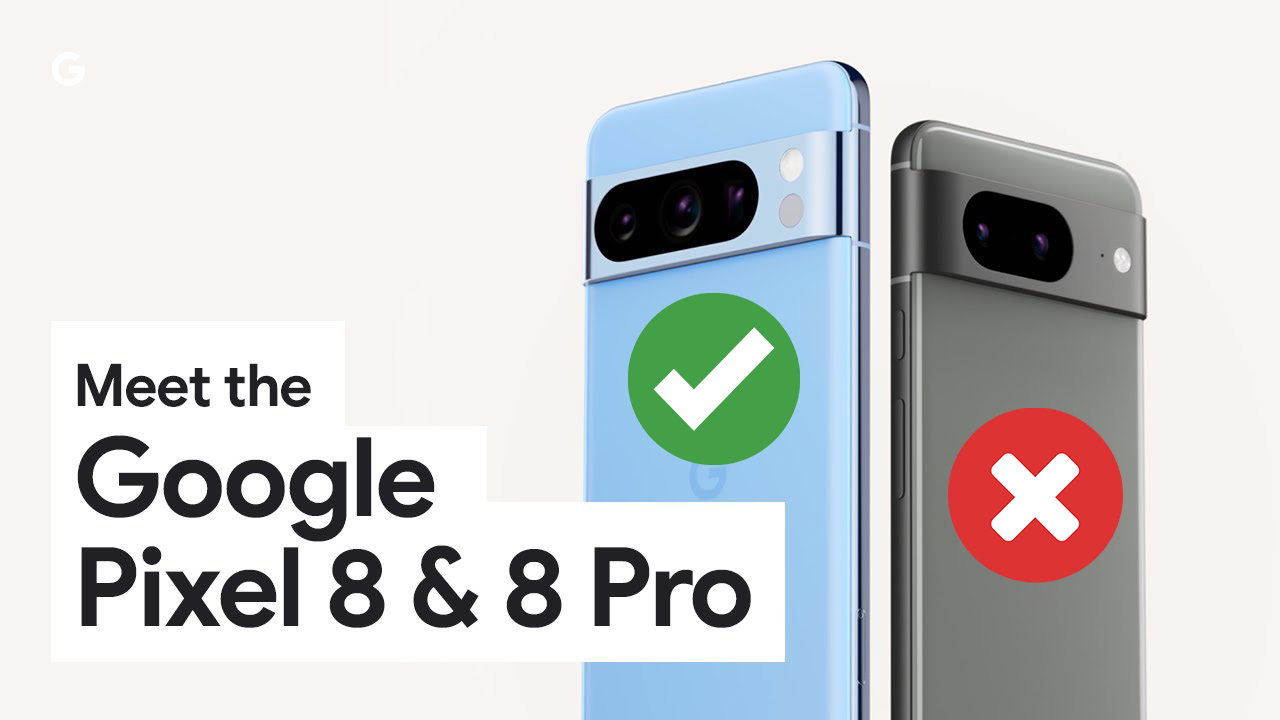
In early March, Google made the odd announcement that only one of its two latest smartphones, the Pixel 8 and Pixel 8 Pro, would be able to run its latest AI model, called “Google Gemini.” Despite having very similar specs, the smaller Pixel 8 wouldn’t get the new AI model, with the company citing mysterious “hardware limitations” as the reason. It was a strange statement considering the fact that Google designed and marketed the Pixel 8 to be AI-centric and then designed a smartphone-centric AI model called “Gemini Nano” yet still couldn’t make the two work together.

A few weeks later, Google is backtracking somewhat. The company announced on the Pixel Phone Help forum that the smaller Pixel 8 actually will get Gemini Nano in the next big quarterly Android release, which should happen in June. There’s a catch, though—while the Pixel 8 Pro will get Gemini Nano as a user-facing feature, on the Pixel 8, it’s only being released “as a developer option.” That means you’ll be able to turn it on only via the hidden Developer Options menu in the settings, and most people will miss out on it.

Google’s Seang Chau, VP of devices and services software, explained the decision on the company’s in-house “Made by Google” podcast. “The Pixel 8 Pro, having 12GB of RAM, was a perfect place for us to put [Gemini Nano] on the device and see what we could do,” Chau said. “When we looked at the Pixel 8 as an example, the Pixel 8 has 4GB less memory, and it wasn’t as easy of a call to just say, ‘all right, we’re going to enable it on Pixel 8 as well.'” According to Chau, Google’s trepidation is because the company doesn’t want to “degrade the experience” on the smaller Pixel 8, which only has 8GB of RAM.

Chau went on to describe what it’s like to have a large language model like Gemini Nano on your phone, and it sounds like there are big trade-offs involved. Google wants some of the AI models to be “RAM-resident” so they’re always loaded in memory. One such feature is “smart reply,” which tries to auto-generate text replies.

Chau told the podcast, “Smart Reply is something that requires the models to be RAM-resident so that it’s available all the time. You don’t want to wait for the model to load on a Gboard reply, so we keep it resident.” For that reason, Google is keeping the Gemini-powered smart reply behind a developer flag for both the Pixel 8 and Pixel 8 Pro. The “Smart reply” options in the normal keyboard settings aren’t Gemini-powered.

The bigger Pixel 8 Pro gets the latest AI features. The smaller model will have it locked behind a developer option.
Enlarge / The bigger Pixel 8 Pro gets the latest AI features. The smaller model will have it locked behind a developer option.

So unlike an app, which can be loaded and unloaded as you use it, running something like Gemini Nano could mean permanently losing what is apparently a big chunk of system memory. The baseline of 8GB of RAM for Android phones may need to be increased again in the future. The high mark we’ve seen for phones is 24GB of RAM, and the bigger flagships usually have 12GB or 16GB of RAM, so it’s certainly doable.

Google’s Gemini Nano model is also shipping on the Galaxy S24 lineup, and the base model there has 8GB of RAM, too. When Google originally cited hardware limitations on the Pixel 8 for the feature’s absence, its explanation was confusing—if the base-model S24 can run it, the Pixel 8 should be able to as well. It’s all about how much of a trade-off you’re willing to make in available memory for apps, though. Chau says the team is “still doing system health validation because even if you’re a developer, you might want to use your phone on a daily basis.”

The elephant in the room, though, is that as a user, I don’t even know if I want Gemini Nano on my phone. We’re at the peak of the generative AI hype cycle, and Google has its own internal reasons (the stock market) for pushing AI so hard. While visiting ChatGPT and asking it questions can be useful, that’s just an app. Actually useful OS-level generative AI features are few and far between. I don’t really need a keyboard to auto-generate replies. If it’s just going to use up a bunch of RAM that could be used by apps, I might want to turn it off.

This post was updated March 30 after receiving additional data from Google PR. Google told us neither the Pixel 8 or Pixel 8 Pro is keeping Gemini in memory right now, unless you turn on the developer flag. That means by default, neither device’s smart reply feature is powered by Gemini.

https://arstechnica.com/?p=2013446