Can a $3,500 headset replace your TV? We tried Vision Pro to find out
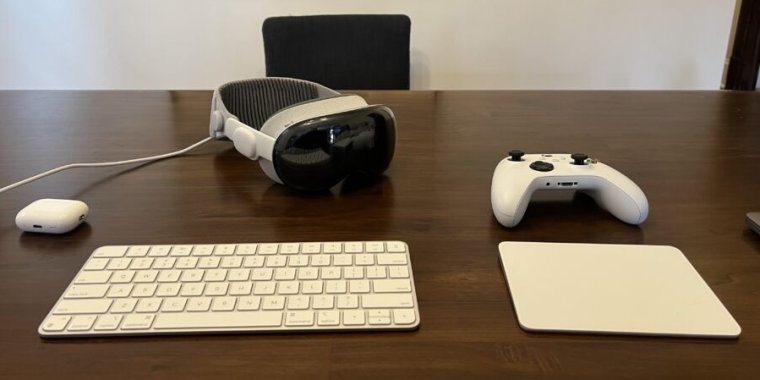
The Vision Pro is the strangest product Apple has introduced in the time I’ve been covering the company. By now, it’s well established that the headset is both impressively cutting-edge and ludicrously expensive.

You could certainly argue that its price means it’s only for Silicon Valley techno-optimists with too much money to burn or for developers looking to get in on the ground floor on the chance that this is the next gold rush for apps. But the platform will need more than those users to succeed.

Part of Apple’s pitch behind the price tag seems to be that the Vision Pro could replace several devices, just like the iPhone did back in the late 2000s. It could replace your laptop, your tablet, your 4K TV, your video game console, your phone or other communications device, your VR headset, and so on. If it truly replaced all of those things, the price wouldn’t seem quite so outrageous to some.

And those are just the use cases Apple has put a lot of effort into facilitating for the launch. Many of the most important uses of the company’s prior new product categories didn’t become totally clear until a couple of years and generations in. The iPhone wasn’t originally intended as a meditation aid, a flashlight, and a number of other common uses until third-party developers invented apps to make it do those things. And Apple’s approach with the Apple Watch seemed to be to just throw it out there with a number of possible uses to see what stuck with users. (The answer seemed to be health and fitness, but the device’s distinct emphasis on that took a bit of time to come into focus.)

So while I could write a dense review meandering through all the possibilities based on my week with the Vision Pro, that doesn’t seem as helpful as drilling in on each specific possibility. This is the first in a series of articles that will do that, so consider it part one of a lengthy, multi-step review. By the end, we’ll have considered several possible applications of the device, and we might be able to make some recommendations or predictions about its potential.

So far, I believe there’s one use case that’s a slam dunk, closer to clarity during launch week than any of the others: entertainment. For certain situations, The Vision Pro is a better device for consuming TV shows and movies (among other things) away from a dedicated theater than we’ve ever seen before. So let’s start there.

Table of Contents

My (perhaps too) exacting standards

I know I’m not the usual TV consumer. It’s important to note that before we get too deep.

I bought my first OLED television (a 55-inch LG B6) in 2016. I previously had a 50-inch plasma TV I liked, but it only supported 1080p and SDR (standard dynamic range), and Sony had announced the PlayStation 4 Pro, which would support 4K games (sort of) and HDR (high dynamic range). Game consoles had always driven TV purchases in the past, so I sprung for the best I could afford.

I always cared about picture quality before I bought an OLED, but that interest turned into something more obsessive at that point. I was stunned at the difference, and I began to find it hard to accept the imperfections of LCD monitors and TVs after that. Granted, I’d always disliked LCDs, going straight from CRT to plasma to avoid that grayish backlight glow. But the comparison was even harsher once I went to OLED.

My fellow Ars Technica writers and editors often talk about their robust, multi-monitor PC setups, their expensive in-home server racks, and other Ars-y stuff. I have some of that stuff, too, but I put most of my time and energy into my home theater. I’ve invested a lot into it, and that has the unfortunate side effect of making most other screens I use feel inadequate by comparison.

All that said, some have argued that the Vision Pro is a solution in search of a problem, but there is one pre-existing problem I have that it has the potential to solve.

I travel a lot, so I spend a total of at least two months out of every year in hotel or Airbnb rooms. Whenever I’m in one of those places, I’m always irritated at how its TV compares to the one I have at home. It’s too small for the space, it’s not 4K, it doesn’t support HDR, it’s mounted way too high to comfortably watch, or it’s a cheap LCD with washed-out black levels and terrible contrast. Often, it’s all of the above. And even when I’m home, my wife might want to watch her shows on the big TV tonight.

I end up not watching movies or shows I want to watch because I feel like I’d be doing those shows a disservice by ruining the picture with such terrible hardware. “Better to hold off until I’m home,” I tell myself.

The Vision Pro could be the answer I’ve been waiting for. Those two displays in front of my eyes are capable of displaying an image that stands up to that of a mid-range OLED TV in most situations, and I can use it absolutely anywhere.

https://arstechnica.com/?p=2001721


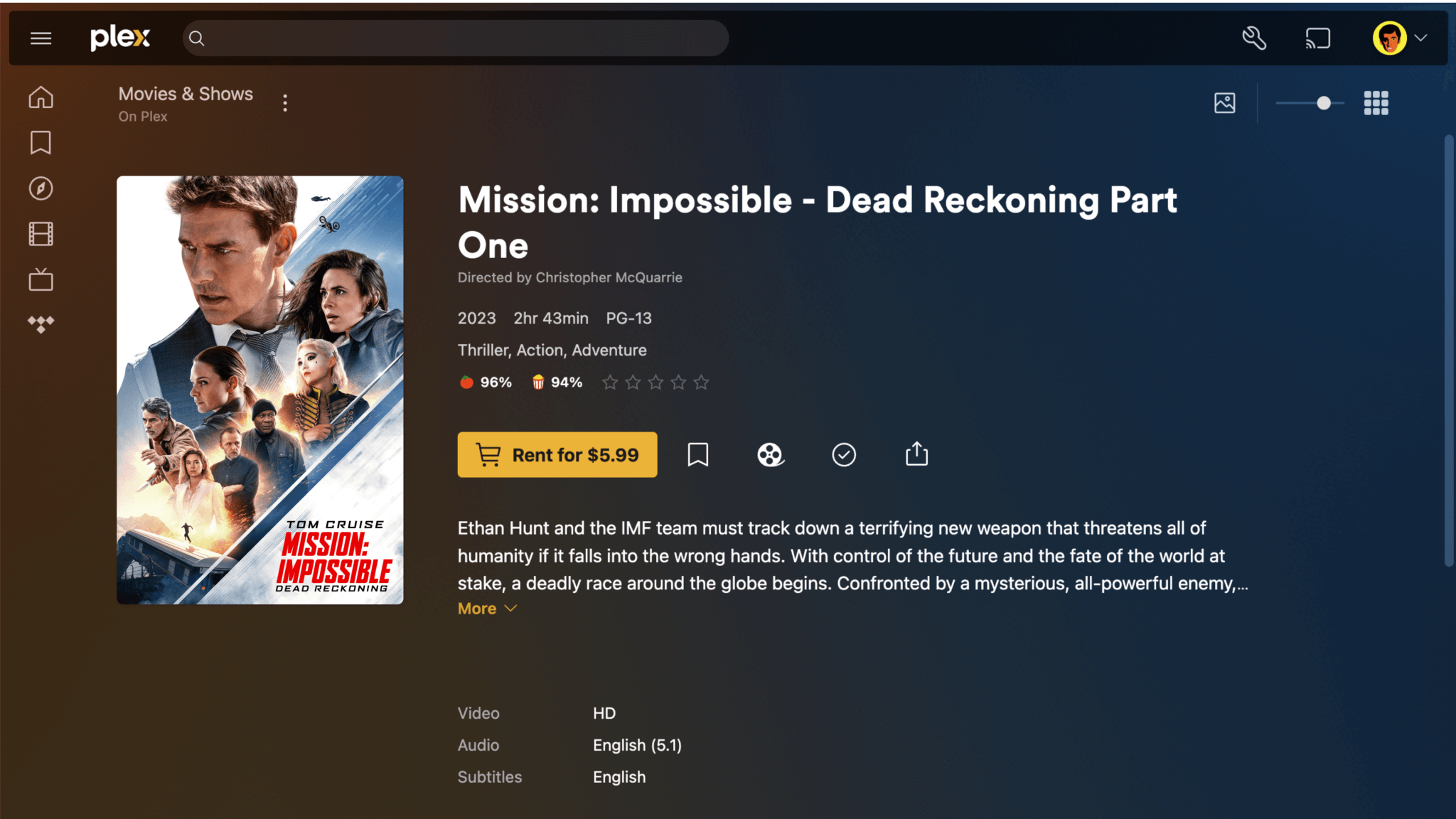
Plex, where people typically avoid Hollywood fees, now offers movie rentals

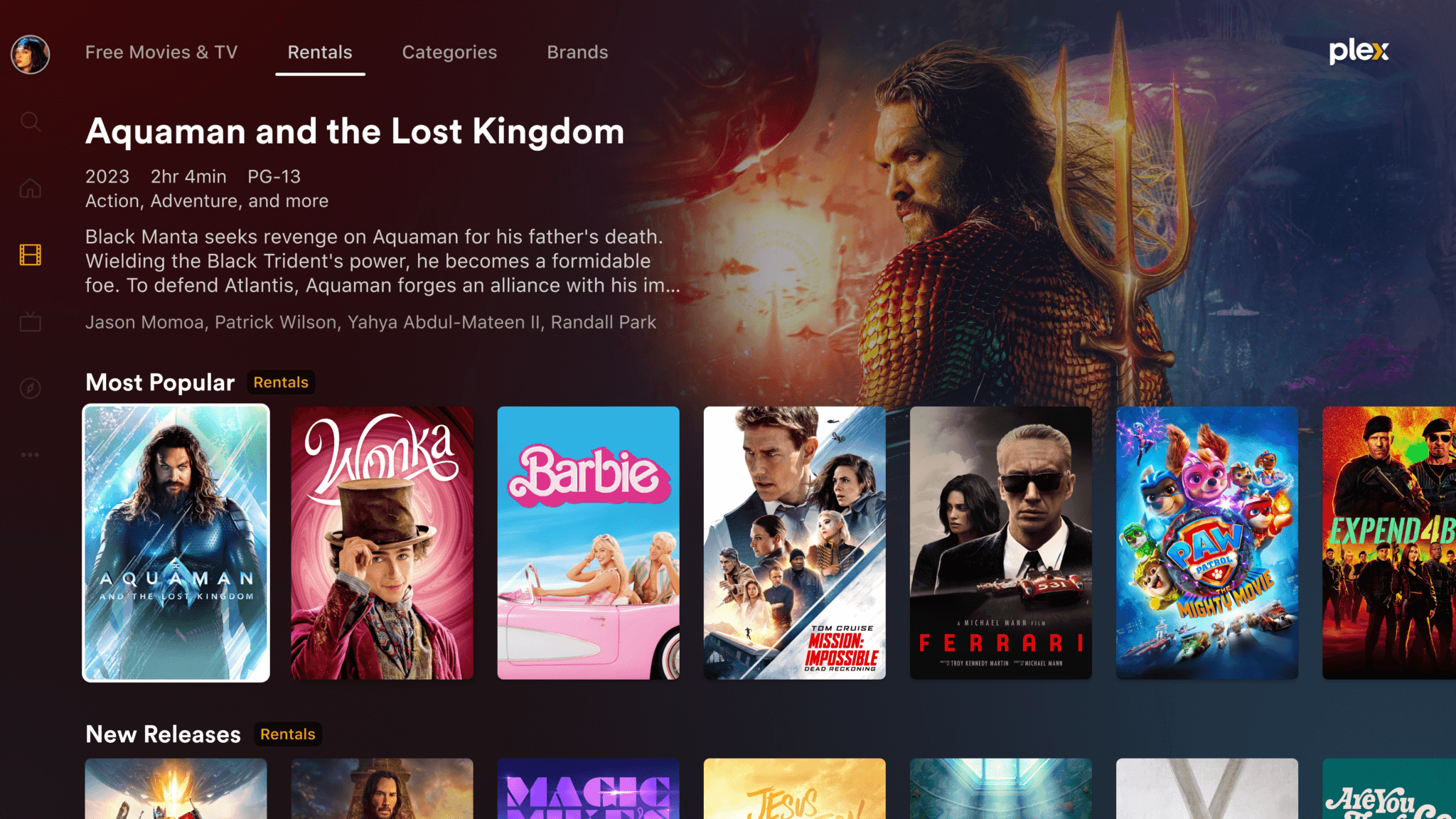
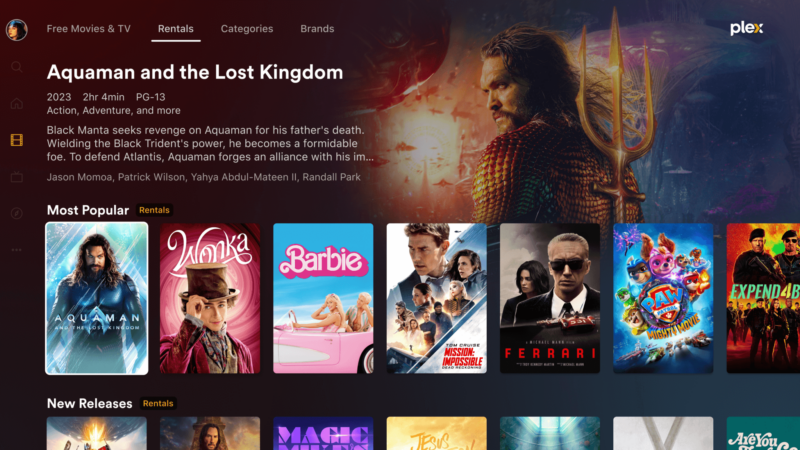
Movie rental offerings on Plex platform
Enlarge / Because sometimes your friend Tim, the one with all the legal media, is having server issues, but it’s movie night and the popcorn is already made.

Plex, the media center largely known as a hub for TV and movies that you and your friends obtained one way or another, now lets you pay for movie rentals. It’s both a convenient way to watch movies without having to hunt across multiple services, and yet another shift by Plex to be closer to the mainstream.

Plex’s first set of available films is more than 1,000 titles, with some notable recent-run offerings: Barbie, Aquaman and the Lost Kingdom, Mission: Impossible – Dead Reckoning, Wonka, PAW Patrol: The Mighty Movie, and so forth. As is typical of digital rentals, you have 30 days to start watching a movie and then 48 hours to finish it.

Prices at the moment range from $3.99 to $5.99. Conveniently, movies you rent on one platform can be played on any other. Even on Apple devices, or, as Plex puts it, “devices that don’t allow direct rentals on their platform.” Rentals are only available in the US, however.

Your mission, should you choose to accept it: Develop an audience of paying movie renters on a platform not exactly known for paid media.

Interestingly, Plex doesn’t offer movie purchases, and there is a reason why. Plex CEO Keith Valory told TechCrunch that a purchase option “creates some additional wrinkles—now you’ve got to keep this locker for people long-term and does that really make sense [for us]?” It’s true that platforms brokering purchases between users and media conglomerates can find themselves in awkward spots, like Sony almost having deleted all Discovery content bought by PlayStation users. That kind of scenario is also, of course, the kind of thing that initially made Plex appealing to people with their own content to store.

Plex had originally planned to offer media rentals as far back as 2020 but shifted priorities when the pandemic, and its seismic shift toward streaming, gave it new targets. As a company, Plex pivoted to becoming a kind of collector of streaming services so that when you wanted to watch something, you could head to Plex and head out from there. It has previously added free ad-supported streaming of TV and movies to its platform, along with support for over-the-air antenna TV.

In that view of Plex, movie rentals make total sense; you might see that Apple TV+ or Disney+ subscribers can see a certain movie for free, but rather than set up a new cancellation reminder on your calendar, you can just pay one time and watch it.

For lots of Plex users, however, movie rentals are likely to be something nice to have, if not essential. The service today serves as a refuge from app-switching, unreliable media availability, and rapidly escalating subscription prices. It can play your own legally rendered backups of media you rightfully own, or it can connect you to friends or superusers who have… a huge number of legally rendered backups of media they rightfully own.

Given a choice, however, Plex users might be glad to throw their fancy-coffee-plus-tip rental fees to Plex rather than any one streaming silo just to keep the service funded and updated.

https://arstechnica.com/?p=2002035


Alleged Pixel Fold 2 prototype shows off ugly new camera block

Google still isn’t giving up on the foldable smartphone game, and rumored details about the Pixel Fold 2 are slowly coming out. The most eye-popping news is from Android Authority‘s Mishaal Rahman, who claims to have a live picture of an “early prototype” of the Pixel Fold 2.

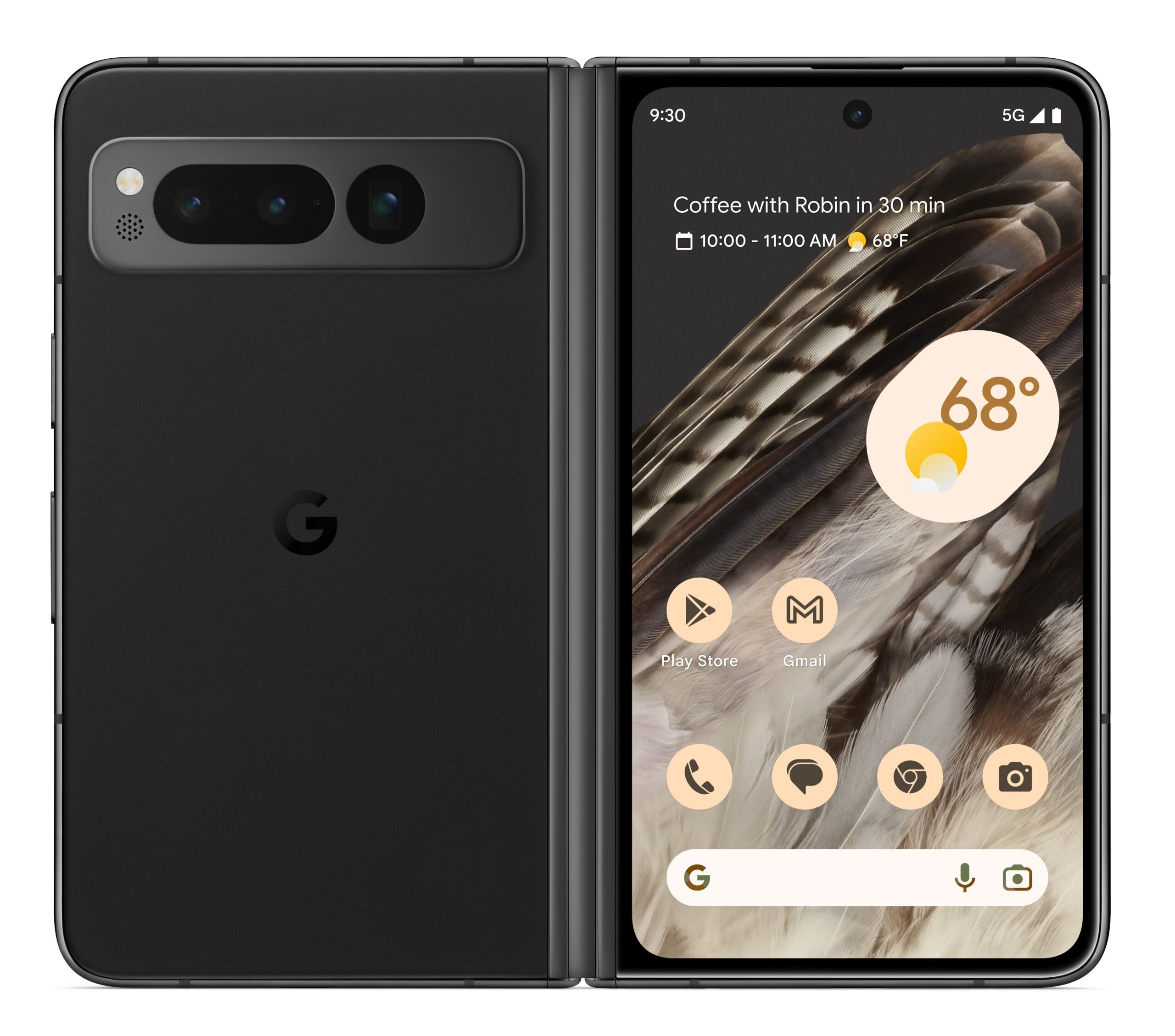
A lot about the Fold 2 is different, starting with the camera bump on the back. In every Pixel review, we praise the trademark camera bar for 1) looking good and 2) having a symmetrical design that gives the phone a stable base when placed on a table, and this prototype would seem to walk both of those things back. The supposed Pixel Fold 2 prototype switches to a lopsided rear design with a camera block in the top-left corner of the phone, just like everyone else in the industry. It’s hard to tell what’s going on with the camera block, but there is certainly room for four camera lenses now instead of the usual three. The top-left post almost looks blank in the photo, though—it could just be a spot for a laser autofocus sensor.

One justification for the wonky camera block could be that the device is narrower and doesn’t have room for the full-length camera bar anymore. The report says that “the cover screen is narrower, but more importantly, the inner screen’s aspect ratio is closer to a square.” One of the best parts of the Pixel Fold design was that it opened up into a wide-screen device and had enough horizontal room to show a tablet app layout. If you’re in the “foldable should open up into a tablet” camp, then a square screen would be a disappointment. The other option, followed mainly by the Galaxy Fold series, is “a foldable should open up to show side-by-side phone apps,” and a square screen puts you more in that camp. You could argue that, given the lack of Android tablet apps, a square-ish foldable is a more practical choice. I’d argue the Pixel line should be aspirational and that foldables aren’t yet ready for “practicality” arguments, given all the durability issues that still plague the devices.

The back of the Pixel Fold 1.
Enlarge / The back of the Pixel Fold 1.

While there isn’t a picture of the inner screen, it supposedly has an in-screen camera now. The Fold 1 hid the camera in the bezel, which resulted in a wide bezel around the edges.

There is a chance that this design could change before it hits production. Android Authority says, “The phone is still in an early stage of development, though, so it’s unclear if this is the final design,” and this isn’t the normal way Pixel phones get leaked. Usually, we first see a render thanks to CAD files leaked by the accessory ecosystem, indicating a design has been locked in and is ready for case manufacturers to start their designs. This could be an experiment to pick a direction. This changes most of the things we liked about the Pixel Fold 1, so we’re hoping the design is tweaked.

A second Android Authority report says the Pixel Fold 2 would skip Google’s Tensor G3 and go straight to the G4 chip, which suggests the phone is getting a later launch than usual. The Pixel Fold 1 had kind of an awkward spot in Google’s lineup. It shipped at the end of June with the Tensor G2, and then just over three months later, the Tensor G3 came out with the Pixel 8. Google’s most expensive phone didn’t have Google’s fastest chip for much of its shelf life. Aligning the Fold 2 with the G4 launch would suggest the phone comes out in October alongside the Pixel 9. A later launch would also give Google more time to rethink the design.

Listing image by Android Authority

https://arstechnica.com/?p=2002016


Apple overhauls its entire Windows app suite, including iCloud and Apple Music

Big news for people who prefer iPhones but also prefer to use Windows PCs: Apple has quietly overhauled its entire suite of Windows apps, including non-beta versions of the Apple Music, Apple TV, and Devices apps that it began previewing for Windows 11 users over a year ago. Collectively, these apps replace most of the functionality from the iTunes for Windows app; iTunes for macOS was discontinued all the way back in 2019. Apple has also released a major iCloud for Windows update with an overhauled design.

All of the apps are currently available in the Microsoft Store. While the previews that Apple released last year required Windows 11 22H2 or newer, the final versions of all four new apps also work in Windows 10 for people who have chosen not to upgrade or whose PCs do not meet the system requirements.

The Apple Music and Apple TV apps both offer access to Apple’s streaming music and video libraries for people with subscriptions, though both apps will also import and play your local music and video libraries from iTunes if you have them.

That said, these apps don’t put the final nail in iTunes for Windows’ coffin just yet; iTunes is still used to manage podcasts and audiobooks in Windows, as the app will inform you if you try to launch it after installing the Music or TV apps. If Apple eventually plans to launch Windows versions of the Podcasts or Books apps from macOS and iOS, the company hasn’t done so yet.

The Apple Devices app is what you’ll use if you want to back up an iPhone or iPad to your PC or perform system restores for iDevices in recovery mode. It can also be useful when trying to install updates on devices without enough free space to download and install updates themselves. This app doesn’t exist in macOS, but it’s broadly similar to a bunch of features that landed in the Finder when Apple initially discontinued iTunes for macOS back in 2019.

The biggest change in the new iCloud for Windows app is an overhauled design, and though some will lament the decreased information density, it actually does a surprisingly good job of looking like a native Windows 11 app. It supports Dark Mode in both Windows 10 and Windows 11, and in Windows 11 it even uses the “mica” background material that Settings and other Windows 11 apps use to pick up a color tint from your PC’s underlying desktop wallpaper (Apple does something similar in macOS). The app also features a streamlined first-time setup process that asks you what you would like to sync and how.

But functionally, the app still does pretty much what it did before. The iCloud for Windows app will sync iCloud Drive files locally; offers password syncing via a Chrome/Edge browser extension; will bookmark syncing for Chrome, Edge, and Firefox; has mail, contact, and calendar syncing via the new Outlook for Windows app; and also provides iCloud Photos syncing, with the option to download either native HEIF images that modern iPhones capture by default, or more-compatible JPEG versions.

There are still plenty of iCloud features that aren’t available in Windows, including syncing for Notes and Reminders, native versions of the Pages, Numbers, and Keynote apps, and a handful of other things. But iCloud for Windows has gradually become much more useful and full-featured after existing for many years as a glorified sync service for browser bookmarks.

Though it’s still nowhere near as seamless as using an iPhone with a Mac, using an iPhone with a PC has gradually become more pleasant over the past year or two. Besides the addition of iCloud photo and password syncing, Microsoft also added rudimentary iMessage support to its Phone Link app back in April, finally allowing iPhone users to see and respond to basic text messages via their PC. The app (previously called “Your Phone”) had already supported syncing Android phones for years.

If you want to know why Apple is putting more care into its Windows apps these days, a look at the company’s revenue offers a potential suggestion: for the past few years, its “Services” division has continued growing at a steady clip even as revenue from hardware sales has stayed level or declined slightly. The Services division encompasses all the revenue Apple makes from iCloud, Apple Music, Apple TV+, and its other subscription plans.

Though Apple would clearly prefer that you buy Apple hardware to use Apple services, offering decent apps for competing ecosystems at least ensures that people who use a mix of devices—an iPhone with a PC, or an Android phone with a Mac or iPad—have the option of staying within Apple’s ecosystem rather than going with broadly compatible third-party apps like Spotify or Dropbox.

Listing image by Apple/Microsoft/Andrew Cunningham

https://arstechnica.com/?p=2001967


MacBooks, Chromebooks lead losers in laptop repairability analysis

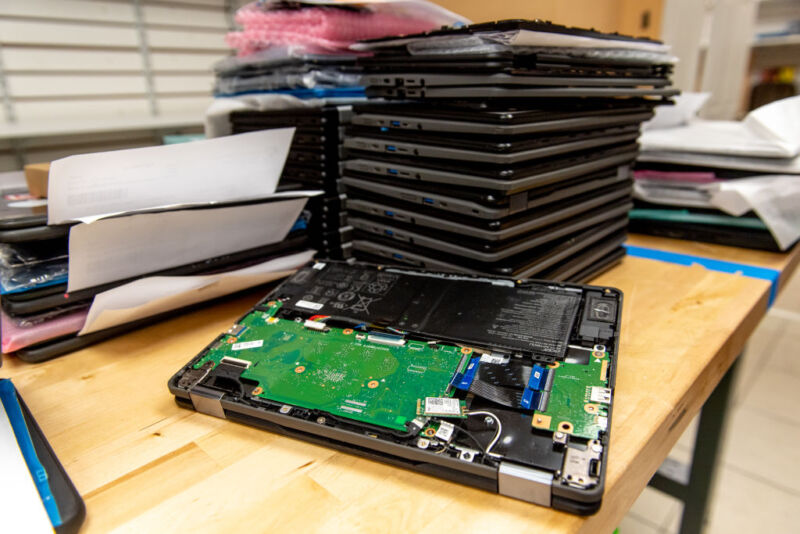
A stack of broken Chromebook laptops

Chromebooks and MacBooks are among the least repairable laptops around, according to an analysis that consumer advocacy group US Public Interest Research Group (PIRG) shared this week. Apple and Google have long been criticized for selling devices that are deemed harder to repair than others. Worse, PIRG believes that the two companies are failing to make laptops easier to take apart and fix.

The “Failing the Fix (2024)” report released this week [PDF] is largely based on the repairability index scores required of laptops and some other electronics sold in France. However, the PIRG’s report weighs disassembly scores more than the other categories in France’s index, like the availability and affordability of spare parts, “because we think this better reflects what consumers think a repairability score indicates and because the other categories can be country specific,” the report says.

PIRG’s scores, like France’s repair index, also factor in the availability of repair documents and product-specific criteria (the PIRG’s report also looks at phones). For laptops, that criteria includes providing updates and the ability to reset software and firmware.

PIRG also docked companies for participating in trade groups that fight against right-to-repair legislation and if OEMs failed to “easily provide full information on how they calculated their products.”

Chromebooks, MacBooks lag in repairability

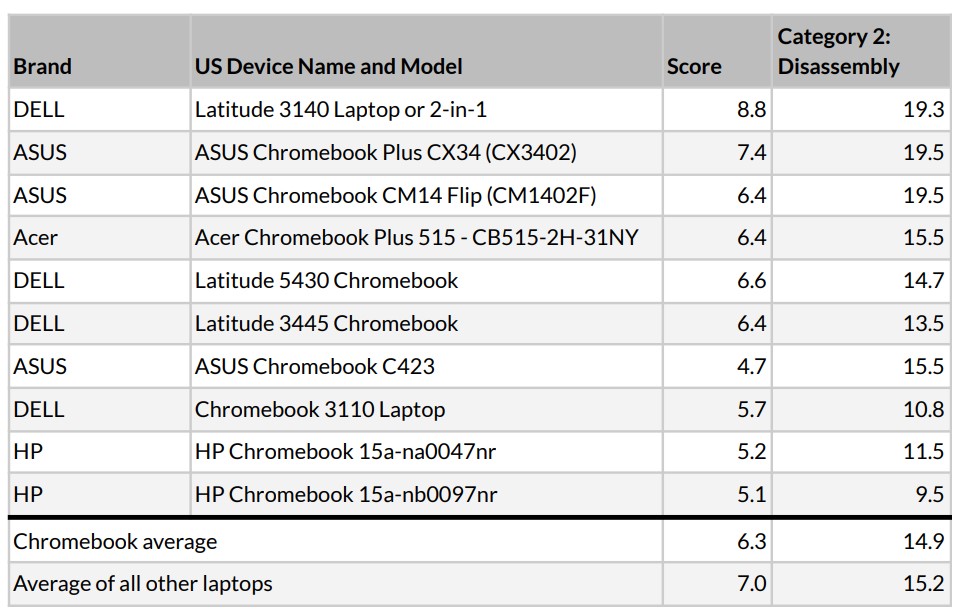
PIRG examined 139 laptop models and concluded that Chromebooks, “while more affordable than other devices, continue to be less repairable than other laptops.” This was largely due to the laptops having a lower average disassembly score (14.9) than the other laptops (15.2).

The report looked at 10 Chromebooks from Acer, Asus, Dell, and HP and gave Chromebooks an average repair score of 6.3 compared to 7.0 for all other laptops. It said:

Both of these lower averages indicate that while often considered an affordable choice for individuals or schools, Chromebooks are on average less repairable than other laptops.

Google recently extended Chromebook support from eight years to 10 years. PIRG’s report doesn’t factor in software support timelines, but even if it did, Chromebooks’ repairability score wouldn’t increase notably since the move only brought them to “industry norms,” Lucas Gutterman, Designed to Last campaign director for the US PIRG Education Fund, told me.

The Chromebooks PIRG considered for its report.
Enlarge / The Chromebooks PIRG considered for its report.

He added, though, that the current “norm” should improve.

At the very least, if it’s no longer financially viable for manufacturers to maintain support, they should allow the community to continue to maintain the software or make it easy to install alternative operating systems so we can keep our laptops from getting junked.

Turning to its breakdown of non-ChromeOS laptops, PIRG ranked Apple laptops the lowest in terms of repairability, with a score of D, putting it behind Asus, Acer, Dell, Microsoft, HP, and Lenovo. In this week’s report, Apple got the lowest average disassembly score out of the OEMs (4 out of 10 compared to the 7.3 average).

https://arstechnica.com/?p=2001838


What I learned from the Apple Store’s 30-minute Vision Pro demo

These mounted displays near the entrance let visitors touch, but not use, a Vision Pro.
Enlarge / These mounted displays near the entrance let visitors touch, but not use, a Vision Pro.
Kyle Orland

For decades now, potential Apple customers have been able to wander in to any Apple Store and get some instant eyes-on and hands-on experience with most of the company’s products. The Apple Vision Pro is an exception to this simple process; the “mixed-reality curious” need to book ahead for a guided, half-hour Vision Pro experience led by an Apple Store employee.

As a long-time veteran of both trade show and retail virtual-reality demos, I was interested to see how Apple would sell the concept of “spatial computing” to members of the public, many of whom have minimal experience with existing VR systems. And as someone who’s been following news and hands-on reports of the Vision Pro’s unique features for months now, I was eager to get a brief glimpse into what all the fuss was about without plunking down at least $3,499 for a unit of my own.

After going through the guided Vision Pro demo at a nearby Apple Store this week, I came away with mixed feelings about how Apple is positioning its new computer interface to the public. While the short demo contained some definite “oh, wow” moments, the device didn’t come with a cohesive story pitching it as Apple’s next big general-use computing platform.

Editor’s Note: This article precludes a series of of in-depth looks at the Apple Vision Pro. We started with the Apple Store experience because that’s where most people will experience it first. Over the coming days, Samuel Axon will be covering long term usage and experience with the device, as he has spent more than a week living and working in the Vision Pro. Stay tuned.

Setup snafus

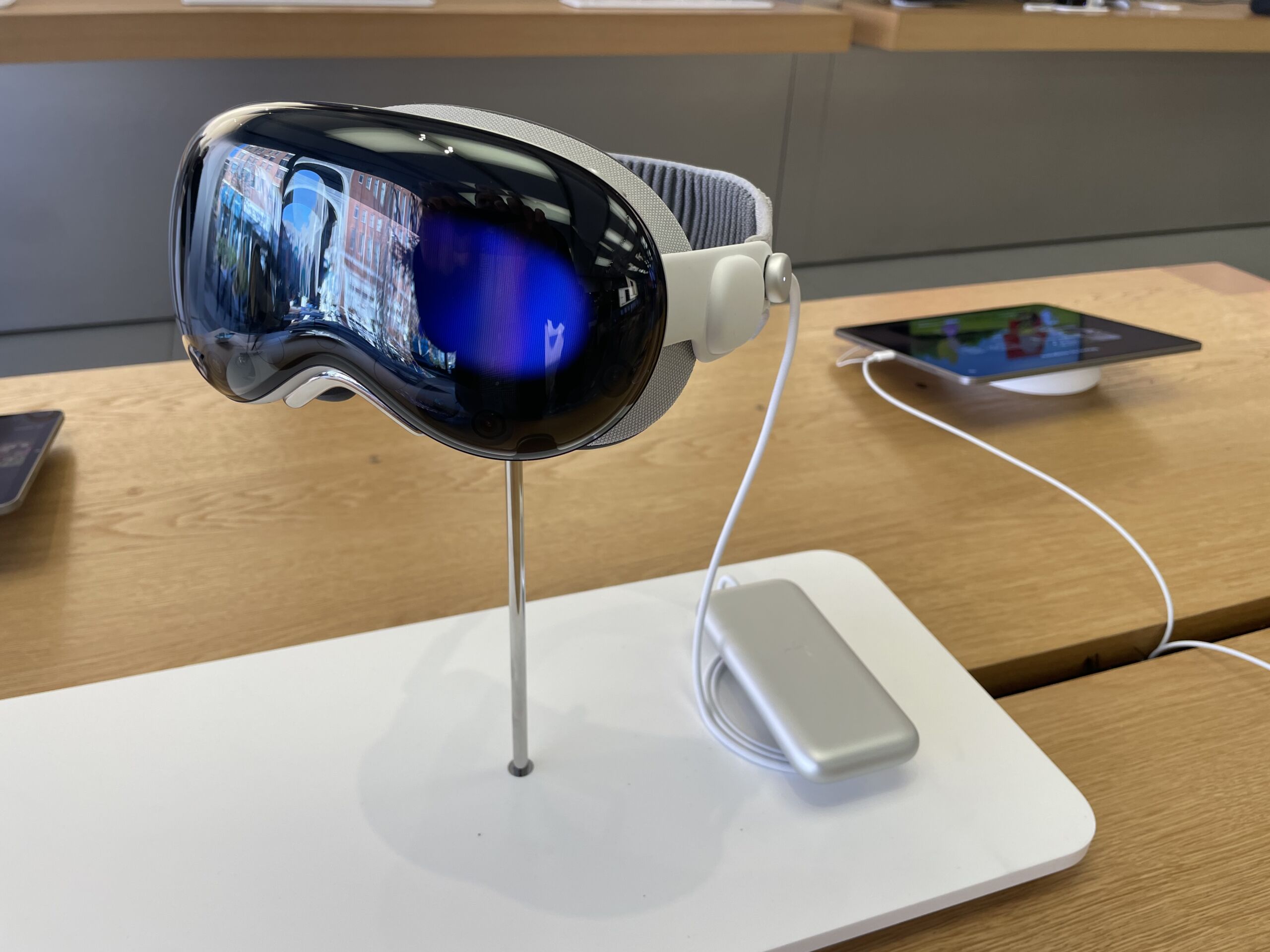
After arriving a few minutes early for my morning appointment in a sparsely attended Apple Store, I was told to wait by a display of Vision Pro units set on a table near the front. These headsets were secured tightly to their stands, meaning I couldn’t try a unit on or even hold it in my hands while I waited. But I could fondle the Vision Pro’s various buttons and straps while getting a closer look at the hardware (and at a few promotional videos running on nearby iPads).

After a few minutes, an Apple Store employee, who we’ll call Craig, walked over and said with genuine enthusiasm that he was “super excited” to show off the Vision Pro. He guided me to another table, where I sat in a low-backed swivel chair across from another customer who looked a little zoned out as he ran through his own Vision Pro demo.

Craig told me that the Vision Pro was the first time Apple Store employees like him had gotten early hands-on access to a new Apple device well before the public, in order to facilitate the training needed to guide these in-store demos. He said that interest had been steady for the first few days of demos and that, after some initial problems, the store now mostly managed to stay on schedule.

Unfortunately, some of those demo kinks were still present. First, Craig had trouble tracking down the dedicated iPhone used to scan my face and determine the precise Vision Pro light seal fit for my head. After consulting with a fellow employee, they decided to have me download the Apple Store app and use a QR code to reach the face-scanning tool on my own iPhone. (I was a bit surprised this fit scanning hadn’t been offered as part of the process when I signed up for my appointment days earlier.)

It took three full attempts, scanning my face from four angles, before the app managed to spit out the code that Craig needed to send my fit information to the back room. Craig told me that the store had 38 different light seals and 900 corrective lens options sitting back there, ready to be swapped in to ensure maximum comfort for each specific demo.

After a short wait, another employee brought my demo unit out on a round wooden platter that made me feel like I was at a Japanese restaurant. The platter was artistically arranged, from the Solo Knit Band and fuzzy front cover to the gently coiled cord leading to the battery pack sitting in the center. (I never even touched or really noticed the battery pack for the rest of the demo.)

At this point, Craig told me that he would be able to see everything I saw in the Vision Pro, which would stream directly to his iPad. Unfortunately, getting that wireless connection to work took a good five minutes of tapping and tinkering, including removing the Vision Pro’s external battery cord several times.

Once everything was set, Craig gave me a brief primer on the glances and thumb/forefinger taps I would use to select, move, and zoom in on things in the VisionOS interface. “You’re gonna pretend like you’re pulling on a piece of string and then releasing,” he said by way of analogy. “The faster you go, the faster it will scroll, so be mindful of that. Nice and gentle, nice and easy, and things will go smoothly for you.”

Fifteen minutes after my appointed start time, I was finally ready to don the Vision Pro.

A scripted experience

After putting the headset on, my first impression was how heavy and pinchy the Vision Pro was on the bridge of my nose. Thankfully, Craig quickly explained how to tighten the fit with a dial behind my right ear, which helped immediately and immensely. After that, it only took a minute or two to run through some quick calibration of the impressively snappy eye and hand tracking. (“Keep your head nice and still as you do this,” Craig warned me during the process.)

Imagine this but with an Apple Store in the background.
Enlarge / Imagine this but with an Apple Store in the background.
Kyle Orland

As we dove into the demo proper, it quickly became clear that Craig was reading from a prepared script on his iPhone. This was a bit disappointing, as the genuine enthusiasm he had shown in our earlier, informal chat gave way to a dry monotone when delivering obvious marketing lines. “With Apple Vision Pro, you can experience your entire photo library in a brand new way,” he droned. “Right here, we have some beautiful shots, right from iPhone.”

Craig soldiered through the script as I glanced at a few prepared photos and panoramas. “Here we have a beautiful panorama, but we’re going to experience it in a whole new way… as if you were in the exact spot in which it was taken,” Craig said. Then we switched to some spatial photos and videos of a happy family celebrating a birthday and blowing bubbles in the backyard. The actors in the video felt a little stilted, but the sense of three-dimensional “presence” in the high-fidelity video was impressive.

After that, Craig informed me that “with spatial computing, your apps can exist anywhere in your space.” He asked me to turn the digital crown to replace my view of the store around me with a virtual environment of mountains bathed in cool blue twilight. Craig’s script seemed tuned for newcomers who might be freaked out by not seeing the “real world” anymore. “Remember, you’re always in control,” Craig assured me. “You can change it at any time.”

From inside the environment, Craig’s disembodied voice guided me as I opened a few flat app windows, placing them around my space and resizing them as I liked. Rather than letting these sell themselves, though, Craig pointed out how webpages are “super beautiful [and] easy to navigate” on Vision Pro. “As you can also see… text is super sharp, super easy to read. The pictures on the website look stunning.” Craig also really wanted me to know that “over one million iPhone/iPad apps” will work like this on the Vision Pro on day one.

https://arstechnica.com/?p=2001718


Report: Apple is testing foldable iPhones, having the same problems as everyone else

Report: Apple is testing foldable iPhones, having the same problems as everyone else
Samuel Axon

Apple is purportedly working on a foldable iPhone internally, according to “a person with direct knowledge of the situation” speaking to The Information. They’re said to be clamshell-style devices that fold like Samsung’s Galaxy Z Flip series rather than phones that become tablets like the Galaxy Z Fold or Google’s Pixel Fold.

The phones are also said to be “in early development” or “could be canceled.” If they do make it to market, it likely wouldn’t be until after 2025.

The report has a long list of design challenges that Apple has faced in developing foldable phones: they’re too thick when folded up; they’re easily broken; they would cost more than non-foldable versions; the seam in the middle of the display tends to be both visible and feel-able; and the hinge on an iPad-sized device would prevent the device from sitting flat on a table (though this concern hasn’t stopped Apple from introducing substantial camera bumps on many of its tablets and all of its phones).

If many of those challenges sound familiar, it’s because it’s a detailed list of virtually every bad thing you could say about current foldable Android phones, even after multiple hardware generations. Our first Pixel Fold didn’t even survive the pre-release review period, and those well-earned durability concerns plus the relatively high cost have limited foldable phones to roughly 1.6 percent of all smartphone sales, according to recent analyst estimates.

It makes sense that Apple would be testing some big swings as it thinks about the next era of iPhone design; our iPhone 15 review called them the iPhone’s “final form,” insofar as it feels like there’s not much room to continue to improve on the iPhone X-style full-screen design that Apple has been iterating on since 2017. It sounds like foldable phones will only be in Apple’s future if the company can manage to overcome the same issues that have tripped up other foldables—though to be fair, the company does have a pretty good decadeslong track record on that front.

https://arstechnica.com/?p=2001782


YouTube TV is the US’s 4th-biggest cable TV provider, with 8 million subs

YouTube TV is the US’s 4th-biggest cable TV provider, with 8 million subs

YouTube is still slowly dripping out stats about its subscriber base. After the announcement last week that YouTube Premium had hit 100 million subscribers, the company now says YouTube TV, its cable subscription plan, has 8 million subscribers.

Eight million subscribers might sound paltry compared to the 100 million people on Premium, but Premium is only $12. YouTube TV is one of the most expensive streaming subscriptions at $73 a month. The cable-like prices are because this is a cable-like service: a huge bundle of 100-plus channels featuring cable TV stalwarts like CNN, ESPN, and your local NBC, CBS, and ABC channels. $73 is also the base price. Like cable TV, there are additional add-on packages for premium movie channels like HBO and Showtime, 4K packages, and other sports and language add-ons. Let’s also not forget NFL Sunday Ticket, which this year became a YouTube TV exclusive, as a $350-a-year add-on to the $73-a-month service (there’s also a $ 450-a-year standalone package).

The subscriber numbers come from a “Letter from the YouTube CEO” blog post for 2024 from YouTube CEO Neal Mohan. With YouTube basically unable to get any bigger as the Internet’s defacto video host, Mohan says the “next frontier” for YouTube is “the living room and subscriptions.” Mohan wants users “watching YouTube the way we used to sit down together for traditional TV shows—on the biggest screen in the home with friends and family,” and says that “viewers globally now watch more than 1 billion hours on average of YouTube content on their TVs every day.”

YouTube TV’s 8 million subscribers make it one of the biggest cable TV providers. Leichtman Research Group‘s subscriber numbers for “Major Pay-TV Providers” (that means cable companies and their competitors) in Q3 2023 had No. 1 Comcast and No. 2 Charter both in the 14 million user range, with DirectTV in third with 11.9 million, and Dish in fourth at 6.7 million customers. Leichtman had YouTube TV in fifth, with 6.5 million users. With No. 4 Dish losing customers every quarter, YouTube TV is in fourth place now. It might be No. 3 soon. Leichtman’s numbers had YouTube TV as the fastest grower of the bunch, adding 600,000 customers in Q3, while DirecTV was the biggest loser, with half a million customers dumping their satellite dishes. Q3 marked the start of NFL Sunday Ticket moving from DirecTV to YouTube TV.

Naturally, these are all US numbers, and being nationwide puts YouTube TV on the same playing field as satellite companies, a big advantage compared to regional cable TV providers. YouTube TV has bigger ambitions than just the US, though. During the January earnings call, Google said it was “looking closely at” expanding the service to more countries. YouTube TV would need to clear an expansion with every single channel partner on the service, though, so it has a lot of negotiations to work through.

https://arstechnica.com/?p=2001663


Those free USB sticks in your drawer are somehow crappier than you thought

Textless microSD card fused ont a USB controller
Enlarge / A microSD card of “unknown origin” is soldered onto a USB interface board to serve as makeshift NAND storage.
CBL Data recovery

When a German data recovery firm recently made a study of the failed flash storage drives it had been sent, it noticed some interesting, and bad, trends.

Most of them were cheap sticks, the kind given away by companies as promotional gifts, but not all of them. What surprised CBL Data Recovery was the number of NAND chips from reputable firms, such as Samsung, Sandisk, or Hynix, found inside cheaper devices. The chips, which showed obvious reduced capacity and reliability on testing, had their manufacturers’ logo either removed by abrasion or sometimes just written over with random text.

Sometimes there wasn’t a NAND chip at all, but a microSD card—possibly also binned during quality control—scrubbed of identifiers and fused onto a USB interface board. On “no-name” products, there is “less and less reliability,” CBL wrote (in German, roughly web-translated). CBL did find branded products with similar rubbed-off chips and soldered cards but did not name any specific brands in its report.

Beyond obvious physical corner-cutting, a general trend in NAND storage cells has contributed to a lower overall reliability, according to CBL. SLC, or single-level cell storage, has one bit per cell, 1 or 0, which are two different voltage levels. A QLC (quadruple-level) chip uses four bits per cell, which means 16 voltage levels that must be correct. QLC allows for denser storage, but, as we noted previously: “As the data density of NAND cells goes up, their speed and write endurance decreases—it takes more time and effort to read or write one of eight discrete voltage levels to a cell than it does to get or set a simple, unambiguous on/off value.”

With high-quality chips, there’s a lot of work put in to correct errors and control temperatures. With chips that are not actually chips or were grabbed from the quality-control discard bin and scrubbed of their logo, “data loss is not surprising,” CBL writes.

All told, CBL’s report makes the case for never putting anything you really need to keep stored long-term on a USB stick. This might not be a revelation for those who have read up on proper storage practices, but CBL has further recommendations for those keeping anything at all on USB sticks:

  • Keep them stored somewhere cool
  • Don’t use promotional sticks for anything of any importance
  • Write and read to a USB stick once or twice a year, to engage error correction (at least in higher-quality sticks)
  • Don’t stuff the disk full, if you can avoid it, to give data maintenance and error correction a fighting chance.

The market for affordable, pocket-sized storage has proven itself to be a messy one over the last few years. High-capacity storage is, in fact, getting cheaper, but not in every corner—at least, not when you look closely. In mid-2022, a “30TB” external SSD was listed on Walmart and AliExpress for just over $30. Inside were two microSD cards, hot-glued to a USB 2.0 board and loaded with firmware that both misrepresents itself to Windows and simply rewrites its limited space over and over as you copy to it.

Similarly, a “16TB” SSD, listed for a relatively reasonable $70 and sporting dozens of five-star reviews, seemed to be actually 64GB worth of microSD cards, as Review Geek discovered. We noted a plethora of similar cons when we wrote about it, along with the problem of Amazon sellers’ ability to disappear as soon as the jig is up, only to reappear soon after with a new batch of microSD cards upsold with exponentially more faux-capacity.

https://arstechnica.com/?p=2001639


Boston Dynamics’ Atlas tries out inventory work, gets better at lifting

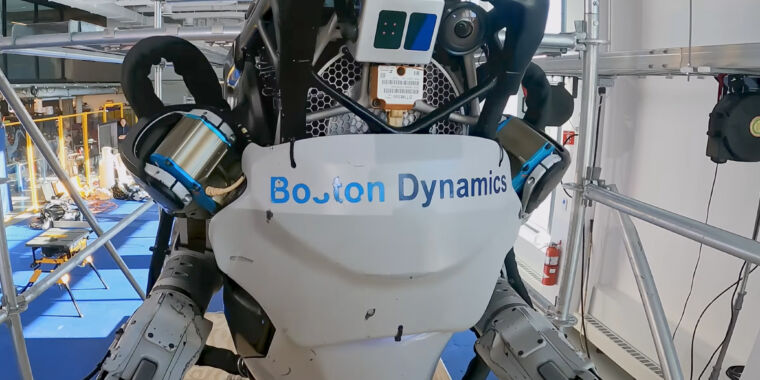
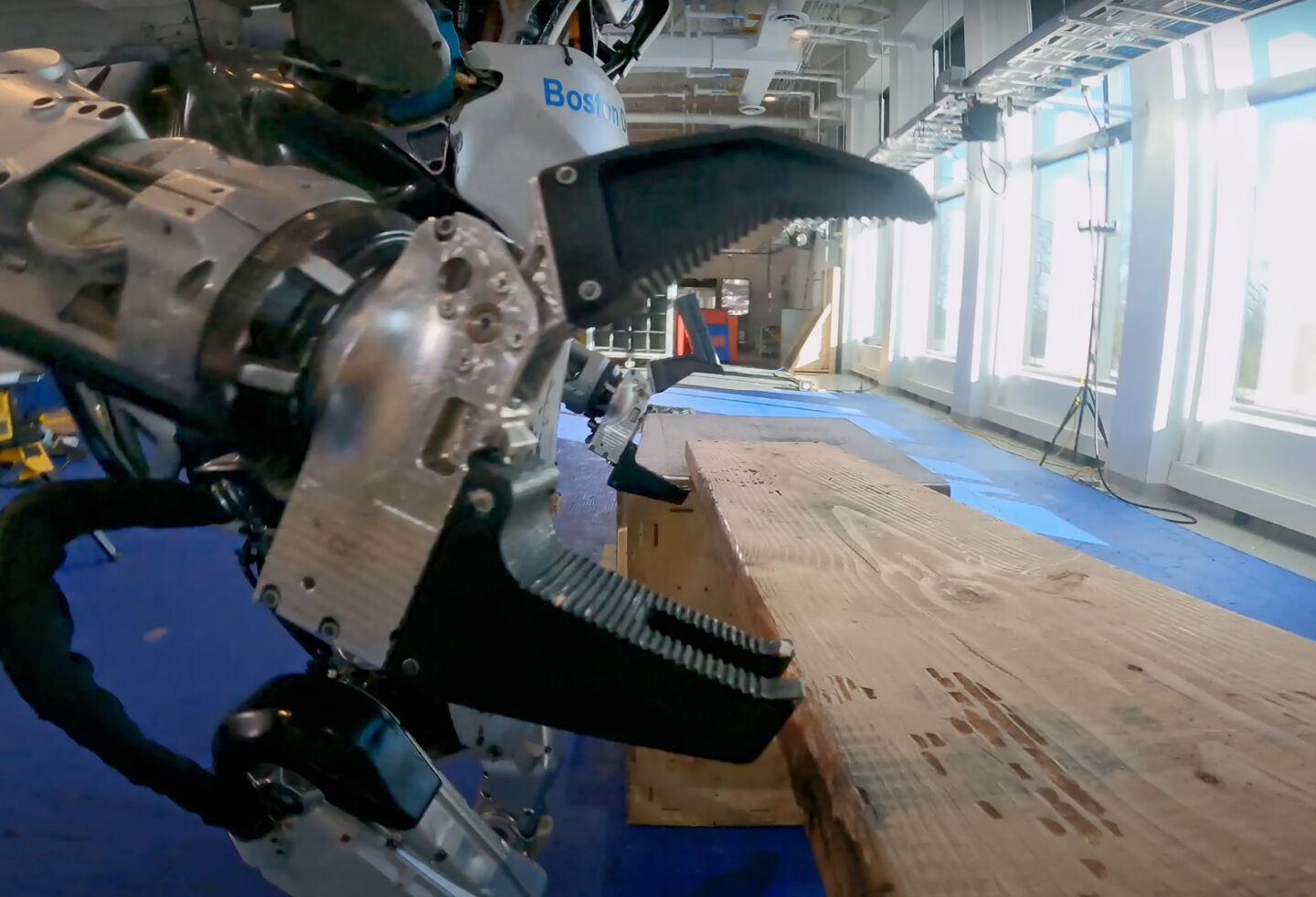
The world’s most advanced humanoid robot, Boston Dynamics’ Atlas, is back, and it’s moving some medium-weight car parts. While the robot has mastered a lot of bipedal tricks like walking, running, jumping, and even backflips, it’s still in the early days of picking stuff up. When we last saw the robot, it had sprouted a set of rudimentary hand clamps and was using those to carry heavy objects like a toolbox, barbells, and a plank of wood. The new focus seems to be on “kinetically challenging” work—these things are heavy enough to mess with the robot’s balance, so picking them up, carrying them, and putting them down requires all sorts of additional calculations and planning so the robot doesn’t fall over.

In the latest video, we’re on to what looks like “phase 2” of picking stuff up—being more precise about it. The old clamp hands had a single pivot at the palm and seemed to just apply the maximum grip strength to anything the robot picked up. The most delicate thing Atlas picked up in the last video was a wooden plank, and it was absolutely destroying the wood. Atlas’ new hands look a lot more gentle than The Clamps, with each sporting a set of three fingers with two joints. All the fingers share one big pivot point at the palm of the hand, and there’s a knuckle joint halfway up the finger. The fingers are all very long and have 360 degrees of motion, so they can flex in both directions, which is probably effective but very creepy. Put two fingers on one side of an item and the “thumb” on the other, and Atlas can wrap its hands around objects instead of just crushing them.

[embedded content]
Sadly all we’re getting is this blurry 1 minute video with no explanation as to what’s going on.

Atlas is picking up a set of car struts—an object with extremely complicated topography that weighs around 30 pounds—so there’s a lot to calculate. Atlas does a heavy two-handed lift of a strut from a vertical position on a pallet, walks it over to a shelf, and carefully slides it into place. This is all in Boston Dynamics’ lab, but it’s close to repetitive factory or shipping work. Everything here seems designed to give the robot a manipulation challenge. The complicated shape of the strut means there are a million ways you could grip it incorrectly. The strut box has tall metal poles around it, so the robot needs to not bang the strut into the obstacle. The shelf is a tight fit, so the strut has to be placed on the edge of the shelf and slid into place, all while making sure the strut’s many protrusions won’t crash into the shelf.

One limitation here is that at least some of the smarts in the video are pre-calculated—at one point, we see what looks like Atlas’ vision processing, and it has a perfect 3D scan of the car strut ready to go. So this is either attempt number 5,000, and it has already seen the strut from all angles, or Atlas was pre-programmed with topographical data for this exact model car strut. Either way, for all the lifts in the video, Atlas is saved from trying to figure out the shape of the object in real time. Atlas has a lidar sensor on its face and can generate a point cloud of what it’s looking at, so it just needs to line up the pre-baked model with the point cloud, and it has perfect knowledge of the strut topography. A harder level of difficulty would be picking up an object Atlas has never seen before, but you’ve got to break down the challenges into smaller parts and start somewhere.

When Atlas picks up a strut, it has to walk around a pallet, and as always, the robot shines when it comes to bipedal movement. The simpler way to move around the pallet would be a set of straight-line walking paths with pivots in between. Atlas’ path-planning is way more complicated, though, and involves more advanced side-step moves, leaning into turns, and just dynamically stumbling around the pallet any way it can. This version of Atlas moves less like a robot and more like a drunk person, which is a big compliment. At one point, it even stumbles and recovers, drawing an excited reaction from onlookers in the background.

https://arstechnica.com/?p=2001322