TikTok: How to Stop Users From Being Able to Download Your Videos
Did you know that TikTok users may be able to download your videos after you post them on the video-sharing application? If you don’t want users to be able to download your videos, our guide will show you how to turn this ability off.
Note: These screenshots were captured in the TikTok app on iOS.
Step 1: Tap “Me” in the bottom-right corner of the screen.

Step 2: Tap the three dots in the top-right corner of the screen.

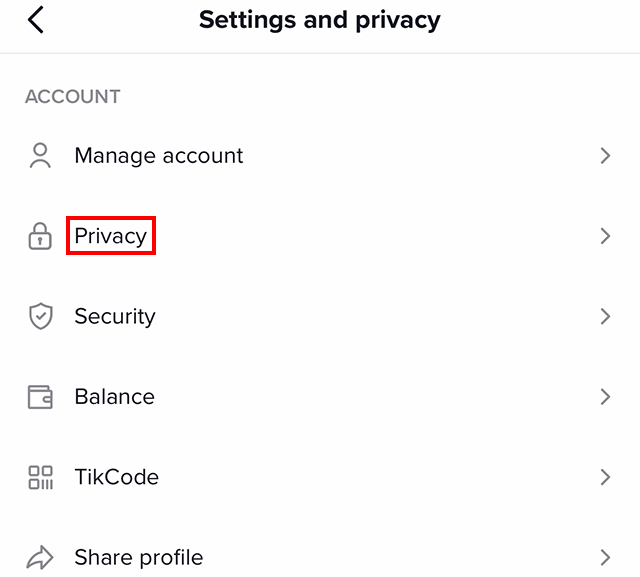
Step 3: Tap “Privacy.”
Step 4: Under the “Safety” section, tap “Allow your videos to be downloaded.”

Step 5: Tap “Off” to stop users from being able to download your videos.

https://www.adweek.com/media/tiktok-how-to-stop-users-from-being-able-to-download-your-videos/