

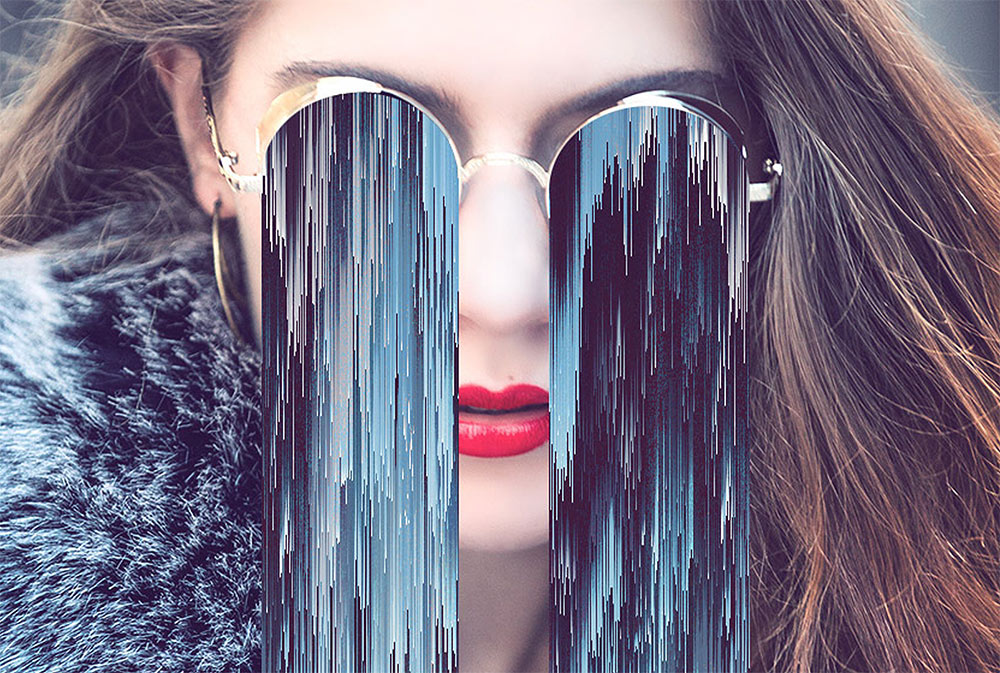
In today’s Photoshop tutorial we’re going to have some fun creating an abstract piece of artwork that features the Pixel Sorting effect, which is a type of glitch art that’s usually generated by computer code, but we’ll be replicating the appearance with Photoshop’s built in filters. If you search for pixel sorting artwork on sites such as Pinterest you’ll see some great surreal artworks where the effect is combined with a normal photograph, usually with these extended pixels drooping from a pair of sunglasses or in place of a subject’s entire face. That’s exactly what we’ll be producing in this tutorial, an abstract art piece that features a female face with long glitchy pixels that extend vertically from her sunglasses.
Woman Taking Selfie – http://spoon.graphics/2HWaMl7
Group of Friends Hanging Out – http://spoon.graphics/2DNtN6T
Free DuoTone Gradient Presets – http://spoon.graphics/2vR5owo
Free Pixel Sorting Photoshop Action – http://spoon.graphics/1Xqb6KG
Subscribe to the Spoon Graphics YouTube Channel
