

Ahead of Christmas, TikTok released a “Santa” text-to-speech voice that will allow users to have Santa Claus read the text in their videos.
Our guide will show you how to use the Santa text-to-speech voice in the TikTok application.
Note: These screenshots were captured in the TikTok app on iOS.
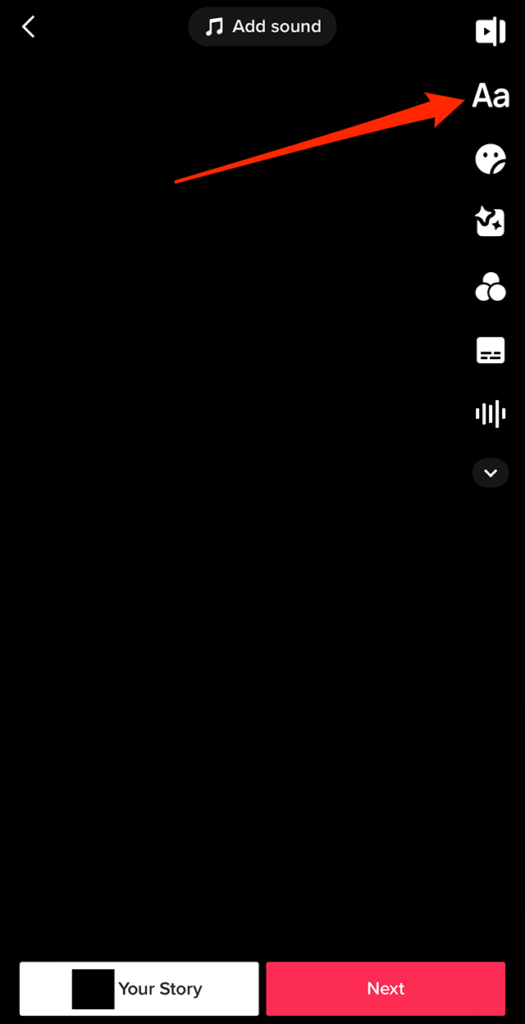
Step 1: On TikTok’s video editing screen, tap the text icon (the “Aa” icon) on the right side of the screen.
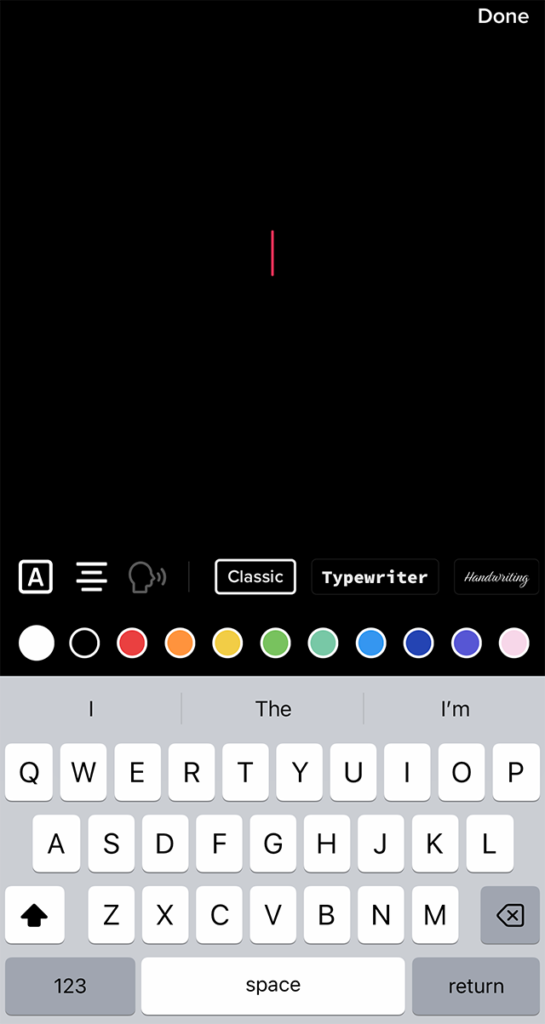
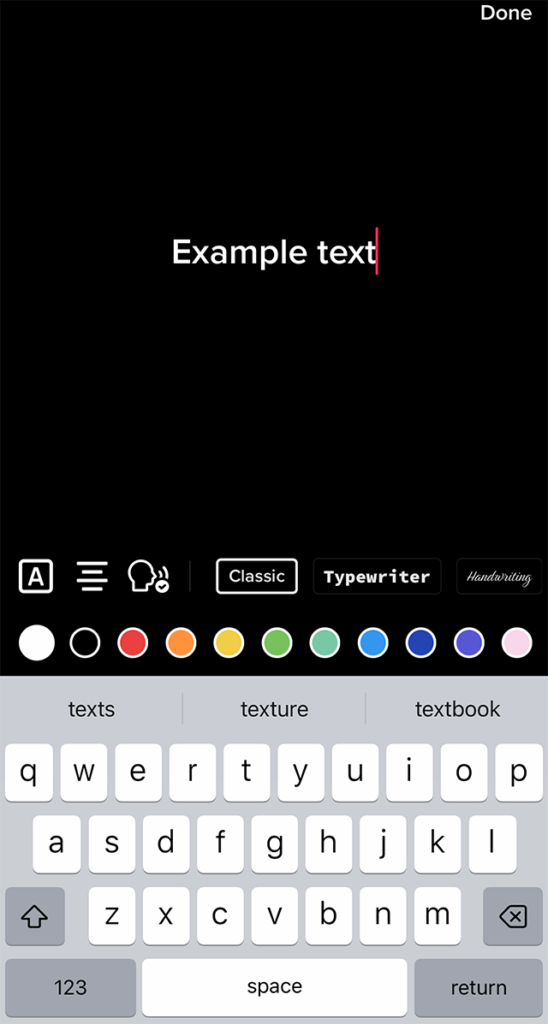
Step 2: Type your desired text.
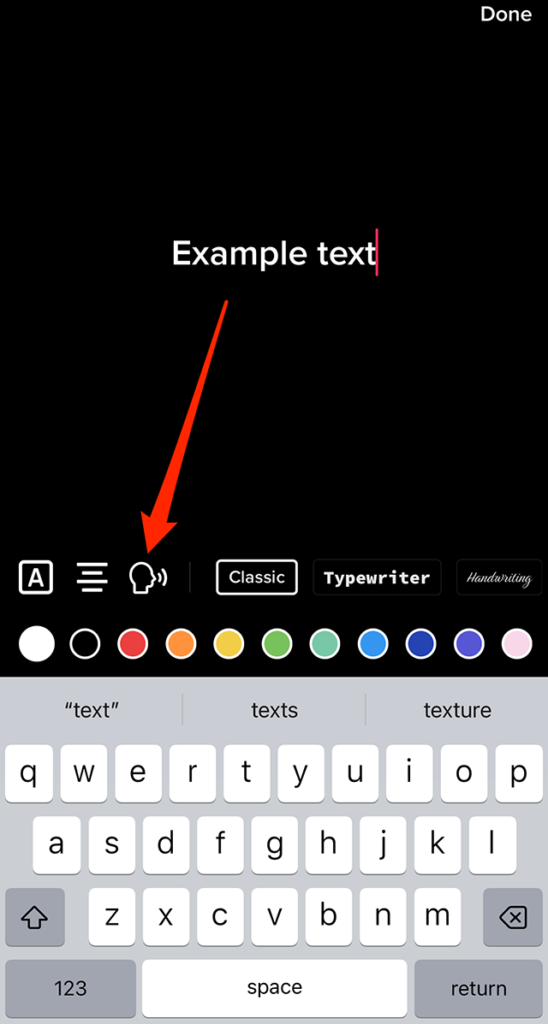
Step 3: Tap the “text-to-speech” icon (the icon of a person speaking) near the left side of the screen.
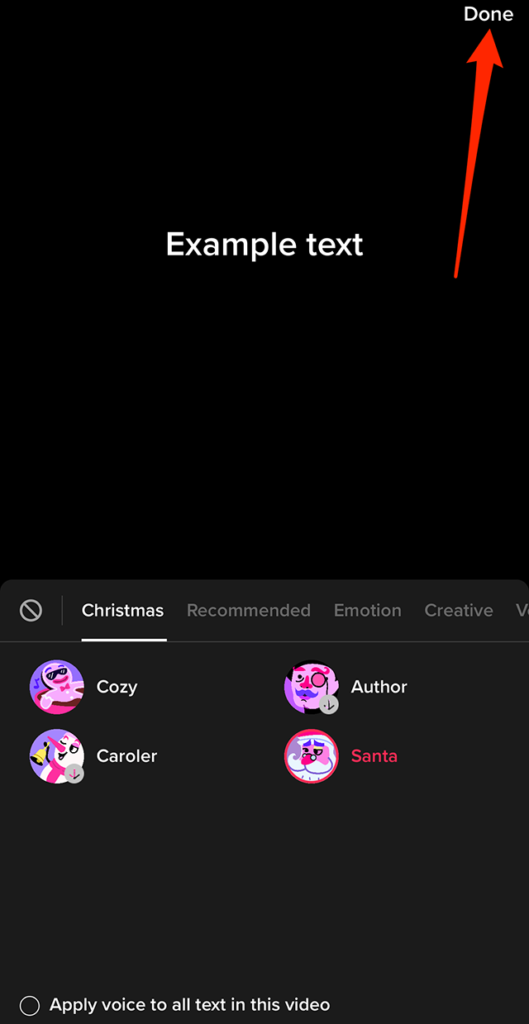
Step 4: Tap the “Santa” text-to-speech voice. Note: If you don’t see the Santa option, tap the “Christmas” tab to see it.
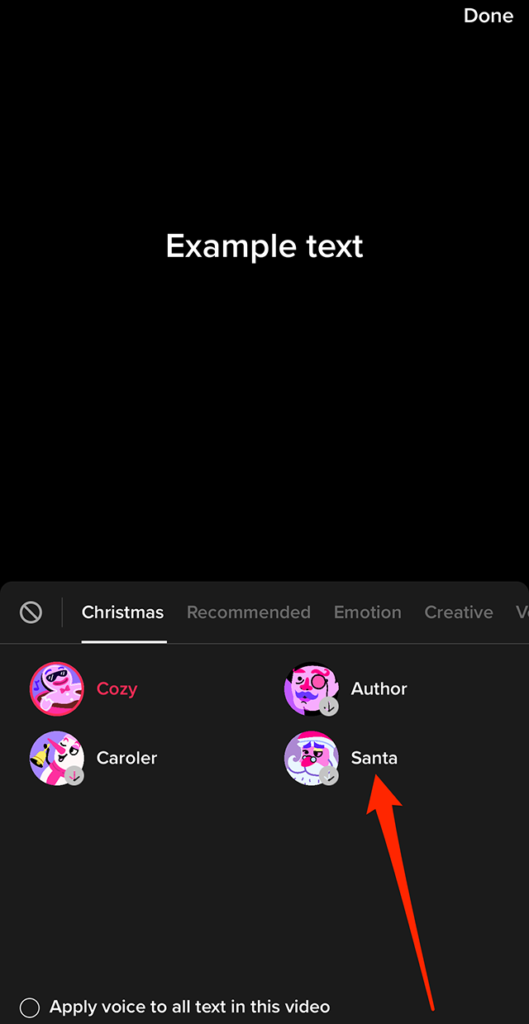
Step 5: Tap “Done” in the top-right corner of the screen.
From there, you can continue editing your text and post as you normally would.
https://www.adweek.com/media/tiktok-how-to-use-the-santa-text-to-speech-voice/
